
Start here
A few places to begin, from the aircraft’s story to the people who fly it.
Meet the aircraft
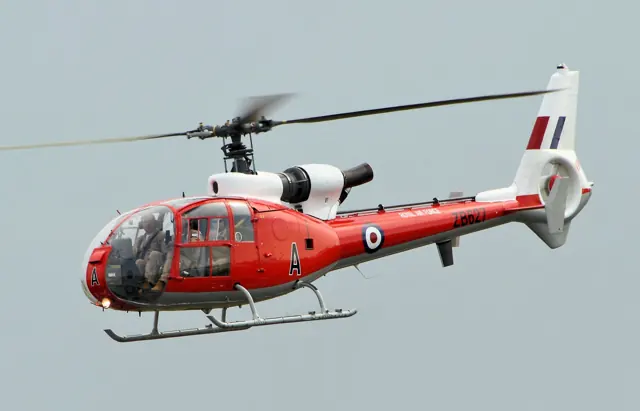
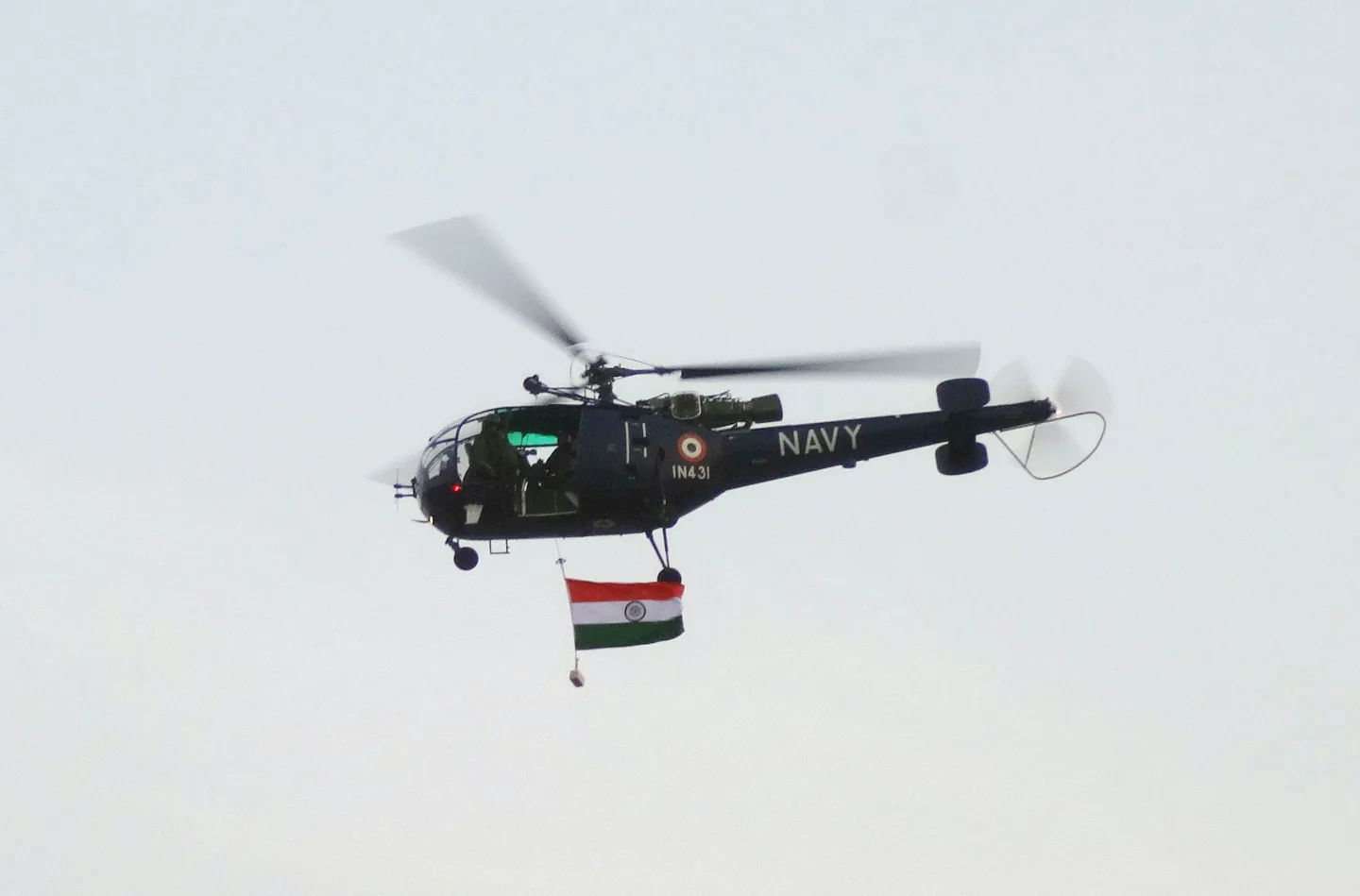
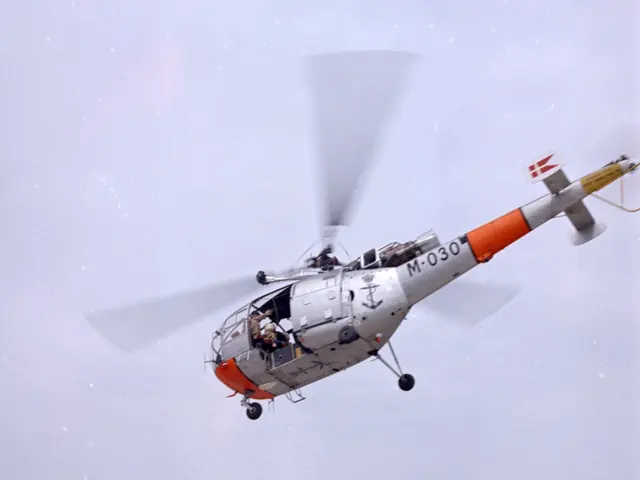
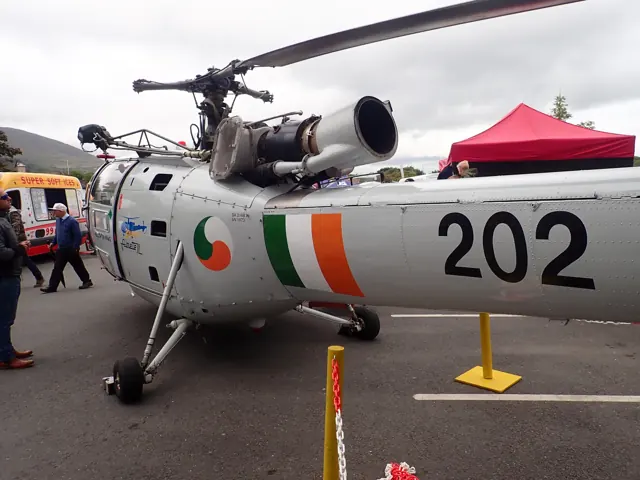
Sud Aviation developed the Alouette III as a larger follow-on to the Alouette II. The design uses a single turbine, a three-bladed main rotor and wheeled landing gear. It served civilian and military operators in transport, rescue and many other roles. Different engine versions and mission installations appeared during its long production life.
Aircraft background
Wikipedia contributors · Read more ↗A familiar skill in an unfamiliar cockpit
Sweazey wondered whether experience in American helicopters would make the Alouette’s opposite rotor direction difficult to learn. During the demonstration, he found himself making the required pedal corrections naturally. The aircraft already had nearly six hundred hours of use, but its appearance and straightforward walk-around inspection made a favourable first impression.
AOPA Pilot · October 1972. Demonstration with Vought personnel in Alouette III Model 3160 N8261; four people and full fuel during the reported cruise. The accompanying specification table describes the newer 316B.
AOPA Pilot / Aero Resources archive · Read more ↗Change the aircraft’s visible equipment
The clipboard beside the main console controls attachment visibility. Individual doors can be removed using their striped handles, while the v1.6 change history describes saved attachment configurations and opening side panels.
SA316B Alouette III · Taog's Hangar · MSFS 2020
Taog's Hangar · Read more ↗Into the cockpit
 YouTube
 twotonemurphy · 128 min ·
Vertical Cockpit Cam LIVE | Alouette III | OnAir SAR Ops | MSFS 2024
A Taog's Hangar Alouette III coastal flight in MSFS 2024, using OnAir missions.
Simulator · Taog’s Hangar Alouette III · MSFS 2024
Watch on YouTube ↗Preview images are served by AirframeDB. Videos open on YouTube only when you choose to watch.
Meet Aérospatiale Alouette III
Sud Aviation developed the Alouette III as a larger follow-on to the Alouette II. The design uses a single turbine, a three-bladed main rotor and wheeled landing gear. It served civilian and military operators in transport, rescue and many other roles.
Different engine versions and mission installations appeared during its long production life. The simulator packages have their own flight-model options and external-load tools.
Aérospatiale Alouette III
Aérospatiale → · Explore the family →
Aérospatiale Alouette III
Wikipedia contributors · Aérospatiale Alouette III ↗Taog's Hangar · MSFS 2020 →Aircraft type designators
Use the code for the model you are flying. The linked authority lists the applicable aircraft.
History & design
A long naval career reaches its final flights
The French Navy retired its final three Alouette IIIs at the end of December 2022. Vertical’s retrospective describes ship deployments, rescue cover and generations of pilot training, while explaining the growing maintenance and equipment pressures behind the transition to newer helicopters.
Vertical · French armed forces wave goodbye to the Alouette ↗French naval service; SA316B and SA319B variants
Development milestones
First flight: 28 February 1959
Developed from: Aérospatiale Alouette II
Wikipedia contributors · Aérospatiale Alouette III ↗Aérospatiale Alouette III · family/variant named by the source · Wikipedia revision 1366423720
Pilot accounts
A familiar skill in an unfamiliar cockpit
Sweazey wondered whether experience in American helicopters would make the Alouette’s opposite rotor direction difficult to learn. During the demonstration, he found himself making the required pedal corrections naturally. The aircraft already had nearly six hundred hours of use, but its appearance and straightforward walk-around inspection made a favourable first impression.
In flight, he liked the steady feel of the controls and the view shared by the occupants of the roomy cabin. An attempted hover well above the ground initially became a climb, reminding him how much power was available at that day’s loading. His enthusiasm did not erase every criticism: the parking brake left him wishing for individual toe brakes.
AOPA Pilot · October 1972. Demonstration with Vought personnel in Alouette III Model 3160 N8261; four people and full fuel during the reported cruise. The accompanying specification table describes the newer 316B.
Read the full account · AOPA Pilot / Aero Resources archive ↗Saying goodbye to a helicopter learned by heart
Robert’s connection with the Alouette began in the early 1990s. Flying with the Grasshoppers display team brought particular satisfaction: the pilots trusted one another and knew the helicopter closely. Years later, that familiarity remained central to the way he described it, as the Dutch service prepared to retire its last aircraft.
Navigation could mean a map on the pilot’s lap, with headings and elapsed time doing work that newer cockpit equipment would handle differently. Mountain visits to Austria and Switzerland added another dimension to the experience. Robert also credited the technicians whose efforts kept the ageing helicopters ready.
Dutch Ministry of Defence interview · December 2015. Flight commander recalling Alouette III service and the Grasshoppers display team; only his first name is supplied.
Read the full account · Netherlands Ministry of Defence ↗Mountain flying becomes a way to help people
Kraxner arrived at Aigen for advanced Alouette III training after learning on the Saab Safir and JetRanger. The long course introduced him to mountain operations, formation flying, external loads and hoisting. Growing up near the airfield had made helicopters familiar sights; now the landscape around it became part of his working education.
A rescue assignment in 1986 brought together his interest in the mountains and the satisfaction of helping someone. In the interview, that experience marks the start of his medical-rescue flying, before later civilian work on other helicopters. The Alouette therefore occupies a specific place in his career: the aircraft in which demanding training developed into a lasting professional interest. His later AS350 experiences belong to the next chapter of that story.
Austrian Wings interview · April 2016. Austrian military Alouette III training from May 1983 and rescue work from September 1986; later civilian work used other types.
Read the full account · Austrian Wings ↗In your simulator
Systems, equipment and documentation for each developer’s aircraft.
MSFS 2020SA316B Alouette III
Taog's Hangar · Released
SA316B Alouette III
Taog's Hangar · Released
Aircraft specifications
Published figures for the named real-aircraft variant. Simulator equipment and performance can differ.
| Specification | Published value |
|---|---|
| Length | 10.03 m (32 ft 11 in) |
| Height | 3 m (9 ft 10 in) |
| Empty weight | 1,143 kg (2,520 lb) |
| Gross weight | 2,200 kg (4,850 lb) |
| Powerplant | 1 × Turbomeca Artouste IIIB turboshaft derated to 425 kW (570 hp) |
| Main rotor diameter | 11.02 m (36 ft 2 in) |
| Main rotor area | 95.38 m² (1,026.7 sq ft) |
| Maximum speed | 210 km/h (130 mph, 110 kn) at sea level |
| Cruise speed | 185 km/h (115 mph, 100 kn) |
| Range | 540 km (340 mi, 290 nmi) |
| Service ceiling | 3,200 m (10,500 ft) |
| Rate of climb | 4.3 m/s (850 ft/min) |
Manuals & resources
Find your next read
Choose a topic for a short introduction and a link to the original source. Simulator references identify the developer and edition they cover.
Simulator documentation
Change the aircraft’s visible equipmentSA316B Alouette III · Taog's Hangar · MSFS 2020
The clipboard beside the main console controls attachment visibility. Individual doors can be removed using their striped handles, while the v1.6 change history describes saved attachment configurations and opening side panels.
Alouette III manual v1.7 · PDF pp.18–19,23
Taog's Hangar · Read the source ↗Version 1.7 changes handling and cockpit presentationSA316B Alouette III · Taog's Hangar · MSFS 2020
The documented update revised hover attitude, forward-flight tendencies, collective response and governor transitions. It also updated the Garmin 530 software and rotor sound loop.
Alouette III manual v1.7 · PDF p.22
Taog's Hangar · Read the source ↗Pilot account
A familiar skill in an unfamiliar cockpitAOPA Pilot · October 1972. Demonstration with Vought personnel in Alouette III Model 3160 N8261; four people and full fuel during the reported cruise. The accompanying specification table describes the newer 316B.
Sweazey wondered whether experience in American helicopters would make the Alouette’s opposite rotor direction difficult to learn. During the demonstration, he found himself making the required pedal corrections naturally. The aircraft already had nearly six hundred hours of use, but its appearance and straightforward walk-around inspection made a favourable first impression. In flight, he liked the steady feel of the controls and the view shared by the occupants of the roomy cabin.
Robert W. Sweazey
AOPA Pilot / Aero Resources archive · Read the source ↗Saying goodbye to a helicopter learned by heartDutch Ministry of Defence interview · December 2015. Flight commander recalling Alouette III service and the Grasshoppers display team; only his first name is supplied.
Robert’s connection with the Alouette began in the early 1990s. Flying with the Grasshoppers display team brought particular satisfaction: the pilots trusted one another and knew the helicopter closely. Years later, that familiarity remained central to the way he described it, as the Dutch service prepared to retire its last aircraft. Navigation could mean a map on the pilot’s lap, with headings and elapsed time doing work that newer cockpit equipment would handle differently.
Captain Robert
Netherlands Ministry of Defence · Read the source ↗Read the original documentation from the people who created it. Manuals open on their publisher’s website.
Manual
Download manualTaog's Hangar Microsoft Flight Simulator aircraft manualsMicrosoft / aircraft developers Taog aircraft manualsTaog's HangarAircraft background
Aérospatiale Alouette IIIWikipedia contributors · Research background · Wikipedia revision 1366423720 · retrieved 2026-09-12 French armed forces wave goodbye to the AlouetteVertical · Retirement reported after December 2022Product
SA316B Alouette IIITaog’s Hangar · Official developer / designated store catalogue · checked 2026-09-12Type designator
ICAO Doc 8643 — aircraft type designatorsInternational Civil Aviation Organization · Public search data retrieved 2026-09-14; authority update 2026-09-03Built-in force-feedback profiles
Read the documentary basis, editable starting settings and remaining questions for the aircraft you fly. Each explanation refers to the exact profile revision shown.
Catalogue programme-20261022-v1 · 4 profile choices
Taog's Hangar Alouette III
Taog's Hangar · Free and Pro · Revision 2 · Inherited starting point
MSFS 2020 · MSFS 2024
Taog's Hangar Alouette III: The cyclic's configured centre and damping provide a handling reference for the articulated-rotor helicopter; blade count does not determine cyclic hand force.
Taog's Hangar Alouette III Floats
Taog's Hangar · Free and Pro · Revision 1 · Inherited starting point
MSFS 2020 · MSFS 2024
Taog's Hangar Alouette III Floats: The cyclic's configured centre and damping provide a handling reference for the articulated-rotor helicopter; blade count does not determine cyclic hand force.
Taog's Hangar Alouette III Skis
Taog's Hangar · Free and Pro · Revision 1 · Inherited starting point
MSFS 2020 · MSFS 2024
Taog's Hangar Alouette III Skis: The cyclic's configured centre and damping provide a handling reference for the articulated-rotor helicopter; blade count does not determine cyclic hand force.
Aérospatiale Alouette III
Free and Pro · Revision 1 · Partial review
MSFS 2020
Aérospatiale Alouette III: The cyclic's configured centre and damping provide a handling reference for the articulated-rotor helicopter; blade count does not determine cyclic hand force.
Taog's Hangar Alouette III Skis
Taog's Hangar Alouette III Skis: The cyclic's configured centre and damping provide a handling reference for the articulated-rotor helicopter; blade count does not determine cyclic hand force.
Aircraft and simulator scope
- Taog's Hangar Alouette III Skis · Taog's Hangar · MSFS 2020 · Add-on starting point
- Taog's Hangar Alouette III Skis · Taog's Hangar · MSFS 2024 · Add-on starting point
The simulator model and controls
Sud Aviation developed the Alouette III as a larger follow-on to the Alouette II. The design uses a single turbine, a three-bladed main rotor and wheeled landing gear. It served civilian and military operators in transport, rescue and many other roles.
This profile selects Taog's Hangar Alouette III Skis for MSFS 2020, MSFS 2024.
How this profile feels
The spring stays independent of airspeed. Directed aerodynamic loading is omitted.
Local force trim is off. Autopilot following is off.
Cyclic damping is on. Its configured gain is 0.35; it resists hardware motion separately from the spring and aircraft stabilization.
Controls and trim
Taog's SA316B manual describes an articulated three-blade main rotor and pedal-controlled tail-rotor pitch. The basic aircraft has three wheels; skis and floats are separate surface kits. An optional Astazou attachment is described, but the attachment alone does not show a different simulated engine or cyclic-loading system. Rotor and ground cues retain the selected equipment's scope.
The selected implementation
Taog separates wheel/float/ski SA316B configurations. Its 2020-to-2024 compatibility path and optional engine attachment do not establish a native rebuild or changed cyclic force.
About the values
The gains are normalized profile settings. They describe the chosen effect balance; hand force depends on the device and its output limits. IAS references are tuning values rather than operating limits. Physical acceptance of this revision remains pending.
Documentary review and sources
These decisions describe the documentary basis and remaining gaps for this revision. Aircraft documentation and a starting setting describe different kinds of evidence.
Aircraft and variant
InheritedThis profile selects Taog's Hangar Alouette III Skis for MSFS 2020, MSFS 2024.
Flight controls
InheritedTaog's SA316B manual describes an articulated three-blade main rotor and pedal-controlled tail-rotor pitch. The basic aircraft has three wheels; skis and floats are separate surface kits. An optional Astazou attachment is described, but the attachment alone does not show a different simulated engine or cyclic-loading system. Rotor and ground cues retain the selected equipment's scope.
Trim
InheritedCyclic damping is on. Its configured gain is 0.35; it resists hardware motion separately from the spring and aircraft stabilization.
Autopilot and stability
InheritedAutopilot following is off; the configured spring and load retain the hardware feel.
Equipment
InheritedTaog separates wheel/float/ski SA316B configurations. Its 2020-to-2024 compatibility path and optional engine attachment do not establish a native rebuild or changed cyclic force.
Speeds and limits
InheritedThe indicated-speed references set the profile response scale; they are separate from aircraft operating limits.
Simulator integration
InheritedThe profile targets msfs2020, msfs2024. Add-on-specific controls use only the supported references configured by this profile.
Force-feedback settings
InheritedThe settings define the profile’s effect balance. Device output limits affect physical hand force.
Starting settings and their rationale
These configured values are starting estimates. The explanations describe what each setting controls; physical validation appears separately below.
| Setting | Starting value | What it controls and why |
|---|---|---|
| Spring strength | Starting value0.14 | What it controls and whyThe cyclic's configured centre and damping provide a handling reference for the articulated-rotor helicopter; blade count does not determine cyclic hand force. The baseline spring is 0.14. Low-speed spring blending is off. |
| Master force gain | Starting value0.65 | What it controls and whyScales overall profile strength while preserving effect balance, subject to device and output limits. |
| Profile force gain | Starting value0 | What it controls and whyThe 0 gain omits sustained directed airspeed loading. Spring resistance remains independent. |
| Force tuning speed/reference | Starting value100 kt | What it controls and whySets the IAS reference for aerodynamic loading. It is an estimate, not published cruise TAS or a flight limit. |
| Spring response reference speed | Starting value50.0 kt | What it controls and whySets the IAS where the low-speed blend reaches baseline strength; high-speed stiffening also uses it. |
| Aileron force scale | Starting value0.72 | What it controls and whyRoll and pitch aerodynamic scales are 0.72 and 1, respectively. These stored weights do not create directed aerodynamic loading while that term is inactive. No custom spring-travel curve is enabled. |
| Elevator force scale | Starting value1 | What it controls and whyScales pitch aerodynamic loading; pitch spring travel and trim responses are separate settings. |
| Trim feel | Starting valueDisabled | What it controls and whyRetained for compatibility and group membership. Trim relief, rather than this flag, controls centre movement. |
| Trim relief | Starting valueDisabled | What it controls and whyAllows trim relief with supported control law and valid telemetry. Axis authorities set its amount. |
| Autopilot follow | Starting valueDisabled | What it controls and whyAutopilot following is off; the configured spring and load retain the hardware feel. |
| Autopilot neutral hold | Starting valueDisabled | What it controls and whyPermits centering hold during a supported AP state, separate from following a moving target. |
| Output force limit | Starting value0.55 | What it controls and whyCaps directed-force output. Native spring effects and device limits remain separate. |
All 44 starting settings and their rationale
The settings define the profile’s effect balance. Device output limits affect physical hand force.
| Setting | Starting value | What it controls and why |
|---|---|---|
| Spring strength | Starting value0.14 | What it controls and whyThe cyclic's configured centre and damping provide a handling reference for the articulated-rotor helicopter; blade count does not determine cyclic hand force. The baseline spring is 0.14. Low-speed spring blending is off. |
| Spring deadband | Starting value0.02 | What it controls and whySets travel around the centre before the baseline spring resists. Smaller values engage it sooner. |
| Profile force gain | Starting value0 | What it controls and whyThe 0 gain omits sustained directed airspeed loading. Spring resistance remains independent. |
| Master force gain | Starting value0.65 | What it controls and whyScales overall profile strength while preserving effect balance, subject to device and output limits. |
| QBlend Enabled | Starting valueDisabled | What it controls and whyAllows baseline spring strength to rise with indicated airspeed where the control law permits it. |
| QSpring Minimum Factor | Starting value1 | What it controls and whySets low-speed spring strength as a fraction of baseline when blending is enabled. One keeps full strength. |
| QSpring Start Knots | Starting value8 kt | What it controls and whySets the IAS where the low-speed spring blend starts rising. This is a feel threshold, not a flight limit. |
| Spring response reference speed | Starting value50.0 kt | What it controls and whySets the IAS where the low-speed blend reaches baseline strength; high-speed stiffening also uses it. |
| Force tuning speed/reference | Starting value100 kt | What it controls and whySets the IAS reference for aerodynamic loading. It is an estimate, not published cruise TAS or a flight limit. |
| Airspeed spring stiffening gain | Starting value0 | What it controls and whyAdds permitted spring resistance above the full-blend speed. Zero removes this high-speed increase. |
| Airspeed spring stiffening limit | Starting value5 | What it controls and whyLimits the squared airspeed ratio used for high-speed spring stiffening; it is not a device-force cap. |
| Aileron force scale | Starting value0.72 | What it controls and whyRoll and pitch aerodynamic scales are 0.72 and 1, respectively. These stored weights do not create directed aerodynamic loading while that term is inactive. No custom spring-travel curve is enabled. |
| Elevator force scale | Starting value1 | What it controls and whyScales pitch aerodynamic loading; pitch spring travel and trim responses are separate settings. |
| Output force limit | Starting value0.55 | What it controls and whyCaps directed-force output. Native spring effects and device limits remain separate. |
| Trim feel | Starting valueDisabled | What it controls and whyRetained for compatibility and group membership. Trim relief, rather than this flag, controls centre movement. |
| Trim relief | Starting valueDisabled | What it controls and whyAllows trim relief with supported control law and valid telemetry. Axis authorities set its amount. |
| Elevator Authority | Starting value0 | What it controls and whyScales supported pitch-trim relief and permitted centre movement. Zero removes pitch response. |
| Aileron Authority | Starting value0 | What it controls and whyScales supported roll-trim relief and permitted centre movement. Zero removes roll response. |
| Force Trim Enabled | Starting valueDisabled | What it controls and whyLocal force trim represents a hardware spring-centre latch only when enabled; the surface kit does not establish a different trim mechanism. Local force trim is off. The stored latch parameters are inactive; the profile does not supply a local hold-where-left neutral. |
| GLoad Enabled | Starting valueDisabled | What it controls and whyAllows load-factor changes to modify permitted spring laws. Passive fly-by-wire feel can suppress it. |
| Rate Damping Enabled | Starting valueDisabled | What it controls and whyEnables rate damping with the configured coefficients and control law. |
| Autopilot follow | Starting valueDisabled | What it controls and whyAutopilot following is off; the configured spring and load retain the hardware feel. |
| Autopilot follow authority | Starting value0.05 | What it controls and whySets admitted AP-follow gain, not a percentage of travel. Runtime ownership and input limits still apply. |
| Autopilot neutral hold | Starting valueDisabled | What it controls and whyPermits centering hold during a supported AP state, separate from following a moving target. |
| Autopilot neutral hold strength | Starting value0.6 | What it controls and whySets admitted AP neutral-hold strength; inactive while neutral hold is disabled. |
| Enabled | Starting valueEnabled | What it controls and whyEnables aerodynamic cues; each still needs nonzero strength and its simulator conditions. |
| Gain | Starting value0 | What it controls and whySets stall-buffet strength. Zero removes the cue without changing simulator stalls or warnings. |
| Gain | Starting value0 | What it controls and whySets high-Mach buffet strength; onset and full-strength thresholds are separate. |
| Gain | Starting value0 | What it controls and whySets flap buffet at the configured position and speed gates. Flap movement texture is separate. |
| Maximum flap index | Starting value1 | What it controls and whySets the final flap index for detent normalization. UP plus three detents uses maximum index3. |
| Minimum flap index | Starting value1 | What it controls and whySets the first flap detent that admits buffet; this is a handle index, not degrees. |
| Gain | Starting value0 | What it controls and whySets gear aerodynamic buffet; movement and ground-contact cues are separate. |
| Shaker Enabled | Starting valueDisabled | What it controls and whyPermits shaker at supported warning conditions; the switch does not establish aircraft equipment. |
| Stick shaker amplitude | Starting value0.5 | What it controls and whySets triggered shaker strength; inactive while the shaker feature is disabled. |
| Enabled | Starting valueEnabled | What it controls and whyEnables ground effects; each still needs its own strength and contact or motion telemetry. |
| Gain | Starting value0.15 | What it controls and whySets rolling texture strength, modified by speed, surface and undercarriage configuration. |
| Gain | Starting value0 | What it controls and whySets gear-bump texture during ground motion, separate from touchdown impact. |
| Gain | Starting value0.5 | What it controls and whySets landing-impact strength; landing telemetry and response shape determine the pulse. |
| Gain | Starting value0 | What it controls and whySets reverse-thrust vibration with valid reverser and engine conditions. Zero removes the cue. |
| Enabled | Starting valueEnabled | What it controls and whyEnables engine cues with nonzero settings and valid running-engine telemetry. |
| Gain | Starting value0 | What it controls and whySets estimated engine vibration using configured telemetry and response, not measured cockpit vibration. |
| Enabled | Starting valueEnabled | What it controls and whyEnables accessory cues with configured strengths and observed accessory movement. |
| Gain | Starting value0 | What it controls and whySets texture from observed flap movement; a command without movement does not establish the cue. |
| Gain | Starting value0 | What it controls and whySets texture from observed gear movement, separate from aerodynamic and touchdown effects. |
Limits and open questions
- Taog's Hangar Alouette III Skis; msfs2020, msfs2024. Exact developer and equipment tokens required. Save as aircraft default when the simulator omits equipment identity.
- Rotorcraft cyclic with light estimated support; no inferred control force change from rescue cabin or engine cover.
- No exact custom trim-neutral contract established. Fixed-wing trim and duplicate local FTR remain disabled.
- No qualified AP target in the cited product/manual. Cabin roles do not create AFCS authority. AP servo-follow and neutral hold remain disabled; engagement indicators are not force-demand signals.
- SA316B ski equipment documented in the manual. Sliding contact replaces wheel texture; no invented engine or rotor-frequency change.
- 100 KIAS is an estimated feel reference, not cruise TAS or a certified limit.
- Read-only native telemetry for aircraft motion and accessory positions. Custom switches, display animations and mode lamps are not calibrated servo targets. No unverified LVars/datarefs or simulator writes. Ground-contact settings belong to this profile. Changing wheel, float or ski equipment inside the simulator may keep the same aircraft identity. Check that the selected profile matches the current configuration.
- Spring 0.14; lateral scale 0.72; trim authorities 0/0; per-axis output cap .55. Editable engineering estimates, not measured hand forces. Contact texture follows the documented configuration; no new primary-control force calibration is inferred.
- New physical and installed-product checks deferred by owner. Existing separately recorded acceptance retains its original device, simulator, add-on and version limits. Source review does not broaden custom telemetry acceptance.
- Only actual accessory position changes drive movement texture; static drag and command-triggered kicks are disabled. Select and save an aircraft default when telemetry lacks a discriminating developer/configuration identity.
Physical validation
No physical force validation is recorded in this public catalogue for this revision. Documentary review and software checks do not establish how a particular device feels.
Discuss this aircraft (0)
Questions, observations and useful sources from the community.
No published discussions yet. Bring a question or share a useful source.
Open aircraft discussions →Content expanded · What’s new
Something missing or a source that needs attention?
Suggest a correction ↗