

Start here
A few places to begin, from the aircraft’s story to the people who fly it.
Meet the aircraft
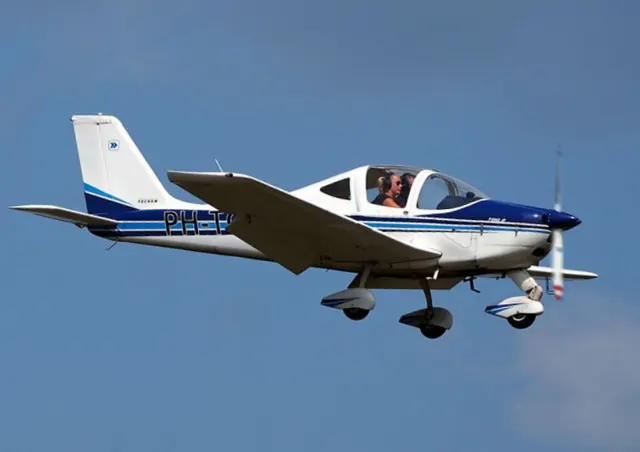
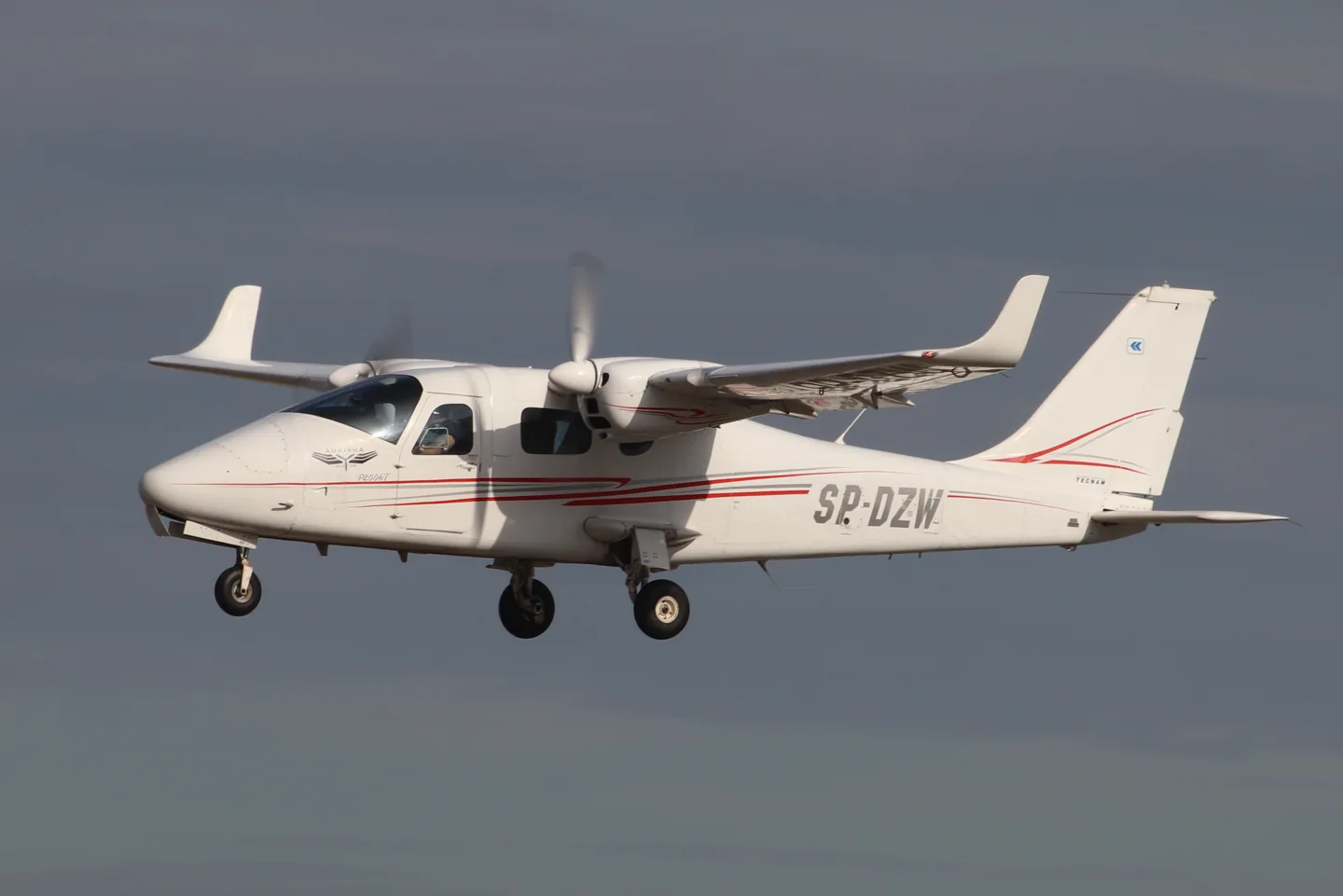
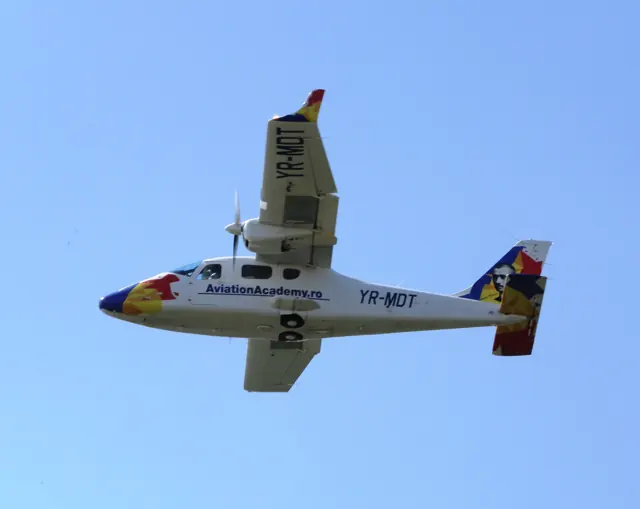
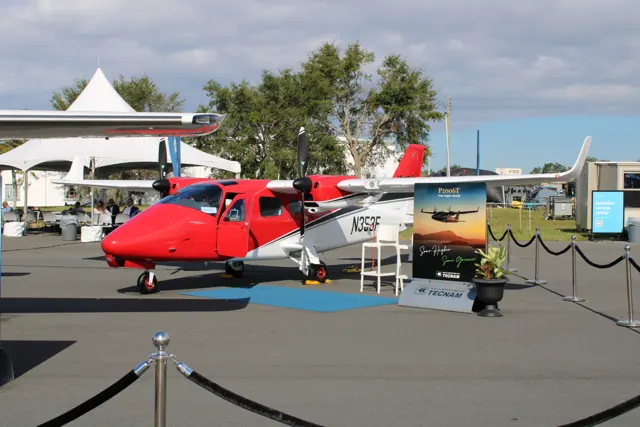
Tecnam developed the P2006T light twin at Capua in Italy with a shoulder wing and all-metal construction. MSFS and X-Plane developers offer analog and glass-cockpit versions, with simulator-generation support listed for each product.
Aircraft background
Wikipedia contributors · Read more ↗A new twin joins the traffic at a vintage gathering
Absolon encountered the P2006T among the aircraft gathered at Watts Bridge for the Festival of Flight. The cold, clear morning provided an inviting setting to try an unfamiliar twin. Starting the Rotax engines struck him as unusually quiet, and once airborne he found the controls light while working through the flight assessment. The return brought him back into a busy circuit with thermals and a slight quartering tailwind.
Australian Flying flight test at Watts Bridge, Queensland, during the Festival of Flight. Personal impressions from the aircraft’s Australian demonstration tour.
Australian Flying · Read more ↗The MKII pairs a customised G1000 with an STEC autopilot
FlightSim Studio lists a customised Working Title G1000 NXi, a WASM standby instrument and an STEC-55X autopilot. Its native MSFS 2024 version remains listed as in development.
Tecnam P2006T · FlightSim Studio · FlightSim Studio · MSFS 2020
FlightSim Studio · Read more ↗Into the cockpit
 YouTube
 Sling Pilot Academy · 11 min ·
Tecnam Twin P2006T Cockpit Tour
Sling Pilot Academy introduces the P2006T twin's flight deck.
Real aircraft · Tecnam P2006T
Watch on YouTube ↗Preview images are served by AirframeDB. Videos open on YouTube only when you choose to watch.
Meet Tecnam P2006T
Tecnam developed the P2006T light twin at Capua in Italy with a shoulder wing and all-metal construction. MSFS and X-Plane developers offer analog and glass-cockpit versions, with simulator-generation support listed for each product.
Tecnam P2006T
Tecnam → · Explore the family →
Tecnam P2006T
Wikipedia contributors · Tecnam P2006T ↗FlightSim Studio · MSFS 2020 →P2006T MK-I analog
VSKYLABS · VSKYLABS Aerospace Simulations Aircraft Center: VSKYLABS Tecnam P2006T MK-I ↗VSKYLABS · X-Plane 11 · X-Plane 12 →P2006T MK-I G1000
VSKYLABS · VSKYLABS Aerospace Simulations Aircraft Center: VSKYLABS Tecnam P2006T MK-I ↗VSKYLABS · X-Plane 11 · X-Plane 12 →Aircraft type designators
Use the code for the model you are flying. The linked authority lists the applicable aircraft.
History & design
A demonstration tour explains the small-twin idea
At the Australian launch, regional Tecnam representative Giovanni Nustrini recalled discussing the company’s next project with Paolo Pascale. He argued for a small twin serving training and touring roles, giving Absolon’s report a participant’s account of the market idea behind the P2006T.
Australian Flying · Tecnam P2006T flight test: In a class of its own ↗Attributed development recollection; not a current market-completeness claim
A light twin for training
Luigi Pascale’s P2006T was conceived around lightweight Rotax engines and the needs of multiengine training. A shoulder wing, retractable landing gear and feathering propellers gave the compact airframe the equipment of a conventional training twin. Later NG aircraft changed the engine installation and cockpit equipment. Analog and MkII simulator products have their own documented equipment, which differs from the current NG.
Wikipedia contributors · Tecnam P2006T ↗Research-based history of the real aircraft family; see the linked source.
Development milestones
Designer: Luigi Pascale
First flight: 13 September 2007
Wikipedia contributors · Tecnam P2006T ↗Tecnam P2006T · family/variant named by the source · Wikipedia revision 1373543748
Pilot accounts
A new twin joins the traffic at a vintage gathering
Absolon encountered the P2006T among the aircraft gathered at Watts Bridge for the Festival of Flight. The cold, clear morning provided an inviting setting to try an unfamiliar twin. Starting the Rotax engines struck him as unusually quiet, and once airborne he found the controls light while working through the flight assessment.
The return brought him back into a busy circuit with thermals and a slight quartering tailwind. His companion pointed out that his initial aiming point was too close to the fence, and they crossed higher before landing farther along the strip. Giovanni Nustrini then marshalled the aircraft through the crowd.
Australian Flying flight test at Watts Bridge, Queensland, during the Festival of Flight. Personal impressions from the aircraft’s Australian demonstration tour.
Read the full account · Australian Flying ↗A hot cockpit and an instructor’s calm guidance
Rocha’s P2006T flight began on a hot day at Americana with instructor Eduardo Silva. During the taxi he liked the feel of the pedals, but the sun and limited ground ventilation made the cockpit uncomfortable. Getting airborne improved the airflow, allowing him to settle into the evaluation away from the heat on the ground.
On the return, an early turn onto base left the aircraft higher and faster than Rocha wanted. Silva’s verbal guidance helped him make the adjustments, and the eventual landing was smooth. Rocha had been uncertain about landing an aircraft with such closely spaced main wheels.
Aeroflap · November 2022. Demonstration flight from Americana, Brazil, with Sierra Bravo instructor and coordinator Eduardo Silva; English summary of the publisher’s translated page.
Read the full account · Aeroflap ↗A renewal flight changes an old opinion of Rotax engines
Boot approached the P2006T with reservations formed by older experiences of two-stroke Rotax engines. His friend Andy Cragg encouraged him to try the twin, and after winter weather delayed the plan, they met Tim Orchard at Lydd. Tea and a few preliminary circuits preceded Boot’s own renewal flight in the unfamiliar aircraft.
The wet, overcast conditions made the exercise a practical introduction. Learning the glass cockpit added work, but Boot completed the check successfully. Orchard’s feedback separated that unfamiliarity from the aircraft’s handling, which he felt Boot had managed accurately. For Boot, the day replaced an old prejudice with direct experience of the modern twin, while also putting a useful qualification renewal in his logbook.
General Aviation · April 2011. January instrument and multi-engine renewal at Lydd with examiner Tim Orchard, who also had a commercial role as Tecnam’s UK and Ireland agent.
Read the full account · General Aviation / IAOPA Europe ↗In your simulator
Systems, equipment and documentation for each developer’s aircraft.
Compare simulator versions →MSFS 2020Tecnam P2006T · FlightSim Studio
FlightSim Studio · Released
Tecnam P2006T · FlightSim Studio
FlightSim Studio · Released
X-Plane 11 · X-Plane 12P2006T MK-I
VSKYLABS · Released
P2006T MK-I
VSKYLABS · Released
Aircraft specifications
Published figures for the named real-aircraft variant. Simulator equipment and performance can differ.
| Specification | Published value |
|---|---|
| Length | 8.7 m (28 ft 7 in) |
| Wingspan | 11.4 m (37 ft 5 in) |
| Height | 2.90 m (9 ft 6 in) |
| Wing area | 14.8 m² (159 sq ft) |
| Empty weight | 880 kg (1,940 lb) |
| Max takeoff weight | 1,290 kg (2,844 lb) |
| Powerplant | 2 × Rotax 912isc 3 Sport horizontally opposed four-cylinder geared piston engines , 75 kW (100 hp) each |
| Propellers | 2-bladed MT Propeller MTV-21, 1.78 m (5 ft 10 in) diameter constant-speed, fully feathering |
| Cruise speed | 274 km/h (170 mph, 148 kn) |
| Stall speed | 104 km/h (64 mph, 56 kn) |
| Range | 1,722 km (1,070 mi, 930 nmi) |
| Service ceiling | 4,300 m (14,000 ft) |
| Rate of climb | 4.7 m/s (930 ft/min) |
Manuals & resources
Find your next read
Choose a topic for a short introduction and a link to the original source. Simulator references identify the developer and edition they cover.
Simulator documentation
The MKII pairs a customised G1000 with an STEC autopilotTecnam P2006T · FlightSim Studio · FlightSim Studio · MSFS 2020
FlightSim Studio lists a customised Working Title G1000 NXi, a WASM standby instrument and an STEC-55X autopilot. Its native MSFS 2024 version remains listed as in development.
Developer MKII feature and availability page, retrieved September 2026
FlightSim Studio · Read the source ↗The project represents the earlier MK-IP2006T MK-I · VSKYLABS · X-Plane 11 · X-Plane 12
VSKYLABS explicitly distinguishes its MK-I project from the later MK-II. Two cockpit models are included: analogue instruments and an X-Plane G1000 installation.
Developer Aircraft Center, project introduction
VSKYLABS Aircraft Center · Read the source ↗Released product and variantsP2006T MK-I · VSKYLABS · X-Plane 11 · X-Plane 12
The product includes analog and G1000 cockpit versions of the MK-I. VSKYLABS specifically distinguishes these from Tecnam’s real MK-II; the simulated glass cockpit combines X-Plane’s G1000 with analog engine instruments.
Official developer / designated-store reference · checked 2026-09-14
VSKYLABS · Read the source ↗Easy and Realistic modes change more than startingTecnam P2006T · FlightSim Studio · FlightSim Studio · MSFS 2020
Easy mode uses the default engine and start model, disables circuit breakers and omits persistence. Realistic mode adds custom starting, working breakers and saved aircraft state.
Developer MKII feature page; MSFS 2020 edition
FlightSim Studio · Read the source ↗The tablet brings together ground preparationTecnam P2006T · FlightSim Studio · FlightSim Studio · MSFS 2020
The tablet provides weight and balance, a walkaround, panel-state loading, ground power and an engine preheater. It also includes a moving map and Navigraph chart support.
Developer MKII feature page; MSFS 2020 edition
FlightSim Studio · Read the source ↗Analogue and glass cockpits retain different instrument arrangementsP2006T MK-I · VSKYLABS · X-Plane 11 · X-Plane 12
The analogue model has GNS 530 and 430 units. The G1000 model retains separate analogue engine gauges alongside the display’s integrated engine indications.
Developer Aircraft Center; the developer also notes simplified architecture in some systems
VSKYLABS Aircraft Center · Read the source ↗Pilot account
A new twin joins the traffic at a vintage gatheringAustralian Flying flight test at Watts Bridge, Queensland, during the Festival of Flight. Personal impressions from the aircraft’s Australian demonstration tour.
Absolon encountered the P2006T among the aircraft gathered at Watts Bridge for the Festival of Flight. The cold, clear morning provided an inviting setting to try an unfamiliar twin. Starting the Rotax engines struck him as unusually quiet, and once airborne he found the controls light while working through the flight assessment. The return brought him back into a busy circuit with thermals and a slight quartering tailwind.
John Absolon
Australian Flying · Read the source ↗A hot cockpit and an instructor’s calm guidanceAeroflap · November 2022. Demonstration flight from Americana, Brazil, with Sierra Bravo instructor and coordinator Eduardo Silva; English summary of the publisher’s translated page.
Rocha’s P2006T flight began on a hot day at Americana with instructor Eduardo Silva. During the taxi he liked the feel of the pedals, but the sun and limited ground ventilation made the cockpit uncomfortable. Getting airborne improved the airflow, allowing him to settle into the evaluation away from the heat on the ground. On the return, an early turn onto base left the aircraft higher and faster than Rocha wanted.
Micael Rocha
Aeroflap · Read the source ↗Read the original documentation from the people who created it. Manuals open on their publisher’s website.
Aircraft background
Tecnam P2006TWikipedia contributors · Research background · retrieved 2026-09-12Product
Tecnam P2006T MKIIFlightSim Studio · Official developer / designated store catalogue · checked 2026-09-12 Tecnam P2006T AnalogFlightSim Studio · Official developer / designated store catalogue · checked 2026-09-12 P2006T MK-IVSKYLABS · Official developer / designated store catalogue · checked 2026-09-12Developer documentation
VSKYLABS Tecnam P2006T MK-IVSKYLABS Aircraft Center · Developer project documentation · retrieved 13 September 2026Type designator
ICAO Doc 8643 — aircraft type designatorsInternational Civil Aviation Organization · Public search data retrieved 2026-09-14; authority update 2026-09-03Built-in force-feedback profiles
Read the documentary basis, editable starting settings and remaining questions for the aircraft you fly. Each explanation refers to the exact profile revision shown.
Catalogue programme-20261022-v1 · 4 profile choices
FlightSim Studio Tecnam P2006T Analog
FlightSim Studio · Free and Pro · Revision 3 · Inherited starting point
MSFS 2020
FlightSim Studio Tecnam P2006T Analog: The stabilator/anti-tab arrangement motivates aerodynamic loading.
FlightSim Studio Tecnam P2006T MKII
FlightSim Studio · Free and Pro · Revision 3 · Inherited starting point
MSFS 2020
FlightSim Studio Tecnam P2006T MKII: The stabilator/anti-tab arrangement motivates aerodynamic loading.
VSKYLABS Tecnam P2006T MK-I
VSKYLABS · Free and Pro · Revision 4 · Inherited starting point
X-Plane 12
VSKYLABS Tecnam P2006T MK-I: The stabilator/anti-tab arrangement motivates aerodynamic loading.
Tecnam P2006T
Free and Pro · Revision 1 · Partial review
MSFS 2020 · X-Plane 12 · X-Plane 11
Tecnam P2006T: The stabilator/anti-tab arrangement motivates aerodynamic loading.
FlightSim Studio Tecnam P2006T MKII
FlightSim Studio Tecnam P2006T MKII: The stabilator/anti-tab arrangement motivates aerodynamic loading.
Aircraft and simulator scope
- FlightSim Studio Tecnam P2006T MKII · FlightSim Studio · MSFS 2020 · Add-on starting point
The simulator model and controls
Tecnam developed the P2006T light twin at Capua in Italy with a shoulder wing and all-metal construction. MSFS and X-Plane developers offer analog and glass-cockpit versions, with simulator-generation support listed for each product.
This profile selects FlightSim Studio Tecnam P2006T MKII for MSFS 2020.
How this profile feels
The stabilator/anti-tab arrangement motivates aerodynamic loading. Spring resistance builds with the selected airspeed response. A separate aerodynamic term adds speed-dependent control load.
The anti-tab supplies pitch relief; electrical rudder trim does not supply roll trim. Valid trim provides the configured pressure relief. Autopilot following is off.
Controls and trim
The P2006T’s manual controls use stabilator rods, mixed aileron cables/rods and rudder cables. Its anti-tab also serves pitch trim, while rudder trim is electrical and the aileron tab is ground adjusted. Gear and propeller hydraulics are separate systems.
The selected implementation
The Analog S-TEC55X description omits CWS and altitude preselect. MKII/G1000 is separately named equipment.
About the values
The gains are normalized profile settings. They describe the chosen effect balance; hand force depends on the device and its output limits. IAS references are tuning values rather than operating limits. Physical acceptance of this revision remains pending.
Documentary review and sources
These decisions describe the documentary basis and remaining gaps for this revision. Aircraft documentation and a starting setting describe different kinds of evidence.
Aircraft and variant
InheritedThis profile selects FlightSim Studio Tecnam P2006T MKII for MSFS 2020.
Flight controls
InheritedThe P2006T’s manual controls use stabilator rods, mixed aileron cables/rods and rudder cables. Its anti-tab also serves pitch trim, while rudder trim is electrical and the aileron tab is ground adjusted. Gear and propeller hydraulics are separate systems.
Trim
InheritedThe anti-tab supplies pitch relief; electrical rudder trim does not supply roll trim. Pitch authority 0.3 provides load relief and permitted centre movement; roll authority is 0.
Autopilot and stability
InheritedAutopilot following is off; the configured spring and load retain the hardware feel.
Equipment
InheritedThe Analog S-TEC55X description omits CWS and altitude preselect. MKII/G1000 is separately named equipment.
Speeds and limits
InheritedThe indicated-speed references set the profile response scale; they are separate from aircraft operating limits.
Simulator integration
InheritedThe profile targets msfs2020. Add-on-specific controls use only the supported references configured by this profile.
Force-feedback settings
InheritedThe settings define the profile’s effect balance. Device output limits affect physical hand force.
Starting settings and their rationale
These configured values are starting estimates. The explanations describe what each setting controls; physical validation appears separately below.
| Setting | Starting value | What it controls and why |
|---|---|---|
| Spring strength | Starting value0.74 | What it controls and whyThe stabilator/anti-tab arrangement motivates aerodynamic loading. The baseline spring is 0.74. Its low-speed blend reaches baseline strength at 50 KIAS. docs.flightsim-studio.com ↗ docs.flightsim-studio.com ↗ flightsim-studio.com ↗ docs.flightsim-studio.com ↗ docs.flightsim-studio.com ↗ docs.flightsim-studio.com ↗ flightsim-studio.com ↗ docs.flightsim-studio.com ↗ www.skyservices-flightacademy.com ↗ aircraft.vskylabs.com ↗ drive.google.com ↗ www.tecnamair.com ↗ |
| Master force gain | Starting value0.85 | What it controls and whyScales overall profile strength while preserving effect balance, subject to device and output limits. |
| Profile force gain | Starting value0.8 | What it controls and whyThe aerodynamic-load gain is 0.8 with an indicated-speed reference of 125 KIAS. This supplies speed-dependent loading alongside the spring. |
| Force tuning speed/reference | Starting value125 kt | What it controls and whySets the IAS reference for aerodynamic loading. It is an estimate, not published cruise TAS or a flight limit. |
| Spring response reference speed | Starting value50 kt | What it controls and whySets the IAS where the low-speed blend reaches baseline strength; high-speed stiffening also uses it. |
| Aileron force scale | Starting value0.72 | What it controls and whyRoll and pitch aerodynamic scales are 0.72 and 1, respectively. They set the aerodynamic axis balance. No custom spring-travel curve is enabled. |
| Elevator force scale | Starting value1.0 | What it controls and whyScales pitch aerodynamic loading; pitch spring travel and trim responses are separate settings. |
| Trim feel | Starting valueDisabled | What it controls and whyRetained for compatibility and group membership. Trim relief, rather than this flag, controls centre movement. |
| Trim relief | Starting valueEnabled | What it controls and whyAllows trim relief with supported control law and valid telemetry. Axis authorities set its amount. |
| Autopilot follow | Starting valueDisabled | What it controls and whyAutopilot following is off; the configured spring and load retain the hardware feel. |
| Autopilot neutral hold | Starting valueDisabled | What it controls and whyPermits centering hold during a supported AP state, separate from following a moving target. |
| Output force limit | Starting value0.55 | What it controls and whyCaps directed-force output. Native spring effects and device limits remain separate. |
All 44 starting settings and their rationale
The settings define the profile’s effect balance. Device output limits affect physical hand force.
| Setting | Starting value | What it controls and why |
|---|---|---|
| Spring strength | Starting value0.74 | What it controls and whyThe stabilator/anti-tab arrangement motivates aerodynamic loading. The baseline spring is 0.74. Its low-speed blend reaches baseline strength at 50 KIAS. docs.flightsim-studio.com ↗ docs.flightsim-studio.com ↗ flightsim-studio.com ↗ docs.flightsim-studio.com ↗ docs.flightsim-studio.com ↗ docs.flightsim-studio.com ↗ flightsim-studio.com ↗ docs.flightsim-studio.com ↗ www.skyservices-flightacademy.com ↗ aircraft.vskylabs.com ↗ drive.google.com ↗ www.tecnamair.com ↗ |
| Spring deadband | Starting value0.04 | What it controls and whySets travel around the centre before the baseline spring resists. Smaller values engage it sooner. |
| Profile force gain | Starting value0.8 | What it controls and whyThe aerodynamic-load gain is 0.8 with an indicated-speed reference of 125 KIAS. This supplies speed-dependent loading alongside the spring. |
| Master force gain | Starting value0.85 | What it controls and whyScales overall profile strength while preserving effect balance, subject to device and output limits. |
| QBlend Enabled | Starting valueEnabled | What it controls and whyAllows baseline spring strength to rise with indicated airspeed where the control law permits it. |
| QSpring Minimum Factor | Starting value0.55 | What it controls and whySets low-speed spring strength as a fraction of baseline when blending is enabled. One keeps full strength. |
| QSpring Start Knots | Starting value8 kt | What it controls and whySets the IAS where the low-speed spring blend starts rising. This is a feel threshold, not a flight limit. |
| Spring response reference speed | Starting value50 kt | What it controls and whySets the IAS where the low-speed blend reaches baseline strength; high-speed stiffening also uses it. |
| Force tuning speed/reference | Starting value125 kt | What it controls and whySets the IAS reference for aerodynamic loading. It is an estimate, not published cruise TAS or a flight limit. |
| Airspeed spring stiffening gain | Starting value0.15 | What it controls and whyThe high-speed spring-stiffening gain is 0.15. It strengthens the permitted spring response above 50 KIAS, with the squared-speed ratio capped at 5. |
| Airspeed spring stiffening limit | Starting value5 | What it controls and whyLimits the squared airspeed ratio used for high-speed spring stiffening; it is not a device-force cap. |
| Aileron force scale | Starting value0.72 | What it controls and whyRoll and pitch aerodynamic scales are 0.72 and 1, respectively. They set the aerodynamic axis balance. No custom spring-travel curve is enabled. |
| Elevator force scale | Starting value1.0 | What it controls and whyScales pitch aerodynamic loading; pitch spring travel and trim responses are separate settings. |
| Output force limit | Starting value0.55 | What it controls and whyCaps directed-force output. Native spring effects and device limits remain separate. |
| Trim feel | Starting valueDisabled | What it controls and whyRetained for compatibility and group membership. Trim relief, rather than this flag, controls centre movement. |
| Trim relief | Starting valueEnabled | What it controls and whyAllows trim relief with supported control law and valid telemetry. Axis authorities set its amount. |
| Elevator Authority | Starting value0.3 | What it controls and whyThe anti-tab supplies pitch relief; electrical rudder trim does not supply roll trim. Pitch authority 0.3 provides load relief and permitted centre movement; roll authority is 0. docs.flightsim-studio.com ↗ docs.flightsim-studio.com ↗ flightsim-studio.com ↗ docs.flightsim-studio.com ↗ docs.flightsim-studio.com ↗ docs.flightsim-studio.com ↗ flightsim-studio.com ↗ docs.flightsim-studio.com ↗ www.skyservices-flightacademy.com ↗ aircraft.vskylabs.com ↗ drive.google.com ↗ www.tecnamair.com ↗ |
| Aileron Authority | Starting value0 | What it controls and whyScales supported roll-trim relief and permitted centre movement. Zero removes roll response. |
| Force Trim Enabled | Starting valueDisabled | What it controls and whyEnables local force trim, separate from aircraft-owned trim and add-on integration qualification. |
| GLoad Enabled | Starting valueEnabled | What it controls and whyAllows load-factor changes to modify permitted spring laws. Passive fly-by-wire feel can suppress it. |
| Rate Damping Enabled | Starting valueEnabled | What it controls and whyEnables rate damping with the configured coefficients and control law. |
| Autopilot follow | Starting valueDisabled | What it controls and whyAutopilot following is off; the configured spring and load retain the hardware feel. |
| Autopilot follow authority | Starting value0.1 | What it controls and whySets admitted AP-follow gain, not a percentage of travel. Runtime ownership and input limits still apply. |
| Autopilot neutral hold | Starting valueDisabled | What it controls and whyPermits centering hold during a supported AP state, separate from following a moving target. |
| Autopilot neutral hold strength | Starting value0.6 | What it controls and whySets admitted AP neutral-hold strength; inactive while neutral hold is disabled. |
| Enabled | Starting valueEnabled | What it controls and whyEnables aerodynamic cues; each still needs nonzero strength and its simulator conditions. |
| Gain | Starting value0.35 | What it controls and whySets stall-buffet strength. Zero removes the cue without changing simulator stalls or warnings. |
| Gain | Starting value0 | What it controls and whySets high-Mach buffet strength; onset and full-strength thresholds are separate. |
| Gain | Starting value0 | What it controls and whySets flap buffet at the configured position and speed gates. Flap movement texture is separate. |
| Maximum flap index | Starting value3 | What it controls and whySets the final flap index for detent normalization. UP plus three detents uses maximum index3. |
| Minimum flap index | Starting value2 | What it controls and whySets the first flap detent that admits buffet; this is a handle index, not degrees. |
| Gain | Starting value0 | What it controls and whySets gear aerodynamic buffet; movement and ground-contact cues are separate. |
| Shaker Enabled | Starting valueDisabled | What it controls and whyPermits shaker at supported warning conditions; the switch does not establish aircraft equipment. |
| Stick shaker amplitude | Starting value0.5 | What it controls and whySets triggered shaker strength; inactive while the shaker feature is disabled. |
| Enabled | Starting valueEnabled | What it controls and whyEnables ground effects; each still needs its own strength and contact or motion telemetry. |
| Gain | Starting value0.4 | What it controls and whySets rolling texture strength, modified by speed, surface and undercarriage configuration. |
| Gain | Starting value0.25 | What it controls and whySets gear-bump texture during ground motion, separate from touchdown impact. |
| Gain | Starting value0.65 | What it controls and whySets landing-impact strength; landing telemetry and response shape determine the pulse. |
| Gain | Starting value0 | What it controls and whySets reverse-thrust vibration with valid reverser and engine conditions. Zero removes the cue. |
| Enabled | Starting valueEnabled | What it controls and whyEnables engine cues with nonzero settings and valid running-engine telemetry. |
| Gain | Starting value0.12 | What it controls and whySets estimated engine vibration using configured telemetry and response, not measured cockpit vibration. |
| Enabled | Starting valueEnabled | What it controls and whyEnables accessory cues with configured strengths and observed accessory movement. |
| Gain | Starting value0.12 | What it controls and whySets texture from observed flap movement; a command without movement does not establish the cue. |
| Gain | Starting value0.025 | What it controls and whySets texture from observed gear movement, separate from aerodynamic and touchdown effects. |
Limits and open questions
- AP handbook85-135KIAS envelope is not a hardware stop. Shared force estimates across cargo/observer/pax and optional navigator fits; MSFS2024 remains excluded.
- Force magnitudes and tuning references are estimates; installed-aircraft and physical acceptance deferred.
- No custom failure, AP servo, dynamic fit detection or control-lock integration is qualified. Select the exact equipment choice manually if aircraft telemetry omits it.
Physical validation
No physical force validation is recorded in this public catalogue for this revision. Documentary review and software checks do not establish how a particular device feels.
Discuss this aircraft (1)
Questions, observations and useful sources from the community.
- What about Tecnam aircraft ? →Related discussion2 replies · Last activity
Content expanded · What’s new
Something missing or a source that needs attention?
Suggest a correction ↗