

Start here
A few places to begin, from the aircraft’s story to the people who fly it.
Meet the aircraft
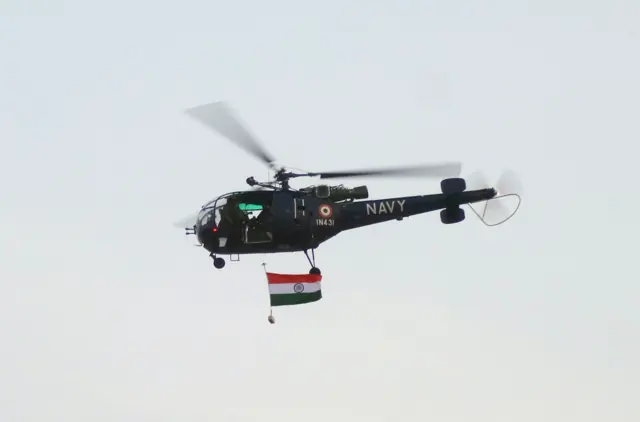
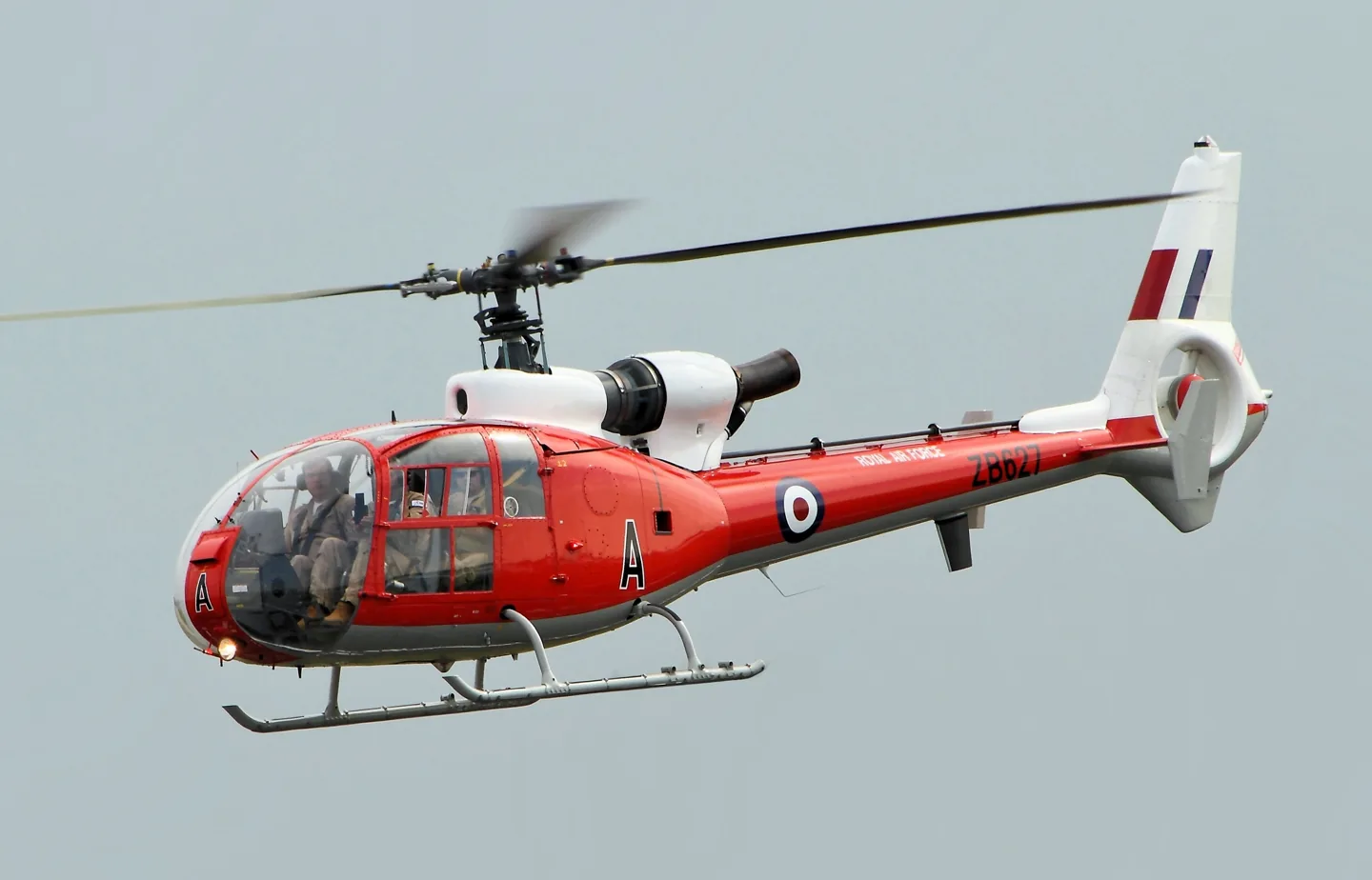
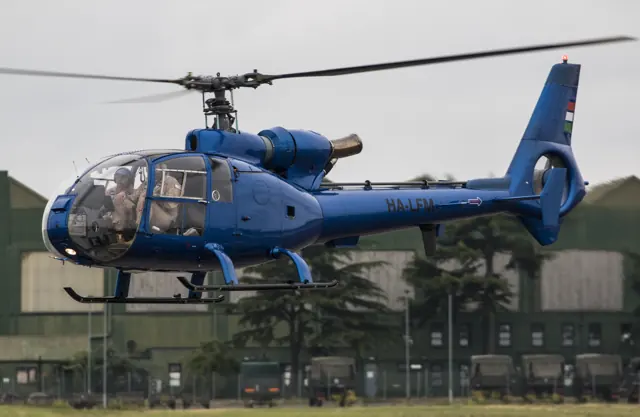
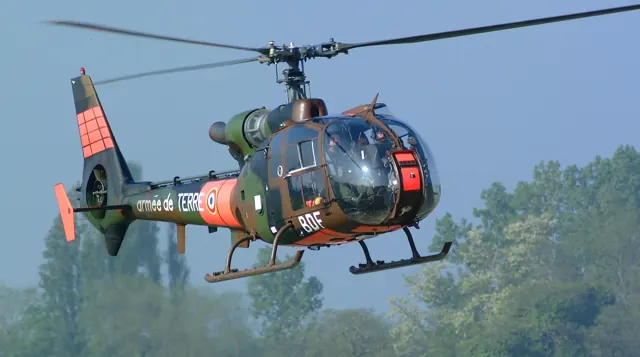
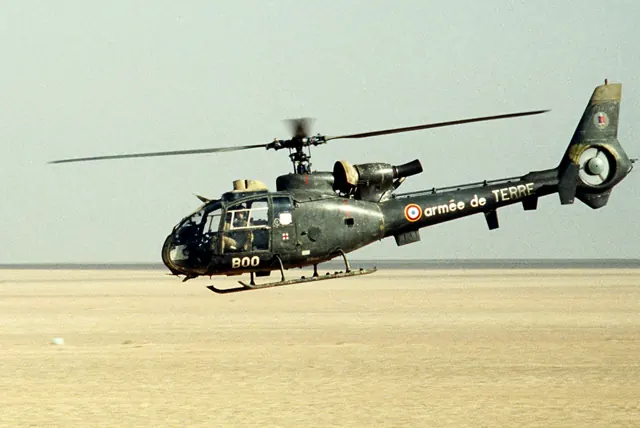
Sud Aviation developed the Gazelle as a light helicopter with room for five. The design passed into Aérospatiale's range and combined a streamlined cabin with an enclosed anti-torque rotor. Civil and military operators used the same compact airframe for different tasks; equipment and powerplant details depend on the version.
Aircraft background
Wikipedia contributors · Read more ↗Business trips leave room for sharing the view
A sightseeing flight in Belgium started van Zutphen thinking about learning to fly helicopters himself. He eventually trained on an R44 and later owned other types, but the Gazelle became his favourite. Interviewed at Teuge, he spoke about its appearance and the pleasure of flying with an enthusiasm that extended beyond using it as transport.
Up in the Sky interview · June 2016. Owner-pilot of SA341G(S) YU-HVZ, acquired in 2014; preferences and recollections are his own.
Up in the Sky · Read more ↗HeliManager adapts the controls to the user
FlyInside includes HeliManager for joystick configuration and artificial-stability adjustment. The developer describes options intended to make the Gazelle usable with a standard four-axis joystick or controller.
Aérospatiale Gazelle · FlyInside · MSFS 2020
FlyInside · Read more ↗Into the cockpit
 YouTube
 jettech7 · 1 min ·
GAZELLE HELICOPTER START UP COCKPIT VIEW
A close view of the Gazelle cockpit during engine start.
Real aircraft · Aérospatiale Gazelle
Watch on YouTube ↗Preview images are served by AirframeDB. Videos open on YouTube only when you choose to watch.
Meet Aérospatiale Gazelle
Sud Aviation developed the Gazelle as a light helicopter with room for five. The design passed into Aérospatiale's range and combined a streamlined cabin with an enclosed anti-torque rotor. Civil and military operators used the same compact airframe for different tasks; equipment and powerplant details depend on the version.
Aérospatiale Gazelle
Aérospatiale → · Explore the family →
Aérospatiale Gazelle
Wikipedia contributors · Aérospatiale Gazelle ↗FlyInside · MSFS 2020 →Aircraft type designators
Use the code for the model you are flying. The linked authority lists the applicable aircraft.
History & design
A flight-test engineer remembers the Gazelle
Andrew Cranfield recalled a journey from Yeovil to London with Westland test pilot Don Farquharson, as well as Army exercise flying. His role on those flights is not established as pilot in command.
Hush-Kit · Interview with a human-powered helicopter designer ↗Hush-Kit interview, March 2022
Development milestones
First flight: 7 April 1967 (SA.340)
Developed from: Aérospatiale Alouette III
Wikipedia contributors · Aérospatiale Gazelle ↗Aérospatiale Gazelle · family/variant named by the source · Wikipedia revision 1367964479
Pilot accounts
Business trips leave room for sharing the view
A sightseeing flight in Belgium started van Zutphen thinking about learning to fly helicopters himself. He eventually trained on an R44 and later owned other types, but the Gazelle became his favourite. Interviewed at Teuge, he spoke about its appearance and the pleasure of flying with an enthusiasm that extended beyond using it as transport.
The helicopter also served a practical purpose, taking him to customers in Germany and Belgium. Away from work, he flew for Make-A-Wish and shared rides with people with disabilities. Those trips gave a different meaning to the same aircraft. His technical opinions are personal assessments, not independently verified specifications.
Up in the Sky interview · June 2016. Owner-pilot of SA341G(S) YU-HVZ, acquired in 2014; preferences and recollections are his own.
Read the full account · Up in the Sky ↗A family holiday changes the usual view
Accustomed to seeing the country from a business jet, the writer chose a Gazelle for a family holiday along the California coast. Preparation included helping with rotor-blade installation and checking whether the suitcases would fit. The baggage compartment proved a puzzle, and some belongings later travelled home by parcel delivery as the family made room.
Stops at Santa Barbara and Monterey turned the journey into a series of visits, while the approach to San Francisco offered a view very different from the author’s usual high-altitude flying. Friends shared time in the helicopter during the trip. At home, the family kept talking about the experience and soon proposed another outing. The diary preserves their enjoyment while its historical flying practices remain the author’s account.
First-person diary · August 2003. SA341G identified in the account as helicopter 1831A; the author’s name is not established from the page.
Read the full account · Airplane Driver’s Network ↗Returning to a helicopter after a life-changing injury
After an injury ended his RAF flying career, McQuillan regained fixed-wing flying skills and began working towards helicopters. He recalled developing a pneumatic aid to operate the pedals, with the Gazelle among the aircraft flown during the work. His account also distinguishes the later Schweizer 300 training and check ride from those earlier Gazelle experiences.
Years afterwards, he returned to the type while planning a flight intended to raise awareness of veterans’ needs. A former acquaintance offered two dismantled Gazelles from which the project hoped to prepare an aircraft. McQuillan valued the low cabin height for access and described considerable preparation still ahead. The interview does not document a completed circumnavigation.
AirMed&Rescue interview · September 2024. McQuillan recalls Gazelle flying during development of the Aeroleg and describes preparations for a proposed world flight; completion of that trip is not established.
Read the full account · AirMed&Rescue ↗In your simulator
Systems, equipment and documentation for each developer’s aircraft.
Compare simulator versions →MSFS 2020Aérospatiale Gazelle
FlyInside · Released
Aérospatiale Gazelle
FlyInside · Released
X-Plane 12SA341B / SA342J Gazelle
JRX · Released
SA341B / SA342J Gazelle
JRX · Released
Aircraft specifications
Published figures for the named real-aircraft variant. Simulator equipment and performance can differ.
| Specification | Published value |
|---|---|
| Length | 11.97 m (39 ft 3 in) including rotor |
| Height | 3.15 m (10 ft 4 in) overall; 2.72 m (8 ft 11 in) to top of rotor hub |
| Empty weight | 917 kg (2,022 lb) |
| Max takeoff weight | 1,800 kg (3,968 lb) |
| Powerplant | 1 × Turbomeca Astazou IIIA turboshaft , 440 kW (590 hp) |
| Main rotor diameter | 10.5 m (34 ft 5 in) |
| Main rotor area | 86.5 m² (931 sq ft) NACA 0012 section |
| Maximum speed | 310 km/h (190 mph, 170 kn) at sea level |
| Cruise speed | 264 km/h (164 mph, 143 kn) max cruise at sea level |
| Range | 361 km (224 mi, 195 nmi) at sea level with maximum fuel |
| Service ceiling | 5,000 m (16,000 ft) |
| Rate of climb | 9 m/s (1,800 ft/min) max at sea level |
Manuals & resources
Find your next read
Choose a topic for a short introduction and a link to the original source. Simulator references identify the developer and edition they cover.
Simulator documentation
HeliManager adapts the controls to the userAérospatiale Gazelle · FlyInside · MSFS 2020
FlyInside includes HeliManager for joystick configuration and artificial-stability adjustment. The developer describes options intended to make the Gazelle usable with a standard four-axis joystick or controller.
FlyInside Gazelle 341 listing · captured September 2026
FlyInside · Read the source ↗Open the aircraft to explore its machineryAérospatiale Gazelle · FlyInside · MSFS 2020
The model includes opening inspection hatches and visible turbine, transmission and hydraulic components. Doors and covers can also be manipulated, alongside cockpit lighting and ventilation controls.
FlyInside Gazelle 341 listing · captured September 2026
FlyInside · Read the source ↗The package has its own flight-dynamics systemAérospatiale Gazelle · FlyInside · MSFS 2020
FlyInside describes a custom dynamics engine and simulated failures, including engine and rotor-related events.
FlyInside Gazelle 341 listing · captured September 2026
FlyInside · Read the source ↗Pilot account
Business trips leave room for sharing the viewUp in the Sky interview · June 2016. Owner-pilot of SA341G(S) YU-HVZ, acquired in 2014; preferences and recollections are his own.
A sightseeing flight in Belgium started van Zutphen thinking about learning to fly helicopters himself. He eventually trained on an R44 and later owned other types, but the Gazelle became his favourite. Interviewed at Teuge, he spoke about its appearance and the pleasure of flying with an enthusiasm that extended beyond using it as transport. The helicopter also served a practical purpose, taking him to customers in Germany and Belgium.
Peter van Zutphen
Up in the Sky · Read the source ↗A family holiday changes the usual viewFirst-person diary · August 2003. SA341G identified in the account as helicopter 1831A; the author’s name is not established from the page.
Accustomed to seeing the country from a business jet, the writer chose a Gazelle for a family holiday along the California coast. Preparation included helping with rotor-blade installation and checking whether the suitcases would fit. The baggage compartment proved a puzzle, and some belongings later travelled home by parcel delivery as the family made room.
Airplane Driver’s Network author
Airplane Driver’s Network · Read the source ↗Developer documentation
SA341B / SA342J Gazelle — product listingSA341B / SA342J Gazelle · X-Plane 12
Product listing captured 2026-09-24; edition scope from the reviewed catalogue
JRX · Read the source ↗Read the original documentation from the people who created it. Manuals open on their publisher’s website.
Aircraft background
Aérospatiale GazelleWikipedia contributors · Research background · retrieved 2026-09-12 Interview with a human-powered helicopter designerHush-Kit · Andrew Cranfield · 8 March 2022Product
Gazelle 341CFlyInside · Official developer / designated store catalogue · checked 2026-09-12 SA341B / SA342J Gazelle catalogue sourceJRX · Product listing captured 2026-09-24; edition scope from the reviewed catalogueType designator
ICAO Doc 8643 — aircraft type designatorsInternational Civil Aviation Organization · Public search data retrieved 2026-09-14; authority update 2026-09-03Built-in force-feedback profiles
Read the documentary basis, editable starting settings and remaining questions for the aircraft you fly. Each explanation refers to the exact profile revision shown.
Catalogue programme-20261022-v1 · 3 profile choices
JRX SA341B Gazelle
JRX · Free and Pro · Revision 3 · Inherited starting point
X-Plane 12
JRX SA341B Gazelle: The profile provides cyclic resistance for the selected Gazelle; JRX friction controls and FlyInside dynamics remain separate simulator implementations.
JRX SA342J Gazelle
JRX · Free and Pro · Revision 3 · Inherited starting point
X-Plane 12
JRX SA342J Gazelle: The profile provides cyclic resistance for the selected Gazelle; JRX friction controls and FlyInside dynamics remain separate simulator implementations.
Aérospatiale Gazelle
Free and Pro · Revision 1 · Partial review
MSFS 2020
Aérospatiale Gazelle: The profile provides cyclic resistance for the selected Gazelle; JRX friction controls and FlyInside dynamics remain separate simulator implementations.
JRX SA341B Gazelle
JRX SA341B Gazelle: The profile provides cyclic resistance for the selected Gazelle; JRX friction controls and FlyInside dynamics remain separate simulator implementations.
Aircraft and simulator scope
- JRX SA341B Gazelle · JRX · X-Plane 12 · Add-on starting point
The simulator model and controls
Sud Aviation developed the Gazelle as a light helicopter with room for five. The design passed into Aérospatiale's range and combined a streamlined cabin with an enclosed anti-torque rotor. Civil and military operators used the same compact airframe for different tasks; equipment and powerplant details depend on the version.
This profile selects JRX SA341B Gazelle for X-Plane 12.
How this profile feels
The spring stays independent of airspeed. Directed aerodynamic loading is omitted.
Local force trim is off. Autopilot following is off.
Cyclic damping is on. Its configured gain is 0.12; it resists hardware motion separately from the spring and aircraft stabilization.
Controls and trim
The Gazelle's enclosed Fenestron distinguishes its anti-torque system. JRX separates the military SA341B from the civil SA342J, with different engine, avionics and autopilot equipment. Its custom friction and hydraulic interactions belong to that implementation. FlyInside uses its own flight dynamics and systems. Civil SA342J type data should not be presented as direct military SA341B qualification.
The selected implementation
JRX separates military341B/civil342J engines, avionics and AP. XP12 governor/rotor changes supersede older XP11 setup advice.
About the values
The gains are normalized profile settings. They describe the chosen effect balance; hand force depends on the device and its output limits. IAS references are tuning values rather than operating limits. Physical acceptance of this revision remains pending.
Documentary review and sources
These decisions describe the documentary basis and remaining gaps for this revision. Aircraft documentation and a starting setting describe different kinds of evidence.
Aircraft and variant
InheritedThis profile selects JRX SA341B Gazelle for X-Plane 12.
Flight controls
InheritedThe Gazelle's enclosed Fenestron distinguishes its anti-torque system. JRX separates the military SA341B from the civil SA342J, with different engine, avionics and autopilot equipment. Its custom friction and hydraulic interactions belong to that implementation. FlyInside uses its own flight dynamics and systems. Civil SA342J type data should not be presented as direct military SA341B qualification.
Trim
InheritedCyclic damping is on. Its configured gain is 0.12; it resists hardware motion separately from the spring and aircraft stabilization.
Autopilot and stability
InheritedAutopilot following is off; the configured spring and load retain the hardware feel.
Equipment
InheritedJRX separates military341B/civil342J engines, avionics and AP. XP12 governor/rotor changes supersede older XP11 setup advice.
Speeds and limits
InheritedThe indicated-speed references set the profile response scale; they are separate from aircraft operating limits.
Simulator integration
InheritedThe profile targets xplane12. Add-on-specific controls use only the supported references configured by this profile.
Force-feedback settings
InheritedThe settings define the profile’s effect balance. Device output limits affect physical hand force.
Starting settings and their rationale
These configured values are starting estimates. The explanations describe what each setting controls; physical validation appears separately below.
| Setting | Starting value | What it controls and why |
|---|---|---|
| Spring strength | Starting value0.1 | What it controls and whyThe profile provides cyclic resistance for the selected Gazelle; JRX friction controls and FlyInside dynamics remain separate simulator implementations. The baseline spring is 0.1. Low-speed spring blending is off. |
| Master force gain | Starting value0.65 | What it controls and whyScales overall profile strength while preserving effect balance, subject to device and output limits. |
| Profile force gain | Starting value0 | What it controls and whyThe 0 gain omits sustained directed airspeed loading. Spring resistance remains independent. |
| Force tuning speed/reference | Starting value110 kt | What it controls and whySets the IAS reference for aerodynamic loading. It is an estimate, not published cruise TAS or a flight limit. |
| Spring response reference speed | Starting value55.0 kt | What it controls and whySets the IAS where the low-speed blend reaches baseline strength; high-speed stiffening also uses it. |
| Aileron force scale | Starting value1 | What it controls and whyRoll and pitch aerodynamic scales are 1 and 1, respectively. These stored weights do not create directed aerodynamic loading while that term is inactive. No custom spring-travel curve is enabled. |
| Elevator force scale | Starting value1 | What it controls and whyScales pitch aerodynamic loading; pitch spring travel and trim responses are separate settings. |
| Trim feel | Starting valueDisabled | What it controls and whyRetained for compatibility and group membership. Trim relief, rather than this flag, controls centre movement. |
| Trim relief | Starting valueDisabled | What it controls and whyAllows trim relief with supported control law and valid telemetry. Axis authorities set its amount. |
| Autopilot follow | Starting valueDisabled | What it controls and whyAutopilot following is off; the configured spring and load retain the hardware feel. |
| Autopilot neutral hold | Starting valueDisabled | What it controls and whyPermits centering hold during a supported AP state, separate from following a moving target. |
| Output force limit | Starting value0.55 | What it controls and whyCaps directed-force output. Native spring effects and device limits remain separate. |
All 44 starting settings and their rationale
The settings define the profile’s effect balance. Device output limits affect physical hand force.
| Setting | Starting value | What it controls and why |
|---|---|---|
| Spring strength | Starting value0.1 | What it controls and whyThe profile provides cyclic resistance for the selected Gazelle; JRX friction controls and FlyInside dynamics remain separate simulator implementations. The baseline spring is 0.1. Low-speed spring blending is off. |
| Spring deadband | Starting value0.02 | What it controls and whySets travel around the centre before the baseline spring resists. Smaller values engage it sooner. |
| Profile force gain | Starting value0 | What it controls and whyThe 0 gain omits sustained directed airspeed loading. Spring resistance remains independent. |
| Master force gain | Starting value0.65 | What it controls and whyScales overall profile strength while preserving effect balance, subject to device and output limits. |
| QBlend Enabled | Starting valueDisabled | What it controls and whyAllows baseline spring strength to rise with indicated airspeed where the control law permits it. |
| QSpring Minimum Factor | Starting value1 | What it controls and whySets low-speed spring strength as a fraction of baseline when blending is enabled. One keeps full strength. |
| QSpring Start Knots | Starting value15.4 kt | What it controls and whySets the IAS where the low-speed spring blend starts rising. This is a feel threshold, not a flight limit. |
| Spring response reference speed | Starting value55.0 kt | What it controls and whySets the IAS where the low-speed blend reaches baseline strength; high-speed stiffening also uses it. |
| Force tuning speed/reference | Starting value110 kt | What it controls and whySets the IAS reference for aerodynamic loading. It is an estimate, not published cruise TAS or a flight limit. |
| Airspeed spring stiffening gain | Starting value0 | What it controls and whyAdds permitted spring resistance above the full-blend speed. Zero removes this high-speed increase. |
| Airspeed spring stiffening limit | Starting value5 | What it controls and whyLimits the squared airspeed ratio used for high-speed spring stiffening; it is not a device-force cap. |
| Aileron force scale | Starting value1 | What it controls and whyRoll and pitch aerodynamic scales are 1 and 1, respectively. These stored weights do not create directed aerodynamic loading while that term is inactive. No custom spring-travel curve is enabled. |
| Elevator force scale | Starting value1 | What it controls and whyScales pitch aerodynamic loading; pitch spring travel and trim responses are separate settings. |
| Output force limit | Starting value0.55 | What it controls and whyCaps directed-force output. Native spring effects and device limits remain separate. |
| Trim feel | Starting valueDisabled | What it controls and whyRetained for compatibility and group membership. Trim relief, rather than this flag, controls centre movement. |
| Trim relief | Starting valueDisabled | What it controls and whyAllows trim relief with supported control law and valid telemetry. Axis authorities set its amount. |
| Elevator Authority | Starting value0 | What it controls and whyScales supported pitch-trim relief and permitted centre movement. Zero removes pitch response. |
| Aileron Authority | Starting value0 | What it controls and whyScales supported roll-trim relief and permitted centre movement. Zero removes roll response. |
| Force Trim Enabled | Starting valueDisabled | What it controls and whyA local force-trim latch is an approximation of a hardware neutral, not a complete representation of every Gazelle's friction, hydraulic or autopilot system. Local force trim is off. The stored latch parameters are inactive; the profile does not supply a local hold-where-left neutral. |
| GLoad Enabled | Starting valueEnabled | What it controls and whyAllows load-factor changes to modify permitted spring laws. Passive fly-by-wire feel can suppress it. |
| Rate Damping Enabled | Starting valueDisabled | What it controls and whyEnables rate damping with the configured coefficients and control law. |
| Autopilot follow | Starting valueDisabled | What it controls and whyAutopilot following is off; the configured spring and load retain the hardware feel. |
| Autopilot follow authority | Starting value0.05 | What it controls and whySets admitted AP-follow gain, not a percentage of travel. Runtime ownership and input limits still apply. |
| Autopilot neutral hold | Starting valueDisabled | What it controls and whyPermits centering hold during a supported AP state, separate from following a moving target. |
| Autopilot neutral hold strength | Starting value0.6 | What it controls and whySets admitted AP neutral-hold strength; inactive while neutral hold is disabled. |
| Enabled | Starting valueEnabled | What it controls and whyEnables aerodynamic cues; each still needs nonzero strength and its simulator conditions. |
| Gain | Starting value0 | What it controls and whySets stall-buffet strength. Zero removes the cue without changing simulator stalls or warnings. |
| Gain | Starting value0 | What it controls and whySets high-Mach buffet strength; onset and full-strength thresholds are separate. |
| Gain | Starting value0 | What it controls and whySets flap buffet at the configured position and speed gates. Flap movement texture is separate. |
| Maximum flap index | Starting value1 | What it controls and whySets the final flap index for detent normalization. UP plus three detents uses maximum index3. |
| Minimum flap index | Starting value1 | What it controls and whySets the first flap detent that admits buffet; this is a handle index, not degrees. |
| Gain | Starting value0 | What it controls and whySets gear aerodynamic buffet; movement and ground-contact cues are separate. |
| Shaker Enabled | Starting valueDisabled | What it controls and whyPermits shaker at supported warning conditions; the switch does not establish aircraft equipment. |
| Stick shaker amplitude | Starting value0.5 | What it controls and whySets triggered shaker strength; inactive while the shaker feature is disabled. |
| Enabled | Starting valueEnabled | What it controls and whyEnables ground effects; each still needs its own strength and contact or motion telemetry. |
| Gain | Starting value0 | What it controls and whySets rolling texture strength, modified by speed, surface and undercarriage configuration. |
| Gain | Starting value0 | What it controls and whySets gear-bump texture during ground motion, separate from touchdown impact. |
| Gain | Starting value0.2 | What it controls and whySets landing-impact strength; landing telemetry and response shape determine the pulse. |
| Gain | Starting value0 | What it controls and whySets reverse-thrust vibration with valid reverser and engine conditions. Zero removes the cue. |
| Enabled | Starting valueEnabled | What it controls and whyEnables engine cues with nonzero settings and valid running-engine telemetry. |
| Gain | Starting value0 | What it controls and whySets estimated engine vibration using configured telemetry and response, not measured cockpit vibration. |
| Enabled | Starting valueEnabled | What it controls and whyEnables accessory cues with configured strengths and observed accessory movement. |
| Gain | Starting value0 | What it controls and whySets texture from observed flap movement; a command without movement does not establish the cue. |
| Gain | Starting value0 | What it controls and whySets texture from observed gear movement, separate from aerodynamic and touchdown effects. |
Limits and open questions
- Cyclic resistance, damping and airframe textures are editable estimates, not measured grip forces. Installed-product and physical acceptance remain deferred.
- Fixed physical neutral is an approximation. Add-on trim, force-trim release, virtual centering, SAS and autopilot servo outputs are not synchronized with hardware. Local FTR, follow-up trim, both fixed-wing trim paths and AP follow/hold are disabled.
- No invented hydraulic-failure force, mast moment, collective-force axis, tail-rotor force, variable VNE or retreating-blade-stall warning. Reported custom sound or visual vibration does not establish a force telemetry contract.
- ETL and low-speed descent cues, where enabled, use generic heuristics and are not aircraft-specific warnings. All speed references are tuning choices, not operating limits.
- Documentary title patterns require a developer/configuration identifier. When identity is ambiguous or omitted, select the applicable profile and save it as the aircraft default.
- StandardXP12rotor speed only; SASL/customtrim/AP signals unqualified.342JAP engagement does not establish a calibrated stick target.
- 387RPM is a family estimate from civil342J, not verified341B nominal RPM. 110KIAS tuning reference; no fixed VNE/RBS.
- Standard XP12 main-rotor angular speed is converted to RPM and normalized by the stated reference. Rotor index applicability requires installed verification. Missing RPM silences rotor rumble; the forward-flight n/rev channel can fall back to combustion and a default frequency.
Physical validation
No physical force validation is recorded in this public catalogue for this revision. Documentary review and software checks do not establish how a particular device feels.
Discuss this aircraft (0)
Questions, observations and useful sources from the community.
No published discussions yet. Bring a question or share a useful source.
Open aircraft discussions →Content expanded · What’s new
Something missing or a source that needs attention?
Suggest a correction ↗