








Start here
A few places to begin, from the aircraft’s story to the people who fly it.
Meet the aircraft
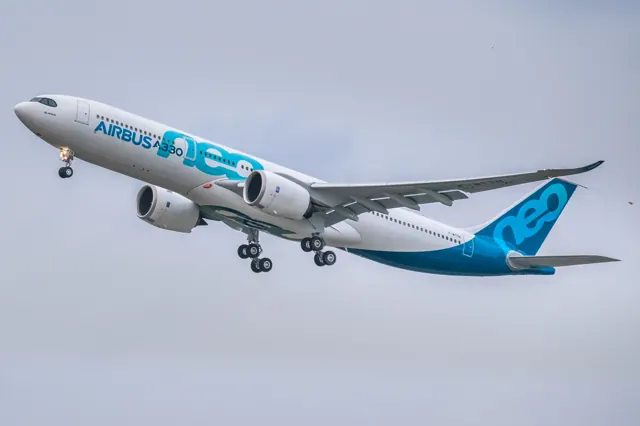
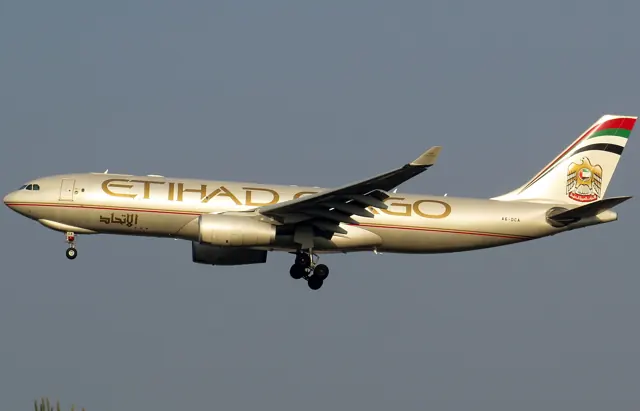
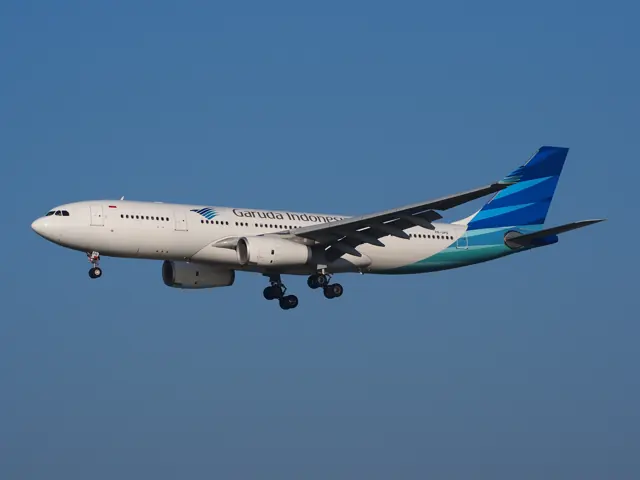
Airbus developed the A330 alongside the four-engine A340. The two programmes shared substantial airframe and cockpit work, but the A330 used two engines. The initial A330-300 entered service in 1994; the shorter A330-200 followed in 1998. The family includes several engine choices, different fuselage lengths and later A330neo developments.
Aircraft background
Wikipedia contributors · Read more ↗Taking a twin-engine airliner to the Antarctic ice
Mirpuri's log describes the preparation behind Hi Fly's A330 mission from Cape Town to Wolf's Fang. The aircraft carried fuel for the return as well as the outward journey, and the team monitored fuel temperature, destination weather and runway condition throughout the flight. Forecast discussions began days beforehand.
Hi Fly, 5 December 2025. Firsthand captain’s log published by the operating airline; A330 Antarctic mission, December 2025 report.
Hi Fly · Read more ↗Takeoff performance depends on completed loading
The A330 tablet can calculate takeoff references and transfer them to the flight-management system. The user selects dry or wet runway conditions, and the tablet can calculate the takeoff stabiliser setting only after loading finishes. A loading-in-progress message therefore points to a specific prerequisite.
A330 (-200, -300, 300P2F) · Microsoft Flight Simulator · MSFS 2024
Microsoft / aircraft developers · Read more ↗Into the cockpit
 YouTube
 AeroNewsGermany · 33 min ·
Vancouver nach Frankfurt | Airbus A330 Cockpit POV | AeroNewsGermany
A German-language cockpit journey from Vancouver to Frankfurt aboard an A330.
Real aircraft · Airbus A330 family
Watch on YouTube ↗Preview images are served by AirframeDB. Videos open on YouTube only when you choose to watch.
Meet Airbus A330 family
Airbus developed the A330 alongside the four-engine A340. The two programmes shared substantial airframe and cockpit work, but the A330 used two engines. The initial A330-300 entered service in 1994; the shorter A330-200 followed in 1998.
The family includes several engine choices, different fuselage lengths and later A330neo developments. These distinctions reach inside the cockpit: engine indications and fuel arrangements are not identical across every version. The simulator products cover different variants, each with its own developer documentation.
Airbus A330
Airbus → · Explore the family →
A330-200
Wikipedia contributors · Airbus A330 ↗Microsoft Flight Simulator · MSFS 2024 →A330-300
Wikipedia contributors · Airbus A330 ↗Microsoft Flight Simulator · MSFS 2024 →Laminar Research · X-Plane 12 →A330-300P2F
Wikipedia contributors · Airbus A330 ↗Microsoft Flight Simulator · MSFS 2024 →A330-743L BelugaXL
Wikipedia contributors · Airbus A330 ↗Microsoft Flight Simulator · MSFS 2024 →A330neo
Wikipedia contributors · Airbus A330 ↗A330-900
Wikipedia contributors · Airbus A330 ↗ToLiss · X-Plane 11 · X-Plane 12 →Aircraft type designators
Use the code for the model you are flying. The linked authority lists the applicable aircraft.
History & design
Development milestones
First flight: 2 November 1992 ( 1992-11-02 )
Developed from: Airbus A300
Wikipedia contributors · Airbus A330 ↗Airbus A330 · family/variant named by the source · Wikipedia revision 1373820047
Pilot accounts
Taking a twin-engine airliner to the Antarctic ice
Mirpuri's log describes the preparation behind Hi Fly's A330 mission from Cape Town to Wolf's Fang. The aircraft carried fuel for the return as well as the outward journey, and the team monitored fuel temperature, destination weather and runway condition throughout the flight. Forecast discussions began days beforehand. Ground power and starting equipment at the remote strip were also part of making the twin-engine operation possible.
Four pilots shared the long duty, supported by engineers, cabin crew, a ground coordinator and colleagues at both bases. Mirpuri recalls touching down just before midnight local time, when the Antarctic summer sun was still above the horizon and katabatic winds were beginning to rise. The aircraft stopped as planned, turned and taxied to parking before returning to Cape Town later. His airline-published account stresses the contribution of the whole team to a landing intended to feel uneventful.
Hi Fly, 5 December 2025. Firsthand captain’s log published by the operating airline; A330 Antarctic mission, December 2025 report.
Read the full account · Hi Fly ↗A familiar flight deck and a sharper response on approach
Gerzanics flew the A330-800 test aircraft F-WTTO from Toulouse with Airbus test pilot Thomas Wilhelm. Although he did not routinely fly Airbus aircraft, the common cockpit felt familiar. The aircraft was still contributing to flight-control development, and a special display helped him practise the consistent sidestick input needed for the takeoff test. In the air, he found it easy to establish bank angles and roll out accurately on a heading.
On the return, the instrument landing system's glideslope went out of service. Wilhelm suggested using the head-up display while setting up an alternative ground-augmented satellite approach. Gerzanics then assessed the aircraft's response by deliberately offsetting from, and rejoining, the final approach course. He found the response crisp and the landing straightforward. This was an organised evaluation in an instrumented A330-800, including test manoeuvres.
Flight International, 2019. Firsthand evaluation of A330-800 MSN1888 during development; publication context is 2019.
Read the full account · Flight International ↗Learning to wait for a larger aircraft’s response
After thirteen years flying the A320 family around Europe, Harder was preparing to return to long-haul work on the A330. He describes receiving the training assignment after applying for a conversion, then working through technical material at home before moving into procedural and full-flight simulators. His Airbus experience shortened part of the training, but the new aircraft still had different systems to learn.
Asked how the A330 felt in the simulator, he noticed a more delayed response to control inputs, reminding him of his earlier experience as a Boeing 747 first officer. He had to allow a little time for the larger aircraft to respond. At the time of the interview, his simulator check and line training still lay ahead. His conversion training took place in the simulator; he had not yet completed his A330 qualification.
aeroTELEGRAPH, 5 May 2023. German-language interview with an experienced captain during A330 simulator conversion training; actual A330 line flying was still ahead.
Read the full account · aeroTELEGRAPH ↗In your simulator
Systems, equipment and documentation for each developer’s aircraft.
Compare simulator versions →MSFS 2024A330 (-200, -300, 300P2F)
Microsoft Flight Simulator · Released
A330 (-200, -300, 300P2F)
Microsoft Flight Simulator · Released
MSFS 2024A330-743L Beluga XL
Microsoft Flight Simulator · Released
A330-743L Beluga XL
Microsoft Flight Simulator · Released
X-Plane 12Airbus A330-300
Laminar Research · Released
Airbus A330-300
Laminar Research · Released
X-Plane 11 · X-Plane 12A330-900
ToLiss · Released
A330-900
ToLiss · Released
MSFS 2024Aerosoft A330-900neo
Aerosoft · Released
Aerosoft A330-900neo
Aerosoft · Released
X-Plane 12A330-300
AeroGenesis · Released
A330-300
AeroGenesis · Released
MSFS 2020A339X A330-900neo
Headwind Simulations · Released
A339X A330-900neo
Headwind Simulations · Released
X-Plane 12A330
JARDesign · Released
A330
JARDesign · Released
MSFS 2020 · MSFS 2024Airbus A330-200
LVFR · Released
Airbus A330-200
LVFR · Released
MSFS 2020 · MSFS 2024Airbus A330-300
LVFR · Released
Airbus A330-300
LVFR · Released
MSFS 2020 · MSFS 2024Airbus A330-900neo
LVFR · Released
Airbus A330-900neo
LVFR · Released
Manuals & resources
Find your next read
Choose a topic for a short introduction and a link to the original source. Simulator references identify the developer and edition they cover.
Simulator documentation
Takeoff performance depends on completed loadingA330 (-200, -300, 300P2F) · Microsoft Flight Simulator · MSFS 2024
The A330 tablet can calculate takeoff references and transfer them to the flight-management system. The user selects dry or wet runway conditions, and the tablet can calculate the takeoff stabiliser setting only after loading finishes. A loading-in-progress message therefore points to a specific prerequisite.
iniBuilds A330 manual v1.0.1, 17 September 2024; documented simulator behaviour · PDF p.34
Microsoft / aircraft developers · Read the source ↗The -200 and -300 have different fuel arrangementsA330 (-200, -300, 300P2F) · Microsoft Flight Simulator · MSFS 2024
The iniBuilds A330 guide distinguishes the -200's centre-tank configuration from the -300 and describes the horizontal-stabiliser trim tank. It also covers hydraulic preparation and engine-specific indications. Engine and airframe combinations are identified by variant throughout the manual.
Archived simulator manual; installed package revision not observed · PDF pp.77,114; variants
Microsoft / aircraft developers · Read the source ↗The BelugaXL has a dedicated operating guideA330-743L Beluga XL · Microsoft Flight Simulator · MSFS 2024
The BelugaXL's oversized transport role comes with a separately published cockpit and operating guide. It includes its own hydraulic-system preparation. The XL guide covers its specialised cargo configuration.
Archived simulator manual; installed package revision not observed · PDF p.77; engine-start preparation
Microsoft / aircraft developers · Read the source ↗Sidestick commands and automatic trimAirbus A330-300 · Laminar Research · X-Plane 12
Laminar's A330 guide explains load-factor-related sidestick behaviour, automatic trim and its relationship to bank and load conditions. It also identifies three hydraulic systems. These systems are documented for Laminar's aircraft.
Archived simulator manual; installed package revision not observed · PDF pp.18,24; FBW behavior
Laminar Research · Read the source ↗Loading a large object also changes the weightsA330-743L Beluga XL · Microsoft Flight Simulator · MSFS 2024
The BelugaXL's cargo page loads and unloads visible cargo, with assigned weights for some objects. Starting that load can override a previously entered zero-fuel weight or SimBrief payload. The manual calls for checking the final weights on the payload page after cargo loading, including when a plan was imported first.
iniBuilds BelugaXL manual v1.0.0, 16 September 2024; documented simulator behaviour · PDF p.31
Microsoft / aircraft developers · Read the source ↗Pilot account
Taking a twin-engine airliner to the Antarctic iceHi Fly, 5 December 2025. Firsthand captain’s log published by the operating airline; A330 Antarctic mission, December 2025 report.
Mirpuri's log describes the preparation behind Hi Fly's A330 mission from Cape Town to Wolf's Fang. The aircraft carried fuel for the return as well as the outward journey, and the team monitored fuel temperature, destination weather and runway condition throughout the flight. Forecast discussions began days beforehand. Ground power and starting equipment at the remote strip were also part of making the twin-engine operation possible.
Carlos Mirpuri
Hi Fly · Read the source ↗A familiar flight deck and a sharper response on approachFlight International, 2019. Firsthand evaluation of A330-800 MSN1888 during development; publication context is 2019.
Gerzanics flew the A330-800 test aircraft F-WTTO from Toulouse with Airbus test pilot Thomas Wilhelm. Although he did not routinely fly Airbus aircraft, the common cockpit felt familiar. The aircraft was still contributing to flight-control development, and a special display helped him practise the consistent sidestick input needed for the takeoff test. In the air, he found it easy to establish bank angles and roll out accurately on a heading.
Mike Gerzanics
Flight International · Read the source ↗Developer documentation
A330-300 — product listingA330-300 · X-Plane 12
Product listing captured 2026-09-24; edition scope from the reviewed catalogue
AeroGenesis · Read the source ↗A339X A330-900neo — product listingA339X A330-900neo · MSFS 2020
Product listing captured 2026-09-24; edition scope from the reviewed catalogue
Headwind Simulations · Read the source ↗A330 — product listingA330 · X-Plane 12
Product listing captured 2026-09-30; edition scope from the reviewed catalogue
store.x-plane.org · Read the source ↗Airbus A330-200 — product listingAirbus A330-200 · MSFS 2020 · MSFS 2024
Product listing captured 2026-09-24; edition scope from the reviewed catalogue
LVFR · Read the source ↗Airbus A330-300 — product listingAirbus A330-300 · MSFS 2020 · MSFS 2024
Product listing captured 2026-09-24; edition scope from the reviewed catalogue
LVFR · Read the source ↗Airbus A330-900neo — product listingAirbus A330-900neo · MSFS 2020 · MSFS 2024
Product listing captured 2026-09-24; edition scope from the reviewed catalogue
LVFR · Read the source ↗Read the original documentation from the people who created it. Manuals open on their publisher’s website.
Manual
Airbus A330Microsoft / aircraft developers Microsoft Flight Simulator aircraft manualsMicrosoft / aircraft developers Airbus Beluga XLMicrosoft / aircraft developers Airbus A330-300 POHLaminar Research X-Plane 12 Desktop ManualLaminar Research X-Plane aircraft and avionics manualsLaminar ResearchAircraft background
Airbus A330Wikipedia contributors · Research background · Wikipedia revision 1373820047 · retrieved 2026-09-12Resource
MSFS 2024 FAQ and edition aircraft inventoryMicrosoft A330-900 change logToLissProduct
A330 900ToLiss · Official developer / designated store catalogue · checked 2026-09-12 A330-300AeroGenesis · Product listing captured 2026-09-24; edition scope from the reviewed catalogue A339X A330-900neoHeadwind Simulations · Product listing captured 2026-09-24; edition scope from the reviewed catalogue JARDesign 330 Airliner -JARDesign-A330store.x-plane.org · Product listing captured 2026-09-30; edition scope from the reviewed catalogue Airbus A330-200 exact product reviewLVFR · Product listing captured 2026-09-24; edition scope from the reviewed catalogue Airbus A330-300 exact product reviewLVFR · Product listing captured 2026-09-24; edition scope from the reviewed catalogue Airbus A330-900neo exact product reviewLVFR · Product listing captured 2026-09-24; edition scope from the reviewed catalogueType designator
ICAO Doc 8643 — aircraft type designatorsInternational Civil Aviation Organization · Public search data retrieved 2026-09-14; authority update 2026-09-03Developer documentation
Aerosoft Aircraft A330 neoAerosoft / Just Flight · Product listing captured 28 September 2026; A330-900neo, MSFS 2024Built-in force-feedback profiles
Read the documentary basis, editable starting settings and remaining questions for the aircraft you fly. Each explanation refers to the exact profile revision shown.
Catalogue programme-20261022-v1 · 19 profile choices
AeroGenesis A330-300 (RR / PW / GE)
AeroGenesis · Free and Pro · Revision 3 · Inherited starting point
X-Plane 12
AeroGenesis A330-300 (RR / PW / GE): Fixed sidestick centering represents the Airbus control arrangement while keeping aircraft control-law behavior separate from hardware resistance.
Aerosoft Airbus A330-900neo
Aerosoft · Free and Pro · Revision 2 · Inherited starting point
MSFS 2024
Aerosoft Airbus A330-900neo: Fixed sidestick centering represents the Airbus control arrangement while keeping aircraft control-law behavior separate from hardware resistance.
Headwind Simulations A339X A330-900 / ACJ330neo
Headwind Simulations · Free and Pro · Revision 3 · Inherited starting point
MSFS 2020
Headwind Simulations A339X A330-900 / ACJ330neo: Fixed sidestick centering represents the Airbus control arrangement while keeping aircraft control-law behavior separate from hardware resistance.
iniBuilds A330-200 GE
iniBuilds · Free and Pro · Revision 2 · Partial review
MSFS 2024
iniBuilds A330-200 GE: Fixed sidestick centering represents the Airbus control arrangement while keeping aircraft control-law behavior separate from hardware resistance.
iniBuilds A330-200 RR
iniBuilds · Free and Pro · Revision 2 · Partial review
MSFS 2024
iniBuilds A330-200 RR: Fixed sidestick centering represents the Airbus control arrangement while keeping aircraft control-law behavior separate from hardware resistance.
iniBuilds A330-300 GE
iniBuilds · Free and Pro · Revision 2 · Partial review
MSFS 2024
iniBuilds A330-300 GE: Fixed sidestick centering represents the Airbus control arrangement while keeping aircraft control-law behavior separate from hardware resistance.
iniBuilds A330-300 RR
iniBuilds · Free and Pro · Revision 2 · Partial review
MSFS 2024
iniBuilds A330-300 RR: Fixed sidestick centering represents the Airbus control arrangement while keeping aircraft control-law behavior separate from hardware resistance.
iniBuilds A330-300P2F GE
iniBuilds · Free and Pro · Revision 2 · Inherited starting point
MSFS 2024
iniBuilds A330-300P2F GE: Fixed sidestick centering represents the Airbus control arrangement while keeping aircraft control-law behavior separate from hardware resistance.
iniBuilds A330-300P2F RR
iniBuilds · Free and Pro · Revision 2 · Inherited starting point
MSFS 2024
iniBuilds A330-300P2F RR: Fixed sidestick centering represents the Airbus control arrangement while keeping aircraft control-law behavior separate from hardware resistance.
JARDesign Airbus A330-200
JARDesign · Free and Pro · Revision 3 · Inherited starting point
X-Plane 12
JARDesign Airbus A330-200: Fixed sidestick centering represents the Airbus control arrangement while keeping aircraft control-law behavior separate from hardware resistance.
LVFR Airbus A330-200
LVFR · Free and Pro · Revision 3 · Inherited starting point
MSFS 2020 · MSFS 2024
LVFR Airbus A330-200: Fixed sidestick centering represents the Airbus control arrangement while keeping aircraft control-law behavior separate from hardware resistance.
LVFR Airbus A330-300
LVFR · Free and Pro · Revision 3 · Inherited starting point
MSFS 2020 · MSFS 2024
LVFR Airbus A330-300: Fixed sidestick centering represents the Airbus control arrangement while keeping aircraft control-law behavior separate from hardware resistance.
LVFR Airbus A330-900neo
LVFR · Free and Pro · Revision 3 · Inherited starting point
MSFS 2020 · MSFS 2024
LVFR Airbus A330-900neo: Fixed sidestick centering represents the Airbus control arrangement while keeping aircraft control-law behavior separate from hardware resistance.
ToLiss A330-900
ToLiss · Free and Pro · Revision 3 · Inherited starting point
X-Plane 12
ToLiss A330-900: Fixed sidestick centering represents the Airbus control arrangement while keeping aircraft control-law behavior separate from hardware resistance.
Airbus A330-300
Free and Pro · Revision 4 · Partial review
MSFS 2024 · X-Plane 11 · X-Plane 12
Airbus A330-300: Fixed sidestick centering represents the Airbus control arrangement while keeping aircraft control-law behavior separate from hardware resistance.
Airbus A330-200
Free and Pro · Revision 2 · Partial review
MSFS 2024 · X-Plane 11 · X-Plane 12
Airbus A330-200: Fixed sidestick centering represents the Airbus control arrangement while keeping aircraft control-law behavior separate from hardware resistance.
Airbus A330-300P2F
Free and Pro · Revision 2 · Inherited starting point
MSFS 2024 · X-Plane 11 · X-Plane 12
Airbus A330-300P2F: Fixed sidestick centering represents the Airbus control arrangement while keeping aircraft control-law behavior separate from hardware resistance.
Airbus A330-743L Beluga XL
Free and Pro · Revision 3 · Partial review
MSFS 2024 · X-Plane 11 · X-Plane 12
Airbus A330-743L Beluga XL: Fixed sidestick centering represents the Airbus control arrangement while keeping aircraft control-law behavior separate from hardware resistance.
Airbus A330-900
Free and Pro · Revision 2 · Inherited starting point
MSFS 2024 · X-Plane 11 · X-Plane 12
Airbus A330-900: Fixed sidestick centering represents the Airbus control arrangement while keeping aircraft control-law behavior separate from hardware resistance.
iniBuilds A330-200 GE
iniBuilds A330-200 GE: Fixed sidestick centering represents the Airbus control arrangement while keeping aircraft control-law behavior separate from hardware resistance.
Aircraft and simulator scope
- iniBuilds A330-200 GE · iniBuilds · MSFS 2024 · Add-on starting point
Preserved A330-200/-300 and Beluga XL MSFS manuals; A330-900, P2F and individual engine installations need additional applicability. · Selected choice: iniBuilds A330-200 GE. Documentary scope does not establish every variant, add-on revision or simulator binding.
The simulator model and controls
Airbus developed the A330 alongside the four-engine A340. The two programmes shared substantial airframe and cockpit work, but the A330 used two engines. The initial A330-300 entered service in 1994; the shorter A330-200 followed in 1998.
This profile selects iniBuilds A330-200 GE for MSFS 2024.
How this profile feels
The spring stays independent of airspeed. Directed aerodynamic loading is omitted.
Pitch-trim relief is off. Autopilot following is off.
Controls and trim
The A330 cockpit uses Airbus sidesticks and fly-by-wire. The bundled manual separates the -200/-300 fuel and trim-tank arrangements, while the Beluga XL has its own flight-control and autopilot guide. A330neo, passenger-to-freighter and corporate configurations retain their model identities. Aircraft trim and autopilot guidance belong to the flight-control system; they do not establish surface-airload feedback through a passive stick.
The selected implementation
The iniBuilds -200/-300/P2F selection retains its GE/Rolls-Royce fit. Fuel/trim arrangements and Beluga XL documentation are separately scoped.
About the values
The gains are normalized profile settings. They describe the chosen effect balance; hand force depends on the device and its output limits. IAS references are tuning values rather than operating limits. Physical acceptance of this revision remains pending.
What the documentation establishes
The A330 manual covers the -200/-300 and distinguishes trim-tank arrangements; Beluga XL has a separate manual.
The A330 procedure uses autopilot guidance; the disabled-following/neutral-hold preset remains a software approximation.
The Beluga XL manual separately documents flight-control checks and autopilot use; its special configuration should retain that scope.
Documentary review and sources
These decisions describe the documentary basis and remaining gaps for this revision. Aircraft documentation and a starting setting describe different kinds of evidence.
Aircraft and variant
ReviewedThis profile selects iniBuilds A330-200 GE for MSFS 2024.
Flight controls
Not yet reviewedThe A330 cockpit uses Airbus sidesticks and fly-by-wire. The bundled manual separates the -200/-300 fuel and trim-tank arrangements, while the Beluga XL has its own flight-control and autopilot guide. A330neo, passenger-to-freighter and corporate configurations retain their model identities. Aircraft trim and autopilot guidance belong to the flight-control system; they do not establish surface-airload feedback through a passive stick.
Trim
Not yet reviewedAircraft automatic trim is independent of the selected passive stick centre; the trim-tank arrangement is not a hardware trim command. Pitch relief is off, with stored authority 0; roll authority is 0.
Autopilot and stability
ReviewedAutopilot following is off; the configured spring and load retain the hardware feel. Separate neutral hold is on at strength 0.28, when a supported autopilot state admits it.
Equipment
ReviewedThe iniBuilds -200/-300/P2F selection retains its GE/Rolls-Royce fit. Fuel/trim arrangements and Beluga XL documentation are separately scoped.
Speeds and limits
Not yet reviewedThe indicated-speed references set the profile response scale; they are separate from aircraft operating limits.
Simulator integration
Not yet reviewedThe profile targets msfs2024. Add-on-specific controls use only the supported references configured by this profile.
Force-feedback settings
Not yet reviewedThe settings define the profile’s effect balance. Device output limits affect physical hand force.
Starting settings and their rationale
These configured values are starting estimates. The explanations describe what each setting controls; physical validation appears separately below.
| Setting | Starting value | What it controls and why |
|---|---|---|
| Spring strength | Starting value0.55 | What it controls and whyFixed sidestick centering represents the Airbus control arrangement while keeping aircraft control-law behavior separate from hardware resistance. The baseline spring is 0.55. Low-speed spring blending is off. |
| Master force gain | Starting value0.85 | What it controls and whyScales overall profile strength while preserving effect balance, subject to device and output limits. |
| Profile force gain | Starting value0.04 | What it controls and whyThe stored 0.04 aerodynamic-load gain is inactive under the fixed-centre control law. |
| Force tuning speed/reference | Starting value270.0 kt | What it controls and whySets the IAS reference for aerodynamic loading. It is an estimate, not published cruise TAS or a flight limit. |
| Spring response reference speed | Starting value90 kt | What it controls and whySets the IAS where the low-speed blend reaches baseline strength; high-speed stiffening also uses it. |
| Aileron force scale | Starting value1 | What it controls and whyRoll and pitch aerodynamic scales are 1 and 1, respectively. These stored weights do not create directed aerodynamic loading while that term is inactive. The pitch spring-travel curve reaches output 1 at input 1. The roll spring-travel curve reaches output 0.3 at input 1. Spring-travel response contributes separately to axis balance. |
| Elevator force scale | Starting value1 | What it controls and whyScales pitch aerodynamic loading; pitch spring travel and trim responses are separate settings. |
| Trim feel | Starting valueDisabled | What it controls and whyRetained for compatibility and group membership. Trim relief, rather than this flag, controls centre movement. |
| Trim relief | Starting valueDisabled | What it controls and whyAllows trim relief with supported control law and valid telemetry. Axis authorities set its amount. |
| Autopilot follow | Starting valueDisabled | What it controls and whyAutopilot following is off; the configured spring and load retain the hardware feel. Separate neutral hold is on at strength 0.28, when a supported autopilot state admits it. |
| Autopilot neutral hold | Starting valueEnabled | What it controls and whyPermits centering hold during a supported AP state, separate from following a moving target. |
| Output force limit | Starting value0.55 | What it controls and whyCaps directed-force output. Native spring effects and device limits remain separate. |
All 49 starting settings and their rationale
The settings define the profile’s effect balance. Device output limits affect physical hand force.
| Setting | Starting value | What it controls and why |
|---|---|---|
| Spring strength | Starting value0.55 | What it controls and whyFixed sidestick centering represents the Airbus control arrangement while keeping aircraft control-law behavior separate from hardware resistance. The baseline spring is 0.55. Low-speed spring blending is off. |
| Spring deadband | Starting value0.01 | What it controls and whySets travel around the centre before the baseline spring resists. Smaller values engage it sooner. |
| Starting centering force | Starting value0.03 | What it controls and whyThe centre preload is 0.03. It ramps outside the 0.01 deadband across 0.05 travel, shaping the passive centre independently of aircraft autotrim. |
| Center Starting Force Transition | Starting value0.05 | What it controls and whySets the travel used to ramp in centre preload. Wider intervals make its onset more gradual. |
| Profile force gain | Starting value0.04 | What it controls and whyThe stored 0.04 aerodynamic-load gain is inactive under the fixed-centre control law. |
| Master force gain | Starting value0.85 | What it controls and whyScales overall profile strength while preserving effect balance, subject to device and output limits. |
| QBlend Enabled | Starting valueDisabled | What it controls and whyAllows baseline spring strength to rise with indicated airspeed where the control law permits it. |
| QSpring Minimum Factor | Starting value0.5 | What it controls and whySets low-speed spring strength as a fraction of baseline when blending is enabled. One keeps full strength. |
| QSpring Start Knots | Starting value20 kt | What it controls and whySets the IAS where the low-speed spring blend starts rising. This is a feel threshold, not a flight limit. |
| Spring response reference speed | Starting value90 kt | What it controls and whySets the IAS where the low-speed blend reaches baseline strength; high-speed stiffening also uses it. |
| Force tuning speed/reference | Starting value270.0 kt | What it controls and whySets the IAS reference for aerodynamic loading. It is an estimate, not published cruise TAS or a flight limit. |
| Airspeed spring stiffening gain | Starting value0 | What it controls and whyAdds permitted spring resistance above the full-blend speed. Zero removes this high-speed increase. |
| Airspeed spring stiffening limit | Starting value5 | What it controls and whyLimits the squared airspeed ratio used for high-speed spring stiffening; it is not a device-force cap. |
| Aileron force scale | Starting value1 | What it controls and whyRoll and pitch aerodynamic scales are 1 and 1, respectively. These stored weights do not create directed aerodynamic loading while that term is inactive. The pitch spring-travel curve reaches output 1 at input 1. The roll spring-travel curve reaches output 0.3 at input 1. Spring-travel response contributes separately to axis balance. |
| Elevator force scale | Starting value1 | What it controls and whyScales pitch aerodynamic loading; pitch spring travel and trim responses are separate settings. |
| Output force limit | Starting value0.55 | What it controls and whyCaps directed-force output. Native spring effects and device limits remain separate. |
| Travel Enabled | Starting valueEnabled | What it controls and whyApplies the configured pitch and roll spring travel curves. |
| Output | Starting value1 | What it controls and whySets response at the second pitch-curve point; it is an endpoint only if its input position is full travel. |
| Output | Starting value0.3 | What it controls and whySets response at the second roll-curve point; its input position and other points determine the travel law. |
| Trim feel | Starting valueDisabled | What it controls and whyRetained for compatibility and group membership. Trim relief, rather than this flag, controls centre movement. |
| Trim relief | Starting valueDisabled | What it controls and whyAllows trim relief with supported control law and valid telemetry. Axis authorities set its amount. |
| Elevator Authority | Starting value0 | What it controls and whyAircraft automatic trim is independent of the selected passive stick centre; the trim-tank arrangement is not a hardware trim command. Pitch relief is off, with stored authority 0; roll authority is 0. |
| Aileron Authority | Starting value0 | What it controls and whyScales supported roll-trim relief and permitted centre movement. Zero removes roll response. |
| Force Trim Enabled | Starting valueDisabled | What it controls and whyEnables local force trim, separate from aircraft-owned trim and add-on integration qualification. |
| GLoad Enabled | Starting valueDisabled | What it controls and whyAllows load-factor changes to modify permitted spring laws. Passive fly-by-wire feel can suppress it. |
| Rate Damping Enabled | Starting valueDisabled | What it controls and whyEnables rate damping with the configured coefficients and control law. |
| Autopilot follow | Starting valueDisabled | What it controls and whyAutopilot following is off; the configured spring and load retain the hardware feel. Separate neutral hold is on at strength 0.28, when a supported autopilot state admits it. |
| Autopilot follow authority | Starting value0.05 | What it controls and whySets admitted AP-follow gain, not a percentage of travel. Runtime ownership and input limits still apply. |
| Autopilot neutral hold | Starting valueEnabled | What it controls and whyPermits centering hold during a supported AP state, separate from following a moving target. |
| Autopilot neutral hold strength | Starting value0.28 | What it controls and whySets admitted AP neutral-hold strength; inactive while neutral hold is disabled. |
| Enabled | Starting valueEnabled | What it controls and whyEnables aerodynamic cues; each still needs nonzero strength and its simulator conditions. |
| Gain | Starting value0.06 | What it controls and whySets stall-buffet strength. Zero removes the cue without changing simulator stalls or warnings. |
| Gain | Starting value0.06 | What it controls and whySets high-Mach buffet strength; onset and full-strength thresholds are separate. |
| Gain | Starting value0 | What it controls and whySets flap buffet at the configured position and speed gates. Flap movement texture is separate. |
| Maximum flap index | Starting value4 | What it controls and whySets the final flap index for detent normalization. UP plus three detents uses maximum index3. |
| Minimum flap index | Starting value2 | What it controls and whySets the first flap detent that admits buffet; this is a handle index, not degrees. |
| Gain | Starting value0 | What it controls and whySets gear aerodynamic buffet; movement and ground-contact cues are separate. |
| Shaker Enabled | Starting valueDisabled | What it controls and whyPermits shaker at supported warning conditions; the switch does not establish aircraft equipment. |
| Stick shaker amplitude | Starting value0.5 | What it controls and whySets triggered shaker strength; inactive while the shaker feature is disabled. |
| Enabled | Starting valueDisabled | What it controls and whyEnables ground effects; each still needs its own strength and contact or motion telemetry. |
| Gain | Starting value0 | What it controls and whySets rolling texture strength, modified by speed, surface and undercarriage configuration. |
| Gain | Starting value0 | What it controls and whySets gear-bump texture during ground motion, separate from touchdown impact. |
| Gain | Starting value0 | What it controls and whySets landing-impact strength; landing telemetry and response shape determine the pulse. |
| Gain | Starting value0 | What it controls and whySets reverse-thrust vibration with valid reverser and engine conditions. Zero removes the cue. |
| Enabled | Starting valueDisabled | What it controls and whyEnables engine cues with nonzero settings and valid running-engine telemetry. |
| Gain | Starting value0 | What it controls and whySets estimated engine vibration using configured telemetry and response, not measured cockpit vibration. |
| Enabled | Starting valueEnabled | What it controls and whyEnables accessory cues with configured strengths and observed accessory movement. |
| Gain | Starting value0 | What it controls and whySets texture from observed flap movement; a command without movement does not establish the cue. |
| Gain | Starting value0 | What it controls and whySets texture from observed gear movement, separate from aerodynamic and touchdown effects. |
Limits and open questions
- The A330 joystick check confirms control response, but supplies no physical controller force schedule.
- A trim-tank distinction is not a description of sidestick force or autotrim ownership; those remain unresolved.
- The cited checks and procedures do not derive the selected 270-knot indicated-speed response for every A330 choice.
- The A330 and Beluga manuals do not publish an external force-feedback or autotrim ownership contract.
- The preserved manual does not calibrate passive spring strength or prove the same force response across all eleven choices.
Physical validation
No physical force validation is recorded in this public catalogue for this revision. Documentary review and software checks do not establish how a particular device feels.
Discuss this aircraft (0)
Questions, observations and useful sources from the community.
No published discussions yet. Bring a question or share a useful source.
Open aircraft discussions →Content expanded · What’s new
Something missing or a source that needs attention?
Suggest a correction ↗