
Start here
A few places to begin, from the aircraft’s story to the people who fly it.
Meet the aircraft
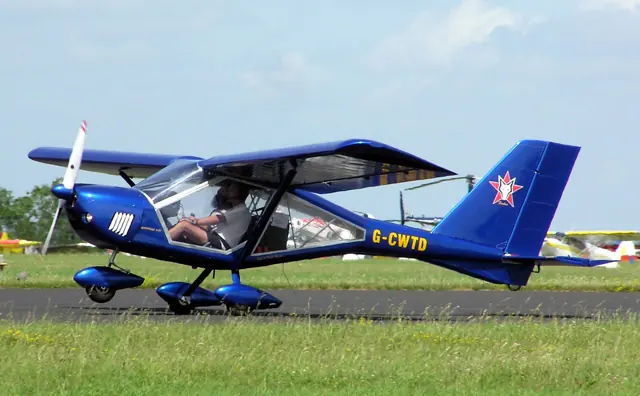
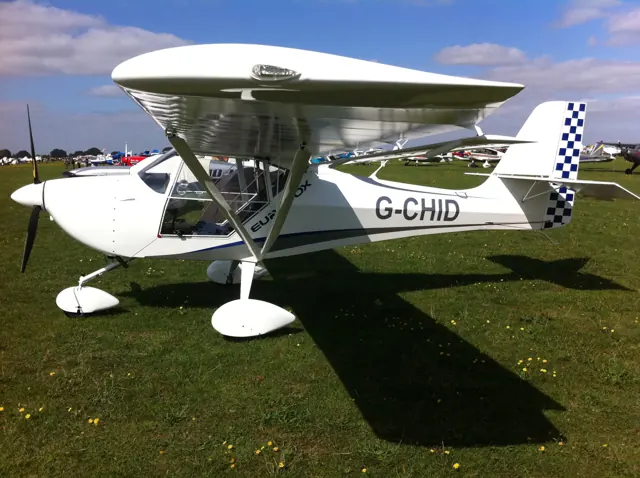
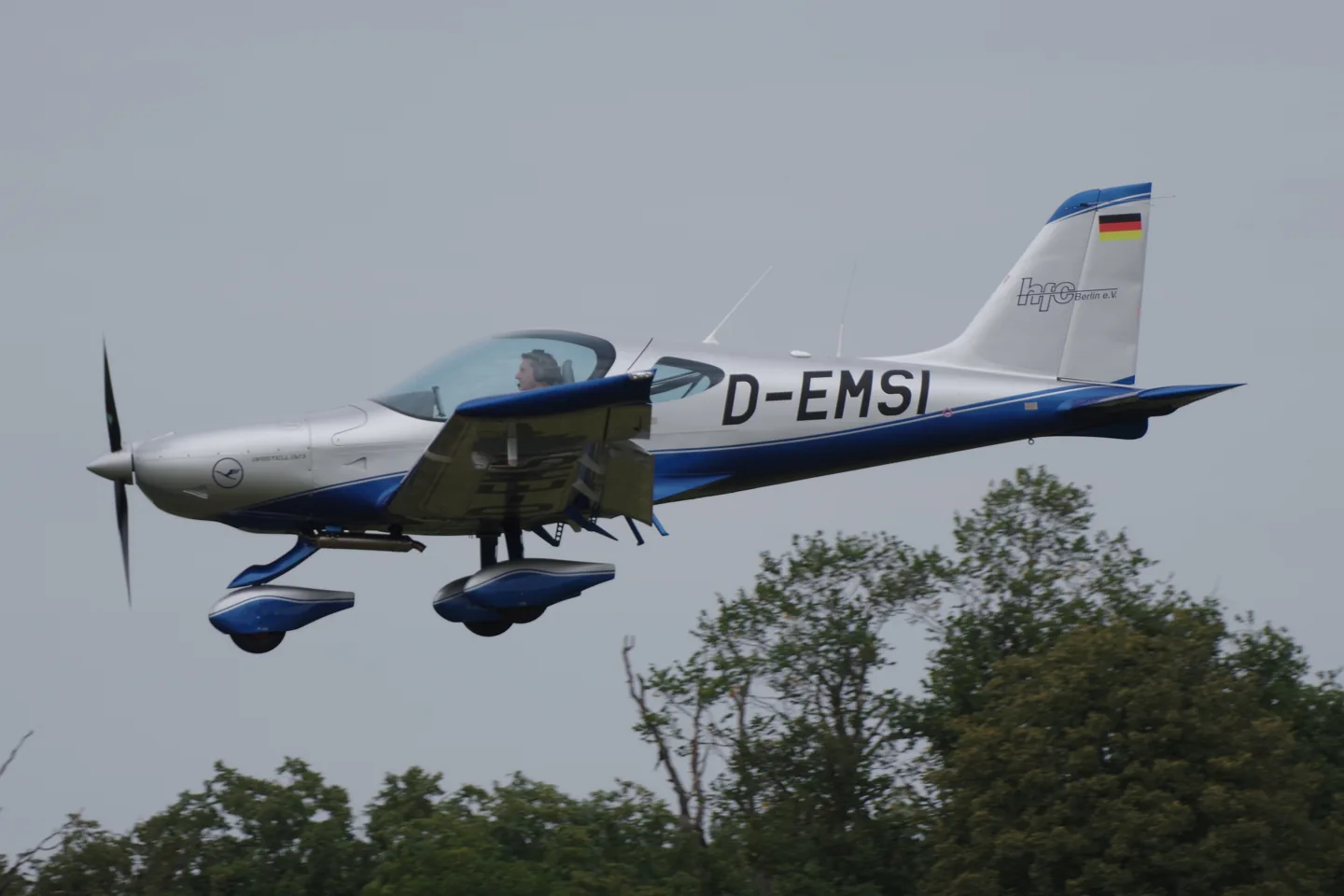
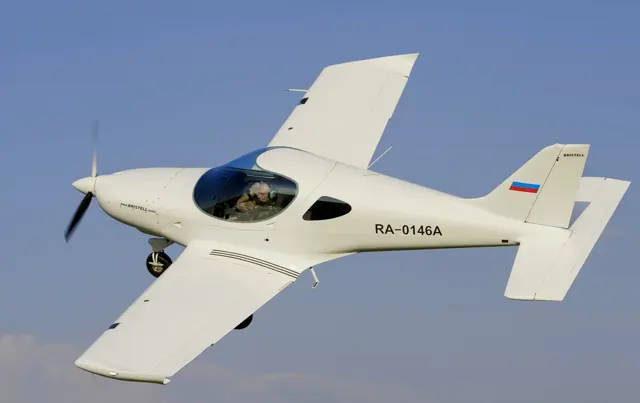
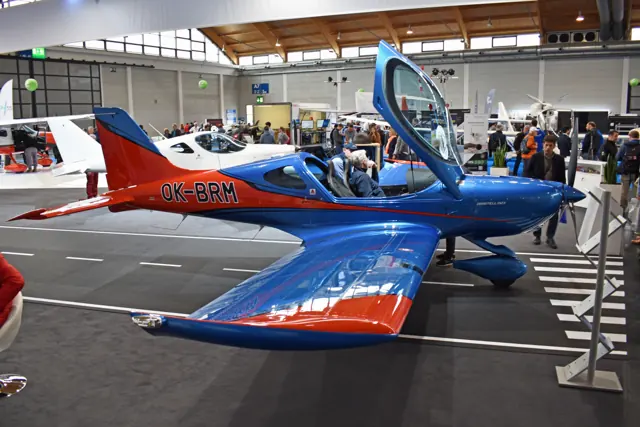
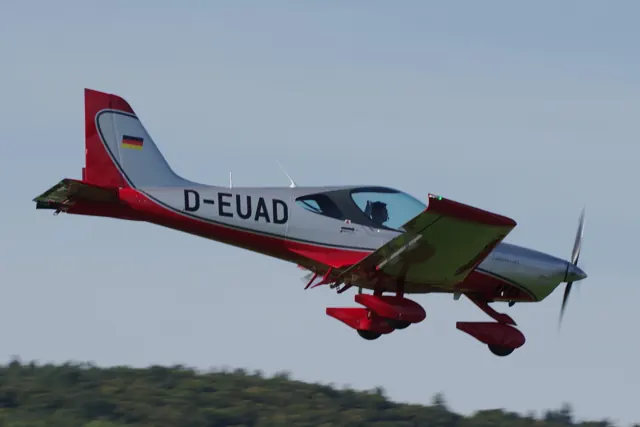
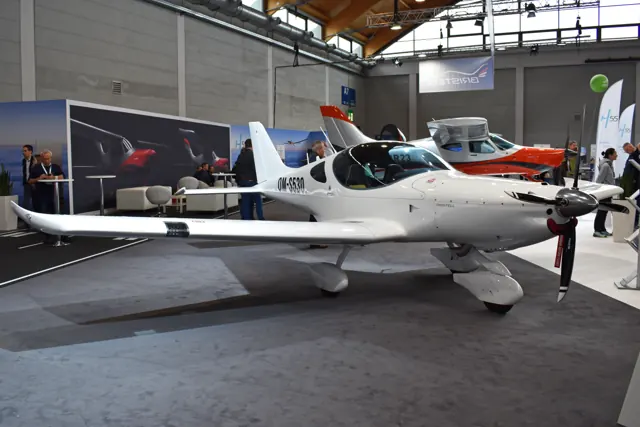
The Bristell name covers related light aircraft from BRM Aero, including the B23 represented by Airfoillabs. The collected family reference describes Milan Bristela's low-wing, side-by-side design lineage. The Bristell Classic and B23 have different weights and certification details, identified in the model labels on specifications and photographs.
Aircraft background
Wikipedia contributors · Read more ↗Ten days of fog lead to an unexpected second flight
Fog kept the visiting writer at Kunovice for ten days, allowing more time with the factory team than the planned flight test had anticipated. When conditions improved, Mirek Rakusan accompanied the flight in a 100-hp B23. The writer liked its steadiness but returned without being particularly impressed by its speed.
October 2022 editorial report; individual writer not identified in the accessible byline. Flights at Kunovice with factory test pilot Mirek Rakusan in a 100-hp B23 and a 915 iS prototype.
fliegermagazin · Read more ↗The described cockpit includes a LEVEL control
The B23 page describes two G3X Touch displays, GNC255, GTX345, GMC507 with a LEVEL button, and an L3 backup instrument.
Bristell B23 · Airfoillabs · MSFS 2020
Airfoillabs · Read more ↗Into the cockpit
 YouTube
 pilotbros · 13 min ·
LANDING in VENICE LIPV 23 | Bristell B23 | Unedited Cockpit View 4K
An unedited cockpit view of a Bristell B23 landing at Venice-Lido.
Real aircraft · Bristell B23
Watch on YouTube ↗Preview images are served by AirframeDB. Videos open on YouTube only when you choose to watch.
Meet Bristell B23
The Bristell name covers related light aircraft from BRM Aero, including the B23 represented by Airfoillabs. The collected family reference describes Milan Bristela's low-wing, side-by-side design lineage. The Bristell Classic and B23 have different weights and certification details, identified in the model labels on specifications and photographs.
Bristell B23
BRM Aero → · Explore the family →
Bristell B23
Wikipedia contributors · BRM Bristell ↗Airfoillabs · MSFS 2020 →Aircraft type designators
Use the code for the model you are flying. The linked authority lists the applicable aircraft.
History & design
A family company grows around the Bristell
The factory report describes Milan Bříštěla founding BRM Aero with his son Martin in 2009. B23 development continued at Kunovice alongside production of the aircraft the visiting writer flew.
fliegermagazin · Pilot-Report: So fliegt die Bristell B23 von BRM Aero ↗Company background reported in October 2022
Systems & details
Identify the engine and operating variant
The same B23 airframe is offered with several engines. The manufacturer distinguishes the 915 IFR model from the other variants: IFR readiness is not the same as an IFR-approved configuration. Engine power and equipment must be matched to the selected simulator aircraft.
Pilot accounts
Ten days of fog lead to an unexpected second flight
Fog kept the visiting writer at Kunovice for ten days, allowing more time with the factory team than the planned flight test had anticipated. When conditions improved, Mirek Rakusan accompanied the flight in a 100-hp B23. The writer liked its steadiness but returned without being particularly impressed by its speed.
Telling Martin Bříštěla about that impression produced an invitation to fly again, this time in a turbocharged prototype. Its unfinished cowling and limited instrument installation made its development status visible. The second flight gave the writer a different impression of the aircraft’s performance. Both flights took place during the same factory visit.
October 2022 editorial report; individual writer not identified in the accessible byline. Flights at Kunovice with factory test pilot Mirek Rakusan in a 100-hp B23 and a 915 iS prototype.
Read the full account · fliegermagazin ↗Learning to think about a flight in kilowatt-hours
Waiting for his flight gave Rancourt time to talk with members of the H55 team about the electric aircraft. Once seated in the B23 Energic, he found the quiet cabin and lack of vibration striking. The surroundings reminded him of a glider, while the unfamiliar energy displays introduced a new way of thinking about the short flight ahead.
At first he watched battery capacity and temperature closely, translating them into the familiar question of how much flying remained. As the flight progressed, he became more comfortable with the available margin for their plan. The return included a crosswind and curious air-traffic controllers.
Propelia · B23 Energic prototype flight on 28 August 2025 during H55’s Canadian opening at Montréal Saint-Hubert. Electric development aircraft, distinct from the piston B23 add-on.
Read the full account · Propelia ↗A quiet circuit changes the usual cues for power
Deener met the electric B23 on a hot Florida day, with fans helping cool it after charging. Test pilot Markus Scherdel accompanied her for a short demonstration. The preparation made the aircraft’s prototype status tangible, while the familiar outline and cockpit made getting ready for flight feel less exotic than its propulsion suggested.
Airborne, the lack of engine noise changed the way she judged power. She needed to look at the displayed numbers instead of relying on the sound she normally expected from a piston aircraft. Lifting a headset earpiece revealed mainly wind noise, and the responsive controls and clear view helped her enjoy the circuit.
AOPA · August 2025. Spring demonstration in a B23 Energic prototype at DeLand, Florida, with test pilot Markus Scherdel; one circuit during the U.S. tour.
Read the full account · AOPA ↗In your simulator
Systems, equipment and documentation for each developer’s aircraft.
MSFS 2020Bristell B23
Airfoillabs · Released
Bristell B23
Airfoillabs · Released
Manuals & resources
Find your next read
Choose a topic for a short introduction and a link to the original source. Simulator references identify the developer and edition they cover.
Simulator documentation
The described cockpit includes a LEVEL controlBristell B23 · Airfoillabs · MSFS 2020
The B23 page describes two G3X Touch displays, GNC255, GTX345, GMC507 with a LEVEL button, and an L3 backup instrument.
Airfoillabs B23 product description
Airfoillabs · Read the source ↗The product body distinguishes the current simulator from a planBristell B23 · Airfoillabs · MSFS 2020
The product text identifies MSFS 2020 as the supported platform and describes X-Plane 12 as a longer-term plan. The page does not announce an X-Plane release.
Airfoillabs B23 product page; conflicting header and explicit product text distinguished
Airfoillabs · Read the source ↗Pilot account
Ten days of fog lead to an unexpected second flightOctober 2022 editorial report; individual writer not identified in the accessible byline. Flights at Kunovice with factory test pilot Mirek Rakusan in a 100-hp B23 and a 915 iS prototype.
Fog kept the visiting writer at Kunovice for ten days, allowing more time with the factory team than the planned flight test had anticipated. When conditions improved, Mirek Rakusan accompanied the flight in a 100-hp B23. The writer liked its steadiness but returned without being particularly impressed by its speed. Telling Martin Bříštěla about that impression produced an invitation to fly again, this time in a turbocharged prototype.
fliegermagazin flight-test writer
fliegermagazin · Read the source ↗Learning to think about a flight in kilowatt-hoursPropelia · B23 Energic prototype flight on 28 August 2025 during H55’s Canadian opening at Montréal Saint-Hubert. Electric development aircraft, distinct from the piston B23 add-on.
Waiting for his flight gave Rancourt time to talk with members of the H55 team about the electric aircraft. Once seated in the B23 Energic, he found the quiet cabin and lack of vibration striking. The surroundings reminded him of a glider, while the unfamiliar energy displays introduced a new way of thinking about the short flight ahead. At first he watched battery capacity and temperature closely, translating them into the familiar question of how much flying remained.
David Rancourt
Propelia · Read the source ↗Read the original documentation from the people who created it. Manuals open on their publisher’s website.
Aircraft background
BRM BristellWikipedia contributors · Research background · retrieved 2026-09-12Product
Bristell B23Airfoillabs · Official developer / designated store catalogue · checked 2026-09-12Type designator
ICAO Doc 8643 — aircraft type designatorsInternational Civil Aviation Organization · Public search data retrieved 2026-09-14; authority update 2026-09-03Specifications
Bristell B23 technical dataBRM AERO / Bristell · B23 family: manufacturer technical data, October 2026Built-in force-feedback profiles
Read the documentary basis, editable starting settings and remaining questions for the aircraft you fly. Each explanation refers to the exact profile revision shown.
Catalogue programme-20261022-v1 · 1 profile choice
Bristell B23
Free and Pro · Revision 2 · Partial review
MSFS 2020
Bristell B23: The selected stick resistance is nominal; the propeller and nosewheel arrangement do not supply a physical control-force curve.
Bristell B23
Bristell B23: The selected stick resistance is nominal; the propeller and nosewheel arrangement do not supply a physical control-force curve.
Aircraft and simulator scope
- Bristell B23 · MSFS 2020 · family starting point
Airfoillabs B23 preserved developer page; MSFS2020 is listed as available and X-Plane12 as planned at preservation time. · Selected choice: Bristell B23. Documentary scope does not establish every variant, add-on revision or simulator binding.
The simulator model and controls
The Bristell name covers related light aircraft from BRM Aero, including the B23 represented by Airfoillabs. The collected family reference describes Milan Bristela's low-wing, side-by-side design lineage. Specifications and photographs need their own model labels: the Bristell Classic and B23 should not silently inherit each other's weights or certification details.
This starting point selects Bristell B23. Its aircraft-level settings do not select a particular developer’s custom systems.
How this profile feels
Spring resistance builds with the selected airspeed response. A separate aerodynamic term adds speed-dependent control load.
Valid trim provides the configured pressure relief. Autopilot following is off.
Controls and trim
Airfoillabs describes the B23 with twin elevator trim tabs, a steerable nosewheel and a three-blade constant-speed propeller. Its GMC507 and level function establish optional guidance equipment, even though this profile may leave following off. The developer's MSFS product and planned X-Plane work retain different availability scope. Published calibrated-air-speed limits are kept distinct from indicated climb figures and profile feel thresholds.
About the values
The gains are normalized profile settings. They describe the chosen effect balance; hand force depends on the device and its output limits. IAS references are tuning values rather than operating limits. Physical acceptance of this revision remains pending.
What the documentation establishes
The developer page identifies the B23 implementation and distinguishes available MSFS2020 from planned XP12.
Twin elevator trim tabs are documented; their presence does not calibrate numerical preset trim authority.
Garmin GMC507 and a level function are listed; disabled following is not evidence of absent autopilot equipment.
Steerable nosewheel and a constant-speed three-blade propeller are listed; force-cue values remain estimates.
The specification distinguishes KCAS limits from KIAS climb values; the 110-knot preset reference is a separate tuning choice.
Documentary review and sources
These decisions describe the documentary basis and remaining gaps for this revision. Aircraft documentation and a starting setting describe different kinds of evidence.
Aircraft and variant
ReviewedThis starting point selects Bristell B23. Its aircraft-level settings do not select a particular developer’s custom systems.
Flight controls
Not yet reviewedAirfoillabs describes the B23 with twin elevator trim tabs, a steerable nosewheel and a three-blade constant-speed propeller. Its GMC507 and level function establish optional guidance equipment, even though this profile may leave following off. The developer's MSFS product and planned X-Plane work retain different availability scope. Published calibrated-air-speed limits are kept distinct from indicated climb figures and profile feel thresholds.
Trim
ReviewedTwin elevator tabs provide the documented pitch-trim mechanism, while the profile's relief authority is a selected approximation. Pitch authority 0.3 provides load relief and permitted centre movement; roll authority is 0.
Autopilot and stability
ReviewedAutopilot following is off; the configured spring and load retain the hardware feel.
Equipment
ReviewedGear, flap and ground cues follow the selected settings and available simulator-reported states.
Speeds and limits
ReviewedThe indicated-speed references set the profile response scale; they are separate from aircraft operating limits.
Simulator integration
ReviewedThe profile targets msfs2020. Add-on-specific controls use only the supported references configured by this profile.
Force-feedback settings
Not yet reviewedThe settings define the profile’s effect balance. Device output limits affect physical hand force.
Starting settings and their rationale
These configured values are starting estimates. The explanations describe what each setting controls; physical validation appears separately below.
| Setting | Starting value | What it controls and why |
|---|---|---|
| Spring strength | Starting value0.74 | What it controls and whyThe selected stick resistance is nominal; the propeller and nosewheel arrangement do not supply a physical control-force curve. The baseline spring is 0.74. Its low-speed blend reaches baseline strength at 55 KIAS. |
| Master force gain | Starting value0.85 | What it controls and whyScales overall profile strength while preserving effect balance, subject to device and output limits. |
| Profile force gain | Starting value0.8 | What it controls and whyThe aerodynamic-load gain is 0.8 with an indicated-speed reference of 110 KIAS. This supplies speed-dependent loading alongside the spring. |
| Force tuning speed/reference | Starting value110.0 kt | What it controls and whySets the IAS reference for aerodynamic loading. It is an estimate, not published cruise TAS or a flight limit. |
| Spring response reference speed | Starting value55.0 kt | What it controls and whySets the IAS where the low-speed blend reaches baseline strength; high-speed stiffening also uses it. |
| Aileron force scale | Starting value0.72 | What it controls and whyRoll and pitch aerodynamic scales are 0.72 and 1, respectively. They set the aerodynamic axis balance. No custom spring-travel curve is enabled. |
| Elevator force scale | Starting value1.0 | What it controls and whyScales pitch aerodynamic loading; pitch spring travel and trim responses are separate settings. |
| Trim feel | Starting valueEnabled | What it controls and whyRetained for compatibility and group membership. Trim relief, rather than this flag, controls centre movement. |
| Trim relief | Starting valueEnabled | What it controls and whyAllows trim relief with supported control law and valid telemetry. Axis authorities set its amount. |
| Autopilot follow | Starting valueDisabled | What it controls and whyAutopilot following is off; the configured spring and load retain the hardware feel. |
| Autopilot neutral hold | Starting valueDisabled | What it controls and whyPermits centering hold during a supported AP state, separate from following a moving target. |
| Output force limit | Starting value0.55 | What it controls and whyCaps directed-force output. Native spring effects and device limits remain separate. |
All 44 starting settings and their rationale
The settings define the profile’s effect balance. Device output limits affect physical hand force.
| Setting | Starting value | What it controls and why |
|---|---|---|
| Spring strength | Starting value0.74 | What it controls and whyThe selected stick resistance is nominal; the propeller and nosewheel arrangement do not supply a physical control-force curve. The baseline spring is 0.74. Its low-speed blend reaches baseline strength at 55 KIAS. |
| Spring deadband | Starting value0.045 | What it controls and whySets travel around the centre before the baseline spring resists. Smaller values engage it sooner. |
| Profile force gain | Starting value0.8 | What it controls and whyThe aerodynamic-load gain is 0.8 with an indicated-speed reference of 110 KIAS. This supplies speed-dependent loading alongside the spring. |
| Master force gain | Starting value0.85 | What it controls and whyScales overall profile strength while preserving effect balance, subject to device and output limits. |
| QBlend Enabled | Starting valueEnabled | What it controls and whyAllows baseline spring strength to rise with indicated airspeed where the control law permits it. |
| QSpring Minimum Factor | Starting value0.5 | What it controls and whySets low-speed spring strength as a fraction of baseline when blending is enabled. One keeps full strength. |
| QSpring Start Knots | Starting value15.4 kt | What it controls and whySets the IAS where the low-speed spring blend starts rising. This is a feel threshold, not a flight limit. |
| Spring response reference speed | Starting value55.0 kt | What it controls and whySets the IAS where the low-speed blend reaches baseline strength; high-speed stiffening also uses it. |
| Force tuning speed/reference | Starting value110.0 kt | What it controls and whySets the IAS reference for aerodynamic loading. It is an estimate, not published cruise TAS or a flight limit. |
| Airspeed spring stiffening gain | Starting value0.15 | What it controls and whyThe high-speed spring-stiffening gain is 0.15. It strengthens the permitted spring response above 55 KIAS, with the squared-speed ratio capped at 5. |
| Airspeed spring stiffening limit | Starting value5 | What it controls and whyLimits the squared airspeed ratio used for high-speed spring stiffening; it is not a device-force cap. |
| Aileron force scale | Starting value0.72 | What it controls and whyRoll and pitch aerodynamic scales are 0.72 and 1, respectively. They set the aerodynamic axis balance. No custom spring-travel curve is enabled. |
| Elevator force scale | Starting value1.0 | What it controls and whyScales pitch aerodynamic loading; pitch spring travel and trim responses are separate settings. |
| Output force limit | Starting value0.55 | What it controls and whyCaps directed-force output. Native spring effects and device limits remain separate. |
| Trim feel | Starting valueEnabled | What it controls and whyRetained for compatibility and group membership. Trim relief, rather than this flag, controls centre movement. |
| Trim relief | Starting valueEnabled | What it controls and whyAllows trim relief with supported control law and valid telemetry. Axis authorities set its amount. |
| Elevator Authority | Starting value0.3 | What it controls and whyTwin elevator tabs provide the documented pitch-trim mechanism, while the profile's relief authority is a selected approximation. Pitch authority 0.3 provides load relief and permitted centre movement; roll authority is 0. |
| Aileron Authority | Starting value0 | What it controls and whyScales supported roll-trim relief and permitted centre movement. Zero removes roll response. |
| Force Trim Enabled | Starting valueDisabled | What it controls and whyEnables local force trim, separate from aircraft-owned trim and add-on integration qualification. |
| GLoad Enabled | Starting valueEnabled | What it controls and whyAllows load-factor changes to modify permitted spring laws. Passive fly-by-wire feel can suppress it. |
| Rate Damping Enabled | Starting valueEnabled | What it controls and whyEnables rate damping with the configured coefficients and control law. |
| Autopilot follow | Starting valueDisabled | What it controls and whyAutopilot following is off; the configured spring and load retain the hardware feel. |
| Autopilot follow authority | Starting value0.1 | What it controls and whySets admitted AP-follow gain, not a percentage of travel. Runtime ownership and input limits still apply. |
| Autopilot neutral hold | Starting valueDisabled | What it controls and whyPermits centering hold during a supported AP state, separate from following a moving target. |
| Autopilot neutral hold strength | Starting value0.6 | What it controls and whySets admitted AP neutral-hold strength; inactive while neutral hold is disabled. |
| Enabled | Starting valueEnabled | What it controls and whyEnables aerodynamic cues; each still needs nonzero strength and its simulator conditions. |
| Gain | Starting value0.35 | What it controls and whySets stall-buffet strength. Zero removes the cue without changing simulator stalls or warnings. |
| Gain | Starting value0 | What it controls and whySets high-Mach buffet strength; onset and full-strength thresholds are separate. |
| Gain | Starting value0.14 | What it controls and whySets flap buffet at the configured position and speed gates. Flap movement texture is separate. |
| Maximum flap index | Starting value3 | What it controls and whySets the final flap index for detent normalization. UP plus three detents uses maximum index3. |
| Minimum flap index | Starting value2 | What it controls and whySets the first flap detent that admits buffet; this is a handle index, not degrees. |
| Gain | Starting value0 | What it controls and whySets gear aerodynamic buffet; movement and ground-contact cues are separate. |
| Shaker Enabled | Starting valueDisabled | What it controls and whyPermits shaker at supported warning conditions; the switch does not establish aircraft equipment. |
| Stick shaker amplitude | Starting value0.5 | What it controls and whySets triggered shaker strength; inactive while the shaker feature is disabled. |
| Enabled | Starting valueEnabled | What it controls and whyEnables ground effects; each still needs its own strength and contact or motion telemetry. |
| Gain | Starting value0.4 | What it controls and whySets rolling texture strength, modified by speed, surface and undercarriage configuration. |
| Gain | Starting value0.25 | What it controls and whySets gear-bump texture during ground motion, separate from touchdown impact. |
| Gain | Starting value0.65 | What it controls and whySets landing-impact strength; landing telemetry and response shape determine the pulse. |
| Gain | Starting value0 | What it controls and whySets reverse-thrust vibration with valid reverser and engine conditions. Zero removes the cue. |
| Enabled | Starting valueEnabled | What it controls and whyEnables engine cues with nonzero settings and valid running-engine telemetry. |
| Gain | Starting value0.12 | What it controls and whySets estimated engine vibration using configured telemetry and response, not measured cockpit vibration. |
| Enabled | Starting valueEnabled | What it controls and whyEnables accessory cues with configured strengths and observed accessory movement. |
| Gain | Starting value0.12 | What it controls and whySets texture from observed flap movement; a command without movement does not establish the cue. |
| Gain | Starting value0 | What it controls and whySets texture from observed gear movement, separate from aerodynamic and touchdown effects. |
Limits and open questions
- Twin elevator trim tabs are described as reducing control forces, but the page does not establish the complete primary-control transmission.
- Trim-tab and avionics features do not calibrate B23 stick effort, propwash gain or pitch-to-roll scaling.
Physical validation
No physical force validation is recorded in this public catalogue for this revision. Documentary review and software checks do not establish how a particular device feels.
Discuss this aircraft (0)
Questions, observations and useful sources from the community.
No published discussions yet. Bring a question or share a useful source.
Open aircraft discussions →Content expanded · What’s new
Something missing or a source that needs attention?
Suggest a correction ↗