


Start here
A few places to begin, from the aircraft’s story to the people who fly it.
Meet the aircraft
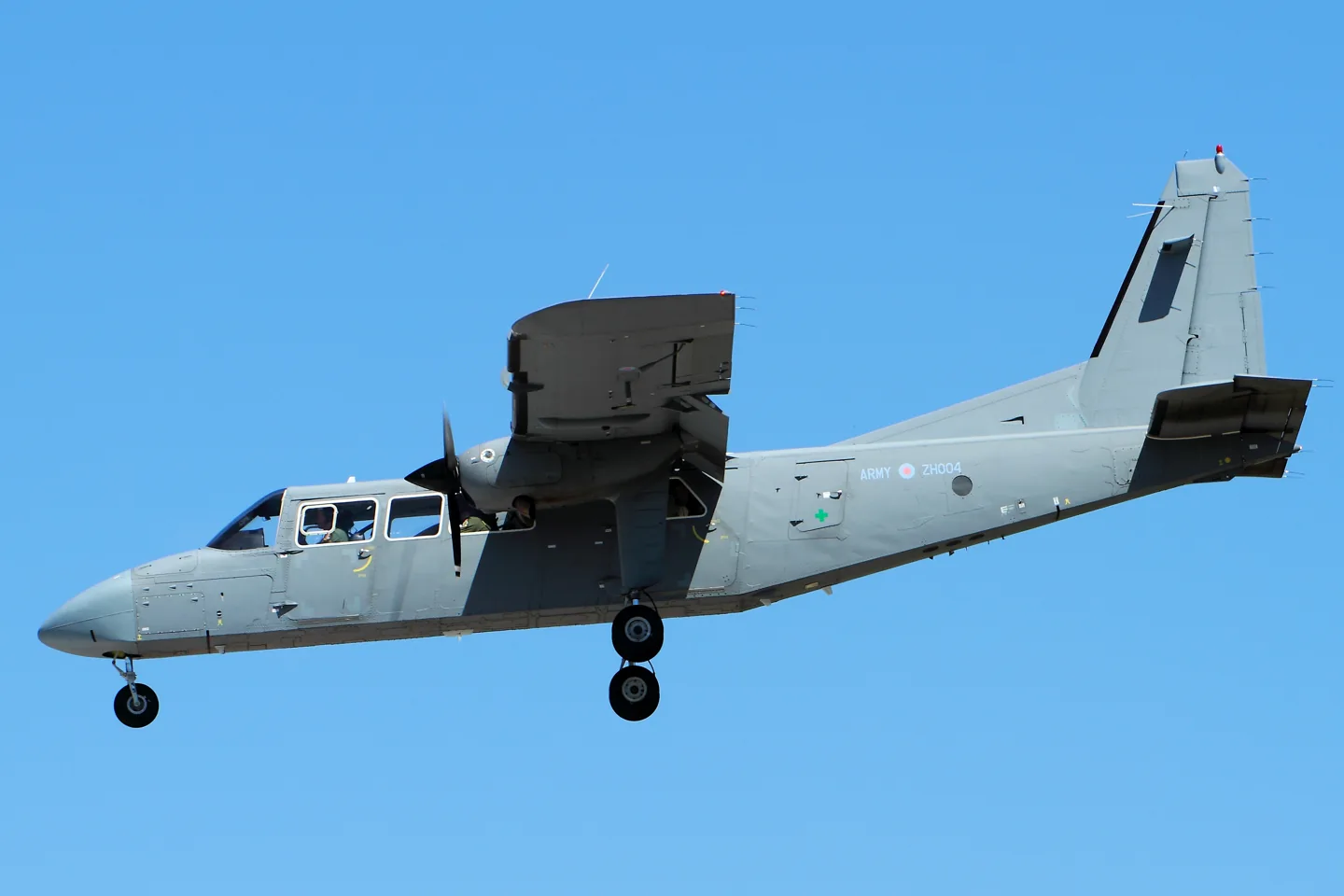
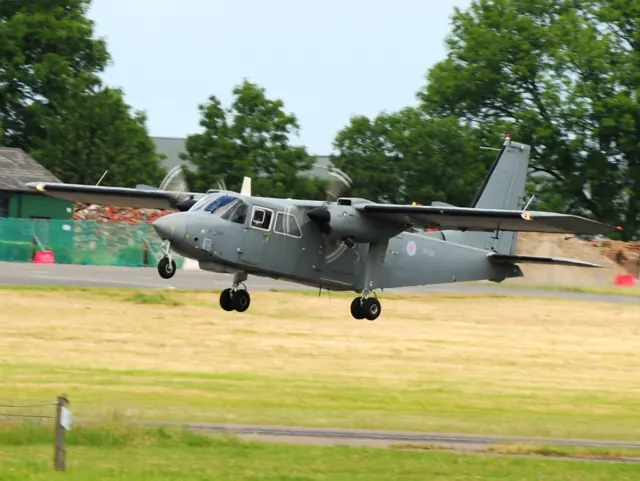
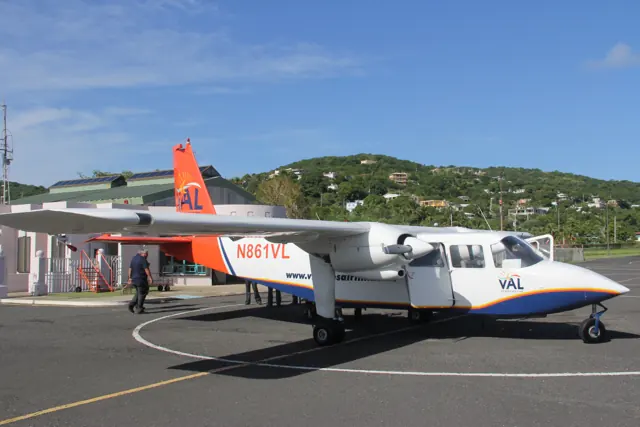
Britten-Norman designed the Islander in the 1960s as a light transport. Its roles span regional passenger services, utility work and military operations. Piston and turbine implementations appear in the simulator catalogue, with their own package names and documentation. Equipment and airframe details vary across its long production history.
Aircraft background
Wikipedia contributors · Read more ↗A new Islander still had individual quirks
Unwin liked the clean cockpit and was surprised by how tightly the Islander could turn on the ground. In flight it felt stable, although the ailerons were relatively heavy and reaching the roof-mounted trim control took familiarity. Radio equipment placed to the side was less convenient to read than the displays directly ahead. Landing introduced the demonstrator’s own quirks.
Pilot flight test, reprinted by AeroExpo in December 2017. New 300 hp Lycoming-equipped Islander with Garmin displays, flown from Solent Airport with Simon Hargreaves.
AeroExpo / Pilot · Read more ↗Arrange an Islander cockpit and cabin around the mission
Thranda’s XP12 BN-2A offers a movable instrument panel with five presets, optional RealityXP integration and instruments that can open in separate windows. Individual seats can be hidden to make space for visible cargo. The loading menu also controls the optional belly pod and saves configurations.
Britten-Norman Islander · Thranda · X-Plane 12
Thranda · Read more ↗Into the cockpit
 YouTube
 Air-Clips.com · 6 min ·
Britten-Norman Islander cockpit, AMAZING: Steepest turn to final ever! [AirClips full flight series]
A cockpit perspective on an Islander approach and landing.
Real aircraft · Britten-Norman Islander
Watch on YouTube ↗Preview images are served by AirframeDB. Videos open on YouTube only when you choose to watch.
Meet Britten-Norman Islander
Britten-Norman designed the Islander in the 1960s as a light transport. Its roles span regional passenger services, utility work and military operations. Piston and turbine implementations appear in the simulator catalogue, with their own package names and documentation. Equipment and airframe details vary across its long production history.
Britten-Norman Islander
Britten-Norman → · Explore the family →
Britten-Norman Islander
Wikipedia contributors · Britten-Norman BN-2 Islander ↗Thranda · X-Plane 12 →TorqueSim · X-Plane 12 →Aircraft type designators
Use the code for the model you are flying. The linked authority lists the applicable aircraft.
Piston-powered BN-2 / BN-2A / BN-2B Islander
ICAO Doc 8643 — aircraft type designators ↗Checked 2026-09-14History & design
The prototype changed during flight testing
Deputy chief designer A. J. Coombe recalled that the early Islander needed improvements to longitudinal trim, drag and single-engine performance. Enlarging the elevator trim tab was only part of the answer; changing the tailplane incidence also helped.
Britten-Norman Aircraft Preservation Society · BNAPS News: Islander 50 special edition ↗Participating engineer’s historical account, reprinted by BNAPS · PDF pp.10–13
More wing and different engines
Coombe’s recollection describes extending the wing and replacing the prototype’s 210 hp Continental engines with 260 hp Lycomings. The revised aircraft returned to testing in early 1966. The Islander’s practical production configuration emerged through that programme rather than arriving complete at its first flight.
Britten-Norman Aircraft Preservation Society · BNAPS News: Islander 50 special edition ↗BNAPS May 2015 historical reprint · PDF pp.13–14
Development milestones
Designer: John Britten, Desmond Norman
First flight: 13 June 1965
Wikipedia contributors · Britten-Norman BN-2 Islander ↗Britten-Norman BN-2 Islander · family/variant named by the source · Wikipedia revision 1373810133
Pilot accounts
A new Islander still had individual quirks
Unwin liked the clean cockpit and was surprised by how tightly the Islander could turn on the ground. In flight it felt stable, although the ailerons were relatively heavy and reaching the roof-mounted trim control took familiarity. Radio equipment placed to the side was less convenient to read than the displays directly ahead.
Landing introduced the demonstrator’s own quirks. Unwin flared too high on his first attempt, and stiff throttles made precise power changes harder during later short-field work. Hargreaves had warned him about that adjustment issue, and practice improved the results. The report combines affection for the design with specific criticisms of the aircraft he flew.
Pilot flight test, reprinted by AeroExpo in December 2017. New 300 hp Lycoming-equipped Islander with Garmin displays, flown from Solent Airport with Simon Hargreaves.
Read the full account · AeroExpo / Pilot ↗Flying the aircraft that first took him home
Robertson first travelled in an Islander as a newborn leaving the hospital in Stanley. Growing up in a flying family made the aircraft part of ordinary life long before he became a commercial pilot. After training in Britain, he returned to the Falklands and built experience through months of supervised local flying.
The work varied with the seasons: tourists in summer, and freight such as food, mail, washing machines and building supplies alongside other year-round duties. Medical transport and fisheries or scientific flights added further variety. He particularly enjoyed calm, clear winter days and trips that brought him back to family at Port Stephens.
FIGAS BN-2B pilot, interviewed by Yayeri van Baarsen for Pilot Career News · 10 February 2022.
Read the full account · Pilot Career News ↗Delivering a new Islander through a disrupted world
Eddleston joined the delivery in Montreal after another pilot brought the aircraft across from Britain. Pandemic restrictions, paperwork and holiday closures complicated the route south, including an extended wait in Daytona. The ferry installation made unusually long legs possible, so this journey was very different from a passenger flight in a standard Islander.
Caribbean water gave way to Andean mountains and Chilean glaciers as the delivery progressed. Fuel arrangements sometimes required improvised communication across a language barrier. On the final leg to the Falklands, a radio problem made the carried satellite communications equipment valuable. A large welcoming group at Stanley brought home what the new aircraft meant to its community.
FLYER · March 2021. Late-2020 delivery of a FIGAS BN-2B-26; Eddleston took over in Montreal. Four cabin ferry tanks replaced passenger seats for the long legs.
Read the full account · FLYER ↗In your simulator
Systems, equipment and documentation for each developer’s aircraft.
Compare simulator versions →X-Plane 12Britten-Norman Islander
Thranda · Released
Britten-Norman Islander
Thranda · Released
X-Plane 12Britten-Norman Islander
TorqueSim · Released
Britten-Norman Islander
TorqueSim · Released
MSFS 2020 · MSFS 2024BN-2 Islander piston
BlackBox Simulation · Released
BN-2 Islander piston
BlackBox Simulation · Released
MSFS 2020 · MSFS 2024BN-2T Turbine Islander
BlackBox Simulation · Released
BN-2T Turbine Islander
BlackBox Simulation · Released
Aircraft specifications
Published figures for the named real-aircraft variant. Simulator equipment and performance can differ.
| Specification | Published value |
|---|---|
| Length | 35 ft 7 + 3 ⁄ 4 in (10.86 m) |
| Wingspan | 49 ft 0 in (14.94 m) |
| Height | 13 ft 8 + 3 ⁄ 4 in (4.18 m) |
| Wing area | 325.0 sq ft (30.19 m² ) |
| Empty weight | 4,114 lb (1,866 kg) equipped (without avionics) |
| Max takeoff weight | 6,600 lb (2,994 kg) |
| Powerplant | 2 × Lycoming O-540-E4C5 6-cylinder air-cooled horizontally-opposed piston engines, 260 hp (190 kW) each |
| Propellers | 2-bladed Hartzell HC-C2YK-2B constant speed propellers , 6 ft 6 in (1.98 m) diameter |
| Maximum speed | 148 kn (170 mph, 274 km/h) at sea level |
| Cruise speed | 130 kn (150 mph, 240 km/h) at 12,000 ft (3,700 m) (59% power) |
| Stall speed | 40 kn (46 mph, 74 km/h) (flaps down) |
| Range | 755 nmi (869 mi, 1,398 km) at 130 kn (150 mph; 241 km/h) and 12,000 ft (3,700 m) (59% power, standard fuel) |
| Service ceiling | 13,000 ft (4,000 m) |
| Rate of climb | 860 ft/min (4.4 m/s) at sea level |
Manuals & resources
Find your next read
Choose a topic for a short introduction and a link to the original source. Simulator references identify the developer and edition they cover.
Simulator documentation
Arrange an Islander cockpit and cabin around the missionBritten-Norman Islander · Thranda · X-Plane 12
Thranda’s XP12 BN-2A offers a movable instrument panel with five presets, optional RealityXP integration and instruments that can open in separate windows. Individual seats can be hidden to make space for visible cargo. The loading menu also controls the optional belly pod and saves configurations.
Gathered Thranda X-Plane 12 listing
Thranda · Read the source ↗Adjust equipment and explore the electrical panelBritten-Norman Islander · Thranda · X-Plane 12
The developer lists functional circuit breakers, optional de-icing equipment, bubble windows and tundra tyres. Its DynaFeel settings adjust simulated control response with speed. The listing describes DynaFeel as a software control-response setting, without documenting force-feedback hardware support.
Developer-documented simulator options
Thranda · Read the source ↗TorqueSim offers piston and turbine IslandersBritten-Norman Islander · TorqueSim · X-Plane 12
TorqueSim describes separate BN-2B and BN-2T packages, respectively using Lycoming piston engines and Allison 250 turboprops, with X-Plane 12 support. Its published feature list includes custom fuel and electrical systems, individual breakers, persistent switches and a load manager.
Gathered TorqueSim page · two distinct represented versions
TorqueSim · Read the source ↗A conventional radio panel with optional integrationsBritten-Norman Islander · TorqueSim · X-Plane 12
The Islander’s listed avionics include a KFC 225 autopilot, GTX 345 transponder and KR 87 ADF. X-Plane’s GNS units are supplied, while RealityXP navigators and the AFM G5 require their separate products. TorqueSim also links its manual and changelog from the aircraft page.
Developer-documented avionics and third-party dependencies
TorqueSim · Read the source ↗Pilot account
A new Islander still had individual quirksPilot flight test, reprinted by AeroExpo in December 2017. New 300 hp Lycoming-equipped Islander with Garmin displays, flown from Solent Airport with Simon Hargreaves.
Unwin liked the clean cockpit and was surprised by how tightly the Islander could turn on the ground. In flight it felt stable, although the ailerons were relatively heavy and reaching the roof-mounted trim control took familiarity. Radio equipment placed to the side was less convenient to read than the displays directly ahead. Landing introduced the demonstrator’s own quirks.
Dave Unwin
AeroExpo / Pilot · Read the source ↗Flying the aircraft that first took him homeFIGAS BN-2B pilot, interviewed by Yayeri van Baarsen for Pilot Career News · 10 February 2022.
Robertson first travelled in an Islander as a newborn leaving the hospital in Stanley. Growing up in a flying family made the aircraft part of ordinary life long before he became a commercial pilot. After training in Britain, he returned to the Falklands and built experience through months of supervised local flying. The work varied with the seasons: tourists in summer, and freight such as food, mail, washing machines and building supplies alongside other year-round duties.
Drew Robertson
Pilot Career News · Read the source ↗Developer documentation
BN-2 Islander piston — product listingBN-2 Islander piston · MSFS 2020 · MSFS 2024
Product listing captured 2026-09-24; edition scope from the reviewed catalogue
BlackBox Simulation · Read the source ↗BN-2T Turbine Islander — product listingBN-2T Turbine Islander · MSFS 2020 · MSFS 2024
Product listing captured 2026-09-30; edition scope from the reviewed catalogue
www.blackboxsimulation.com · Read the source ↗Read the original documentation from the people who created it. Manuals open on their publisher’s website.
Aircraft background
Britten-Norman BN-2 IslanderWikipedia contributors · Research background · retrieved 2026-09-12 BNAPS News: Islander 50 special editionBritten-Norman Aircraft Preservation Society · May 2015 · A. J. Coombe’s flight-test recollection, PDF pp.10–14Product
BN-2A Islander XP12Thranda · Official developer / designated store catalogue · checked 2026-09-12 BN-2B / BN-2T IslanderTorqueSim · Official developer / designated store catalogue · checked 2026-09-12 BN-2 Islander pistonBlackBox Simulation · Product listing captured 2026-09-24; edition scope from the reviewed catalogue Britten Norman Islander BN2T – Product Home – BlackBox Simulationwww.blackboxsimulation.com · Product listing captured 2026-09-30; edition scope from the reviewed catalogueType designator
ICAO Doc 8643 — aircraft type designatorsInternational Civil Aviation Organization · Public search data retrieved 2026-09-14; authority update 2026-09-03Built-in force-feedback profiles
Read the documentary basis, editable starting settings and remaining questions for the aircraft you fly. Each explanation refers to the exact profile revision shown.
Catalogue programme-20261022-v1 · 7 profile choices
BlackBox BN2T Turbine Islander
BlackBox Simulation · Free and Pro · Revision 1 · Inherited starting point
MSFS 2020 · MSFS 2024
BlackBox BN2T Turbine Islander: The selected reversible yoke response is independent of piston or turbine cues; DynaFeel changes input response and is not a calibrated device-force signal.
BlackBox BN-2 Islander
BlackBox Simulation · Free and Pro · Revision 3 · Inherited starting point
MSFS 2020 · MSFS 2024
BlackBox BN-2 Islander: The selected reversible yoke response is independent of piston or turbine cues; DynaFeel changes input response and is not a calibrated device-force signal.
Thranda BN-2A Islander
Thranda · Free and Pro · Revision 3 · Inherited starting point
X-Plane 12
Thranda BN-2A Islander: The selected reversible yoke response is independent of piston or turbine cues; DynaFeel changes input response and is not a calibrated device-force signal.
TorqueSim BN-2B Islander
TorqueSim · Free and Pro · Revision 4 · Inherited starting point
X-Plane 12
TorqueSim BN-2B Islander: The selected reversible yoke response is independent of piston or turbine cues; DynaFeel changes input response and is not a calibrated device-force signal.
TorqueSim BN-2T Turbine Islander
TorqueSim · Free and Pro · Revision 3 · Inherited starting point
X-Plane 12
TorqueSim BN-2T Turbine Islander: The selected reversible yoke response is independent of piston or turbine cues; DynaFeel changes input response and is not a calibrated device-force signal.
Britten-Norman Islander
Free and Pro · Revision 2 · Partial review
X-Plane 12
Britten-Norman Islander: The selected reversible yoke response is independent of piston or turbine cues; DynaFeel changes input response and is not a calibrated device-force signal.
Britten-Norman BN-2T Turbine Islander
Free and Pro · Revision 1 · Partial review
MSFS 2020 · MSFS 2024 · X-Plane 12
A British utility twin built around short regional and practical transport work.
BlackBox BN-2 Islander
BlackBox BN-2 Islander: The selected reversible yoke response is independent of piston or turbine cues; DynaFeel changes input response and is not a calibrated device-force signal.
Aircraft and simulator scope
- BlackBox BN-2 Islander · BlackBox Simulation · MSFS 2020 · Add-on starting point
- BlackBox BN-2 Islander · BlackBox Simulation · MSFS 2024 · Add-on starting point
The simulator model and controls
Britten-Norman designed the Islander in the 1960s as a light transport. Its roles span regional passenger services, utility work and military operations. Piston and turbine implementations appear in the simulator catalogue, with their own package names and documentation. The long production history makes variant and equipment context especially useful when comparing examples.
This profile selects BlackBox BN-2 Islander for MSFS 2020, MSFS 2024.
How this profile feels
Spring resistance builds with the selected airspeed response. A separate aerodynamic term adds speed-dependent control load.
Valid trim provides the configured pressure relief. Autopilot following is off.
Controls and trim
Islander products separate piston BN2B-26 and turbine BN2T aircraft, with the larger BN2T-4S Defender retaining its own capacity and weight context. TorqueSim documents a custom KFC225, while BlackBox's turbine aircraft uses GI275/GMC500 equipment. A real Defender's KFC325 is not that add-on installation. Thranda's piston BN2A offers DynaFeel and configurable panels. Engine and avionics choices are therefore kept attached to the selected product.
The selected implementation
The earlier BlackBox Islander's 2024 compatibility path is separate from the native 2024 aircraft with modular cabins and analog/G1000 choices.
About the values
The gains are normalized profile settings. They describe the chosen effect balance; hand force depends on the device and its output limits. IAS references are tuning values rather than operating limits. Physical acceptance of this revision remains pending.
Documentary review and sources
These decisions describe the documentary basis and remaining gaps for this revision. Aircraft documentation and a starting setting describe different kinds of evidence.
Aircraft and variant
InheritedThis profile selects BlackBox BN-2 Islander for MSFS 2020, MSFS 2024.
Flight controls
InheritedIslander products separate piston BN2B-26 and turbine BN2T aircraft, with the larger BN2T-4S Defender retaining its own capacity and weight context. TorqueSim documents a custom KFC225, while BlackBox's turbine aircraft uses GI275/GMC500 equipment. A real Defender's KFC325 is not that add-on installation. Thranda's piston BN2A offers DynaFeel and configurable panels. Engine and avionics choices are therefore kept attached to the selected product.
Trim
InheritedThe BlackBox tutorial documents pitch and rudder trim wheels. Pitch relief is separate from yaw trim and from each product's autopilot guidance. Pitch authority 0.3 provides load relief and permitted centre movement; roll authority is 0.
Autopilot and stability
InheritedAutopilot following is off; the configured spring and load retain the hardware feel.
Equipment
InheritedThe earlier BlackBox Islander's 2024 compatibility path is separate from the native 2024 aircraft with modular cabins and analog/G1000 choices.
Speeds and limits
InheritedThe indicated-speed references set the profile response scale; they are separate from aircraft operating limits.
Simulator integration
InheritedThe profile targets msfs2020, msfs2024. Add-on-specific controls use only the supported references configured by this profile.
Force-feedback settings
InheritedThe settings define the profile’s effect balance. Device output limits affect physical hand force.
Starting settings and their rationale
These configured values are starting estimates. The explanations describe what each setting controls; physical validation appears separately below.
| Setting | Starting value | What it controls and why |
|---|---|---|
| Spring strength | Starting value0.74 | What it controls and whyThe selected reversible yoke response is independent of piston or turbine cues; DynaFeel changes input response and is not a calibrated device-force signal. The baseline spring is 0.74. Its low-speed blend reaches baseline strength at 57.5 KIAS. |
| Master force gain | Starting value0.85 | What it controls and whyScales overall profile strength while preserving effect balance, subject to device and output limits. |
| Profile force gain | Starting value0.8 | What it controls and whyThe aerodynamic-load gain is 0.8 with an indicated-speed reference of 115 KIAS. This supplies speed-dependent loading alongside the spring. |
| Force tuning speed/reference | Starting value115 kt | What it controls and whySets the IAS reference for aerodynamic loading. It is an estimate, not published cruise TAS or a flight limit. |
| Spring response reference speed | Starting value57.5 kt | What it controls and whySets the IAS where the low-speed blend reaches baseline strength; high-speed stiffening also uses it. |
| Aileron force scale | Starting value0.75 | What it controls and whyRoll and pitch aerodynamic scales are 0.75 and 1, respectively. They set the aerodynamic axis balance. No custom spring-travel curve is enabled. |
| Elevator force scale | Starting value1 | What it controls and whyScales pitch aerodynamic loading; pitch spring travel and trim responses are separate settings. |
| Trim feel | Starting valueDisabled | What it controls and whyRetained for compatibility and group membership. Trim relief, rather than this flag, controls centre movement. |
| Trim relief | Starting valueEnabled | What it controls and whyAllows trim relief with supported control law and valid telemetry. Axis authorities set its amount. |
| Autopilot follow | Starting valueDisabled | What it controls and whyAutopilot following is off; the configured spring and load retain the hardware feel. |
| Autopilot neutral hold | Starting valueDisabled | What it controls and whyPermits centering hold during a supported AP state, separate from following a moving target. |
| Output force limit | Starting value0.55 | What it controls and whyCaps directed-force output. Native spring effects and device limits remain separate. |
All 44 starting settings and their rationale
The settings define the profile’s effect balance. Device output limits affect physical hand force.
| Setting | Starting value | What it controls and why |
|---|---|---|
| Spring strength | Starting value0.74 | What it controls and whyThe selected reversible yoke response is independent of piston or turbine cues; DynaFeel changes input response and is not a calibrated device-force signal. The baseline spring is 0.74. Its low-speed blend reaches baseline strength at 57.5 KIAS. |
| Spring deadband | Starting value0.045 | What it controls and whySets travel around the centre before the baseline spring resists. Smaller values engage it sooner. |
| Profile force gain | Starting value0.8 | What it controls and whyThe aerodynamic-load gain is 0.8 with an indicated-speed reference of 115 KIAS. This supplies speed-dependent loading alongside the spring. |
| Master force gain | Starting value0.85 | What it controls and whyScales overall profile strength while preserving effect balance, subject to device and output limits. |
| QBlend Enabled | Starting valueEnabled | What it controls and whyAllows baseline spring strength to rise with indicated airspeed where the control law permits it. |
| QSpring Minimum Factor | Starting value0.5 | What it controls and whySets low-speed spring strength as a fraction of baseline when blending is enabled. One keeps full strength. |
| QSpring Start Knots | Starting value8 kt | What it controls and whySets the IAS where the low-speed spring blend starts rising. This is a feel threshold, not a flight limit. |
| Spring response reference speed | Starting value57.5 kt | What it controls and whySets the IAS where the low-speed blend reaches baseline strength; high-speed stiffening also uses it. |
| Force tuning speed/reference | Starting value115 kt | What it controls and whySets the IAS reference for aerodynamic loading. It is an estimate, not published cruise TAS or a flight limit. |
| Airspeed spring stiffening gain | Starting value0.15 | What it controls and whyThe high-speed spring-stiffening gain is 0.15. It strengthens the permitted spring response above 57.5 KIAS, with the squared-speed ratio capped at 5. |
| Airspeed spring stiffening limit | Starting value5 | What it controls and whyLimits the squared airspeed ratio used for high-speed spring stiffening; it is not a device-force cap. |
| Aileron force scale | Starting value0.75 | What it controls and whyRoll and pitch aerodynamic scales are 0.75 and 1, respectively. They set the aerodynamic axis balance. No custom spring-travel curve is enabled. |
| Elevator force scale | Starting value1 | What it controls and whyScales pitch aerodynamic loading; pitch spring travel and trim responses are separate settings. |
| Output force limit | Starting value0.55 | What it controls and whyCaps directed-force output. Native spring effects and device limits remain separate. |
| Trim feel | Starting valueDisabled | What it controls and whyRetained for compatibility and group membership. Trim relief, rather than this flag, controls centre movement. |
| Trim relief | Starting valueEnabled | What it controls and whyAllows trim relief with supported control law and valid telemetry. Axis authorities set its amount. |
| Elevator Authority | Starting value0.3 | What it controls and whyThe BlackBox tutorial documents pitch and rudder trim wheels. Pitch relief is separate from yaw trim and from each product's autopilot guidance. Pitch authority 0.3 provides load relief and permitted centre movement; roll authority is 0. |
| Aileron Authority | Starting value0 | What it controls and whyScales supported roll-trim relief and permitted centre movement. Zero removes roll response. |
| Force Trim Enabled | Starting valueDisabled | What it controls and whyEnables local force trim, separate from aircraft-owned trim and add-on integration qualification. |
| GLoad Enabled | Starting valueEnabled | What it controls and whyAllows load-factor changes to modify permitted spring laws. Passive fly-by-wire feel can suppress it. |
| Rate Damping Enabled | Starting valueEnabled | What it controls and whyEnables rate damping with the configured coefficients and control law. |
| Autopilot follow | Starting valueDisabled | What it controls and whyAutopilot following is off; the configured spring and load retain the hardware feel. |
| Autopilot follow authority | Starting value0.1 | What it controls and whySets admitted AP-follow gain, not a percentage of travel. Runtime ownership and input limits still apply. |
| Autopilot neutral hold | Starting valueDisabled | What it controls and whyPermits centering hold during a supported AP state, separate from following a moving target. |
| Autopilot neutral hold strength | Starting value0.6 | What it controls and whySets admitted AP neutral-hold strength; inactive while neutral hold is disabled. |
| Enabled | Starting valueEnabled | What it controls and whyEnables aerodynamic cues; each still needs nonzero strength and its simulator conditions. |
| Gain | Starting value0.35 | What it controls and whySets stall-buffet strength. Zero removes the cue without changing simulator stalls or warnings. |
| Gain | Starting value0 | What it controls and whySets high-Mach buffet strength; onset and full-strength thresholds are separate. |
| Gain | Starting value0 | What it controls and whySets flap buffet at the configured position and speed gates. Flap movement texture is separate. |
| Maximum flap index | Starting value2 | What it controls and whySets the final flap index for detent normalization. UP plus three detents uses maximum index3. |
| Minimum flap index | Starting value2 | What it controls and whySets the first flap detent that admits buffet; this is a handle index, not degrees. |
| Gain | Starting value0 | What it controls and whySets gear aerodynamic buffet; movement and ground-contact cues are separate. |
| Shaker Enabled | Starting valueDisabled | What it controls and whyPermits shaker at supported warning conditions; the switch does not establish aircraft equipment. |
| Stick shaker amplitude | Starting value0.5 | What it controls and whySets triggered shaker strength; inactive while the shaker feature is disabled. |
| Enabled | Starting valueEnabled | What it controls and whyEnables ground effects; each still needs its own strength and contact or motion telemetry. |
| Gain | Starting value0.4 | What it controls and whySets rolling texture strength, modified by speed, surface and undercarriage configuration. |
| Gain | Starting value0.25 | What it controls and whySets gear-bump texture during ground motion, separate from touchdown impact. |
| Gain | Starting value0.65 | What it controls and whySets landing-impact strength; landing telemetry and response shape determine the pulse. |
| Gain | Starting value0 | What it controls and whySets reverse-thrust vibration with valid reverser and engine conditions. Zero removes the cue. |
| Enabled | Starting valueEnabled | What it controls and whyEnables engine cues with nonzero settings and valid running-engine telemetry. |
| Gain | Starting value0.12 | What it controls and whySets estimated engine vibration using configured telemetry and response, not measured cockpit vibration. |
| Enabled | Starting valueEnabled | What it controls and whyEnables accessory cues with configured strengths and observed accessory movement. |
| Gain | Starting value0.12 | What it controls and whySets texture from observed flap movement; a command without movement does not establish the cue. |
| Gain | Starting value0 | What it controls and whySets texture from observed gear movement, separate from aerodynamic and touchdown effects. |
Limits and open questions
- BlackBox BN-2 Islander; msfs2020, msfs2024. Previously observed titles and implementation identifiers are retained; installed matching remains deferred.
- Manual piston-Islander yoke with IAS loading estimate. No turbine engine or Defender4000 control inheritance.
- Estimated pitch relief; unestablished in-flight roll-trim relationship stays zero.
- Native2024 G1000 and legacy Aspen/analog configurations are separate avionics implementations; no assumed common custom servo source. AP servo-follow and neutral hold remain disabled; engagement indicators are not force-demand signals.
- Piston twin with fixed wheels and flaps. Civil, cargo, parachute and special-mission cabins plus nose choices share nominal manual controls. BN2T and stretched Defender have separate profiles.
- 115 KIAS is an estimated feel reference, not cruise TAS or a certified limit. No invented Mach, VNE or weight scheduling.
- Read-only native telemetry for aircraft motion and accessory positions. Custom switches, display animations and mode lamps are not calibrated servo targets. No unverified LVars/datarefs or simulator writes.
- Spring 0.74; lateral scale 0.75; trim authorities 0.3/0; per-axis output cap 0.55. Editable engineering estimates, not measured hand forces. No body-rate torque, surface following or fabricated hydraulic-failure loads.
- New physical and installed-product checks deferred by owner. Existing separately recorded acceptance retains its original device, simulator, add-on and version limits. Source review does not broaden custom telemetry acceptance.
- Only actual accessory position changes drive movement texture; static drag and command-triggered kicks are disabled. Select and save an aircraft default when telemetry lacks a discriminating developer/configuration identity.
Physical validation
No physical force validation is recorded in this public catalogue for this revision. Documentary review and software checks do not establish how a particular device feels.
Discuss this aircraft (0)
Questions, observations and useful sources from the community.
No published discussions yet. Bring a question or share a useful source.
Open aircraft discussions →Content expanded · What’s new
Something missing or a source that needs attention?
Suggest a correction ↗