

Start here
A few places to begin, from the aircraft’s story to the people who fly it.
Meet the aircraft
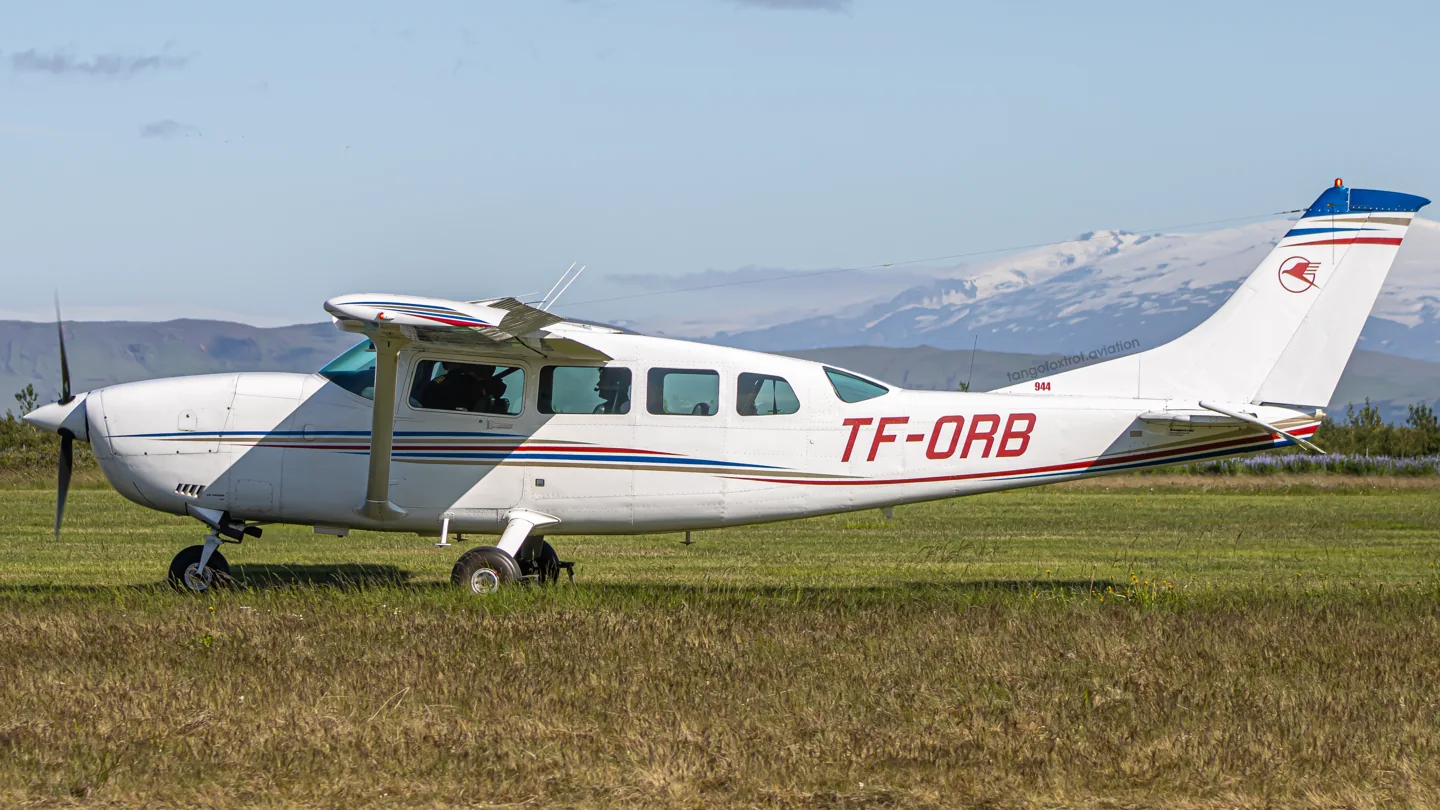
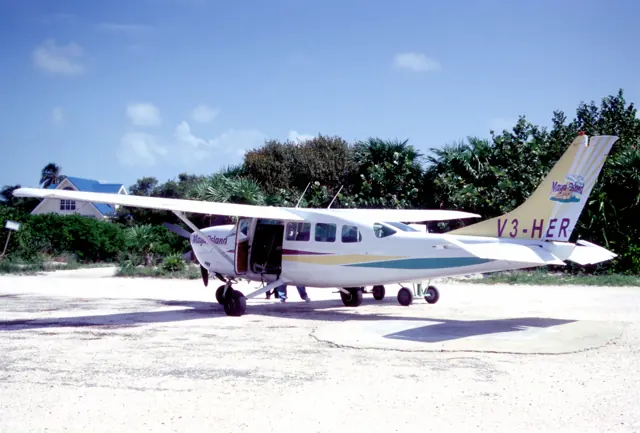
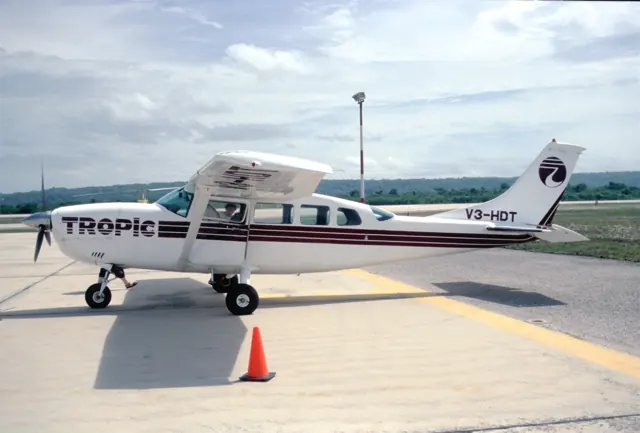
The 205, 206 and 207 developed into a family of fixed-gear Cessna utility singles. They trace their origins to the retractable-gear 210 but evolved around commercial passenger and freight work. The high wing and substantial cabin suit loading and practical transport. The 207 is a stretched member of this family, and the T207 adds turbocharging. It should not inherit seating or performance figures from a shorter 206.
Aircraft background
Wikipedia contributors · Read more ↗A mail flight connects northern lights with a village welcome
Paneok’s outward flight carried freight and mail through an Arctic winter night, with northern lights adding a private spectacle to the journey. Arriving in Wainwright changed the atmosphere from a solitary cockpit to conversation and a welcome on the ground. The village was also her mother’s birthplace, giving familiar faces and family connections particular meaning.
AOPA · January 1998. Cessna 207 winter flight from Barrow to Wainwright and return; the account does not establish a turbocharged variant.
AOPA · Read more ↗The release offers three cabin configurations
The Famous Flyer 08 announcement identifies standard passenger, cargo/freighter and skydiving configurations for its Cessna T207A Turbo Stationair.
T207A Turbo Stationair · Microsoft Flight Simulator · MSFS 2020
Microsoft Flight Simulator Team · Read more ↗Into the cockpit
 YouTube
 Flying Wild AZ · 10 min ·
Cessna 207 Stationair Landing at Prescott in MVFR
A Cessna 207 landing at Prescott, recorded from the cockpit.
Family reference · Cessna 207; turbo installation not established
Watch on YouTube ↗Preview images are served by AirframeDB. Videos open on YouTube only when you choose to watch.
Meet Cessna 207T
The 205, 206 and 207 developed into a family of fixed-gear Cessna utility singles. They trace their origins to the retractable-gear 210 but evolved around commercial passenger and freight work. The high wing and substantial cabin suit loading and practical transport.
The 207 is a stretched member of this family, and the T207 adds turbocharging. The simulator listing represents the 207T; the background source covers the wider Stationair family.
Cessna 207T
Aircraft type designators
Use the code for the model you are flying. The linked authority lists the applicable aircraft.
History & design
Small deliveries make the aircraft part of village life
Paneok’s recollection connects the 207 with letters, freight, shopping and medical journeys between Arctic communities. Her birthday-cake deliveries add a domestic detail to the type’s role as local transport, beyond passenger totals and cargo capacity.
AOPA · With trusting eyes behind me ↗Individual pilot’s historical account; no present route network implied
Pilot accounts
A mail flight connects northern lights with a village welcome
Paneok’s outward flight carried freight and mail through an Arctic winter night, with northern lights adding a private spectacle to the journey. Arriving in Wainwright changed the atmosphere from a solitary cockpit to conversation and a welcome on the ground. The village was also her mother’s birthplace, giving familiar faces and family connections particular meaning.
Passengers on the return were travelling for shopping and medical visits, relying on the aircraft for ordinary needs that distance made difficult. Paneok also recalled baking birthday cakes for friends and relatives and delivering them when asked.
AOPA · January 1998. Cessna 207 winter flight from Barrow to Wainwright and return; the account does not establish a turbocharged variant.
Read the full account · AOPA ↗Returning to Bethel brings back familiar people
Loehr returned to Bethel to fly cargo in the Cessna 207, revisiting the place where his Alaskan flying career had begun. Some things had changed, including runways and the operators serving the area. Other connections remained familiar, particularly meeting a village agent who had already been working there when Loehr first arrived in 1995.
The flying involved repeated short legs and many landings, with loading and the people at each destination forming much of the working day. His dispatch also describes the social world surrounding the pilots after a long winter. The aircraft’s role emerges through that routine: moving goods around the delta while its crews build relationships with colleagues and the communities they serve.
Oddball Pilot · April 2012. Ryan Air all-cargo Cessna 207 work from Bethel, where Loehr had started with Yute Air in 1995; turbo configuration is not established.
Read the full account · Oddball Pilot ↗A scenic flight is also a long day of looking after people
DeWilde’s working day began before sunrise, with a company flight to Tusayan followed by collecting four Austrian visitors for a tour. Their surprise at finding a woman in the pilot’s seat was something she had encountered before. Patience and humour helped her manage expectations while waiting for the canyon’s permitted touring hours to begin.
The route carried her passengers through the Grand Canyon and Monument Valley, where she had time to eat while they took a bus tour. Lake Powell and Rainbow Bridge followed on the return to Page. Behind that spectacular workplace lay a carefully built career, including instructing and saving money. The profile catches her using the 207’s daily work to pursue a hoped-for airline opportunity.
Profile by Alton K. Marsh · February 2000. Lake Powell Air Service turbocharged Cessna 207 tour in the preceding October, based at Page, Arizona.
Read the full account · AOPA ↗In your simulator
Systems, equipment and documentation for each developer’s aircraft.
Compare simulator versions →MSFS 2024207T
Microsoft Flight Simulator · Released
207T
Microsoft Flight Simulator · Released
MSFS 2020T207A Turbo Stationair
Microsoft Flight Simulator · Released
T207A Turbo Stationair
Microsoft Flight Simulator · Released
Manuals & resources
Find your next read
Choose a topic for a short introduction and a link to the original source. Simulator references identify the developer and edition they cover.
Simulator documentation
The release offers three cabin configurationsT207A Turbo Stationair · Microsoft Flight Simulator · MSFS 2020
The Famous Flyer 08 announcement identifies standard passenger, cargo/freighter and skydiving configurations for its Cessna T207A Turbo Stationair.
Official MSFS release announcement; original MSFS 2020 edition
Microsoft Flight Simulator Team · Read the source ↗Each configuration has its own livery selectionT207A Turbo Stationair · Microsoft Flight Simulator · MSFS 2020
The launch lists ten liveries for the standard aircraft, five for the freighter and five for the skydiving configuration. These are the announced package contents.
Famous Flyer 08 announcement; historical release inventory
Microsoft Flight Simulator Team · Read the source ↗The original MSFS 2020 releaseT207A Turbo Stationair · Microsoft Flight Simulator · MSFS 2020
Famous Flyer 08 names the aircraft T207A Turbo Stationair. Its December 2023 release includes standard, cargo/freighter and skydiving configurations, each with its own livery selection.
2023-12-19 · release and package scope
Microsoft Flight Simulator Team · Read the source ↗Pilot account
A mail flight connects northern lights with a village welcomeAOPA · January 1998. Cessna 207 winter flight from Barrow to Wainwright and return; the account does not establish a turbocharged variant.
Paneok’s outward flight carried freight and mail through an Arctic winter night, with northern lights adding a private spectacle to the journey. Arriving in Wainwright changed the atmosphere from a solitary cockpit to conversation and a welcome on the ground. The village was also her mother’s birthplace, giving familiar faces and family connections particular meaning.
Ellen Paneok
AOPA · Read the source ↗Returning to Bethel brings back familiar peopleOddball Pilot · April 2012. Ryan Air all-cargo Cessna 207 work from Bethel, where Loehr had started with Yute Air in 1995; turbo configuration is not established.
Loehr returned to Bethel to fly cargo in the Cessna 207, revisiting the place where his Alaskan flying career had begun. Some things had changed, including runways and the operators serving the area. Other connections remained familiar, particularly meeting a village agent who had already been working there when Loehr first arrived in 1995. The flying involved repeated short legs and many landings, with loading and the people at each destination forming much of the working day.
Aidan Loehr
Oddball Pilot · Read the source ↗Read the original documentation from the people who created it. Manuals open on their publisher’s website.
Manual
Microsoft Flight Simulator aircraft manualsMicrosoft / aircraft developersAircraft background
Cessna 206Wikipedia contributors · Research background · Wikipedia revision 88785899 · retrieved 2026-09-12Resource
MSFS 2024 FAQ and edition aircraft inventoryMicrosoftDeveloper documentation
Microsoft Flight Simulator Releases Famous Flyer 08: The Cessna T207A Turbo StationairMicrosoft Flight Simulator Team · 2023-12-19 · release and package scopeType designator
ICAO Doc 8643 — aircraft type designatorsInternational Civil Aviation Organization · Public search data retrieved 2026-09-14; authority update 2026-09-03Built-in force-feedback profiles
Read the documentary basis, editable starting settings and remaining questions for the aircraft you fly. Each explanation refers to the exact profile revision shown.
Catalogue programme-20261022-v1 · 2 profile choices
Cessna 207T
Free and Pro · Revision 2 · Partial review
MSFS 2024 · MSFS 2020
Cessna 207T: The named long-body Stationair uses a nominal reversible yoke response; fuselage length and engine rating do not measure hand force.
Carenado C207 Skywagon
Carenado · Free and Pro · Revision 1 · Partial review
X-Plane 11
A utility-aircraft family whose stretched 207 branch trades compact proportions for more cabin space.
Carenado C207 Skywagon
A utility-aircraft family whose stretched 207 branch trades compact proportions for more cabin space.
Aircraft and simulator scope
- Carenado C207 Skywagon · Carenado · X-Plane 11 · Add-on starting point
Carenado C207 Skywagon · Historical XP11 catalogue scope; compatibility is not transferred to XP12.
The simulator model and controls
Carenado C207 Skywagon is the selected Carenado configuration.
How this profile feels
Spring resistance builds with the selected airspeed response. A separate aerodynamic term adds speed-dependent control load.
Valid trim provides the configured pressure relief. Autopilot following is off.
Aircraft and configuration
Carenado identifies C207 Skywagon for XP11, with optional RealityXP GTN750 support.
About the values
Strengths are normalized hardware-feel settings. They set the effect balance; hand force depends on the device and its limits. The IAS reference is a tuning value.
What the documentation establishes
Carenado identifies C207 Skywagon for XP11, with optional RealityXP GTN750 support.
Documentary review and sources
These decisions describe the documentary basis and remaining gaps for this revision. Aircraft documentation and a starting setting describe different kinds of evidence.
Aircraft and variant
ReviewedCarenado C207 Skywagon is the selected Carenado configuration.
Flight controls
Not yet reviewedA utility-aircraft family whose stretched 207 branch trades compact proportions for more cabin space.
Trim
Not yet reviewedThe profile uses the trim behaviour configured below. Pitch authority 0.3 provides load relief and permitted centre movement; roll authority is 0.
Autopilot and stability
Not yet reviewedAutopilot following is off; the configured spring and load retain the hardware feel.
Equipment
Not yet reviewedCarenado identifies C207 Skywagon for XP11, with optional RealityXP GTN750 support.
Speeds and limits
Not yet reviewedThe indicated-speed references set the profile response scale; they are separate from aircraft operating limits.
Simulator integration
Not yet reviewedThe profile targets xplane11. Add-on-specific controls use only the supported references configured by this profile.
Force-feedback settings
Not yet reviewedThe settings define the profile’s effect balance. Device output limits affect physical hand force.
Starting settings and their rationale
These configured values are starting estimates. The explanations describe what each setting controls; physical validation appears separately below.
| Setting | Starting value | What it controls and why |
|---|---|---|
| Spring strength | Starting value0.74 | What it controls and whyThis profile uses reversible-control loading for Cessna 207T. The baseline spring is 0.74. Its low-speed blend reaches baseline strength at 60 KIAS. |
| Master force gain | Starting value0.85 | What it controls and whyScales overall profile strength while preserving effect balance, subject to device and output limits. |
| Profile force gain | Starting value0.8 | What it controls and whyThe aerodynamic-load gain is 0.8 with an indicated-speed reference of 120 KIAS. This supplies speed-dependent loading alongside the spring. |
| Force tuning speed/reference | Starting value120.0 kt | What it controls and whySets the IAS reference for aerodynamic loading. It is an estimate, not published cruise TAS or a flight limit. |
| Spring response reference speed | Starting value60.0 kt | What it controls and whySets the IAS where the low-speed blend reaches baseline strength; high-speed stiffening also uses it. |
| Aileron force scale | Starting value0.72 | What it controls and whyRoll and pitch aerodynamic scales are 0.72 and 1, respectively. They set the aerodynamic axis balance. No custom spring-travel curve is enabled. |
| Elevator force scale | Starting value1.0 | What it controls and whyScales pitch aerodynamic loading; pitch spring travel and trim responses are separate settings. |
| Trim feel | Starting valueEnabled | What it controls and whyRetained for compatibility and group membership. Trim relief, rather than this flag, controls centre movement. |
| Trim relief | Starting valueEnabled | What it controls and whyAllows trim relief with supported control law and valid telemetry. Axis authorities set its amount. |
| Autopilot follow | Starting valueDisabled | What it controls and whyAutopilot following is off; the configured spring and load retain the hardware feel. |
| Autopilot neutral hold | Starting valueDisabled | What it controls and whyPermits centering hold during a supported AP state, separate from following a moving target. |
| Output force limit | Starting value0.55 | What it controls and whyCaps directed-force output. Native spring effects and device limits remain separate. |
All 44 starting settings and their rationale
The settings define the profile’s effect balance. Device output limits affect physical hand force.
| Setting | Starting value | What it controls and why |
|---|---|---|
| Spring strength | Starting value0.74 | What it controls and whyThis profile uses reversible-control loading for Cessna 207T. The baseline spring is 0.74. Its low-speed blend reaches baseline strength at 60 KIAS. |
| Spring deadband | Starting value0.045 | What it controls and whySets travel around the centre before the baseline spring resists. Smaller values engage it sooner. |
| Profile force gain | Starting value0.8 | What it controls and whyThe aerodynamic-load gain is 0.8 with an indicated-speed reference of 120 KIAS. This supplies speed-dependent loading alongside the spring. |
| Master force gain | Starting value0.85 | What it controls and whyScales overall profile strength while preserving effect balance, subject to device and output limits. |
| QBlend Enabled | Starting valueEnabled | What it controls and whyAllows baseline spring strength to rise with indicated airspeed where the control law permits it. |
| QSpring Minimum Factor | Starting value0.5 | What it controls and whySets low-speed spring strength as a fraction of baseline when blending is enabled. One keeps full strength. |
| QSpring Start Knots | Starting value16.8 kt | What it controls and whySets the IAS where the low-speed spring blend starts rising. This is a feel threshold, not a flight limit. |
| Spring response reference speed | Starting value60.0 kt | What it controls and whySets the IAS where the low-speed blend reaches baseline strength; high-speed stiffening also uses it. |
| Force tuning speed/reference | Starting value120.0 kt | What it controls and whySets the IAS reference for aerodynamic loading. It is an estimate, not published cruise TAS or a flight limit. |
| Airspeed spring stiffening gain | Starting value0.15 | What it controls and whyThe high-speed spring-stiffening gain is 0.15. It strengthens the permitted spring response above 60 KIAS, with the squared-speed ratio capped at 5. |
| Airspeed spring stiffening limit | Starting value5 | What it controls and whyLimits the squared airspeed ratio used for high-speed spring stiffening; it is not a device-force cap. |
| Aileron force scale | Starting value0.72 | What it controls and whyRoll and pitch aerodynamic scales are 0.72 and 1, respectively. They set the aerodynamic axis balance. No custom spring-travel curve is enabled. |
| Elevator force scale | Starting value1.0 | What it controls and whyScales pitch aerodynamic loading; pitch spring travel and trim responses are separate settings. |
| Output force limit | Starting value0.55 | What it controls and whyCaps directed-force output. Native spring effects and device limits remain separate. |
| Trim feel | Starting valueEnabled | What it controls and whyRetained for compatibility and group membership. Trim relief, rather than this flag, controls centre movement. |
| Trim relief | Starting valueEnabled | What it controls and whyAllows trim relief with supported control law and valid telemetry. Axis authorities set its amount. |
| Elevator Authority | Starting value0.3 | What it controls and whyThe profile uses the trim behaviour configured below. Pitch authority 0.3 provides load relief and permitted centre movement; roll authority is 0. |
| Aileron Authority | Starting value0 | What it controls and whyScales supported roll-trim relief and permitted centre movement. Zero removes roll response. |
| Force Trim Enabled | Starting valueDisabled | What it controls and whyEnables local force trim, separate from aircraft-owned trim and add-on integration qualification. |
| GLoad Enabled | Starting valueEnabled | What it controls and whyAllows load-factor changes to modify permitted spring laws. Passive fly-by-wire feel can suppress it. |
| Rate Damping Enabled | Starting valueEnabled | What it controls and whyEnables rate damping with the configured coefficients and control law. |
| Autopilot follow | Starting valueDisabled | What it controls and whyAutopilot following is off; the configured spring and load retain the hardware feel. |
| Autopilot follow authority | Starting value0.1 | What it controls and whySets admitted AP-follow gain, not a percentage of travel. Runtime ownership and input limits still apply. |
| Autopilot neutral hold | Starting valueDisabled | What it controls and whyPermits centering hold during a supported AP state, separate from following a moving target. |
| Autopilot neutral hold strength | Starting value0.6 | What it controls and whySets admitted AP neutral-hold strength; inactive while neutral hold is disabled. |
| Enabled | Starting valueEnabled | What it controls and whyEnables aerodynamic cues; each still needs nonzero strength and its simulator conditions. |
| Gain | Starting value0.35 | What it controls and whySets stall-buffet strength. Zero removes the cue without changing simulator stalls or warnings. |
| Gain | Starting value0 | What it controls and whySets high-Mach buffet strength; onset and full-strength thresholds are separate. |
| Gain | Starting value0.14 | What it controls and whySets flap buffet at the configured position and speed gates. Flap movement texture is separate. |
| Maximum flap index | Starting value4 | What it controls and whySets the final flap index for detent normalization. UP plus three detents uses maximum index3. |
| Minimum flap index | Starting value2 | What it controls and whySets the first flap detent that admits buffet; this is a handle index, not degrees. |
| Gain | Starting value0 | What it controls and whySets gear aerodynamic buffet; movement and ground-contact cues are separate. |
| Shaker Enabled | Starting valueDisabled | What it controls and whyPermits shaker at supported warning conditions; the switch does not establish aircraft equipment. |
| Stick shaker amplitude | Starting value0.5 | What it controls and whySets triggered shaker strength; inactive while the shaker feature is disabled. |
| Enabled | Starting valueEnabled | What it controls and whyEnables ground effects; each still needs its own strength and contact or motion telemetry. |
| Gain | Starting value0.4 | What it controls and whySets rolling texture strength, modified by speed, surface and undercarriage configuration. |
| Gain | Starting value0.25 | What it controls and whySets gear-bump texture during ground motion, separate from touchdown impact. |
| Gain | Starting value0.65 | What it controls and whySets landing-impact strength; landing telemetry and response shape determine the pulse. |
| Gain | Starting value0 | What it controls and whySets reverse-thrust vibration with valid reverser and engine conditions. Zero removes the cue. |
| Enabled | Starting valueEnabled | What it controls and whyEnables engine cues with nonzero settings and valid running-engine telemetry. |
| Gain | Starting value0.12 | What it controls and whySets estimated engine vibration using configured telemetry and response, not measured cockpit vibration. |
| Enabled | Starting valueEnabled | What it controls and whyEnables accessory cues with configured strengths and observed accessory movement. |
| Gain | Starting value0.12 | What it controls and whySets texture from observed flap movement; a command without movement does not establish the cue. |
| Gain | Starting value0 | What it controls and whySets texture from observed gear movement, separate from aerodynamic and touchdown effects. |
Limits and open questions
- Product identity and navigator support do not establish C207 trim gearing, indicated-airspeed force response or servo equipment.
- No simulator launch or physical force validation.
Physical validation
No physical force validation is recorded in this public catalogue for this revision. Documentary review and software checks do not establish how a particular device feels.
Discuss this aircraft (0)
Questions, observations and useful sources from the community.
No published discussions yet. Bring a question or share a useful source.
Open aircraft discussions →Content expanded · What’s new
Something missing or a source that needs attention?
Suggest a correction ↗