

Start here
A few places to begin, from the aircraft’s story to the people who fly it.
Meet the aircraft
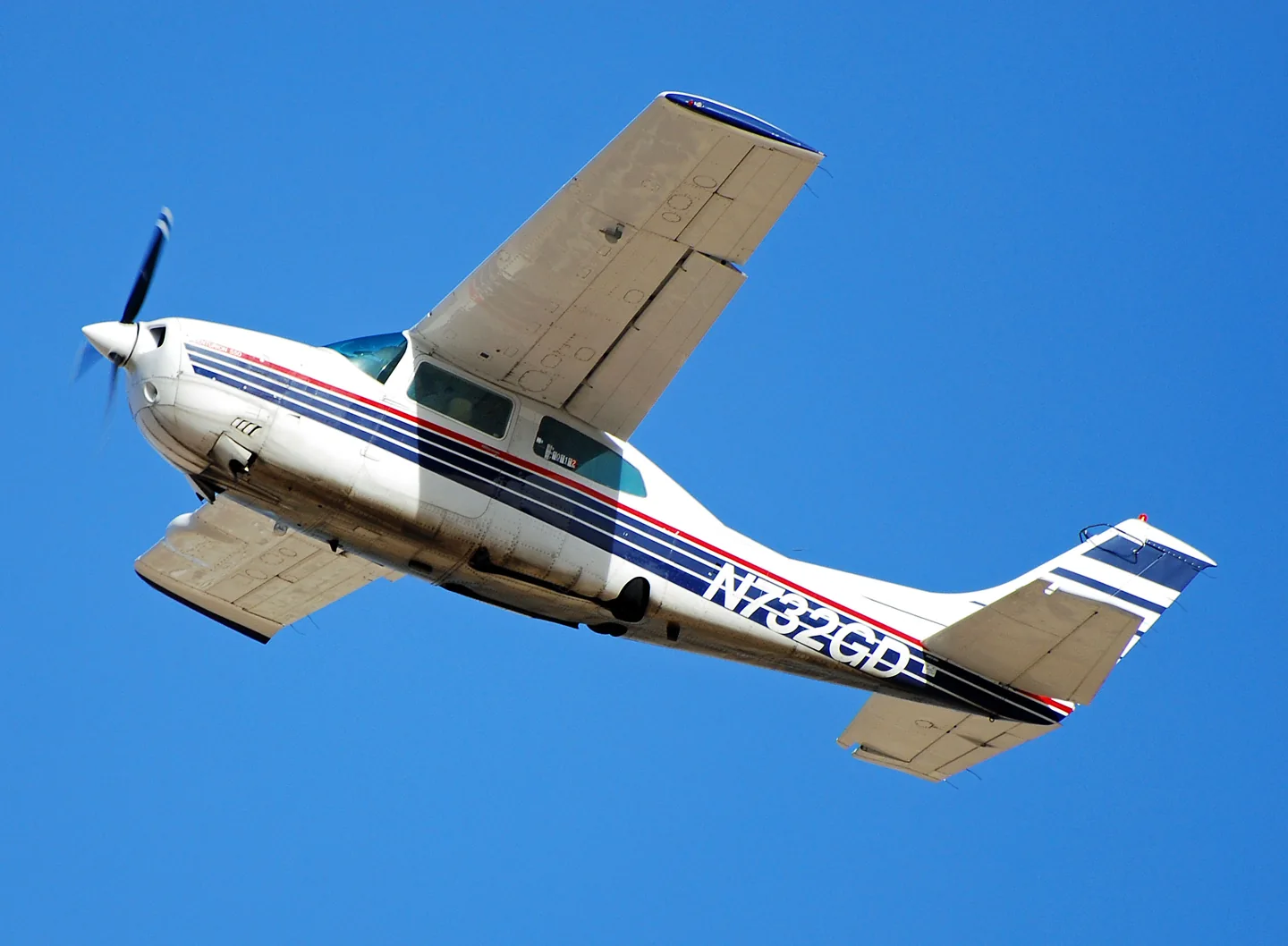
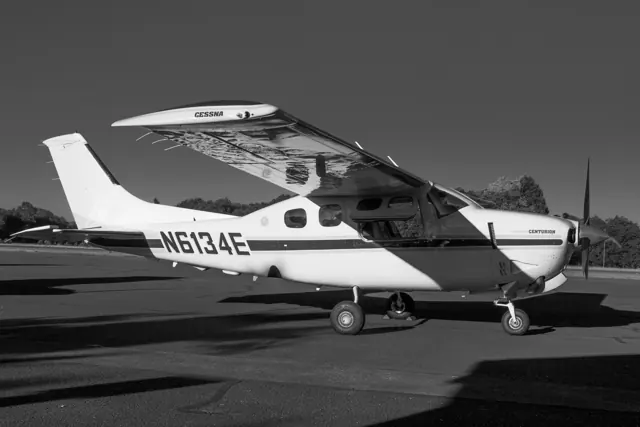
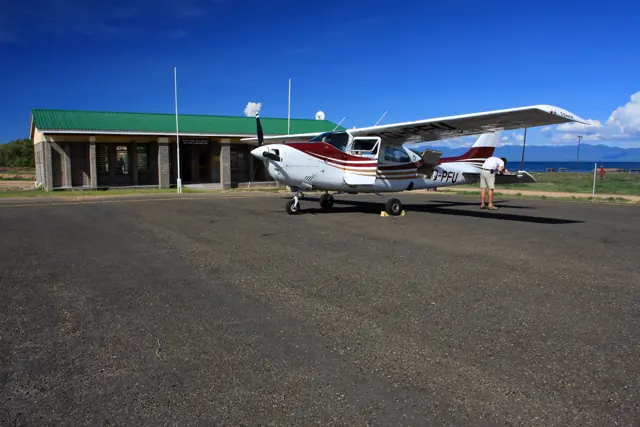
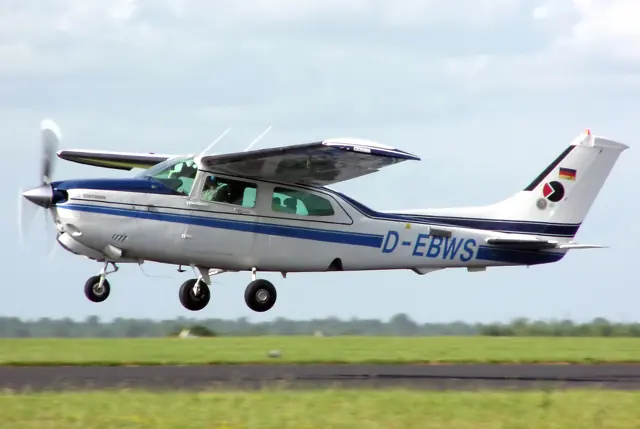
The 210 first flew in January 1957 and remained in production until 1986. Its high wing and retractable landing gear combine the familiar Cessna cabin arrangement with a different performance and equipment class from the basic trainers. Capacity and performance changed as the family developed over that production run.
Aircraft background
Wikipedia contributors · Read more ↗A travelling couple finds the pressurised Centurion fits
The Cabots moved from a Skylane to a turbocharged Centurion before asking Cox to help them find a P210R. They bought a 1985 example in Phoenix and continued using it after retiring to Mexico, flying regularly to destinations in Texas, Arizona and California. Both were pilots, and their choice reflected experience with other aircraft as well as affection for Cessnas.
Cessna Owner Organization, 3 November 2015. Joint owner interview concerning a 1985 P210R; pressurised variant, counted as one shared account.
Cessna Owner Organization · Read more ↗Into the cockpit
 YouTube
 AeroLife · 36 min ·
1974 Cessna 210 Centurion aircraft full flight review
An aircraft sales presenter reviews a 1974 C210L in detail and in flight.
Real aircraft · C210L, 1974
Watch on YouTube ↗Preview images are served by AirframeDB. Videos open on YouTube only when you choose to watch.
Meet Cessna 210 Centurion
The 210 first flew in January 1957 and remained in production until 1986. Its high wing and retractable landing gear combine the familiar Cessna cabin arrangement with a different performance and equipment class from the basic trainers. Capacity and performance changed as the family developed over that production run.
Cessna 210 Centurion
Cessna → · Explore the family →
Cessna 210 Centurion
Wikipedia contributors · Cessna 210 Centurion ↗SimCoders · X-Plane 11 · X-Plane 12 →Aircraft type designators
Use the code for the model you are flying. The linked authority lists the applicable aircraft.
History & design
Development milestones
First flight: January 1957
Developed from: Cessna 182 Skylane
Wikipedia contributors · Cessna 210 Centurion ↗Cessna 210 Centurion · family/variant named by the source · Wikipedia revision 1369058378
Pilot accounts
A travelling couple finds the pressurised Centurion fits
The Cabots moved from a Skylane to a turbocharged Centurion before asking Cox to help them find a P210R. They bought a 1985 example in Phoenix and continued using it after retiring to Mexico, flying regularly to destinations in Texas, Arizona and California. Both were pilots, and their choice reflected experience with other aircraft as well as affection for Cessnas. Hal's height also mattered: the vertical space in the Centurion suited him better than the alternative he considered.
Michelee valued the room for four people and their belongings, while acknowledging that access to the small rear seats could be awkward. Hal particularly appreciated pressurisation on their journeys through the western United States. They generally chose middle altitudes that cleared the terrain while maintaining a comfortable cabin environment. Their account describes a durable match between aircraft and owners: enough speed, useful accommodation and relief from the inconvenience of routine oxygen equipment on the trips they wanted to make.
Cessna Owner Organization, 3 November 2015. Joint owner interview concerning a 1985 P210R; pressurised variant, counted as one shared account.
Read the full account · Cessna Owner Organization ↗The appeal of a stable working aircraft
Collins's assessment of the Centurion accepts its reputation for heavy controls while explaining why pilots might value it anyway. He describes a marked change in elevator feel with loading: a forward centre of gravity gives substantial forces, while an aft loading makes the pitch response lighter. To him, the aircraft's strongest quality is its steadiness in instrument conditions. Once established in a climb, cruise or approach, it tends to hold the condition the pilot has selected.
He also distinguishes the normally aspirated, turbocharged and pressurised versions as different choices within the family. The additional performance available at altitude brings fuel-planning consequences, and he stresses the practical importance of knowing how much fuel is actually aboard. His tone is affectionate without being glamorous. The 210's attraction lies in carrying people and equipment effectively and providing a stable platform for travelling, rather than winning admiration for especially delicate handling.
AOPA Pilot, June 1988; AOPA fact-sheet reprint. Published pilot assessment of the 210 family, reproduced by AOPA; this is a handling appraisal, not a newly reconstructed flight narrative.
Read the full account · AOPA Pilot ↗Learning how to use an aeroplane beside Richard Collins
Haines was 27, with about ninety flying hours, when he first travelled cross-country with Richard Collins in P210 N40RC. The journey from Maryland to Florida introduced him to a pilot who treated the aircraft as everyday transport. At a familiar fuel stop in Florence, a controller recognised Collins's callsign and welcomed him back. For the young aviation writer, that exchange made the possibilities of personal flying feel unusually tangible.
Other trips revealed the less glamorous side. Haines recalls an alternator failure en route to Ohio, followed by a stop in Akron where Collins produced a spare from the baggage compartment and arranged a repair over lunch. He also remembers the detailed weather preparation and performance notes surrounding these flights. The aircraft was not universally loved for its handling among the staff, but it became the setting for valuable mentorship. Haines credits Collins with teaching him how to make practical use of an aeroplane, beyond simply learning to fly one.
AOPA Pilot, July 2018. First-person recollections of accompanying Collins in his P210; does not imply Haines was flying every described leg.
Read the full account · AOPA Pilot ↗In your simulator
Systems, equipment and documentation for each developer’s aircraft.
Compare simulator versions →X-Plane 11 · X-Plane 12 Enhancement Cessna 210 Centurion
SimCoders · Released
Cessna 210 Centurion
SimCoders · Released
MSFS 2020 · MSFS 2024CT210N
Carenado · Released
CT210N
Carenado · Released
Aircraft specifications
Published figures for the named real-aircraft variant. Simulator equipment and performance can differ.
| Specification | Published value |
|---|---|
| Length | 28 ft 2 in (8.59 m) |
| Wingspan | 36 ft 9 in (11.20 m) |
| Height | 9 ft 8 in (2.95 m) |
| Wing area | 175 sq ft (16.3 m² ) |
| Empty weight | 2,303 lb (1,045 kg) |
| Gross weight | 4,000 lb (1,814 kg) |
| Powerplant | 1 × Continental Motors TSIO-520-R air-cooled turbocharged flat-six , 310 hp (230 kW) |
| Propellers | 3-bladed McCauley Type D3A34C402/90DFA-10 constant-speed propeller , 7 ft 6 in (2.29 m) diameter |
| Maximum speed | 204 kn (235 mph, 378 km/h) at 17,000 ft (5,200 m) |
| Cruise speed | 193 kn (222 mph, 357 km/h) at 20,000 ft (6,100 m) (80% power) |
| Stall speed | 58 kn (67 mph, 107 km/h) (power off, flaps down) ( CAS ) |
| Range | 900 nmi (1,000 mi, 1,700 km) at 10,000 ft (3,000 m) (econ cruise) |
| Service ceiling | 27,000 ft (8,200 m) |
| Rate of climb | 930 ft/min (4.7 m/s) |
Manuals & resources
Find your next read
Choose a topic for a short introduction and a link to the original source. Simulator references identify the developer and edition they cover.
Pilot account
A travelling couple finds the pressurised Centurion fitsCessna Owner Organization, 3 November 2015. Joint owner interview concerning a 1985 P210R; pressurised variant, counted as one shared account.
The Cabots moved from a Skylane to a turbocharged Centurion before asking Cox to help them find a P210R. They bought a 1985 example in Phoenix and continued using it after retiring to Mexico, flying regularly to destinations in Texas, Arizona and California. Both were pilots, and their choice reflected experience with other aircraft as well as affection for Cessnas. Hal's height also mattered: the vertical space in the Centurion suited him better than the alternative he considered.
Michelee and Hal Cabot, interviewed by Bill Cox
Cessna Owner Organization · Read the source ↗The appeal of a stable working aircraftAOPA Pilot, June 1988; AOPA fact-sheet reprint. Published pilot assessment of the 210 family, reproduced by AOPA; this is a handling appraisal, not a newly reconstructed flight narrative.
Collins's assessment of the Centurion accepts its reputation for heavy controls while explaining why pilots might value it anyway. He describes a marked change in elevator feel with loading: a forward centre of gravity gives substantial forces, while an aft loading makes the pitch response lighter. To him, the aircraft's strongest quality is its steadiness in instrument conditions. Once established in a climb, cruise or approach, it tends to hold the condition the pilot has selected.
Richard Collins
AOPA Pilot · Read the source ↗Developer documentation
CT210N — product listingCT210N · MSFS 2020 · MSFS 2024
Product listing captured 2026-09-23; edition scope from the reviewed catalogue
www.carenado.com · Read the source ↗CT210N — product listingCT210N · MSFS 2020 · MSFS 2024
Product listing captured 2026-09-23; edition scope from the reviewed catalogue
www.carenado.com · Read the source ↗Read the original documentation from the people who created it. Manuals open on their publisher’s website.
Aircraft background
Cessna 210 CenturionWikipedia contributors · Research background · retrieved 2026-09-12Product
Reality Expansion Pack · Cessna 210 CenturionSimCoders · Official developer / designated store catalogue · checked 2026-09-12 CT210N MSFS2020 – Carenadowww.carenado.com · Product listing captured 2026-09-23; edition scope from the reviewed catalogue CT210N MSFS2024 – Carenadowww.carenado.com · Product listing captured 2026-09-23; edition scope from the reviewed catalogueType designator
ICAO Doc 8643 — aircraft type designatorsInternational Civil Aviation Organization · Public search data retrieved 2026-09-14; authority update 2026-09-03Built-in force-feedback profiles
Read the documentary basis, editable starting settings and remaining questions for the aircraft you fly. Each explanation refers to the exact profile revision shown.
Catalogue programme-20261022-v1 · 4 profile choices
Carenado CT210M Centurion II
Carenado · Free and Pro · Revision 3 · Partial review
X-Plane 11
Carenado CT210M Centurion II: The selected manual yoke response remains distinct from hydraulic landing-gear actuation and from engine boost.
Carenado CT210N Centurion
Carenado · Free and Pro · Revision 4 · Inherited starting point
MSFS 2020 · MSFS 2024
Carenado CT210N Centurion: The selected manual yoke response remains distinct from hydraulic landing-gear actuation and from engine boost.
SimCoders REP / Carenado T210M Centurion (XP12)
SimCoders · Free and Pro · Revision 1 · Inherited starting point
X-Plane 12
SimCoders REP / Carenado T210M Centurion (XP12): The selected manual yoke response remains distinct from hydraulic landing-gear actuation and from engine boost.
Cessna 210 Centurion
Free and Pro · Revision 2 · Partial review
X-Plane 12 · X-Plane 11
Cessna 210 Centurion: The selected manual yoke response remains distinct from hydraulic landing-gear actuation and from engine boost.
Carenado CT210N Centurion
Carenado CT210N Centurion: The selected manual yoke response remains distinct from hydraulic landing-gear actuation and from engine boost.
Aircraft and simulator scope
- Carenado CT210N Centurion · Carenado · MSFS 2020 · Add-on starting point
- Carenado CT210N Centurion · Carenado · MSFS 2024 · Add-on starting point
The simulator model and controls
The 210 first flew in January 1957 and remained in production until 1986. Its high wing and retractable landing gear combine the familiar Cessna cabin arrangement with a different performance and equipment class from the basic trainers. The family evolved over that production run, so the named variant matters when reading capacity and performance figures.
This profile selects Carenado CT210N Centurion for MSFS 2020, MSFS 2024.
How this profile feels
Spring resistance builds with the selected airspeed response. A separate aerodynamic term adds speed-dependent control load.
Pitch-trim relief is off. Autopilot following is off.
Controls and trim
The T210M is a turbocharged, unpressurized retractable-gear single. SimCoders' REP uses the Carenado X-Plane 11 base in X-Plane 12 and retains that installation path. Its hydraulic landing gear does not establish powered elevators or ailerons. Carenado's MSFS CT210N is a different model and implementation, while the T210M flap and gear limits belong to that particular checklist.
The selected implementation
Carenado MSFS CT210N retains the N-model piston/retractable-gear configuration, without assuming REP or a turboprop conversion.
About the values
The gains are normalized profile settings. They describe the chosen effect balance; hand force depends on the device and its output limits. IAS references are tuning values rather than operating limits. Physical acceptance of this revision remains pending.
Documentary review and sources
These decisions describe the documentary basis and remaining gaps for this revision. Aircraft documentation and a starting setting describe different kinds of evidence.
Aircraft and variant
InheritedThis profile selects Carenado CT210N Centurion for MSFS 2020, MSFS 2024.
Flight controls
InheritedThe T210M is a turbocharged, unpressurized retractable-gear single. SimCoders' REP uses the Carenado X-Plane 11 base in X-Plane 12 and retains that installation path. Its hydraulic landing gear does not establish powered elevators or ailerons. Carenado's MSFS CT210N is a different model and implementation, while the T210M flap and gear limits belong to that particular checklist.
Trim
InheritedPitch relief is an approximation of trim pressure reduction; the acquired product material does not calibrate a physical neutral or a universal C210 force curve. Pitch relief is off, with stored authority 0; roll authority is 0.
Autopilot and stability
InheritedAutopilot following is off; the configured spring and load retain the hardware feel.
Equipment
InheritedCarenado MSFS CT210N retains the N-model piston/retractable-gear configuration, without assuming REP or a turboprop conversion.
Speeds and limits
InheritedThe indicated-speed references set the profile response scale; they are separate from aircraft operating limits.
Simulator integration
InheritedThe profile targets msfs2020, msfs2024. Add-on-specific controls use only the supported references configured by this profile.
Force-feedback settings
InheritedThe settings define the profile’s effect balance. Device output limits affect physical hand force.
Starting settings and their rationale
These configured values are starting estimates. The explanations describe what each setting controls; physical validation appears separately below.
| Setting | Starting value | What it controls and why |
|---|---|---|
| Spring strength | Starting value0.74 | What it controls and whyThe selected manual yoke response remains distinct from hydraulic landing-gear actuation and from engine boost. The baseline spring is 0.74. Its low-speed blend reaches baseline strength at 65 KIAS. |
| Master force gain | Starting value0.85 | What it controls and whyScales overall profile strength while preserving effect balance, subject to device and output limits. |
| Profile force gain | Starting value0.8 | What it controls and whyThe aerodynamic-load gain is 0.8 with an indicated-speed reference of 165 KIAS. This supplies speed-dependent loading alongside the spring. |
| Force tuning speed/reference | Starting value165.0 kt | What it controls and whySets the IAS reference for aerodynamic loading. It is an estimate, not published cruise TAS or a flight limit. |
| Spring response reference speed | Starting value65 kt | What it controls and whySets the IAS where the low-speed blend reaches baseline strength; high-speed stiffening also uses it. |
| Aileron force scale | Starting value0.72 | What it controls and whyRoll and pitch aerodynamic scales are 0.72 and 1, respectively. They set the aerodynamic axis balance. No custom spring-travel curve is enabled. |
| Elevator force scale | Starting value1 | What it controls and whyScales pitch aerodynamic loading; pitch spring travel and trim responses are separate settings. |
| Trim feel | Starting valueDisabled | What it controls and whyRetained for compatibility and group membership. Trim relief, rather than this flag, controls centre movement. |
| Trim relief | Starting valueDisabled | What it controls and whyAllows trim relief with supported control law and valid telemetry. Axis authorities set its amount. |
| Autopilot follow | Starting valueDisabled | What it controls and whyAutopilot following is off; the configured spring and load retain the hardware feel. |
| Autopilot neutral hold | Starting valueDisabled | What it controls and whyPermits centering hold during a supported AP state, separate from following a moving target. |
| Output force limit | Starting value0.55 | What it controls and whyCaps directed-force output. Native spring effects and device limits remain separate. |
All 44 starting settings and their rationale
The settings define the profile’s effect balance. Device output limits affect physical hand force.
| Setting | Starting value | What it controls and why |
|---|---|---|
| Spring strength | Starting value0.74 | What it controls and whyThe selected manual yoke response remains distinct from hydraulic landing-gear actuation and from engine boost. The baseline spring is 0.74. Its low-speed blend reaches baseline strength at 65 KIAS. |
| Spring deadband | Starting value0.04 | What it controls and whySets travel around the centre before the baseline spring resists. Smaller values engage it sooner. |
| Profile force gain | Starting value0.8 | What it controls and whyThe aerodynamic-load gain is 0.8 with an indicated-speed reference of 165 KIAS. This supplies speed-dependent loading alongside the spring. |
| Master force gain | Starting value0.85 | What it controls and whyScales overall profile strength while preserving effect balance, subject to device and output limits. |
| QBlend Enabled | Starting valueEnabled | What it controls and whyAllows baseline spring strength to rise with indicated airspeed where the control law permits it. |
| QSpring Minimum Factor | Starting value0.55 | What it controls and whySets low-speed spring strength as a fraction of baseline when blending is enabled. One keeps full strength. |
| QSpring Start Knots | Starting value8 kt | What it controls and whySets the IAS where the low-speed spring blend starts rising. This is a feel threshold, not a flight limit. |
| Spring response reference speed | Starting value65 kt | What it controls and whySets the IAS where the low-speed blend reaches baseline strength; high-speed stiffening also uses it. |
| Force tuning speed/reference | Starting value165.0 kt | What it controls and whySets the IAS reference for aerodynamic loading. It is an estimate, not published cruise TAS or a flight limit. |
| Airspeed spring stiffening gain | Starting value0.15 | What it controls and whyThe high-speed spring-stiffening gain is 0.15. It strengthens the permitted spring response above 65 KIAS, with the squared-speed ratio capped at 5. |
| Airspeed spring stiffening limit | Starting value5 | What it controls and whyLimits the squared airspeed ratio used for high-speed spring stiffening; it is not a device-force cap. |
| Aileron force scale | Starting value0.72 | What it controls and whyRoll and pitch aerodynamic scales are 0.72 and 1, respectively. They set the aerodynamic axis balance. No custom spring-travel curve is enabled. |
| Elevator force scale | Starting value1 | What it controls and whyScales pitch aerodynamic loading; pitch spring travel and trim responses are separate settings. |
| Output force limit | Starting value0.55 | What it controls and whyCaps directed-force output. Native spring effects and device limits remain separate. |
| Trim feel | Starting valueDisabled | What it controls and whyRetained for compatibility and group membership. Trim relief, rather than this flag, controls centre movement. |
| Trim relief | Starting valueDisabled | What it controls and whyAllows trim relief with supported control law and valid telemetry. Axis authorities set its amount. |
| Elevator Authority | Starting value0 | What it controls and whyPitch relief is an approximation of trim pressure reduction; the acquired product material does not calibrate a physical neutral or a universal C210 force curve. Pitch relief is off, with stored authority 0; roll authority is 0. |
| Aileron Authority | Starting value0 | What it controls and whyScales supported roll-trim relief and permitted centre movement. Zero removes roll response. |
| Force Trim Enabled | Starting valueDisabled | What it controls and whyEnables local force trim, separate from aircraft-owned trim and add-on integration qualification. |
| GLoad Enabled | Starting valueEnabled | What it controls and whyAllows load-factor changes to modify permitted spring laws. Passive fly-by-wire feel can suppress it. |
| Rate Damping Enabled | Starting valueEnabled | What it controls and whyEnables rate damping with the configured coefficients and control law. |
| Autopilot follow | Starting valueDisabled | What it controls and whyAutopilot following is off; the configured spring and load retain the hardware feel. |
| Autopilot follow authority | Starting value0.1 | What it controls and whySets admitted AP-follow gain, not a percentage of travel. Runtime ownership and input limits still apply. |
| Autopilot neutral hold | Starting valueDisabled | What it controls and whyPermits centering hold during a supported AP state, separate from following a moving target. |
| Autopilot neutral hold strength | Starting value0.6 | What it controls and whySets admitted AP neutral-hold strength; inactive while neutral hold is disabled. |
| Enabled | Starting valueEnabled | What it controls and whyEnables aerodynamic cues; each still needs nonzero strength and its simulator conditions. |
| Gain | Starting value0.35 | What it controls and whySets stall-buffet strength. Zero removes the cue without changing simulator stalls or warnings. |
| Gain | Starting value0 | What it controls and whySets high-Mach buffet strength; onset and full-strength thresholds are separate. |
| Gain | Starting value0 | What it controls and whySets flap buffet at the configured position and speed gates. Flap movement texture is separate. |
| Maximum flap index | Starting value3 | What it controls and whySets the final flap index for detent normalization. UP plus three detents uses maximum index3. |
| Minimum flap index | Starting value2 | What it controls and whySets the first flap detent that admits buffet; this is a handle index, not degrees. |
| Gain | Starting value0 | What it controls and whySets gear aerodynamic buffet; movement and ground-contact cues are separate. |
| Shaker Enabled | Starting valueDisabled | What it controls and whyPermits shaker at supported warning conditions; the switch does not establish aircraft equipment. |
| Stick shaker amplitude | Starting value0.5 | What it controls and whySets triggered shaker strength; inactive while the shaker feature is disabled. |
| Enabled | Starting valueEnabled | What it controls and whyEnables ground effects; each still needs its own strength and contact or motion telemetry. |
| Gain | Starting value0.4 | What it controls and whySets rolling texture strength, modified by speed, surface and undercarriage configuration. |
| Gain | Starting value0.25 | What it controls and whySets gear-bump texture during ground motion, separate from touchdown impact. |
| Gain | Starting value0.65 | What it controls and whySets landing-impact strength; landing telemetry and response shape determine the pulse. |
| Gain | Starting value0 | What it controls and whySets reverse-thrust vibration with valid reverser and engine conditions. Zero removes the cue. |
| Enabled | Starting valueEnabled | What it controls and whyEnables engine cues with nonzero settings and valid running-engine telemetry. |
| Gain | Starting value0.12 | What it controls and whySets estimated engine vibration using configured telemetry and response, not measured cockpit vibration. |
| Enabled | Starting valueEnabled | What it controls and whyEnables accessory cues with configured strengths and observed accessory movement. |
| Gain | Starting value0.12 | What it controls and whySets texture from observed flap movement; a command without movement does not establish the cue. |
| Gain | Starting value0.12 | What it controls and whySets texture from observed gear movement, separate from aerodynamic and touchdown effects. |
Limits and open questions
- Conventional manual control approximation for this aircraft, with modest aerodynamic loading. Accessory hydraulics and avionics do not establish powered primary controls.
- Exact trim-to-inceptor relationship is not established by the available product source; automatic neutral shift remains disabled, with no inherited trim coefficient.
- Published AP equipment does not supply a calibrated servo or inceptor target. Follow and neutral hold remain disabled; no interface copied from another developer.
- Read-only native simulator channels; position input preserved. Actual accessory motion only. Custom systems, engine failures and historical operating procedures do not create unqualified force commands. Installed title/version and hardware travel remain acceptance limits.
- 165.0 KIAS is an estimated control-feel reference, not cruise TAS, V-speeds or an operating limit.
- Spring 0.74, lateral scale 0.72, trim relief 0/0; editable estimates, not measured hand forces.
- Physical and installed-aircraft checks are deferred. Save this profile as the aircraft default if telemetry omits its developer or configuration.
- Only actual accessory-position changes drive movement textures. No pressure-dependent failures, guessed servo outputs or input compensation.
- Earlier family-derived force values are superseded by this explicit review. Source limitations are not installed qualification.
Physical validation
No physical force validation is recorded in this public catalogue for this revision. Documentary review and software checks do not establish how a particular device feels.
Discuss this aircraft (0)
Questions, observations and useful sources from the community.
No published discussions yet. Bring a question or share a useful source.
Open aircraft discussions →Content expanded · What’s new
Something missing or a source that needs attention?
Suggest a correction ↗