

Start here
A few places to begin, from the aircraft’s story to the people who fly it.
Meet the aircraft
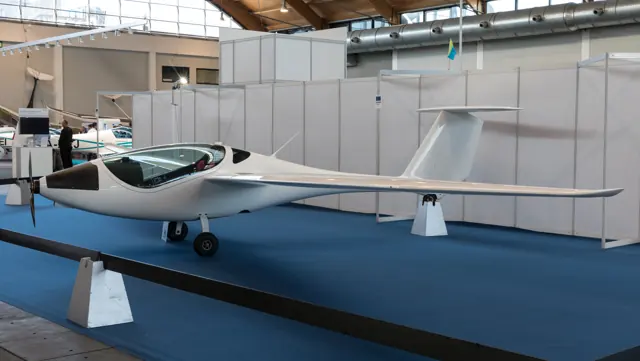
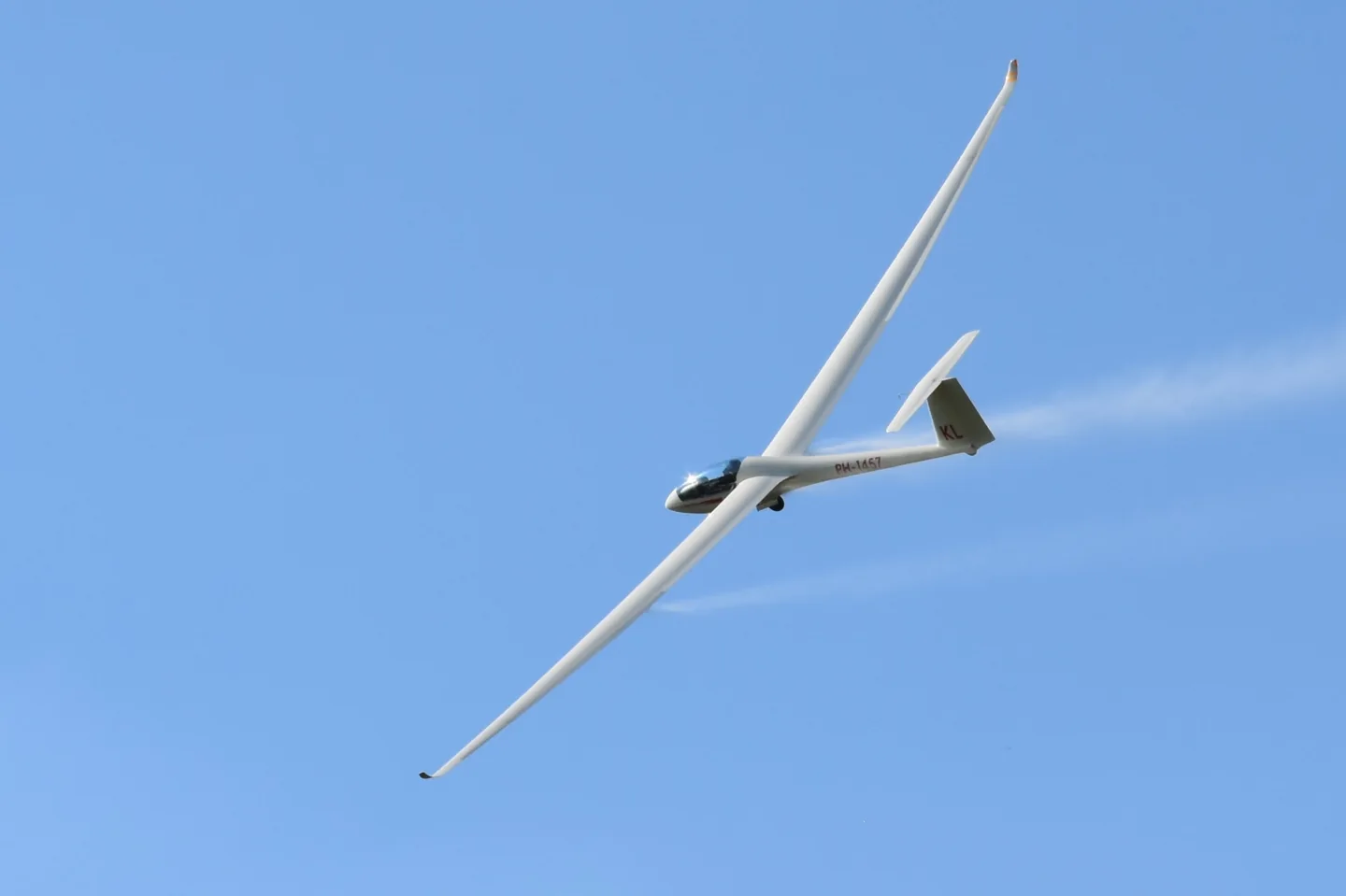
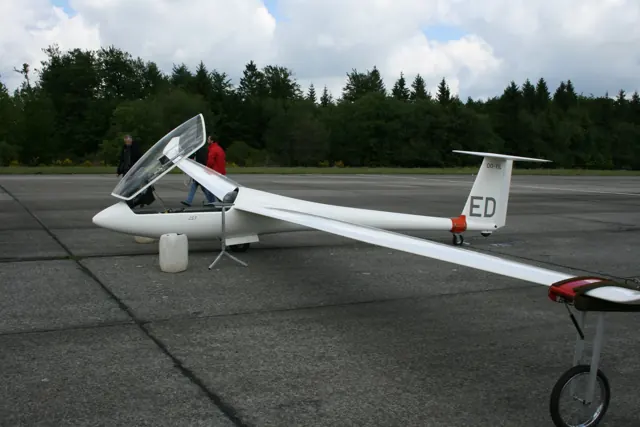
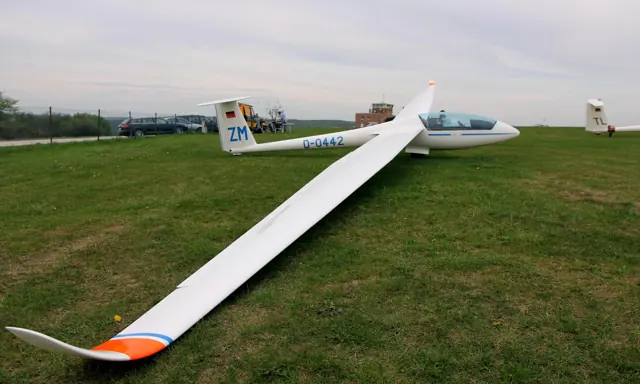
The LS8 was developed by Rolladen-Schneider and later produced by DG. Its slender fuselage, long wing and single-seat cockpit reflect its cross-country soaring role. The design became established in both Standard-class and 18-metre competition flying. The LS8-18 name identifies the longer-span configuration.
Aircraft background
Wikipedia contributors · Read more ↗A familiar glider gains a different way to keep going
Hall brought earlier LS8 experience to his flight in the electric-sustainer version. After an uncomplicated crosswind tow from grass, the new winglets made the glider feel steadier to him. He enjoyed its response in autumn thermals and found familiar LS8 qualities beneath the changes, although unwanted cockpit noise remained a criticism. The motor introduced another kind of enjoyment.
Nordic Gliding · October 2019. LS8-e neo with FES and 15 m wings; Hall also recalls earlier LS8 flights with 15 m and 18 m tips. The tested configuration differs from the LS8-18.
Nordic Gliding · Read more ↗Into the cockpit
 YouTube
 DXHUNTER · 12 min ·
Flight with the LS8 -15 Glider
A cockpit flight in the 15-metre LS8 configuration, offering a related-variant perspective.
Related variant · LS8-15; this catalogue entry also covers LS8-18
Watch on YouTube ↗Preview images are served by AirframeDB. Videos open on YouTube only when you choose to watch.
Meet DG Aviation LS8-18
The LS8 was developed by Rolladen-Schneider and later produced by DG. Its slender fuselage, long wing and single-seat cockpit reflect its cross-country soaring role. The design became established in both Standard-class and 18-metre competition flying.
The LS8-18 name identifies the longer-span configuration. The simulator products have their own launch options, ballast and cockpit instruments.
DG Aviation LS8-18
Aircraft type designators
Use the code for the model you are flying. The linked authority lists the applicable aircraft.
DG Aviation LS8-18 — unpowered glider; ICAO special designator
ICAO — special designators ↗Checked 2026-09-14History & design
Development milestones
First flight: 1994
Wikipedia contributors · Rolladen-Schneider LS8 ↗Rolladen-Schneider LS8 · family/variant named by the source · Wikipedia revision 1362125804
Pilot accounts
A familiar glider gains a different way to keep going
Hall brought earlier LS8 experience to his flight in the electric-sustainer version. After an uncomplicated crosswind tow from grass, the new winglets made the glider feel steadier to him. He enjoyed its response in autumn thermals and found familiar LS8 qualities beneath the changes, although unwanted cockpit noise remained a criticism.
The motor introduced another kind of enjoyment. Its prompt response let him try brief assistance while searching for lift, instead of treating an engine start as a large interruption. He described the system as straightforward to manage, with conversation over the radio still possible while it ran. His report combines enthusiasm for the familiar glider with impressions specific to the FES installation.
Nordic Gliding · October 2019. LS8-e neo with FES and 15 m wings; Hall also recalls earlier LS8 flights with 15 m and 18 m tips. The tested configuration differs from the LS8-18.
Read the full account · Nordic Gliding ↗A late start becomes a memorable cross-country day
Back took off late from Bruchsal on a day promising unusually strong soaring conditions. He aimed for a good Bundesliga result, following a route towards Bamberg and then west towards Pirmasens before returning. The manufacturer’s account describes strong climbs and useful cloud streets helping him maintain speed even against a headwind.
There was enough day left for another leg towards Walldürn, extending the outing after the scored speed window. DG reported the day’s Bundesliga win and an OLC-Plus flight of 830 kilometres. These results concern that flight and its weather conditions.
DG Aviation manufacturer report · 14 July 2020. LS8-e neo “71”; a reported flight, not a first-person interview or an evaluation of the unpowered LS8-18.
Read the full account · DG Aviation ↗Learning from friendly rivals on an unpromising day
Jesty entered a friendly task week whose weather offered little encouragement for long flights. He valued the reason it gave him to launch on days when he might otherwise have left the glider packed away. Following other pilots across country, then discussing their choices afterwards, made the competition a learning experience.
On the final day, several pilots launched even after the planned task was cancelled. Jesty’s first few kilometres were painfully slow, but improving weather eventually let him finish the route and continue towards the Malvern Hills. Close scoring and a corrected clerical error left the Ventus ahead. His enthusiasm rested on the company, shared retrieves and useful flying as much as the result.
Dartmoor Gliding Society Club News · August 2010. Sid’s Task Week at Nympsfield, flying his LS8 with 18 m tips; the post was uploaded by Steve Lewis.
Read the full account · Dartmoor Gliding Society Club News ↗In your simulator
Systems, equipment and documentation for each developer’s aircraft.
Compare simulator versions →MSFS 2024LS8-18
Microsoft Flight Simulator · Released
LS8-18
Microsoft Flight Simulator · Released
MSFS 2020LS8-18
Microsoft Flight Simulator · Released
LS8-18
Microsoft Flight Simulator · Released
Aircraft specifications
Published figures for the named real-aircraft variant. Simulator equipment and performance can differ.
| Specification | Published value |
|---|---|
| Length | 6.72 m (22 ft 1 in) |
| Wingspan | 15.00 m (49 ft 3 in) |
| Height | 1.33 m (4 ft 4 in) |
| Wing area | 10.5 m² (113 sq ft) |
| Empty weight | 250 kg (550 lb) |
| Gross weight | 525 kg (1,155 lb) |
| Maximum speed | 280 km/h (175 mph, 152 kn) |
Manuals & resources
Find your next read
Choose a topic for a short introduction and a link to the original source. Simulator references identify the developer and edition they cover.
Pilot account
A familiar glider gains a different way to keep goingNordic Gliding · October 2019. LS8-e neo with FES and 15 m wings; Hall also recalls earlier LS8 flights with 15 m and 18 m tips. The tested configuration differs from the LS8-18.
Hall brought earlier LS8 experience to his flight in the electric-sustainer version. After an uncomplicated crosswind tow from grass, the new winglets made the glider feel steadier to him. He enjoyed its response in autumn thermals and found familiar LS8 qualities beneath the changes, although unwanted cockpit noise remained a criticism. The motor introduced another kind of enjoyment.
Bernt Hall
Nordic Gliding · Read the source ↗A late start becomes a memorable cross-country dayDG Aviation manufacturer report · 14 July 2020. LS8-e neo “71”; a reported flight, not a first-person interview or an evaluation of the unpowered LS8-18.
Back took off late from Bruchsal on a day promising unusually strong soaring conditions. He aimed for a good Bundesliga result, following a route towards Bamberg and then west towards Pirmasens before returning. The manufacturer’s account describes strong climbs and useful cloud streets helping him maintain speed even against a headwind. There was enough day left for another leg towards Walldürn, extending the outing after the scored speed window.
Holger Back
DG Aviation · Read the source ↗Read the original documentation from the people who created it. Manuals open on their publisher’s website.
Manual
Microsoft Flight Simulator aircraft manualsMicrosoft / aircraft developersAircraft background
Rolladen-Schneider LS8Wikipedia contributors · Research background · Wikipedia revision 1362125804 · retrieved 2026-09-12Resource
MSFS 2024 FAQ and edition aircraft inventoryMicrosoft MSFS 2020 FAQ and edition aircraft inventoryMicrosoftType designator
ICAO — special designatorsInternational Civil Aviation Organization · Glider and motorglider categories; checked 2026-09-14Built-in force-feedback profiles
Read the documentary basis, editable starting settings and remaining questions for the aircraft you fly. Each explanation refers to the exact profile revision shown.
Catalogue programme-20261022-v1 · 1 profile choice
DG Aviation LS8-18
Free and Pro · Revision 2 · Partial review
MSFS 2024 · MSFS 2020
DG Aviation LS8-18: Airspeed-dependent loading supports the glider’s chosen stick response.
DG Aviation LS8-18
DG Aviation LS8-18: Airspeed-dependent loading supports the glider’s chosen stick response.
Aircraft and simulator scope
- DG Aviation LS8-18 · MSFS 2024 · family starting point
- DG Aviation LS8-18 · MSFS 2020 · family starting point
DG Aviation LS8-18 · The flight manual concerns LS8-s and LS8-sb. It is family evidence for the LS8-18 reference, not an exact simulator-edition manual.
The simulator model and controls
The LS8 was developed by Rolladen-Schneider and later produced by DG. Its slender fuselage, long wing and single-seat cockpit reflect its cross-country soaring role. The design became established in both Standard-class and 18-metre competition flying.
This starting point selects DG Aviation LS8-18. Its aircraft-level settings do not select a particular developer’s custom systems.
How this profile feels
Airspeed-dependent loading supports the glider’s chosen stick response. Spring resistance builds with the selected airspeed response. A separate aerodynamic term adds speed-dependent control load.
Trim relief addresses sustained pitch pressure independently of ballast and launch equipment. Valid trim provides the configured pressure relief. Autopilot following is off.
Controls and trim
The LS8-18 is the longer-span branch of the LS8 cross-country glider. The single-seat cockpit, long wing and ballast arrangements belong to soaring and competition use. Instrument fit and launch arrangements are identified in each implementation.
About the values
The gains are normalized profile settings. They describe the chosen effect balance; hand force depends on the device and its output limits. IAS references are tuning values rather than operating limits. Physical acceptance of this revision remains pending.
What the documentation establishes
The flight manual concerns LS8-s and LS8-sb. It is family evidence for the LS8-18 reference, not an exact simulator-edition manual.
The manual describes pushrod bearings for elevator and aileron systems and automatic control connections during rigging.
Longitudinal trim uses springs and a locking lever on the stick; the trim system can reduce elevator stick force to zero.
Double-height upper-surface airbrakes and sprung retractable main gear are documented.
The manual gives 280 km/h, 151 knots and 174 mph as equivalent low-altitude VNE values, with lower altitude-dependent limits.
The manual describes tail buffeting near stall and reduction of stick forces through trim, but supplies no desktop force magnitudes.
Documentary review and sources
These decisions describe the documentary basis and remaining gaps for this revision. Aircraft documentation and a starting setting describe different kinds of evidence.
Aircraft and variant
ReviewedThis starting point selects DG Aviation LS8-18. Its aircraft-level settings do not select a particular developer’s custom systems.
Flight controls
ReviewedThe LS8-18 is the longer-span branch of the LS8 cross-country glider. The single-seat cockpit, long wing and ballast arrangements belong to soaring and competition use. Instrument fit and launch arrangements are identified in each implementation.
Trim
ReviewedTrim relief addresses sustained pitch pressure independently of ballast and launch equipment. Pitch authority 0.3 provides load relief and permitted centre movement; roll authority is 0.1.
Autopilot and stability
Not yet reviewedAutopilot following is off; the configured spring and load retain the hardware feel.
Equipment
ReviewedGear, flap and ground cues follow the selected settings and available simulator-reported states.
Speeds and limits
ReviewedThe indicated-speed references set the profile response scale; they are separate from aircraft operating limits.
Simulator integration
Not yet reviewedThe profile targets msfs2024, msfs2020. Add-on-specific controls use only the supported references configured by this profile.
Force-feedback settings
ReviewedThe settings define the profile’s effect balance. Device output limits affect physical hand force.
Starting settings and their rationale
These configured values are starting estimates. The explanations describe what each setting controls; physical validation appears separately below.
| Setting | Starting value | What it controls and why |
|---|---|---|
| Spring strength | Starting value0.64 | What it controls and whyAirspeed-dependent loading supports the glider’s chosen stick response. The baseline spring is 0.64. Its low-speed blend reaches baseline strength at 35 KIAS. |
| Master force gain | Starting value0.85 | What it controls and whyScales overall profile strength while preserving effect balance, subject to device and output limits. |
| Profile force gain | Starting value1 | What it controls and whyThe aerodynamic-load gain is 1 with an indicated-speed reference of 70 KIAS. This supplies speed-dependent loading alongside the spring. |
| Force tuning speed/reference | Starting value70.0 kt | What it controls and whySets the IAS reference for aerodynamic loading. It is an estimate, not published cruise TAS or a flight limit. |
| Spring response reference speed | Starting value35.0 kt | What it controls and whySets the IAS where the low-speed blend reaches baseline strength; high-speed stiffening also uses it. |
| Aileron force scale | Starting value0.6 | What it controls and whyRoll and pitch aerodynamic scales are 0.6 and 0.78, respectively. They set the aerodynamic axis balance. No custom spring-travel curve is enabled. |
| Elevator force scale | Starting value0.78 | What it controls and whyScales pitch aerodynamic loading; pitch spring travel and trim responses are separate settings. |
| Trim feel | Starting valueEnabled | What it controls and whyRetained for compatibility and group membership. Trim relief, rather than this flag, controls centre movement. |
| Trim relief | Starting valueEnabled | What it controls and whyAllows trim relief with supported control law and valid telemetry. Axis authorities set its amount. |
| Autopilot follow | Starting valueDisabled | What it controls and whyAutopilot following is off; the configured spring and load retain the hardware feel. |
| Autopilot neutral hold | Starting valueDisabled | What it controls and whyPermits centering hold during a supported AP state, separate from following a moving target. |
| Output force limit | Starting value0.55 | What it controls and whyCaps directed-force output. Native spring effects and device limits remain separate. |
All 44 starting settings and their rationale
The settings define the profile’s effect balance. Device output limits affect physical hand force.
| Setting | Starting value | What it controls and why |
|---|---|---|
| Spring strength | Starting value0.64 | What it controls and whyAirspeed-dependent loading supports the glider’s chosen stick response. The baseline spring is 0.64. Its low-speed blend reaches baseline strength at 35 KIAS. |
| Spring deadband | Starting value0.04 | What it controls and whySets travel around the centre before the baseline spring resists. Smaller values engage it sooner. |
| Profile force gain | Starting value1 | What it controls and whyThe aerodynamic-load gain is 1 with an indicated-speed reference of 70 KIAS. This supplies speed-dependent loading alongside the spring. |
| Master force gain | Starting value0.85 | What it controls and whyScales overall profile strength while preserving effect balance, subject to device and output limits. |
| QBlend Enabled | Starting valueEnabled | What it controls and whyAllows baseline spring strength to rise with indicated airspeed where the control law permits it. |
| QSpring Minimum Factor | Starting value0.4 | What it controls and whySets low-speed spring strength as a fraction of baseline when blending is enabled. One keeps full strength. |
| QSpring Start Knots | Starting value9.8 kt | What it controls and whySets the IAS where the low-speed spring blend starts rising. This is a feel threshold, not a flight limit. |
| Spring response reference speed | Starting value35.0 kt | What it controls and whySets the IAS where the low-speed blend reaches baseline strength; high-speed stiffening also uses it. |
| Force tuning speed/reference | Starting value70.0 kt | What it controls and whySets the IAS reference for aerodynamic loading. It is an estimate, not published cruise TAS or a flight limit. |
| Airspeed spring stiffening gain | Starting value0.3 | What it controls and whyThe high-speed spring-stiffening gain is 0.3. It strengthens the permitted spring response above 35 KIAS, with the squared-speed ratio capped at 5. |
| Airspeed spring stiffening limit | Starting value5 | What it controls and whyLimits the squared airspeed ratio used for high-speed spring stiffening; it is not a device-force cap. |
| Aileron force scale | Starting value0.6 | What it controls and whyRoll and pitch aerodynamic scales are 0.6 and 0.78, respectively. They set the aerodynamic axis balance. No custom spring-travel curve is enabled. |
| Elevator force scale | Starting value0.78 | What it controls and whyScales pitch aerodynamic loading; pitch spring travel and trim responses are separate settings. |
| Output force limit | Starting value0.55 | What it controls and whyCaps directed-force output. Native spring effects and device limits remain separate. |
| Trim feel | Starting valueEnabled | What it controls and whyRetained for compatibility and group membership. Trim relief, rather than this flag, controls centre movement. |
| Trim relief | Starting valueEnabled | What it controls and whyAllows trim relief with supported control law and valid telemetry. Axis authorities set its amount. |
| Elevator Authority | Starting value0.3 | What it controls and whyTrim relief addresses sustained pitch pressure independently of ballast and launch equipment. Pitch authority 0.3 provides load relief and permitted centre movement; roll authority is 0.1. |
| Aileron Authority | Starting value0.1 | What it controls and whyScales supported roll-trim relief and permitted centre movement. Zero removes roll response. |
| Force Trim Enabled | Starting valueDisabled | What it controls and whyEnables local force trim, separate from aircraft-owned trim and add-on integration qualification. |
| GLoad Enabled | Starting valueEnabled | What it controls and whyAllows load-factor changes to modify permitted spring laws. Passive fly-by-wire feel can suppress it. |
| Rate Damping Enabled | Starting valueEnabled | What it controls and whyEnables rate damping with the configured coefficients and control law. |
| Autopilot follow | Starting valueDisabled | What it controls and whyAutopilot following is off; the configured spring and load retain the hardware feel. |
| Autopilot follow authority | Starting value0.05 | What it controls and whySets admitted AP-follow gain, not a percentage of travel. Runtime ownership and input limits still apply. |
| Autopilot neutral hold | Starting valueDisabled | What it controls and whyPermits centering hold during a supported AP state, separate from following a moving target. |
| Autopilot neutral hold strength | Starting value0.6 | What it controls and whySets admitted AP neutral-hold strength; inactive while neutral hold is disabled. |
| Enabled | Starting valueEnabled | What it controls and whyEnables aerodynamic cues; each still needs nonzero strength and its simulator conditions. |
| Gain | Starting value0.4 | What it controls and whySets stall-buffet strength. Zero removes the cue without changing simulator stalls or warnings. |
| Gain | Starting value0 | What it controls and whySets high-Mach buffet strength; onset and full-strength thresholds are separate. |
| Gain | Starting value0 | What it controls and whySets flap buffet at the configured position and speed gates. Flap movement texture is separate. |
| Maximum flap index | Starting value1 | What it controls and whySets the final flap index for detent normalization. UP plus three detents uses maximum index3. |
| Minimum flap index | Starting value1 | What it controls and whySets the first flap detent that admits buffet; this is a handle index, not degrees. |
| Gain | Starting value0.1 | What it controls and whySets gear aerodynamic buffet; movement and ground-contact cues are separate. |
| Shaker Enabled | Starting valueDisabled | What it controls and whyPermits shaker at supported warning conditions; the switch does not establish aircraft equipment. |
| Stick shaker amplitude | Starting value0.5 | What it controls and whySets triggered shaker strength; inactive while the shaker feature is disabled. |
| Enabled | Starting valueEnabled | What it controls and whyEnables ground effects; each still needs its own strength and contact or motion telemetry. |
| Gain | Starting value0.3 | What it controls and whySets rolling texture strength, modified by speed, surface and undercarriage configuration. |
| Gain | Starting value0.3 | What it controls and whySets gear-bump texture during ground motion, separate from touchdown impact. |
| Gain | Starting value0.5 | What it controls and whySets landing-impact strength; landing telemetry and response shape determine the pulse. |
| Gain | Starting value0 | What it controls and whySets reverse-thrust vibration with valid reverser and engine conditions. Zero removes the cue. |
| Enabled | Starting valueDisabled | What it controls and whyEnables engine cues with nonzero settings and valid running-engine telemetry. |
| Gain | Starting value0 | What it controls and whySets estimated engine vibration using configured telemetry and response, not measured cockpit vibration. |
| Enabled | Starting valueEnabled | What it controls and whyEnables accessory cues with configured strengths and observed accessory movement. |
| Gain | Starting value0 | What it controls and whySets texture from observed flap movement; a command without movement does not establish the cue. |
| Gain | Starting value0.12 | What it controls and whySets texture from observed gear movement, separate from aerodynamic and touchdown effects. |
Limits and open questions
- No automatic-flight system is established by the selected LS8 manual.
- A real LS8 flight manual does not establish add-on datarefs or external trim semantics.
- DG Aviation LS8-18 documentary evidence does not establish force-feedback hardware acceptance.
Physical validation
No physical force validation is recorded in this public catalogue for this revision. Documentary review and software checks do not establish how a particular device feels.
Discuss this aircraft (0)
Questions, observations and useful sources from the community.
No published discussions yet. Bring a question or share a useful source.
Open aircraft discussions →Content expanded · What’s new
Something missing or a source that needs attention?
Suggest a correction ↗