
Start here
A few places to begin, from the aircraft’s story to the people who fly it.
Meet the aircraft
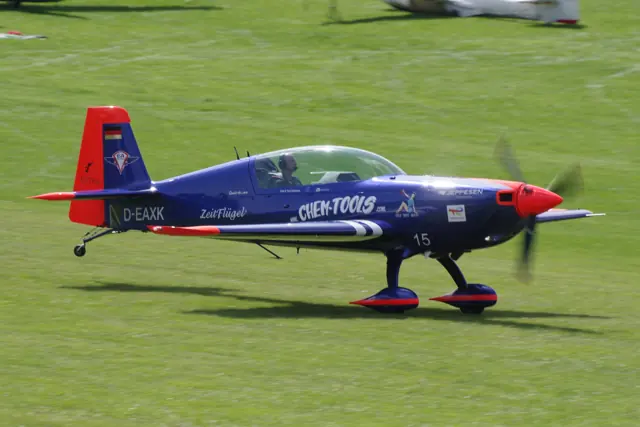
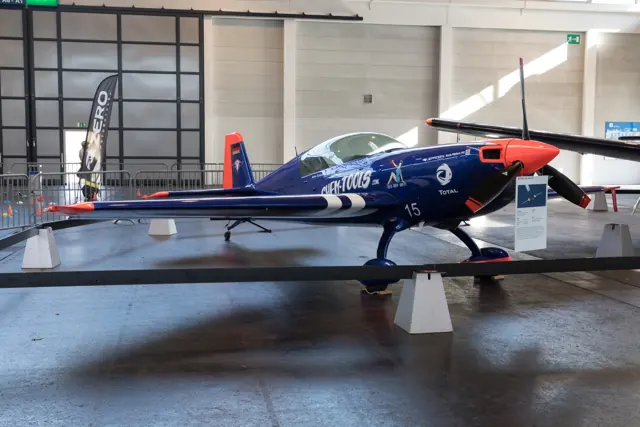
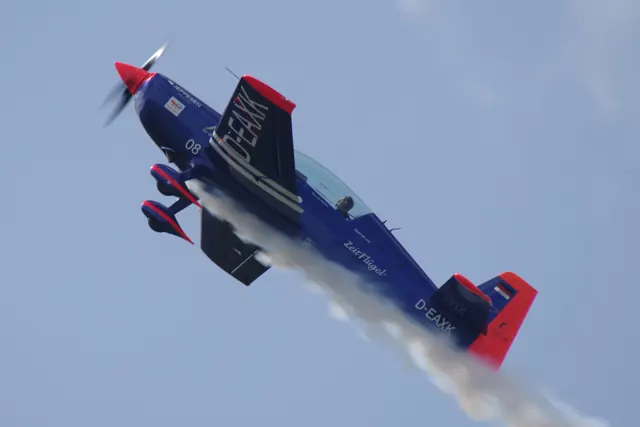
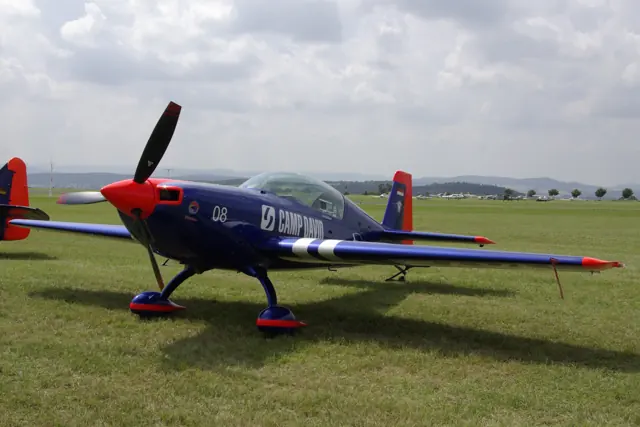
The Extra 300 brought a powerful piston engine, a compact fuselage and a competition-oriented wing together in a modern aerobatic aircraft. The family includes two-seat and single-seat developments with different arrangements and intended uses. The Extra 330LT represented in this catalogue is a later touring-oriented member of the broader Extra line.
Aircraft background
Wikipedia contributors · Read more ↗A photo flight becomes a more demanding introduction
Bloom’s opportunity to try the Extra depended on a brief opening in the weather and its delivery schedule. Once airborne, he enjoyed the precise, progressive controls while manoeuvring for the camera aircraft. The flying felt rewarding, and the prospect of trying some aerobatics added to the attraction. Jefferies’s demonstrations soon introduced a less comfortable side of the experience.
Pilot · July 2014 web publication; also reprinted by Mark Jefferies in January 2014. Bloom flew from the front seat with Jefferies behind him in an Extra 330LT.
Pilot · Read more ↗Into the cockpit
 YouTube
 Peter Ashwood-Smith · 39 min ·
Extra 330lt - first flight of the season, just a quick shake-down looking for problems.
A complete Extra 330LT shakedown flight, including rolls, circuits and shutdown.
Real aircraft · Extra 330LT
Watch on YouTube ↗Preview images are served by AirframeDB. Videos open on YouTube only when you choose to watch.
Meet Extra 330LT
The Extra 300 brought a powerful piston engine, a compact fuselage and a competition-oriented wing together in a modern aerobatic aircraft. The family includes two-seat and single-seat developments with different arrangements and intended uses.
The Extra 330LT is a later touring-oriented member of the broader Extra line. Photographs and specifications identify their model, including the earlier 300L. The simulator documentation describes the 330LT's modelled equipment.
Extra 330LT
Aircraft type designators
Use the code for the model you are flying. The linked authority lists the applicable aircraft.
History & design
Development milestones
Designer: Walter Extra
First flight: May 1988
Wikipedia contributors · Extra EA-300 ↗Extra EA-300 · family/variant named by the source · Wikipedia revision 1319923389
Pilot accounts
A photo flight becomes a more demanding introduction
Bloom’s opportunity to try the Extra depended on a brief opening in the weather and its delivery schedule. Once airborne, he enjoyed the precise, progressive controls while manoeuvring for the camera aircraft. The flying felt rewarding, and the prospect of trying some aerobatics added to the attraction.
Jefferies’s demonstrations soon introduced a less comfortable side of the experience. Sustained manoeuvring left Bloom feeling queasy, even though taking the controls again restored his enthusiasm. Back at the airfield, Jefferies’s prompts helped him judge the landing on soft grass from the front cockpit. A mug of tea and a walk afterwards gave him time to recover from an aircraft that had both delighted and challenged him.
Pilot · July 2014 web publication; also reprinted by Mark Jefferies in January 2014. Bloom flew from the front seat with Jefferies behind him in an Extra 330LT.
Read the full account · Pilot ↗Learning the navigation equipment on a delivery flight
Jefferies used a delivery flight from Germany to Britain to become acquainted with a new cockpit arrangement. The Aspen display was familiar, but the Garmin navigator needed some attention before departure. Learning enough to enter his route was part of bringing this particular Extra home.
For a while he followed the RV-6 that had brought him to collect it. Repeated turns to remain behind the slower aircraft became tedious, and he continued directly towards Belgium and then England. Before landing, he tried the LT’s aerobatic qualities. Its controls felt heavier than the SC and LX he knew, but he still enjoyed the manoeuvres. The trip combined ordinary delivery work with the pleasure of exploring a new aircraft.
Personal flight report · April 2014. Extra 330LT from Dinslaken to Little Gransden; first flight in this mostly glass-cockpit configuration, not his first-ever LT flight.
Read the full account · Mark Jefferies Air Displays ↗A touring cockpit still leaves room for aerobatics
Hayes climbed into the rear seat at Reno Stead with a useful point of comparison: he already knew the Extra 300L. The LT’s smooth engine and pleasant control response made a favourable impression, while the lower nose attitude and steadier cruise suggested an aircraft suited to going somewhere as well as turning upside down.
Trying it inverted brought an amusing correction to his expectations. Anticipating a stronger forward push, he overdid the input and began climbing while upside down. He also missed the aerobatic sight that was absent from this aircraft. Vayda demonstrated knife-edge flight before they returned, leaving Hayes with an impression of a touring-oriented Extra that remained enjoyable through aerobatic manoeuvres.
Plane & Pilot · February 2014. Extra 330LT demonstration from Reno Stead with Southeast Aero’s Doug Vayda; Hayes had previous Extra 300L experience.
Read the full account · Plane & Pilot ↗In your simulator
Systems, equipment and documentation for each developer’s aircraft.
Compare simulator versions →MSFS 2024EXTRA-330LT
Microsoft Flight Simulator · Released
EXTRA-330LT
Microsoft Flight Simulator · Released
MSFS 2020EXTRA 330LT
Microsoft Flight Simulator · Released
EXTRA 330LT
Microsoft Flight Simulator · Released
Aircraft specifications
Published figures for the named real-aircraft variant. Simulator equipment and performance can differ.
| Specification | Published value |
|---|---|
| Length | 7.01 m (23 ft 0 in) |
| Wingspan | 8 m (26 ft 3 in) |
| Height | 2.6 m (8 ft 6 in) |
| Wing area | 10.84 m² (116.7 sq ft) |
| Empty weight | 677 kg (1,493 lb) typ. equipped |
| Gross weight | 950 kg (2,094 lb) normal category (+6/-3g) |
| Max takeoff weight | 820 kg (1,808 lb) single-pilot acro (+10/-10g) |
| Powerplant | 1 × Lycoming AEIO-580 -B1A 6-cylinder air-cooled horizontally-opposed piston engine, 235 kW (315 hp) |
| Propellers | 3-bladed Muehlbauer MTV 9-B-C/C198-25 |
| Cruise speed | 380 km/h (236 mph, 205 kn) TAS |
| Stall speed | 110 km/h (69 mph, 60 kn) at 820 kg / 1,808 lbs |
Manuals & resources
Find your next read
Choose a topic for a short introduction and a link to the original source. Simulator references identify the developer and edition they cover.
Pilot account
A photo flight becomes a more demanding introductionPilot · July 2014 web publication; also reprinted by Mark Jefferies in January 2014. Bloom flew from the front seat with Jefferies behind him in an Extra 330LT.
Bloom’s opportunity to try the Extra depended on a brief opening in the weather and its delivery schedule. Once airborne, he enjoyed the precise, progressive controls while manoeuvring for the camera aircraft. The flying felt rewarding, and the prospect of trying some aerobatics added to the attraction. Jefferies’s demonstrations soon introduced a less comfortable side of the experience.
Nick Bloom
Pilot · Read the source ↗Learning the navigation equipment on a delivery flightPersonal flight report · April 2014. Extra 330LT from Dinslaken to Little Gransden; first flight in this mostly glass-cockpit configuration, not his first-ever LT flight.
Jefferies used a delivery flight from Germany to Britain to become acquainted with a new cockpit arrangement. The Aspen display was familiar, but the Garmin navigator needed some attention before departure. Learning enough to enter his route was part of bringing this particular Extra home. For a while he followed the RV-6 that had brought him to collect it. Repeated turns to remain behind the slower aircraft became tedious, and he continued directly towards Belgium and then England.
Mark Jefferies
Mark Jefferies Air Displays · Read the source ↗Read the original documentation from the people who created it. Manuals open on their publisher’s website.
Manual
Microsoft Flight Simulator aircraft manualsMicrosoft / aircraft developersAircraft background
Extra EA-300Wikipedia contributors · Research background · Wikipedia revision 1319923389 · retrieved 2026-09-12Resource
MSFS 2024 FAQ and edition aircraft inventoryMicrosoft MSFS 2020 FAQ and edition aircraft inventoryMicrosoftType designator
ICAO Doc 8643 — aircraft type designatorsInternational Civil Aviation Organization · Public search data retrieved 2026-09-14; authority update 2026-09-03Built-in force-feedback profiles
Read the documentary basis, editable starting settings and remaining questions for the aircraft you fly. Each explanation refers to the exact profile revision shown.
Catalogue programme-20261022-v1 · 3 profile choices
Extra 330LT
Free and Pro · Revision 2 · Partial review
MSFS 2024 · MSFS 2020
Extra 330LT: The profile supplies its chosen responsive stick resistance.
Vertigo Design Extra 330 SC
Vertigo Design · Free and Pro · Revision 2 · Inherited starting point
X-Plane 12
A purpose-built aerobatic monoplane family developed by pilot and designer Walter Extra.
Extra 330 SC
Free and Pro · Revision 1 · Partial review
MSFS 2020 · MSFS 2024 · X-Plane 12
A purpose-built aerobatic monoplane family developed by pilot and designer Walter Extra.
Vertigo Design Extra 330 SC
A purpose-built aerobatic monoplane family developed by pilot and designer Walter Extra.
Aircraft and simulator scope
- Vertigo Design Extra 330 SC · Vertigo Design · X-Plane 12 · Add-on starting point
The simulator model and controls
Vertigo Design Extra 330 SC is the selected Vertigo Design configuration.
How this profile feels
Spring resistance builds with the selected airspeed response. A separate aerodynamic term adds speed-dependent control load.
Pitch-trim relief is off. Autopilot following is off.
Aircraft and configuration
The Extra 300 brought a powerful piston engine, a compact fuselage and a competition-oriented wing together in a modern aerobatic aircraft. The family includes two-seat and single-seat developments with different arrangements and intended uses.
About the values
Strengths are normalized hardware-feel settings. They set the effect balance; hand force depends on the device and its limits. The IAS reference is a tuning value.
Documentary review and sources
These decisions describe the documentary basis and remaining gaps for this revision. Aircraft documentation and a starting setting describe different kinds of evidence.
Aircraft and variant
InheritedVertigo Design Extra 330 SC is the selected Vertigo Design configuration.
Flight controls
InheritedA purpose-built aerobatic monoplane family developed by pilot and designer Walter Extra.
Trim
InheritedThe profile uses the trim behaviour configured below. Pitch relief is off, with stored authority 0; roll authority is 0.
Autopilot and stability
InheritedAutopilot following is off; the configured spring and load retain the hardware feel.
Equipment
InheritedThe Extra 300 brought a powerful piston engine, a compact fuselage and a competition-oriented wing together in a modern aerobatic aircraft. The family includes two-seat and single-seat developments with different arrangements and intended uses.
Speeds and limits
InheritedThe indicated-speed references set the profile response scale; they are separate from aircraft operating limits.
Simulator integration
InheritedThe profile targets xplane12. Add-on-specific controls use only the supported references configured by this profile.
Force-feedback settings
InheritedThe settings define the profile’s effect balance. Device output limits affect physical hand force.
Starting settings and their rationale
These configured values are starting estimates. The explanations describe what each setting controls; physical validation appears separately below.
| Setting | Starting value | What it controls and why |
|---|---|---|
| Spring strength | Starting value0.74 | What it controls and whyThis profile uses reversible-control loading for Extra 330LT. The baseline spring is 0.74. Its low-speed blend reaches baseline strength at 65 KIAS. |
| Master force gain | Starting value0.85 | What it controls and whyScales overall profile strength while preserving effect balance, subject to device and output limits. |
| Profile force gain | Starting value0.8 | What it controls and whyThe aerodynamic-load gain is 0.8 with an indicated-speed reference of 135 KIAS. This supplies speed-dependent loading alongside the spring. |
| Force tuning speed/reference | Starting value135 kt | What it controls and whySets the IAS reference for aerodynamic loading. It is an estimate, not published cruise TAS or a flight limit. |
| Spring response reference speed | Starting value65 kt | What it controls and whySets the IAS where the low-speed blend reaches baseline strength; high-speed stiffening also uses it. |
| Aileron force scale | Starting value0.72 | What it controls and whyRoll and pitch aerodynamic scales are 0.72 and 1, respectively. They set the aerodynamic axis balance. No custom spring-travel curve is enabled. |
| Elevator force scale | Starting value1 | What it controls and whyScales pitch aerodynamic loading; pitch spring travel and trim responses are separate settings. |
| Trim feel | Starting valueDisabled | What it controls and whyRetained for compatibility and group membership. Trim relief, rather than this flag, controls centre movement. |
| Trim relief | Starting valueDisabled | What it controls and whyAllows trim relief with supported control law and valid telemetry. Axis authorities set its amount. |
| Autopilot follow | Starting valueDisabled | What it controls and whyAutopilot following is off; the configured spring and load retain the hardware feel. |
| Autopilot neutral hold | Starting valueDisabled | What it controls and whyPermits centering hold during a supported AP state, separate from following a moving target. |
| Output force limit | Starting value0.55 | What it controls and whyCaps directed-force output. Native spring effects and device limits remain separate. |
All 44 starting settings and their rationale
The settings define the profile’s effect balance. Device output limits affect physical hand force.
| Setting | Starting value | What it controls and why |
|---|---|---|
| Spring strength | Starting value0.74 | What it controls and whyThis profile uses reversible-control loading for Extra 330LT. The baseline spring is 0.74. Its low-speed blend reaches baseline strength at 65 KIAS. |
| Spring deadband | Starting value0.04 | What it controls and whySets travel around the centre before the baseline spring resists. Smaller values engage it sooner. |
| Profile force gain | Starting value0.8 | What it controls and whyThe aerodynamic-load gain is 0.8 with an indicated-speed reference of 135 KIAS. This supplies speed-dependent loading alongside the spring. |
| Master force gain | Starting value0.85 | What it controls and whyScales overall profile strength while preserving effect balance, subject to device and output limits. |
| QBlend Enabled | Starting valueEnabled | What it controls and whyAllows baseline spring strength to rise with indicated airspeed where the control law permits it. |
| QSpring Minimum Factor | Starting value0.55 | What it controls and whySets low-speed spring strength as a fraction of baseline when blending is enabled. One keeps full strength. |
| QSpring Start Knots | Starting value8 kt | What it controls and whySets the IAS where the low-speed spring blend starts rising. This is a feel threshold, not a flight limit. |
| Spring response reference speed | Starting value65 kt | What it controls and whySets the IAS where the low-speed blend reaches baseline strength; high-speed stiffening also uses it. |
| Force tuning speed/reference | Starting value135 kt | What it controls and whySets the IAS reference for aerodynamic loading. It is an estimate, not published cruise TAS or a flight limit. |
| Airspeed spring stiffening gain | Starting value0.15 | What it controls and whyThe high-speed spring-stiffening gain is 0.15. It strengthens the permitted spring response above 65 KIAS, with the squared-speed ratio capped at 5. |
| Airspeed spring stiffening limit | Starting value5 | What it controls and whyLimits the squared airspeed ratio used for high-speed spring stiffening; it is not a device-force cap. |
| Aileron force scale | Starting value0.72 | What it controls and whyRoll and pitch aerodynamic scales are 0.72 and 1, respectively. They set the aerodynamic axis balance. No custom spring-travel curve is enabled. |
| Elevator force scale | Starting value1 | What it controls and whyScales pitch aerodynamic loading; pitch spring travel and trim responses are separate settings. |
| Output force limit | Starting value0.55 | What it controls and whyCaps directed-force output. Native spring effects and device limits remain separate. |
| Trim feel | Starting valueDisabled | What it controls and whyRetained for compatibility and group membership. Trim relief, rather than this flag, controls centre movement. |
| Trim relief | Starting valueDisabled | What it controls and whyAllows trim relief with supported control law and valid telemetry. Axis authorities set its amount. |
| Elevator Authority | Starting value0 | What it controls and whyThe profile uses the trim behaviour configured below. Pitch relief is off, with stored authority 0; roll authority is 0. |
| Aileron Authority | Starting value0 | What it controls and whyScales supported roll-trim relief and permitted centre movement. Zero removes roll response. |
| Force Trim Enabled | Starting valueDisabled | What it controls and whyEnables local force trim, separate from aircraft-owned trim and add-on integration qualification. |
| GLoad Enabled | Starting valueEnabled | What it controls and whyAllows load-factor changes to modify permitted spring laws. Passive fly-by-wire feel can suppress it. |
| Rate Damping Enabled | Starting valueEnabled | What it controls and whyEnables rate damping with the configured coefficients and control law. |
| Autopilot follow | Starting valueDisabled | What it controls and whyAutopilot following is off; the configured spring and load retain the hardware feel. |
| Autopilot follow authority | Starting value0.1 | What it controls and whySets admitted AP-follow gain, not a percentage of travel. Runtime ownership and input limits still apply. |
| Autopilot neutral hold | Starting valueDisabled | What it controls and whyPermits centering hold during a supported AP state, separate from following a moving target. |
| Autopilot neutral hold strength | Starting value0.6 | What it controls and whySets admitted AP neutral-hold strength; inactive while neutral hold is disabled. |
| Enabled | Starting valueEnabled | What it controls and whyEnables aerodynamic cues; each still needs nonzero strength and its simulator conditions. |
| Gain | Starting value0.35 | What it controls and whySets stall-buffet strength. Zero removes the cue without changing simulator stalls or warnings. |
| Gain | Starting value0 | What it controls and whySets high-Mach buffet strength; onset and full-strength thresholds are separate. |
| Gain | Starting value0 | What it controls and whySets flap buffet at the configured position and speed gates. Flap movement texture is separate. |
| Maximum flap index | Starting value3 | What it controls and whySets the final flap index for detent normalization. UP plus three detents uses maximum index3. |
| Minimum flap index | Starting value2 | What it controls and whySets the first flap detent that admits buffet; this is a handle index, not degrees. |
| Gain | Starting value0 | What it controls and whySets gear aerodynamic buffet; movement and ground-contact cues are separate. |
| Shaker Enabled | Starting valueDisabled | What it controls and whyPermits shaker at supported warning conditions; the switch does not establish aircraft equipment. |
| Stick shaker amplitude | Starting value0.5 | What it controls and whySets triggered shaker strength; inactive while the shaker feature is disabled. |
| Enabled | Starting valueEnabled | What it controls and whyEnables ground effects; each still needs its own strength and contact or motion telemetry. |
| Gain | Starting value0.4 | What it controls and whySets rolling texture strength, modified by speed, surface and undercarriage configuration. |
| Gain | Starting value0.25 | What it controls and whySets gear-bump texture during ground motion, separate from touchdown impact. |
| Gain | Starting value0.65 | What it controls and whySets landing-impact strength; landing telemetry and response shape determine the pulse. |
| Gain | Starting value0 | What it controls and whySets reverse-thrust vibration with valid reverser and engine conditions. Zero removes the cue. |
| Enabled | Starting valueEnabled | What it controls and whyEnables engine cues with nonzero settings and valid running-engine telemetry. |
| Gain | Starting value0.12 | What it controls and whySets estimated engine vibration using configured telemetry and response, not measured cockpit vibration. |
| Enabled | Starting valueEnabled | What it controls and whyEnables accessory cues with configured strengths and observed accessory movement. |
| Gain | Starting value0 | What it controls and whySets texture from observed flap movement; a command without movement does not establish the cue. |
| Gain | Starting value0 | What it controls and whySets texture from observed gear movement, separate from aerodynamic and touchdown effects. |
Limits and open questions
- Manual flight controls with conservative IAS-dependent loading; no measured breakout force or travel ratio is available. Direct aerobatic stick approximation; 330SC manufacturer linkage applies.
- Automatic trim neutral disabled: the publicEA300trim bulletin excludesSC from its listed applicability. No330SC/350SCtrim relationship is inferred from the family index.
- No AP is established for this aerobatic configuration; AP effects disabled.
- Read-only motion and accessory telemetry. No guessed custom servo outputs, input compensation or hardware writes outside the production Armed force path. Installed identity remains unobserved.
- 135 KIAS is an estimated control-feel reference, not cruise TAS, V-speeds or an operating limit.
- Spring 0.74, lateral scale 0.66, trim relief 0/0; editable estimates, not measured hand forces.
- Physical and installed-aircraft checks are deferred. Save this profile as the aircraft default if telemetry omits its developer or configuration.
- Only actual accessory-position changes drive movement textures. No pressure-dependent failures, guessed servo outputs or input compensation.
Physical validation
No physical force validation is recorded in this public catalogue for this revision. Documentary review and software checks do not establish how a particular device feels.
Discuss this aircraft (0)
Questions, observations and useful sources from the community.
No published discussions yet. Bring a question or share a useful source.
Open aircraft discussions →Content expanded · What’s new
Something missing or a source that needs attention?
Suggest a correction ↗