

Start here
A few places to begin, from the aircraft’s story to the people who fly it.
Meet the aircraft
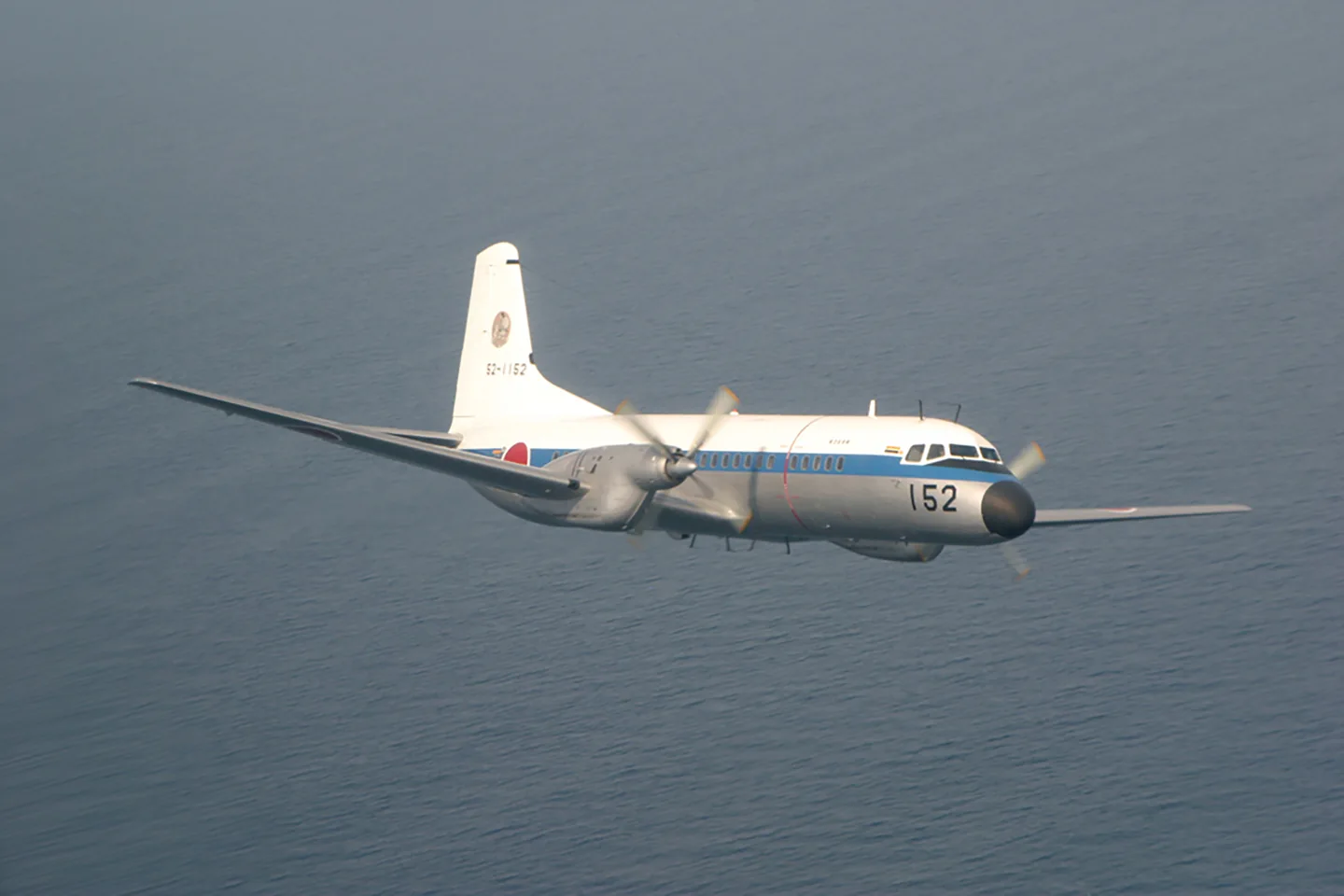
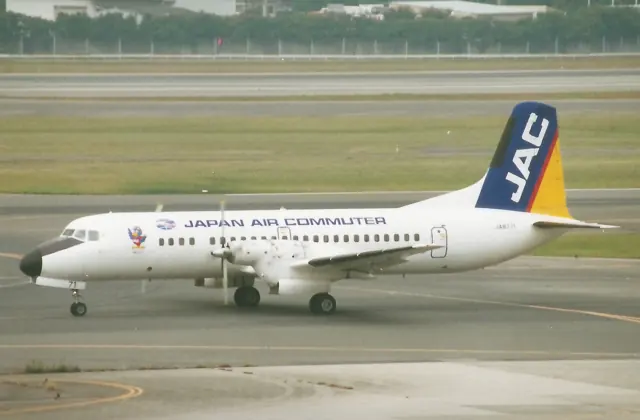
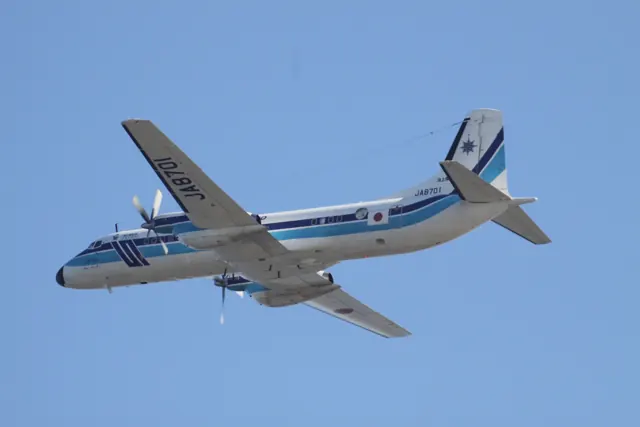
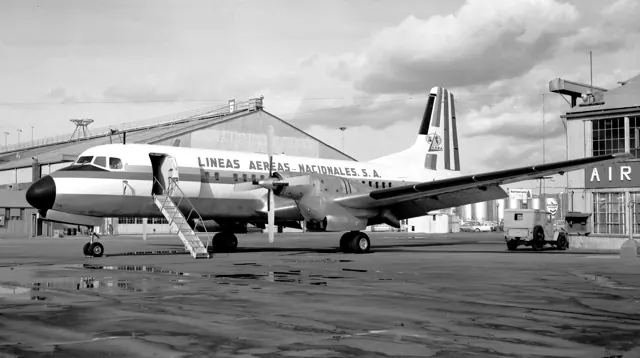
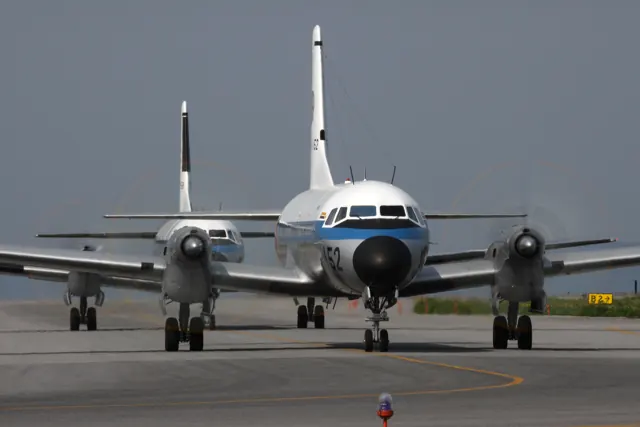
NAMC developed the YS-11 as a pressurised, low-wing regional airliner with Rolls-Royce Dart turboprops. It brought Japan's postwar aircraft industry into the market connecting smaller cities as airlines moved from piston engines to turbine power.
Aircraft background
Microsoft Flight Simulator · Read more ↗Across the Atlantic in a newly acquired airliner
Zeglin remembers the YS-11 as part of a varied early airline career at Provincetown Boston Airline. She began with sightseeing flying in 1982 and subsequently worked as first officer on several commuter types, including the YS-11, before also becoming a captain on it. One unusually memorable assignment took her to Malta in May 1984, where PBA pilots collected four aircraft for the American fleet.
Sunshine Skies · retrospective correspondence concerning the May 1984 PBA ferry flights. Zeglin was first officer in N219P on this trip.
Sunshine Skies · Read more ↗Passenger and VIP versions in Local Legend 22
Microsoft’s September 2025 release announcement lists Passenger and VIP Charter versions, each with six liveries, for the MSFS 2020 and MSFS 2024 Marketplaces. iniBuilds supplies the accompanying aircraft manual.
NAMC YS-11 · iniBuilds · MSFS 2020 · MSFS 2024
Microsoft Flight Simulator · Read more ↗Into the cockpit
 YouTube
 Microsoft Flight Simulator · 2 min ·
Microsoft Flight Simulator | Local Legend 22: The NAMC YS-11
Microsoft's release film introduces the NAMC YS-11 for MSFS.
Simulator · Microsoft NAMC YS-11 · MSFS
Watch on YouTube ↗Preview images are served by AirframeDB. Videos open on YouTube only when you choose to watch.
Meet NAMC YS-11
NAMC developed the YS-11 as a pressurised, low-wing regional airliner with Rolls-Royce Dart turboprops. It brought Japan's postwar aircraft industry into the market connecting smaller cities as airlines moved from piston engines to turbine power.
Airlines used the YS-11 for passengers and freight. Military operators in Japan and Greece also employed the family in transport, surveillance and electronic-warfare roles.
NAMC YS-11
Aircraft type designators
Use the code for the model you are flying. The linked authority lists the applicable aircraft.
History & design
Learning to certify a new airliner
Former Civil Aviation Bureau inspector 藤原 洋 recalls that the YS-11 demanded a new level of certification work from Japan’s postwar civil aviation authorities. He worked on fundamental measurements such as airspeed-system errors, stall speeds and takeoff and landing distances. His account describes the team studying foreign test methods and adapting them to the equipment and experience available locally.
The prototype programme also led to substantial changes. He reports enlarged ailerons and increased wing dihedral after early handling problems, along with a revised rudder-tab arrangement. Later airline service exposed practical difficulties that development flying had missed, including moisture problems during Japan’s rainy season. The recollection connects the finished aircraft to the testing, modification and operating experience that shaped it.
Japan Aeronautic Association · Half a century ago: certifying the YS-11 ↗藤原 洋 · Aviation and Culture No.107, summer 2013 · retrospective by a certification inspector
Pilot accounts
Across the Atlantic in a newly acquired airliner
Zeglin remembers the YS-11 as part of a varied early airline career at Provincetown Boston Airline. She began with sightseeing flying in 1982 and subsequently worked as first officer on several commuter types, including the YS-11, before also becoming a captain on it. One unusually memorable assignment took her to Malta in May 1984, where PBA pilots collected four aircraft for the American fleet. On that journey she occupied the right seat of N219P.
Her recollection follows the delivery route through Italy, Switzerland, Britain and Scotland, then across Iceland and Greenland to Canada and down the eastern United States. They left Malta on 26 May and reached Miami on 31 May, with 33.4 flying hours recorded for the trip. Her photographs and correspondence preserve the people and stops behind an aircraft acquisition, including airliners still wearing the previous operator’s colours.
Sunshine Skies · retrospective correspondence concerning the May 1984 PBA ferry flights. Zeglin was first officer in N219P on this trip.
Read the full account · Sunshine Skies ↗A steady instrument platform remembered from Piedmont
Writing on PPRuNe, TomConard recalls a short period in Piedmont’s YS-11 before moving to the Boeing 727. He is candid about the limits of his memory: his experience amounted to roughly 75 hours in the right seat, and he was looking back nearly three decades. What remained vivid was the contrast between modest hot-weather climb performance and an aircraft he particularly liked as a stable platform for instrument approaches.
He remembers frequent use of water-assisted takeoffs and says the crew’s cruising altitude depended strongly on temperature, loading and stage length. Once configured and settled on an ILS, however, he found the aircraft unusually steady. These are a former crew member’s impressions from one operator and period. His remembered performance figures and system explanations have not been adopted here as aircraft specifications.
PPRuNe · 4 May 2006, post 3. Self-reported recollection of roughly 75 hours as a Piedmont first officer, about 27 years earlier.
Read the full account · PPRuNe ↗Heavy controls and affection on the final flight
After the final flight of YS-11FC 52-1151, captain 渡邉 潤一 told Aviation Wire that the aircraft’s manual controls had made it demanding to master. He had flown the type for about eleven years and accumulated roughly 1,900 hours in it. Of the flight-inspection aircraft he knew, he remembered 151 as the heaviest on the controls; the other two were more straightforward. That challenge had strengthened his determination to fly it well and his attachment to the machine.
The connection reached back to childhood, when a visit to Chitose as a schoolboy gave him his first YS-11 ride and encouraged his ambition to become a pilot. Later service took him as far as Minamitorishima via Iwo Jima, a journey he remembered particularly clearly. At retirement he also credited the maintenance and support personnel whose work had kept the aircraft flying for more than half a century.
Aviation Wire · interview following the 17 March 2021 final flight of JASDF YS-11FC 52-1151 at Iruma. Flight-inspection configuration.
Read the full account · Aviation Wire ↗In your simulator
Systems, equipment and documentation for each developer’s aircraft.
MSFS 2020 · MSFS 2024NAMC YS-11
iniBuilds · Released
NAMC YS-11
iniBuilds · Released
Manuals & resources
Find your next read
Choose a topic for a short introduction and a link to the original source. Simulator references identify the developer and edition they cover.
Simulator documentation
Passenger and VIP versions in Local Legend 22NAMC YS-11 · iniBuilds · MSFS 2020 · MSFS 2024
Microsoft’s September 2025 release announcement lists Passenger and VIP Charter versions, each with six liveries, for the MSFS 2020 and MSFS 2024 Marketplaces. iniBuilds supplies the accompanying aircraft manual.
Microsoft release announcement · 25 September 2025
Microsoft Flight Simulator · Read the source ↗Flight preparation on the tabletNAMC YS-11 · iniBuilds · MSFS 2020 · MSFS 2024
The documented EFB home page brings together METAR lookup, checklists and SimBrief plan import. Its options page provides the SimBrief identity field and a streamer mode that hides that identity and the Navigraph username. Navigraph chart access requires a linked account and subscription.
iniBuilds manual v1.0.7 · 14 September 2025 · PDF pp.8,12
iniBuilds · Read the source ↗A choice of navigation equipmentNAMC YS-11 · iniBuilds · MSFS 2020 · MSFS 2024
The manual’s Options screen shows WT 430, PMS GTN650, TDS GTN650 and Classic selections. This records the navigation choices presented by the add-on; the manual does not establish that third-party avionics packages are included with the aircraft purchase.
iniBuilds manual v1.0.7 · 14 September 2025 · PDF p.12
iniBuilds · Read the source ↗Passenger loading in MSFS 2024NAMC YS-11 · iniBuilds · MSFS 2020 · MSFS 2024
The MSFS 2024 mass-and-balance section describes passenger loading through the simulator’s EFB. A quick-fill slider or separate front and aft seating zones sets the count, and Load Aircraft applies the selection. The illustrated workflow also shows the resulting passengers in the cabin.
iniBuilds manual v1.0.7 · 14 September 2025 · PDF pp.15–16
iniBuilds · Read the source ↗Pilot account
Across the Atlantic in a newly acquired airlinerSunshine Skies · retrospective correspondence concerning the May 1984 PBA ferry flights. Zeglin was first officer in N219P on this trip.
Zeglin remembers the YS-11 as part of a varied early airline career at Provincetown Boston Airline. She began with sightseeing flying in 1982 and subsequently worked as first officer on several commuter types, including the YS-11, before also becoming a captain on it. One unusually memorable assignment took her to Malta in May 1984, where PBA pilots collected four aircraft for the American fleet. On that journey she occupied the right seat of N219P.
Nancy Zeglin
Sunshine Skies · Read the source ↗A steady instrument platform remembered from PiedmontPPRuNe · 4 May 2006, post 3. Self-reported recollection of roughly 75 hours as a Piedmont first officer, about 27 years earlier.
Writing on PPRuNe, TomConard recalls a short period in Piedmont’s YS-11 before moving to the Boeing 727. He is candid about the limits of his memory: his experience amounted to roughly 75 hours in the right seat, and he was looking back nearly three decades. What remained vivid was the contrast between modest hot-weather climb performance and an aircraft he particularly liked as a stable platform for instrument approaches.
TomConard (PPRuNe contributor)
PPRuNe · Read the source ↗Read the original documentation from the people who created it. Manuals open on their publisher’s website.
Manual
YS-11 MSFS manual v1.0.7iniBuilds · Manual v1.0.7 · 14 September 2025Product
Local Legend 22: NAMC YS-11Microsoft Flight Simulator · Release announcement · 25 September 2025Aircraft history
Half a century ago: certifying the YS-11Japan Aeronautic Association · 藤原 洋, former Civil Aviation Bureau aircraft inspector · Aviation and Culture No.107, summer 2013; online 25 December 2013Type designator
ICAO Doc 8643 — aircraft type designatorsInternational Civil Aviation Organization · Public search data retrieved 2026-09-14; authority update 2026-09-03Built-in force-feedback profiles
Read the documentary basis, editable starting settings and remaining questions for the aircraft you fly. Each explanation refers to the exact profile revision shown.
Catalogue programme-20261022-v1 · 1 profile choice
NAMC YS-11
Free and Pro · Revision 1 · Partial review
MSFS 2024 · MSFS 2020
NAMC YS-11: The profile supplies selected regional-transport resistance.
NAMC YS-11
NAMC YS-11: The profile supplies selected regional-transport resistance.
Aircraft and simulator scope
- NAMC YS-11 · MSFS 2024 · family starting point
- NAMC YS-11 · MSFS 2020 · family starting point
NAMC YS-11 · Family sources identify only the variants and product versions described above.
The simulator model and controls
NAMC developed the YS-11 as a pressurised, low-wing regional airliner with Rolls-Royce Dart turboprops. It brought Japan's postwar aircraft industry into the market connecting smaller cities as airlines moved from piston engines to turbine power.
This starting point selects NAMC YS-11. Its aircraft-level settings do not select a particular developer’s custom systems.
How this profile feels
The profile supplies selected regional-transport resistance. Spring resistance builds with the selected airspeed response. A separate aerodynamic term adds speed-dependent control load.
Pitch relief is independent of cabin pressure and mission fit. Valid trim provides the configured pressure relief. Autopilot following is enabled for supported control references.
Controls and trim
The YS-11 brought Rolls-Royce Dart turboprops and a pressurized cabin to Japan’s post-war regional-airliner programme. Passenger, cargo and military variants carried the family into different operator roles.
About the values
The gains are normalized profile settings. They describe the chosen effect balance; hand force depends on the device and its output limits. IAS references are tuning values rather than operating limits. Physical acceptance of this revision remains pending.
What the documentation establishes
Microsoft identifies NAMC YS-11 passenger/VIP products for MSFS2020/2024.
Microsoft identifies twin turboprop propulsion; radial piston texture is not applicable.
Documentary review and sources
These decisions describe the documentary basis and remaining gaps for this revision. Aircraft documentation and a starting setting describe different kinds of evidence.
Aircraft and variant
ReviewedThis starting point selects NAMC YS-11. Its aircraft-level settings do not select a particular developer’s custom systems.
Flight controls
Not yet reviewedThe YS-11 brought Rolls-Royce Dart turboprops and a pressurized cabin to Japan’s post-war regional-airliner programme. Passenger, cargo and military variants carried the family into different operator roles.
Trim
Not yet reviewedPitch relief is independent of cabin pressure and mission fit. Pitch authority 0.3 provides load relief and permitted centre movement; roll authority is 0.14.
Autopilot and stability
Not yet reviewedFollowing is on at 0.1 authority when a supported, valid autopilot control reference is available.
Equipment
ReviewedGear, flap and ground cues follow the selected settings and available simulator-reported states.
Speeds and limits
Not yet reviewedThe indicated-speed references set the profile response scale; they are separate from aircraft operating limits.
Simulator integration
Not yet reviewedThe profile targets msfs2024, msfs2020. Add-on-specific controls use only the supported references configured by this profile.
Force-feedback settings
Not yet reviewedThe settings define the profile’s effect balance. Device output limits affect physical hand force.
Starting settings and their rationale
These configured values are starting estimates. The explanations describe what each setting controls; physical validation appears separately below.
| Setting | Starting value | What it controls and why |
|---|---|---|
| Spring strength | Starting value0.74 | What it controls and whyThe profile supplies selected regional-transport resistance. The baseline spring is 0.74. Its low-speed blend reaches baseline strength at 90 KIAS. |
| Master force gain | Starting value0.85 | What it controls and whyScales overall profile strength while preserving effect balance, subject to device and output limits. |
| Profile force gain | Starting value0.68 | What it controls and whyThe aerodynamic-load gain is 0.68 with an indicated-speed reference of 190 KIAS. This supplies speed-dependent loading alongside the spring. |
| Force tuning speed/reference | Starting value190.0 kt | What it controls and whySets the IAS reference for aerodynamic loading. It is an estimate, not published cruise TAS or a flight limit. |
| Spring response reference speed | Starting value90 kt | What it controls and whySets the IAS where the low-speed blend reaches baseline strength; high-speed stiffening also uses it. |
| Aileron force scale | Starting value0.72 | What it controls and whyRoll and pitch aerodynamic scales are 0.72 and 1, respectively. They set the aerodynamic axis balance. No custom spring-travel curve is enabled. |
| Elevator force scale | Starting value1.0 | What it controls and whyScales pitch aerodynamic loading; pitch spring travel and trim responses are separate settings. |
| Trim feel | Starting valueEnabled | What it controls and whyRetained for compatibility and group membership. Trim relief, rather than this flag, controls centre movement. |
| Trim relief | Starting valueEnabled | What it controls and whyAllows trim relief with supported control law and valid telemetry. Axis authorities set its amount. |
| Autopilot follow | Starting valueEnabled | What it controls and whyFollowing is on at 0.1 authority when a supported, valid autopilot control reference is available. |
| Autopilot neutral hold | Starting valueDisabled | What it controls and whyPermits centering hold during a supported AP state, separate from following a moving target. |
| Output force limit | Starting value0.55 | What it controls and whyCaps directed-force output. Native spring effects and device limits remain separate. |
All 44 starting settings and their rationale
The settings define the profile’s effect balance. Device output limits affect physical hand force.
| Setting | Starting value | What it controls and why |
|---|---|---|
| Spring strength | Starting value0.74 | What it controls and whyThe profile supplies selected regional-transport resistance. The baseline spring is 0.74. Its low-speed blend reaches baseline strength at 90 KIAS. |
| Spring deadband | Starting value0.05 | What it controls and whySets travel around the centre before the baseline spring resists. Smaller values engage it sooner. |
| Profile force gain | Starting value0.68 | What it controls and whyThe aerodynamic-load gain is 0.68 with an indicated-speed reference of 190 KIAS. This supplies speed-dependent loading alongside the spring. |
| Master force gain | Starting value0.85 | What it controls and whyScales overall profile strength while preserving effect balance, subject to device and output limits. |
| QBlend Enabled | Starting valueEnabled | What it controls and whyAllows baseline spring strength to rise with indicated airspeed where the control law permits it. |
| QSpring Minimum Factor | Starting value0.55 | What it controls and whySets low-speed spring strength as a fraction of baseline when blending is enabled. One keeps full strength. |
| QSpring Start Knots | Starting value20 kt | What it controls and whySets the IAS where the low-speed spring blend starts rising. This is a feel threshold, not a flight limit. |
| Spring response reference speed | Starting value90 kt | What it controls and whySets the IAS where the low-speed blend reaches baseline strength; high-speed stiffening also uses it. |
| Force tuning speed/reference | Starting value190.0 kt | What it controls and whySets the IAS reference for aerodynamic loading. It is an estimate, not published cruise TAS or a flight limit. |
| Airspeed spring stiffening gain | Starting value0.1 | What it controls and whyThe high-speed spring-stiffening gain is 0.1. It strengthens the permitted spring response above 90 KIAS, with the squared-speed ratio capped at 5. |
| Airspeed spring stiffening limit | Starting value5 | What it controls and whyLimits the squared airspeed ratio used for high-speed spring stiffening; it is not a device-force cap. |
| Aileron force scale | Starting value0.72 | What it controls and whyRoll and pitch aerodynamic scales are 0.72 and 1, respectively. They set the aerodynamic axis balance. No custom spring-travel curve is enabled. |
| Elevator force scale | Starting value1.0 | What it controls and whyScales pitch aerodynamic loading; pitch spring travel and trim responses are separate settings. |
| Output force limit | Starting value0.55 | What it controls and whyCaps directed-force output. Native spring effects and device limits remain separate. |
| Trim feel | Starting valueEnabled | What it controls and whyRetained for compatibility and group membership. Trim relief, rather than this flag, controls centre movement. |
| Trim relief | Starting valueEnabled | What it controls and whyAllows trim relief with supported control law and valid telemetry. Axis authorities set its amount. |
| Elevator Authority | Starting value0.3 | What it controls and whyPitch relief is independent of cabin pressure and mission fit. Pitch authority 0.3 provides load relief and permitted centre movement; roll authority is 0.14. |
| Aileron Authority | Starting value0.14 | What it controls and whyScales supported roll-trim relief and permitted centre movement. Zero removes roll response. |
| Force Trim Enabled | Starting valueDisabled | What it controls and whyEnables local force trim, separate from aircraft-owned trim and add-on integration qualification. |
| GLoad Enabled | Starting valueEnabled | What it controls and whyAllows load-factor changes to modify permitted spring laws. Passive fly-by-wire feel can suppress it. |
| Rate Damping Enabled | Starting valueEnabled | What it controls and whyEnables rate damping with the configured coefficients and control law. |
| Autopilot follow | Starting valueEnabled | What it controls and whyFollowing is on at 0.1 authority when a supported, valid autopilot control reference is available. |
| Autopilot follow authority | Starting value0.1 | What it controls and whySets admitted AP-follow gain, not a percentage of travel. Runtime ownership and input limits still apply. |
| Autopilot neutral hold | Starting valueDisabled | What it controls and whyPermits centering hold during a supported AP state, separate from following a moving target. |
| Autopilot neutral hold strength | Starting value0.6 | What it controls and whySets admitted AP neutral-hold strength; inactive while neutral hold is disabled. |
| Enabled | Starting valueEnabled | What it controls and whyEnables aerodynamic cues; each still needs nonzero strength and its simulator conditions. |
| Gain | Starting value0.28 | What it controls and whySets stall-buffet strength. Zero removes the cue without changing simulator stalls or warnings. |
| Gain | Starting value0 | What it controls and whySets high-Mach buffet strength; onset and full-strength thresholds are separate. |
| Gain | Starting value0.14 | What it controls and whySets flap buffet at the configured position and speed gates. Flap movement texture is separate. |
| Maximum flap index | Starting value4 | What it controls and whySets the final flap index for detent normalization. UP plus three detents uses maximum index3. |
| Minimum flap index | Starting value2 | What it controls and whySets the first flap detent that admits buffet; this is a handle index, not degrees. |
| Gain | Starting value0.1 | What it controls and whySets gear aerodynamic buffet; movement and ground-contact cues are separate. |
| Shaker Enabled | Starting valueDisabled | What it controls and whyPermits shaker at supported warning conditions; the switch does not establish aircraft equipment. |
| Stick shaker amplitude | Starting value0.5 | What it controls and whySets triggered shaker strength; inactive while the shaker feature is disabled. |
| Enabled | Starting valueEnabled | What it controls and whyEnables ground effects; each still needs its own strength and contact or motion telemetry. |
| Gain | Starting value0.42 | What it controls and whySets rolling texture strength, modified by speed, surface and undercarriage configuration. |
| Gain | Starting value0.32 | What it controls and whySets gear-bump texture during ground motion, separate from touchdown impact. |
| Gain | Starting value0.82 | What it controls and whySets landing-impact strength; landing telemetry and response shape determine the pulse. |
| Gain | Starting value0.48 | What it controls and whySets reverse-thrust vibration with valid reverser and engine conditions. Zero removes the cue. |
| Enabled | Starting valueEnabled | What it controls and whyEnables engine cues with nonzero settings and valid running-engine telemetry. |
| Gain | Starting value0.06 | What it controls and whySets estimated engine vibration using configured telemetry and response, not measured cockpit vibration. |
| Enabled | Starting valueEnabled | What it controls and whyEnables accessory cues with configured strengths and observed accessory movement. |
| Gain | Starting value0.12 | What it controls and whySets texture from observed flap movement; a command without movement does not establish the cue. |
| Gain | Starting value0.12 | What it controls and whySets texture from observed gear movement, separate from aerodynamic and touchdown effects. |
Limits and open questions
- The product description does not establish primary-control gearing.
- Trim-force authority was not established.
- Generic follow is enabled without an exact YS-11 demand contract.
- Release figures use mph without IAS/TAS scope; no IAS force conversion was made.
- Product support does not verify add-on signal behavior.
- Dart-turboprop identity supports texture class only; control-force magnitudes remain estimates.
Physical validation
No physical force validation is recorded in this public catalogue for this revision. Documentary review and software checks do not establish how a particular device feels.
Discuss this aircraft (0)
Questions, observations and useful sources from the community.
No published discussions yet. Bring a question or share a useful source.
Open aircraft discussions →Content expanded · What’s new
Something missing or a source that needs attention?
Suggest a correction ↗