

Start here
A few places to begin, from the aircraft’s story to the people who fly it.
Meet the aircraft
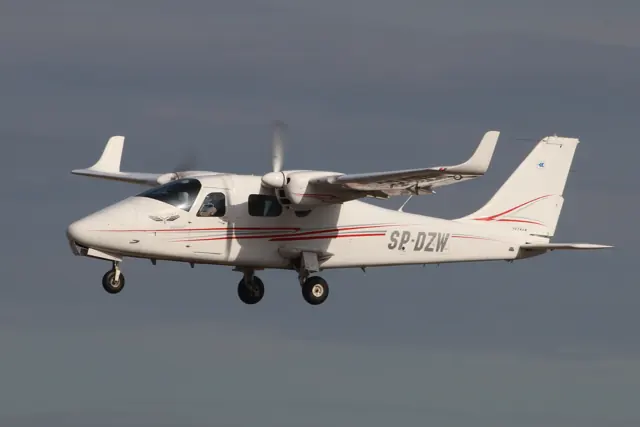
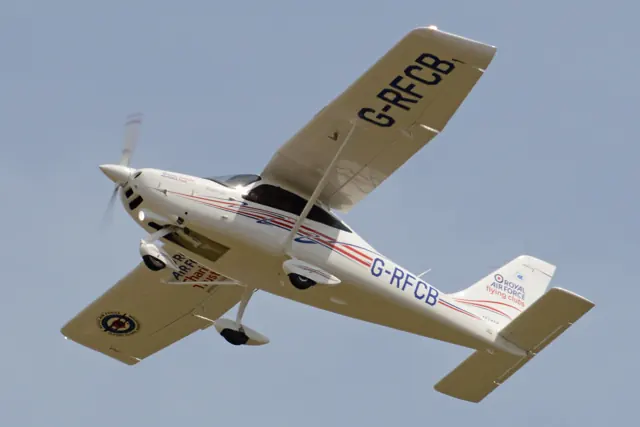
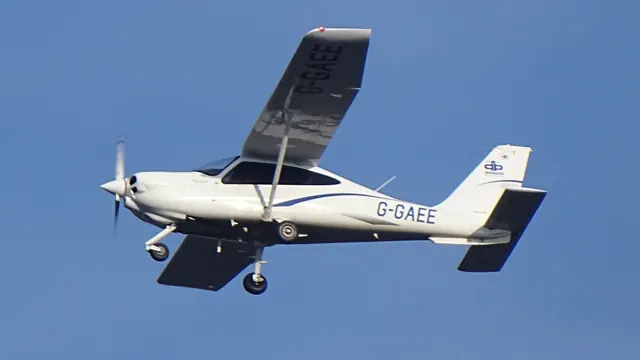
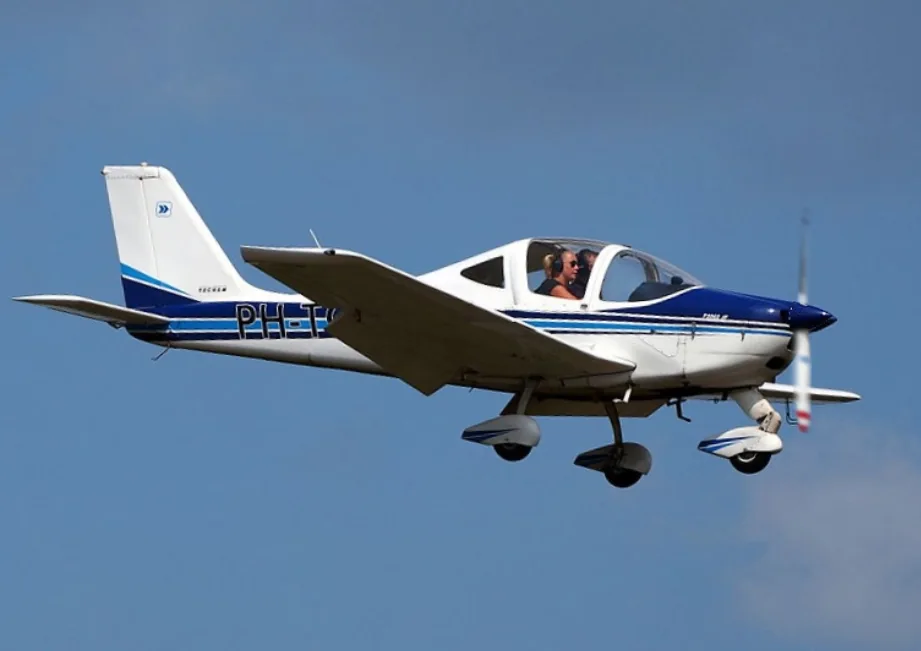
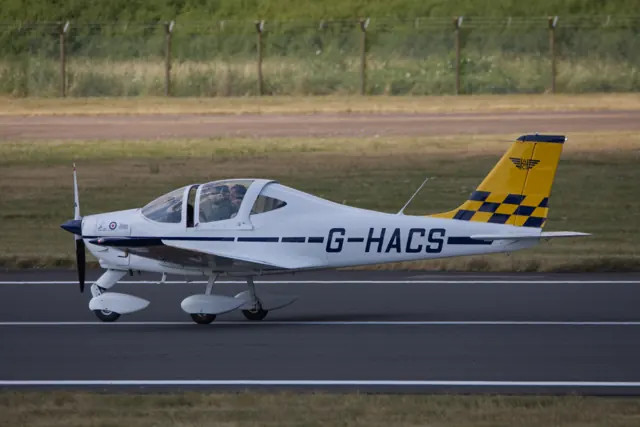
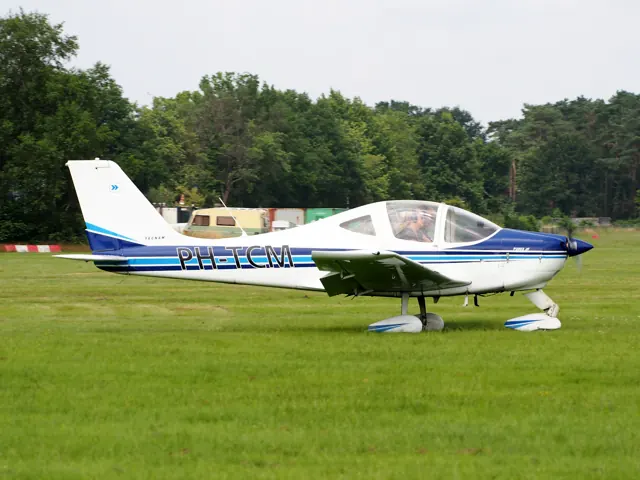
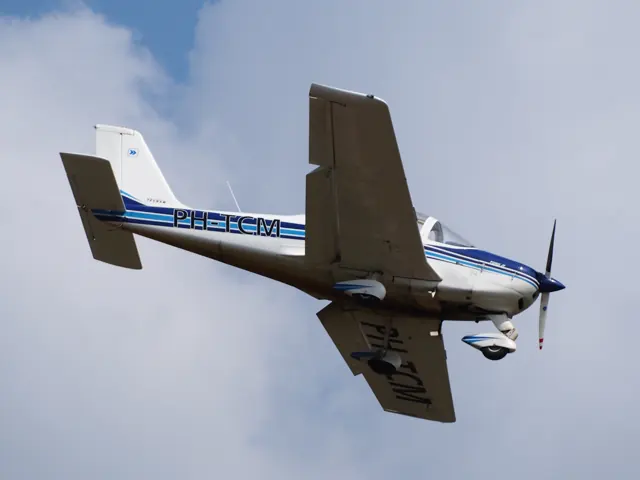
Tecnam introduced the two-seat, low-wing P2002 Sierra in the early 2000s. The P2002 JF simulator product has its own supported generations, and the specification tables identify the particular Sierra variant described by the source.
Aircraft background
Wikipedia contributors · Read more ↗A business trip becomes a coast-to-coast flying memory
Birmingham recalled flying the Sierra with her husband Mike from the Atlanta area to Corning, California, for an aircraft repairman course. The journey took two and a half days and included a detour over the Grand Canyon and a crossing of the northern Sierra Nevada. Work had supplied the reason to go, but the route became part of the pleasure. Their autopilot was not working, so they took turns hand-flying throughout the trip.
AOPA Pilot · November 2007. Lynne and Mike Birmingham were Tecnam’s US distributors. Their shared Sierra journey is one account; the journalist’s flights elsewhere in the feature concern other models.
AOPA Pilot · Read more ↗Nose and main-wheel fairings can be selected separately
Version 1.1.3 adds independent EFB options to show or hide the nose-wheel and main-wheel fairings. The same update corrects Trim Disconnect’s default to ON, giving the trim switch authority.
Tecnam P2002 Sierra · AeroSachs · MSFS 2020 · MSFS 2024
AeroSachs · Read more ↗Into the cockpit
 YouTube
 GreatFlyer · 6 min ·
Tecnam P2002 SCENIC Departure from Paphos | Cockpit Takeoff & ATC | GoPro 7
A cockpit departure from Paphos in a Tecnam P2002JF, with ATC audio.
Real aircraft · Tecnam P2002 Sierra
Watch on YouTube ↗Preview images are served by AirframeDB. Videos open on YouTube only when you choose to watch.
Meet Tecnam P2002 Sierra
Tecnam introduced the two-seat, low-wing P2002 Sierra in the early 2000s. The P2002 JF simulator product has its own supported generations, and the specification tables identify the particular Sierra variant described by the source.
Tecnam P2002 Sierra
Tecnam → · Explore the family →
Tecnam P2002 Sierra
Wikipedia contributors · Tecnam P2002 Sierra ↗AeroSachs · MSFS 2020 · MSFS 2024 →Aircraft type designators
Use the code for the model you are flying. The linked authority lists the applicable aircraft.
History & design
A two-seat touring choice can be personal
Lampersberger’s search began with a preference for two seats, manageable running costs and an aircraft lively enough to enjoy locally. His eventual P2002 JR also carried a distinctive silver finish, illustrating how an owner’s priorities shape an individual example of the family.
fliegermagazin · Pilot Report: Tecnam P2002JR ↗Owner background in the December 2012 retractable-JR report
Pilot accounts
A business trip becomes a coast-to-coast flying memory
Birmingham recalled flying the Sierra with her husband Mike from the Atlanta area to Corning, California, for an aircraft repairman course. The journey took two and a half days and included a detour over the Grand Canyon and a crossing of the northern Sierra Nevada. Work had supplied the reason to go, but the route became part of the pleasure.
Their autopilot was not working, so they took turns hand-flying throughout the trip. By the time they arrived at dusk they were tired, yet Birmingham remembered feeling sorry to stop.
AOPA Pilot · November 2007. Lynne and Mike Birmingham were Tecnam’s US distributors. Their shared Sierra journey is one account; the journalist’s flights elsewhere in the feature concern other models.
Read the full account · AOPA Pilot ↗A silver two-seater requires a lighter hand
Von Croy’s report introduces a P2002 JR whose silver finish reflected owner Josef Lampersberger’s persistence. The factory had initially resisted the paint choice before embracing the result and displaying the aircraft at AERO. Lampersberger wanted an economical two-seater that could travel while retaining a lively feel, and the finished aircraft expressed that preference.
For the flight at Landshut, von Croy brought habits formed in a heavier four-seater. His first pull during rotation was too energetic, prompting an adjustment to the lighter controls. With the owner’s guidance during the assessment, he came to appreciate the aircraft’s responsiveness.
fliegermagazin · December 2012. German-language report on Josef Lampersberger’s retractable P2002 JR at Landshut; this variant differs from the fixed-gear JF Sierra represented by AeroSachs.
Read the full account · fliegermagazin ↗An ultralight pilot enjoys the Sierra’s open-air character
Johnson came to the Sierra with experience of earlier Tecnams and a liking for the view from high-wing aircraft. Even so, its sliding canopy appealed to the ultralight pilot in him: letting the breeze into the cockpit supplied a pleasure that an enclosed cabin could not quite match. Closing it changed the experience again, making the aircraft quieter.
The flight also gave him time to assess the Sierra’s familiar light-aircraft controls and its energy during landing. He found the trim responsive and noticed how readily the nose could be held off as the aircraft settled.
2007 EAA Sport Pilot & Light Sport Aircraft report preserved in the indexed ByDanJohnson publisher archive. The legacy source link now redirects to a general publisher page; this summary uses the readable historical report.
Read the full account · ByDanJohnson.com / EAA Sport Pilot & Light Sport Aircraft ↗In your simulator
Systems, equipment and documentation for each developer’s aircraft.
Compare simulator versions →MSFS 2020 · MSFS 2024Tecnam P2002 Sierra
AeroSachs · Released
Tecnam P2002 Sierra
AeroSachs · Released
X-Plane 12Tecnam P2002 JF
dmax · Released
Tecnam P2002 JF
dmax · Released
Aircraft specifications
Published figures for the named real-aircraft variant. Simulator equipment and performance can differ.
| Specification | Published value |
|---|---|
| Length | 6.61 m (21 ft 8 in) |
| Wingspan | 8.60 m (28 ft 3 in) |
| Height | 2.43 m (8 ft 0 in) |
| Wing area | 11.50 m² (123.8 sq ft) |
| Empty weight | 331 kg (730 lb) |
| Max takeoff weight | 598 kg (1,318 lb) |
| Powerplant | 1 × Rotax 912 S2 , 73.5 kW (100 hp) |
| Propellers | 2-bladed, fixed pitch propeller |
| Propellers | 1.74 m (5 ft 9 in) diameter |
| Cruise speed | 222 km/h (138 mph, 120 kn) (75% power) |
| Stall speed | 71 km/h (44 mph, 38 kn) (flaps down) |
| Range | 1,092 km (679 mi, 590 nmi) |
| Service ceiling | 3,995 m (13,110 ft) |
| Rate of climb | 6.2 m/s (1,220 ft/min) |
Manuals & resources
Find your next read
Choose a topic for a short introduction and a link to the original source. Simulator references identify the developer and edition they cover.
Simulator documentation
Nose and main-wheel fairings can be selected separatelyTecnam P2002 Sierra · AeroSachs · MSFS 2020 · MSFS 2024
Version 1.1.3 adds independent EFB options to show or hide the nose-wheel and main-wheel fairings. The same update corrects Trim Disconnect’s default to ON, giving the trim switch authority.
AeroSachs publisher changelog, v1.1.3
AeroSachs · Read the source ↗The MSFS 2024 path uses compatibility modeTecnam P2002 Sierra · AeroSachs · MSFS 2020 · MSFS 2024
The publisher identifies a native MSFS 2020 aircraft running in MSFS 2024 through compatibility mode. Its v1.1.2 notes say the copilot avatar cannot be changed in MSFS 2024.
Publisher requirements and v1.1.2 changelog
AeroSachs · Read the source ↗Pilot account
A business trip becomes a coast-to-coast flying memoryAOPA Pilot · November 2007. Lynne and Mike Birmingham were Tecnam’s US distributors. Their shared Sierra journey is one account; the journalist’s flights elsewhere in the feature concern other models.
Birmingham recalled flying the Sierra with her husband Mike from the Atlanta area to Corning, California, for an aircraft repairman course. The journey took two and a half days and included a detour over the Grand Canyon and a crossing of the northern Sierra Nevada. Work had supplied the reason to go, but the route became part of the pleasure. Their autopilot was not working, so they took turns hand-flying throughout the trip.
Lynne Birmingham
AOPA Pilot · Read the source ↗A silver two-seater requires a lighter handfliegermagazin · December 2012. German-language report on Josef Lampersberger’s retractable P2002 JR at Landshut; this variant differs from the fixed-gear JF Sierra represented by AeroSachs.
Von Croy’s report introduces a P2002 JR whose silver finish reflected owner Josef Lampersberger’s persistence. The factory had initially resisted the paint choice before embracing the result and displaying the aircraft at AERO. Lampersberger wanted an economical two-seater that could travel while retaining a lively feel, and the finished aircraft expressed that preference. For the flight at Landshut, von Croy brought habits formed in a heavier four-seater.
Alexis von Croy
fliegermagazin · Read the source ↗Developer documentation
Tecnam P2002 JF — product listingTecnam P2002 JF · X-Plane 12
Product listing captured 2026-09-24; edition scope from the reviewed catalogue
dmax · Read the source ↗Read the original documentation from the people who created it. Manuals open on their publisher’s website.
Aircraft background
Tecnam P2002 SierraWikipedia contributors · Research background · retrieved 2026-09-12Product
TECNAM P2002 JF SIERRA MSFSAeroSachs · Official developer / designated store catalogue · checked 2026-09-12 Tecnam P2002 JFdmax · Product listing captured 2026-09-24; edition scope from the reviewed catalogueType designator
ICAO Doc 8643 — aircraft type designatorsInternational Civil Aviation Organization · Public search data retrieved 2026-09-14; authority update 2026-09-03Built-in force-feedback profiles
Read the documentary basis, editable starting settings and remaining questions for the aircraft you fly. Each explanation refers to the exact profile revision shown.
Catalogue programme-20261022-v1 · 3 profile choices
AeroSachs Tecnam P2002 JF Sierra
AeroSachs · Free and Pro · Revision 2 · Inherited starting point
MSFS 2020 · MSFS 2024
AeroSachs Tecnam P2002 JF Sierra: Mechanical linkage motivates reversible stick loading.
dmax Tecnam P2002 JF
dmax · Free and Pro · Revision 3 · Inherited starting point
X-Plane 12
dmax Tecnam P2002 JF: Mechanical linkage motivates reversible stick loading.
Tecnam P2002 Sierra
Free and Pro · Revision 1 · Partial review
MSFS 2024 · MSFS 2020
Tecnam P2002 Sierra: Mechanical linkage motivates reversible stick loading.
dmax Tecnam P2002 JF
dmax Tecnam P2002 JF: Mechanical linkage motivates reversible stick loading.
Aircraft and simulator scope
- dmax Tecnam P2002 JF · dmax · X-Plane 12 · Add-on starting point
The simulator model and controls
Tecnam introduced the two-seat, low-wing P2002 Sierra in the early 2000s. The P2002 JF simulator product has its own supported generations, and the specification tables identify the particular Sierra variant described by the source.
This profile selects dmax Tecnam P2002 JF for X-Plane 12.
How this profile feels
Mechanical linkage motivates reversible stick loading. Spring resistance builds with the selected airspeed response. A separate aerodynamic term adds speed-dependent control load.
Electric stabilator-tab trim supplies pitch relief; aileron adjustment remains ground-set. Pitch-trim relief is off. Autopilot following is off.
Controls and trim
The P2002 uses a pushrod stabilator and mixed cable/pushrod ailerons. Electric longitudinal tab trim is selected from the pilot or copilot stick; the aileron tab is ground adjusted. Electric flaps have continuous travel with named markings.
The selected implementation
dmax’s P2002JF has a 100 hp engine, fixed-pitch propeller and basic S-TEC. Its instruments can display airspeed in knots or km/h and tachometer speed as propeller or engine RPM.
About the values
The gains are normalized profile settings. They describe the chosen effect balance; hand force depends on the device and its output limits. IAS references are tuning values rather than operating limits. Physical acceptance of this revision remains pending.
Documentary review and sources
These decisions describe the documentary basis and remaining gaps for this revision. Aircraft documentation and a starting setting describe different kinds of evidence.
Aircraft and variant
InheritedThis profile selects dmax Tecnam P2002 JF for X-Plane 12.
Flight controls
InheritedThe P2002 uses a pushrod stabilator and mixed cable/pushrod ailerons. Electric longitudinal tab trim is selected from the pilot or copilot stick; the aileron tab is ground adjusted. Electric flaps have continuous travel with named markings.
Trim
InheritedElectric stabilator-tab trim supplies pitch relief; aileron adjustment remains ground-set. Pitch relief is off, with stored authority 0; roll authority is 0.
Autopilot and stability
InheritedAutopilot following is off; the configured spring and load retain the hardware feel.
Equipment
Inheriteddmax’s P2002JF has a 100 hp engine, fixed-pitch propeller and basic S-TEC. Its instruments can display airspeed in knots or km/h and tachometer speed as propeller or engine RPM.
Speeds and limits
InheritedThe indicated-speed references set the profile response scale; they are separate from aircraft operating limits.
Simulator integration
InheritedThe profile targets xplane12. Add-on-specific controls use only the supported references configured by this profile.
Force-feedback settings
InheritedThe settings define the profile’s effect balance. Device output limits affect physical hand force.
Starting settings and their rationale
These configured values are starting estimates. The explanations describe what each setting controls; physical validation appears separately below.
| Setting | Starting value | What it controls and why |
|---|---|---|
| Spring strength | Starting value0.74 | What it controls and whyMechanical linkage motivates reversible stick loading. The baseline spring is 0.74. Its low-speed blend reaches baseline strength at 50 KIAS. |
| Master force gain | Starting value0.85 | What it controls and whyScales overall profile strength while preserving effect balance, subject to device and output limits. |
| Profile force gain | Starting value0.8 | What it controls and whyThe aerodynamic-load gain is 0.8 with an indicated-speed reference of 100 KIAS. This supplies speed-dependent loading alongside the spring. |
| Force tuning speed/reference | Starting value100 kt | What it controls and whySets the IAS reference for aerodynamic loading. It is an estimate, not published cruise TAS or a flight limit. |
| Spring response reference speed | Starting value50.0 kt | What it controls and whySets the IAS where the low-speed blend reaches baseline strength; high-speed stiffening also uses it. |
| Aileron force scale | Starting value0.72 | What it controls and whyRoll and pitch aerodynamic scales are 0.72 and 1, respectively. They set the aerodynamic axis balance. No custom spring-travel curve is enabled. |
| Elevator force scale | Starting value1.0 | What it controls and whyScales pitch aerodynamic loading; pitch spring travel and trim responses are separate settings. |
| Trim feel | Starting valueDisabled | What it controls and whyRetained for compatibility and group membership. Trim relief, rather than this flag, controls centre movement. |
| Trim relief | Starting valueDisabled | What it controls and whyAllows trim relief with supported control law and valid telemetry. Axis authorities set its amount. |
| Autopilot follow | Starting valueDisabled | What it controls and whyAutopilot following is off; the configured spring and load retain the hardware feel. |
| Autopilot neutral hold | Starting valueDisabled | What it controls and whyPermits centering hold during a supported AP state, separate from following a moving target. |
| Output force limit | Starting value0.55 | What it controls and whyCaps directed-force output. Native spring effects and device limits remain separate. |
All 44 starting settings and their rationale
The settings define the profile’s effect balance. Device output limits affect physical hand force.
| Setting | Starting value | What it controls and why |
|---|---|---|
| Spring strength | Starting value0.74 | What it controls and whyMechanical linkage motivates reversible stick loading. The baseline spring is 0.74. Its low-speed blend reaches baseline strength at 50 KIAS. |
| Spring deadband | Starting value0.04 | What it controls and whySets travel around the centre before the baseline spring resists. Smaller values engage it sooner. |
| Profile force gain | Starting value0.8 | What it controls and whyThe aerodynamic-load gain is 0.8 with an indicated-speed reference of 100 KIAS. This supplies speed-dependent loading alongside the spring. |
| Master force gain | Starting value0.85 | What it controls and whyScales overall profile strength while preserving effect balance, subject to device and output limits. |
| QBlend Enabled | Starting valueEnabled | What it controls and whyAllows baseline spring strength to rise with indicated airspeed where the control law permits it. |
| QSpring Minimum Factor | Starting value0.55 | What it controls and whySets low-speed spring strength as a fraction of baseline when blending is enabled. One keeps full strength. |
| QSpring Start Knots | Starting value8 kt | What it controls and whySets the IAS where the low-speed spring blend starts rising. This is a feel threshold, not a flight limit. |
| Spring response reference speed | Starting value50.0 kt | What it controls and whySets the IAS where the low-speed blend reaches baseline strength; high-speed stiffening also uses it. |
| Force tuning speed/reference | Starting value100 kt | What it controls and whySets the IAS reference for aerodynamic loading. It is an estimate, not published cruise TAS or a flight limit. |
| Airspeed spring stiffening gain | Starting value0.15 | What it controls and whyThe high-speed spring-stiffening gain is 0.15. It strengthens the permitted spring response above 50 KIAS, with the squared-speed ratio capped at 5. |
| Airspeed spring stiffening limit | Starting value5 | What it controls and whyLimits the squared airspeed ratio used for high-speed spring stiffening; it is not a device-force cap. |
| Aileron force scale | Starting value0.72 | What it controls and whyRoll and pitch aerodynamic scales are 0.72 and 1, respectively. They set the aerodynamic axis balance. No custom spring-travel curve is enabled. |
| Elevator force scale | Starting value1.0 | What it controls and whyScales pitch aerodynamic loading; pitch spring travel and trim responses are separate settings. |
| Output force limit | Starting value0.55 | What it controls and whyCaps directed-force output. Native spring effects and device limits remain separate. |
| Trim feel | Starting valueDisabled | What it controls and whyRetained for compatibility and group membership. Trim relief, rather than this flag, controls centre movement. |
| Trim relief | Starting valueDisabled | What it controls and whyAllows trim relief with supported control law and valid telemetry. Axis authorities set its amount. |
| Elevator Authority | Starting value0 | What it controls and whyElectric stabilator-tab trim supplies pitch relief; aileron adjustment remains ground-set. Pitch relief is off, with stored authority 0; roll authority is 0. |
| Aileron Authority | Starting value0 | What it controls and whyScales supported roll-trim relief and permitted centre movement. Zero removes roll response. |
| Force Trim Enabled | Starting valueDisabled | What it controls and whyEnables local force trim, separate from aircraft-owned trim and add-on integration qualification. |
| GLoad Enabled | Starting valueEnabled | What it controls and whyAllows load-factor changes to modify permitted spring laws. Passive fly-by-wire feel can suppress it. |
| Rate Damping Enabled | Starting valueEnabled | What it controls and whyEnables rate damping with the configured coefficients and control law. |
| Autopilot follow | Starting valueDisabled | What it controls and whyAutopilot following is off; the configured spring and load retain the hardware feel. |
| Autopilot follow authority | Starting value0.1 | What it controls and whySets admitted AP-follow gain, not a percentage of travel. Runtime ownership and input limits still apply. |
| Autopilot neutral hold | Starting valueDisabled | What it controls and whyPermits centering hold during a supported AP state, separate from following a moving target. |
| Autopilot neutral hold strength | Starting value0.6 | What it controls and whySets admitted AP neutral-hold strength; inactive while neutral hold is disabled. |
| Enabled | Starting valueEnabled | What it controls and whyEnables aerodynamic cues; each still needs nonzero strength and its simulator conditions. |
| Gain | Starting value0.35 | What it controls and whySets stall-buffet strength. Zero removes the cue without changing simulator stalls or warnings. |
| Gain | Starting value0 | What it controls and whySets high-Mach buffet strength; onset and full-strength thresholds are separate. |
| Gain | Starting value0 | What it controls and whySets flap buffet at the configured position and speed gates. Flap movement texture is separate. |
| Maximum flap index | Starting value3 | What it controls and whySets the final flap index for detent normalization. UP plus three detents uses maximum index3. |
| Minimum flap index | Starting value2 | What it controls and whySets the first flap detent that admits buffet; this is a handle index, not degrees. |
| Gain | Starting value0 | What it controls and whySets gear aerodynamic buffet; movement and ground-contact cues are separate. |
| Shaker Enabled | Starting valueDisabled | What it controls and whyPermits shaker at supported warning conditions; the switch does not establish aircraft equipment. |
| Stick shaker amplitude | Starting value0.5 | What it controls and whySets triggered shaker strength; inactive while the shaker feature is disabled. |
| Enabled | Starting valueEnabled | What it controls and whyEnables ground effects; each still needs its own strength and contact or motion telemetry. |
| Gain | Starting value0.4 | What it controls and whySets rolling texture strength, modified by speed, surface and undercarriage configuration. |
| Gain | Starting value0.25 | What it controls and whySets gear-bump texture during ground motion, separate from touchdown impact. |
| Gain | Starting value0.65 | What it controls and whySets landing-impact strength; landing telemetry and response shape determine the pulse. |
| Gain | Starting value0 | What it controls and whySets reverse-thrust vibration with valid reverser and engine conditions. Zero removes the cue. |
| Enabled | Starting valueEnabled | What it controls and whyEnables engine cues with nonzero settings and valid running-engine telemetry. |
| Gain | Starting value0.12 | What it controls and whySets estimated engine vibration using configured telemetry and response, not measured cockpit vibration. |
| Enabled | Starting valueEnabled | What it controls and whyEnables accessory cues with configured strengths and observed accessory movement. |
| Gain | Starting value0.12 | What it controls and whySets texture from observed flap movement; a command without movement does not establish the cue. |
| Gain | Starting value0 | What it controls and whySets texture from observed gear movement, separate from aerodynamic and touchdown effects. |
Limits and open questions
- Manual light-trainer control approximation; low-speed q growth and restrained spring.
- No exact trim mechanism established in current listing; no guessed roll relief.
- No calibrated autopilot servo or inceptor-demand output established. AP follow and neutral hold are disabled.
- 100 KIAS is an estimated tuning reference, not a certified operating limit or cruise TAS.
- Native read-only aircraft telemetry only. No custom interface names, units or freshness contract invented; switches and animated controls are not servo demands.
- Spring 0.74, lateral scale 0.7, pitch/roll relief 0/0; editable estimates. No measured hand-force calibration, unsupported failure loads, surface-follow or body-rate torque.
- Installed-aircraft and physical checks are deferred. If telemetry omits the developer or configuration, select this profile and save it as the aircraft default.
- Only actual accessory-position changes drive movement textures. No release or installed-product acceptance is inferred.
Physical validation
No physical force validation is recorded in this public catalogue for this revision. Documentary review and software checks do not establish how a particular device feels.
Discuss this aircraft (1)
Questions, observations and useful sources from the community.
- What about Tecnam aircraft ? →Related discussion2 replies · Last activity
Content expanded · What’s new
Something missing or a source that needs attention?
Suggest a correction ↗