
Start here
A few places to begin, from the aircraft’s story to the people who fly it.
Meet the aircraft
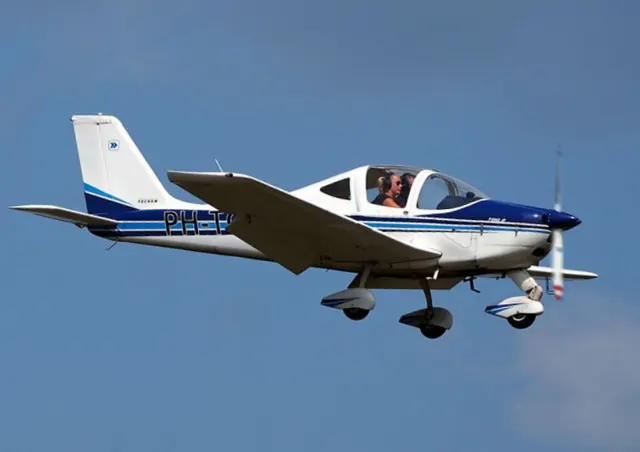
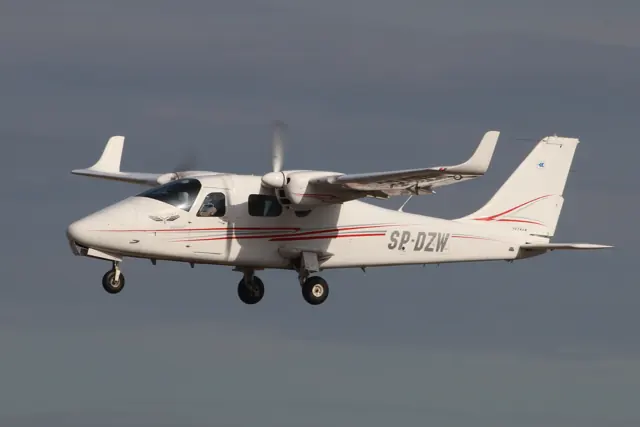
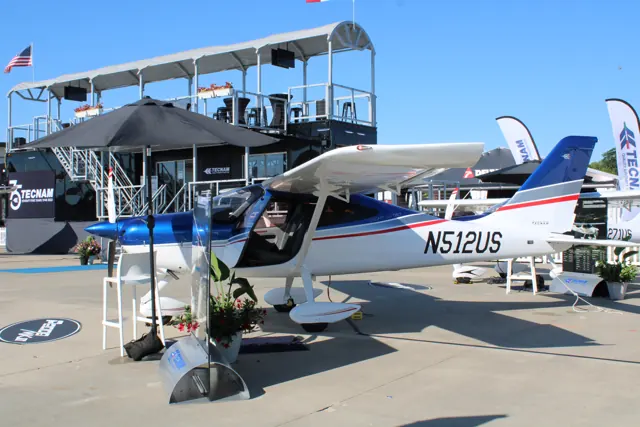
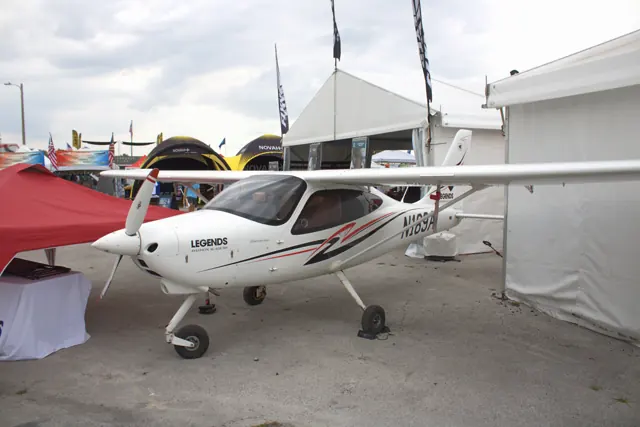
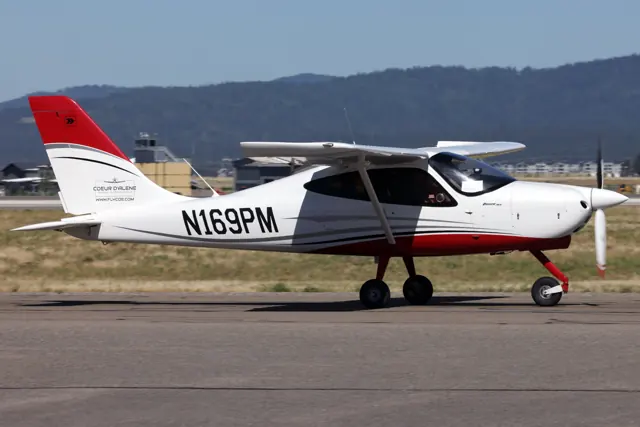
The two-seat high-wing P2008 introduced major composite components to Tecnam's range. It appeared at AERO Friedrichshafen in 2009, with deliveries beginning later that year. The simulator products represent the P2008 JC and JC MkII.
Aircraft background
Wikipedia contributors · Read more ↗A hot afternoon brings a pleasant flight and a second attempt
Absolon’s introduction to the P2008 began in hot, humid weather, making the prospect of better airflow after takeoff particularly attractive. Taxiing required a light touch on the differential brakes. A crosswind over nearby hangars added turbulence to the departure, before the flight opened out over Moreton Bay and gave him time to enjoy the controls.
Australian Flying · April 2011. P2008 flight from Mason Field on Queensland’s Gold Coast with Tecnam Australia’s Bruce Stark.
Australian Flying · Read more ↗Hiding the JC autopilot also switches it off
The earlier JC’s v1.2 notes say that hiding the autopilot automatically turns it off. Changing the visible panel also changes its operating state.
Tecnam P2008 · AeroSachs · AeroSachs · MSFS 2020 · MSFS 2024
AeroSachs · Read more ↗Into the cockpit
 YouTube
 Stephen Morris · 4 min ·
Tecnam P2008 - first solo flight
A student shares a first solo flight in the P2008.
Real aircraft · Tecnam P2008
Watch on YouTube ↗Preview images are served by AirframeDB. Videos open on YouTube only when you choose to watch.
Meet Tecnam P2008
The two-seat high-wing P2008 introduced major composite components to Tecnam's range. It appeared at AERO Friedrichshafen in 2009, with deliveries beginning later that year. The simulator products represent the P2008 JC and JC MkII.
Tecnam P2008
Aircraft type designators
Use the code for the model you are flying. The linked authority lists the applicable aircraft.
History & design
A delivery flight shows the aircraft in its touring role
Goodwin and Whiteman collected the new P2008JC at Capua and brought it to White Waltham through Mediterranean and French stops. The published journey connects the aircraft’s Italian origin with its arrival as a British demonstrator, adding a travel story to its training role.
Pilot · Flying Adventure: Tecnam P2008 Ferry Flight ↗One documented delivery; not a general performance or range claim
Development milestones
First flight: 30 September 2008
Wikipedia contributors · Tecnam P2008 ↗Tecnam P2008 · family/variant named by the source · Wikipedia revision 1356629951
Pilot accounts
A hot afternoon brings a pleasant flight and a second attempt
Absolon’s introduction to the P2008 began in hot, humid weather, making the prospect of better airflow after takeoff particularly attractive. Taxiing required a light touch on the differential brakes. A crosswind over nearby hangars added turbulence to the departure, before the flight opened out over Moreton Bay and gave him time to enjoy the controls.
Returning to the field brought stronger gusts and a less tidy first arrival. A bounce in the flare prompted a go-around, followed by an uneventful second circuit. The combination of a comfortable flight over the bay and an imperfect first landing gives the assessment a practical setting. Absolon liked the aircraft’s handling while still needing time to learn how this particular aeroplane behaved near the ground.
Australian Flying · April 2011. P2008 flight from Mason Field on Queensland’s Gold Coast with Tecnam Australia’s Bruce Stark.
Read the full account · Australian Flying ↗An invitation to collect an aircraft becomes a journey with a friend
An invitation to bring a new Tecnam home from Italy reminded Goodwin of an earlier assignment collecting a Ferrari. He quickly agreed to the aircraft trip, joining Philip Whiteman for a route across the Mediterranean and through France. At Elba, however, the hill beyond the departure made him hesitate before accepting his turn at the controls.
Once airborne, the journey supplied the pleasure he had hoped for: sea views, shared flying and the company of a friend. The pair exchanged seats along the way, with stops breaking the delivery into distinct experiences. By the arrival at White Waltham, Goodwin had added comfortable landings and a substantial journey to his acquaintance with the P2008.
Pilot · August 2015. Main ferry narrative in P2008JC G-ZOOB with Philip Whiteman, from Capua to White Waltham. Whiteman’s separate sidebar is not counted as another account.
Read the full account · Pilot ↗An awkward taxi gives way to an easy formation flight
Grey, cold weather at Sebring formed the backdrop to Marsh’s flight with Phil Solomon. His first challenge came on the ground, where the aircraft wanted to turn left when he intended to go right. Solomon helped him manage the steering, which was subsequently adjusted before delivery. It was an ungainly beginning to a flight that soon became much more comfortable.
In the air, Marsh liked the turbocharged engine’s smoothness. While following a Cessna 210 for photographs, he found enough power in reserve to ask the other pilot to increase speed. Photographer Chris Rose appreciated how steadily the Tecnam held its place. A soft landing completed an evaluation whose strongest impressions were comfort and composure after the initial taxiing difficulty.
AOPA · April 2014. Turbocharged Rotax 914 P2008 demonstration at January’s U.S. Sport Aviation Expo, Sebring, with Tecnam North America CEO Phil Solomon.
Read the full account · AOPA ↗In your simulator
Systems, equipment and documentation for each developer’s aircraft.
MSFS 2020 · MSFS 2024Tecnam P2008 · AeroSachs
AeroSachs · Released
Tecnam P2008 · AeroSachs
AeroSachs · Released
Aircraft specifications
Published figures for the named real-aircraft variant. Simulator equipment and performance can differ.
| Specification | Published value |
|---|---|
| Length | 6.93 m (22 ft 9 in) |
| Wingspan | 8.80 m (28 ft 10 in) |
| Height | 2.46 m (8 ft 1 in) |
| Wing area | 11.50 m² (123.8 sq ft) |
| Empty weight | 354 kg (780 lb) |
| Max takeoff weight | 600 kg (1,323 lb) |
| Powerplant | 1 × Rotax 912 S flat four air and water cooled piston, 73.5 kW (98.6 hp) |
| Propellers | 2-bladed Tonini GT fixed pitch |
| Cruise speed | 215 km/h (134 mph, 116 kn) economical, 65% power at 2,286 m (7,500 ft) |
| Stall speed | 73 km/h (45 mph, 39 kn) flaps down |
| Range | 1,277 km (793 mi, 690 nmi) |
| Service ceiling | 4,265 m (13,993 ft) |
| Rate of climb | 5.85 m/s (1,152 ft/min) at sea level |
Manuals & resources
Find your next read
Choose a topic for a short introduction and a link to the original source. Simulator references identify the developer and edition they cover.
Simulator documentation
Hiding the JC autopilot also switches it offTecnam P2008 · AeroSachs · AeroSachs · MSFS 2020 · MSFS 2024
The earlier JC’s v1.2 notes say that hiding the autopilot automatically turns it off. Changing the visible panel also changes its operating state.
Earlier JC product changelog, v1.2
AeroSachs · Read the source ↗Ground preparation and shutdown have interactive checklistsTecnam P2008 · AeroSachs · AeroSachs · MSFS 2020 · MSFS 2024
The publisher includes interactive checklists covering cold-start preparation through shutdown. EFB options also control cowling visibility.
MkII product description
AeroSachs · Read the source ↗Taxiing uses differential brakingTecnam P2008 · AeroSachs · AeroSachs · MSFS 2020 · MSFS 2024
The developer identifies the nosewheel as non-steerable and directs simulator taxi control through differential braking.
MkII product description; simulator control arrangement
AeroSachs · Read the source ↗The trim cut-off default changes in v1.1.1Tecnam P2008 · AeroSachs · AeroSachs · MSFS 2020 · MSFS 2024
The v1.1.1 notes set Trim Cut-Off to ON by default, giving the trim switch authority. This is the publisher’s documented switch convention.
MkII v1.1.1 changelog
AeroSachs · Read the source ↗The earlier JC has its own walkaround featuresTecnam P2008 · AeroSachs · AeroSachs · MSFS 2020 · MSFS 2024
For the earlier P2008 JC product, v1.3.0 adds an interactive EFB walkaround and fuselage and engine-intake covers. These notes describe the JC release separately from the MkII.
Earlier JC product changelog, v1.3.0
AeroSachs · Read the source ↗The MkII uses a different instrument fitTecnam P2008 · AeroSachs · AeroSachs · MSFS 2020 · MSFS 2024
The MkII product lists two G3X Touch displays, an AS330 transponder, MFD302, M800 clock and GMA340 audio panel, with AS255 COM/NAV and AS225 COM2 units.
AeroSachs MkII product description
AeroSachs · Read the source ↗Pilot account
A hot afternoon brings a pleasant flight and a second attemptAustralian Flying · April 2011. P2008 flight from Mason Field on Queensland’s Gold Coast with Tecnam Australia’s Bruce Stark.
Absolon’s introduction to the P2008 began in hot, humid weather, making the prospect of better airflow after takeoff particularly attractive. Taxiing required a light touch on the differential brakes. A crosswind over nearby hangars added turbulence to the departure, before the flight opened out over Moreton Bay and gave him time to enjoy the controls. Returning to the field brought stronger gusts and a less tidy first arrival.
John Absolon
Australian Flying · Read the source ↗An invitation to collect an aircraft becomes a journey with a friendPilot · August 2015. Main ferry narrative in P2008JC G-ZOOB with Philip Whiteman, from Capua to White Waltham. Whiteman’s separate sidebar is not counted as another account.
An invitation to bring a new Tecnam home from Italy reminded Goodwin of an earlier assignment collecting a Ferrari. He quickly agreed to the aircraft trip, joining Philip Whiteman for a route across the Mediterranean and through France. At Elba, however, the hill beyond the departure made him hesitate before accepting his turn at the controls. Once airborne, the journey supplied the pleasure he had hoped for: sea views, shared flying and the company of a friend.
Colin Goodwin
Pilot · Read the source ↗Read the original documentation from the people who created it. Manuals open on their publisher’s website.
Aircraft background
Tecnam P2008Wikipedia contributors · Research background · retrieved 2026-09-12Product
TECNAM P2008JC MKII MSFSAeroSachs · Official developer / designated store catalogue · checked 2026-09-12 TECNAM P2008 JC MSFSAeroSachs · Official developer / designated store catalogue · checked 2026-09-12Type designator
ICAO Doc 8643 — aircraft type designatorsInternational Civil Aviation Organization · Public search data retrieved 2026-09-14; authority update 2026-09-03Built-in force-feedback profiles
Read the documentary basis, editable starting settings and remaining questions for the aircraft you fly. Each explanation refers to the exact profile revision shown.
Catalogue programme-20261022-v1 · 3 profile choices
AeroSachs Tecnam P2008 JC
AeroSachs · Free and Pro · Revision 2 · Inherited starting point
MSFS 2020 · MSFS 2024
AeroSachs Tecnam P2008 JC: Manual linkage motivates reversible stick resistance.
AeroSachs Tecnam P2008 JC MkII
AeroSachs · Free and Pro · Revision 2 · Inherited starting point
MSFS 2020 · MSFS 2024
AeroSachs Tecnam P2008 JC MkII: Manual linkage motivates reversible stick resistance.
Tecnam P2008
Free and Pro · Revision 1 · Partial review
MSFS 2024 · MSFS 2020
Tecnam P2008: Manual linkage motivates reversible stick resistance.
AeroSachs Tecnam P2008 JC
AeroSachs Tecnam P2008 JC: Manual linkage motivates reversible stick resistance.
Aircraft and simulator scope
- AeroSachs Tecnam P2008 JC · AeroSachs · MSFS 2020 · Add-on starting point
- AeroSachs Tecnam P2008 JC · AeroSachs · MSFS 2024 · Add-on starting point
The simulator model and controls
The two-seat high-wing P2008 introduced major composite components to Tecnam's range. It appeared at AERO Friedrichshafen in 2009, with deliveries beginning later that year. The simulator products represent the P2008 JC and JC MkII.
This profile selects AeroSachs Tecnam P2008 JC for MSFS 2020, MSFS 2024.
How this profile feels
Manual linkage motivates reversible stick resistance. Spring resistance builds with the selected airspeed response. A separate aerodynamic term adds speed-dependent control load.
Electric stabilator-tab trim operates separately from the authorization and cutout controls. Valid trim provides the configured pressure relief. Autopilot following is off.
Controls and trim
The P2008 uses a pushrod stabilator, mixed aileron linkage and electric trim tab controlled from a selected stick. The trim selector and cutout serve different purposes. Its free-castering nosewheel uses differential braking.
The selected implementation
The MkII panel is a separately listed product; trim authorization and cutout functions retain their versioned developer corrections.
About the values
The gains are normalized profile settings. They describe the chosen effect balance; hand force depends on the device and its output limits. IAS references are tuning values rather than operating limits. Physical acceptance of this revision remains pending.
Documentary review and sources
These decisions describe the documentary basis and remaining gaps for this revision. Aircraft documentation and a starting setting describe different kinds of evidence.
Aircraft and variant
InheritedThis profile selects AeroSachs Tecnam P2008 JC for MSFS 2020, MSFS 2024.
Flight controls
InheritedThe P2008 uses a pushrod stabilator, mixed aileron linkage and electric trim tab controlled from a selected stick. The trim selector and cutout serve different purposes. Its free-castering nosewheel uses differential braking.
Trim
InheritedElectric stabilator-tab trim operates separately from the authorization and cutout controls. Pitch authority 0.3 provides load relief and permitted centre movement; roll authority is 0.
Autopilot and stability
InheritedAutopilot following is off; the configured spring and load retain the hardware feel.
Equipment
InheritedThe MkII panel is a separately listed product; trim authorization and cutout functions retain their versioned developer corrections.
Speeds and limits
InheritedThe indicated-speed references set the profile response scale; they are separate from aircraft operating limits.
Simulator integration
InheritedThe profile targets msfs2020, msfs2024. Add-on-specific controls use only the supported references configured by this profile.
Force-feedback settings
InheritedThe settings define the profile’s effect balance. Device output limits affect physical hand force.
Starting settings and their rationale
These configured values are starting estimates. The explanations describe what each setting controls; physical validation appears separately below.
| Setting | Starting value | What it controls and why |
|---|---|---|
| Spring strength | Starting value0.74 | What it controls and whyManual linkage motivates reversible stick resistance. The baseline spring is 0.74. Its low-speed blend reaches baseline strength at 60 KIAS. |
| Master force gain | Starting value0.85 | What it controls and whyScales overall profile strength while preserving effect balance, subject to device and output limits. |
| Profile force gain | Starting value0.8 | What it controls and whyThe aerodynamic-load gain is 0.8 with an indicated-speed reference of 110 KIAS. This supplies speed-dependent loading alongside the spring. |
| Force tuning speed/reference | Starting value110 kt | What it controls and whySets the IAS reference for aerodynamic loading. It is an estimate, not published cruise TAS or a flight limit. |
| Spring response reference speed | Starting value60 kt | What it controls and whySets the IAS where the low-speed blend reaches baseline strength; high-speed stiffening also uses it. |
| Aileron force scale | Starting value0.78 | What it controls and whyRoll and pitch aerodynamic scales are 0.78 and 1, respectively. They set the aerodynamic axis balance. No custom spring-travel curve is enabled. |
| Elevator force scale | Starting value1 | What it controls and whyScales pitch aerodynamic loading; pitch spring travel and trim responses are separate settings. |
| Trim feel | Starting valueDisabled | What it controls and whyRetained for compatibility and group membership. Trim relief, rather than this flag, controls centre movement. |
| Trim relief | Starting valueEnabled | What it controls and whyAllows trim relief with supported control law and valid telemetry. Axis authorities set its amount. |
| Autopilot follow | Starting valueDisabled | What it controls and whyAutopilot following is off; the configured spring and load retain the hardware feel. |
| Autopilot neutral hold | Starting valueDisabled | What it controls and whyPermits centering hold during a supported AP state, separate from following a moving target. |
| Output force limit | Starting value0.55 | What it controls and whyCaps directed-force output. Native spring effects and device limits remain separate. |
All 44 starting settings and their rationale
The settings define the profile’s effect balance. Device output limits affect physical hand force.
| Setting | Starting value | What it controls and why |
|---|---|---|
| Spring strength | Starting value0.74 | What it controls and whyManual linkage motivates reversible stick resistance. The baseline spring is 0.74. Its low-speed blend reaches baseline strength at 60 KIAS. |
| Spring deadband | Starting value0.04 | What it controls and whySets travel around the centre before the baseline spring resists. Smaller values engage it sooner. |
| Profile force gain | Starting value0.8 | What it controls and whyThe aerodynamic-load gain is 0.8 with an indicated-speed reference of 110 KIAS. This supplies speed-dependent loading alongside the spring. |
| Master force gain | Starting value0.85 | What it controls and whyScales overall profile strength while preserving effect balance, subject to device and output limits. |
| QBlend Enabled | Starting valueEnabled | What it controls and whyAllows baseline spring strength to rise with indicated airspeed where the control law permits it. |
| QSpring Minimum Factor | Starting value0.55 | What it controls and whySets low-speed spring strength as a fraction of baseline when blending is enabled. One keeps full strength. |
| QSpring Start Knots | Starting value20 kt | What it controls and whySets the IAS where the low-speed spring blend starts rising. This is a feel threshold, not a flight limit. |
| Spring response reference speed | Starting value60 kt | What it controls and whySets the IAS where the low-speed blend reaches baseline strength; high-speed stiffening also uses it. |
| Force tuning speed/reference | Starting value110 kt | What it controls and whySets the IAS reference for aerodynamic loading. It is an estimate, not published cruise TAS or a flight limit. |
| Airspeed spring stiffening gain | Starting value0.15 | What it controls and whyThe high-speed spring-stiffening gain is 0.15. It strengthens the permitted spring response above 60 KIAS, with the squared-speed ratio capped at 5. |
| Airspeed spring stiffening limit | Starting value5 | What it controls and whyLimits the squared airspeed ratio used for high-speed spring stiffening; it is not a device-force cap. |
| Aileron force scale | Starting value0.78 | What it controls and whyRoll and pitch aerodynamic scales are 0.78 and 1, respectively. They set the aerodynamic axis balance. No custom spring-travel curve is enabled. |
| Elevator force scale | Starting value1 | What it controls and whyScales pitch aerodynamic loading; pitch spring travel and trim responses are separate settings. |
| Output force limit | Starting value0.55 | What it controls and whyCaps directed-force output. Native spring effects and device limits remain separate. |
| Trim feel | Starting valueDisabled | What it controls and whyRetained for compatibility and group membership. Trim relief, rather than this flag, controls centre movement. |
| Trim relief | Starting valueEnabled | What it controls and whyAllows trim relief with supported control law and valid telemetry. Axis authorities set its amount. |
| Elevator Authority | Starting value0.3 | What it controls and whyElectric stabilator-tab trim operates separately from the authorization and cutout controls. Pitch authority 0.3 provides load relief and permitted centre movement; roll authority is 0. |
| Aileron Authority | Starting value0 | What it controls and whyScales supported roll-trim relief and permitted centre movement. Zero removes roll response. |
| Force Trim Enabled | Starting valueDisabled | What it controls and whyEnables local force trim, separate from aircraft-owned trim and add-on integration qualification. |
| GLoad Enabled | Starting valueEnabled | What it controls and whyAllows load-factor changes to modify permitted spring laws. Passive fly-by-wire feel can suppress it. |
| Rate Damping Enabled | Starting valueEnabled | What it controls and whyEnables rate damping with the configured coefficients and control law. |
| Autopilot follow | Starting valueDisabled | What it controls and whyAutopilot following is off; the configured spring and load retain the hardware feel. |
| Autopilot follow authority | Starting value0.1 | What it controls and whySets admitted AP-follow gain, not a percentage of travel. Runtime ownership and input limits still apply. |
| Autopilot neutral hold | Starting valueDisabled | What it controls and whyPermits centering hold during a supported AP state, separate from following a moving target. |
| Autopilot neutral hold strength | Starting value0.6 | What it controls and whySets admitted AP neutral-hold strength; inactive while neutral hold is disabled. |
| Enabled | Starting valueEnabled | What it controls and whyEnables aerodynamic cues; each still needs nonzero strength and its simulator conditions. |
| Gain | Starting value0.35 | What it controls and whySets stall-buffet strength. Zero removes the cue without changing simulator stalls or warnings. |
| Gain | Starting value0 | What it controls and whySets high-Mach buffet strength; onset and full-strength thresholds are separate. |
| Gain | Starting value0 | What it controls and whySets flap buffet at the configured position and speed gates. Flap movement texture is separate. |
| Maximum flap index | Starting value3 | What it controls and whySets the final flap index for detent normalization. UP plus three detents uses maximum index3. |
| Minimum flap index | Starting value2 | What it controls and whySets the first flap detent that admits buffet; this is a handle index, not degrees. |
| Gain | Starting value0 | What it controls and whySets gear aerodynamic buffet; movement and ground-contact cues are separate. |
| Shaker Enabled | Starting valueDisabled | What it controls and whyPermits shaker at supported warning conditions; the switch does not establish aircraft equipment. |
| Stick shaker amplitude | Starting value0.5 | What it controls and whySets triggered shaker strength; inactive while the shaker feature is disabled. |
| Enabled | Starting valueEnabled | What it controls and whyEnables ground effects; each still needs its own strength and contact or motion telemetry. |
| Gain | Starting value0.4 | What it controls and whySets rolling texture strength, modified by speed, surface and undercarriage configuration. |
| Gain | Starting value0.25 | What it controls and whySets gear-bump texture during ground motion, separate from touchdown impact. |
| Gain | Starting value0.65 | What it controls and whySets landing-impact strength; landing telemetry and response shape determine the pulse. |
| Gain | Starting value0 | What it controls and whySets reverse-thrust vibration with valid reverser and engine conditions. Zero removes the cue. |
| Enabled | Starting valueEnabled | What it controls and whyEnables engine cues with nonzero settings and valid running-engine telemetry. |
| Gain | Starting value0.12 | What it controls and whySets estimated engine vibration using configured telemetry and response, not measured cockpit vibration. |
| Enabled | Starting valueEnabled | What it controls and whyEnables accessory cues with configured strengths and observed accessory movement. |
| Gain | Starting value0.12 | What it controls and whySets texture from observed flap movement; a command without movement does not establish the cue. |
| Gain | Starting value0 | What it controls and whySets texture from observed gear movement, separate from aerodynamic and touchdown effects. |
Limits and open questions
- Force gains, curves and speed references are engineering estimates. Installed-product and physical acceptance remain deferred.
- Current installed trim/AP interfaces remain open; oldJC aileron-trim changelog and ground-set real tab require fit validation.
- MkII panel changes do not prove different hand forces or a native2024 rebuild.
Physical validation
No physical force validation is recorded in this public catalogue for this revision. Documentary review and software checks do not establish how a particular device feels.
Discuss this aircraft (1)
Questions, observations and useful sources from the community.
- What about Tecnam aircraft ? →Related discussion2 replies · Last activity
Content expanded · What’s new
Something missing or a source that needs attention?
Suggest a correction ↗