






Start here
A few places to begin, from the aircraft’s story to the people who fly it.
Meet the aircraft
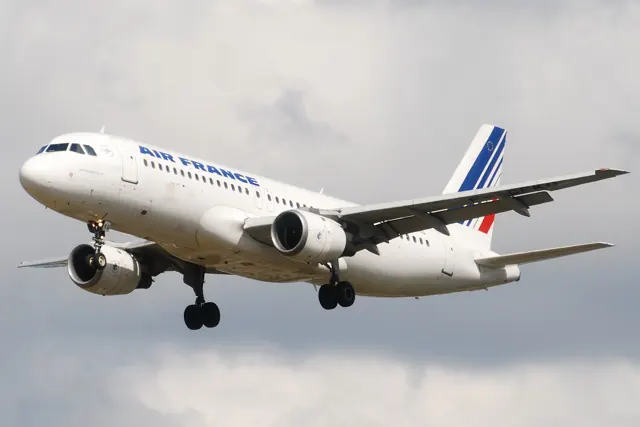
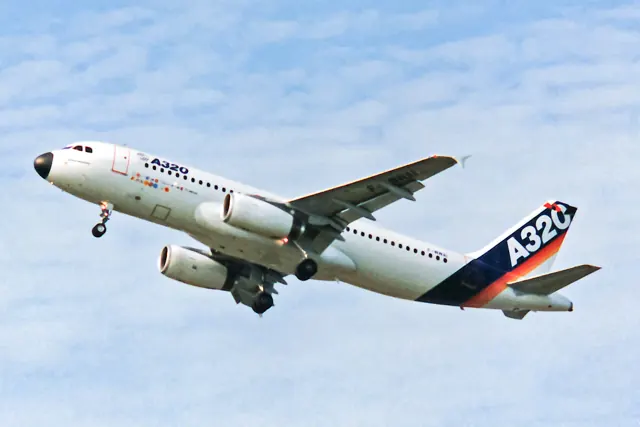
The original A320 first flew in 1987 and entered service in 1988. Airbus subsequently stretched the design into the A321 and shortened it into the A319 and A318. The family made digital fly-by-wire and sidestick controls familiar to a large part of the airline world. The A319, A321 and A320neo differ in fuselage length, engines, fuel arrangements and equipment.
Aircraft background
Wikipedia contributors · Read more ↗A childhood flight-sim choice becomes a real cockpit
Botley had flown easyJet liveries in Microsoft Flight Simulator as a child. In March 2019, during the week of his twenty-fifth birthday, he finally joined the airline's base training in a real Airbus. His first planned turn was postponed when the aircraft had to leave before everyone completed their circuits. Four days later, at Châteauroux, he waited through his classmates' turns before climbing into the right seat himself.
Pilot George, 22 March 2019. Firsthand base-training account; A319-111 G-EZBI at Châteauroux on 16 March 2019, after an interrupted training day on 12 March.
Pilot George · Read more ↗Managed and selected guidance
The iniBuilds guide distinguishes guidance along the planned route and computed profiles from targets chosen on the flight-control panel. The flight-management side handles navigation, planning and predictions; the flight-guidance side commands the autopilot, flight directors and autothrust. That division helps explain the relationship between the MCDU and glareshield controls.
A320neo v2 (iniBuilds) · MSFS 2024
Microsoft / aircraft developers · Read more ↗Into the cockpit
 YouTube
 Captain Joe
AIRBUS SIDE STICK - Explained by CAPTAIN Joe
Captain Joe explains the sidestick and its controls.
Airbus sidestick background; real-aircraft explanation
Watch on YouTube ↗Preview images are served by AirframeDB. Videos open on YouTube only when you choose to watch.
Meet Airbus A320 family
The original A320 first flew in 1987 and entered service in 1988. Airbus subsequently stretched the design into the A321 and shortened it into the A319 and A318. The family made digital fly-by-wire and sidestick controls familiar to a large part of the airline world.
The A319, A321 and A320neo differ in fuselage length, engines, fuel arrangements and equipment. In the simulator, the original bundled A320neo, the later V2 aircraft and independent developers' products also have their own systems and documentation.
Airbus A320
Airbus → · Explore the family →
A320ceo generation
The original-engine generation, including A319, A320 and A321 models represented here.
Wikipedia contributors · Airbus A320 family ↗A319
Wikipedia contributors · Airbus A320 family ↗ToLiss · X-Plane 11 · X-Plane 12 →A320
Wikipedia contributors · Airbus A320 family ↗ToLiss · X-Plane 11 · X-Plane 12 →FlightFactor · X-Plane 11 · X-Plane 12 →A321
Wikipedia contributors · Airbus A320 family ↗Flight Sim Labs · MSFS 2020 · MSFS 2024 →ToLiss · X-Plane 11 · X-Plane 12 →A320neo generation
The newer engine generation has separate simulator products and documentation.
Wikipedia contributors · Airbus A320 family ↗A320neo
Wikipedia contributors · Airbus A320 family ↗Microsoft Flight Simulator · MSFS 2024 →Microsoft Flight Simulator · MSFS 2020 →Microsoft Flight Simulator · MSFS 2020 →ToLiss · X-Plane 11 · X-Plane 12 →A321neo
Wikipedia contributors · Airbus A320 family ↗Flight Sim Labs · MSFS 2020 · MSFS 2024 →ToLiss · X-Plane 11 · X-Plane 12 →A321LR
Long-range A321neo configuration.
Wikipedia contributors · Airbus A320 family ↗Microsoft Flight Simulator · MSFS 2024 →A319 CFM
Fenix Simulations · Fenix Simulations ↗Fenix · MSFS 2020 · MSFS 2024 →A319 IAE
Fenix Simulations · Fenix Simulations ↗Fenix · MSFS 2020 · MSFS 2024 →A320 CFM
Fenix Simulations · Fenix Simulations ↗Fenix · MSFS 2020 · MSFS 2024 →A320 IAE
Fenix Simulations · Fenix Simulations ↗Fenix · MSFS 2020 · MSFS 2024 →A321 CFM
Fenix Simulations · Fenix Simulations ↗Fenix · MSFS 2020 · MSFS 2024 →A321 IAE
Fenix Simulations · Fenix Simulations ↗Fenix · MSFS 2020 · MSFS 2024 →A320-251N
FlyByWire Simulations · FS2024 A32NX Stable Release v2024.1.0 - FlyByWire Simulations Documentation ↗FlyByWire · MSFS 2020 · MSFS 2024 →Aircraft type designators
Use the code for the model you are flying. The linked authority lists the applicable aircraft.
A319 with the original engine generation
ICAO Doc 8643 — aircraft type designators ↗Checked 2026-09-14A320 with the original engine generation
ICAO Doc 8643 — aircraft type designators ↗Checked 2026-09-14A321 with the original engine generation
ICAO Doc 8643 — aircraft type designators ↗Checked 2026-09-14History & design
A different flight deck
The A320 brought side-stick controllers and a two-person glass flight deck into the Airbus single-aisle family. Its low wing carries two turbofan engines, while the airframe combines conventional construction with composite structures in selected areas. The family label spans several fuselage lengths and engine generations; cockpit resemblance alone does not identify an A319, A320 or A321, or establish what a particular simulator package includes.
Wikipedia contributors · Airbus A320 family ↗Research-based history of the real aircraft family; see the linked source.
Development milestones
First flight: 22 February 1987 ( 1987-02-22 )
Wikipedia contributors · Airbus A320 family ↗Airbus A320 family · family/variant named by the source · Wikipedia revision 1374072105
Systems & details
Documented detail
Direct sidestick position, rudder animation including trim, trim-actuator feedback and hydraulic circuit pressure are distinct signals.
Documented detail
Several familiar AUTOPILOT_ACTIVE and FMA variables are now listed as deprecated; a historical binding list is insufficient for current mappings.
Documented detail
The developer warns that generic PFD values bypass the add-on sensor model. Some autopilot selections are exceptions using standard datarefs.
Documented detail
Direct-law transition logic now uses actual gear-not-uplocked state rather than lever position; cockpit-output datarefs also changed.
Pilot accounts
A childhood flight-sim choice becomes a real cockpit
Botley had flown easyJet liveries in Microsoft Flight Simulator as a child. In March 2019, during the week of his twenty-fifth birthday, he finally joined the airline's base training in a real Airbus. His first planned turn was postponed when the aircraft had to leave before everyone completed their circuits. Four days later, at Châteauroux, he waited through his classmates' turns before climbing into the right seat himself.
The aircraft seemed much bigger outside than the simulator had conveyed. At the controls, nerves gave way to the familiar procedures of his type rating, followed by the physical sensation of the engines accelerating the aircraft. He completed six circuits and then flew part of the return to Stansted. The captain and safety pilot took over for the arrival because of the wind limits. No passengers were aboard the flight.
Pilot George, 22 March 2019. Firsthand base-training account; A319-111 G-EZBI at Châteauroux on 16 March 2019, after an interrupted training day on 12 March.
Read the full account · Pilot George ↗From empty-aircraft circuits to the first passengers
Writing as PWJ flying, the author closes his training blog after passing his British Airways line check. The final months had brought company induction, safety training, more simulator work and circuits in an empty A320 under the supervision of experienced training captains. He then moved into passenger flying around Europe, initially with a safety pilot as well as a training captain. His first line-training flight went to Venice.
He remembers that first working day as a rush of activity, despite all the preparation. There was a great deal to absorb, but he enjoyed the challenge and gradually felt at home in the right seat. Between tasks on longer sectors, the view of the Alps, Spain and the French coast offered occasional rewards. After release from training, his first regular assignment took him to Larnaca. He describes formal training ending while a pilot's development continues throughout a career.
Musician to Airline Pilot, 27 September 2014. Firsthand A320-family training and early airline-service recollection; published after the author’s September 2014 line check.
Read the full account · Musician to Airline Pilot ↗Command as a personal milestone and an opening for others
Hoteit tells Rosalind Azouzi how a challenge at university led her to apply for airline pilot training, changing a future she had imagined in mathematics. Her career included A320 charter work from Cuba, Venezuela and the Greek islands before command training on the A320/A321. She remembers her first flight as captain, from Beirut to Amman on 16 March 2011, as her proudest career milestone.
In the interview, she connects airline flying with the ability to solve unfamiliar problems and work effectively with a different crew on each trip. Acceptance had taken time in a profession where she encountered resistance as a woman, but encouragement from colleagues and passengers mattered to her. Family support helped her combine flying, motherhood and further university study. She hoped her progress would encourage more women to enter the cockpit. This is a career account from an A320/A321 captain, rather than a handling review.
Career Flightpath, Royal Aeronautical Society, 2015, issue 4, pages 28–29. First-person interview published in Career Flightpath 2015; historical career circumstances and hopes remain dated.
Read the full account · Career Flightpath, Royal Aeronautical Society ↗In your simulator
Systems, equipment and documentation for each developer’s aircraft.
Compare simulator versions →MSFS 2024A320neo v2 (iniBuilds)
Microsoft Flight Simulator · Released
A320neo v2 (iniBuilds)
Microsoft Flight Simulator · Released
MSFS 2024A321LR
Microsoft Flight Simulator · Released
A321LR
Microsoft Flight Simulator · Released
MSFS 2020A320neo
Microsoft Flight Simulator · Released
A320neo
Microsoft Flight Simulator · Released
MSFS 2020Airbus A320neo V2
Microsoft Flight Simulator · Released
Airbus A320neo V2
Microsoft Flight Simulator · Released
MSFS 2020 · MSFS 2024A319 / A320 / A321 family
Fenix · Released
A319 / A320 / A321 family
Fenix · Released
MSFS 2020 · MSFS 2024Airbus A320 family · Flight Sim Labs
Flight Sim Labs · See product status
Airbus A320 family · Flight Sim Labs
Flight Sim Labs · See product status
MSFS 2020 · MSFS 2024A32NX
FlyByWire · Released
A32NX
FlyByWire · Released
X-Plane 11 · X-Plane 12Airbus A320 family · ToLiss
ToLiss · Released
Airbus A320 family · ToLiss
ToLiss · Released
X-Plane 11 · X-Plane 12Airbus A320 family · FlightFactor
FlightFactor · Released
Airbus A320 family · FlightFactor
FlightFactor · Released
MSFS 2020 · MSFS 2024Airbus A321ceo
LVFR · Released
Airbus A321ceo
LVFR · Released
Manuals & resources
Find your next read
Choose a topic for a short introduction and a link to the original source. Simulator references identify the developer and edition they cover.
Simulator documentation
Managed and selected guidanceA320neo v2 (iniBuilds) · Microsoft Flight Simulator · MSFS 2024 / MSFS 2020
The iniBuilds guide distinguishes guidance along the planned route and computed profiles from targets chosen on the flight-control panel. The flight-management side handles navigation, planning and predictions; the flight-guidance side commands the autopilot, flight directors and autothrust. That division helps explain the relationship between the MCDU and glareshield controls.
iniBuilds A320neo v2 manual v1.0.4, 5 December 2023; documented simulator behaviour · PDF p.29
Microsoft / aircraft developers · Read the source ↗The later bundled A320neo has its own systems guideA320neo v2 (iniBuilds) · Microsoft Flight Simulator · MSFS 2024 / MSFS 2020
The iniBuilds guide explains load-factor-based fly-by-wire control and automatic trim, and separates autopilot, flight-director and autothrust indications. It describes the later A320neo implementation. Its equipment differs from the original Asobo aircraft and independent A320 add-ons.
Archived simulator manual; installed package revision not observed · PDF pp.3,18 (printed17), visually rendered
Microsoft / aircraft developers · Read the source ↗A tablet connected to flight preparationA321LR · Microsoft Flight Simulator · MSFS 2024
The A321LR tablet displays flight details and airport weather, retrieves a SimBrief operational flight plan using the configured username, and controls doors, ground equipment and pushback. These features bring flight preparation and ground services into the cockpit alongside the flight instruments.
iniBuilds A321LR manual v1.0.0, 23 September 2024; documented simulator behaviour · PDF pp.24–25
Microsoft / aircraft developers · Read the source ↗Hydraulic architecture appears in the cockpit documentationA321LR · Microsoft Flight Simulator · MSFS 2024
The A321 guide explains the relationship between engine-start preparation and the yellow hydraulic system's brake-accumulator supply.
Archived simulator manual; installed package revision not observed · PDF p.68; engine-start preparation
Microsoft / aircraft developers · Read the source ↗Released product and variantsA319 / A320 / A321 family · Fenix · MSFS 2020 · MSFS 2024
The A320 base includes CFM56 and IAE V2500 engine variants, with wingtip fences and Sharklets. The A319/A321 expansion requires that base and supplies both engine families for each aircraft. Its A319 can use standard or high-density cabins; the A321 offers up to two additional centre tanks. The current products support MSFS 2020 and 2024 on PC.
Official developer / designated-store reference · checked 2026-09-14
Fenix Simulations · Read the source ↗A dated simulator-support announcementAirbus A320 family · Flight Sim Labs · Flight Sim Labs · MSFS 2020 · MSFS 2024
Flight Sim Labs's A321ceo v11.0.1.302 announcement, dated 4 June 2025, introduces initial MSFS 2024 support. Later support changes are recorded on the product and update pages.
document snapshot; exact installed package not observed · A321ceo v11.0.1.302 announcement, 2025-06-04
Flight Sim Labs · Read the source ↗Pilot account
A childhood flight-sim choice becomes a real cockpitPilot George, 22 March 2019. Firsthand base-training account; A319-111 G-EZBI at Châteauroux on 16 March 2019, after an interrupted training day on 12 March.
Botley had flown easyJet liveries in Microsoft Flight Simulator as a child. In March 2019, during the week of his twenty-fifth birthday, he finally joined the airline's base training in a real Airbus. His first planned turn was postponed when the aircraft had to leave before everyone completed their circuits. Four days later, at Châteauroux, he waited through his classmates' turns before climbing into the right seat himself.
George Botley
Pilot George · Read the source ↗From empty-aircraft circuits to the first passengersMusician to Airline Pilot, 27 September 2014. Firsthand A320-family training and early airline-service recollection; published after the author’s September 2014 line check.
Writing as PWJ flying, the author closes his training blog after passing his British Airways line check. The final months had brought company induction, safety training, more simulator work and circuits in an empty A320 under the supervision of experienced training captains. He then moved into passenger flying around Europe, initially with a safety pilot as well as a training captain. His first line-training flight went to Venice.
PWJ flying
Musician to Airline Pilot · Read the source ↗Developer documentation
Airbus A321ceo — product listingAirbus A321ceo · MSFS 2020 · MSFS 2024
Product listing captured 2026-09-24; edition scope from the reviewed catalogue
LVFR · Read the source ↗Read the original documentation from the people who created it. Manuals open on their publisher’s website.
Manual
Airbus A320neo V2 ManualMicrosoft / aircraft developers Microsoft Flight Simulator aircraft manualsMicrosoft / aircraft developers Airbus A321LRMicrosoft / aircraft developers X-Plane aircraft and avionics manualsLaminar ResearchAircraft background
Airbus A320 familyWikipedia contributors · Research background · Wikipedia revision 1374072105 · retrieved 2026-09-12 Airbus A319-111, G-EZBI – aircraft identificationUK AAIB · Bulletin 4/2020, page 1 · aircraft type and registrationResource
MSFS 2024 FAQ and edition aircraft inventoryMicrosoft MSFS 2020 FAQ and edition aircraft inventoryMicrosoft Aircraft and Avionics Update 3Microsoft Fenix BFU release and flight-control changesFenix A321ceo v302 MSFS 2024 compatibilityFlight Sim Labs A321neo productFlight Sim Labs MSFS Hardware Interface distributionFlight Sim Labs A320neo change logToLissDeveloper reference
Fenix public external hardware binding guideFenix Simulations A32NX systems APIFlyByWire ToLiss developer explanation of sensor-model datarefsToLiss developer on X-Plane.orgProduct
A319ToLiss · Official developer / designated store catalogue · checked 2026-09-12 A320 NEOToLiss · Official developer / designated store catalogue · checked 2026-09-12 A320 CEOToLiss · Official developer / designated store catalogue · checked 2026-09-12 A321ToLiss · Official developer / designated store catalogue · checked 2026-09-12 A321 NEOToLiss · Official developer / designated store catalogue · checked 2026-09-12 A321ceoFlight Sim Labs · Official developer / designated store catalogue · checked 2026-09-12 A320 Ultimate · XP11FlightFactor · Official developer / designated store catalogue · checked 2026-09-12 A320 Ultimate XP12 ExtendedFlightFactor · Official developer / designated store catalogue · checked 2026-09-12 Airbus A321ceo exact product reviewLVFR · Product listing captured 2026-09-24; edition scope from the reviewed catalogueDeveloper documentation
Fenix SimulationsFenix Simulations · Official developer / designated-store reference · checked 2026-09-14 Fenix SimulationsFenix Simulations · Official developer / designated-store reference · checked 2026-09-14 Fenix SimulationsFenix Simulations · Official developer / designated-store reference · checked 2026-09-14 FlyByWire A32NX - Overview - FlyByWire Simulations DocumentationFlyByWire Simulations · Official developer / designated-store reference · checked 2026-09-14 FS2024 A32NX Stable Release v2024.1.0 - FlyByWire Simulations DocumentationFlyByWire Simulations · Official developer / designated-store reference · checked 2026-09-14Type designator
ICAO Doc 8643 — aircraft type designatorsInternational Civil Aviation Organization · Public search data retrieved 2026-09-14; authority update 2026-09-03Built-in force-feedback profiles
Read the documentary basis, editable starting settings and remaining questions for the aircraft you fly. Each explanation refers to the exact profile revision shown.
Catalogue programme-20261022-v1 · 37 profile choices
Airbus A320neo
Free and Pro · Revision 4 · Partial review
MSFS 2024 · MSFS 2020 · X-Plane 12 · X-Plane 11
Passive sidestick centering with lighter roll resistance, aircraft autotrim and a fixed hardware centre.
FlyByWire A32NX
FlyByWire · Free and Pro · Revision 3 · Inherited starting point
MSFS 2020 · MSFS 2024
FlyByWire A32NX: Fixed centering represents the passive Airbus sidestick.
Fenix A320 CFM WF
Fenix · Free and Pro · Revision 4 · Inherited starting point
MSFS 2020 · MSFS 2024
Fenix A320 CFM WF: Fixed centering represents the passive Airbus sidestick.
Fenix A319 CFM SL
Fenix · Free and Pro · Revision 3 · Inherited starting point
MSFS 2020 · MSFS 2024
Fenix A319 CFM SL: Fixed centering represents the passive Airbus sidestick.
Fenix A319 CFM WF
Fenix · Free and Pro · Revision 3 · Inherited starting point
MSFS 2020 · MSFS 2024
Fenix A319 CFM WF: Fixed centering represents the passive Airbus sidestick.
Fenix A319 IAE SL
Fenix · Free and Pro · Revision 3 · Inherited starting point
MSFS 2020 · MSFS 2024
Fenix A319 IAE SL: Fixed centering represents the passive Airbus sidestick.
Fenix A319 IAE WF
Fenix · Free and Pro · Revision 3 · Inherited starting point
MSFS 2020 · MSFS 2024
Fenix A319 IAE WF: Fixed centering represents the passive Airbus sidestick.
Fenix A320 CFM SL
Fenix · Free and Pro · Revision 3 · Inherited starting point
MSFS 2020 · MSFS 2024
Fenix A320 CFM SL: Fixed centering represents the passive Airbus sidestick.
Fenix A320 IAE SL
Fenix · Free and Pro · Revision 3 · Inherited starting point
MSFS 2020 · MSFS 2024
Fenix A320 IAE SL: Fixed centering represents the passive Airbus sidestick.
Fenix A320 IAE WF
Fenix · Free and Pro · Revision 3 · Inherited starting point
MSFS 2020 · MSFS 2024
Fenix A320 IAE WF: Fixed centering represents the passive Airbus sidestick.
Fenix A321 CFM SL
Fenix · Free and Pro · Revision 3 · Inherited starting point
MSFS 2020 · MSFS 2024
Fenix A321 CFM SL: Fixed centering represents the passive Airbus sidestick.
Fenix A321 CFM WF
Fenix · Free and Pro · Revision 3 · Inherited starting point
MSFS 2020 · MSFS 2024
Fenix A321 CFM WF: Fixed centering represents the passive Airbus sidestick.
Fenix A321 IAE SL
Fenix · Free and Pro · Revision 3 · Inherited starting point
MSFS 2020 · MSFS 2024
Fenix A321 IAE SL: Fixed centering represents the passive Airbus sidestick.
Fenix A321 IAE WF
Fenix · Free and Pro · Revision 3 · Inherited starting point
MSFS 2020 · MSFS 2024
Fenix A321 IAE WF: Fixed centering represents the passive Airbus sidestick.
FlightFactor A320 Ultimate XP12
FlightFactor · Free and Pro · Revision 3 · Inherited starting point
X-Plane 12
FlightFactor A320 Ultimate XP12: Fixed centering represents the passive Airbus sidestick.
Flight Sim Labs A321ceo CFM WF
Flight Sim Labs · Free and Pro · Revision 4 · Inherited starting point
MSFS 2020 · MSFS 2024
Flight Sim Labs A321ceo CFM WF: Fixed centering represents the passive Airbus sidestick.
Flight Sim Labs A321ceo CFM SL
Flight Sim Labs · Free and Pro · Revision 3 · Inherited starting point
MSFS 2020 · MSFS 2024
Flight Sim Labs A321ceo CFM SL: Fixed centering represents the passive Airbus sidestick.
Flight Sim Labs A321ceo IAE SL
Flight Sim Labs · Free and Pro · Revision 3 · Inherited starting point
MSFS 2020 · MSFS 2024
Flight Sim Labs A321ceo IAE SL: Fixed centering represents the passive Airbus sidestick.
Flight Sim Labs A321ceo IAE WF
Flight Sim Labs · Free and Pro · Revision 3 · Inherited starting point
MSFS 2020 · MSFS 2024
Flight Sim Labs A321ceo IAE WF: Fixed centering represents the passive Airbus sidestick.
Flight Sim Labs A321neo N
Flight Sim Labs · Free and Pro · Revision 3 · Inherited starting point
MSFS 2020 · MSFS 2024
Flight Sim Labs A321neo N: Fixed centering represents the passive Airbus sidestick.
Flight Sim Labs A321neo NX
Flight Sim Labs · Free and Pro · Revision 3 · Inherited starting point
MSFS 2020 · MSFS 2024
Flight Sim Labs A321neo NX: Fixed centering represents the passive Airbus sidestick.
LVFR Airbus A321ceo
LVFR · Free and Pro · Revision 3 · Inherited starting point
MSFS 2020 · MSFS 2024
LVFR Airbus A321ceo: Fixed centering represents the passive Airbus sidestick.
LVFR Airbus A321P2F
LVFR · Free and Pro · Revision 3 · Inherited starting point
MSFS 2020 · MSFS 2024
LVFR Airbus A321P2F: Fixed centering represents the passive Airbus sidestick.
ToLiss A319
ToLiss · Free and Pro · Revision 3 · Inherited starting point
X-Plane 12
ToLiss A319: Fixed centering represents the passive Airbus sidestick.
ToLiss A320neo
ToLiss · Free and Pro · Revision 4 · Inherited starting point
X-Plane 12
ToLiss A320neo: Fixed centering represents the passive Airbus sidestick.
ToLiss A320ceo
ToLiss · Free and Pro · Revision 3 · Inherited starting point
X-Plane 12
ToLiss A320ceo: Fixed centering represents the passive Airbus sidestick.
ToLiss A321ceo
ToLiss · Free and Pro · Revision 4 · Inherited starting point
X-Plane 12
ToLiss A321ceo: Fixed centering represents the passive Airbus sidestick.
ToLiss A321LR
ToLiss · Free and Pro · Revision 3 · Inherited starting point
X-Plane 12
ToLiss A321LR: Fixed centering represents the passive Airbus sidestick.
ToLiss A321neo
ToLiss · Free and Pro · Revision 3 · Inherited starting point
X-Plane 12
ToLiss A321neo: Fixed centering represents the passive Airbus sidestick.
ToLiss A321XLR
ToLiss · Free and Pro · Revision 3 · Inherited starting point
X-Plane 12
ToLiss A321XLR: Fixed centering represents the passive Airbus sidestick.
Airbus A320neo
Free and Pro · Revision 3 · Partial review
MSFS 2020 · MSFS 2024 · X-Plane 11 · X-Plane 12
Airbus A320neo: Fixed centering represents the passive Airbus sidestick.
Airbus A319
Free and Pro · Revision 2 · Inherited starting point
MSFS 2020 · MSFS 2024 · X-Plane 11 · X-Plane 12
Airbus A319: Fixed centering represents the passive Airbus sidestick.
Airbus A320ceo
Free and Pro · Revision 2 · Inherited starting point
MSFS 2020 · MSFS 2024 · X-Plane 11 · X-Plane 12
Airbus A320ceo: Fixed centering represents the passive Airbus sidestick.
Airbus A321ceo
Free and Pro · Revision 2 · Inherited starting point
MSFS 2020 · MSFS 2024 · X-Plane 11 · X-Plane 12
Airbus A321ceo: Fixed centering represents the passive Airbus sidestick.
Airbus A321LR
Free and Pro · Revision 2 · Partial review
MSFS 2020 · MSFS 2024 · X-Plane 11 · X-Plane 12
Airbus A321LR: Fixed centering represents the passive Airbus sidestick.
Airbus A321neo
Free and Pro · Revision 2 · Inherited starting point
MSFS 2020 · MSFS 2024 · X-Plane 11 · X-Plane 12
Airbus A321neo: Fixed centering represents the passive Airbus sidestick.
Airbus A321XLR
Free and Pro · Revision 2 · Inherited starting point
MSFS 2020 · MSFS 2024 · X-Plane 11 · X-Plane 12
Airbus A321XLR: Fixed centering represents the passive Airbus sidestick.
Fenix A319 IAE SL
Fenix A319 IAE SL: Fixed centering represents the passive Airbus sidestick.
Aircraft and simulator scope
- Fenix A319 IAE SL · Fenix · MSFS 2020 · Add-on starting point
- Fenix A319 IAE SL · Fenix · MSFS 2024 · Add-on starting point
The simulator model and controls
The original A320 first flew in 1987 and entered service in 1988. Airbus subsequently stretched the design into the A321 and shortened it into the A319 and A318. The family made digital fly-by-wire and sidestick controls familiar to a large part of the airline world.
This profile selects Fenix A319 IAE SL for MSFS 2020, MSFS 2024.
How this profile feels
The spring stays independent of airspeed. Directed aerodynamic loading is omitted.
Pitch-trim relief is off. Autopilot following is off.
Controls and trim
Airbus's cockpit description establishes sidesticks and digital fly-by-wire across this family. FlyByWire's A32NX documentation describes passive spring centering, separate sidestick priority and no autopilot backdrive. That A32NX account is mechanism context for the family, rather than an interface specification for Fenix, ToLiss or another add-on. Aircraft autotrim and control-law changes act on aircraft response without creating a new aerodynamic load at a passive stick.
The selected implementation
Fenix separates A319/A320/A321, CFM/IAE and wingtip-fence/sharklet choices. The selected engine and wing fit retain identity without implying a different passive-stick force curve.
About the values
The gains are normalized profile settings. They describe the chosen effect balance; hand force depends on the device and its output limits. IAS references are tuning values rather than operating limits. Physical acceptance of this revision remains pending.
Documentary review and sources
These decisions describe the documentary basis and remaining gaps for this revision. Aircraft documentation and a starting setting describe different kinds of evidence.
Aircraft and variant
InheritedThis profile selects Fenix A319 IAE SL for MSFS 2020, MSFS 2024.
Flight controls
InheritedAirbus's cockpit description establishes sidesticks and digital fly-by-wire across this family. FlyByWire's A32NX documentation describes passive spring centering, separate sidestick priority and no autopilot backdrive. That A32NX account is mechanism context for the family, rather than an interface specification for Fenix, ToLiss or another add-on. Aircraft autotrim and control-law changes act on aircraft response without creating a new aerodynamic load at a passive stick.
Trim
InheritedAutomatic aircraft trim is separate from the passive sidestick centre, so disabled hardware trim relief preserves the selected fixed-centre approximation. Pitch relief is off, with stored authority 0; roll authority is 0.
Autopilot and stability
InheritedAutopilot following is off; the configured spring and load retain the hardware feel. Separate neutral hold is on at strength 0.28, when a supported autopilot state admits it.
Equipment
InheritedFenix separates A319/A320/A321, CFM/IAE and wingtip-fence/sharklet choices. The selected engine and wing fit retain identity without implying a different passive-stick force curve.
Speeds and limits
InheritedThe indicated-speed references set the profile response scale; they are separate from aircraft operating limits.
Simulator integration
InheritedThe profile targets msfs2020, msfs2024. Add-on-specific controls use only the supported references configured by this profile.
Force-feedback settings
InheritedThe settings define the profile’s effect balance. Device output limits affect physical hand force.
Starting settings and their rationale
These configured values are starting estimates. The explanations describe what each setting controls; physical validation appears separately below.
| Setting | Starting value | What it controls and why |
|---|---|---|
| Spring strength | Starting value0.55 | What it controls and whyFixed centering represents the passive Airbus sidestick. Pitch and roll spring-travel curves may differ without adding direct surface-force feedback. The baseline spring is 0.55. Low-speed spring blending is off. |
| Master force gain | Starting value0.85 | What it controls and whyScales overall profile strength while preserving effect balance, subject to device and output limits. |
| Profile force gain | Starting value0 | What it controls and whyThe stored 0 aerodynamic-load gain is inactive under the fixed-centre control law. |
| Force tuning speed/reference | Starting value250 kt | What it controls and whySets the IAS reference for aerodynamic loading. It is an estimate, not published cruise TAS or a flight limit. |
| Spring response reference speed | Starting value65 kt | What it controls and whySets the IAS where the low-speed blend reaches baseline strength; high-speed stiffening also uses it. |
| Aileron force scale | Starting value0.72 | What it controls and whyRoll and pitch aerodynamic scales are 0.72 and 1, respectively. These stored weights do not create directed aerodynamic loading while that term is inactive. The pitch spring-travel curve reaches output 1 at input 1. The roll spring-travel curve reaches output 0.3 at input 1. Spring-travel response contributes separately to axis balance. |
| Elevator force scale | Starting value1 | What it controls and whyScales pitch aerodynamic loading; pitch spring travel and trim responses are separate settings. |
| Trim feel | Starting valueDisabled | What it controls and whyRetained for compatibility and group membership. Trim relief, rather than this flag, controls centre movement. |
| Trim relief | Starting valueDisabled | What it controls and whyAllows trim relief with supported control law and valid telemetry. Axis authorities set its amount. |
| Autopilot follow | Starting valueDisabled | What it controls and whyAutopilot following is off; the configured spring and load retain the hardware feel. Separate neutral hold is on at strength 0.28, when a supported autopilot state admits it. |
| Autopilot neutral hold | Starting valueEnabled | What it controls and whyPermits centering hold during a supported AP state, separate from following a moving target. |
| Output force limit | Starting value0.55 | What it controls and whyCaps directed-force output. Native spring effects and device limits remain separate. |
All 49 starting settings and their rationale
The settings define the profile’s effect balance. Device output limits affect physical hand force.
| Setting | Starting value | What it controls and why |
|---|---|---|
| Spring strength | Starting value0.55 | What it controls and whyFixed centering represents the passive Airbus sidestick. Pitch and roll spring-travel curves may differ without adding direct surface-force feedback. The baseline spring is 0.55. Low-speed spring blending is off. |
| Spring deadband | Starting value0.01 | What it controls and whySets travel around the centre before the baseline spring resists. Smaller values engage it sooner. |
| Starting centering force | Starting value0.03 | What it controls and whyThe centre preload is 0.03. It ramps outside the 0.01 deadband across 0.05 travel, shaping the passive centre independently of aircraft autotrim. |
| Center Starting Force Transition | Starting value0.05 | What it controls and whySets the travel used to ramp in centre preload. Wider intervals make its onset more gradual. |
| Profile force gain | Starting value0 | What it controls and whyThe stored 0 aerodynamic-load gain is inactive under the fixed-centre control law. |
| Master force gain | Starting value0.85 | What it controls and whyScales overall profile strength while preserving effect balance, subject to device and output limits. |
| QBlend Enabled | Starting valueDisabled | What it controls and whyAllows baseline spring strength to rise with indicated airspeed where the control law permits it. |
| QSpring Minimum Factor | Starting value0.5 | What it controls and whySets low-speed spring strength as a fraction of baseline when blending is enabled. One keeps full strength. |
| QSpring Start Knots | Starting value8 kt | What it controls and whySets the IAS where the low-speed spring blend starts rising. This is a feel threshold, not a flight limit. |
| Spring response reference speed | Starting value65 kt | What it controls and whySets the IAS where the low-speed blend reaches baseline strength; high-speed stiffening also uses it. |
| Force tuning speed/reference | Starting value250 kt | What it controls and whySets the IAS reference for aerodynamic loading. It is an estimate, not published cruise TAS or a flight limit. |
| Airspeed spring stiffening gain | Starting value0 | What it controls and whyAdds permitted spring resistance above the full-blend speed. Zero removes this high-speed increase. |
| Airspeed spring stiffening limit | Starting value5 | What it controls and whyLimits the squared airspeed ratio used for high-speed spring stiffening; it is not a device-force cap. |
| Aileron force scale | Starting value0.72 | What it controls and whyRoll and pitch aerodynamic scales are 0.72 and 1, respectively. These stored weights do not create directed aerodynamic loading while that term is inactive. The pitch spring-travel curve reaches output 1 at input 1. The roll spring-travel curve reaches output 0.3 at input 1. Spring-travel response contributes separately to axis balance. |
| Elevator force scale | Starting value1 | What it controls and whyScales pitch aerodynamic loading; pitch spring travel and trim responses are separate settings. |
| Output force limit | Starting value0.55 | What it controls and whyCaps directed-force output. Native spring effects and device limits remain separate. |
| Travel Enabled | Starting valueEnabled | What it controls and whyApplies the configured pitch and roll spring travel curves. |
| Output | Starting value1 | What it controls and whySets response at the second pitch-curve point; it is an endpoint only if its input position is full travel. |
| Output | Starting value0.3 | What it controls and whySets response at the second roll-curve point; its input position and other points determine the travel law. |
| Trim feel | Starting valueDisabled | What it controls and whyRetained for compatibility and group membership. Trim relief, rather than this flag, controls centre movement. |
| Trim relief | Starting valueDisabled | What it controls and whyAllows trim relief with supported control law and valid telemetry. Axis authorities set its amount. |
| Elevator Authority | Starting value0 | What it controls and whyAutomatic aircraft trim is separate from the passive sidestick centre, so disabled hardware trim relief preserves the selected fixed-centre approximation. Pitch relief is off, with stored authority 0; roll authority is 0. |
| Aileron Authority | Starting value0 | What it controls and whyScales supported roll-trim relief and permitted centre movement. Zero removes roll response. |
| Force Trim Enabled | Starting valueDisabled | What it controls and whyEnables local force trim, separate from aircraft-owned trim and add-on integration qualification. |
| GLoad Enabled | Starting valueDisabled | What it controls and whyAllows load-factor changes to modify permitted spring laws. Passive fly-by-wire feel can suppress it. |
| Rate Damping Enabled | Starting valueDisabled | What it controls and whyEnables rate damping with the configured coefficients and control law. |
| Autopilot follow | Starting valueDisabled | What it controls and whyAutopilot following is off; the configured spring and load retain the hardware feel. Separate neutral hold is on at strength 0.28, when a supported autopilot state admits it. |
| Autopilot follow authority | Starting value0.05 | What it controls and whySets admitted AP-follow gain, not a percentage of travel. Runtime ownership and input limits still apply. |
| Autopilot neutral hold | Starting valueEnabled | What it controls and whyPermits centering hold during a supported AP state, separate from following a moving target. |
| Autopilot neutral hold strength | Starting value0.28 | What it controls and whySets admitted AP neutral-hold strength; inactive while neutral hold is disabled. |
| Enabled | Starting valueEnabled | What it controls and whyEnables aerodynamic cues; each still needs nonzero strength and its simulator conditions. |
| Gain | Starting value0.06 | What it controls and whySets stall-buffet strength. Zero removes the cue without changing simulator stalls or warnings. |
| Gain | Starting value0.06 | What it controls and whySets high-Mach buffet strength; onset and full-strength thresholds are separate. |
| Gain | Starting value0 | What it controls and whySets flap buffet at the configured position and speed gates. Flap movement texture is separate. |
| Maximum flap index | Starting value4 | What it controls and whySets the final flap index for detent normalization. UP plus three detents uses maximum index3. |
| Minimum flap index | Starting value2 | What it controls and whySets the first flap detent that admits buffet; this is a handle index, not degrees. |
| Gain | Starting value0 | What it controls and whySets gear aerodynamic buffet; movement and ground-contact cues are separate. |
| Shaker Enabled | Starting valueDisabled | What it controls and whyPermits shaker at supported warning conditions; the switch does not establish aircraft equipment. |
| Stick shaker amplitude | Starting value0.5 | What it controls and whySets triggered shaker strength; inactive while the shaker feature is disabled. |
| Enabled | Starting valueDisabled | What it controls and whyEnables ground effects; each still needs its own strength and contact or motion telemetry. |
| Gain | Starting value0 | What it controls and whySets rolling texture strength, modified by speed, surface and undercarriage configuration. |
| Gain | Starting value0 | What it controls and whySets gear-bump texture during ground motion, separate from touchdown impact. |
| Gain | Starting value0 | What it controls and whySets landing-impact strength; landing telemetry and response shape determine the pulse. |
| Gain | Starting value0 | What it controls and whySets reverse-thrust vibration with valid reverser and engine conditions. Zero removes the cue. |
| Enabled | Starting valueDisabled | What it controls and whyEnables engine cues with nonzero settings and valid running-engine telemetry. |
| Gain | Starting value0 | What it controls and whySets estimated engine vibration using configured telemetry and response, not measured cockpit vibration. |
| Enabled | Starting valueEnabled | What it controls and whyEnables accessory cues with configured strengths and observed accessory movement. |
| Gain | Starting value0 | What it controls and whySets texture from observed flap movement; a command without movement does not establish the cue. |
| Gain | Starting value0 | What it controls and whySets texture from observed gear movement, separate from aerodynamic and touchdown effects. |
Limits and open questions
- Fenix A319 IAE SL; msfs2020, msfs2024. Current published product-page static assets explicitly list MSFS 2020/2024. Static JavaScript was read as source data only, never executed. Previously observed titles and implementation identifiers are retained; installed matching remains deferred.
- Passive spring-centred sidestick. No aerodynamic hinge torque, body-rate loading, surface following, stick shaker or hydraulic-failure force increase. Changes of control law do not create a mechanical linkage.
- Automatic or manual stabilizer trim changes the aircraft balance, not the physical sidestick neutral. Both trim-relief authorities stay zero, including in degraded/direct law.
- The sidestick does not backdrive with the autopilot. With the autopilot engaged the sidestick is held at neutral (neutral hold), as the real sidestick is locked there. AP servo-follow remains disabled; engagement indicators are not force-demand signals.
- Retractable wheels and jet transport. Visual flap/gear movement and engine changes do not mechanically feed the sidestick. A319, IAE V2524-A5, sharklets. Preserve this exact engine/wing identity. Aircraft performance differs; passive sidestick force architecture does not.
- 250 KIAS is an estimated feel reference, not cruise TAS or a certified limit. No invented Mach, VNE or weight scheduling.
- Existing Fenix identity and observed titles are retained. No new Fenix LVars, law flags, trim targets or output writes are added. Passive feel remains valid without a custom AP mode decoder.
- Spring 0.55; lateral scale 0.72; trim authorities 0/0; per-axis output cap .55. Editable engineering estimates, not measured hand forces. No body-rate torque, surface following or fabricated hydraulic-failure loads.
- New physical and installed-product checks deferred by owner. Existing separately recorded acceptance retains its original device, simulator, add-on and version limits. Source review does not broaden custom telemetry acceptance.
- Only actual accessory position changes drive movement texture; static drag and command-triggered kicks are disabled. Select and save an aircraft default when telemetry lacks a discriminating developer/configuration identity.
- 2026-10-01, Airbus passive sidestick law (docs/poh/a320neo-feel-spec.md, SAE 861801, BEA AF447 3.2): pitch spring 0.55 at master gain 0.85, constant with airspeed, G and trim; roll at 30 % of pitch (published pitch:roll 3-4:1, 10 daN at 16 deg pitch, 2-3.5 daN at 20 deg roll); a 0.03 centre starting force over a 0.01 deadband for the 0.5 daN breakout (5 % of full pitch force); autopilot neutral hold 0.28 for the 5 daN override of the neutral lock; weak stall and Mach buffet (0.06), which the BEA describes as weakly transmitted to the sidestick; no turbulence, overspeed, spoiler, flap, gear, ground, engine, mechanical or drag cues.
Physical validation
No physical force validation is recorded in this public catalogue for this revision. Documentary review and software checks do not establish how a particular device feels.
Documented interfaces
Source-documented identifiers. Documentation does not prove that every add-on populates a value correctly.
L:A32NX_SIDESTICK_POSITION_X
Direct lateral stick.
- Units
- Number
- Access
- read semantics documented; write contract not established
API snapshot 2026-09-10
FlyByWire · Flight Controls ATA27 ↗L:A32NX_SIDESTICK_POSITION_Y
Direct longitudinal stick.
- Units
- Number
- Access
- read semantics documented; write contract not established
API snapshot 2026-09-10
FlyByWire · Flight Controls ATA27 ↗L:A32NX_RUDDER_PEDAL_POSITION
Direct pedal position.
- Units
- Number
- Access
- read semantics documented; write contract not established
API snapshot 2026-09-10
FlyByWire · Flight Controls ATA27 ↗L:A32NX_HYD_TRIM_WHEEL_PERCENT
Trim wheel position.
- Units
- Percent
- Access
- read semantics documented; write contract not established
API snapshot 2026-09-10
FlyByWire · Flight Controls ATA27 ↗L:A32NX_HYD_THS_TRIM_MANUAL_OVERRIDE
Pilot moving or holding trim wheel.
- Units
- Boolean
- Access
- read semantics documented; write contract not established
API snapshot 2026-09-10
FlyByWire · Flight Controls ATA27 ↗L:A32NX_HYD_{loop_name}_SYSTEM_1_SECTION_PRESSURE
Hydraulic circuit section pressure.
- Units
- Psi
- Access
- read semantics documented; write contract not established
API snapshot 2026-09-10
FlyByWire · Flight Controls ATA27 ↗L:A32NX_HYD_RUDDER_TRIM_FEEDBACK_ANGLE
Rudder trim unit feedback.
- Units
- Degree
- Access
- read semantics documented; write contract not established
API snapshot 2026-09-10
FlyByWire · Flight Controls ATA27 ↗Discuss this aircraft (0)
Questions, observations and useful sources from the community.
No published discussions yet. Bring a question or share a useful source.
Open aircraft discussions →Content expanded · What’s new
Something missing or a source that needs attention?
Suggest a correction ↗