
Start here
A few places to begin, from the aircraft’s story to the people who fly it.
Meet the aircraft
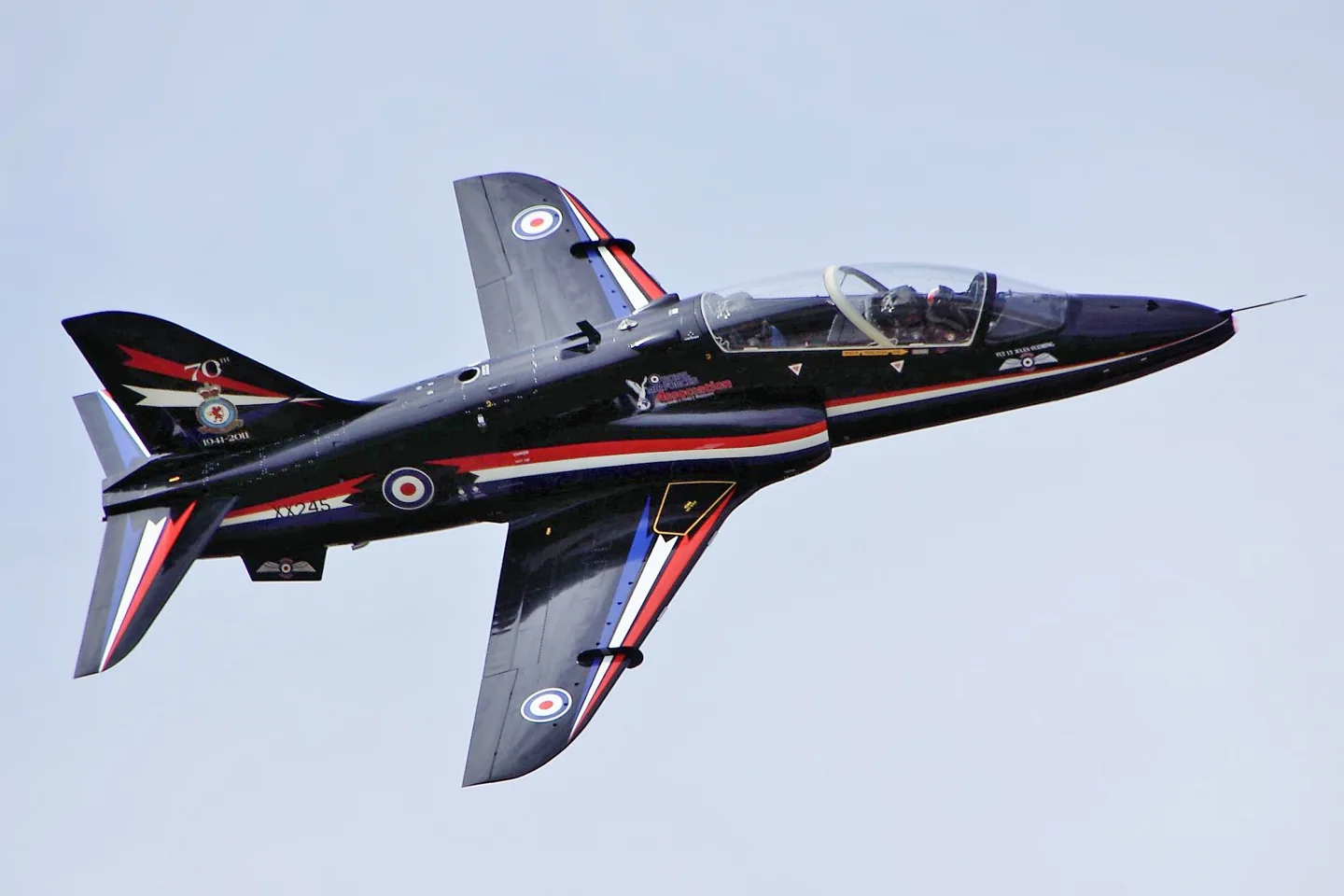
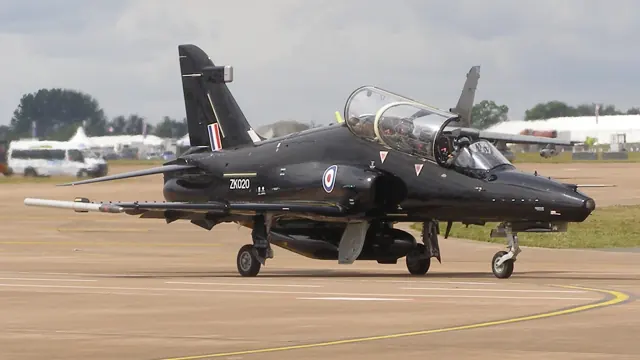
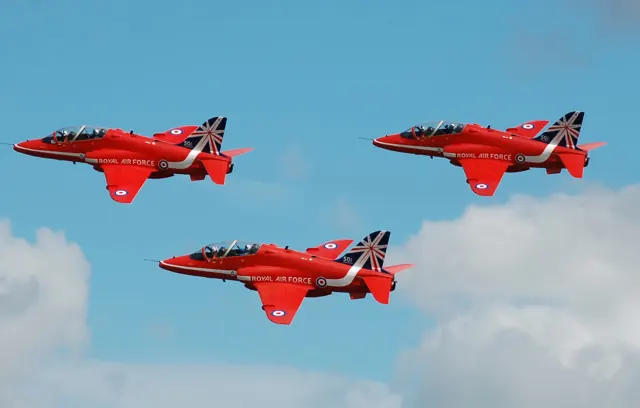
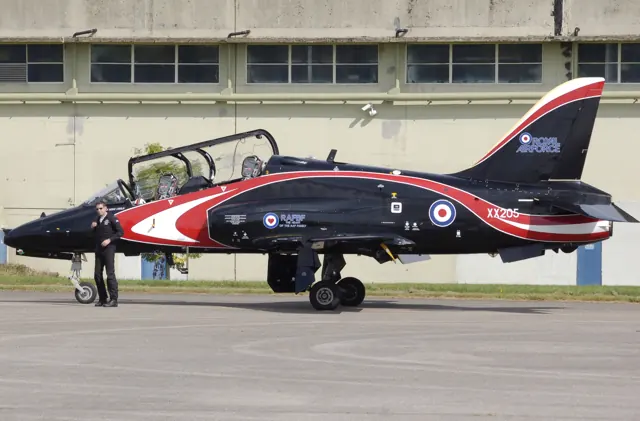
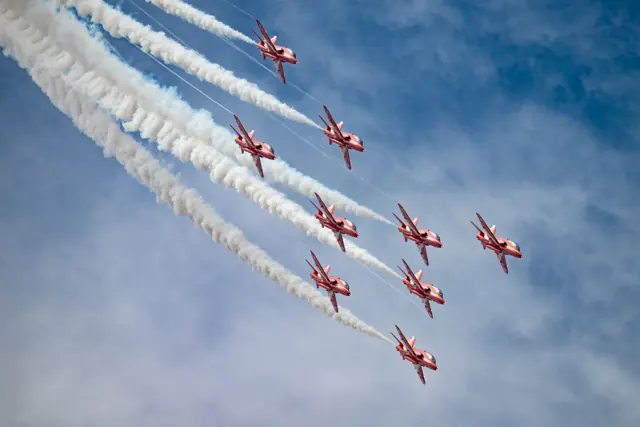
First developed under the Hawker Siddeley name, the Hawk continued through British Aerospace and BAE Systems. Its single-engine, subsonic design serves advanced training and, in some versions, combat roles. The T1 and later Hawks differ in equipment, identified by the model captions on photographs and specifications.
Aircraft background
Wikipedia contributors · Read more ↗Learning to think ahead of the jet
Coming from the Tucano, Heasman found the Hawk’s forward view immediately impressive. Other changes required adjustment. There was no nosewheel steering, and the jet responded differently to power changes from the turboprop he had known. In formation, anticipating what would happen next became especially important when the aircraft was both slippery and slower to respond to throttle movement.
Hush-Kit interview · September 2017. Pilot discussing both Hawk T1 and T2 experience; the Tucano-to-Hawk transition concerns the earlier T1.
Hush-Kit · Read more ↗Hydraulics extend beyond the flying controls
Just Flight describes two hydraulic systems, accumulators, a ram-air turbine, powered flying controls and standby functions for the gear and flaps. Its product documentation provides an overview of how these parts fit together in the add-on.
Just Flight Hawk T1/A · MSFS 2020/2024
Just Flight · Read more ↗Into the cockpit
 YouTube
 cgaviator · 15 min ·
Simple Cold & Dark (Condensed Checklist) - JF Hawk T1 (MSFS) - real Hawk pilot
A former Hawk pilot presents a condensed startup walkthrough for Just Flight's MSFS model.
Simulator · Just Flight Hawk · MSFS
Watch on YouTube ↗Preview images are served by AirframeDB. Videos open on YouTube only when you choose to watch.
Meet BAe Hawk
First developed under the Hawker Siddeley name, the Hawk continued through British Aerospace and BAE Systems. Its single-engine, subsonic design serves advanced training and, in some versions, combat roles. The T1 and later Hawks differ in equipment, identified by the model captions on photographs and specifications.
BAe Hawk
Aircraft type designators
Use the code for the model you are flying. The linked authority lists the applicable aircraft.
History & design
An encouraging first flight begins a development programme
Duncan Simpson flew the first Hawk, XX154, from Dunsfold on 21 August 1974. The programme then expanded through several development aircraft and the G-HAWK demonstrator. Early favourable cockpit and handling impressions were followed by aerodynamic problems discovered as the flight envelope widened, leading to further refinement.
Royal Aeronautical Society · The Hawk Story ↗Harry Fraser-Mitchell’s engineering history · PDF pp.26–27
Development milestones
First flight: 21 August 1974
Wikipedia contributors · BAE Systems Hawk ↗BAE Systems Hawk · family/variant named by the source · Wikipedia revision 1373815529
Pilot accounts
Learning to think ahead of the jet
Coming from the Tucano, Heasman found the Hawk’s forward view immediately impressive. Other changes required adjustment. There was no nosewheel steering, and the jet responded differently to power changes from the turboprop he had known. In formation, anticipating what would happen next became especially important when the aircraft was both slippery and slower to respond to throttle movement.
Heasman enjoyed both generations of Hawk, while describing different demands in their cockpits. The T1 kept the pilot close to its basic handling; the T2 added the work of learning and managing a much more capable avionics installation. His enthusiasm for the aircraft survived those differences, with each version offering its own combination of flying pleasure and professional challenge.
Hush-Kit interview · September 2017. Pilot discussing both Hawk T1 and T2 experience; the Tucano-to-Hawk transition concerns the earlier T1.
Read the full account · Hush-Kit ↗A childhood flypast becomes a place on the team
McEwen traced his ambition to seeing the Red Arrows fly over his childhood home with Concorde. Years later, learning that he had been selected for the team brought an excited telephone call to his father. The childhood spectacle had become a job for which he now had to prepare.
Moving from the F-35B to the Hawk T1 meant changing how he worked with the aircraft. He described a closer reliance on basic handling and trust in the people around him. Early preparation included observing the existing team and beginning the long process of building the next display. Progress would take daily work, with the understanding that improvement in such demanding flying would not always arrive in a straight line.
RAF interview as training began for the 2025 Red Arrows season. New Red 3 transitioning from the F-35B to the Hawk T1; subsequent season outcomes are not inferred.
Read the full account · Royal Air Force ↗Returning with experience from both sides of the formation
Roberts remembered his three years displaying with the Red Arrows as some of his most demanding and rewarding flying. He had flown on both sides of the formation and finished as Synchro Leader. That experience gave him a useful view of what each pilot was trying to achieve when he was selected to return in a different role.
As Red 10, he would supervise and commentate from the ground while also flying the spare aircraft and photography sorties. Getting a photographer into position for a fleeting opportunity was one challenge he anticipated. He was excited to return, but conscious of the work behind each appearance: mentoring pilots, organising the calendar and making sure the display could take place at each site.
RAF interview during preparations for 2026. Former Red Arrows display pilot and Hawk T1 instructor returning as Red 10; new duties were prospective at publication.
Read the full account · Royal Air Force ↗In your simulator
Systems, equipment and documentation for each developer’s aircraft.
Compare simulator versions →MSFS 2020 · MSFS 2024BAe Hawk
Just Flight · Released
BAe Hawk
Just Flight · Released
X-Plane 11BAe Hawk
Just Flight · Released
BAe Hawk
Just Flight · Released
Aircraft specifications
Published figures for the named real-aircraft variant. Simulator equipment and performance can differ.
| Specification | Published value |
|---|---|
| Length | 12.43 m (40 ft 9 in) |
| Wingspan | 9.94 m (32 ft 7 in) |
| Height | 3.98 m (13 ft 1 in) |
| Wing area | 16.70 m² (179.64 ft² ) |
| Empty weight | 4,480 kg (9,880 lb) |
| Max takeoff weight | 9,100 kg (20,000 lb) |
| Powerplant | 1× Rolls-Royce Turbomeca Adour Mk. 951 turbofan with FADEC , 29 kN (6,500 lbf ) 29 kN |
| Maximum speed | Mach 0.84 (1,028 km/h, 639 mph, 555 kn) at altitude |
| Range | 2,520 km (1,360 nmi , 1,565 mi) |
| Service ceiling | 13,565 m (44,500 ft) |
| Rate of climb | 47 m/s (9,300 ft/min) |
Manuals & resources
Find your next read
Choose a topic for a short introduction and a link to the original source. Simulator references identify the developer and edition they cover.
Simulator documentation
Separate aircraft systems from tablet conveniencesJust Flight Hawk T1/A · MSFS 2020/2024
The Hawk’s EFB includes saved aircraft states and a basic autopilot convenience function. These are simulator convenience features.
EFB features and aircraft-state options
Just Flight · Read the source ↗Hydraulics extend beyond the flying controlsJust Flight Hawk T1/A · MSFS 2020/2024
Just Flight describes two hydraulic systems, accumulators, a ram-air turbine, powered flying controls and standby functions for the gear and flaps. Its product documentation provides an overview of how these parts fit together in the add-on.
Detailed aircraft systems · hydraulics and controls
Just Flight · Read the source ↗The tablet configures the cockpit for different activitiesBAe Hawk · Just Flight · MSFS 2020 · MSFS 2024
The EFB can select weapon or display-smoke panels and alternative gunsight/GPS arrangements. It also controls the rear pilot, ordnance, ground equipment and simple autopilot assistance. These are package options available around the Hawk T1/T1A cockpit.
Just Flight MSFS 2020/2024 listing · captured September 2026
Just Flight · Read the source ↗Checklists and starting states support learning the cockpitBAe Hawk · Just Flight · X-Plane 11
The X-Plane 11 Hawk includes interactive checklists and a choice of cold-and-dark or ready-for-takeoff states while stationary. Both cockpit positions are modelled, with radio navigation and separately controlled cockpit systems.
Just Flight / Thranda X-Plane 11 listing · captured September 2026
Just Flight · Read the source ↗Some visual features require another pluginBAe Hawk · Just Flight · X-Plane 11
The developer lists rain support through the free Librain plugin. Its separate sound-mixing window adjusts exterior, cockpit and effects volumes, while opening the canopy changes the sound reaching the cockpit.
X-Plane 11 product description; not an X-Plane 12 compatibility claim
Just Flight · Read the source ↗Return to the aircraft state you leftBAe Hawk · Just Flight · MSFS 2020 · MSFS 2024
Just Flight lists persistent aircraft states alongside cold-and-dark, ready-for-start and ready-for-takeoff presets. The tablet also provides checklists, maps, notes, a descent calculator and SimBrief and Navigraph chart integration.
MSFS product description · captured September 2026
Just Flight · Read the source ↗Pilot account
Learning to think ahead of the jetHush-Kit interview · September 2017. Pilot discussing both Hawk T1 and T2 experience; the Tucano-to-Hawk transition concerns the earlier T1.
Coming from the Tucano, Heasman found the Hawk’s forward view immediately impressive. Other changes required adjustment. There was no nosewheel steering, and the jet responded differently to power changes from the turboprop he had known. In formation, anticipating what would happen next became especially important when the aircraft was both slippery and slower to respond to throttle movement. Heasman enjoyed both generations of Hawk, while describing different demands in their cockpits.
Paul Heasman
Hush-Kit · Read the source ↗A childhood flypast becomes a place on the teamRAF interview as training began for the 2025 Red Arrows season. New Red 3 transitioning from the F-35B to the Hawk T1; subsequent season outcomes are not inferred.
McEwen traced his ambition to seeing the Red Arrows fly over his childhood home with Concorde. Years later, learning that he had been selected for the team brought an excited telephone call to his father. The childhood spectacle had become a job for which he now had to prepare. Moving from the F-35B to the Hawk T1 meant changing how he worked with the aircraft. He described a closer reliance on basic handling and trust in the people around him.
Andrew McEwen
Royal Air Force · Read the source ↗Read the original documentation from the people who created it. Manuals open on their publisher’s website.
Aircraft background
BAE Systems HawkWikipedia contributors · Research background · retrieved 2026-09-12 The Hawk StoryRoyal Aeronautical Society · Harry Fraser-Mitchell · Journal of Aeronautical History 2013/01 · PDF pp.26–27Product
Hawk T1/A Advanced Trainer (MSFS)Just Flight · Official developer / designated store catalogue · checked 2026-09-12 Hawk T1/A Advanced Trainer (X-Plane 11)Just Flight · Official developer / designated store catalogue · checked 2026-09-12Type designator
ICAO Doc 8643 — aircraft type designatorsInternational Civil Aviation Organization · Public search data retrieved 2026-09-14; authority update 2026-09-03Built-in force-feedback profiles
Read the documentary basis, editable starting settings and remaining questions for the aircraft you fly. Each explanation refers to the exact profile revision shown.
Catalogue programme-20261022-v1 · 2 profile choices
Just Flight Hawk T1/A
Just Flight · Free and Pro · Revision 5 · Inherited starting point
MSFS 2020 · MSFS 2024
Just Flight Hawk T1/A: Artificial centering represents powered ailerons and tailplane; the manual rudder does not turn pitch and roll into reversible controls.
BAe Hawk
Free and Pro · Revision 1 · Partial review
MSFS 2024 · MSFS 2020 · X-Plane 11
BAe Hawk: Artificial centering represents powered ailerons and tailplane; the manual rudder does not turn pitch and roll into reversible controls.
BAe Hawk
BAe Hawk: Artificial centering represents powered ailerons and tailplane; the manual rudder does not turn pitch and roll into reversible controls.
Aircraft and simulator scope
- BAe Hawk · MSFS 2024 · family starting point
- BAe Hawk · MSFS 2020 · family starting point
- BAe Hawk · X-Plane 11 · family starting point
Just Flight Hawk XP and MSFS product documentation; the advertised MSFS convenience autopilot is an add-on feature. · Selected choice: BAe Hawk. Documentary scope does not establish every variant, add-on revision or simulator binding.
The simulator model and controls
First developed under the Hawker Siddeley name, the Hawk continued through British Aerospace and BAE Systems. Its single-engine, subsonic design serves advanced training and, in some versions, combat roles. The T1 and later Hawks differ in equipment; photographs and figures here retain their model captions rather than treating the family as one cockpit.
This starting point selects BAe Hawk. Its aircraft-level settings do not select a particular developer’s custom systems.
How this profile feels
Spring resistance builds with the selected airspeed response. A separate aerodynamic term adds speed-dependent control load.
Valid trim provides the configured pressure relief. Autopilot following is off.
Controls and trim
The Hawk T1/A manual describes two hydraulic supplies powering ailerons and the all-moving tailplane without manual reversion. Aileron trim biases spring feel, and tailplane trim relieves column force. The rudder remains manual. Just Flight's optional EFB autopilot is a convenience feature of the simulation rather than evidence of a physical autopilot in every Hawk configuration.
About the values
The gains are normalized profile settings. They describe the chosen effect balance; hand force depends on the device and its output limits. IAS references are tuning values rather than operating limits. Physical acceptance of this revision remains pending.
What the documentation establishes
The MSFS source identifies the Hawk implementation and its powered flying controls and system equipment.
Powered flying controls and two hydraulic systems are explicitly listed; the page does not describe the artificial-feel schedule.
A basic EFB autopilot for ease of use is advertised; disabled following is not evidence that the add-on lacks autopilot.
Standby flaps, air brakes, landing-gear/brake accumulator and ram-air turbine are listed.
Documentary review and sources
These decisions describe the documentary basis and remaining gaps for this revision. Aircraft documentation and a starting setting describe different kinds of evidence.
Aircraft and variant
ReviewedThis starting point selects BAe Hawk. Its aircraft-level settings do not select a particular developer’s custom systems.
Flight controls
ReviewedThe Hawk T1/A manual describes two hydraulic supplies powering ailerons and the all-moving tailplane without manual reversion. Aileron trim biases spring feel, and tailplane trim relieves column force. The rudder remains manual. Just Flight's optional EFB autopilot is a convenience feature of the simulation rather than evidence of a physical autopilot in every Hawk configuration.
Trim
Not yet reviewedAileron trim biases its feel spring and powered tailplane trim relieves column force; any centre response remains a reduced representation of those separate mechanisms. Pitch authority 0.3 relieves permitted loading; hydraulic centre movement is off. Roll authority is 0.09.
Autopilot and stability
ReviewedAutopilot following is off; the configured spring and load retain the hardware feel.
Equipment
ReviewedGear, flap and ground cues follow the selected settings and available simulator-reported states.
Speeds and limits
Not yet reviewedThe indicated-speed references set the profile response scale; they are separate from aircraft operating limits.
Simulator integration
Not yet reviewedThe profile targets msfs2024, msfs2020, xplane11. Add-on-specific controls use only the supported references configured by this profile.
Force-feedback settings
Not yet reviewedThe settings define the profile’s effect balance. Device output limits affect physical hand force.
Starting settings and their rationale
These configured values are starting estimates. The explanations describe what each setting controls; physical validation appears separately below.
| Setting | Starting value | What it controls and why |
|---|---|---|
| Spring strength | Starting value0.8 | What it controls and whyArtificial centering represents powered ailerons and tailplane; the manual rudder does not turn pitch and roll into reversible controls. The baseline spring is 0.8. Its low-speed blend reaches baseline strength at 90 KIAS. |
| Master force gain | Starting value0.85 | What it controls and whyScales overall profile strength while preserving effect balance, subject to device and output limits. |
| Profile force gain | Starting value0.25 | What it controls and whyThe aerodynamic-load gain is 0.25 with an indicated-speed reference of 250 KIAS. The hydraulic-load factor of 0.35 scales that modeled term; it is a selected artificial-feel approximation. |
| Force tuning speed/reference | Starting value250.0 kt | What it controls and whySets the IAS reference for aerodynamic loading. It is an estimate, not published cruise TAS or a flight limit. |
| Spring response reference speed | Starting value90 kt | What it controls and whySets the IAS where the low-speed blend reaches baseline strength; high-speed stiffening also uses it. |
| Aileron force scale | Starting value0.65 | What it controls and whyRoll and pitch aerodynamic scales are 0.65 and 0.65, respectively. They set the aerodynamic axis balance. No custom spring-travel curve is enabled. |
| Elevator force scale | Starting value0.65 | What it controls and whyScales pitch aerodynamic loading; pitch spring travel and trim responses are separate settings. |
| Trim feel | Starting valueEnabled | What it controls and whyRetained for compatibility and group membership. Trim relief, rather than this flag, controls centre movement. |
| Trim relief | Starting valueEnabled | What it controls and whyAllows trim relief with supported control law and valid telemetry. Axis authorities set its amount. |
| Autopilot follow | Starting valueDisabled | What it controls and whyAutopilot following is off; the configured spring and load retain the hardware feel. |
| Autopilot neutral hold | Starting valueDisabled | What it controls and whyPermits centering hold during a supported AP state, separate from following a moving target. |
| Output force limit | Starting value0.55 | What it controls and whyCaps directed-force output. Native spring effects and device limits remain separate. |
All 44 starting settings and their rationale
The settings define the profile’s effect balance. Device output limits affect physical hand force.
| Setting | Starting value | What it controls and why |
|---|---|---|
| Spring strength | Starting value0.8 | What it controls and whyArtificial centering represents powered ailerons and tailplane; the manual rudder does not turn pitch and roll into reversible controls. The baseline spring is 0.8. Its low-speed blend reaches baseline strength at 90 KIAS. |
| Spring deadband | Starting value0.035 | What it controls and whySets travel around the centre before the baseline spring resists. Smaller values engage it sooner. |
| Profile force gain | Starting value0.25 | What it controls and whyThe aerodynamic-load gain is 0.25 with an indicated-speed reference of 250 KIAS. The hydraulic-load factor of 0.35 scales that modeled term; it is a selected artificial-feel approximation. |
| Master force gain | Starting value0.85 | What it controls and whyScales overall profile strength while preserving effect balance, subject to device and output limits. |
| QBlend Enabled | Starting valueEnabled | What it controls and whyAllows baseline spring strength to rise with indicated airspeed where the control law permits it. |
| QSpring Minimum Factor | Starting value0.55 | What it controls and whySets low-speed spring strength as a fraction of baseline when blending is enabled. One keeps full strength. |
| QSpring Start Knots | Starting value20 kt | What it controls and whySets the IAS where the low-speed spring blend starts rising. This is a feel threshold, not a flight limit. |
| Spring response reference speed | Starting value90 kt | What it controls and whySets the IAS where the low-speed blend reaches baseline strength; high-speed stiffening also uses it. |
| Force tuning speed/reference | Starting value250.0 kt | What it controls and whySets the IAS reference for aerodynamic loading. It is an estimate, not published cruise TAS or a flight limit. |
| Airspeed spring stiffening gain | Starting value0 | What it controls and whyThe high-speed spring-stiffening gain is 0. No additional speed-driven stiffening is added; this does not disable independent aerodynamic loading. |
| Airspeed spring stiffening limit | Starting value5 | What it controls and whyLimits the squared airspeed ratio used for high-speed spring stiffening; it is not a device-force cap. |
| Aileron force scale | Starting value0.65 | What it controls and whyRoll and pitch aerodynamic scales are 0.65 and 0.65, respectively. They set the aerodynamic axis balance. No custom spring-travel curve is enabled. |
| Elevator force scale | Starting value0.65 | What it controls and whyScales pitch aerodynamic loading; pitch spring travel and trim responses are separate settings. |
| Output force limit | Starting value0.55 | What it controls and whyCaps directed-force output. Native spring effects and device limits remain separate. |
| Trim feel | Starting valueEnabled | What it controls and whyRetained for compatibility and group membership. Trim relief, rather than this flag, controls centre movement. |
| Trim relief | Starting valueEnabled | What it controls and whyAllows trim relief with supported control law and valid telemetry. Axis authorities set its amount. |
| Elevator Authority | Starting value0.3 | What it controls and whyAileron trim biases its feel spring and powered tailplane trim relieves column force; any centre response remains a reduced representation of those separate mechanisms. Pitch authority 0.3 relieves permitted loading; hydraulic centre movement is off. Roll authority is 0.09. |
| Aileron Authority | Starting value0.09 | What it controls and whyScales supported roll-trim relief and permitted centre movement. Zero removes roll response. |
| Force Trim Enabled | Starting valueDisabled | What it controls and whyEnables local force trim, separate from aircraft-owned trim and add-on integration qualification. |
| GLoad Enabled | Starting valueEnabled | What it controls and whyAllows load-factor changes to modify permitted spring laws. Passive fly-by-wire feel can suppress it. |
| Rate Damping Enabled | Starting valueEnabled | What it controls and whyEnables rate damping with the configured coefficients and control law. |
| Autopilot follow | Starting valueDisabled | What it controls and whyAutopilot following is off; the configured spring and load retain the hardware feel. |
| Autopilot follow authority | Starting value0.1 | What it controls and whySets admitted AP-follow gain, not a percentage of travel. Runtime ownership and input limits still apply. |
| Autopilot neutral hold | Starting valueDisabled | What it controls and whyPermits centering hold during a supported AP state, separate from following a moving target. |
| Autopilot neutral hold strength | Starting value0.6 | What it controls and whySets admitted AP neutral-hold strength; inactive while neutral hold is disabled. |
| Enabled | Starting valueEnabled | What it controls and whyEnables aerodynamic cues; each still needs nonzero strength and its simulator conditions. |
| Gain | Starting value0.3 | What it controls and whySets stall-buffet strength. Zero removes the cue without changing simulator stalls or warnings. |
| Gain | Starting value0 | What it controls and whySets high-Mach buffet strength; onset and full-strength thresholds are separate. |
| Gain | Starting value0.14 | What it controls and whySets flap buffet at the configured position and speed gates. Flap movement texture is separate. |
| Maximum flap index | Starting value2 | What it controls and whySets the final flap index for detent normalization. UP plus three detents uses maximum index3. |
| Minimum flap index | Starting value2 | What it controls and whySets the first flap detent that admits buffet; this is a handle index, not degrees. |
| Gain | Starting value0.1 | What it controls and whySets gear aerodynamic buffet; movement and ground-contact cues are separate. |
| Shaker Enabled | Starting valueEnabled | What it controls and whyPermits shaker at supported warning conditions; the switch does not establish aircraft equipment. |
| Stick shaker amplitude | Starting value0.9 | What it controls and whySets triggered shaker strength; inactive while the shaker feature is disabled. |
| Enabled | Starting valueEnabled | What it controls and whyEnables ground effects; each still needs its own strength and contact or motion telemetry. |
| Gain | Starting value0.4 | What it controls and whySets rolling texture strength, modified by speed, surface and undercarriage configuration. |
| Gain | Starting value0.32 | What it controls and whySets gear-bump texture during ground motion, separate from touchdown impact. |
| Gain | Starting value0.9 | What it controls and whySets landing-impact strength; landing telemetry and response shape determine the pulse. |
| Gain | Starting value0.5 | What it controls and whySets reverse-thrust vibration with valid reverser and engine conditions. Zero removes the cue. |
| Enabled | Starting valueEnabled | What it controls and whyEnables engine cues with nonzero settings and valid running-engine telemetry. |
| Gain | Starting value0.06 | What it controls and whySets estimated engine vibration using configured telemetry and response, not measured cockpit vibration. |
| Enabled | Starting valueEnabled | What it controls and whyEnables accessory cues with configured strengths and observed accessory movement. |
| Gain | Starting value0.12 | What it controls and whySets texture from observed flap movement; a command without movement does not establish the cue. |
| Gain | Starting value0.12 | What it controls and whySets texture from observed gear movement, separate from aerodynamic and touchdown effects. |
Limits and open questions
- The listed hydraulic equipment does not establish Hawk trim mechanism, travel or external trim ownership.
- The feature list does not derive the preset's indicated-speed force reference or exact overspeed/Mach schedule.
- An EFB convenience autopilot does not establish standard servo-output variables or external control ownership.
- Powered-control features do not quantify cockpit feel, aerodynamic blending or pitch-to-roll force scaling.
Physical validation
No physical force validation is recorded in this public catalogue for this revision. Documentary review and software checks do not establish how a particular device feels.
Discuss this aircraft (0)
Questions, observations and useful sources from the community.
No published discussions yet. Bring a question or share a useful source.
Open aircraft discussions →Content expanded · What’s new
Something missing or a source that needs attention?
Suggest a correction ↗