






Start here
A few places to begin, from the aircraft’s story to the people who fly it.
Meet the aircraft
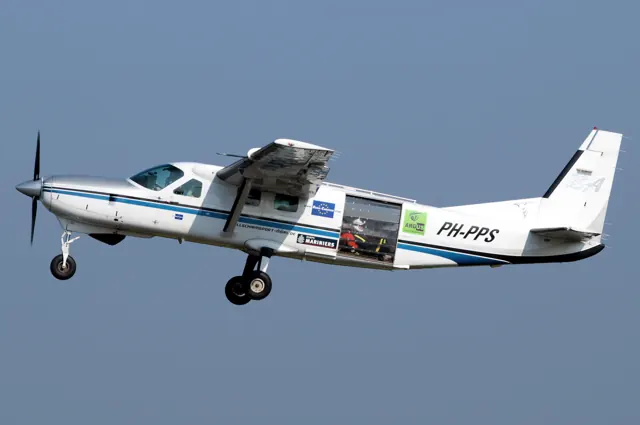
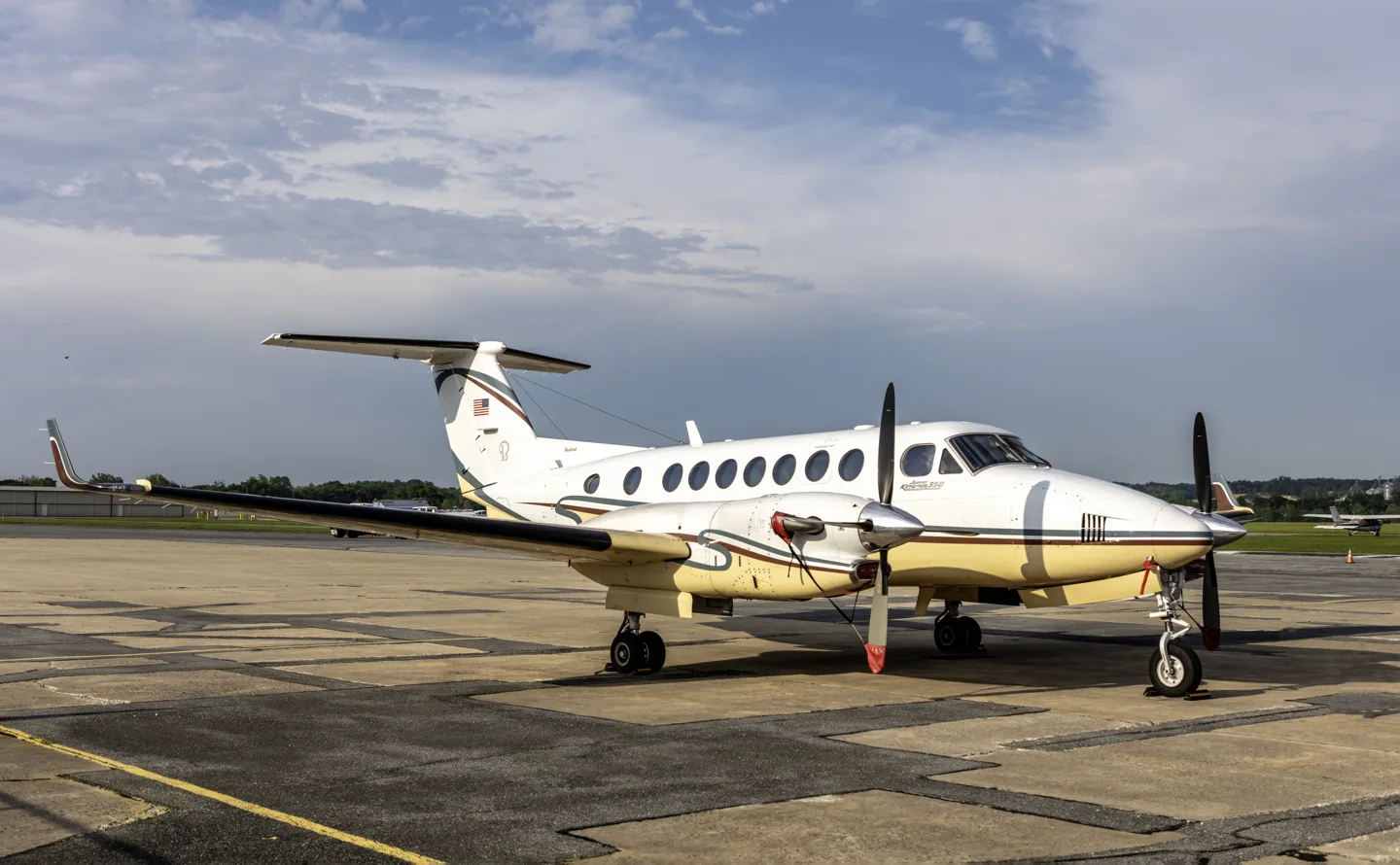
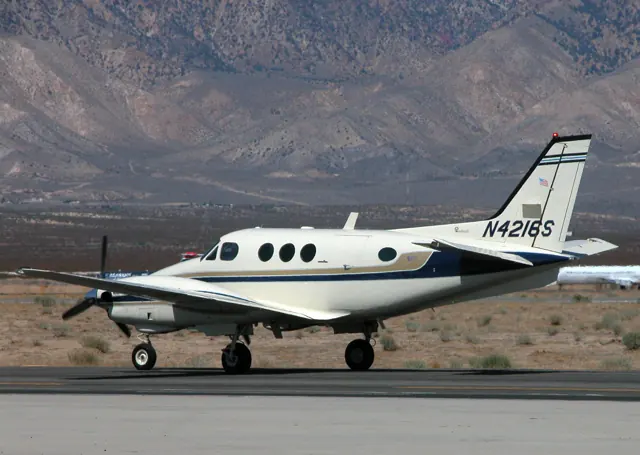
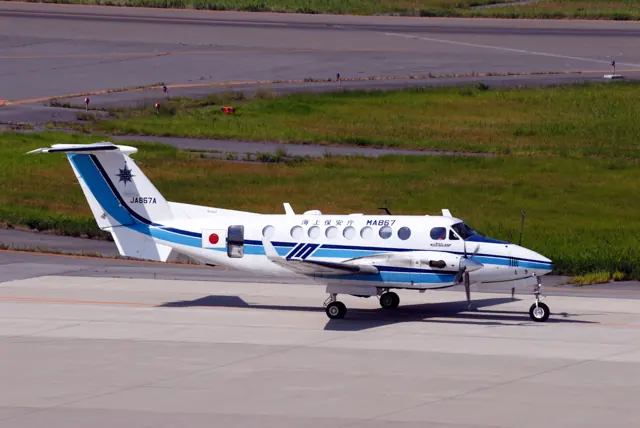
Beechcraft's King Air range grew from the 90-series aircraft into a broad family of pressurised utility and business transports. The later 200 and 300 series were originally marketed as Super King Airs. Their T-tails provide a quick visual distinction from the smaller 90-series lineage. The C90 and 350 aircraft gathered here differ in airframe, engines and systems. They also span conventional instrumentation and modern avionics.
Aircraft background
Wikipedia contributors · Read more ↗The 350 feels lighter at the controls than the 300
Aarons reports an evaluation of N120SK during the Super King Air 350's late certification programme. One of the two evaluation pilots already knew the Model 300, making the comparison especially revealing: that pilot initially overcontrolled in pitch because the new aircraft required less effort. The crew subsequently liked the balance between pitch and roll forces, its climb attitude and the view from the cockpit.
Business & Commercial Aviation, October 1989; publisher reprint copyright 1995. N120SK evaluation during certification; crew observations reported by Aarons.
Business & Commercial Aviation · Read more ↗The smaller King Air's cockpit
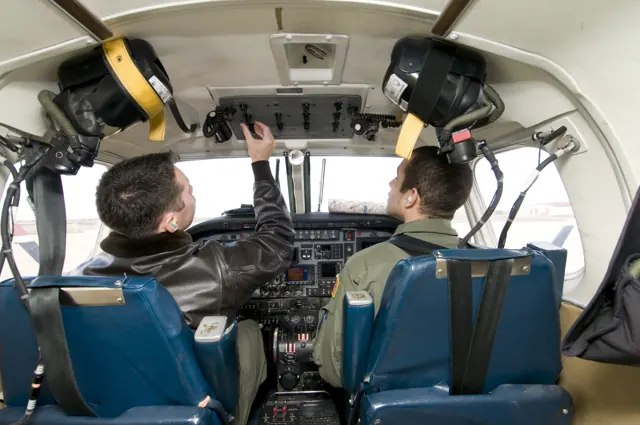
The C90B guide identifies roll and yaw trim controls and the navigation and autopilot systems implemented in Laminar's aircraft. The guide covers the 90-series cockpit.
Beechcraft King Air C90B · X-Plane 12
Laminar Research · Read more ↗Into the cockpit
 YouTube
 captmoonbeam
Beechcraft Super King Air 350 Cockpit in flight
See the cockpit in flight; the panel differs from later 350i installations.
Real King Air 350; older analogue cockpit
Watch on YouTube ↗Preview images are served by AirframeDB. Videos open on YouTube only when you choose to watch.
Meet Beechcraft King Air family
Beechcraft's King Air range grew from the 90-series aircraft into a broad family of pressurised utility and business transports. The later 200 and 300 series were originally marketed as Super King Airs. Their T-tails provide a quick visual distinction from the smaller 90-series lineage.
The C90 and 350 aircraft gathered here differ in airframe, engines and systems. They also span conventional instrumentation and modern avionics. The named variants identify the airframe and equipment described in each source.
Beechcraft King Air
Beechcraft → · Explore the family →
King Air 90 series
Wikipedia contributors · Beechcraft King Air ↗King Air C90B
Wikipedia contributors · Beechcraft King Air ↗Laminar Research · X-Plane 12 →Laminar Research · X-Plane 11 →King Air C90GTx
Wikipedia contributors · Beechcraft King Air ↗Microsoft Flight Simulator · MSFS 2024 →King Air 350
Wikipedia contributors · Beechcraft King Air ↗Airfoillabs · X-Plane 11 · X-Plane 12 →King Air 350i
Wikipedia contributors · Beechcraft King Air ↗Microsoft Flight Simulator · MSFS 2024 →Microsoft Flight Simulator · MSFS 2020 →Black Square · MSFS 2020 →Aircraft type designators
Use the code for the model you are flying. The linked authority lists the applicable aircraft.
History & design
Development milestones
First flight: May 15, 1963 (Model 87) January 24, 1964 (Model 65-90)
Developed from: Beechcraft Queen Air
Wikipedia contributors · Beechcraft King Air ↗Beechcraft King Air · family/variant named by the source · Wikipedia revision 1374355378
Pilot accounts
The 350 feels lighter at the controls than the 300
Aarons reports an evaluation of N120SK during the Super King Air 350's late certification programme. One of the two evaluation pilots already knew the Model 300, making the comparison especially revealing: that pilot initially overcontrolled in pitch because the new aircraft required less effort. The crew subsequently liked the balance between pitch and roll forces, its climb attitude and the view from the cockpit. Across six takeoffs, they did not encounter power surging that needed manual correction.
The report also describes slow flight and asymmetric airwork. The crew found useful aileron response through the stall exercises and liked the aircraft's engine-out handling. Their observations of longitudinal and lateral stability are tied to the test loading and configuration described in the article. Reduced control effort was a prominent difference from the earlier model he knew.
Business & Commercial Aviation, October 1989; publisher reprint copyright 1995. N120SK evaluation during certification; crew observations reported by Aarons.
Read the full account · Business & Commercial Aviation ↗Taking a factory-new 350 across the Atlantic
Horne accompanied Peter Herr on a delivery flight carrying a new King Air 350 from the United States to its European customer. From the cockpit, the high seating position, broad wing and substantial feel made an immediate impression. The journey then supplied a more demanding test of the aircraft's usefulness: the Goose Bay–Reykjavik leg lasted nearly five hours, with headwinds reaching 75 knots near Greenland and the predicted fuel reserve becoming an uncomfortable focus of attention.
They arrived with more fuel than the most worrying prediction had suggested, but the destination provided another challenge. Strong, gusty wind at Reykjavik moved even this heavy aircraft around, requiring an appreciable crab on approach. Horne's account also stresses the value of familiarity with the flare and of having another pilot share the navigation-system work.
AOPA Pilot, June 2002. Factory-new King Air 350 delivery with Peter Herr; North Atlantic routing.
Read the full account · AOPA Pilot ↗A busy cockpit and a dependable working aircraft
McClellan writes from continuing experience in King Air 350 and 360 operations. He finds the cockpit demanding in small, physical ways: the pedestal makes getting into the seats awkward, propeller noise makes a good headset valuable, and changes in power or propeller speed call for attention to trim. The throttle response rewards careful, small movements. Once settled, however, he finds the seats comfortable, and passengers farther behind the propellers experience a quieter cabin.
His account also describes different crew preferences for operating the Pro Line Fusion avionics, which provide several ways to accomplish the same task. He favours cruising in the twenties rather than using the aircraft's highest available levels, partly for cabin comfort. Against those irritations, he sets his operation's dispatch experience: approximately 1,600 hours over four years with one cancellation attributed to a starter-generator. The combination helps explain his continued appreciation of an aircraft whose cockpit he describes without romanticising it.
AOPA Pilot, published 11 January 2024 despite the 2023 URL path. Working experience in King Air 350/360 operations.
Read the full account · AOPA Pilot ↗What saves this King
AOPA Pilot, page dated 11 January 2024: a first-person account of flying a King Air 350/360.
In your simulator
Systems, equipment and documentation for each developer’s aircraft.
Compare simulator versions →MSFS 2024King Air 350i
Microsoft Flight Simulator · Released
King Air 350i
Microsoft Flight Simulator · Released
MSFS 2024C90 GTX King Air
Microsoft Flight Simulator · Released
C90 GTX King Air
Microsoft Flight Simulator · Released
MSFS 2020Beechcraft King Air 350i
Microsoft Flight Simulator · Released
Beechcraft King Air 350i
Microsoft Flight Simulator · Released
X-Plane 12Beechcraft King Air C90B
Laminar Research · Released
Beechcraft King Air C90B
Laminar Research · Released
X-Plane 11Beechcraft King Air C90B
Laminar Research · Released
Beechcraft King Air C90B
Laminar Research · Released
X-Plane 11 · X-Plane 12King Air 350 · Airfoillabs
Airfoillabs · Released
King Air 350 · Airfoillabs
Airfoillabs · Released
MSFS 2020 Enhancement Beechcraft King Air family
Black Square · Released
Beechcraft King Air family
Black Square · Released
X-Plane 12King Air C90B EVO G1000 Blackhawk
C90B EVO Team · Released
King Air C90B EVO G1000 Blackhawk
C90B EVO Team · Released
X-Plane 12King Air C90B EVO GNS
C90B EVO Team · Released
King Air C90B EVO GNS
C90B EVO Team · Released
MSFS 2020 · MSFS 2024B200
Carenado · Released
B200
Carenado · Released
Manuals & resources
Find your next read
Choose a topic for a short introduction and a link to the original source. Simulator references identify the developer and edition they cover.
Simulator documentation
The smaller King Air's cockpitBeechcraft King Air C90B · Laminar Research · X-Plane 12 / X-Plane 11
The C90B guide identifies roll and yaw trim controls and the navigation and autopilot systems implemented in Laminar's aircraft. The guide covers the 90-series cockpit.
Archived simulator manual; installed package revision not observed · PDF pp.6,29
Laminar Research · Read the source ↗Avionics choices and custom automatic flightKing Air 350 · Airfoillabs · Airfoillabs · X-Plane 11 · X-Plane 12
Airfoillabs's King Air 350 v2 combines avionics options with custom autopilot logic, including VNAV and approach behaviour. The product description also covers engine simulation, pressurisation and ice-protection systems. The reviewed branch is for X-Plane 12.
King Air350 v2.0.3 December 2025; XP12 · Avionics & Autopilot; version and requirements
Airfoillabs · Read the source ↗Released product and variantsKing Air 350 · Airfoillabs · Airfoillabs · X-Plane 11 · X-Plane 12
Separate King Air 350 products are sold for XP11 and XP12. The XP12 package has its own flight model and systems updates; the older XP11 download is explicitly not compatible with XP12.
Official developer / designated-store reference · checked 2026-09-14
Airfoillabs · Read the source ↗Pilot account
The 350 feels lighter at the controls than the 300Business & Commercial Aviation, October 1989; publisher reprint copyright 1995. N120SK evaluation during certification; crew observations reported by Aarons.
Aarons reports an evaluation of N120SK during the Super King Air 350's late certification programme. One of the two evaluation pilots already knew the Model 300, making the comparison especially revealing: that pilot initially overcontrolled in pitch because the new aircraft required less effort. The crew subsequently liked the balance between pitch and roll forces, its climb attitude and the view from the cockpit.
Richard N. Aarons, reporting the BCA evaluation crew
Business & Commercial Aviation · Read the source ↗Taking a factory-new 350 across the AtlanticAOPA Pilot, June 2002. Factory-new King Air 350 delivery with Peter Herr; North Atlantic routing.
Horne accompanied Peter Herr on a delivery flight carrying a new King Air 350 from the United States to its European customer. From the cockpit, the high seating position, broad wing and substantial feel made an immediate impression. The journey then supplied a more demanding test of the aircraft's usefulness: the Goose Bay–Reykjavik leg lasted nearly five hours, with headwinds reaching 75 knots near Greenland and the predicted fuel reserve becoming an uncomfortable focus of attention.
Thomas A. Horne
AOPA Pilot · Read the source ↗Developer documentation
King Air C90B EVO G1000 Blackhawk — product listingKing Air C90B EVO G1000 Blackhawk · X-Plane 12
Author-hosted product listing observed 2026-09-29; original page bytes unavailable (prior browser note preserved)
X-Plane.org author upload · Read the source ↗King Air C90B EVO GNS — product listingKing Air C90B EVO GNS · X-Plane 12
Author-hosted product listing observed 2026-09-29; original page bytes unavailable (prior browser note preserved)
X-Plane.org author upload · Read the source ↗B200 — product listingB200 · MSFS 2020 · MSFS 2024
Product listing captured 2026-09-23; edition scope from the reviewed catalogue
www.carenado.com · Read the source ↗B200 — product listingB200 · MSFS 2020 · MSFS 2024
Product listing captured 2026-09-23; edition scope from the reviewed catalogue
www.carenado.com · Read the source ↗Read the original documentation from the people who created it. Manuals open on their publisher’s website.
Manual
Microsoft Flight Simulator aircraft manualsMicrosoft / aircraft developers Beechcraft King Air C90B POHLaminar Research X-Plane 12 Desktop ManualLaminar Research X-Plane aircraft and avionics manualsLaminar Research X-Plane 11 Desktop ManualLaminar ResearchAircraft background
Beechcraft King AirWikipedia contributors · Research background · Wikipedia revision 1374355378 · retrieved 2026-09-12Resource
MSFS 2024 FAQ and edition aircraft inventoryMicrosoft MSFS 2020 FAQ and edition aircraft inventoryMicrosoft King Air 350AirfoillabsProduct
Steam Gauge Overhaul - Analog King AirBlack Square · Official developer / designated store catalogue · checked 2026-09-12 King Air C90B EVO, G1000 BlackhawkX-Plane.org author upload · Author-hosted product listing observed 2026-09-29; original page bytes unavailable (prior browser note preserved) King Air C90B EVO GNS/GTN Blackhawk XP12X-Plane.org author upload · Author-hosted product listing observed 2026-09-29; original page bytes unavailable (prior browser note preserved) B200 MSFS2020 – Carenadowww.carenado.com · Product listing captured 2026-09-23; edition scope from the reviewed catalogue B200 MSFS2024 – Carenadowww.carenado.com · Product listing captured 2026-09-23; edition scope from the reviewed catalogueDeveloper documentation
KING AIR 350 for X-Plane 12-airfoillabs-KA350_XP12Airfoillabs · Official developer / designated-store reference · checked 2026-09-14 King Air 350 XP11-airfoillabs-KA350Airfoillabs · Official developer / designated-store reference · checked 2026-09-14Type designator
ICAO Doc 8643 — aircraft type designatorsInternational Civil Aviation Organization · Public search data retrieved 2026-09-14; authority update 2026-09-03Built-in force-feedback profiles
Read the documentary basis, editable starting settings and remaining questions for the aircraft you fly. Each explanation refers to the exact profile revision shown.
Catalogue programme-20261022-v1 · 13 profile choices
Airfoillabs King Air 350
Airfoillabs · Free and Pro · Revision 4 · Inherited starting point
X-Plane 12
Airfoillabs King Air 350: Published 350 handling supports a qualitative pitch-heavy balance; it does not fix a universal pitch/roll force ratio for every King Air.
Black Square Analog King Air 350
Black Square · Free and Pro · Revision 1 · Inherited starting point
MSFS 2020
Black Square Analog King Air 350: Published 350 handling supports a qualitative pitch-heavy balance; it does not fix a universal pitch/roll force ratio for every King Air.
Carenado B200 King Air (MSFS)
Carenado · Free and Pro · Revision 3 · Inherited starting point
MSFS 2020 · MSFS 2024
Carenado B200 King Air (MSFS): Published 350 handling supports a qualitative pitch-heavy balance; it does not fix a universal pitch/roll force ratio for every King Air.
Carenado B200 King Air (X-Plane)
Carenado · Free and Pro · Revision 1 · Partial review
X-Plane 11
Carenado B200 King Air (X-Plane): Published 350 handling supports a qualitative pitch-heavy balance; it does not fix a universal pitch/roll force ratio for every King Air.
Carenado C90 GTX King Air
Carenado · Free and Pro · Revision 1 · Partial review
X-Plane 11
Carenado C90 GTX King Air: Published 350 handling supports a qualitative pitch-heavy balance; it does not fix a universal pitch/roll force ratio for every King Air.
Carenado C90B King Air
Carenado · Free and Pro · Revision 1 · Partial review
X-Plane 11
Carenado C90B King Air: Published 350 handling supports a qualitative pitch-heavy balance; it does not fix a universal pitch/roll force ratio for every King Air.
C90B EVO Team King Air C90B EVO Blackhawk G1000
C90B EVO Team · Free and Pro · Revision 3 · Inherited starting point
X-Plane 12
C90B EVO Team King Air C90B EVO Blackhawk G1000: Published 350 handling supports a qualitative pitch-heavy balance; it does not fix a universal pitch/roll force ratio for every King Air.
C90B EVO Team King Air C90B EVO Blackhawk GNS GTN
C90B EVO Team · Free and Pro · Revision 3 · Inherited starting point
X-Plane 12
C90B EVO Team King Air C90B EVO Blackhawk GNS GTN: Published 350 handling supports a qualitative pitch-heavy balance; it does not fix a universal pitch/roll force ratio for every King Air.
Beechcraft King Air 350i
Free and Pro · Revision 2 · Inherited starting point
MSFS 2020 · MSFS 2024 · X-Plane 11 · X-Plane 12
Beechcraft King Air 350i: Published 350 handling supports a qualitative pitch-heavy balance; it does not fix a universal pitch/roll force ratio for every King Air.
Beechcraft King Air B200
Free and Pro · Revision 1 · Inherited starting point
MSFS 2020 · MSFS 2024 · X-Plane 11 · X-Plane 12
Beechcraft King Air B200: Published 350 handling supports a qualitative pitch-heavy balance; it does not fix a universal pitch/roll force ratio for every King Air.
Beechcraft King Air C90B
Free and Pro · Revision 1 · Partial review
MSFS 2020 · MSFS 2024 · X-Plane 11 · X-Plane 12
Beechcraft King Air C90B: Published 350 handling supports a qualitative pitch-heavy balance; it does not fix a universal pitch/roll force ratio for every King Air.
Beechcraft King Air C90GTX
Free and Pro · Revision 1 · Inherited starting point
MSFS 2020 · MSFS 2024 · X-Plane 11 · X-Plane 12
Beechcraft King Air C90GTX: Published 350 handling supports a qualitative pitch-heavy balance; it does not fix a universal pitch/roll force ratio for every King Air.
Beechcraft King Air 350i
Free and Pro · Revision 3 · Partial review
MSFS 2024 · MSFS 2020 · X-Plane 12 · X-Plane 11
Mechanical yoke controls and pitch-trim relief, with separate twin-propeller, gear and flap cues.
Carenado B200 King Air (X-Plane)
Carenado B200 King Air (X-Plane): Published 350 handling supports a qualitative pitch-heavy balance; it does not fix a universal pitch/roll force ratio for every King Air.
Aircraft and simulator scope
- Carenado B200 King Air (X-Plane) · Carenado · X-Plane 11 · Add-on starting point
Carenado B200 King Air (X-Plane) · Historical XP11 catalogue scope; compatibility is not transferred to XP12.
The simulator model and controls
Beechcraft's King Air range grew from the 90-series aircraft into a broad family of pressurised utility and business transports. The later 200 and 300 series were originally marketed as Super King Airs. Their T-tails provide a quick visual distinction from the smaller 90-series lineage.
This profile selects Carenado B200 King Air (X-Plane) for X-Plane 11.
How this profile feels
Spring resistance builds with the selected airspeed response. A separate aerodynamic term adds speed-dependent control load.
Valid trim provides the configured pressure relief. Autopilot following is off.
Controls and trim
The King Air family spans C90, B200 and 350 airframes with different avionics and powerplants. The C90B manual documents mechanical elevator and aileron trim tabs, with rudder trim acting on yaw. A published 350 flight report describes heavier pitch than roll and effective trim wheels, supplying related-family handling context rather than a measured 350i force curve. The Black Square 350 and Airfoillabs 350 retain their own autopilot logic.
The selected implementation
Carenado B200 XP11 lists two GNS430 units; those avionics do not establish a normalized autopilot movement target.
About the values
The gains are normalized profile settings. They describe the chosen effect balance; hand force depends on the device and its output limits. IAS references are tuning values rather than operating limits. Physical acceptance of this revision remains pending.
What the documentation establishes
Carenado identifies its B200 King Air XP11 product with two GNS430 units.
Documentary review and sources
These decisions describe the documentary basis and remaining gaps for this revision. Aircraft documentation and a starting setting describe different kinds of evidence.
Aircraft and variant
ReviewedThis profile selects Carenado B200 King Air (X-Plane) for X-Plane 11.
Flight controls
Not yet reviewedThe King Air family spans C90, B200 and 350 airframes with different avionics and powerplants. The C90B manual documents mechanical elevator and aileron trim tabs, with rudder trim acting on yaw. A published 350 flight report describes heavier pitch than roll and effective trim wheels, supplying related-family handling context rather than a measured 350i force curve. The Black Square 350 and Airfoillabs 350 retain their own autopilot logic.
Trim
Not yet reviewedMechanical elevator trim supports pitch relief, while aileron trim is separate from rudder trim. The selected authorities approximate those axis responses. Pitch authority 0.3 provides load relief and permitted centre movement; roll authority is 0.
Autopilot and stability
Not yet reviewedAutopilot following is off; the configured spring and load retain the hardware feel.
Equipment
Not yet reviewedCarenado B200 XP11 lists two GNS430 units; those avionics do not establish a normalized autopilot movement target.
Speeds and limits
Not yet reviewedThe indicated-speed references set the profile response scale; they are separate from aircraft operating limits.
Simulator integration
Not yet reviewedThe profile targets xplane11. Add-on-specific controls use only the supported references configured by this profile.
Force-feedback settings
Not yet reviewedThe settings define the profile’s effect balance. Device output limits affect physical hand force.
Starting settings and their rationale
These configured values are starting estimates. The explanations describe what each setting controls; physical validation appears separately below.
| Setting | Starting value | What it controls and why |
|---|---|---|
| Spring strength | Starting value0.74 | What it controls and whyPublished 350 handling supports a qualitative pitch-heavy balance; it does not fix a universal pitch/roll force ratio for every King Air. The baseline spring is 0.74. Its low-speed blend reaches baseline strength at 95 KIAS. |
| Master force gain | Starting value0.85 | What it controls and whyScales overall profile strength while preserving effect balance, subject to device and output limits. |
| Profile force gain | Starting value0.68 | What it controls and whyThe aerodynamic-load gain is 0.68 with an indicated-speed reference of 230 KIAS. This supplies speed-dependent loading alongside the spring. |
| Force tuning speed/reference | Starting value230.0 kt | What it controls and whySets the IAS reference for aerodynamic loading. It is an estimate, not published cruise TAS or a flight limit. |
| Spring response reference speed | Starting value95 kt | What it controls and whySets the IAS where the low-speed blend reaches baseline strength; high-speed stiffening also uses it. |
| Aileron force scale | Starting value0.72 | What it controls and whyRoll and pitch aerodynamic scales are 0.72 and 1, respectively. They set the aerodynamic axis balance. No custom spring-travel curve is enabled. |
| Elevator force scale | Starting value1.0 | What it controls and whyScales pitch aerodynamic loading; pitch spring travel and trim responses are separate settings. |
| Trim feel | Starting valueEnabled | What it controls and whyRetained for compatibility and group membership. Trim relief, rather than this flag, controls centre movement. |
| Trim relief | Starting valueEnabled | What it controls and whyAllows trim relief with supported control law and valid telemetry. Axis authorities set its amount. |
| Autopilot follow | Starting valueDisabled | What it controls and whyAutopilot following is off; the configured spring and load retain the hardware feel. |
| Autopilot neutral hold | Starting valueDisabled | What it controls and whyPermits centering hold during a supported AP state, separate from following a moving target. |
| Output force limit | Starting value0.55 | What it controls and whyCaps directed-force output. Native spring effects and device limits remain separate. |
All 44 starting settings and their rationale
The settings define the profile’s effect balance. Device output limits affect physical hand force.
| Setting | Starting value | What it controls and why |
|---|---|---|
| Spring strength | Starting value0.74 | What it controls and whyPublished 350 handling supports a qualitative pitch-heavy balance; it does not fix a universal pitch/roll force ratio for every King Air. The baseline spring is 0.74. Its low-speed blend reaches baseline strength at 95 KIAS. |
| Spring deadband | Starting value0.05 | What it controls and whySets travel around the centre before the baseline spring resists. Smaller values engage it sooner. |
| Profile force gain | Starting value0.68 | What it controls and whyThe aerodynamic-load gain is 0.68 with an indicated-speed reference of 230 KIAS. This supplies speed-dependent loading alongside the spring. |
| Master force gain | Starting value0.85 | What it controls and whyScales overall profile strength while preserving effect balance, subject to device and output limits. |
| QBlend Enabled | Starting valueEnabled | What it controls and whyAllows baseline spring strength to rise with indicated airspeed where the control law permits it. |
| QSpring Minimum Factor | Starting value0.55 | What it controls and whySets low-speed spring strength as a fraction of baseline when blending is enabled. One keeps full strength. |
| QSpring Start Knots | Starting value32.2 kt | What it controls and whySets the IAS where the low-speed spring blend starts rising. This is a feel threshold, not a flight limit. |
| Spring response reference speed | Starting value95 kt | What it controls and whySets the IAS where the low-speed blend reaches baseline strength; high-speed stiffening also uses it. |
| Force tuning speed/reference | Starting value230.0 kt | What it controls and whySets the IAS reference for aerodynamic loading. It is an estimate, not published cruise TAS or a flight limit. |
| Airspeed spring stiffening gain | Starting value0.1 | What it controls and whyThe high-speed spring-stiffening gain is 0.1. It strengthens the permitted spring response above 95 KIAS, with the squared-speed ratio capped at 5. |
| Airspeed spring stiffening limit | Starting value5 | What it controls and whyLimits the squared airspeed ratio used for high-speed spring stiffening; it is not a device-force cap. |
| Aileron force scale | Starting value0.72 | What it controls and whyRoll and pitch aerodynamic scales are 0.72 and 1, respectively. They set the aerodynamic axis balance. No custom spring-travel curve is enabled. |
| Elevator force scale | Starting value1.0 | What it controls and whyScales pitch aerodynamic loading; pitch spring travel and trim responses are separate settings. |
| Output force limit | Starting value0.55 | What it controls and whyCaps directed-force output. Native spring effects and device limits remain separate. |
| Trim feel | Starting valueEnabled | What it controls and whyRetained for compatibility and group membership. Trim relief, rather than this flag, controls centre movement. |
| Trim relief | Starting valueEnabled | What it controls and whyAllows trim relief with supported control law and valid telemetry. Axis authorities set its amount. |
| Elevator Authority | Starting value0.3 | What it controls and whyMechanical elevator trim supports pitch relief, while aileron trim is separate from rudder trim. The selected authorities approximate those axis responses. Pitch authority 0.3 provides load relief and permitted centre movement; roll authority is 0. |
| Aileron Authority | Starting value0 | What it controls and whyScales supported roll-trim relief and permitted centre movement. Zero removes roll response. |
| Force Trim Enabled | Starting valueDisabled | What it controls and whyEnables local force trim, separate from aircraft-owned trim and add-on integration qualification. |
| GLoad Enabled | Starting valueEnabled | What it controls and whyAllows load-factor changes to modify permitted spring laws. Passive fly-by-wire feel can suppress it. |
| Rate Damping Enabled | Starting valueEnabled | What it controls and whyEnables rate damping with the configured coefficients and control law. |
| Autopilot follow | Starting valueDisabled | What it controls and whyAutopilot following is off; the configured spring and load retain the hardware feel. |
| Autopilot follow authority | Starting value0.1 | What it controls and whySets admitted AP-follow gain, not a percentage of travel. Runtime ownership and input limits still apply. |
| Autopilot neutral hold | Starting valueDisabled | What it controls and whyPermits centering hold during a supported AP state, separate from following a moving target. |
| Autopilot neutral hold strength | Starting value0.6 | What it controls and whySets admitted AP neutral-hold strength; inactive while neutral hold is disabled. |
| Enabled | Starting valueEnabled | What it controls and whyEnables aerodynamic cues; each still needs nonzero strength and its simulator conditions. |
| Gain | Starting value0.28 | What it controls and whySets stall-buffet strength. Zero removes the cue without changing simulator stalls or warnings. |
| Gain | Starting value0 | What it controls and whySets high-Mach buffet strength; onset and full-strength thresholds are separate. |
| Gain | Starting value0.14 | What it controls and whySets flap buffet at the configured position and speed gates. Flap movement texture is separate. |
| Maximum flap index | Starting value2 | What it controls and whySets the final flap index for detent normalization. UP plus three detents uses maximum index3. |
| Minimum flap index | Starting value2 | What it controls and whySets the first flap detent that admits buffet; this is a handle index, not degrees. |
| Gain | Starting value0.12 | What it controls and whySets gear aerodynamic buffet; movement and ground-contact cues are separate. |
| Shaker Enabled | Starting valueDisabled | What it controls and whyPermits shaker at supported warning conditions; the switch does not establish aircraft equipment. |
| Stick shaker amplitude | Starting value0.5 | What it controls and whySets triggered shaker strength; inactive while the shaker feature is disabled. |
| Enabled | Starting valueEnabled | What it controls and whyEnables ground effects; each still needs its own strength and contact or motion telemetry. |
| Gain | Starting value0.42 | What it controls and whySets rolling texture strength, modified by speed, surface and undercarriage configuration. |
| Gain | Starting value0.32 | What it controls and whySets gear-bump texture during ground motion, separate from touchdown impact. |
| Gain | Starting value0.82 | What it controls and whySets landing-impact strength; landing telemetry and response shape determine the pulse. |
| Gain | Starting value0.48 | What it controls and whySets reverse-thrust vibration with valid reverser and engine conditions. Zero removes the cue. |
| Enabled | Starting valueEnabled | What it controls and whyEnables engine cues with nonzero settings and valid running-engine telemetry. |
| Gain | Starting value0.06 | What it controls and whySets estimated engine vibration using configured telemetry and response, not measured cockpit vibration. |
| Enabled | Starting valueEnabled | What it controls and whyEnables accessory cues with configured strengths and observed accessory movement. |
| Gain | Starting value0.12 | What it controls and whySets texture from observed flap movement; a command without movement does not establish the cue. |
| Gain | Starting value0.12 | What it controls and whySets texture from observed gear movement, separate from aerodynamic and touchdown effects. |
Limits and open questions
- The provided EFIS/checklist list is not an inspected control-system manual. Turboprop identity does not calibrate pitch or roll gearing.
- No simulator launch or physical force validation.
Physical validation
No physical force validation is recorded in this public catalogue for this revision. Documentary review and software checks do not establish how a particular device feels.
Discuss this aircraft (0)
Questions, observations and useful sources from the community.
No published discussions yet. Bring a question or share a useful source.
Open aircraft discussions →Content expanded · What’s new
Something missing or a source that needs attention?
Suggest a correction ↗