Start here
A few places to begin, from the aircraft’s story to the people who fly it.
Meet the aircraft
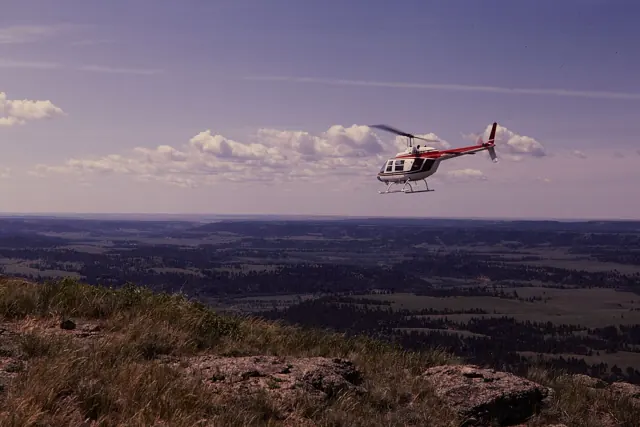
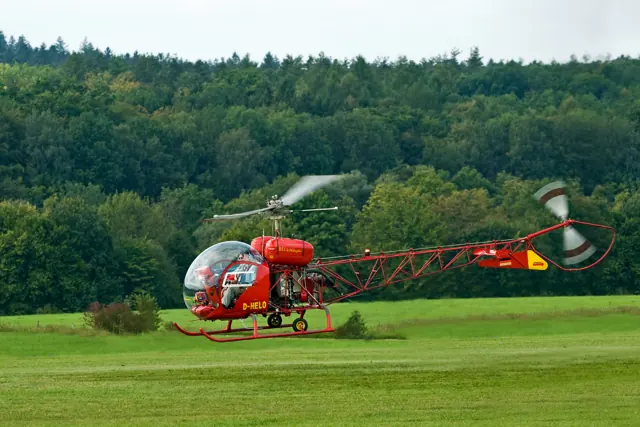
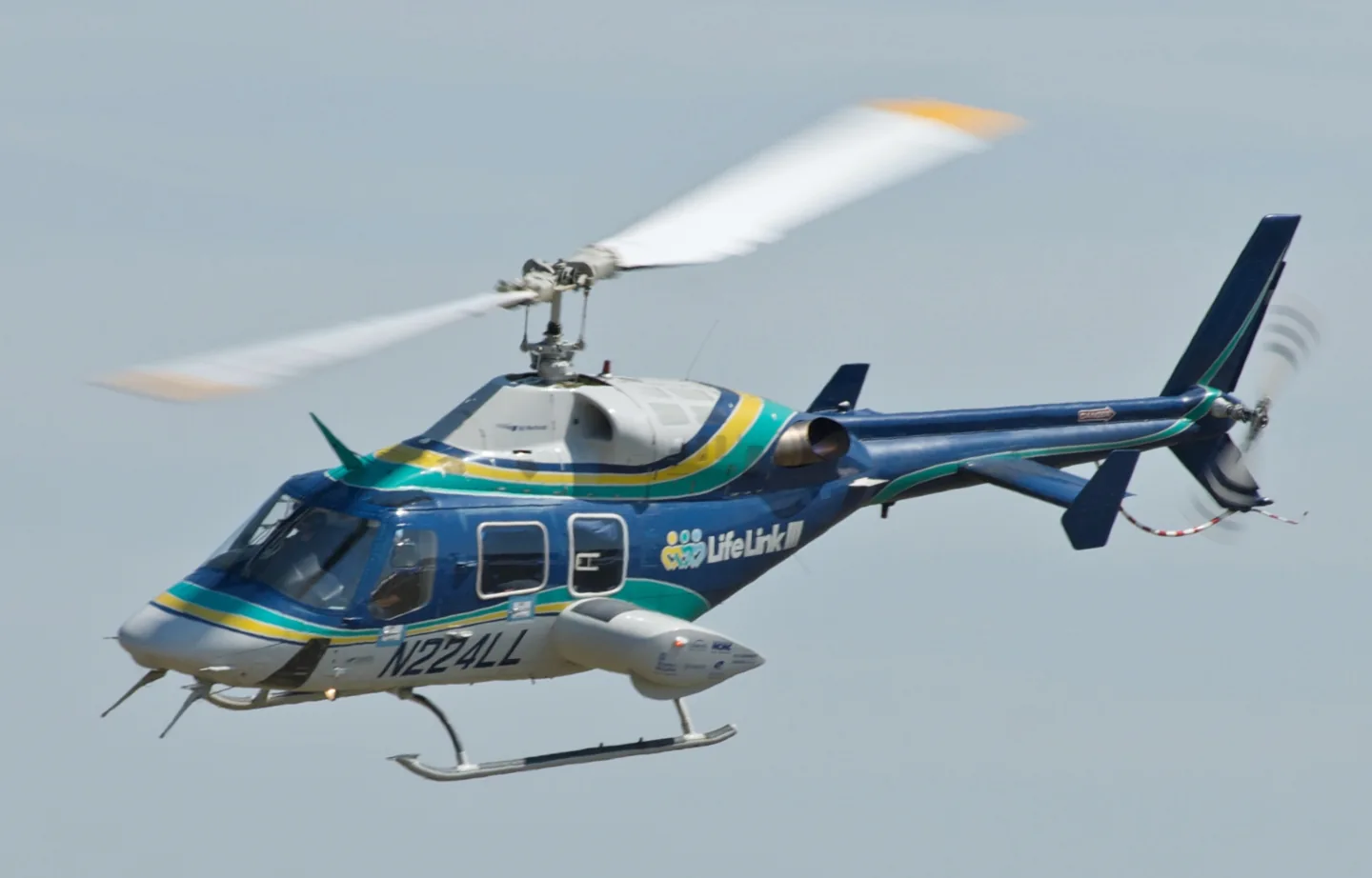
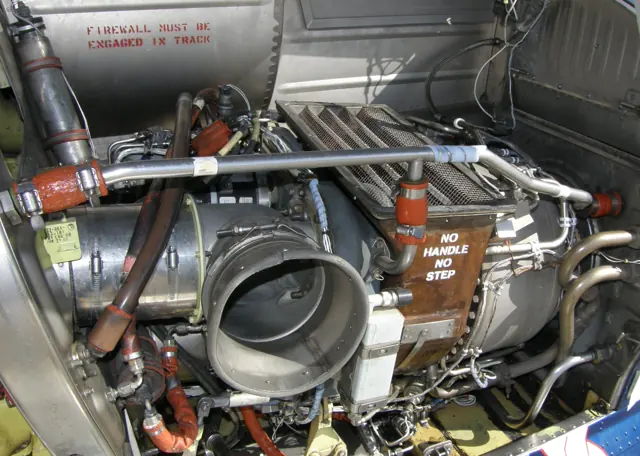
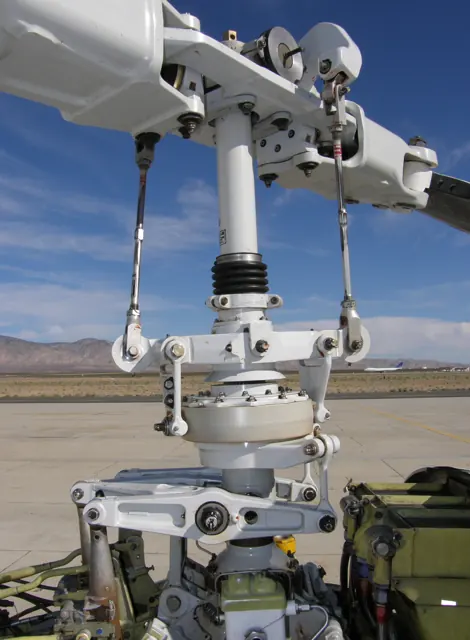
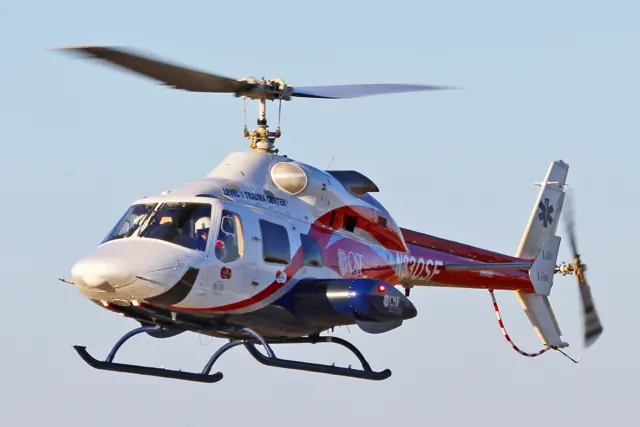
Bell developed the 222 as a light helicopter with two engines. The 230 followed with a different powerplant installation and further refinements. The simulator products represent the 222B and 222UT, with photographs captioned for their depicted variants.
Aircraft background
Wikipedia contributors · Read more ↗A routine return ends on a rooftop
After completing a neonatal transfer, Kruse was thinking about a missed lunch and the return to St Paul. Paramedic Bill Yoch joined him in the front of the Bell 222UT. A metallic sound interrupted the routine flight, followed by violent, uncommanded movement that turned the familiar cockpit into a struggle to retain control. Yoch helped with the collective while Kruse worked to bring the helicopter down.
First-person recollection of 14 April 2000, St Paul, Minnesota. Bell 222UT N225LL with paramedic Bill Yoch; patients and the medical transfer team had already disembarked.
Just Helicopters · Read more ↗Autopilot standby retains the underlying stabilisation
The 222 autopilot guide says pressing SBY once removes armed or active autopilot modes while leaving Auto Trim/SAS active. It documents autopilot availability above 44 knots, with SAS required for those modes. This describes CowanSim’s software system.
Bell 222 family · CowanSim · CowanSim · MSFS 2020 · MSFS 2024
CowanSim · Read more ↗Into the cockpit
 YouTube
 Helicopter POV · 6 min ·
Airwolf Black Bell 222 Helicopter Startup Takeoff Flight and Landing
Startup, takeoff and landing of a black Bell 222 with an Airwolf-inspired appearance.
Real aircraft · Bell 222 family
Watch on YouTube ↗Preview images are served by AirframeDB. Videos open on YouTube only when you choose to watch.
Meet Bell 222 family
Bell developed the 222 as a light helicopter with two engines. The 230 followed with a different powerplant installation and further refinements. The simulator products represent the 222B and 222UT, with photographs captioned for their depicted variants.
Bell 222
Bell 222 family
Wikipedia contributors · Bell 222/230 ↗Aircraft type designators
Use the code for the model you are flying. The linked authority lists the applicable aircraft.
History & design
Operator memories are tied to their setting
The same discussion includes more favourable recollections from a pilot using a 222U in Iceland. The disagreement helps locate the California account in its own climate and mission; repeated forum opinions are not independent performance measurements.
PPRuNe · Bell 222/230 discussion, page four ↗Contrasting attributed recollections in the November 2005 thread
Development milestones
First flight: Bell 222: 13 August 1976 Bell 230: 12 August 1991
Wikipedia contributors · Bell 222/230 ↗Bell 222/230 · family/variant named by the source · Wikipedia revision 1366454940
Pilot accounts
A routine return ends on a rooftop
After completing a neonatal transfer, Kruse was thinking about a missed lunch and the return to St Paul. Paramedic Bill Yoch joined him in the front of the Bell 222UT. A metallic sound interrupted the routine flight, followed by violent, uncommanded movement that turned the familiar cockpit into a struggle to retain control.
Yoch helped with the collective while Kruse worked to bring the helicopter down. They eventually landed on a flat metal roof and both survived. Once out of the cockpit, the physical effect of the ordeal caught up with Kruse. His recollection makes the crew’s cooperation central to the outcome. It describes what he experienced that afternoon without establishing a technical failure cause beyond the evidence available in his account.
First-person recollection of 14 April 2000, St Paul, Minnesota. Bell 222UT N225LL with paramedic Bill Yoch; patients and the medical transfer team had already disembarked.
Read the full account · Just Helicopters ↗A thousand hours leave a practical impression
Asked to compare the Bell 222 with an older A109, IHL began with an important boundary: the poster had not flown the Agusta. The poster recalled roughly a thousand hours in the Bell during the mid-1980s. Its limited useful load after adding fuel was the frustration that stood out most.
The same recollection regarded the helicopter as adequate for instrument flying. IHL also described hover exits and loading, while making clear that the work had not involved hoisting. It is an experienced-sounding forum contribution with an explicit limit on what the writer could compare, preserved under the original handle and date.
PPRuNe · 28 February 2008, post 5. Self-reported experience of about 1,000 hours in early Bell 222s during the mid-1980s; the poster’s identity is not independently verified.
Read the full account · PPRuNe ↗The mission changes the verdict
After a couple of years flying Bell 222s on California medical assignments, inthegreen remembered a comfortable aircraft for instrument transport. The older autopilot installation in the B was preferred to the newer one fitted to the U aircraft in that operation. The judgement concerned particular equipment the poster had used.
Loading and summer conditions shaped the less favourable memories. The aircraft worked hard near the operation’s usual maximum loads, while mountain work became restrictive in the hotter months. Maintenance and parts concerns also featured in the account.
PPRuNe · 28 November 2005. Self-reported California EMS experience in Bell 222B and U models; an attributed forum recollection, with identity unverified.
Read the full account · PPRuNe ↗In your simulator
Systems, equipment and documentation for each developer’s aircraft.
Compare simulator versions →MSFS 2020 · MSFS 2024Bell 222 family · CowanSim
CowanSim · Released
Bell 222 family · CowanSim
CowanSim · Released
X-Plane 11 · X-Plane 12Bell 222 family · CowanSim
CowanSim · Released
Bell 222 family · CowanSim
CowanSim · Released
Manuals & resources
Find your next read
Choose a topic for a short introduction and a link to the original source. Simulator references identify the developer and edition they cover.
Simulator documentation
Autopilot standby retains the underlying stabilisationBell 222 family · CowanSim · CowanSim · MSFS 2020 · MSFS 2024
The 222 autopilot guide says pressing SBY once removes armed or active autopilot modes while leaving Auto Trim/SAS active. It documents autopilot availability above 44 knots, with SAS required for those modes. This describes CowanSim’s software system.
222 Autopilot System guide · PDF pp.1,4; undated
CowanSim · Read the source ↗Give the 222B collective and throttles separate controlsBell 222 family · CowanSim · CowanSim · MSFS 2020 · MSFS 2024
CowanSim documents a collective axis and separate helicopter throttle axes for the two twist grips. A user without dedicated throttle hardware can operate the grips with the mouse. The idle-stop command is distinct from simply moving an axis.
MSFS 222B setup guide · PDF pp.1–3; undated
CowanSim · Read the source ↗The X-Plane 222B offers cabin and panel choicesBell 222 family · CowanSim · CowanSim · X-Plane 11 · X-Plane 12
CowanSim’s listing describes luxury and medical interiors, configurable panels, AviTab integration and optional RXP GTN 750 integration. These features belong to the 222B product described by the page.
Developer product listing · captured September 2026
CowanSim · Read the source ↗Choose texture size to suit the installationBell 222 family · CowanSim · CowanSim · X-Plane 11 · X-Plane 12
The listed package includes 2K and 4K versions, FMOD audio, window-rain effects and VR support. Its version summary gives separate X-Plane 11 and 12 release dates for v2.60.
Developer listing · X-Plane 11 v2.60 February 2022; X-Plane 12 v2.60 May 2023
CowanSim · Read the source ↗Pilot account
A routine return ends on a rooftopFirst-person recollection of 14 April 2000, St Paul, Minnesota. Bell 222UT N225LL with paramedic Bill Yoch; patients and the medical transfer team had already disembarked.
After completing a neonatal transfer, Kruse was thinking about a missed lunch and the return to St Paul. Paramedic Bill Yoch joined him in the front of the Bell 222UT. A metallic sound interrupted the routine flight, followed by violent, uncommanded movement that turned the familiar cockpit into a struggle to retain control. Yoch helped with the collective while Kruse worked to bring the helicopter down. They eventually landed on a flat metal roof and both survived.
Chris Kruse
Just Helicopters · Read the source ↗A thousand hours leave a practical impressionPPRuNe · 28 February 2008, post 5. Self-reported experience of about 1,000 hours in early Bell 222s during the mid-1980s; the poster’s identity is not independently verified.
Asked to compare the Bell 222 with an older A109, IHL began with an important boundary: the poster had not flown the Agusta. The poster recalled roughly a thousand hours in the Bell during the mid-1980s. Its limited useful load after adding fuel was the frustration that stood out most. The same recollection regarded the helicopter as adequate for instrument flying. IHL also described hover exits and loading, while making clear that the work had not involved hoisting.
IHL
PPRuNe · Read the source ↗Read the original documentation from the people who created it. Manuals open on their publisher’s website.
Aircraft background
Bell 222/230Wikipedia contributors · Research background · retrieved 2026-09-12Product
222B for MSFSCowanSim · Official developer / designated store catalogue · checked 2026-09-12 222UT for MSFSCowanSim · Official developer / designated store catalogue · checked 2026-09-12 222B for X-PlaneCowanSim · Official developer / designated store catalogue · checked 2026-09-12 222UT for X-PlaneCowanSim · Official developer / designated store catalogue · checked 2026-09-12Type designator
ICAO Doc 8643 — aircraft type designatorsInternational Civil Aviation Organization · Public search data retrieved 2026-09-14; authority update 2026-09-03Developer documentation
Autopilot ManualCowanSim · Gathered developer documentation User ManualCowanSim · Gathered developer documentation User ManualCowanSim · Gathered developer documentationAircraft documentation
EASA.IM.R.114 Issue 1, 16 December 2019EASA, hosted by UK CAA · EASA.IM.R.114, Issue 1 (16 December 2019), Bell 222B/222U section. Historical type data, not current operating limitations.Built-in force-feedback profiles
Read the documentary basis, editable starting settings and remaining questions for the aircraft you fly. Each explanation refers to the exact profile revision shown.
Catalogue programme-20261022-v1 · 6 profile choices
CowanSim 222B
CowanSim · Free and Pro · Revision 4 · Inherited starting point
MSFS 2020 · MSFS 2024
CowanSim 222B: The selected cyclic spring accompanies the named B or UT configuration; retractable wheels and fixed skids primarily distinguish ground and gear cues.
CowanSim 222B
CowanSim · Free and Pro · Revision 3 · Inherited starting point
X-Plane 12
CowanSim 222B: The selected cyclic spring accompanies the named B or UT configuration; retractable wheels and fixed skids primarily distinguish ground and gear cues.
CowanSim 222UT
CowanSim · Free and Pro · Revision 2 · Inherited starting point
X-Plane 12
CowanSim 222UT: The selected cyclic spring accompanies the named B or UT configuration; retractable wheels and fixed skids primarily distinguish ground and gear cues.
CowanSim 222UT
CowanSim · Free and Pro · Revision 3 · Inherited starting point
MSFS 2020 · MSFS 2024
CowanSim 222UT: The selected cyclic spring accompanies the named B or UT configuration; retractable wheels and fixed skids primarily distinguish ground and gear cues.
Bell 222B
Free and Pro · Revision 2 · Partial review
MSFS 2020 · MSFS 2024 · X-Plane 11 · X-Plane 12
Bell 222B: The selected cyclic spring accompanies the named B or UT configuration; retractable wheels and fixed skids primarily distinguish ground and gear cues.
Bell 222UT
Free and Pro · Revision 1 · Partial review
MSFS 2020 · MSFS 2024 · X-Plane 11 · X-Plane 12
Bell 222UT: The selected cyclic spring accompanies the named B or UT configuration; retractable wheels and fixed skids primarily distinguish ground and gear cues.
Bell 222B
Bell 222B: The selected cyclic spring accompanies the named B or UT configuration; retractable wheels and fixed skids primarily distinguish ground and gear cues.
Aircraft and simulator scope
- Bell 222B · MSFS 2020 · Variant starting point
- Bell 222B · MSFS 2024 · Variant starting point
- Bell 222B · X-Plane 11 · Variant starting point
- Bell 222B · X-Plane 12 · Variant starting point
CowanSim Bell 222B MSFS manual and optional HeliSAS guide; 222UT skid-versus-wheel equipment needs its own evidence. · Selected choice: Bell 222B. Documentary scope does not establish every variant, add-on revision or simulator binding.
The simulator model and controls
Bell developed the 222 as a light helicopter with two engines. The 230 followed with a different powerplant installation and further refinements. The simulator catalogue distinguishes 222B and 222UT products, while the photographs show their own identified variants. Family resemblance does not make those versions interchangeable.
This starting point selects Bell 222B. Its aircraft-level settings do not select a particular developer’s custom systems.
How this profile feels
Spring resistance builds with the selected airspeed response. A separate aerodynamic term adds speed-dependent control load.
Local force trim is off. Autopilot following is off.
Cyclic damping is on. Its configured gain is 0.35; it resists hardware motion separately from the spring and aircraft stabilization.
Controls and trim
CowanSim separates the wheeled, retractable-gear 222B from the fixed-skid 222UT. Its manuals distinguish toggle force trim from release/reset, and the optional autopilot needs SAS above 44 KIAS. Standby can leave SAS active; ALT and VS use pitch while the collective remains with the pilot. Those mode rules do not supply physical cyclic-centre targets, and the B's wheel limits do not apply to the UT's skids.
About the values
The gains are normalized profile settings. They describe the chosen effect balance; hand force depends on the device and its output limits. IAS references are tuning values rather than operating limits. Physical acceptance of this revision remains pending.
What the documentation establishes
The main manual identifies the Bell 222B implementation and its collective/throttle behavior.
HeliSAS distinguishes spring and noncentering force-trim behavior and supplies rotor-trim reset; this is not a universally fitted magnetic brake.
Optional HeliSAS has attitude stabilization and autopilot modes above 44 knots; standby can leave SAS active.
The 44-knot autopilot threshold is a mode limit, not an indicated-speed cyclic-force calibration.
Documentary review and sources
These decisions describe the documentary basis and remaining gaps for this revision. Aircraft documentation and a starting setting describe different kinds of evidence.
Aircraft and variant
ReviewedThis starting point selects Bell 222B. Its aircraft-level settings do not select a particular developer’s custom systems.
Flight controls
Not yet reviewedCowanSim separates the wheeled, retractable-gear 222B from the fixed-skid 222UT. Its manuals distinguish toggle force trim from release/reset, and the optional autopilot needs SAS above 44 KIAS. Standby can leave SAS active; ALT and VS use pitch while the collective remains with the pilot. Those mode rules do not supply physical cyclic-centre targets, and the B's wheel limits do not apply to the UT's skids.
Trim
ReviewedCyclic damping is on. Its configured gain is 0.35; it resists hardware motion separately from the spring and aircraft stabilization.
Autopilot and stability
ReviewedAutopilot following is off; the configured spring and load retain the hardware feel.
Equipment
Not yet reviewedGear, flap and ground cues follow the selected settings and available simulator-reported states.
Speeds and limits
ReviewedThe indicated-speed references set the profile response scale; they are separate from aircraft operating limits.
Simulator integration
ReviewedThe profile targets msfs2020, msfs2024, xplane11, xplane12. Add-on-specific controls use only the supported references configured by this profile.
Force-feedback settings
Not yet reviewedThe settings define the profile’s effect balance. Device output limits affect physical hand force.
Starting settings and their rationale
These configured values are starting estimates. The explanations describe what each setting controls; physical validation appears separately below.
| Setting | Starting value | What it controls and why |
|---|---|---|
| Spring strength | Starting value0 | What it controls and whyThe selected cyclic spring accompanies the named B or UT configuration; retractable wheels and fixed skids primarily distinguish ground and gear cues. The baseline spring is 0. Its low-speed blend reaches baseline strength at 67.5 KIAS. |
| Master force gain | Starting value0.85 | What it controls and whyScales overall profile strength while preserving effect balance, subject to device and output limits. |
| Profile force gain | Starting value0.35 | What it controls and whyThe aerodynamic-load gain is 0.35 with an indicated-speed reference of 135 KIAS. This supplies speed-dependent loading alongside the spring. |
| Force tuning speed/reference | Starting value135.0 kt | What it controls and whySets the IAS reference for aerodynamic loading. It is an estimate, not published cruise TAS or a flight limit. |
| Spring response reference speed | Starting value67.5 kt | What it controls and whySets the IAS where the low-speed blend reaches baseline strength; high-speed stiffening also uses it. |
| Aileron force scale | Starting value1 | What it controls and whyRoll and pitch aerodynamic scales are 1 and 1, respectively. They set the aerodynamic axis balance. No custom spring-travel curve is enabled. |
| Elevator force scale | Starting value1 | What it controls and whyScales pitch aerodynamic loading; pitch spring travel and trim responses are separate settings. |
| Trim feel | Starting valueDisabled | What it controls and whyRetained for compatibility and group membership. Trim relief, rather than this flag, controls centre movement. |
| Trim relief | Starting valueDisabled | What it controls and whyAllows trim relief with supported control law and valid telemetry. Axis authorities set its amount. |
| Autopilot follow | Starting valueDisabled | What it controls and whyAutopilot following is off; the configured spring and load retain the hardware feel. |
| Autopilot neutral hold | Starting valueDisabled | What it controls and whyPermits centering hold during a supported AP state, separate from following a moving target. |
| Output force limit | Starting value0.55 | What it controls and whyCaps directed-force output. Native spring effects and device limits remain separate. |
All 44 starting settings and their rationale
The settings define the profile’s effect balance. Device output limits affect physical hand force.
| Setting | Starting value | What it controls and why |
|---|---|---|
| Spring strength | Starting value0 | What it controls and whyThe selected cyclic spring accompanies the named B or UT configuration; retractable wheels and fixed skids primarily distinguish ground and gear cues. The baseline spring is 0. Its low-speed blend reaches baseline strength at 67.5 KIAS. |
| Spring deadband | Starting value0.02 | What it controls and whySets travel around the centre before the baseline spring resists. Smaller values engage it sooner. |
| Profile force gain | Starting value0.35 | What it controls and whyThe aerodynamic-load gain is 0.35 with an indicated-speed reference of 135 KIAS. This supplies speed-dependent loading alongside the spring. |
| Master force gain | Starting value0.85 | What it controls and whyScales overall profile strength while preserving effect balance, subject to device and output limits. |
| QBlend Enabled | Starting valueEnabled | What it controls and whyAllows baseline spring strength to rise with indicated airspeed where the control law permits it. |
| QSpring Minimum Factor | Starting value1 | What it controls and whySets low-speed spring strength as a fraction of baseline when blending is enabled. One keeps full strength. |
| QSpring Start Knots | Starting value18.9 kt | What it controls and whySets the IAS where the low-speed spring blend starts rising. This is a feel threshold, not a flight limit. |
| Spring response reference speed | Starting value67.5 kt | What it controls and whySets the IAS where the low-speed blend reaches baseline strength; high-speed stiffening also uses it. |
| Force tuning speed/reference | Starting value135.0 kt | What it controls and whySets the IAS reference for aerodynamic loading. It is an estimate, not published cruise TAS or a flight limit. |
| Airspeed spring stiffening gain | Starting value0 | What it controls and whyAdds permitted spring resistance above the full-blend speed. Zero removes this high-speed increase. |
| Airspeed spring stiffening limit | Starting value5 | What it controls and whyLimits the squared airspeed ratio used for high-speed spring stiffening; it is not a device-force cap. |
| Aileron force scale | Starting value1 | What it controls and whyRoll and pitch aerodynamic scales are 1 and 1, respectively. They set the aerodynamic axis balance. No custom spring-travel curve is enabled. |
| Elevator force scale | Starting value1 | What it controls and whyScales pitch aerodynamic loading; pitch spring travel and trim responses are separate settings. |
| Output force limit | Starting value0.55 | What it controls and whyCaps directed-force output. Native spring effects and device limits remain separate. |
| Trim feel | Starting valueDisabled | What it controls and whyRetained for compatibility and group membership. Trim relief, rather than this flag, controls centre movement. |
| Trim relief | Starting valueDisabled | What it controls and whyAllows trim relief with supported control law and valid telemetry. Axis authorities set its amount. |
| Elevator Authority | Starting value0.3 | What it controls and whyScales supported pitch-trim relief and permitted centre movement. Zero removes pitch response. |
| Aileron Authority | Starting value0.3 | What it controls and whyScales supported roll-trim relief and permitted centre movement. Zero removes roll response. |
| Force Trim Enabled | Starting valueDisabled | What it controls and whyLocal force trim is a hardware-centre approximation, distinct from the add-on's toggle/release behavior and SAS-dependent trim procedure. Local force trim is off. The stored latch parameters are inactive; the profile does not supply a local hold-where-left neutral. |
| GLoad Enabled | Starting valueDisabled | What it controls and whyAllows load-factor changes to modify permitted spring laws. Passive fly-by-wire feel can suppress it. |
| Rate Damping Enabled | Starting valueEnabled | What it controls and whyEnables rate damping with the configured coefficients and control law. |
| Autopilot follow | Starting valueDisabled | What it controls and whyAutopilot following is off; the configured spring and load retain the hardware feel. |
| Autopilot follow authority | Starting value0.05 | What it controls and whySets admitted AP-follow gain, not a percentage of travel. Runtime ownership and input limits still apply. |
| Autopilot neutral hold | Starting valueDisabled | What it controls and whyPermits centering hold during a supported AP state, separate from following a moving target. |
| Autopilot neutral hold strength | Starting value0.6 | What it controls and whySets admitted AP neutral-hold strength; inactive while neutral hold is disabled. |
| Enabled | Starting valueEnabled | What it controls and whyEnables aerodynamic cues; each still needs nonzero strength and its simulator conditions. |
| Gain | Starting value0 | What it controls and whySets stall-buffet strength. Zero removes the cue without changing simulator stalls or warnings. |
| Gain | Starting value0 | What it controls and whySets high-Mach buffet strength; onset and full-strength thresholds are separate. |
| Gain | Starting value0 | What it controls and whySets flap buffet at the configured position and speed gates. Flap movement texture is separate. |
| Maximum flap index | Starting value1 | What it controls and whySets the final flap index for detent normalization. UP plus three detents uses maximum index3. |
| Minimum flap index | Starting value1 | What it controls and whySets the first flap detent that admits buffet; this is a handle index, not degrees. |
| Gain | Starting value0.1 | What it controls and whySets gear aerodynamic buffet; movement and ground-contact cues are separate. |
| Shaker Enabled | Starting valueDisabled | What it controls and whyPermits shaker at supported warning conditions; the switch does not establish aircraft equipment. |
| Stick shaker amplitude | Starting value0.5 | What it controls and whySets triggered shaker strength; inactive while the shaker feature is disabled. |
| Enabled | Starting valueEnabled | What it controls and whyEnables ground effects; each still needs its own strength and contact or motion telemetry. |
| Gain | Starting value0.15 | What it controls and whySets rolling texture strength, modified by speed, surface and undercarriage configuration. |
| Gain | Starting value0 | What it controls and whySets gear-bump texture during ground motion, separate from touchdown impact. |
| Gain | Starting value0.5 | What it controls and whySets landing-impact strength; landing telemetry and response shape determine the pulse. |
| Gain | Starting value0 | What it controls and whySets reverse-thrust vibration with valid reverser and engine conditions. Zero removes the cue. |
| Enabled | Starting valueEnabled | What it controls and whyEnables engine cues with nonzero settings and valid running-engine telemetry. |
| Gain | Starting value0.06 | What it controls and whySets estimated engine vibration using configured telemetry and response, not measured cockpit vibration. |
| Enabled | Starting valueEnabled | What it controls and whyEnables accessory cues with configured strengths and observed accessory movement. |
| Gain | Starting value0 | What it controls and whySets texture from observed flap movement; a command without movement does not establish the cue. |
| Gain | Starting value0.12 | What it controls and whySets texture from observed gear movement, separate from aerodynamic and touchdown effects. |
Limits and open questions
- Cyclic axis bindings are described; no physical cyclic force schedule follows from those assignments.
- The 222B binding manual does not establish the 222UT gear configuration or justify identical gear cues across both choices.
- Controller-type instructions do not quantify cyclic spring strength, damping or rotor-vibration amplitude.
Physical validation
No physical force validation is recorded in this public catalogue for this revision. Documentary review and software checks do not establish how a particular device feels.
Discuss this aircraft (0)
Questions, observations and useful sources from the community.
No published discussions yet. Bring a question or share a useful source.
Open aircraft discussions →Content expanded · What’s new
Something missing or a source that needs attention?
Suggest a correction ↗