

Start here
A few places to begin, from the aircraft’s story to the people who fly it.
Meet the aircraft
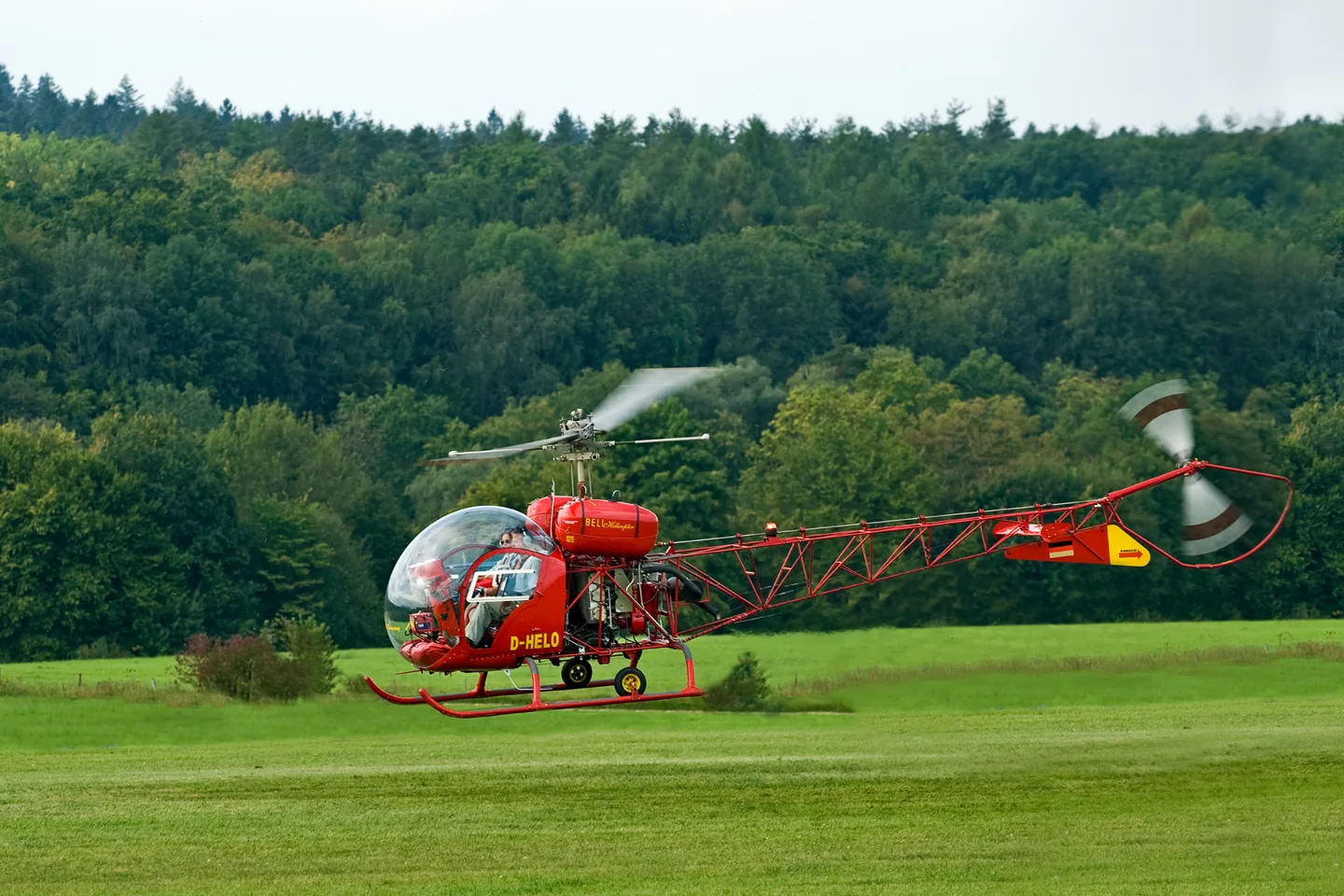
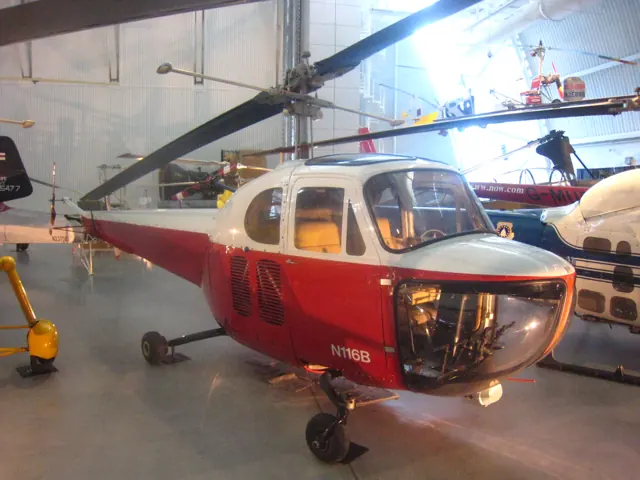
The Bell 47 developed from Arthur Young's early rotorcraft work and received civil certification in 1946. A single piston engine and two-bladed rotor powered a compact aircraft that found training, observation and utility roles. Many versions and licensed developments followed. The familiar 47G and enclosed-cabin 47J have visibly different configurations. Their seating and equipment should remain distinct.
Aircraft background
Wikipedia contributors · Read more ↗A familiar cockpit brings back memories and exposes rust
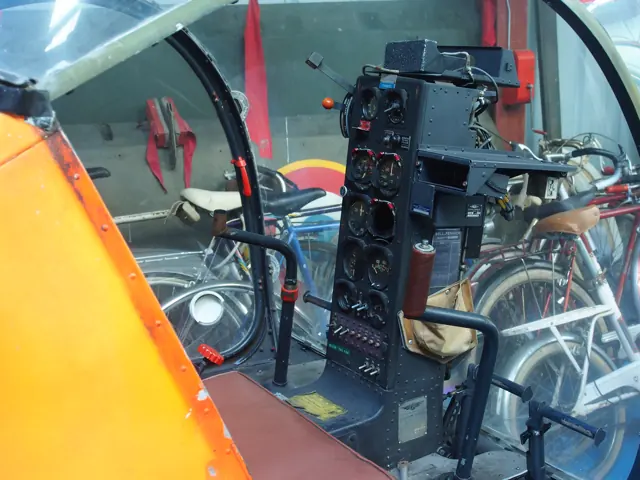
Buckling into the Bell brought back memories of Schiff’s earlier life as a helicopter pilot and instructor. The bubble canopy was as impressive as he remembered, but familiarity did not restore proficiency by itself. Ken Obi provided the refresher instruction, arranged by the aircraft’s owner, Jim Magglos. The first hover revealed how much practice lay ahead.
AOPA Pilot · February 2011. Refresher instruction with Ken Obi in modified Bell 47G-3B-1 N15AR, nearly forty-seven years after Schiff’s earlier Bell 47 flying.
AOPA Pilot · Read more ↗The governor is an optional simulator convenience
FlyInside enables an engine governor by default for users without a full helicopter control set. It can be disabled for manual throttle work, with Set Helicopter Throttle Axis or Propeller Axis assigned separately from the collective. The choice changes the workload of flying the package.
B-47 · FlyInside · MSFS 2020
FlyInside · Read more ↗Into the cockpit
 YouTube
 justinspirational · 76 min ·
How to fly a Bell 47 (classic 60s) helicopter flight training/instruction (full flight vid-comms)
A Bell 47 cross-country flight with cockpit communications and the pilot's commentary.
Real aircraft · Bell 47
Watch on YouTube ↗Preview images are served by AirframeDB. Videos open on YouTube only when you choose to watch.
Meet Bell 47
The Bell 47 developed from Arthur Young's early rotorcraft work and received civil certification in 1946. A single piston engine and two-bladed rotor powered a compact aircraft that found training, observation and utility roles. Many versions and licensed developments followed.
The familiar 47G and enclosed-cabin 47J have visibly different configurations. Seating and equipment differ between them. The simulator products identify their represented model.
Bell 47
Aircraft type designators
Use the code for the model you are flying. The linked authority lists the applicable aircraft.
History & design
A restored police helicopter finds another life
Schiff records N15AR’s earlier Canadian police service as CF-PDX, its return to the United States and later modification and restoration. Owner Jim Magglos’s long affection for the Bell 47 connects that working past with its later recreational and instructional use.
AOPA Pilot · Bell 47 helicopter: movie and TV star ↗History of this modified G-3B-1 airframe
Development milestones
Designer: Arthur M. Young
First flight: December 8, 1945
Developed from: Bell 30
Wikipedia contributors · Bell 47 ↗Bell 47 · family/variant named by the source · Wikipedia revision 1365577994
Pilot accounts
A familiar cockpit brings back memories and exposes rust
Buckling into the Bell brought back memories of Schiff’s earlier life as a helicopter pilot and instructor. The bubble canopy was as impressive as he remembered, but familiarity did not restore proficiency by itself. Ken Obi provided the refresher instruction, arranged by the aircraft’s owner, Jim Magglos.
The first hover revealed how much practice lay ahead. Schiff gradually recovered some coordination, while managing the throttle alongside the other controls reminded him of the work modern governors remove. Further exercises under Obi’s supervision deepened the lesson. By the end, his hands were sweaty and his conclusion was candid: returning to competence would take considerably more practice. The aircraft carried both the owner’s affection and the returning pilot’s memories, with neither substituting for current skill.
AOPA Pilot · February 2011. Refresher instruction with Ken Obi in modified Bell 47G-3B-1 N15AR, nearly forty-seven years after Schiff’s earlier Bell 47 flying.
Read the full account · AOPA Pilot ↗A preserved trainer interrupts a week with newer helicopters
Among the newer turbine helicopters at Bell’s school, the old 47 was a much-loved aircraft taken out only occasionally. Starting it proved more troublesome than the modern machines Charles had been flying, but the familiar sound soon rewarded the effort. People in the nearby pilots’ lounge watched as the pair prepared to leave.
Once airborne, the view through the bubble canopy was the delight he had hoped for. The aircraft moved at an unhurried pace, leaving time to notice the countryside and a hawk in the trees. Charles needed to adjust his approaches from the Schweizer he usually flew, then grew comfortable after a few circuits.
AOPA Pilot · July 2003. Bell Training Academy visit, flying a 1967 Bell 47G-4A with Kevin Brandt during a week centred on Bell 407 training.
Read the full account · AOPA Pilot ↗An old instructor introduces a different kind of coordination
Ramsay had admired the Bell 47 before she began helicopter training, so the chance to fly one with her old instructor was especially welcome. Even moving it out of the hangar took a small team. With so much machinery exposed, the pre-flight inspection felt unusually tangible, including a warning about grease everywhere.
She was surprised to be offered the first takeoff and pleased by the hover, but manual throttle control added another task to coordinate. Seating position mattered too: a cushion behind her would have made the cyclic easier to reach. After practice around the airfield, the long wait for the unbraked rotor to stop gave her time to enjoy the moment. Her broad smile on returning captures the pleasure of finally flying a machine she had wanted to know.
Personal account · September 2019. Heli Air, Wellesbourne, in modified 1966 Bell 47 G-CHOP; earlier Robinson experience shaped the comparison.
Read the full account · Cosy Life ↗In your simulator
Systems, equipment and documentation for each developer’s aircraft.
Compare simulator versions →MSFS 2020B-47
FlyInside · Released
B-47
FlyInside · Released
X-Plane 11B-47G-2A1
FlyInside · Released
B-47G-2A1
FlyInside · Released
Aircraft specifications
Published figures for the named real-aircraft variant. Simulator equipment and performance can differ.
| Specification | Published value |
|---|---|
| Length | 31 ft 7 in (9.63 m) |
| Height | 9 ft 3 in (2.82 m) |
| Empty weight | 1,893 lb (859 kg) |
| Max takeoff weight | 2,950 lb (1,338 kg) |
| Powerplant | 1 × Lycoming TVO-435-F1A six-cylinder vertically mounted horizontally-opposed air-cooled piston engine, 280 hp (210 kW) |
| Main rotor diameter | 37 ft 2 in (11.33 m) |
| Main rotor area | 1,085 sq ft (100.8 m² ) |
| Maximum speed | 91 kn (105 mph, 169 km/h) |
| Cruise speed | 73 kn (84 mph, 135 km/h) |
| Range | 214 nmi (246 mi, 396 km) |
| Rate of climb | 860 ft/min (4.4 m/s) |
Manuals & resources
Find your next read
Choose a topic for a short introduction and a link to the original source. Simulator references identify the developer and edition they cover.
Simulator documentation
The governor is an optional simulator convenienceB-47 · FlyInside · MSFS 2020
FlyInside enables an engine governor by default for users without a full helicopter control set. It can be disabled for manual throttle work, with Set Helicopter Throttle Axis or Propeller Axis assigned separately from the collective. The choice changes the workload of flying the package.
FlyInside B-47G-2A1 manual · PDF pp.11–14
FlyInside · Read the source ↗Heli Manager differs between purchase channelsB-47 · FlyInside · MSFS 2020
The guide describes Heli Manager inside the cockpit for the Marketplace edition and as a separate application for the website edition. The configuration features are otherwise shared. A switch on the panel reopens the in-cockpit manager after it has been dismissed.
FlyInside B-47G-2A1 manual · PDF pp.2,8–9
FlyInside · Read the source ↗Engine control and helicopter phenomenaB-47 · FlyInside · MSFS 2020
FlyInside describes a custom helicopter flight model, manual piston-engine throttle control and an optional governor for the Bell 47. The published feature list includes autorotation, vortex-ring state and retreating-blade stall.
Product page retrieved 2026-09-10 · Flight Dynamics; Systems; Features
FlyInside · Read the source ↗Developer controls for a customised helicopter experienceB-47 · FlyInside · MSFS 2020
FlyInside's Heli Manager offers settings for cyclic sensitivity, stability, realism and engine-failure behaviour. These are add-on configuration controls, not original Bell cockpit equipment. The guide explains their relationship to the simulator's own axis settings.
document snapshot; exact installed package not observed · PDF pp12,15-16
FlyInside · Read the source ↗Collective and manual throttleB-47G-2A1 · FlyInside · X-Plane 11
The guide assigns collective to the Throttle or Collective axis. With the governor disabled, manual engine throttle uses Throttle 1 Axis. These are the X-Plane assignments; the MSFS edition has its own control instructions.
Gathered X-Plane user manual · PDF pp.1–12; undated
FlyInside · Read the source ↗A separate X-Plane editionB-47G-2A1 · FlyInside · X-Plane 11
The developer records the initial X-Plane 11 release as v1.56 in December 2021. The v1.71 entry adds Mac and Linux support and replay support; its displayed date precedes older entries, so it is not used to establish release chronology.
retrieved 2026-09-13 · release and package scope
FlyInside · Read the source ↗Pilot account
A familiar cockpit brings back memories and exposes rustAOPA Pilot · February 2011. Refresher instruction with Ken Obi in modified Bell 47G-3B-1 N15AR, nearly forty-seven years after Schiff’s earlier Bell 47 flying.
Buckling into the Bell brought back memories of Schiff’s earlier life as a helicopter pilot and instructor. The bubble canopy was as impressive as he remembered, but familiarity did not restore proficiency by itself. Ken Obi provided the refresher instruction, arranged by the aircraft’s owner, Jim Magglos. The first hover revealed how much practice lay ahead.
Barry Schiff
AOPA Pilot · Read the source ↗A preserved trainer interrupts a week with newer helicoptersAOPA Pilot · July 2003. Bell Training Academy visit, flying a 1967 Bell 47G-4A with Kevin Brandt during a week centred on Bell 407 training.
Among the newer turbine helicopters at Bell’s school, the old 47 was a much-loved aircraft taken out only occasionally. Starting it proved more troublesome than the modern machines Charles had been flying, but the familiar sound soon rewarded the effort. People in the nearby pilots’ lounge watched as the pair prepared to leave. Once airborne, the view through the bubble canopy was the delight he had hoped for.
Michael Maya Charles
AOPA Pilot · Read the source ↗Read the original documentation from the people who created it. Manuals open on their publisher’s website.
Manual
B206 releases and manualFlyInside FlyInside B47 product and manualsFlyInside Microsoft Flight Simulator aircraft manualsMicrosoft / aircraft developers User Manual for Microsoft Flight SimulatorFlyInside FlyInside B-47G-2A1 user manual · X-PlaneFlyInside · Gathered X-Plane user manual · PDF pp.1–12; undatedAircraft background
Bell 47Wikipedia contributors · Research background · Wikipedia revision 1365577994 · retrieved 2026-09-12Resource
FlyInside B47 updatesFlyInsideDeveloper documentation
FlyInside B-47 - F.A.Q.FlyInside · retrieved 2026-09-13 · release and package scope FlyInside B-47 - UpdatesFlyInside · retrieved 2026-09-13 · release and package scopeType designator
ICAO Doc 8643 — aircraft type designatorsInternational Civil Aviation Organization · Public search data retrieved 2026-09-14; authority update 2026-09-03Built-in force-feedback profiles
Read the documentary basis, editable starting settings and remaining questions for the aircraft you fly. Each explanation refers to the exact profile revision shown.
Catalogue programme-20261022-v1 · 3 profile choices
FlyInside Bell 47G2 Skids
FlyInside · Free and Pro · Revision 3 · Inherited starting point
MSFS 2020 · MSFS 2024
FlyInside Bell 47G2 Skids: Nominal cyclic spring and damping accompany the selected piston helicopter; optional governor and stability aids affect simulation handling separately.
FlyInside Bell 47G2 Floats
FlyInside · Free and Pro · Revision 3 · Inherited starting point
MSFS 2020 · MSFS 2024
FlyInside Bell 47G2 Floats: Nominal cyclic spring and damping accompany the selected piston helicopter; optional governor and stability aids affect simulation handling separately.
Bell 47
Free and Pro · Revision 1 · Partial review
MSFS 2020 · X-Plane 11
Bell 47: Nominal cyclic spring and damping accompany the selected piston helicopter; optional governor and stability aids affect simulation handling separately.
Bell 47
Bell 47: Nominal cyclic spring and damping accompany the selected piston helicopter; optional governor and stability aids affect simulation handling separately.
Aircraft and simulator scope
- Bell 47 · MSFS 2020 · family starting point
- Bell 47 · X-Plane 11 · family starting point
FlyInside Bell 47G MSFS and X-Plane manuals; optional simulator governor behavior differs from the stated real-aircraft configuration. · Selected choice: Bell 47. Documentary scope does not establish every variant, add-on revision or simulator binding.
The simulator model and controls
The Bell 47 developed from Arthur Young's early rotorcraft work and received civil certification in 1946. A single piston engine and two-bladed rotor powered a compact aircraft that found training, observation and utility roles. Many versions and licensed developments followed.
This starting point selects Bell 47. Its aircraft-level settings do not select a particular developer’s custom systems.
How this profile feels
Spring resistance builds with the selected airspeed response. A separate aerodynamic term adds speed-dependent control load.
Local force trim is off. Autopilot following is off.
Cyclic damping is on. Its configured gain is 0.35; it resists hardware motion separately from the spring and aircraft stabilization.
Controls and trim
The Bell 47G uses a piston engine and two-blade rotor, with engine speed distinct from rotor speed. FlyInside offers skid and float configurations, custom dynamics and selectable artificial stability. The simulator governor is optional; its manual explicitly distinguishes this convenience from the real Bell 47G, which has no governor. Governor state and stability options do not themselves measure cyclic resistance.
About the values
The gains are normalized profile settings. They describe the chosen effect balance; hand force depends on the device and its output limits. IAS references are tuning values rather than operating limits. Physical acceptance of this revision remains pending.
What the documentation establishes
The MSFS manual identifies the Bell 47G and explicitly distinguishes the optional simulator governor from the real helicopter.
The manual states that the real Bell 47G has no governor, while the simulation defaults to an optional rotor-speed governor.
Documentary review and sources
These decisions describe the documentary basis and remaining gaps for this revision. Aircraft documentation and a starting setting describe different kinds of evidence.
Aircraft and variant
ReviewedThis starting point selects Bell 47. Its aircraft-level settings do not select a particular developer’s custom systems.
Flight controls
Not yet reviewedThe Bell 47G uses a piston engine and two-blade rotor, with engine speed distinct from rotor speed. FlyInside offers skid and float configurations, custom dynamics and selectable artificial stability. The simulator governor is optional; its manual explicitly distinguishes this convenience from the real Bell 47G, which has no governor. Governor state and stability options do not themselves measure cyclic resistance.
Trim
Not yet reviewedCyclic damping is on. Its configured gain is 0.35; it resists hardware motion separately from the spring and aircraft stabilization.
Autopilot and stability
Not yet reviewedAutopilot following is off; the configured spring and load retain the hardware feel.
Equipment
ReviewedGear, flap and ground cues follow the selected settings and available simulator-reported states.
Speeds and limits
Not yet reviewedThe indicated-speed references set the profile response scale; they are separate from aircraft operating limits.
Simulator integration
ReviewedThe profile targets msfs2020, xplane11. Add-on-specific controls use only the supported references configured by this profile.
Force-feedback settings
Not yet reviewedThe settings define the profile’s effect balance. Device output limits affect physical hand force.
Starting settings and their rationale
These configured values are starting estimates. The explanations describe what each setting controls; physical validation appears separately below.
| Setting | Starting value | What it controls and why |
|---|---|---|
| Spring strength | Starting value0 | What it controls and whyNominal cyclic spring and damping accompany the selected piston helicopter; optional governor and stability aids affect simulation handling separately. The baseline spring is 0. Its low-speed blend reaches baseline strength at 37.5 KIAS. |
| Master force gain | Starting value0.85 | What it controls and whyScales overall profile strength while preserving effect balance, subject to device and output limits. |
| Profile force gain | Starting value0.35 | What it controls and whyThe aerodynamic-load gain is 0.35 with an indicated-speed reference of 75 KIAS. This supplies speed-dependent loading alongside the spring. |
| Force tuning speed/reference | Starting value75.0 kt | What it controls and whySets the IAS reference for aerodynamic loading. It is an estimate, not published cruise TAS or a flight limit. |
| Spring response reference speed | Starting value37.5 kt | What it controls and whySets the IAS where the low-speed blend reaches baseline strength; high-speed stiffening also uses it. |
| Aileron force scale | Starting value1 | What it controls and whyRoll and pitch aerodynamic scales are 1 and 1, respectively. They set the aerodynamic axis balance. No custom spring-travel curve is enabled. |
| Elevator force scale | Starting value1 | What it controls and whyScales pitch aerodynamic loading; pitch spring travel and trim responses are separate settings. |
| Trim feel | Starting valueDisabled | What it controls and whyRetained for compatibility and group membership. Trim relief, rather than this flag, controls centre movement. |
| Trim relief | Starting valueDisabled | What it controls and whyAllows trim relief with supported control law and valid telemetry. Axis authorities set its amount. |
| Autopilot follow | Starting valueDisabled | What it controls and whyAutopilot following is off; the configured spring and load retain the hardware feel. |
| Autopilot neutral hold | Starting valueDisabled | What it controls and whyPermits centering hold during a supported AP state, separate from following a moving target. |
| Output force limit | Starting value0.55 | What it controls and whyCaps directed-force output. Native spring effects and device limits remain separate. |
All 44 starting settings and their rationale
The settings define the profile’s effect balance. Device output limits affect physical hand force.
| Setting | Starting value | What it controls and why |
|---|---|---|
| Spring strength | Starting value0 | What it controls and whyNominal cyclic spring and damping accompany the selected piston helicopter; optional governor and stability aids affect simulation handling separately. The baseline spring is 0. Its low-speed blend reaches baseline strength at 37.5 KIAS. |
| Spring deadband | Starting value0.02 | What it controls and whySets travel around the centre before the baseline spring resists. Smaller values engage it sooner. |
| Profile force gain | Starting value0.35 | What it controls and whyThe aerodynamic-load gain is 0.35 with an indicated-speed reference of 75 KIAS. This supplies speed-dependent loading alongside the spring. |
| Master force gain | Starting value0.85 | What it controls and whyScales overall profile strength while preserving effect balance, subject to device and output limits. |
| QBlend Enabled | Starting valueEnabled | What it controls and whyAllows baseline spring strength to rise with indicated airspeed where the control law permits it. |
| QSpring Minimum Factor | Starting value1 | What it controls and whySets low-speed spring strength as a fraction of baseline when blending is enabled. One keeps full strength. |
| QSpring Start Knots | Starting value10.5 kt | What it controls and whySets the IAS where the low-speed spring blend starts rising. This is a feel threshold, not a flight limit. |
| Spring response reference speed | Starting value37.5 kt | What it controls and whySets the IAS where the low-speed blend reaches baseline strength; high-speed stiffening also uses it. |
| Force tuning speed/reference | Starting value75.0 kt | What it controls and whySets the IAS reference for aerodynamic loading. It is an estimate, not published cruise TAS or a flight limit. |
| Airspeed spring stiffening gain | Starting value0 | What it controls and whyAdds permitted spring resistance above the full-blend speed. Zero removes this high-speed increase. |
| Airspeed spring stiffening limit | Starting value5 | What it controls and whyLimits the squared airspeed ratio used for high-speed spring stiffening; it is not a device-force cap. |
| Aileron force scale | Starting value1 | What it controls and whyRoll and pitch aerodynamic scales are 1 and 1, respectively. They set the aerodynamic axis balance. No custom spring-travel curve is enabled. |
| Elevator force scale | Starting value1 | What it controls and whyScales pitch aerodynamic loading; pitch spring travel and trim responses are separate settings. |
| Output force limit | Starting value0.55 | What it controls and whyCaps directed-force output. Native spring effects and device limits remain separate. |
| Trim feel | Starting valueDisabled | What it controls and whyRetained for compatibility and group membership. Trim relief, rather than this flag, controls centre movement. |
| Trim relief | Starting valueDisabled | What it controls and whyAllows trim relief with supported control law and valid telemetry. Axis authorities set its amount. |
| Elevator Authority | Starting value0.3 | What it controls and whyScales supported pitch-trim relief and permitted centre movement. Zero removes pitch response. |
| Aileron Authority | Starting value0.3 | What it controls and whyScales supported roll-trim relief and permitted centre movement. Zero removes roll response. |
| Force Trim Enabled | Starting valueDisabled | What it controls and whyLocal force trim supplies a chosen hardware neutral only where enabled; the simulation's convenience features do not establish a real magnetic-brake installation. Local force trim is off. The stored latch parameters are inactive; the profile does not supply a local hold-where-left neutral. |
| GLoad Enabled | Starting valueDisabled | What it controls and whyAllows load-factor changes to modify permitted spring laws. Passive fly-by-wire feel can suppress it. |
| Rate Damping Enabled | Starting valueEnabled | What it controls and whyEnables rate damping with the configured coefficients and control law. |
| Autopilot follow | Starting valueDisabled | What it controls and whyAutopilot following is off; the configured spring and load retain the hardware feel. |
| Autopilot follow authority | Starting value0.05 | What it controls and whySets admitted AP-follow gain, not a percentage of travel. Runtime ownership and input limits still apply. |
| Autopilot neutral hold | Starting valueDisabled | What it controls and whyPermits centering hold during a supported AP state, separate from following a moving target. |
| Autopilot neutral hold strength | Starting value0.6 | What it controls and whySets admitted AP neutral-hold strength; inactive while neutral hold is disabled. |
| Enabled | Starting valueEnabled | What it controls and whyEnables aerodynamic cues; each still needs nonzero strength and its simulator conditions. |
| Gain | Starting value0 | What it controls and whySets stall-buffet strength. Zero removes the cue without changing simulator stalls or warnings. |
| Gain | Starting value0 | What it controls and whySets high-Mach buffet strength; onset and full-strength thresholds are separate. |
| Gain | Starting value0 | What it controls and whySets flap buffet at the configured position and speed gates. Flap movement texture is separate. |
| Maximum flap index | Starting value1 | What it controls and whySets the final flap index for detent normalization. UP plus three detents uses maximum index3. |
| Minimum flap index | Starting value1 | What it controls and whySets the first flap detent that admits buffet; this is a handle index, not degrees. |
| Gain | Starting value0 | What it controls and whySets gear aerodynamic buffet; movement and ground-contact cues are separate. |
| Shaker Enabled | Starting valueDisabled | What it controls and whyPermits shaker at supported warning conditions; the switch does not establish aircraft equipment. |
| Stick shaker amplitude | Starting value0.5 | What it controls and whySets triggered shaker strength; inactive while the shaker feature is disabled. |
| Enabled | Starting valueEnabled | What it controls and whyEnables ground effects; each still needs its own strength and contact or motion telemetry. |
| Gain | Starting value0 | What it controls and whySets rolling texture strength, modified by speed, surface and undercarriage configuration. |
| Gain | Starting value0 | What it controls and whySets gear-bump texture during ground motion, separate from touchdown impact. |
| Gain | Starting value0.5 | What it controls and whySets landing-impact strength; landing telemetry and response shape determine the pulse. |
| Gain | Starting value0 | What it controls and whySets reverse-thrust vibration with valid reverser and engine conditions. Zero removes the cue. |
| Enabled | Starting valueEnabled | What it controls and whyEnables engine cues with nonzero settings and valid running-engine telemetry. |
| Gain | Starting value0.12 | What it controls and whySets estimated engine vibration using configured telemetry and response, not measured cockpit vibration. |
| Enabled | Starting valueEnabled | What it controls and whyEnables accessory cues with configured strengths and observed accessory movement. |
| Gain | Starting value0 | What it controls and whySets texture from observed flap movement; a command without movement does not establish the cue. |
| Gain | Starting value0 | What it controls and whySets texture from observed gear movement, separate from aerodynamic and touchdown effects. |
Limits and open questions
- Cyclic, pedal and collective bindings are described; the manual does not specify physical cyclic force schedules.
- Control assignments do not establish Bell 47G trim anchoring or a force-trim release mechanism.
- The optional governor is engine-speed assistance, not evidence of a flight autopilot or cyclic servo-following.
- A governor rotor-speed target does not validate an indicated-speed force reference or rotor vibration frequency mapping.
- Control bindings and optional governor settings do not calibrate cyclic spring force, rotor vibration or damping.
Physical validation
No physical force validation is recorded in this public catalogue for this revision. Documentary review and software checks do not establish how a particular device feels.
Discuss this aircraft (0)
Questions, observations and useful sources from the community.
No published discussions yet. Bring a question or share a useful source.
Open aircraft discussions →Content expanded · What’s new
Something missing or a source that needs attention?
Suggest a correction ↗