
Start here
A few places to begin, from the aircraft’s story to the people who fly it.
Meet the aircraft
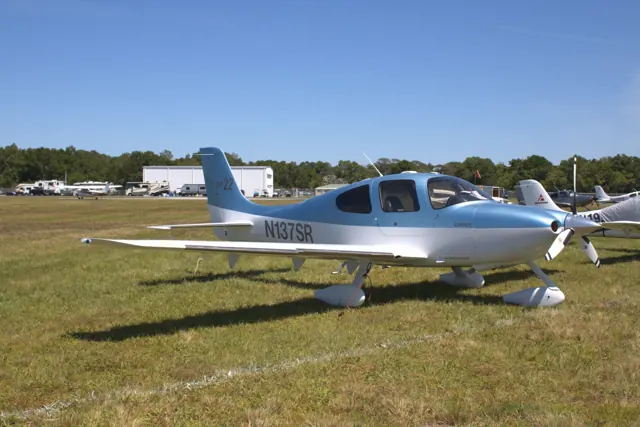
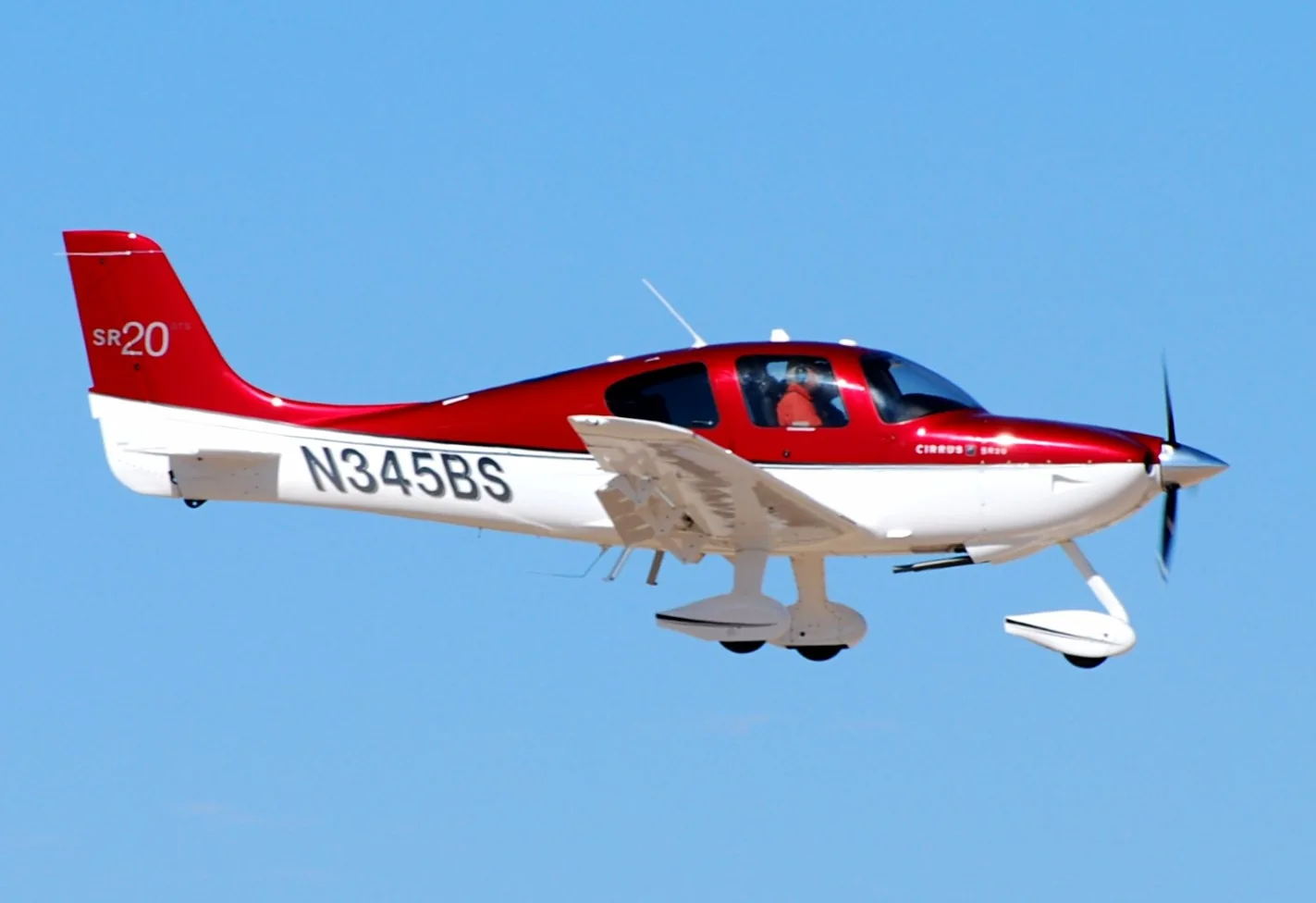
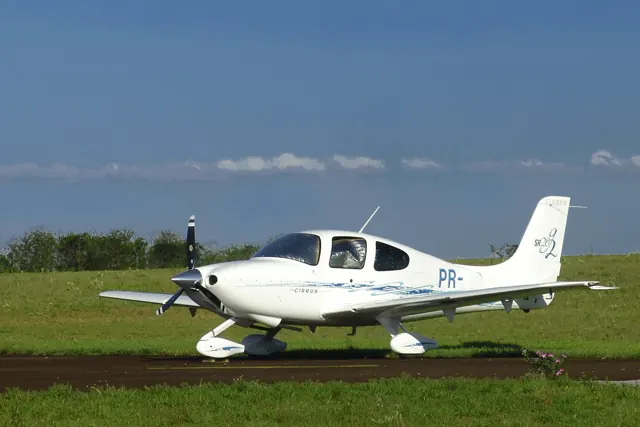
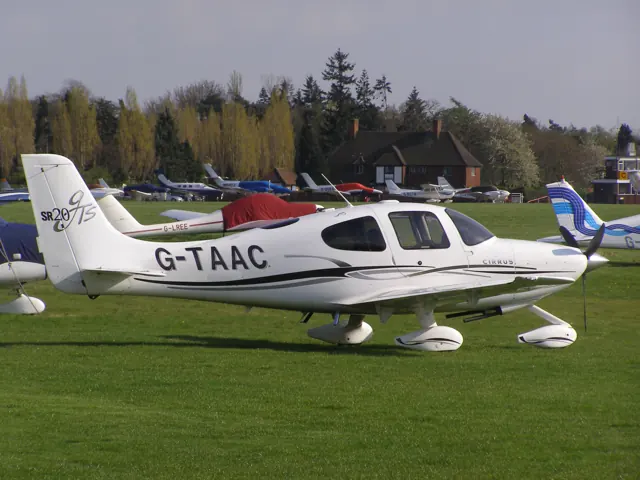
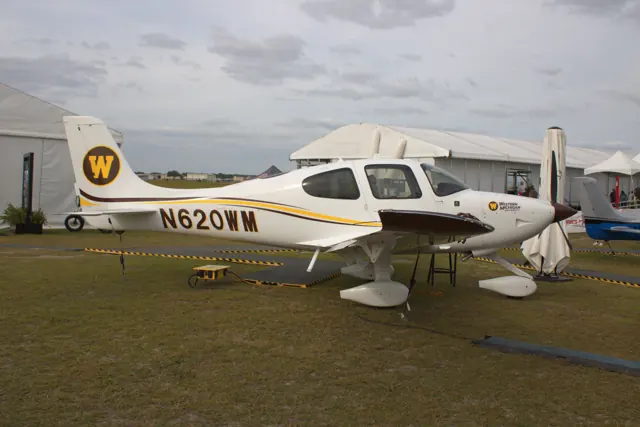
The SR20 received certification in 1998 and entered production the following year. It established Cirrus's certified-aircraft line before the larger-engined SR22. Seating and cockpit equipment evolved across versions. The simulator products include Entegra and G1000 flight decks, identified separately.
Aircraft background
Wikipedia contributors · Read more ↗Living with a G2, from touring to teaching
Greenspun’s experience extended well beyond a demonstration flight. He collected his G2 at Duluth, travelled from Boston into northern Canada and Alaska, and later taught in the aircraft. The cabin gave passengers room to stretch, and the low panel provided a view he especially valued from the instructor’s seat. The side control also left useful space for charts in his lap. Getting comfortable with the handling took longer.
Owner’s review, updated April 2018. Principally the Avidyne-equipped 2005 SR20 G2 N707WT; later models are discussed separately.
Philip Greenspun · Read more ↗The Entegra edition has its own avionics
TorqueSim’s Entegra SR20 includes custom Avidyne R8 primary and multifunction displays, an S-TEC 55X autopilot and selectable GPS stacks. Its pages cover terrain, route progress, nearby airports, checklists and engine information. The developer explicitly lists X-Plane 12 support.
Cirrus SR20 · TorqueSim · TorqueSim · X-Plane 12
TorqueSim · Read more ↗Into the cockpit
 YouTube
 Melbourne Flight Training · 3 min ·
Cockpit Tour - Cirrus SR20 G7+
A flight school tours its SR20 G7+ cockpit and avionics.
Real aircraft · SR20 G7+
Watch on YouTube ↗Preview images are served by AirframeDB. Videos open on YouTube only when you choose to watch.
Meet Cirrus SR20
The SR20 received certification in 1998 and entered production the following year. It established Cirrus's certified-aircraft line before the larger-engined SR22. Seating and cockpit equipment evolved across versions. The simulator products include Entegra and G1000 flight decks, identified separately.
Cirrus SR series
Cirrus → · Explore the family →
Cirrus SR20
Wikipedia contributors · Cirrus SR20 ↗TorqueSim · X-Plane 12 →Aircraft type designators
Use the code for the model you are flying. The linked authority lists the applicable aircraft.
History & design
A familiar outline with changing interiors
Haines’s 2006 return to serial number 9 highlighted the contrast between early instruments and later glass displays, along with revised doors and interior fittings. The SR20’s appearance therefore conceals meaningful differences between generations.
AOPA Pilot · Waypoints: The changing face of Cirrus ↗AOPA retrospective · early aircraft and subsequent development
A different engine for the G6
The 2017 G6 introduced a 215 hp Lycoming in place of the earlier 200 hp Continental. Southwick’s review describes the newer avionics and increased permitted weight alongside that engine change; his G6 experience should be distinguished from accounts of the G2 and G3.
AOPA Pilot Australia · Cirrus SR20 G6 ↗AOPA Pilot Australia · October–November 2018, p.52
Development milestones
First flight: 21 March 1995
Wikipedia contributors · Cirrus SR20 ↗Cirrus SR20 · family/variant named by the source · Wikipedia revision 1366843970
Pilot accounts
Living with a G2, from touring to teaching
Greenspun’s experience extended well beyond a demonstration flight. He collected his G2 at Duluth, travelled from Boston into northern Canada and Alaska, and later taught in the aircraft. The cabin gave passengers room to stretch, and the low panel provided a view he especially valued from the instructor’s seat. The side control also left useful space for charts in his lap.
Getting comfortable with the handling took longer. His first efforts to trim precisely produced unwanted climbs, descents and turns; he remembers the satisfaction of eventually settling into a steady hands-off climb through cloud in Quebec. He also found that long periods of hand-flying in turbulence could be tiring. The review combines affection for the aircraft’s travelling comfort with candid criticism drawn from his particular G2 and its equipment.
Owner’s review, updated April 2018. Principally the Avidyne-equipped 2005 SR20 G2 N707WT; later models are discussed separately.
Read the full account · Philip Greenspun ↗Revisiting one of the first customer-era airframes
Haines returned to an early SR20 to see how the original aircraft felt after years of development elsewhere in the range. Flying beside Lake Superior with Dillon brought him back to earlier factory visits and handling demonstrations. The aircraft still served employees as both a trainer and a way to travel, despite having accumulated substantial flying time.
The visit also reminded him of less polished prototype days. He had once broken a door latch while taxiing out, an episode the founders continued to tease him about. Looking from that early cockpit to newer models made the changes in doors, interior fittings and avionics particularly clear.
AOPA Pilot · December 2006. September flight with Justin Dillon in N109CD, serial number 9, then used by the Cirrus employee flying club.
Read the full account · AOPA Pilot ↗A Melbourne flight shows the newer SR20’s character
Southwick had flown the aircraft when it first arrived in Australia, before returning for a longer review in its Australian registration and new colour scheme. This time the plan combined photographs over central Melbourne with a flight down Port Phillip Bay. Lower cloud kept the assessment below the more typical cruise altitude he had hoped to use.
He enjoyed the view over the city and stadiums, while the busy surrounding airspace kept radio and traffic awareness prominent. Farther south, he and Simmons remarked on the smoothness of the four-cylinder engine and compared speed with fuel consumption. The return brought a good landing after a little over an hour. His favourable impression came from both the cabin and the flying, with the day’s weather limiting how broadly he could assess performance.
AOPA Pilot Australia · October–November 2018. Lycoming-powered G6 VH-ZPZ from Moorabbin, with Stuart Simmons; earlier G3 and G6 flights provided context.
Read the full account · AOPA Pilot Australia ↗In your simulator
Systems, equipment and documentation for each developer’s aircraft.
X-Plane 12Cirrus SR20 · TorqueSim
TorqueSim · Released
Cirrus SR20 · TorqueSim
TorqueSim · Released
Aircraft specifications
Published figures for the named real-aircraft variant. Simulator equipment and performance can differ.
| Specification | Published value |
|---|---|
| Length | 26 ft 0 in (7.92 m) |
| Wingspan | 38 ft 4 in (11.68 m) |
| Height | 8 ft 11 in (2.72 m) |
| Empty weight | 2,126 lb (964 kg) |
| Gross weight | 3,050 lb (1,383 kg) |
| Powerplant | 1 × Continental IO-360-ES six cylinder, horizontally-opposed piston aircraft engine , 200 hp (150 kW) |
| Propellers | 3-bladed |
| Cruise speed | 155 kn (178 mph, 287 km/h) TAS |
| Stall speed | 56 kn (64 mph, 104 km/h) CAS |
| Service ceiling | 17,500 ft (5,300 m) |
| Rate of climb | 828 ft/min (4.21 m/s) |
Manuals & resources
Find your next read
Choose a topic for a short introduction and a link to the original source. Simulator references identify the developer and edition they cover.
Simulator documentation
The Entegra edition has its own avionicsCirrus SR20 · TorqueSim · TorqueSim · X-Plane 12
TorqueSim’s Entegra SR20 includes custom Avidyne R8 primary and multifunction displays, an S-TEC 55X autopilot and selectable GPS stacks. Its pages cover terrain, route progress, nearby airports, checklists and engine information. The developer explicitly lists X-Plane 12 support.
Gathered TorqueSim Entegra page · package revision not stated
TorqueSim · Read the source ↗An explicit limit on the default GPS mapCirrus SR20 · TorqueSim · TorqueSim · X-Plane 12
The listing says Laminar’s default GNS 430 does not expose approach waypoints to the Entegra MFD. It distinguishes that missing map depiction from the HSI’s ability to follow an approach. Optional RealityXP avionics, sold separately, provide approach-waypoint display according to the developer.
TorqueSim’s documented integration limitation
TorqueSim · Read the source ↗Wear and condition remain part of ownershipCirrus SR20 · TorqueSim · TorqueSim · X-Plane 12
The package describes a Continental IO-360-ES engine model, individual electrical buses and breakers, and fuel behaviour that includes sloshing and vapour formation. Maintenance and wear cover components such as tyres, brakes and the propeller. Persistent state means returning to an aircraft whose condition reflects earlier sessions.
Developer feature description; no real-aircraft qualification inferred
TorqueSim · Read the source ↗The G1000 alternative represents an earlier engine generationCirrus SR20 · TorqueSim · TorqueSim · X-Plane 12
TorqueSim’s G1000 SR20 also specifies the 200 hp Continental IO-360-ES. Its Perspective-style enhancements include synthetic vision, custom engine pages, lean assistance, checklists and a fuel-calculator interface. This documented engine choice distinguishes the package from the later Lycoming-powered G6 described in Southwick’s flight report.
Gathered TorqueSim G1000 page · X-Plane 12 support; revision not stated
TorqueSim · Read the source ↗Pilot account
Living with a G2, from touring to teachingOwner’s review, updated April 2018. Principally the Avidyne-equipped 2005 SR20 G2 N707WT; later models are discussed separately.
Greenspun’s experience extended well beyond a demonstration flight. He collected his G2 at Duluth, travelled from Boston into northern Canada and Alaska, and later taught in the aircraft. The cabin gave passengers room to stretch, and the low panel provided a view he especially valued from the instructor’s seat. The side control also left useful space for charts in his lap. Getting comfortable with the handling took longer.
Philip Greenspun
Philip Greenspun · Read the source ↗Revisiting one of the first customer-era airframesAOPA Pilot · December 2006. September flight with Justin Dillon in N109CD, serial number 9, then used by the Cirrus employee flying club.
Haines returned to an early SR20 to see how the original aircraft felt after years of development elsewhere in the range. Flying beside Lake Superior with Dillon brought him back to earlier factory visits and handling demonstrations. The aircraft still served employees as both a trainer and a way to travel, despite having accumulated substantial flying time. The visit also reminded him of less polished prototype days.
Thomas B. Haines
AOPA Pilot · Read the source ↗Read the original documentation from the people who created it. Manuals open on their publisher’s website.
Aircraft background
Cirrus SR20Wikipedia contributors · Research background · retrieved 2026-09-12Product
SR20 EntegraTorqueSim · Official developer / designated store catalogue · checked 2026-09-12 SR20 G1000TorqueSim · Official developer / designated store catalogue · checked 2026-09-12Type designator
ICAO Doc 8643 — aircraft type designatorsInternational Civil Aviation Organization · Public search data retrieved 2026-09-14; authority update 2026-09-03Built-in force-feedback profiles
Read the documentary basis, editable starting settings and remaining questions for the aircraft you fly. Each explanation refers to the exact profile revision shown.
Catalogue programme-20261022-v1 · 3 profile choices
TorqueSim SR20
TorqueSim · Free and Pro · Revision 3 · Inherited starting point
X-Plane 12
TorqueSim SR20: Mechanical side yokes retain aerodynamic/control loading; their location beside the seat does not imply passive fly-by-wire feel.
X-Aerodynamics Cirrus SR20 EFM
X-Aerodynamics · Free and Pro · Revision 3 · Inherited starting point
X-Plane 12
X-Aerodynamics Cirrus SR20 EFM: Mechanical side yokes retain aerodynamic/control loading; their location beside the seat does not imply passive fly-by-wire feel.
Cirrus SR20
Free and Pro · Revision 2 · Partial review
X-Plane 12
Cirrus SR20: Mechanical side yokes retain aerodynamic/control loading; their location beside the seat does not imply passive fly-by-wire feel.
Cirrus SR20
Cirrus SR20: Mechanical side yokes retain aerodynamic/control loading; their location beside the seat does not imply passive fly-by-wire feel.
Aircraft and simulator scope
- Cirrus SR20 · X-Plane 12 · family starting point
Cirrus SR20 · TorqueSim identifies separate SR20 Perspective and Entegra products with X-Plane 12 support; this family reference does not select either edition.
The simulator model and controls
The SR20 received certification in 1998 and entered production the following year. It established Cirrus's certified-aircraft line before the larger-engined SR22. Seating and cockpit equipment evolved across versions. The simulator catalogue separates the Entegra and G1000 implementations so that their avionics are visible without implying identical equipment across the family.
This starting point selects Cirrus SR20. Its aircraft-level settings do not select a particular developer’s custom systems.
How this profile feels
Spring resistance builds with the selected airspeed response. A separate aerodynamic term adds speed-dependent control load.
Valid trim provides the configured pressure relief. Autopilot following is enabled for supported control references.
Controls and trim
The SR family uses mechanically linked side yokes rather than passive Airbus sidesticks. The preserved handbook/maintenance excerpts describe electric pitch and roll compression-spring cartridges that move the control neutral. An early SR22's shared roll-trim/autopilot mechanism supplies related-family context, not universal interface evidence. TorqueSim separates SR20 Perspective and Entegra products, with different avionics and autopilot scope.
About the values
The gains are normalized profile settings. They describe the chosen effect balance; hand force depends on the device and its output limits. IAS references are tuning values rather than operating limits. Physical acceptance of this revision remains pending.
What the documentation establishes
TorqueSim identifies separate SR20 Perspective and Entegra products with X-Plane 12 support; this family reference does not select either edition.
TorqueSim documents an S-TEC 55X for the Entegra edition. Its presence does not establish external control movement or the Perspective edition's exact autopilot.
TorqueSim describes a 200-horsepower Continental IO-360-ES and a propeller governor linked to throttle. These pages do not establish wing-flap detents.
Documentary review and sources
These decisions describe the documentary basis and remaining gaps for this revision. Aircraft documentation and a starting setting describe different kinds of evidence.
Aircraft and variant
ReviewedThis starting point selects Cirrus SR20. Its aircraft-level settings do not select a particular developer’s custom systems.
Flight controls
Not yet reviewedThe SR family uses mechanically linked side yokes rather than passive Airbus sidesticks. The preserved handbook/maintenance excerpts describe electric pitch and roll compression-spring cartridges that move the control neutral. An early SR22's shared roll-trim/autopilot mechanism supplies related-family context, not universal interface evidence. TorqueSim separates SR20 Perspective and Entegra products, with different avionics and autopilot scope.
Trim
Not yet reviewedSpring-cartridge trim moves the neutral rather than an elevator trim tab; profile pressure relief is a simplified representation of that mechanism. Pitch authority 0.3 provides load relief and permitted centre movement; roll authority is 0.
Autopilot and stability
ReviewedFollowing is on at 0.1 authority when a supported, valid autopilot control reference is available.
Equipment
ReviewedGear, flap and ground cues follow the selected settings and available simulator-reported states.
Speeds and limits
Not yet reviewedThe indicated-speed references set the profile response scale; they are separate from aircraft operating limits.
Simulator integration
Not yet reviewedThe profile targets xplane12. Add-on-specific controls use only the supported references configured by this profile.
Force-feedback settings
Not yet reviewedThe settings define the profile’s effect balance. Device output limits affect physical hand force.
Starting settings and their rationale
These configured values are starting estimates. The explanations describe what each setting controls; physical validation appears separately below.
| Setting | Starting value | What it controls and why |
|---|---|---|
| Spring strength | Starting value0.74 | What it controls and whyMechanical side yokes retain aerodynamic/control loading; their location beside the seat does not imply passive fly-by-wire feel. The baseline spring is 0.74. Its low-speed blend reaches baseline strength at 70 KIAS. |
| Master force gain | Starting value0.85 | What it controls and whyScales overall profile strength while preserving effect balance, subject to device and output limits. |
| Profile force gain | Starting value0.8 | What it controls and whyThe aerodynamic-load gain is 0.8 with an indicated-speed reference of 140 KIAS. This supplies speed-dependent loading alongside the spring. |
| Force tuning speed/reference | Starting value140.0 kt | What it controls and whySets the IAS reference for aerodynamic loading. It is an estimate, not published cruise TAS or a flight limit. |
| Spring response reference speed | Starting value70.0 kt | What it controls and whySets the IAS where the low-speed blend reaches baseline strength; high-speed stiffening also uses it. |
| Aileron force scale | Starting value0.72 | What it controls and whyRoll and pitch aerodynamic scales are 0.72 and 1, respectively. They set the aerodynamic axis balance. No custom spring-travel curve is enabled. |
| Elevator force scale | Starting value1.0 | What it controls and whyScales pitch aerodynamic loading; pitch spring travel and trim responses are separate settings. |
| Trim feel | Starting valueEnabled | What it controls and whyRetained for compatibility and group membership. Trim relief, rather than this flag, controls centre movement. |
| Trim relief | Starting valueEnabled | What it controls and whyAllows trim relief with supported control law and valid telemetry. Axis authorities set its amount. |
| Autopilot follow | Starting valueEnabled | What it controls and whyFollowing is on at 0.1 authority when a supported, valid autopilot control reference is available. |
| Autopilot neutral hold | Starting valueDisabled | What it controls and whyPermits centering hold during a supported AP state, separate from following a moving target. |
| Output force limit | Starting value0.55 | What it controls and whyCaps directed-force output. Native spring effects and device limits remain separate. |
All 44 starting settings and their rationale
The settings define the profile’s effect balance. Device output limits affect physical hand force.
| Setting | Starting value | What it controls and why |
|---|---|---|
| Spring strength | Starting value0.74 | What it controls and whyMechanical side yokes retain aerodynamic/control loading; their location beside the seat does not imply passive fly-by-wire feel. The baseline spring is 0.74. Its low-speed blend reaches baseline strength at 70 KIAS. |
| Spring deadband | Starting value0.045 | What it controls and whySets travel around the centre before the baseline spring resists. Smaller values engage it sooner. |
| Profile force gain | Starting value0.8 | What it controls and whyThe aerodynamic-load gain is 0.8 with an indicated-speed reference of 140 KIAS. This supplies speed-dependent loading alongside the spring. |
| Master force gain | Starting value0.85 | What it controls and whyScales overall profile strength while preserving effect balance, subject to device and output limits. |
| QBlend Enabled | Starting valueEnabled | What it controls and whyAllows baseline spring strength to rise with indicated airspeed where the control law permits it. |
| QSpring Minimum Factor | Starting value0.5 | What it controls and whySets low-speed spring strength as a fraction of baseline when blending is enabled. One keeps full strength. |
| QSpring Start Knots | Starting value19.6 kt | What it controls and whySets the IAS where the low-speed spring blend starts rising. This is a feel threshold, not a flight limit. |
| Spring response reference speed | Starting value70.0 kt | What it controls and whySets the IAS where the low-speed blend reaches baseline strength; high-speed stiffening also uses it. |
| Force tuning speed/reference | Starting value140.0 kt | What it controls and whySets the IAS reference for aerodynamic loading. It is an estimate, not published cruise TAS or a flight limit. |
| Airspeed spring stiffening gain | Starting value0.15 | What it controls and whyThe high-speed spring-stiffening gain is 0.15. It strengthens the permitted spring response above 70 KIAS, with the squared-speed ratio capped at 5. |
| Airspeed spring stiffening limit | Starting value5 | What it controls and whyLimits the squared airspeed ratio used for high-speed spring stiffening; it is not a device-force cap. |
| Aileron force scale | Starting value0.72 | What it controls and whyRoll and pitch aerodynamic scales are 0.72 and 1, respectively. They set the aerodynamic axis balance. No custom spring-travel curve is enabled. |
| Elevator force scale | Starting value1.0 | What it controls and whyScales pitch aerodynamic loading; pitch spring travel and trim responses are separate settings. |
| Output force limit | Starting value0.55 | What it controls and whyCaps directed-force output. Native spring effects and device limits remain separate. |
| Trim feel | Starting valueEnabled | What it controls and whyRetained for compatibility and group membership. Trim relief, rather than this flag, controls centre movement. |
| Trim relief | Starting valueEnabled | What it controls and whyAllows trim relief with supported control law and valid telemetry. Axis authorities set its amount. |
| Elevator Authority | Starting value0.3 | What it controls and whySpring-cartridge trim moves the neutral rather than an elevator trim tab; profile pressure relief is a simplified representation of that mechanism. Pitch authority 0.3 provides load relief and permitted centre movement; roll authority is 0. |
| Aileron Authority | Starting value0 | What it controls and whyScales supported roll-trim relief and permitted centre movement. Zero removes roll response. |
| Force Trim Enabled | Starting valueDisabled | What it controls and whyEnables local force trim, separate from aircraft-owned trim and add-on integration qualification. |
| GLoad Enabled | Starting valueEnabled | What it controls and whyAllows load-factor changes to modify permitted spring laws. Passive fly-by-wire feel can suppress it. |
| Rate Damping Enabled | Starting valueEnabled | What it controls and whyEnables rate damping with the configured coefficients and control law. |
| Autopilot follow | Starting valueEnabled | What it controls and whyFollowing is on at 0.1 authority when a supported, valid autopilot control reference is available. |
| Autopilot follow authority | Starting value0.1 | What it controls and whySets admitted AP-follow gain, not a percentage of travel. Runtime ownership and input limits still apply. |
| Autopilot neutral hold | Starting valueDisabled | What it controls and whyPermits centering hold during a supported AP state, separate from following a moving target. |
| Autopilot neutral hold strength | Starting value0.6 | What it controls and whySets admitted AP neutral-hold strength; inactive while neutral hold is disabled. |
| Enabled | Starting valueEnabled | What it controls and whyEnables aerodynamic cues; each still needs nonzero strength and its simulator conditions. |
| Gain | Starting value0.35 | What it controls and whySets stall-buffet strength. Zero removes the cue without changing simulator stalls or warnings. |
| Gain | Starting value0 | What it controls and whySets high-Mach buffet strength; onset and full-strength thresholds are separate. |
| Gain | Starting value0.14 | What it controls and whySets flap buffet at the configured position and speed gates. Flap movement texture is separate. |
| Maximum flap index | Starting value2 | What it controls and whySets the final flap index for detent normalization. UP plus three detents uses maximum index3. |
| Minimum flap index | Starting value2 | What it controls and whySets the first flap detent that admits buffet; this is a handle index, not degrees. |
| Gain | Starting value0 | What it controls and whySets gear aerodynamic buffet; movement and ground-contact cues are separate. |
| Shaker Enabled | Starting valueDisabled | What it controls and whyPermits shaker at supported warning conditions; the switch does not establish aircraft equipment. |
| Stick shaker amplitude | Starting value0.5 | What it controls and whySets triggered shaker strength; inactive while the shaker feature is disabled. |
| Enabled | Starting valueEnabled | What it controls and whyEnables ground effects; each still needs its own strength and contact or motion telemetry. |
| Gain | Starting value0.4 | What it controls and whySets rolling texture strength, modified by speed, surface and undercarriage configuration. |
| Gain | Starting value0.25 | What it controls and whySets gear-bump texture during ground motion, separate from touchdown impact. |
| Gain | Starting value0.65 | What it controls and whySets landing-impact strength; landing telemetry and response shape determine the pulse. |
| Gain | Starting value0 | What it controls and whySets reverse-thrust vibration with valid reverser and engine conditions. Zero removes the cue. |
| Enabled | Starting valueEnabled | What it controls and whyEnables engine cues with nonzero settings and valid running-engine telemetry. |
| Gain | Starting value0.12 | What it controls and whySets estimated engine vibration using configured telemetry and response, not measured cockpit vibration. |
| Enabled | Starting valueEnabled | What it controls and whyEnables accessory cues with configured strengths and observed accessory movement. |
| Gain | Starting value0.12 | What it controls and whySets texture from observed flap movement; a command without movement does not establish the cue. |
| Gain | Starting value0 | What it controls and whySets texture from observed gear movement, separate from aerodynamic and touchdown effects. |
Limits and open questions
- The product pages describe aerodynamic tuning and control-surface dimensions, but do not explain the SR20 side-yoke linkage or pilot-force mechanism.
- The retained SR20 pages do not describe its trim hardware. A spring-trim interpretation requires a flight-controls manual.
- No applicable indicated-airspeed tuning reference or speed-limit table was found in the SR20 product pages.
- The pages describe custom systems using the X-Plane SDK, without publishing the aircraft-specific telemetry needed to qualify external trim or autopilot following.
- TorqueSim's claims about aerodynamic fidelity and engine recordings do not provide a measured side-yoke hand-force curve or vibration amplitude.
- Cirrus SR20 documentary evidence does not establish force-feedback hardware acceptance.
Physical validation
No physical force validation is recorded in this public catalogue for this revision. Documentary review and software checks do not establish how a particular device feels.
Discuss this aircraft (0)
Questions, observations and useful sources from the community.
No published discussions yet. Bring a question or share a useful source.
Open aircraft discussions →Content expanded · What’s new
Something missing or a source that needs attention?
Suggest a correction ↗