
Start here
A few places to begin, from the aircraft’s story to the people who fly it.
Meet the aircraft
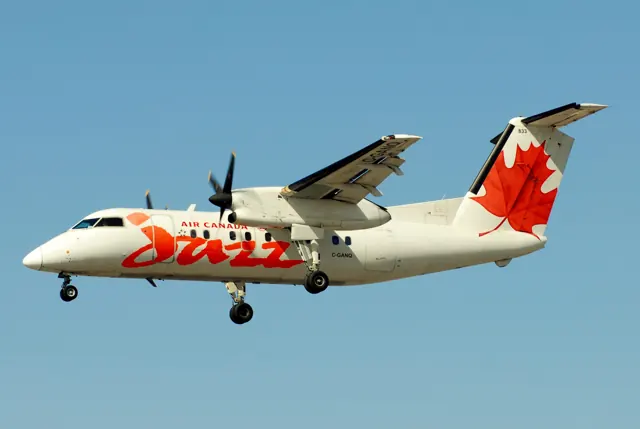
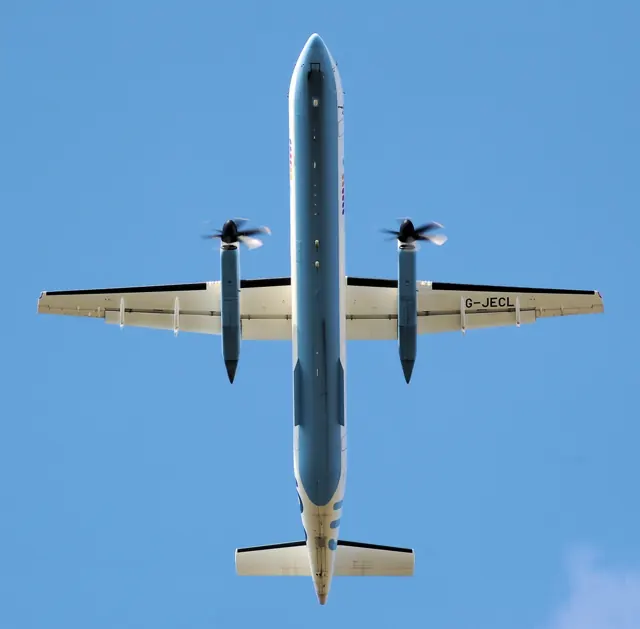
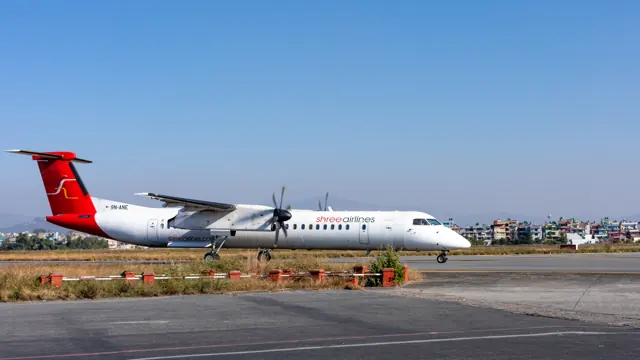
The Dash 8 entered service in 1984, developing regional-airline work around two turboprops rather than the Dash 7's four. The programme expanded through several fuselage lengths and engine developments. Later Q-series aircraft incorporated active cabin noise and vibration reduction. The Q400 is a substantially larger and faster member of that family.
Aircraft background
Wikipedia contributors · Read more ↗Looking down at the airport where it began
Flying over Springbank gave Fang an unexpected connection with his training days. He could see the airport where he had learned to fly and hear familiar callsigns, including people who had instructed him. From the cockpit of the Dash 8, a place he knew from the ground now marked how far his own flying had progressed. His interest had arrived relatively late, through watching a Cessna 172 video while at university.
Central Mountain Air interview · April 2025. Dash 8 first officer with eight months at CMA; the interview does not identify the variant.
Central Mountain Air · Read more ↗Explore the cabin’s own controls
The flight-attendant panel controls cabin lighting and temperature. Passenger shades, overhead bins, tray tables and service doors are interactive, extending the aircraft beyond the pilots’ seats.
Q4XP · FlyJSim · X-Plane 11 · X-Plane 12
FlyJSim · Read more ↗Into the cockpit
 YouTube
 Pilot Emilie · 42 min ·
Cockpit Flying Video: FULL FLIGHT Dash 8 Q400 | Fort St. John to Calgary WITH Air Traffic Control!
A complete Dash 8 Q400 sector from Fort St. John to Calgary, with ATC audio.
Real aircraft · De Havilland Dash 8 Q400
Watch on YouTube ↗Preview images are served by AirframeDB. Videos open on YouTube only when you choose to watch.
Meet De Havilland Dash 8 Q400
The Dash 8 entered service in 1984, developing regional-airline work around two turboprops rather than the Dash 7's four. The programme expanded through several fuselage lengths and engine developments. Later Q-series aircraft incorporated active cabin noise and vibration reduction.
The Q400 is a substantially larger and faster member of that family. FlyJSim's Q4XP represents this version, with its flight-management system and controls described in the developer manual.
De Havilland Dash 8 Q400
De Havilland Canada → · Explore the family →
De Havilland Dash 8 Q400
Wikipedia contributors · De Havilland Canada Dash 8 ↗FlyJSim · X-Plane 11 · X-Plane 12 →Aircraft type designators
Use the code for the model you are flying. The linked authority lists the applicable aircraft.
History & design
A regional family grows beyond its first model
De Havilland dates the Dash 8 Series 100’s first flight to 20 June 1983. Its history traces the family’s expansion to four models in the 1990s, followed by rising demand for the larger Dash 8-400 as fuel prices increased in the following decade.
De Havilland Canada · A century of excellence ↗Manufacturer historical timeline; the early Series 100 and later 400 are distinct variants
Development milestones
First flight: June 20, 1983
Developed from: de Havilland Canada Dash 7
Wikipedia contributors · De Havilland Canada Dash 8 ↗De Havilland Canada Dash 8 · family/variant named by the source · Wikipedia revision 1373442604
Pilot accounts
Looking down at the airport where it began
Flying over Springbank gave Fang an unexpected connection with his training days. He could see the airport where he had learned to fly and hear familiar callsigns, including people who had instructed him. From the cockpit of the Dash 8, a place he knew from the ground now marked how far his own flying had progressed.
His interest had arrived relatively late, through watching a Cessna 172 video while at university. A discovery flight at Calgary Flying Club led to training and then instructing there. Airline work brought early starts, weather preparation and coffee before departure, alongside pleasures such as a Rocky Mountain sunrise. He also valued opportunities to hand-fly, keeping skills from his instructing days in use.
Central Mountain Air interview · April 2025. Dash 8 first officer with eight months at CMA; the interview does not identify the variant.
Read the full account · Central Mountain Air ↗A former flight attendant finds a different view of Canada
Landry-Chouinard particularly enjoyed flying along the Lower North Shore towards Blanc-Sablon, with the St Lawrence and surrounding landscape opening out beneath the aircraft. His first trip across Canada, from Montreal to Calgary, also changed his sense of the country’s scale. Airline flying gave him places to see as well as a new position in the crew.
He had already spent nine years working as a flight attendant before becoming a pilot. During the pandemic, he bought a Cessna 150 and pursued flying at his own pace. Receiving his first pilot paycheque in 2024 was an emotional milestone. By the time of the interview, his Montreal work usually allowed him to return home after a day that began with breakfast, weather and flight preparation.
Central Mountain Air interview · April 2026. Montreal-based Dash 8 first officer, three months at CMA; exact variant not stated.
Read the full account · Central Mountain Air ↗Learning how a captain sets the tone
Lemiski found that becoming a captain involved learning how her behaviour affected everyone around her. A calm, considerate approach helped set the tone for the crew, while a successful day depended on people working well beyond the flight deck. Dispatchers, ramp staff and cabin crew all contributed to getting a short-haul flight away.
Passenger conversations became another rewarding part of command. Some travellers were still surprised to meet a woman captain. On one flight with an all-female crew, a twelve-year-old passenger was taking her first airline trip: every pilot she had met was therefore a woman. Lemiski connected that moment with the encouragement she herself had received, and with the responsibility of making aviation feel possible to the next generation.
Skies · March 2019. Porter Q400 captain reflecting on the first year after her February 2018 command upgrade.
Read the full account · Skies ↗In your simulator
Systems, equipment and documentation for each developer’s aircraft.
X-Plane 11 · X-Plane 12Q4XP
FlyJSim · Released
Q4XP
FlyJSim · Released
Manuals & resources
Find your next read
Choose a topic for a short introduction and a link to the original source. Simulator references identify the developer and edition they cover.
Simulator documentation
Explore the cabin’s own controlsQ4XP · FlyJSim · X-Plane 11 · X-Plane 12
The flight-attendant panel controls cabin lighting and temperature. Passenger shades, overhead bins, tray tables and service doors are interactive, extending the aircraft beyond the pilots’ seats.
Q4XP developer feature description · gathered September 2026
FlyJSim · Read the source ↗More than engines and a flight-management computerQ4XP · FlyJSim · X-Plane 11 · X-Plane 12
FlyJSim lists geared control tabs, pitch and roll disconnects, a gust lock, hydraulic distribution and stall protection among the Q4XP's modelled systems. Its UNS-1Ew flight-management system and PW150A engine simulation sit within that wider aircraft model. The reviewed requirements specify X-Plane 12.09 or later.
Current product requirements retrieved 2026-09-10 · Flight Controls/Hydraulics; specifications
FlyJSim · Read the source ↗Released product and variantsQ4XP · FlyJSim · X-Plane 11 · X-Plane 12
The Q4XP represents the Dash 8 Q400 with a custom UNS-1Ew flight-management system. The designated store lists X-Plane 11 and X-Plane 12 support.
Official developer / designated-store reference · checked 2026-09-14
FlyJSim · Read the source ↗Synchronise the two flight-management units deliberatelyQ4XP · FlyJSim · X-Plane 11 · X-Plane 12
FlyJSim documents a manual crossfill for routes and fuel data between the two UNS-1Ew units. The simulated heading mode also permits following vectors while retaining LNAV, with holding patterns entered through a graphical definition page.
Q4XP developer systems description · gathered September 2026
FlyJSim · Read the source ↗Pilot account
Looking down at the airport where it beganCentral Mountain Air interview · April 2025. Dash 8 first officer with eight months at CMA; the interview does not identify the variant.
Flying over Springbank gave Fang an unexpected connection with his training days. He could see the airport where he had learned to fly and hear familiar callsigns, including people who had instructed him. From the cockpit of the Dash 8, a place he knew from the ground now marked how far his own flying had progressed. His interest had arrived relatively late, through watching a Cessna 172 video while at university.
Ray Fang
Central Mountain Air · Read the source ↗A former flight attendant finds a different view of CanadaCentral Mountain Air interview · April 2026. Montreal-based Dash 8 first officer, three months at CMA; exact variant not stated.
Landry-Chouinard particularly enjoyed flying along the Lower North Shore towards Blanc-Sablon, with the St Lawrence and surrounding landscape opening out beneath the aircraft. His first trip across Canada, from Montreal to Calgary, also changed his sense of the country’s scale. Airline flying gave him places to see as well as a new position in the crew. He had already spent nine years working as a flight attendant before becoming a pilot.
Michaël Landry-Chouinard
Central Mountain Air · Read the source ↗Read the original documentation from the people who created it. Manuals open on their publisher’s website.
Manual
X-Plane aircraft and avionics manualsLaminar ResearchAircraft background
De Havilland Canada Dash 8Wikipedia contributors · Research background · Wikipedia revision 1373442604 · retrieved 2026-09-12 A century of excellenceDe Havilland Canada · Manufacturer history · retrieved September 2026Resource
Q4XP systemsFlyJSimDeveloper documentation
FlyJSim Q4XP-FlyJSim-Q4XPFlyJSim · Official developer / designated-store reference · checked 2026-09-14Type designator
ICAO Doc 8643 — aircraft type designatorsInternational Civil Aviation Organization · Public search data retrieved 2026-09-14; authority update 2026-09-03Built-in force-feedback profiles
Read the documentary basis, editable starting settings and remaining questions for the aircraft you fly. Each explanation refers to the exact profile revision shown.
Catalogue programme-20261022-v1 · 2 profile choices
FlyJSim Q4XP
FlyJSim · Free and Pro · Revision 3 · Inherited starting point
X-Plane 12
FlyJSim Q4XP: The powered-control response approximates the Q400’s feel system.
De Havilland Dash 8 Q400
Free and Pro · Revision 2 · Partial review
X-Plane 12 · X-Plane 11
De Havilland Dash 8 Q400: The powered-control response approximates the Q400’s feel system.
De Havilland Dash 8 Q400
De Havilland Dash 8 Q400: The powered-control response approximates the Q400’s feel system.
Aircraft and simulator scope
- De Havilland Dash 8 Q400 · X-Plane 12 · family starting point
- De Havilland Dash 8 Q400 · X-Plane 11 · family starting point
De Havilland Dash 8 Q400 · Both pages describe FlyJSim's Q4XP rendition of the Q400, not every Dash 8 generation.
The simulator model and controls
The Dash 8 entered service in 1984, developing regional-airline work around two turboprops rather than the Dash 7's four. The programme expanded through several fuselage lengths and engine developments. Later Q-series aircraft incorporated active cabin noise and vibration reduction.
This starting point selects De Havilland Dash 8 Q400. Its aircraft-level settings do not select a particular developer’s custom systems.
How this profile feels
The powered-control response approximates the Q400’s feel system. Spring resistance builds with the selected airspeed response. A separate aerodynamic term adds speed-dependent control load.
The documented aileron trim unit and pitch-feel units give trim distinct axis mechanisms. Valid trim provides the configured pressure relief. Autopilot following is enabled for supported control references.
Controls and trim
The Q400’s ailerons use geared tabs and cables with hydraulic spoilers, while its powered elevators have dedicated feel/trim units. Airspeed and normal acceleration enter the pitch-feel schedule. The aileron trim-control unit moves wheel neutral; flap-linked automatic pitch trim is another function.
About the values
The gains are normalized profile settings. They describe the chosen effect balance; hand force depends on the device and its output limits. IAS references are tuning values rather than operating limits. Physical acceptance of this revision remains pending.
What the documentation establishes
Both pages describe FlyJSim's Q4XP rendition of the Q400, not every Dash 8 generation.
FlyJSim lists geared tabs, spoilers, elevator and fore/aft rudder, with roll and pitch disconnect controls. Their operation and force gradients are not quantified.
The feature list explicitly includes trim control panels and the trim system, without a trim-force transfer curve.
Flaps and hydraulic displays, alternate hydraulics and PW150 engines are documented. The exact flap-detent schedule remains unresolved.
Documentary review and sources
These decisions describe the documentary basis and remaining gaps for this revision. Aircraft documentation and a starting setting describe different kinds of evidence.
Aircraft and variant
ReviewedThis starting point selects De Havilland Dash 8 Q400. Its aircraft-level settings do not select a particular developer’s custom systems.
Flight controls
ReviewedThe Q400’s ailerons use geared tabs and cables with hydraulic spoilers, while its powered elevators have dedicated feel/trim units. Airspeed and normal acceleration enter the pitch-feel schedule. The aileron trim-control unit moves wheel neutral; flap-linked automatic pitch trim is another function.
Trim
ReviewedThe documented aileron trim unit and pitch-feel units give trim distinct axis mechanisms. Pitch authority 0.3 provides load relief and permitted centre movement; roll authority is 0.14.
Autopilot and stability
Not yet reviewedFollowing is on at 0.1 authority when a supported, valid autopilot control reference is available.
Equipment
ReviewedGear, flap and ground cues follow the selected settings and available simulator-reported states.
Speeds and limits
Not yet reviewedThe indicated-speed references set the profile response scale; they are separate from aircraft operating limits.
Simulator integration
Not yet reviewedThe profile targets xplane12, xplane11. Add-on-specific controls use only the supported references configured by this profile.
Force-feedback settings
Not yet reviewedThe settings define the profile’s effect balance. Device output limits affect physical hand force.
Starting settings and their rationale
These configured values are starting estimates. The explanations describe what each setting controls; physical validation appears separately below.
| Setting | Starting value | What it controls and why |
|---|---|---|
| Spring strength | Starting value0.74 | What it controls and whyThe powered-control response approximates the Q400’s feel system. The baseline spring is 0.74. Its low-speed blend reaches baseline strength at 90 KIAS. |
| Master force gain | Starting value0.85 | What it controls and whyScales overall profile strength while preserving effect balance, subject to device and output limits. |
| Profile force gain | Starting value0.68 | What it controls and whyThe aerodynamic-load gain is 0.68 with an indicated-speed reference of 210 KIAS. This supplies speed-dependent loading alongside the spring. |
| Force tuning speed/reference | Starting value210.0 kt | What it controls and whySets the IAS reference for aerodynamic loading. It is an estimate, not published cruise TAS or a flight limit. |
| Spring response reference speed | Starting value90 kt | What it controls and whySets the IAS where the low-speed blend reaches baseline strength; high-speed stiffening also uses it. |
| Aileron force scale | Starting value0.72 | What it controls and whyRoll and pitch aerodynamic scales are 0.72 and 1, respectively. They set the aerodynamic axis balance. No custom spring-travel curve is enabled. |
| Elevator force scale | Starting value1.0 | What it controls and whyScales pitch aerodynamic loading; pitch spring travel and trim responses are separate settings. |
| Trim feel | Starting valueEnabled | What it controls and whyRetained for compatibility and group membership. Trim relief, rather than this flag, controls centre movement. |
| Trim relief | Starting valueEnabled | What it controls and whyAllows trim relief with supported control law and valid telemetry. Axis authorities set its amount. |
| Autopilot follow | Starting valueEnabled | What it controls and whyFollowing is on at 0.1 authority when a supported, valid autopilot control reference is available. |
| Autopilot neutral hold | Starting valueDisabled | What it controls and whyPermits centering hold during a supported AP state, separate from following a moving target. |
| Output force limit | Starting value0.55 | What it controls and whyCaps directed-force output. Native spring effects and device limits remain separate. |
All 44 starting settings and their rationale
The settings define the profile’s effect balance. Device output limits affect physical hand force.
| Setting | Starting value | What it controls and why |
|---|---|---|
| Spring strength | Starting value0.74 | What it controls and whyThe powered-control response approximates the Q400’s feel system. The baseline spring is 0.74. Its low-speed blend reaches baseline strength at 90 KIAS. |
| Spring deadband | Starting value0.05 | What it controls and whySets travel around the centre before the baseline spring resists. Smaller values engage it sooner. |
| Profile force gain | Starting value0.68 | What it controls and whyThe aerodynamic-load gain is 0.68 with an indicated-speed reference of 210 KIAS. This supplies speed-dependent loading alongside the spring. |
| Master force gain | Starting value0.85 | What it controls and whyScales overall profile strength while preserving effect balance, subject to device and output limits. |
| QBlend Enabled | Starting valueEnabled | What it controls and whyAllows baseline spring strength to rise with indicated airspeed where the control law permits it. |
| QSpring Minimum Factor | Starting value0.55 | What it controls and whySets low-speed spring strength as a fraction of baseline when blending is enabled. One keeps full strength. |
| QSpring Start Knots | Starting value20 kt | What it controls and whySets the IAS where the low-speed spring blend starts rising. This is a feel threshold, not a flight limit. |
| Spring response reference speed | Starting value90 kt | What it controls and whySets the IAS where the low-speed blend reaches baseline strength; high-speed stiffening also uses it. |
| Force tuning speed/reference | Starting value210.0 kt | What it controls and whySets the IAS reference for aerodynamic loading. It is an estimate, not published cruise TAS or a flight limit. |
| Airspeed spring stiffening gain | Starting value0.1 | What it controls and whyThe high-speed spring-stiffening gain is 0.1. It strengthens the permitted spring response above 90 KIAS, with the squared-speed ratio capped at 5. |
| Airspeed spring stiffening limit | Starting value5 | What it controls and whyLimits the squared airspeed ratio used for high-speed spring stiffening; it is not a device-force cap. |
| Aileron force scale | Starting value0.72 | What it controls and whyRoll and pitch aerodynamic scales are 0.72 and 1, respectively. They set the aerodynamic axis balance. No custom spring-travel curve is enabled. |
| Elevator force scale | Starting value1.0 | What it controls and whyScales pitch aerodynamic loading; pitch spring travel and trim responses are separate settings. |
| Output force limit | Starting value0.55 | What it controls and whyCaps directed-force output. Native spring effects and device limits remain separate. |
| Trim feel | Starting valueEnabled | What it controls and whyRetained for compatibility and group membership. Trim relief, rather than this flag, controls centre movement. |
| Trim relief | Starting valueEnabled | What it controls and whyAllows trim relief with supported control law and valid telemetry. Axis authorities set its amount. |
| Elevator Authority | Starting value0.3 | What it controls and whyThe documented aileron trim unit and pitch-feel units give trim distinct axis mechanisms. Pitch authority 0.3 provides load relief and permitted centre movement; roll authority is 0.14. |
| Aileron Authority | Starting value0.14 | What it controls and whyScales supported roll-trim relief and permitted centre movement. Zero removes roll response. |
| Force Trim Enabled | Starting valueDisabled | What it controls and whyEnables local force trim, separate from aircraft-owned trim and add-on integration qualification. |
| GLoad Enabled | Starting valueEnabled | What it controls and whyAllows load-factor changes to modify permitted spring laws. Passive fly-by-wire feel can suppress it. |
| Rate Damping Enabled | Starting valueEnabled | What it controls and whyEnables rate damping with the configured coefficients and control law. |
| Autopilot follow | Starting valueEnabled | What it controls and whyFollowing is on at 0.1 authority when a supported, valid autopilot control reference is available. |
| Autopilot follow authority | Starting value0.1 | What it controls and whySets admitted AP-follow gain, not a percentage of travel. Runtime ownership and input limits still apply. |
| Autopilot neutral hold | Starting valueDisabled | What it controls and whyPermits centering hold during a supported AP state, separate from following a moving target. |
| Autopilot neutral hold strength | Starting value0.6 | What it controls and whySets admitted AP neutral-hold strength; inactive while neutral hold is disabled. |
| Enabled | Starting valueEnabled | What it controls and whyEnables aerodynamic cues; each still needs nonzero strength and its simulator conditions. |
| Gain | Starting value0.28 | What it controls and whySets stall-buffet strength. Zero removes the cue without changing simulator stalls or warnings. |
| Gain | Starting value0 | What it controls and whySets high-Mach buffet strength; onset and full-strength thresholds are separate. |
| Gain | Starting value0.14 | What it controls and whySets flap buffet at the configured position and speed gates. Flap movement texture is separate. |
| Maximum flap index | Starting value4 | What it controls and whySets the final flap index for detent normalization. UP plus three detents uses maximum index3. |
| Minimum flap index | Starting value2 | What it controls and whySets the first flap detent that admits buffet; this is a handle index, not degrees. |
| Gain | Starting value0.1 | What it controls and whySets gear aerodynamic buffet; movement and ground-contact cues are separate. |
| Shaker Enabled | Starting valueDisabled | What it controls and whyPermits shaker at supported warning conditions; the switch does not establish aircraft equipment. |
| Stick shaker amplitude | Starting value0.5 | What it controls and whySets triggered shaker strength; inactive while the shaker feature is disabled. |
| Enabled | Starting valueEnabled | What it controls and whyEnables ground effects; each still needs its own strength and contact or motion telemetry. |
| Gain | Starting value0.42 | What it controls and whySets rolling texture strength, modified by speed, surface and undercarriage configuration. |
| Gain | Starting value0.32 | What it controls and whySets gear-bump texture during ground motion, separate from touchdown impact. |
| Gain | Starting value0.82 | What it controls and whySets landing-impact strength; landing telemetry and response shape determine the pulse. |
| Gain | Starting value0.48 | What it controls and whySets reverse-thrust vibration with valid reverser and engine conditions. Zero removes the cue. |
| Enabled | Starting valueEnabled | What it controls and whyEnables engine cues with nonzero settings and valid running-engine telemetry. |
| Gain | Starting value0.06 | What it controls and whySets estimated engine vibration using configured telemetry and response, not measured cockpit vibration. |
| Enabled | Starting valueEnabled | What it controls and whyEnables accessory cues with configured strengths and observed accessory movement. |
| Gain | Starting value0.12 | What it controls and whySets texture from observed flap movement; a command without movement does not establish the cue. |
| Gain | Starting value0.12 | What it controls and whySets texture from observed gear movement, separate from aerodynamic and touchdown effects. |
Limits and open questions
- The pages identify a custom UNS1Ew FMS and yaw damper but do not establish external autopilot control-following behavior.
- Descriptions of fast regional cruise do not provide an indicated-airspeed loading reference.
- The changelog mentions flap-dataref fixes but does not define a stable external dataref contract.
- Tab and hydraulic system listings provide no measured wheel-force curve or propeller vibration amplitude.
- De Havilland Dash 8 Q400 documentary evidence does not establish force-feedback hardware acceptance.
Physical validation
No physical force validation is recorded in this public catalogue for this revision. Documentary review and software checks do not establish how a particular device feels.
Discuss this aircraft (0)
Questions, observations and useful sources from the community.
No published discussions yet. Bring a question or share a useful source.
Open aircraft discussions →Content expanded · What’s new
Something missing or a source that needs attention?
Suggest a correction ↗