

Start here
A few places to begin, from the aircraft’s story to the people who fly it.
Meet the aircraft
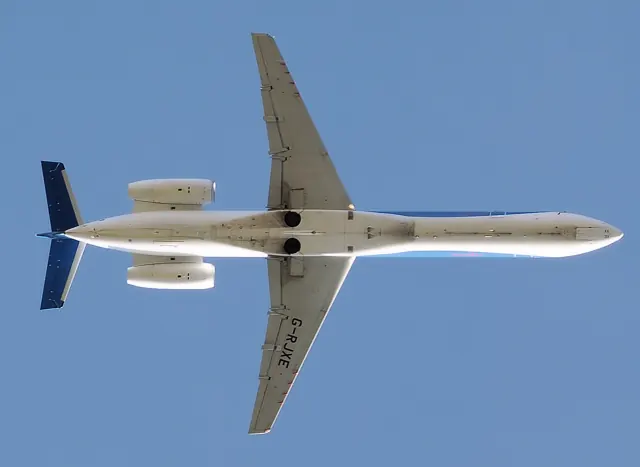
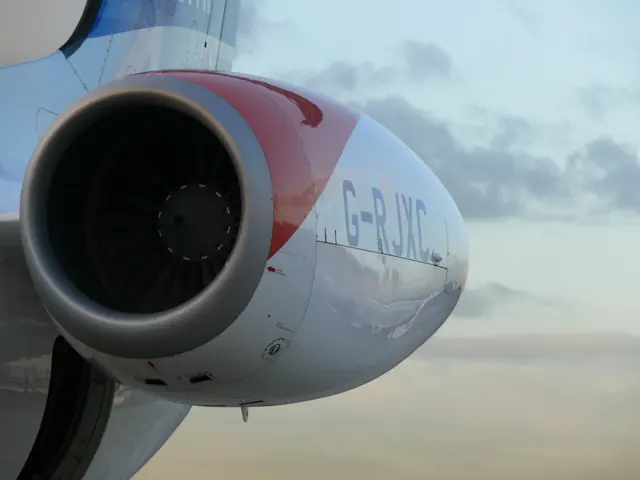
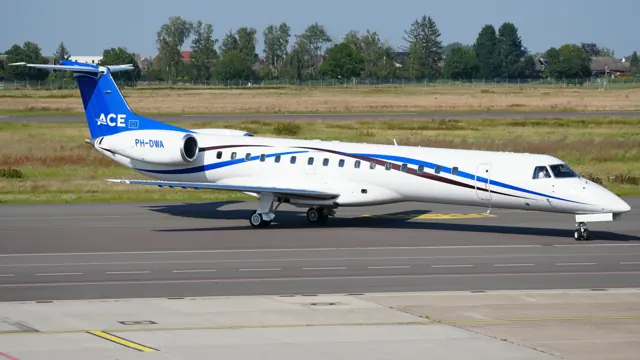
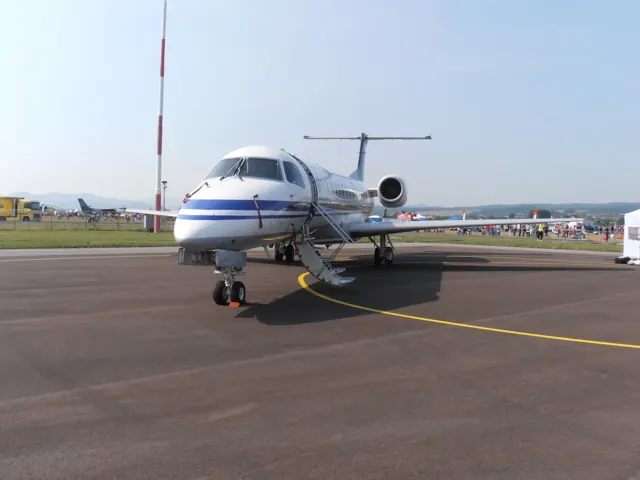
The ERJ family grew into several related regional jets, including the 135, 140 and 145. The same lineage also led to Legacy business jets and military derivatives. Specifications and simulator packages identify the regional-airliner variants they describe.
Aircraft background
Wikipedia contributors · Read more ↗Turning a type rating into everyday airline flying
Vetter arrived at airline flying after decades in general aviation, but the first supervised trips still demanded adjustment. Short sectors left little time to catch up, late arrivals made meals difficult, and a cold midnight walkaround in Quebec added a very physical reminder that the job extended beyond the cockpit. Food packed in his bag proved useful on another late finish.
Doug’s Domain first-person account. ERJ-145XR first officer, approximately 400 hours on type at writing; initial operating experience began in March 2019.
Doug’s Domain · Read more ↗Plan loading and performance in the EFB
The tablet includes weight and balance with SimBrief integration, takeoff and landing performance calculations, checklists, door controls and ground services. The developer also lists AviTab integration.
Embraer ERJ family · X-Crafts · X-Plane 12
X-Crafts · Read more ↗Into the cockpit
 YouTube
 Swayne Martin · 31 min ·
360° Airline Cockpit View, FULL Flight | Dallas - Miami | American Eagle E-145
An interactive 360-degree cockpit view of an Embraer 145 sector from Dallas to Miami.
Real aircraft · Embraer ERJ family
Watch on YouTube ↗Preview images are served by AirframeDB. Videos open on YouTube only when you choose to watch.
Meet Embraer ERJ family
The ERJ family grew into several related regional jets, including the 135, 140 and 145. The same lineage also led to Legacy business jets and military derivatives. Specifications and simulator packages identify the regional-airliner variants they describe.
Embraer ERJ
Embraer → · Explore the family →
Embraer ERJ family
Wikipedia contributors · Embraer ERJ family ↗Aircraft type designators
Use the code for the model you are flying. The linked authority lists the applicable aircraft.
History & design
A turboprop operator builds a regional-jet fleet
AirlineGeeks describes CommutAir receiving its first ERJ145XR in November 2015 and beginning passenger jet service in June 2016. Training crews and moving away from Dash 8 operations were central parts of the transition, giving the aircraft a role in reshaping the regional airline.
AirlineGeeks · Inside CommutAir’s transition to the Embraer ERJ145 ↗Reported operator history · August 2018; planned future fleet totals are omitted
Development milestones
First flight: 11 August 1995
Developed from: Embraer EMB 120 Brasilia
Wikipedia contributors · Embraer ERJ family ↗Embraer ERJ family · family/variant named by the source · Wikipedia revision 1372051833
Systems & details
Read the range with its variant
Embraer’s 1,550 nm figure applies to the Long Range ERJ145 with a full standard passenger load in ISA conditions and zero wind. The manufacturer treats it as an indicative comparison. The ERJ145XR is a separate variant, so its weight and range should not be substituted.
Pilot accounts
Turning a type rating into everyday airline flying
Vetter arrived at airline flying after decades in general aviation, but the first supervised trips still demanded adjustment. Short sectors left little time to catch up, late arrivals made meals difficult, and a cold midnight walkaround in Quebec added a very physical reminder that the job extended beyond the cockpit. Food packed in his bag proved useful on another late finish.
Landing the taller jet also required him to relearn a familiar view. He initially struggled to judge the flare and bring the nosewheel down smoothly. Asking a captain for additional callouts helped him understand what was happening. As experience accumulated, tasks that had filled a new first officer’s attention became more routine, illustrating the gap between passing a checkride and feeling settled in daily operations.
Doug’s Domain first-person account. ERJ-145XR first officer, approximately 400 hours on type at writing; initial operating experience began in March 2019.
Read the full account · Doug’s Domain ↗A first officer notices that the approach is slipping below the glidepath
The captain believed the aircraft had captured the instrument approach correctly. The first officer noticed that it was below the glideslope and drew attention to the vertical mode actually shown on the display. The crew corrected the flight path, regained the glidepath and subsequently completed a visual landing after emerging from cloud.
Both pilots reflected on the difference between selecting a function and checking that it had become active. The captain acknowledged relying too heavily on the automation and allowing the instrument scan to lapse. The first officer’s accompanying report reached the same lesson about verifying the aircraft’s response. Together, their accounts show a routine cross-check becoming valuable at a moment when the crew’s expectation and the aircraft’s behaviour had diverged.
NASA ASRS CALLBACK 412 · May 2014. Captain and first-officer reports of the same event, counted together; voluntary anonymised reports, not independent accident findings.
Read the full account · NASA ASRS CALLBACK ↗A slowing aircraft reveals an unnoticed climb
While receiving vectors for a visual approach, the crew selected a lower altitude and began a descent. Neither pilot noticed a change in the indicated vertical mode. The aircraft eventually started climbing instead, and the reporting pilot first recognised trouble when the airspeed fell substantially below the assigned value.
Adding thrust and reversing the climb brought the aircraft back towards its clearance. Air traffic control also queried the unexpected climb, and the crew ultimately completed the approach. Looking back, the reporter focused on the monitoring that had been missed by both pilots. The account describes how attention to basic flight information became more urgent than confidence in an earlier selection, without establishing why the mode change originally occurred.
NASA ASRS CALLBACK 456 · January 2018, “Back to Basics.” An anonymised voluntary report; the operator, flight date and crew identities are not published.
Read the full account · NASA ASRS CALLBACK ↗In your simulator
Systems, equipment and documentation for each developer’s aircraft.
X-Plane 12Embraer ERJ family
X-Crafts · Released
Embraer ERJ family
X-Crafts · Released
Manuals & resources
Find your next read
Choose a topic for a short introduction and a link to the original source. Simulator references identify the developer and edition they cover.
Simulator documentation
Plan loading and performance in the EFBEmbraer ERJ family · X-Crafts · X-Plane 12
The tablet includes weight and balance with SimBrief integration, takeoff and landing performance calculations, checklists, door controls and ground services. The developer also lists AviTab integration.
ERJ Family 2.0 X-Plane 12 product description
X-Crafts · Read the source ↗Move instrument displays onto another screenEmbraer ERJ family · X-Crafts · X-Plane 12
The package provides resizable pop-up displays that can be moved to another monitor. Its developer also lists separate pilot and copilot PFDs and MFDs, plus systems synoptic pages and a custom navigation map.
ERJ Family 2.0 X-Plane 12 product description
X-Crafts · Read the source ↗Optional guidance accompanies a complete flightEmbraer ERJ family · X-Crafts · X-Plane 12
The ERJ Family 2.0 listing describes AirComms prompts covering startup through shutdown, including reminders for missed actions. The guidance can be disabled when the user wants to manage the flight without it.
X-Crafts ERJ Family 2.0 for X-Plane 12 · gathered September 2026
X-Crafts · Read the source ↗Pilot account
Turning a type rating into everyday airline flyingDoug’s Domain first-person account. ERJ-145XR first officer, approximately 400 hours on type at writing; initial operating experience began in March 2019.
Vetter arrived at airline flying after decades in general aviation, but the first supervised trips still demanded adjustment. Short sectors left little time to catch up, late arrivals made meals difficult, and a cold midnight walkaround in Quebec added a very physical reminder that the job extended beyond the cockpit. Food packed in his bag proved useful on another late finish. Landing the taller jet also required him to relearn a familiar view.
Doug Vetter
Doug’s Domain · Read the source ↗A first officer notices that the approach is slipping below the glidepathNASA ASRS CALLBACK 412 · May 2014. Captain and first-officer reports of the same event, counted together; voluntary anonymised reports, not independent accident findings.
The captain believed the aircraft had captured the instrument approach correctly. The first officer noticed that it was below the glideslope and drew attention to the vertical mode actually shown on the display. The crew corrected the flight path, regained the glidepath and subsequently completed a visual landing after emerging from cloud. Both pilots reflected on the difference between selecting a function and checking that it had become active.
Unnamed ERJ-145 crew
NASA ASRS CALLBACK · Read the source ↗Read the original documentation from the people who created it. Manuals open on their publisher’s website.
Aircraft background
Embraer ERJ familyWikipedia contributors · Research background · retrieved 2026-09-12 Inside CommutAir’s transition to the Embraer ERJ145AirlineGeeks · 29 August 2018Product
ERJ 135 / 140 / 145 / 145XR / Legacy 650X-Crafts · Official developer / designated store catalogue · checked 2026-09-12Type designator
ICAO Doc 8643 — aircraft type designatorsInternational Civil Aviation Organization · Public search data retrieved 2026-09-14; authority update 2026-09-03Specifications
Aircraft Performance Database: E145EUROCONTROL · E145 family: indicative EUROCONTROL technical data ERJ145 aircraft overviewEmbraer · ERJ145 LR manufacturer range conditionsBuilt-in force-feedback profiles
Read the documentary basis, editable starting settings and remaining questions for the aircraft you fly. Each explanation refers to the exact profile revision shown.
Catalogue programme-20261022-v1 · 10 profile choices
X-Crafts ERJ 135
X-Crafts · Free and Pro · Revision 1 · Inherited starting point
X-Plane 12
X-Crafts ERJ 135: Manual elevator loading and powered lateral control require different axis context.
X-Crafts ERJ 140
X-Crafts · Free and Pro · Revision 1 · Inherited starting point
X-Plane 12
X-Crafts ERJ 140: Manual elevator loading and powered lateral control require different axis context.
X-Crafts ERJ 145
X-Crafts · Free and Pro · Revision 1 · Inherited starting point
X-Plane 12
X-Crafts ERJ 145: Manual elevator loading and powered lateral control require different axis context.
X-Crafts ERJ 145XR
X-Crafts · Free and Pro · Revision 1 · Inherited starting point
X-Plane 12
X-Crafts ERJ 145XR: Manual elevator loading and powered lateral control require different axis context.
X-Crafts Legacy 650
X-Crafts · Free and Pro · Revision 1 · Inherited starting point
X-Plane 12
X-Crafts Legacy 650: Manual elevator loading and powered lateral control require different axis context.
Embraer ERJ 145
Free and Pro · Revision 3 · Partial review
X-Plane 12
Embraer ERJ 145: Manual elevator loading and powered lateral control require different axis context.
Embraer ERJ 135
Free and Pro · Revision 1 · Partial review
X-Plane 12
Embraer ERJ 135: Manual elevator loading and powered lateral control require different axis context.
Embraer ERJ 140
Free and Pro · Revision 1 · Partial review
X-Plane 12
Embraer ERJ 140: Manual elevator loading and powered lateral control require different axis context.
Embraer ERJ 145XR
Free and Pro · Revision 1 · Partial review
X-Plane 12
Embraer ERJ 145XR: Manual elevator loading and powered lateral control require different axis context.
Embraer Legacy 650
Free and Pro · Revision 1 · Review pending
X-Plane 12
Embraer Legacy 650: Manual elevator loading and powered lateral control require different axis context.
Embraer Legacy 650
Embraer Legacy 650: Manual elevator loading and powered lateral control require different axis context.
Aircraft and simulator scope
- Embraer Legacy 650 · X-Plane 12 · Variant starting point
Embraer Legacy 650 · The selected Legacy 650 requires exact variant evidence; general ERJ-family automatic-flight features do not establish its installation. The page identifies the X-Crafts ERJ-family product; the individual regional and Legacy choices need their own variant equipment scope.
The simulator model and controls
The ERJ family grew into several related regional jets, including the 135, 140 and 145. The same lineage also led to Legacy business jets and military derivatives. Specifications and simulator packages identify the regional-airliner variants they describe.
This starting point selects Embraer Legacy 650. Its aircraft-level settings do not select a particular developer’s custom systems.
How this profile feels
Manual elevator loading and powered lateral control require different axis context. Spring resistance builds with the selected airspeed response. A separate aerodynamic term adds speed-dependent control load.
Whole-stabilizer pitch trim uses electric motors; AP and speedbrakes can also command it. Valid trim provides the configured pressure relief. Autopilot following is enabled for supported control references.
Controls and trim
The EMB135/145 elevators use cables and spring tabs. Electric trim moves the whole stabilizer through main and backup motors. Other primary controls use hydraulic power, giving pitch and lateral control different mechanisms. X-Crafts separately documents binary speedbrakes, omitted 18-degree flaps and its exact automatic-flight functions.
About the values
The gains are normalized profile settings. They describe the chosen effect balance; hand force depends on the device and its output limits. IAS references are tuning values rather than operating limits. Physical acceptance of this revision remains pending.
Documentary review and sources
These decisions describe the documentary basis and remaining gaps for this revision. Aircraft documentation and a starting setting describe different kinds of evidence.
Aircraft and variant
Not yet reviewedThis starting point selects Embraer Legacy 650. Its aircraft-level settings do not select a particular developer’s custom systems.
Flight controls
Not yet reviewedThe EMB135/145 elevators use cables and spring tabs. Electric trim moves the whole stabilizer through main and backup motors. Other primary controls use hydraulic power, giving pitch and lateral control different mechanisms. X-Crafts separately documents binary speedbrakes, omitted 18-degree flaps and its exact automatic-flight functions.
Trim
Not yet reviewedWhole-stabilizer pitch trim uses electric motors; AP and speedbrakes can also command it. Pitch authority 0.3 provides load relief and permitted centre movement; roll authority is 0.
Autopilot and stability
Not yet reviewedFollowing is on at 0.1 authority when a supported, valid autopilot control reference is available.
Equipment
Not yet reviewedGear, flap and ground cues follow the selected settings and available simulator-reported states.
Speeds and limits
Not yet reviewedThe indicated-speed references set the profile response scale; they are separate from aircraft operating limits.
Simulator integration
Not yet reviewedThe profile targets xplane12. Add-on-specific controls use only the supported references configured by this profile.
Force-feedback settings
Not yet reviewedThe settings define the profile’s effect balance. Device output limits affect physical hand force.
Starting settings and their rationale
These configured values are starting estimates. The explanations describe what each setting controls; physical validation appears separately below.
| Setting | Starting value | What it controls and why |
|---|---|---|
| Spring strength | Starting value0.74 | What it controls and whyManual elevator loading and powered lateral control require different axis context. The baseline spring is 0.74. Its low-speed blend reaches baseline strength at 90 KIAS. |
| Master force gain | Starting value0.85 | What it controls and whyScales overall profile strength while preserving effect balance, subject to device and output limits. |
| Profile force gain | Starting value0.8 | What it controls and whyThe aerodynamic-load gain is 0.8 with an indicated-speed reference of 250 KIAS. This supplies speed-dependent loading alongside the spring. |
| Force tuning speed/reference | Starting value250.0 kt | What it controls and whySets the IAS reference for aerodynamic loading. It is an estimate, not published cruise TAS or a flight limit. |
| Spring response reference speed | Starting value90 kt | What it controls and whySets the IAS where the low-speed blend reaches baseline strength; high-speed stiffening also uses it. |
| Aileron force scale | Starting value0.72 | What it controls and whyRoll and pitch aerodynamic scales are 0.72 and 1, respectively. They set the aerodynamic axis balance. No custom spring-travel curve is enabled. |
| Elevator force scale | Starting value1.0 | What it controls and whyScales pitch aerodynamic loading; pitch spring travel and trim responses are separate settings. |
| Trim feel | Starting valueEnabled | What it controls and whyRetained for compatibility and group membership. Trim relief, rather than this flag, controls centre movement. |
| Trim relief | Starting valueEnabled | What it controls and whyAllows trim relief with supported control law and valid telemetry. Axis authorities set its amount. |
| Autopilot follow | Starting valueEnabled | What it controls and whyFollowing is on at 0.1 authority when a supported, valid autopilot control reference is available. |
| Autopilot neutral hold | Starting valueDisabled | What it controls and whyPermits centering hold during a supported AP state, separate from following a moving target. |
| Output force limit | Starting value0.55 | What it controls and whyCaps directed-force output. Native spring effects and device limits remain separate. |
All 44 starting settings and their rationale
The settings define the profile’s effect balance. Device output limits affect physical hand force.
| Setting | Starting value | What it controls and why |
|---|---|---|
| Spring strength | Starting value0.74 | What it controls and whyManual elevator loading and powered lateral control require different axis context. The baseline spring is 0.74. Its low-speed blend reaches baseline strength at 90 KIAS. |
| Spring deadband | Starting value0.045 | What it controls and whySets travel around the centre before the baseline spring resists. Smaller values engage it sooner. |
| Profile force gain | Starting value0.8 | What it controls and whyThe aerodynamic-load gain is 0.8 with an indicated-speed reference of 250 KIAS. This supplies speed-dependent loading alongside the spring. |
| Master force gain | Starting value0.85 | What it controls and whyScales overall profile strength while preserving effect balance, subject to device and output limits. |
| QBlend Enabled | Starting valueEnabled | What it controls and whyAllows baseline spring strength to rise with indicated airspeed where the control law permits it. |
| QSpring Minimum Factor | Starting value0.5 | What it controls and whySets low-speed spring strength as a fraction of baseline when blending is enabled. One keeps full strength. |
| QSpring Start Knots | Starting value20 kt | What it controls and whySets the IAS where the low-speed spring blend starts rising. This is a feel threshold, not a flight limit. |
| Spring response reference speed | Starting value90 kt | What it controls and whySets the IAS where the low-speed blend reaches baseline strength; high-speed stiffening also uses it. |
| Force tuning speed/reference | Starting value250.0 kt | What it controls and whySets the IAS reference for aerodynamic loading. It is an estimate, not published cruise TAS or a flight limit. |
| Airspeed spring stiffening gain | Starting value0.15 | What it controls and whyThe high-speed spring-stiffening gain is 0.15. It strengthens the permitted spring response above 90 KIAS, with the squared-speed ratio capped at 5. |
| Airspeed spring stiffening limit | Starting value5 | What it controls and whyLimits the squared airspeed ratio used for high-speed spring stiffening; it is not a device-force cap. |
| Aileron force scale | Starting value0.72 | What it controls and whyRoll and pitch aerodynamic scales are 0.72 and 1, respectively. They set the aerodynamic axis balance. No custom spring-travel curve is enabled. |
| Elevator force scale | Starting value1.0 | What it controls and whyScales pitch aerodynamic loading; pitch spring travel and trim responses are separate settings. |
| Output force limit | Starting value0.55 | What it controls and whyCaps directed-force output. Native spring effects and device limits remain separate. |
| Trim feel | Starting valueEnabled | What it controls and whyRetained for compatibility and group membership. Trim relief, rather than this flag, controls centre movement. |
| Trim relief | Starting valueEnabled | What it controls and whyAllows trim relief with supported control law and valid telemetry. Axis authorities set its amount. |
| Elevator Authority | Starting value0.3 | What it controls and whyWhole-stabilizer pitch trim uses electric motors; AP and speedbrakes can also command it. Pitch authority 0.3 provides load relief and permitted centre movement; roll authority is 0. |
| Aileron Authority | Starting value0 | What it controls and whyScales supported roll-trim relief and permitted centre movement. Zero removes roll response. |
| Force Trim Enabled | Starting valueDisabled | What it controls and whyEnables local force trim, separate from aircraft-owned trim and add-on integration qualification. |
| GLoad Enabled | Starting valueEnabled | What it controls and whyAllows load-factor changes to modify permitted spring laws. Passive fly-by-wire feel can suppress it. |
| Rate Damping Enabled | Starting valueEnabled | What it controls and whyEnables rate damping with the configured coefficients and control law. |
| Autopilot follow | Starting valueEnabled | What it controls and whyFollowing is on at 0.1 authority when a supported, valid autopilot control reference is available. |
| Autopilot follow authority | Starting value0.1 | What it controls and whySets admitted AP-follow gain, not a percentage of travel. Runtime ownership and input limits still apply. |
| Autopilot neutral hold | Starting valueDisabled | What it controls and whyPermits centering hold during a supported AP state, separate from following a moving target. |
| Autopilot neutral hold strength | Starting value0.6 | What it controls and whySets admitted AP neutral-hold strength; inactive while neutral hold is disabled. |
| Enabled | Starting valueEnabled | What it controls and whyEnables aerodynamic cues; each still needs nonzero strength and its simulator conditions. |
| Gain | Starting value0.35 | What it controls and whySets stall-buffet strength. Zero removes the cue without changing simulator stalls or warnings. |
| Gain | Starting value0.22 | What it controls and whySets high-Mach buffet strength; onset and full-strength thresholds are separate. |
| Gain | Starting value0.14 | What it controls and whySets flap buffet at the configured position and speed gates. Flap movement texture is separate. |
| Maximum flap index | Starting value4 | What it controls and whySets the final flap index for detent normalization. UP plus three detents uses maximum index3. |
| Minimum flap index | Starting value2 | What it controls and whySets the first flap detent that admits buffet; this is a handle index, not degrees. |
| Gain | Starting value0.1 | What it controls and whySets gear aerodynamic buffet; movement and ground-contact cues are separate. |
| Shaker Enabled | Starting valueDisabled | What it controls and whyPermits shaker at supported warning conditions; the switch does not establish aircraft equipment. |
| Stick shaker amplitude | Starting value0.5 | What it controls and whySets triggered shaker strength; inactive while the shaker feature is disabled. |
| Enabled | Starting valueEnabled | What it controls and whyEnables ground effects; each still needs its own strength and contact or motion telemetry. |
| Gain | Starting value0.4 | What it controls and whySets rolling texture strength, modified by speed, surface and undercarriage configuration. |
| Gain | Starting value0.25 | What it controls and whySets gear-bump texture during ground motion, separate from touchdown impact. |
| Gain | Starting value0.65 | What it controls and whySets landing-impact strength; landing telemetry and response shape determine the pulse. |
| Gain | Starting value0 | What it controls and whySets reverse-thrust vibration with valid reverser and engine conditions. Zero removes the cue. |
| Enabled | Starting valueEnabled | What it controls and whyEnables engine cues with nonzero settings and valid running-engine telemetry. |
| Gain | Starting value0.06 | What it controls and whySets estimated engine vibration using configured telemetry and response, not measured cockpit vibration. |
| Enabled | Starting valueEnabled | What it controls and whyEnables accessory cues with configured strengths and observed accessory movement. |
| Gain | Starting value0.12 | What it controls and whySets texture from observed flap movement; a command without movement does not establish the cue. |
| Gain | Starting value0.12 | What it controls and whySets texture from observed gear movement, separate from aerodynamic and touchdown effects. |
Limits and open questions
- The selected Legacy 650 requires exact variant evidence; general ERJ-family automatic-flight features do not establish its installation. The page identifies the X-Crafts ERJ-family product; the individual regional and Legacy choices need their own variant equipment scope.
- The selected Legacy 650 requires exact variant evidence; general ERJ-family automatic-flight features do not establish its installation. Hydraulic-system simulation is listed without explaining elevator versus aileron loading architecture.
- The selected Legacy 650 requires exact variant evidence; general ERJ-family automatic-flight features do not establish its installation. The product page does not establish ERJ trim mechanism or authority.
- The selected Legacy 650 requires exact variant evidence; general ERJ-family automatic-flight features do not establish its installation. X-Crafts states that the product models FMS and autopilot modes, including holds. This is a developer feature claim rather than an external following contract.
- The selected Legacy 650 requires exact variant evidence; general ERJ-family automatic-flight features do not establish its installation. The broad system list and new-gear model description do not establish variant flap-detent or speedbrake schedules.
- The selected Legacy 650 requires exact variant evidence; general ERJ-family automatic-flight features do not establish its installation. The page does not provide a variant-specific indicated-speed reference or Mach cue onset.
- The selected Legacy 650 requires exact variant evidence; general ERJ-family automatic-flight features do not establish its installation. FMS and system feature claims do not publish external trim or autopilot signal semantics.
- The selected Legacy 650 requires exact variant evidence; general ERJ-family automatic-flight features do not establish its installation. The page gives no measured ERJ wheel-force curve or jet vibration transfer.
- Embraer Legacy 650 documentary evidence does not establish force-feedback hardware acceptance.
Physical validation
No physical force validation is recorded in this public catalogue for this revision. Documentary review and software checks do not establish how a particular device feels.
Discuss this aircraft (0)
Questions, observations and useful sources from the community.
No published discussions yet. Bring a question or share a useful source.
Open aircraft discussions →Content expanded · What’s new
Something missing or a source that needs attention?
Suggest a correction ↗