
Start here
A few places to begin, from the aircraft’s story to the people who fly it.
Meet the aircraft
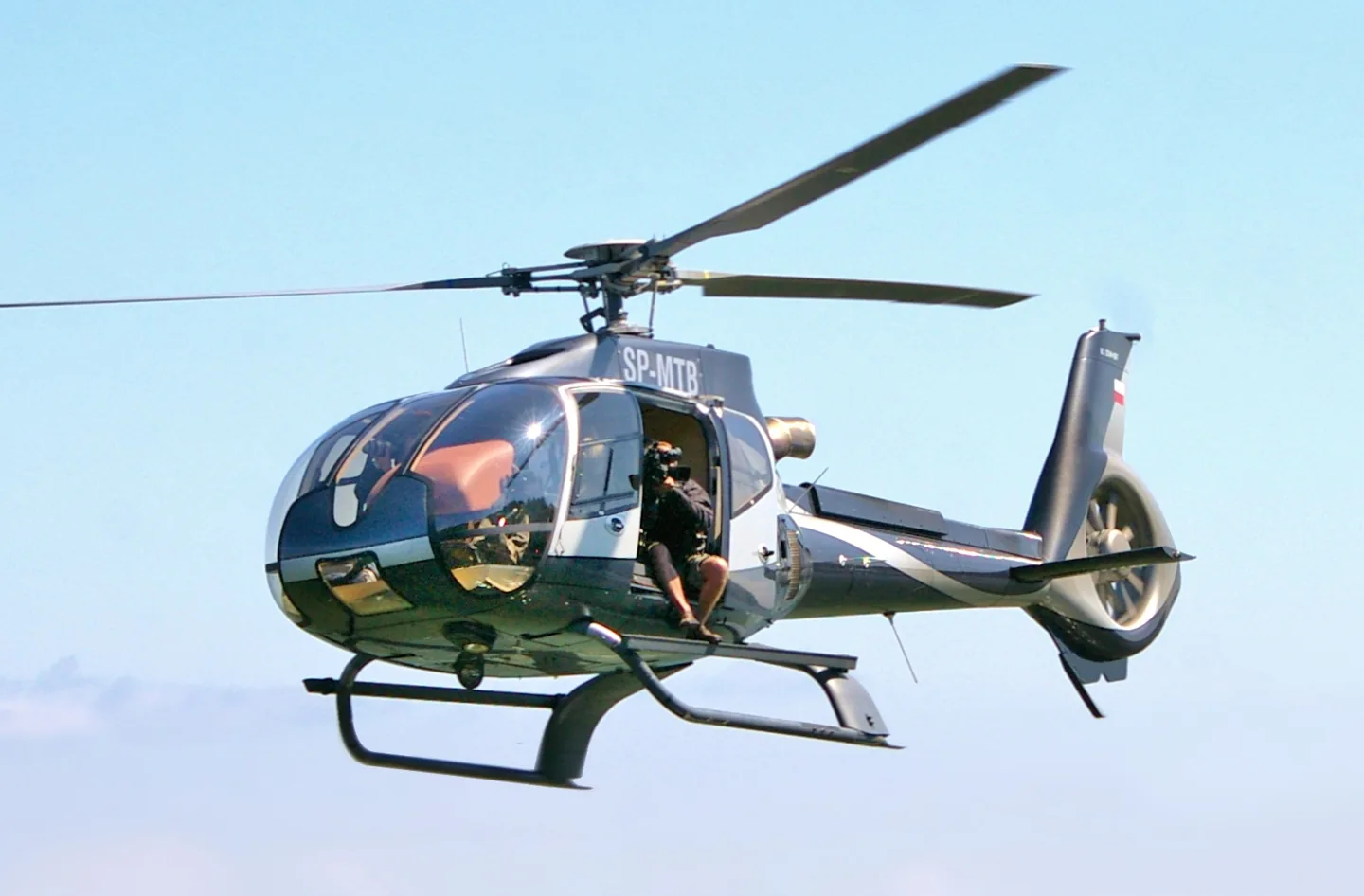
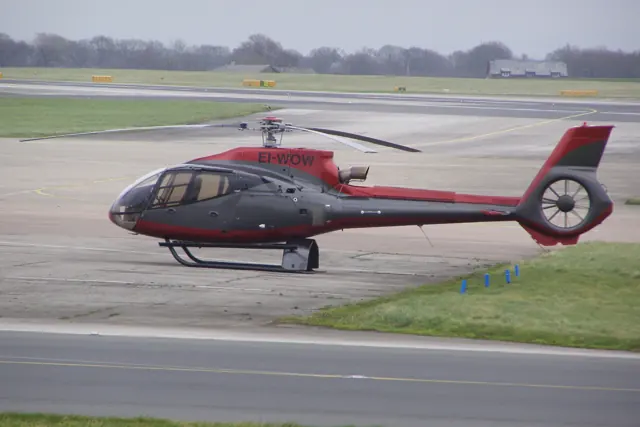
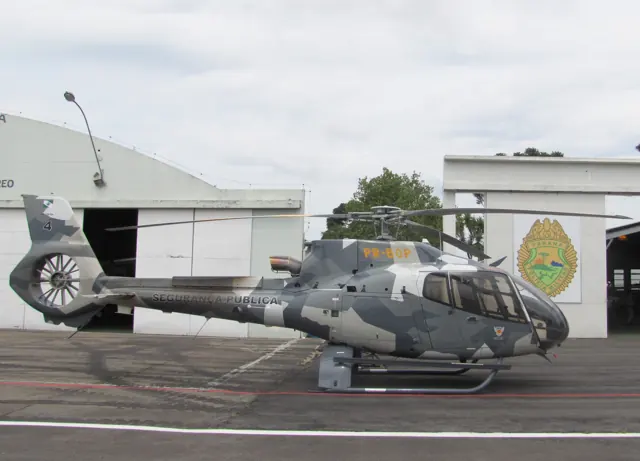
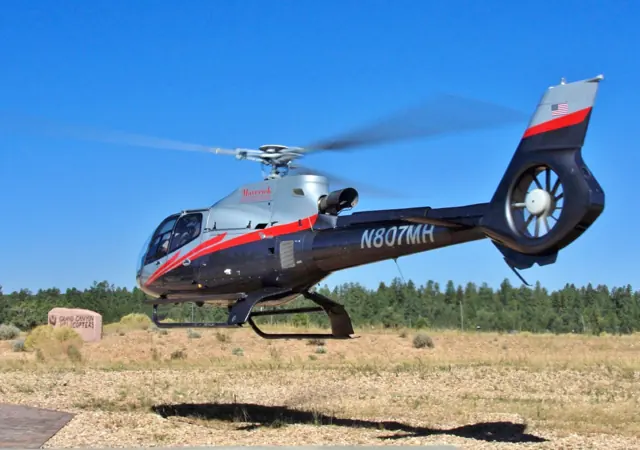
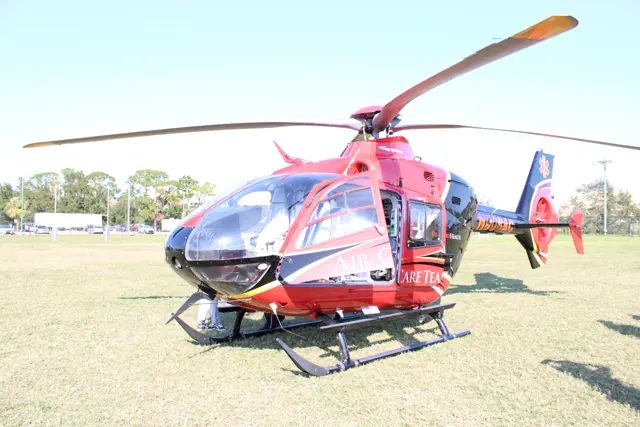
Eurocopter developed the EC130 from the AS350 Écureuil, changing the tail arrangement to an enclosed Fenestron. The product later took the H130 name under Airbus Helicopters. The two names reflect that corporate and product history. Equipment varies by model and operator.
Aircraft background
Wikipedia contributors · Read more ↗A quiet introduction to the T2
Erdos joined Airbus test pilot Eric Vincent to explore a new EC130 T2 at Marignane. Sitting on the left opened up the view while keeping the other seats accessible to passengers. The cockpit’s presentation made the introduction straightforward, and a nearby grass field provided room to become familiar with the hover. The low vibration made a strong impression, especially for an aircraft of this size.
Vertical · June 2014. Autumn demonstration from Marignane with Eric Vincent in EC130 T2 F-WWPI; light loading, calm weather and 8°C.
Vertical · Read more ↗Give collective and throttle separate assignments
CowanSim’s H130 guide separates the collective axis from the engine twist grip. A user without a second hardware axis can leave throttle unassigned and operate it with the mouse. The guide also recommends an aircraft-specific control profile to avoid duplicate assignments.
Airbus H130 / Eurocopter EC130 · CowanSim · MSFS 2020 · MSFS 2024
CowanSim · Read more ↗Into the cockpit
 YouTube
 Ed Whisenant Aviation · 19 min ·
Airbus H130 / EC130 Training in Executive Helicopter Eurocopter N130CZ (Crashed on 02-09-2024)
Cockpit footage from an EC130 flight. The publisher also records the aircraft's later accident in the description.
Real aircraft · Airbus H130 / Eurocopter EC130
Watch on YouTube ↗Preview images are served by AirframeDB. Videos open on YouTube only when you choose to watch.
Meet Airbus H130 / Eurocopter EC130
Eurocopter developed the EC130 from the AS350 Écureuil, changing the tail arrangement to an enclosed Fenestron. The product later took the H130 name under Airbus Helicopters. The two names reflect that corporate and product history. Equipment varies by model and operator.
Airbus H130 / Eurocopter EC130
Eurocopter → · Explore the family →
Airbus H130
Wikipedia contributors · Eurocopter EC130 ↗CowanSim · MSFS 2020 · MSFS 2024 →Eurocopter EC130
Wikipedia contributors · Eurocopter EC130 ↗CowanSim · MSFS 2020 · MSFS 2024 →Aircraft type designators
Use the code for the model you are flying. The linked authority lists the applicable aircraft.
History & design
The T2 revises an established passenger helicopter
Erdos’s 2014 report describes the T2 as a substantial development of the EC130, with structural changes and active vibration control. The emphasis on cabin comfort complements the family’s sightseeing and passenger-transport roles.
Vertical · Multifunction people mover ↗T2 development reported in 2014
Development milestones
First flight: 24 June 1999
Developed from: Eurocopter AS350 Écureuil
Wikipedia contributors · Eurocopter EC130 ↗Eurocopter EC130 · family/variant named by the source · Wikipedia revision 1372405412
Systems & details
Hover performance needs its conditions
Airbus gives different hover ceilings in and out of ground effect: 11,250 and 9,700 ft at maximum takeoff weight in standard atmospheric conditions. A simulator comparison therefore needs the same weight, atmosphere and hover condition.
Pilot accounts
A quiet introduction to the T2
Erdos joined Airbus test pilot Eric Vincent to explore a new EC130 T2 at Marignane. Sitting on the left opened up the view while keeping the other seats accessible to passengers. The cockpit’s presentation made the introduction straightforward, and a nearby grass field provided room to become familiar with the hover.
The low vibration made a strong impression, especially for an aircraft of this size. Erdos also tried positioning above an abandoned vehicle as though preparing for a sling operation; they did not actually lift it. His Canadian flying experience required an adjustment to the helicopter’s opposite rotor direction. Throughout the outing, the attention given to passenger comfort remained striking. His report describes a lightly loaded demonstration in favourable conditions, rather than the performance of a fully loaded aircraft.
Vertical · June 2014. Autumn demonstration from Marignane with Eric Vincent in EC130 T2 F-WWPI; light loading, calm weather and 8°C.
Read the full account · Vertical ↗The pilot sees the mountains through his passengers’ eyes
Hewlett helped Richard Losee search for a replacement pilot for Cirque Lodge, then accepted the role himself. His first flight with residents of the addiction-treatment centre left a lasting impression: he had been unsure how to relate to his passengers, but their response to the mountains changed his understanding of the job.
Flying the EC130 B4 became part of a very different working life from examining other pilots. Hewlett respected passengers who were apprehensive about flying and let them take their time. He also recalled a period when familiar trips began to feel routine, until an emotional visit to a mountain landing site reminded him why the work mattered to him.
Vertical interview · February 2025. Hewlett, known as Hewy, flies an EC130 B4 for Cirque Lodge near Provo, Utah. The account describes his experience, without establishing a medical benefit.
Read the full account · Vertical ↗A tourist helicopter goes to work on an oil spill
When the Wakashio grounded off Mauritius, a leased H130 was already on the island, unable to return to Réunion during pandemic border restrictions. Corail’s chief pilot Jeremy Heuls described adapting the passenger helicopter for a very different assignment, with a cargo hook, sling and an open doorway for the work over the ship.
The aircraft carried equipment out and recovered containers of pollutants. Conditions changed again when the vessel broke apart, while masts complicated the approach and the water offered poor visual references. Heuls stressed how much he relied on the trained team on the ground.
Airbus operator interview · September 2020. Corail Hélicoptères used an H130/EC130 T2 during the Wakashio response off Mauritius; the manufacturer reports the mission.
Read the full account · Airbus ↗In your simulator
Systems, equipment and documentation for each developer’s aircraft.
Compare simulator versions →MSFS 2020 · MSFS 2024Airbus H130 / Eurocopter EC130
CowanSim · Released
Airbus H130 / Eurocopter EC130
CowanSim · Released
X-Plane 12EC130B4
AlpineStudio · Released
EC130B4
AlpineStudio · Released
Manuals & resources
Find your next read
Choose a topic for a short introduction and a link to the original source. Simulator references identify the developer and edition they cover.
Simulator documentation
Give collective and throttle separate assignmentsAirbus H130 / Eurocopter EC130 · CowanSim · MSFS 2020 · MSFS 2024
CowanSim’s H130 guide separates the collective axis from the engine twist grip. A user without a second hardware axis can leave throttle unassigned and operate it with the mouse. The guide also recommends an aircraft-specific control profile to avoid duplicate assignments.
Gathered MSFS H130 manual · PDF pp.1–3; undated
CowanSim · Read the source ↗Pilot account
A quiet introduction to the T2Vertical · June 2014. Autumn demonstration from Marignane with Eric Vincent in EC130 T2 F-WWPI; light loading, calm weather and 8°C.
Erdos joined Airbus test pilot Eric Vincent to explore a new EC130 T2 at Marignane. Sitting on the left opened up the view while keeping the other seats accessible to passengers. The cockpit’s presentation made the introduction straightforward, and a nearby grass field provided room to become familiar with the hover. The low vibration made a strong impression, especially for an aircraft of this size.
Robert Erdos
Vertical · Read the source ↗The pilot sees the mountains through his passengers’ eyesVertical interview · February 2025. Hewlett, known as Hewy, flies an EC130 B4 for Cirque Lodge near Provo, Utah. The account describes his experience, without establishing a medical benefit.
Hewlett helped Richard Losee search for a replacement pilot for Cirque Lodge, then accepted the role himself. His first flight with residents of the addiction-treatment centre left a lasting impression: he had been unsure how to relate to his passengers, but their response to the mountains changed his understanding of the job. Flying the EC130 B4 became part of a very different working life from examining other pilots.
Matt Hewlett
Vertical · Read the source ↗Developer documentation
EC130B4 — product listingEC130B4 · X-Plane 12
Product listing captured 2026-09-30; edition scope from the reviewed catalogue
X-Plane.org Store · Read the source ↗Read the original documentation from the people who created it. Manuals open on their publisher’s website.
Aircraft background
Eurocopter EC130Wikipedia contributors · Research background · retrieved 2026-09-12Product
H130/EC130 for MSFSCowanSim · Official developer / designated store catalogue · checked 2026-09-12 EC130 B4 X-Plane 12-AlpineStudio-EC130X-Plane.org Store · Product listing captured 2026-09-30; edition scope from the reviewed catalogueType designator
ICAO Doc 8643 — aircraft type designatorsInternational Civil Aviation Organization · Public search data retrieved 2026-09-14; authority update 2026-09-03Developer documentation
User ManualCowanSim · Gathered developer documentationAircraft reference
H130 technical informationAirbus · Current H130 technical table; not EC130 B4 performanceBuilt-in force-feedback profiles
Read the documentary basis, editable starting settings and remaining questions for the aircraft you fly. Each explanation refers to the exact profile revision shown.
Catalogue programme-20261022-v1 · 3 profile choices
AlpineStudio EC130 B4
AlpineStudio · Free and Pro · Revision 3 · Inherited starting point
X-Plane 12
AlpineStudio EC130 B4: The spring and damping approximate this turbine helicopter’s cyclic balance.
CowanSim H130 / EC130
CowanSim · Free and Pro · Revision 4 · Inherited starting point
MSFS 2020 · MSFS 2024
CowanSim H130 / EC130: The spring and damping approximate this turbine helicopter’s cyclic balance.
Airbus H130 / Eurocopter EC130
Free and Pro · Revision 1 · Partial review
MSFS 2024 · MSFS 2020
Airbus H130 / Eurocopter EC130: The spring and damping approximate this turbine helicopter’s cyclic balance.
AlpineStudio EC130 B4
AlpineStudio EC130 B4: The spring and damping approximate this turbine helicopter’s cyclic balance.
Aircraft and simulator scope
- AlpineStudio EC130 B4 · AlpineStudio · X-Plane 12 · Add-on starting point
The simulator model and controls
Eurocopter developed the EC130 from the AS350 Écureuil, changing the tail arrangement to an enclosed Fenestron. The product later took the H130 name under Airbus Helicopters. The two names reflect that corporate and product history. Equipment varies by model and operator.
This profile selects AlpineStudio EC130 B4 for X-Plane 12.
How this profile feels
The spring and damping approximate this turbine helicopter’s cyclic balance. The spring stays independent of airspeed. Directed aerodynamic loading is omitted. Cyclic damping adds resistance to hardware motion.
Software trim release depends on the controller strategy and SAS state. Local force trim is off. Autopilot following is off.
Controls and trim
The EC130/H130 has a three-blade main rotor and a ten-blade Fenestron. The reviewed manuals describe rotor trim and reset; controller centering and SAS state change the simulator’s trim-release behaviour. The EC130B4’s power-on and power-off rotor ranges retain their own contexts.
The selected implementation
The EC130B4 product has analog/G500 and medical equipment choices, with rotor-regulation changes recorded by version.
About the values
The gains are normalized profile settings. They describe the chosen effect balance; hand force depends on the device and its output limits. IAS references are tuning values rather than operating limits. Physical acceptance of this revision remains pending.
Documentary review and sources
These decisions describe the documentary basis and remaining gaps for this revision. Aircraft documentation and a starting setting describe different kinds of evidence.
Aircraft and variant
InheritedThis profile selects AlpineStudio EC130 B4 for X-Plane 12.
Flight controls
InheritedThe EC130/H130 has a three-blade main rotor and a ten-blade Fenestron. The reviewed manuals describe rotor trim and reset; controller centering and SAS state change the simulator’s trim-release behaviour. The EC130B4’s power-on and power-off rotor ranges retain their own contexts.
Trim
InheritedSoftware trim release depends on the controller strategy and SAS state. Local force trim is off. Autopilot following is off.
Autopilot and stability
InheritedAutopilot following is off; the configured spring and load retain the hardware feel.
Equipment
InheritedThe EC130B4 product has analog/G500 and medical equipment choices, with rotor-regulation changes recorded by version.
Speeds and limits
InheritedThe indicated-speed references set the profile response scale; they are separate from aircraft operating limits.
Simulator integration
InheritedThe profile targets xplane12. Add-on-specific controls use only the supported references configured by this profile.
Force-feedback settings
InheritedThe settings define the profile’s effect balance. Device output limits affect physical hand force.
Starting settings and their rationale
These configured values are starting estimates. The explanations describe what each setting controls; physical validation appears separately below.
| Setting | Starting value | What it controls and why |
|---|---|---|
| Spring strength | Starting value0.1 | What it controls and whyThe spring and damping approximate this turbine helicopter’s cyclic balance. The baseline spring is 0.1. Low-speed spring blending is off. |
| Master force gain | Starting value0.65 | What it controls and whyScales overall profile strength while preserving effect balance, subject to device and output limits. |
| Profile force gain | Starting value0 | What it controls and whyThe 0 gain omits sustained directed airspeed loading. Spring resistance remains independent. |
| Force tuning speed/reference | Starting value110 kt | What it controls and whySets the IAS reference for aerodynamic loading. It is an estimate, not published cruise TAS or a flight limit. |
| Spring response reference speed | Starting value57.5 kt | What it controls and whySets the IAS where the low-speed blend reaches baseline strength; high-speed stiffening also uses it. |
| Aileron force scale | Starting value1 | What it controls and whyRoll and pitch aerodynamic scales are 1 and 1, respectively. These stored weights do not create directed aerodynamic loading while that term is inactive. No custom spring-travel curve is enabled. |
| Elevator force scale | Starting value1 | What it controls and whyScales pitch aerodynamic loading; pitch spring travel and trim responses are separate settings. |
| Trim feel | Starting valueDisabled | What it controls and whyRetained for compatibility and group membership. Trim relief, rather than this flag, controls centre movement. |
| Trim relief | Starting valueDisabled | What it controls and whyAllows trim relief with supported control law and valid telemetry. Axis authorities set its amount. |
| Autopilot follow | Starting valueDisabled | What it controls and whyAutopilot following is off; the configured spring and load retain the hardware feel. |
| Autopilot neutral hold | Starting valueDisabled | What it controls and whyPermits centering hold during a supported AP state, separate from following a moving target. |
| Output force limit | Starting value0.55 | What it controls and whyCaps directed-force output. Native spring effects and device limits remain separate. |
All 44 starting settings and their rationale
The settings define the profile’s effect balance. Device output limits affect physical hand force.
| Setting | Starting value | What it controls and why |
|---|---|---|
| Spring strength | Starting value0.1 | What it controls and whyThe spring and damping approximate this turbine helicopter’s cyclic balance. The baseline spring is 0.1. Low-speed spring blending is off. |
| Spring deadband | Starting value0.02 | What it controls and whySets travel around the centre before the baseline spring resists. Smaller values engage it sooner. |
| Profile force gain | Starting value0 | What it controls and whyThe 0 gain omits sustained directed airspeed loading. Spring resistance remains independent. |
| Master force gain | Starting value0.65 | What it controls and whyScales overall profile strength while preserving effect balance, subject to device and output limits. |
| QBlend Enabled | Starting valueDisabled | What it controls and whyAllows baseline spring strength to rise with indicated airspeed where the control law permits it. |
| QSpring Minimum Factor | Starting value1 | What it controls and whySets low-speed spring strength as a fraction of baseline when blending is enabled. One keeps full strength. |
| QSpring Start Knots | Starting value16.1 kt | What it controls and whySets the IAS where the low-speed spring blend starts rising. This is a feel threshold, not a flight limit. |
| Spring response reference speed | Starting value57.5 kt | What it controls and whySets the IAS where the low-speed blend reaches baseline strength; high-speed stiffening also uses it. |
| Force tuning speed/reference | Starting value110 kt | What it controls and whySets the IAS reference for aerodynamic loading. It is an estimate, not published cruise TAS or a flight limit. |
| Airspeed spring stiffening gain | Starting value0 | What it controls and whyAdds permitted spring resistance above the full-blend speed. Zero removes this high-speed increase. |
| Airspeed spring stiffening limit | Starting value5 | What it controls and whyLimits the squared airspeed ratio used for high-speed spring stiffening; it is not a device-force cap. |
| Aileron force scale | Starting value1 | What it controls and whyRoll and pitch aerodynamic scales are 1 and 1, respectively. These stored weights do not create directed aerodynamic loading while that term is inactive. No custom spring-travel curve is enabled. |
| Elevator force scale | Starting value1 | What it controls and whyScales pitch aerodynamic loading; pitch spring travel and trim responses are separate settings. |
| Output force limit | Starting value0.55 | What it controls and whyCaps directed-force output. Native spring effects and device limits remain separate. |
| Trim feel | Starting valueDisabled | What it controls and whyRetained for compatibility and group membership. Trim relief, rather than this flag, controls centre movement. |
| Trim relief | Starting valueDisabled | What it controls and whyAllows trim relief with supported control law and valid telemetry. Axis authorities set its amount. |
| Elevator Authority | Starting value0 | What it controls and whyScales supported pitch-trim relief and permitted centre movement. Zero removes pitch response. |
| Aileron Authority | Starting value0 | What it controls and whyScales supported roll-trim relief and permitted centre movement. Zero removes roll response. |
| Force Trim Enabled | Starting valueDisabled | What it controls and whySoftware trim release depends on the controller strategy and SAS state. Local force trim is off. The stored latch parameters are inactive; the profile does not supply a local hold-where-left neutral. |
| GLoad Enabled | Starting valueEnabled | What it controls and whyAllows load-factor changes to modify permitted spring laws. Passive fly-by-wire feel can suppress it. |
| Rate Damping Enabled | Starting valueDisabled | What it controls and whyEnables rate damping with the configured coefficients and control law. |
| Autopilot follow | Starting valueDisabled | What it controls and whyAutopilot following is off; the configured spring and load retain the hardware feel. |
| Autopilot follow authority | Starting value0.05 | What it controls and whySets admitted AP-follow gain, not a percentage of travel. Runtime ownership and input limits still apply. |
| Autopilot neutral hold | Starting valueDisabled | What it controls and whyPermits centering hold during a supported AP state, separate from following a moving target. |
| Autopilot neutral hold strength | Starting value0.6 | What it controls and whySets admitted AP neutral-hold strength; inactive while neutral hold is disabled. |
| Enabled | Starting valueEnabled | What it controls and whyEnables aerodynamic cues; each still needs nonzero strength and its simulator conditions. |
| Gain | Starting value0 | What it controls and whySets stall-buffet strength. Zero removes the cue without changing simulator stalls or warnings. |
| Gain | Starting value0 | What it controls and whySets high-Mach buffet strength; onset and full-strength thresholds are separate. |
| Gain | Starting value0 | What it controls and whySets flap buffet at the configured position and speed gates. Flap movement texture is separate. |
| Maximum flap index | Starting value1 | What it controls and whySets the final flap index for detent normalization. UP plus three detents uses maximum index3. |
| Minimum flap index | Starting value1 | What it controls and whySets the first flap detent that admits buffet; this is a handle index, not degrees. |
| Gain | Starting value0 | What it controls and whySets gear aerodynamic buffet; movement and ground-contact cues are separate. |
| Shaker Enabled | Starting valueDisabled | What it controls and whyPermits shaker at supported warning conditions; the switch does not establish aircraft equipment. |
| Stick shaker amplitude | Starting value0.5 | What it controls and whySets triggered shaker strength; inactive while the shaker feature is disabled. |
| Enabled | Starting valueEnabled | What it controls and whyEnables ground effects; each still needs its own strength and contact or motion telemetry. |
| Gain | Starting value0 | What it controls and whySets rolling texture strength, modified by speed, surface and undercarriage configuration. |
| Gain | Starting value0 | What it controls and whySets gear-bump texture during ground motion, separate from touchdown impact. |
| Gain | Starting value0.2 | What it controls and whySets landing-impact strength; landing telemetry and response shape determine the pulse. |
| Gain | Starting value0 | What it controls and whySets reverse-thrust vibration with valid reverser and engine conditions. Zero removes the cue. |
| Enabled | Starting valueEnabled | What it controls and whyEnables engine cues with nonzero settings and valid running-engine telemetry. |
| Gain | Starting value0 | What it controls and whySets estimated engine vibration using configured telemetry and response, not measured cockpit vibration. |
| Enabled | Starting valueEnabled | What it controls and whyEnables accessory cues with configured strengths and observed accessory movement. |
| Gain | Starting value0 | What it controls and whySets texture from observed flap movement; a command without movement does not establish the cue. |
| Gain | Starting value0 | What it controls and whySets texture from observed gear movement, separate from aerodynamic and touchdown effects. |
Limits and open questions
- Cyclic resistance, damping and airframe textures are editable estimates, not measured grip forces. Installed-product and physical acceptance remain deferred.
- Fixed physical neutral is an approximation. Add-on trim, force-trim release, virtual centering, SAS and autopilot servo outputs are not synchronized with hardware. Local FTR, follow-up trim, both fixed-wing trim paths and AP follow/hold are disabled.
- No invented hydraulic-failure force, mast moment, collective-force axis, tail-rotor force, variable VNE or retreating-blade-stall warning. Reported custom sound or visual vibration does not establish a force telemetry contract.
- ETL and low-speed descent cues, where enabled, use generic heuristics and are not aircraft-specific warnings. All speed references are tuning choices, not operating limits.
- Documentary title patterns require a developer/configuration identifier. When identity is ambiguous or omitted, select the applicable profile and save it as the aircraft default.
- Current XP12 standard angular-speed channel only; customized rotor regulation and hydraulic state require installed checks.
- 386RPM normalization is the documented conversion reference within the variable powered range, not a claim that B4 always governs386. 110KIAS tuning reference.
- Standard XP12 main-rotor angular speed is converted to RPM and normalized by the stated reference. Rotor index applicability requires installed verification. Missing RPM silences rotor rumble; the forward-flight n/rev channel can fall back to combustion and a default frequency.
Physical validation
No physical force validation is recorded in this public catalogue for this revision. Documentary review and software checks do not establish how a particular device feels.
Discuss this aircraft (0)
Questions, observations and useful sources from the community.
No published discussions yet. Bring a question or share a useful source.
Open aircraft discussions →Content expanded · What’s new
Something missing or a source that needs attention?
Suggest a correction ↗