
Start here
A few places to begin, from the aircraft’s story to the people who fly it.
Meet the aircraft
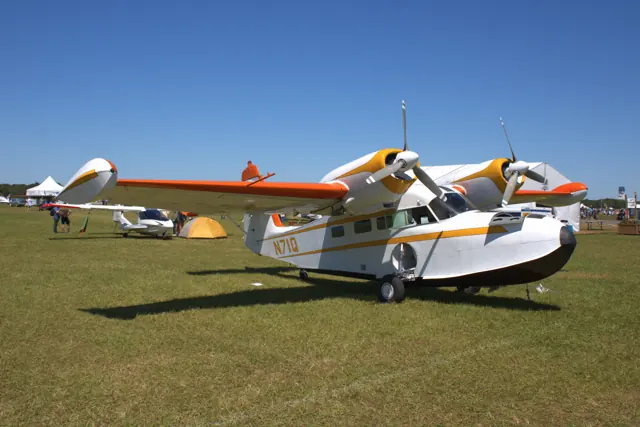
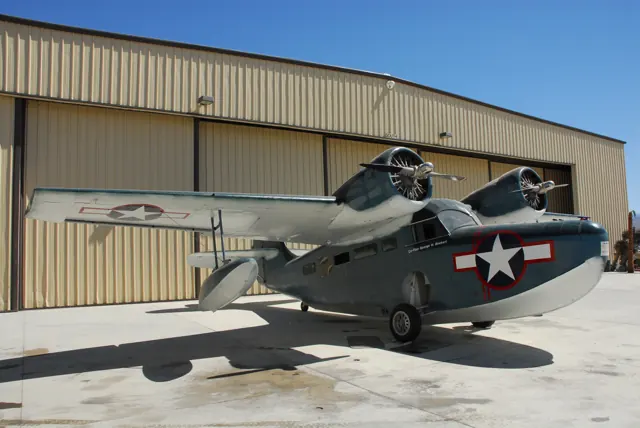
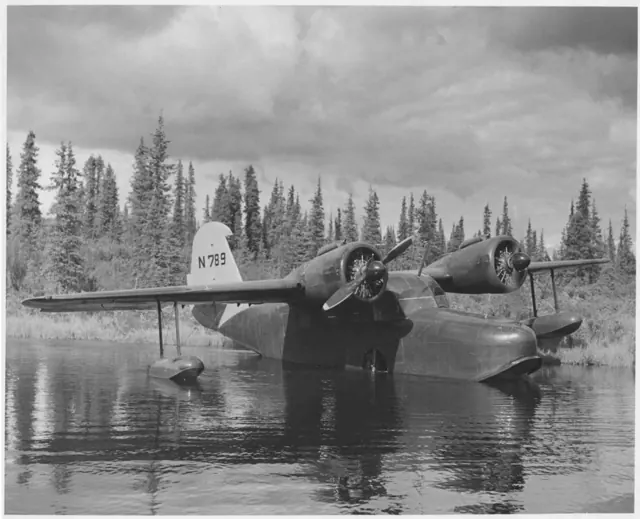
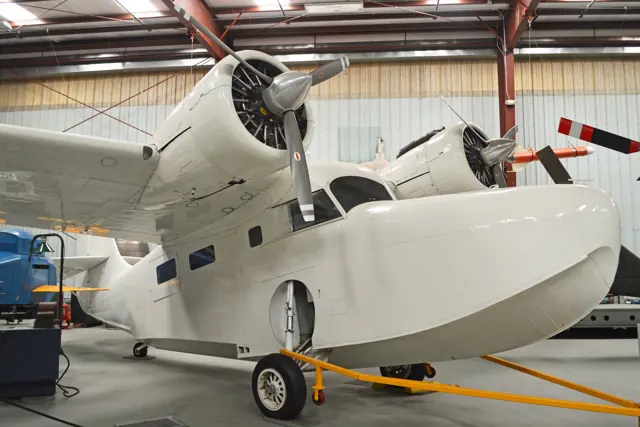
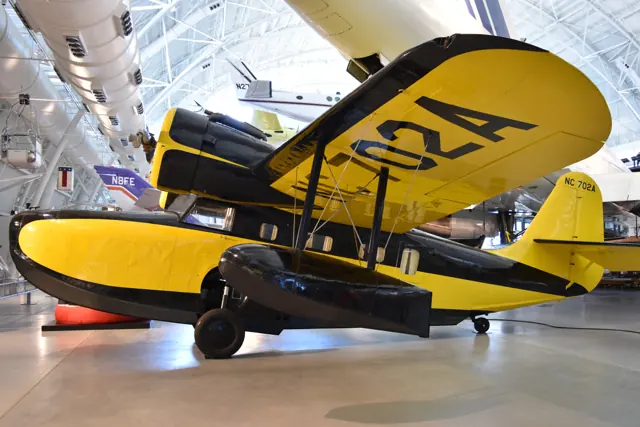
Grumman conceived the Goose as transport for businessmen around Long Island. A boat hull, retractable landing gear and two engines mounted high on the wing allowed travel between water and conventional airfields. Military service followed during the Second World War.
Aircraft background
Wikipedia contributors · Read more ↗The big boat becomes a responsive aircraft over the lakes
The Goose looked like a large boat in the hangar, so Scott was pleasantly surprised when Addison Pemberton handed him the controls after takeoff. It responded readily, with a clear view around the nose and wings. A wing-rock to acknowledge a nearby floatplane took little effort, adding a friendly exchange to an evening above the lakes. Pemberton resumed control for the water work.
AOPA · June 2018. Evening flight in the Pemberton family’s restored JRF-6B; Addison Pemberton made the takeoff and water landings, with Scott handling the aircraft in the air.
AOPA · Read more ↗The radio has a separate switch from the EFB display
The captain’s EFB phone controls radio interaction. Its display switch is separate from the Radio On/Off switch, so hiding the phone can leave the radios operating.
G-21A Goose · Microsoft Flight Simulator · MSFS 2024
Microsoft / aircraft developers · Read more ↗Into the cockpit
 YouTube
 Loran · 8 min ·
Pacific Coastal Grumman G-21A Goose - Flight from and to Port Hardy (YZT) with Water Landing, Canada
A Pacific Coastal Goose flight from Port Hardy, including a water landing.
Real aircraft · Grumman G-21A Goose
Watch on YouTube ↗Preview images are served by AirframeDB. Videos open on YouTube only when you choose to watch.
Meet Grumman G-21A Goose
Grumman conceived the Goose as transport for businessmen around Long Island. A boat hull, retractable landing gear and two engines mounted high on the wing allowed travel between water and conventional airfields. Military service followed during the Second World War.
The G-21 is smaller than Grumman's Albatross, with a different cabin and service history. Civilian survivors and military JRF versions can carry different equipment.
Grumman G-21A Goose
Aircraft type designators
Use the code for the model you are flying. The linked authority lists the applicable aircraft.
History & design
A restoration gives the whole family a role
The Pemberton restoration divided work among family and volunteers: Ryan rebuilt metal structure, Wendy covered control surfaces and Jay contributed between airline trips. Scott reports roughly 9,000 hours of combined work before the Goose returned to flying.
AOPA · Grumman JRF-6B Goose: Goosed ↗Reported restoration effort; not a current maintenance assessment
Development milestones
First flight: 29 May 1937
Wikipedia contributors · Grumman G-21 Goose ↗Grumman G-21 Goose · family/variant named by the source · Wikipedia revision 1371463906
Pilot accounts
The big boat becomes a responsive aircraft over the lakes
The Goose looked like a large boat in the hangar, so Scott was pleasantly surprised when Addison Pemberton handed him the controls after takeoff. It responded readily, with a clear view around the nose and wings. A wing-rock to acknowledge a nearby floatplane took little effort, adding a friendly exchange to an evening above the lakes.
Pemberton resumed control for the water work. Scott experienced the hull settling onto the lake, followed by a much busier departure through spray that covered the windscreen. Returning to Spokane as the sun went down brought the trip back to its starting point.
AOPA · June 2018. Evening flight in the Pemberton family’s restored JRF-6B; Addison Pemberton made the takeoff and water landings, with Scott handling the aircraft in the air.
Read the full account · AOPA ↗Mail flights become the foundation for teaching others
Mees first used the Goose as a working aircraft, carrying passengers and mail to remote strips and sheltered coastal destinations. He described satisfaction in that work and the experience it gave him, rather than recalling it simply as recreational flying. Moving into airline work in 2001 eventually changed the place the amphibian occupied in his life.
A friendship with John Pletcher, who had restored a Goose, later brought an opportunity to help fly and demonstrate the aircraft. Mees developed a training course and began welcoming visiting pilots to Lake Hood.
Interview by Derek Roberts · May 2019. Mees recalls commercial Goose flying in the Aleutians during the 1990s and later instruction from Lake Hood.
Read the full account · General Aviation News ↗Learning with a father-in-law, then carrying on the journeys
Valadez’s introduction to the Goose came through Chuck Greenhill, who would become his father-in-law. On an early trip from Kenosha to Fox Lake, Greenhill made the takeoff before they exchanged seats on the water and began instruction. Valadez remembered that first introduction as the beginning of a lasting interest in flying the amphibian.
After Greenhill’s death, Valadez and his wife Tammy took responsibility for the aircraft. Trips between Wisconsin and Florida continued a pattern of adventures he associated with Chuck. Maintaining it and sharing it with others became part of carrying that relationship forward.
Interview reported by Jay Selman · January 2026. G-21A N42GL; Valadez and Tammy Greenhill took possession in August 2022 after her father Chuck Greenhill’s death.
Read the full account · AvBrief ↗In your simulator
Systems, equipment and documentation for each developer’s aircraft.
Compare simulator versions →MSFS 2024G-21A Goose
Microsoft Flight Simulator · Released
G-21A Goose
Microsoft Flight Simulator · Released
MSFS 2020G-21A Goose
Microsoft Flight Simulator · Released
G-21A Goose
Microsoft Flight Simulator · Released
Aircraft specifications
Published figures for the named real-aircraft variant. Simulator equipment and performance can differ.
| Specification | Published value |
|---|---|
| Length | 38 ft 6 in (11.73 m) |
| Wingspan | 49 ft 0 in (14.94 m) |
| Height | 16 ft 2 in (4.93 m) |
| Wing area | 375 sq ft (34.8 m² ) |
| Empty weight | 5,425 lb (2,461 kg) |
| Gross weight | 8,000 lb (3,629 kg) |
| Powerplant | 2 × Pratt & Whitney R-985-AN-6 Wasp Junior 9-cylinder air-cooled radial piston engines , 450 hp (340 kW) each |
| Maximum speed | 201 mph (323 km/h, 175 kn) at 5,000 ft (1,500 m) |
| Cruise speed | 191 mph (307 km/h, 166 kn) at 5,000 ft (1,500 m) |
| Range | 640 mi (1,030 km, 560 nmi) |
| Service ceiling | 21,300 ft (6,500 m) |
| Rate of climb | 1,100 ft/min (5.6 m/s) |
Manuals & resources
Find your next read
Choose a topic for a short introduction and a link to the original source. Simulator references identify the developer and edition they cover.
Simulator documentation
The radio has a separate switch from the EFB displayG-21A Goose · Microsoft Flight Simulator · MSFS 2024
The captain’s EFB phone controls radio interaction. Its display switch is separate from the Radio On/Off switch, so hiding the phone can leave the radios operating.
MSFS 2024 Goose manual, PDF page 7
Microsoft / aircraft developers · Read the source ↗Some historical cockpit equipment is inoperativeG-21A Goose · Microsoft Flight Simulator · MSFS 2024
The guide identifies old-style navigation and other omitted functions as inoperative. Unanimated controls should be treated as INOP, rather than assumed to have an undocumented function.
MSFS 2024 Goose guide, Important Notes and Substitutions
Microsoft / aircraft developers · Read the source ↗The radio has a separate switch from the EFB displayG-21A Goose · Microsoft Flight Simulator · MSFS 2020
The captain’s EFB phone controls radio interaction. Its display switch is separate from the Radio On/Off switch, so hiding the phone can leave the radios operating.
MSFS 2020 Goose manual, PDF page 5
Microsoft / aircraft developers · Read the source ↗The checklist interface depends on the simulator editionG-21A Goose · Microsoft Flight Simulator · MSFS 2020
The top-screen Checklist menu provides the procedures. Its blue-eye icon moves the view to the relevant cockpit control, and items can be marked complete.
MSFS 2020 guide, checklist section; edition-specific interface
Microsoft / aircraft developers · Read the source ↗Some historical cockpit equipment is inoperativeG-21A Goose · Microsoft Flight Simulator · MSFS 2020
The guide identifies old-style navigation and other omitted functions as inoperative. Unanimated controls should be treated as INOP, rather than assumed to have an undocumented function.
MSFS 2020 Goose guide, Important Notes and Substitutions
Microsoft / aircraft developers · Read the source ↗The checklist interface depends on the simulator editionG-21A Goose · Microsoft Flight Simulator · MSFS 2024
The simulator EFB contains the interactive checklists. Select its aircraft icon, then Checklists, as shown in the 2024 guide.
MSFS 2024 guide, checklist section; edition-specific interface
Microsoft / aircraft developers · Read the source ↗Pilot account
The big boat becomes a responsive aircraft over the lakesAOPA · June 2018. Evening flight in the Pemberton family’s restored JRF-6B; Addison Pemberton made the takeoff and water landings, with Scott handling the aircraft in the air.
The Goose looked like a large boat in the hangar, so Scott was pleasantly surprised when Addison Pemberton handed him the controls after takeoff. It responded readily, with a clear view around the nose and wings. A wing-rock to acknowledge a nearby floatplane took little effort, adding a friendly exchange to an evening above the lakes. Pemberton resumed control for the water work.
Ken Scott
AOPA · Read the source ↗Mail flights become the foundation for teaching othersInterview by Derek Roberts · May 2019. Mees recalls commercial Goose flying in the Aleutians during the 1990s and later instruction from Lake Hood.
Mees first used the Goose as a working aircraft, carrying passengers and mail to remote strips and sheltered coastal destinations. He described satisfaction in that work and the experience it gave him, rather than recalling it simply as recreational flying. Moving into airline work in 2001 eventually changed the place the amphibian occupied in his life. A friendship with John Pletcher, who had restored a Goose, later brought an opportunity to help fly and demonstrate the aircraft.
Burke Mees
General Aviation News · Read the source ↗Read the original documentation from the people who created it. Manuals open on their publisher’s website.
Manual
Microsoft Flight Simulator aircraft manualsMicrosoft / aircraft developersAircraft background
Grumman G-21 GooseWikipedia contributors · Research background · Wikipedia revision 1371463906 · retrieved 2026-09-12Resource
MSFS 2024 FAQ and edition aircraft inventoryMicrosoft MSFS 2020 FAQ and edition aircraft inventoryMicrosoftType designator
ICAO Doc 8643 — aircraft type designatorsInternational Civil Aviation Organization · Public search data retrieved 2026-09-14; authority update 2026-09-03Developer documentation
Goose_G21A_FS24_ManualMicrosoft / aircraft developers · Gathered developer documentation Goose_G21A_MSFS_Manual v2Microsoft / aircraft developers · Gathered developer documentationBuilt-in force-feedback profiles
Read the documentary basis, editable starting settings and remaining questions for the aircraft you fly. Each explanation refers to the exact profile revision shown.
Catalogue programme-20261022-v1 · 1 profile choice
Grumman G-21A Goose
Free and Pro · Revision 2 · Partial review
MSFS 2024 · MSFS 2020
Grumman G-21A Goose: The chosen resistance accompanies the amphibious transport’s controls.
Grumman G-21A Goose
Grumman G-21A Goose: The chosen resistance accompanies the amphibious transport’s controls.
Aircraft and simulator scope
- Grumman G-21A Goose · MSFS 2024 · family starting point
- Grumman G-21A Goose · MSFS 2020 · family starting point
Grumman G-21A Goose · Separate manuals cover the MSFS 2020 and 2024 G-21A Goose, with revised radio interaction in the latter.
The simulator model and controls
Grumman conceived the Goose as transport for businessmen around Long Island. A boat hull, retractable landing gear and two engines mounted high on the wing allowed travel between water and conventional airfields. Military service followed during the Second World War.
This starting point selects Grumman G-21A Goose. Its aircraft-level settings do not select a particular developer’s custom systems.
How this profile feels
The chosen resistance accompanies the amphibious transport’s controls. Spring resistance builds with the selected airspeed response. A separate aerodynamic term adds speed-dependent control load.
Pitch relief is separate from hull contact and the selected civil/military fit. Valid trim provides the configured pressure relief. Autopilot following is off.
Controls and trim
The G-21 Goose combines a boat hull, retractable gear and two wing-mounted engines to connect water and conventional airfields. Civil G-21 and military JRF aircraft retain their own equipment within a family that served both private transport and wartime operators.
About the values
The gains are normalized profile settings. They describe the chosen effect balance; hand force depends on the device and its output limits. IAS references are tuning values rather than operating limits. Physical acceptance of this revision remains pending.
What the documentation establishes
Separate manuals cover the MSFS 2020 and 2024 G-21A Goose, with revised radio interaction in the latter.
The amphibious gear moves between water and land configurations; the checklists document Stage 1 and full-down flaps without a complete detent schedule.
Both manuals quote cruise at 145 mph and lower approach speeds in mph. The retained 135-knot reference is not a directly sourced IAS cruise value.
Documentary review and sources
These decisions describe the documentary basis and remaining gaps for this revision. Aircraft documentation and a starting setting describe different kinds of evidence.
Aircraft and variant
ReviewedThis starting point selects Grumman G-21A Goose. Its aircraft-level settings do not select a particular developer’s custom systems.
Flight controls
Not yet reviewedThe G-21 Goose combines a boat hull, retractable gear and two wing-mounted engines to connect water and conventional airfields. Civil G-21 and military JRF aircraft retain their own equipment within a family that served both private transport and wartime operators.
Trim
Not yet reviewedPitch relief is separate from hull contact and the selected civil/military fit. Pitch authority 0.3 provides load relief and permitted centre movement; roll authority is 0.
Autopilot and stability
Not yet reviewedAutopilot following is off; the configured spring and load retain the hardware feel.
Equipment
ReviewedGear, flap and ground cues follow the selected settings and available simulator-reported states.
Speeds and limits
ReviewedThe indicated-speed references set the profile response scale; they are separate from aircraft operating limits.
Simulator integration
Not yet reviewedThe profile targets msfs2024, msfs2020. Add-on-specific controls use only the supported references configured by this profile.
Force-feedback settings
Not yet reviewedThe settings define the profile’s effect balance. Device output limits affect physical hand force.
Starting settings and their rationale
These configured values are starting estimates. The explanations describe what each setting controls; physical validation appears separately below.
| Setting | Starting value | What it controls and why |
|---|---|---|
| Spring strength | Starting value0.74 | What it controls and whyThe chosen resistance accompanies the amphibious transport’s controls. The baseline spring is 0.74. Its low-speed blend reaches baseline strength at 67.5 KIAS. |
| Master force gain | Starting value0.85 | What it controls and whyScales overall profile strength while preserving effect balance, subject to device and output limits. |
| Profile force gain | Starting value0.8 | What it controls and whyThe aerodynamic-load gain is 0.8 with an indicated-speed reference of 135 KIAS. This supplies speed-dependent loading alongside the spring. |
| Force tuning speed/reference | Starting value135.0 kt | What it controls and whySets the IAS reference for aerodynamic loading. It is an estimate, not published cruise TAS or a flight limit. |
| Spring response reference speed | Starting value67.5 kt | What it controls and whySets the IAS where the low-speed blend reaches baseline strength; high-speed stiffening also uses it. |
| Aileron force scale | Starting value0.72 | What it controls and whyRoll and pitch aerodynamic scales are 0.72 and 1, respectively. They set the aerodynamic axis balance. No custom spring-travel curve is enabled. |
| Elevator force scale | Starting value1.0 | What it controls and whyScales pitch aerodynamic loading; pitch spring travel and trim responses are separate settings. |
| Trim feel | Starting valueEnabled | What it controls and whyRetained for compatibility and group membership. Trim relief, rather than this flag, controls centre movement. |
| Trim relief | Starting valueEnabled | What it controls and whyAllows trim relief with supported control law and valid telemetry. Axis authorities set its amount. |
| Autopilot follow | Starting valueDisabled | What it controls and whyAutopilot following is off; the configured spring and load retain the hardware feel. |
| Autopilot neutral hold | Starting valueDisabled | What it controls and whyPermits centering hold during a supported AP state, separate from following a moving target. |
| Output force limit | Starting value0.55 | What it controls and whyCaps directed-force output. Native spring effects and device limits remain separate. |
All 44 starting settings and their rationale
The settings define the profile’s effect balance. Device output limits affect physical hand force.
| Setting | Starting value | What it controls and why |
|---|---|---|
| Spring strength | Starting value0.74 | What it controls and whyThe chosen resistance accompanies the amphibious transport’s controls. The baseline spring is 0.74. Its low-speed blend reaches baseline strength at 67.5 KIAS. |
| Spring deadband | Starting value0.045 | What it controls and whySets travel around the centre before the baseline spring resists. Smaller values engage it sooner. |
| Profile force gain | Starting value0.8 | What it controls and whyThe aerodynamic-load gain is 0.8 with an indicated-speed reference of 135 KIAS. This supplies speed-dependent loading alongside the spring. |
| Master force gain | Starting value0.85 | What it controls and whyScales overall profile strength while preserving effect balance, subject to device and output limits. |
| QBlend Enabled | Starting valueEnabled | What it controls and whyAllows baseline spring strength to rise with indicated airspeed where the control law permits it. |
| QSpring Minimum Factor | Starting value0.5 | What it controls and whySets low-speed spring strength as a fraction of baseline when blending is enabled. One keeps full strength. |
| QSpring Start Knots | Starting value18.9 kt | What it controls and whySets the IAS where the low-speed spring blend starts rising. This is a feel threshold, not a flight limit. |
| Spring response reference speed | Starting value67.5 kt | What it controls and whySets the IAS where the low-speed blend reaches baseline strength; high-speed stiffening also uses it. |
| Force tuning speed/reference | Starting value135.0 kt | What it controls and whySets the IAS reference for aerodynamic loading. It is an estimate, not published cruise TAS or a flight limit. |
| Airspeed spring stiffening gain | Starting value0.15 | What it controls and whyThe high-speed spring-stiffening gain is 0.15. It strengthens the permitted spring response above 67.5 KIAS, with the squared-speed ratio capped at 5. |
| Airspeed spring stiffening limit | Starting value5 | What it controls and whyLimits the squared airspeed ratio used for high-speed spring stiffening; it is not a device-force cap. |
| Aileron force scale | Starting value0.72 | What it controls and whyRoll and pitch aerodynamic scales are 0.72 and 1, respectively. They set the aerodynamic axis balance. No custom spring-travel curve is enabled. |
| Elevator force scale | Starting value1.0 | What it controls and whyScales pitch aerodynamic loading; pitch spring travel and trim responses are separate settings. |
| Output force limit | Starting value0.55 | What it controls and whyCaps directed-force output. Native spring effects and device limits remain separate. |
| Trim feel | Starting valueEnabled | What it controls and whyRetained for compatibility and group membership. Trim relief, rather than this flag, controls centre movement. |
| Trim relief | Starting valueEnabled | What it controls and whyAllows trim relief with supported control law and valid telemetry. Axis authorities set its amount. |
| Elevator Authority | Starting value0.3 | What it controls and whyPitch relief is separate from hull contact and the selected civil/military fit. Pitch authority 0.3 provides load relief and permitted centre movement; roll authority is 0. |
| Aileron Authority | Starting value0 | What it controls and whyScales supported roll-trim relief and permitted centre movement. Zero removes roll response. |
| Force Trim Enabled | Starting valueDisabled | What it controls and whyEnables local force trim, separate from aircraft-owned trim and add-on integration qualification. |
| GLoad Enabled | Starting valueEnabled | What it controls and whyAllows load-factor changes to modify permitted spring laws. Passive fly-by-wire feel can suppress it. |
| Rate Damping Enabled | Starting valueEnabled | What it controls and whyEnables rate damping with the configured coefficients and control law. |
| Autopilot follow | Starting valueDisabled | What it controls and whyAutopilot following is off; the configured spring and load retain the hardware feel. |
| Autopilot follow authority | Starting value0.1 | What it controls and whySets admitted AP-follow gain, not a percentage of travel. Runtime ownership and input limits still apply. |
| Autopilot neutral hold | Starting valueDisabled | What it controls and whyPermits centering hold during a supported AP state, separate from following a moving target. |
| Autopilot neutral hold strength | Starting value0.6 | What it controls and whySets admitted AP neutral-hold strength; inactive while neutral hold is disabled. |
| Enabled | Starting valueEnabled | What it controls and whyEnables aerodynamic cues; each still needs nonzero strength and its simulator conditions. |
| Gain | Starting value0.35 | What it controls and whySets stall-buffet strength. Zero removes the cue without changing simulator stalls or warnings. |
| Gain | Starting value0 | What it controls and whySets high-Mach buffet strength; onset and full-strength thresholds are separate. |
| Gain | Starting value0.14 | What it controls and whySets flap buffet at the configured position and speed gates. Flap movement texture is separate. |
| Maximum flap index | Starting value3 | What it controls and whySets the final flap index for detent normalization. UP plus three detents uses maximum index3. |
| Minimum flap index | Starting value2 | What it controls and whySets the first flap detent that admits buffet; this is a handle index, not degrees. |
| Gain | Starting value0.1 | What it controls and whySets gear aerodynamic buffet; movement and ground-contact cues are separate. |
| Shaker Enabled | Starting valueDisabled | What it controls and whyPermits shaker at supported warning conditions; the switch does not establish aircraft equipment. |
| Stick shaker amplitude | Starting value0.5 | What it controls and whySets triggered shaker strength; inactive while the shaker feature is disabled. |
| Enabled | Starting valueEnabled | What it controls and whyEnables ground effects; each still needs its own strength and contact or motion telemetry. |
| Gain | Starting value0.4 | What it controls and whySets rolling texture strength, modified by speed, surface and undercarriage configuration. |
| Gain | Starting value0.25 | What it controls and whySets gear-bump texture during ground motion, separate from touchdown impact. |
| Gain | Starting value0.65 | What it controls and whySets landing-impact strength; landing telemetry and response shape determine the pulse. |
| Gain | Starting value0 | What it controls and whySets reverse-thrust vibration with valid reverser and engine conditions. Zero removes the cue. |
| Enabled | Starting valueEnabled | What it controls and whyEnables engine cues with nonzero settings and valid running-engine telemetry. |
| Gain | Starting value0.12 | What it controls and whySets estimated engine vibration using configured telemetry and response, not measured cockpit vibration. |
| Enabled | Starting valueEnabled | What it controls and whyEnables accessory cues with configured strengths and observed accessory movement. |
| Gain | Starting value0.12 | What it controls and whySets texture from observed flap movement; a command without movement does not establish the cue. |
| Gain | Starting value0.12 | What it controls and whySets texture from observed gear movement, separate from aerodynamic and touchdown effects. |
Limits and open questions
- The checklists establish stick and rudder use but not primary control linkage or gearing.
- Neither brief guide describes trim hardware or its force effect.
- An installed automatic-flight system is not established by either guide.
- Radio EFB interaction does not define control, trim or gear telemetry for external force feedback.
- The guides give no measured stick loads or water-contact vibration amplitude.
- Grumman G-21A Goose documentary evidence does not establish force-feedback hardware acceptance.
Physical validation
No physical force validation is recorded in this public catalogue for this revision. Documentary review and software checks do not establish how a particular device feels.
Discuss this aircraft (0)
Questions, observations and useful sources from the community.
No published discussions yet. Bring a question or share a useful source.
Open aircraft discussions →Content expanded · What’s new
Something missing or a source that needs attention?
Suggest a correction ↗