


Start here
A few places to begin, from the aircraft’s story to the people who fly it.
Meet the aircraft
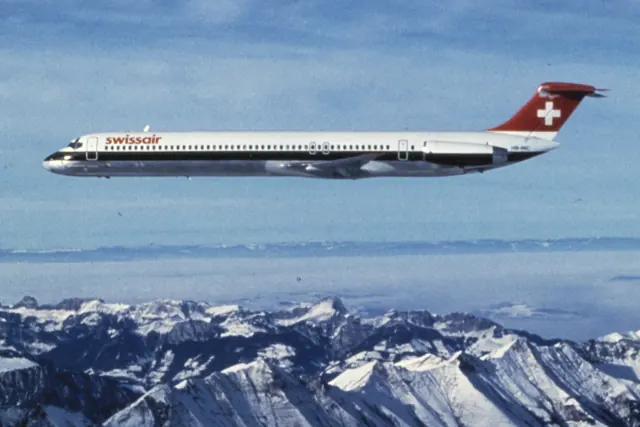
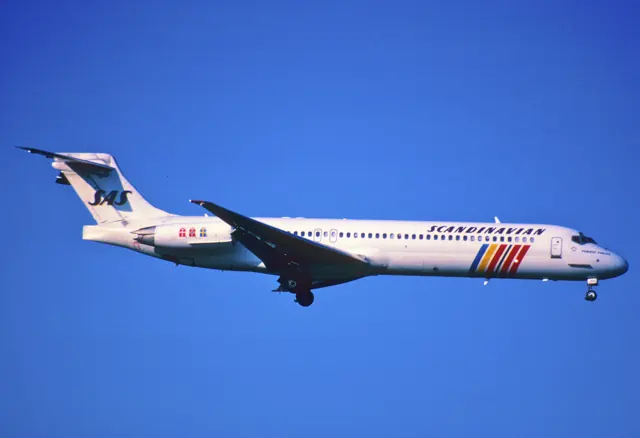
The MD-80 enlarged the DC-9 with a stretched fuselage, a larger wing and later JT8D engines. It first flew in 1979 and entered airline service in 1980, retaining the rear engines, T-tail and unobstructed wing.
Aircraft background
Wikipedia contributors · Read more ↗An inaugural departure with a memorable missed cue
Ebersole had helped arrange a place on the inaugural Santa Barbara departure, a meaningful occasion for two pilots who were local to the area. Captain Tom Senning offered him the takeoff. With clear skies, spectators and cameras around the airport, Ebersole wanted the departure to look particularly good. The excitement produced a small, enduring embarrassment.
American Airlines retrospective · August 2019. Santa Barbara–Dallas/Fort Worth inaugural service on 2 May 1984 with Captain Tom Senning; not the MD-80’s first flight or American’s first use of the type.
American Airlines · Read more ↗The flight-management system has its own manual
Laminar’s MD-82 guide directs the reader to the separate X-Plane FMS manual for the installed control-display units. The separate FMS manual covers the installed control-display units.
McDonnell Douglas MD-82 · Laminar Research · X-Plane 12 / X-Plane 11
Laminar Research · Read more ↗Into the cockpit
 YouTube
 GreatFlyer · 3 min ·
McDonnel Douglas MD-82 COCKPIT VIEW, GPWS Demo & Cabin Tour | European Air Charter at STR [4K]
A cockpit and cabin visit to an MD-82 at Stuttgart.
Real aircraft · MD-82
Watch on YouTube ↗Preview images are served by AirframeDB. Videos open on YouTube only when you choose to watch.
Meet McDonnell Douglas MD-80 / MD-82
The MD-80 enlarged the DC-9 with a stretched fuselage, a larger wing and later JT8D engines. It first flew in 1979 and entered airline service in 1980, retaining the rear engines, T-tail and unobstructed wing.
MD-81, MD-82, MD-83 and other versions differ in equipment and capabilities. The simulator manuals describe their represented cockpits and control-tab arrangements.
McDonnell Douglas MD-80 / MD-82
Aircraft type designators
Use the code for the model you are flying. The linked authority lists the applicable aircraft.
History & design
A large fleet becomes part of an airline’s identity
American’s retrospective describes how its MD-80 deal helped the airline expand its domestic network and recruit pilots. At its peak, the fleet numbered 362 active aircraft. The polished-metal airliner became closely associated with both the company’s growth and the working lives of its crews.
American Airlines · Reflecting from the MD-80 cockpit ↗American Airlines retrospective · August 2019
Development milestones
First flight: October 18, 1979
Developed from: McDonnell Douglas DC-9
Wikipedia contributors · McDonnell Douglas MD-80 ↗McDonnell Douglas MD-80 · family/variant named by the source · Wikipedia revision 1373276993
Pilot accounts
An inaugural departure with a memorable missed cue
Ebersole had helped arrange a place on the inaugural Santa Barbara departure, a meaningful occasion for two pilots who were local to the area. Captain Tom Senning offered him the takeoff. With clear skies, spectators and cameras around the airport, Ebersole wanted the departure to look particularly good.
The excitement produced a small, enduring embarrassment. He forgot to call for the landing gear to be raised until Senning reminded him, leaving it visible as the aircraft climbed into its turn. Decades later, that imperfect photograph was still part of his memory of the day.
American Airlines retrospective · August 2019. Santa Barbara–Dallas/Fort Worth inaugural service on 2 May 1984 with Captain Tom Senning; not the MD-80’s first flight or American’s first use of the type.
Read the full account · American Airlines ↗A reserve assignment becomes an unexpected farewell
Johnston nearly declined the reserve assignment that became his MD-80 farewell. He had the retirement date wrong and did not realise until reporting at the gate that the trip formed part of the official last-flight ceremonies. In San Jose, the crew received an enthusiastic send-off and a water salute before the type’s final departure from that airport.
On the return to Seattle, they contacted the crew of the Sacramento flight and learned that it would arrive behind them. They therefore missed being the airline’s final scheduled MD-80 arrival by a few minutes. Johnston could still enjoy an occasion he had almost passed up. Afterwards, he faced a different kind of waiting: his assignment would move to the 737 before a training place became available.
Firsthand account hosted by Robert Bogash. Alaska flight 331, N972AS, San Jose–Seattle on 24 August 2008; the second-to-last scheduled Alaska MD-80 arrival, not the final one.
Read the full account · Robert Bogash / Jeff Johnston ↗Leaving a cockpit that had become familiar over decades
Dingman found leaving the MD-80 much harder than simply learning another aircraft. After years in its cockpit, its quirks and responses had become familiar enough that he felt comfortably ahead of the machine. Most of his airline career had taken place there, giving the impending change an emotional weight beyond the technical differences between types.
He remembered an older captain struggling to move from the 727 to the MD-80 when Dingman himself was new to it. At the time, that difficulty had surprised him. Preparing for his own transition to the 737 brought a more sympathetic understanding. He sought advice from a colleague who had changed aircraft and recognised that the confidence built through long familiarity would have to be earned again.
Twin & Turbine · June 2016. Personal reflection after approximately twenty-five years on the MD-80; anticipated transition timing is not evidence of the airline’s final fleet-retirement date.
Read the full account · Twin & Turbine ↗In your simulator
Systems, equipment and documentation for each developer’s aircraft.
Compare simulator versions →X-Plane 12McDonnell Douglas MD-82
Laminar Research · Released
McDonnell Douglas MD-82
Laminar Research · Released
X-Plane 11McDonnell Douglas MD-82
Laminar Research · Released
McDonnell Douglas MD-82
Laminar Research · Released
X-Plane 12MD-80
Rotate · Released
MD-80
Rotate · Released
MSFS 2020 · MSFS 2024MD-82/83/88 Maddog
Leonardo · Released
MD-82/83/88 Maddog
Leonardo · Released
Manuals & resources
Find your next read
Choose a topic for a short introduction and a link to the original source. Simulator references identify the developer and edition they cover.
Simulator documentation
The flight-management system has its own manualMcDonnell Douglas MD-82 · Laminar Research · X-Plane 12 / X-Plane 11
Laminar’s MD-82 guide directs the reader to the separate X-Plane FMS manual for the installed control-display units. The separate FMS manual covers the installed control-display units.
MD-82 simulator guide · PDF p.47; archived revision
Laminar Research · Read the source ↗A separate reference for the bundled MD-82McDonnell Douglas MD-82 · Laminar Research · X-Plane 12 / X-Plane 11
Laminar's guide identifies the MD-82's pitch-trim wheel and autopilot systems and provides illustrated cockpit locations. This guide covers the bundled aircraft. Rotate's MD-80 has separate systems documentation.
Archived simulator manual; installed package revision not observed · PDF pp.8,18,50
Laminar Research · Read the source ↗Rotate’s MD-80 models the MD-88 cockpitMD-80 · Rotate · X-Plane 12
The developer identifies the simulated variant as the MD-88, combining electronic flight instruments and two flight-management computers with remaining electromechanical gauges. The named engine model is the JT8D-219.
Rotate MD-80 Pro listing · X-Plane 12; captured September 2026
Rotate · Read the source ↗Loading and planning have dedicated package controlsMD-80 · Rotate · X-Plane 12
The popup menu manages ground equipment, doors and fuel, cargo and passengers. A weight-and-balance section predicts centre of gravity at takeoff and landing, while the custom FMS supplies vertical-profile and time-and-fuel predictions.
Rotate MD-80 Pro developer feature list · captured September 2026
Rotate · Read the source ↗Loading uses X-Plane’s aircraft customisation screenMcDonnell Douglas MD-82 · Laminar Research · X-Plane 12 / X-Plane 11
The guide’s load-sheet examples lead into the Weight, Balance & Fuel screen. It calls for centre of gravity, payload and the quantities in all three fuel tanks to be entered there.
MD-82 simulator guide · PDF pp.65–66; documented interface
Laminar Research · Read the source ↗Autoland added in a specific MD-80 updateMD-80 · Rotate · X-Plane 12
Rotate's X-Plane 12 MD-80 v1.51 update, dated 22 March 2025, adds autoland and changes performance calculations. These features apply to the version identified in the release record.
document snapshot; exact installed package not observed · MD-80 v1.51 release entry, 2025-03-22
Rotate · Read the source ↗Pilot account
An inaugural departure with a memorable missed cueAmerican Airlines retrospective · August 2019. Santa Barbara–Dallas/Fort Worth inaugural service on 2 May 1984 with Captain Tom Senning; not the MD-80’s first flight or American’s first use of the type.
Ebersole had helped arrange a place on the inaugural Santa Barbara departure, a meaningful occasion for two pilots who were local to the area. Captain Tom Senning offered him the takeoff. With clear skies, spectators and cameras around the airport, Ebersole wanted the departure to look particularly good. The excitement produced a small, enduring embarrassment. He forgot to call for the landing gear to be raised until Senning reminded him, leaving it visible as the aircraft climbed into its turn.
Doug Ebersole
American Airlines · Read the source ↗A reserve assignment becomes an unexpected farewellFirsthand account hosted by Robert Bogash. Alaska flight 331, N972AS, San Jose–Seattle on 24 August 2008; the second-to-last scheduled Alaska MD-80 arrival, not the final one.
Johnston nearly declined the reserve assignment that became his MD-80 farewell. He had the retirement date wrong and did not realise until reporting at the gate that the trip formed part of the official last-flight ceremonies. In San Jose, the crew received an enthusiastic send-off and a water salute before the type’s final departure from that airport. On the return to Seattle, they contacted the crew of the Sacramento flight and learned that it would arrive behind them.
Jeff Johnston
Robert Bogash / Jeff Johnston · Read the source ↗Developer documentation
MD-82/83/88 Maddog — product listingMD-82/83/88 Maddog · MSFS 2020 · MSFS 2024
Product listing captured 2026-09-30; edition scope from the reviewed catalogue
Contrail · Read the source ↗Read the original documentation from the people who created it. Manuals open on their publisher’s website.
Manual
McDonnell Douglas MD-82 POHLaminar Research X-Plane 12 Desktop ManualLaminar Research X-Plane aircraft and avionics manualsLaminar Research X-Plane 11 Desktop ManualLaminar ResearchAircraft background
McDonnell Douglas MD-80Wikipedia contributors · Research background · Wikipedia revision 1373276993 · retrieved 2026-09-12Resource
Rotate aircraft and newsRotateProduct
MD-80Rotate · Official developer / designated store catalogue · checked 2026-09-12 Fly the Maddog 20th Anniversary Edition MSFS20/24 by Leonardo Software House | Contrail ShopContrail · Product listing captured 2026-09-30; edition scope from the reviewed catalogueType designator
ICAO Doc 8643 — aircraft type designatorsInternational Civil Aviation Organization · Public search data retrieved 2026-09-14; authority update 2026-09-03Built-in force-feedback profiles
Read the documentary basis, editable starting settings and remaining questions for the aircraft you fly. Each explanation refers to the exact profile revision shown.
Catalogue programme-20261022-v1 · 7 profile choices
Leonardo Fly the Maddog MD-82
Leonardo · Free and Pro · Revision 4 · Inherited starting point
MSFS 2020 · MSFS 2024
Leonardo Fly the Maddog MD-82: Aerodynamic tab operation motivates sustained yoke loading.
Leonardo Fly the Maddog MD-83
Leonardo · Free and Pro · Revision 3 · Inherited starting point
MSFS 2020 · MSFS 2024
Leonardo Fly the Maddog MD-83: Aerodynamic tab operation motivates sustained yoke loading.
Leonardo Fly the Maddog MD-88
Leonardo · Free and Pro · Revision 3 · Inherited starting point
MSFS 2020 · MSFS 2024
Leonardo Fly the Maddog MD-88: Aerodynamic tab operation motivates sustained yoke loading.
Rotate MD-80
Rotate · Free and Pro · Revision 3 · Inherited starting point
X-Plane 12
Rotate MD-80: Aerodynamic tab operation motivates sustained yoke loading.
McDonnell Douglas MD-82
Free and Pro · Revision 2 · Partial review
X-Plane 11 · X-Plane 12
McDonnell Douglas MD-82: Aerodynamic tab operation motivates sustained yoke loading.
McDonnell Douglas MD-83
Free and Pro · Revision 1 · Review pending
X-Plane 11 · X-Plane 12
McDonnell Douglas MD-83: Aerodynamic tab operation motivates sustained yoke loading.
McDonnell Douglas MD-88
Free and Pro · Revision 1 · Review pending
X-Plane 11 · X-Plane 12
McDonnell Douglas MD-88: Aerodynamic tab operation motivates sustained yoke loading.
McDonnell Douglas MD-83
McDonnell Douglas MD-83: Aerodynamic tab operation motivates sustained yoke loading.
Aircraft and simulator scope
- McDonnell Douglas MD-83 · X-Plane 11 · Variant starting point
- McDonnell Douglas MD-83 · X-Plane 12 · Variant starting point
McDonnell Douglas MD-83 · Family sources identify only the variants and product versions described above.
The simulator model and controls
The MD-80 enlarged the DC-9 with a stretched fuselage, a larger wing and later JT8D engines. It first flew in 1979 and entered airline service in 1980, retaining the rear engines, T-tail and unobstructed wing.
This starting point selects McDonnell Douglas MD-83. Its aircraft-level settings do not select a particular developer’s custom systems.
How this profile feels
Aerodynamic tab operation motivates sustained yoke loading. Spring resistance builds with the selected airspeed response. A separate aerodynamic term adds speed-dependent control load.
Elevator trim works within the tab-controlled pitch system. Valid trim provides the configured pressure relief. Autopilot following is enabled for supported control references.
Controls and trim
The MD-80 columns normally move elevator control tabs; aerodynamic forces then move the elevators. Geared and anti-float tabs and dampers have additional functions. Conditional nose-down hydraulic assistance is separate from ordinary tab operation.
About the values
The gains are normalized profile settings. They describe the chosen effect balance; hand force depends on the device and its output limits. IAS references are tuning values rather than operating limits. Physical acceptance of this revision remains pending.
Documentary review and sources
These decisions describe the documentary basis and remaining gaps for this revision. Aircraft documentation and a starting setting describe different kinds of evidence.
Aircraft and variant
Not yet reviewedThis starting point selects McDonnell Douglas MD-83. Its aircraft-level settings do not select a particular developer’s custom systems.
Flight controls
Not yet reviewedThe MD-80 columns normally move elevator control tabs; aerodynamic forces then move the elevators. Geared and anti-float tabs and dampers have additional functions. Conditional nose-down hydraulic assistance is separate from ordinary tab operation.
Trim
Not yet reviewedElevator trim works within the tab-controlled pitch system. Pitch authority 0.3 provides load relief and permitted centre movement; roll authority is 0.09.
Autopilot and stability
Not yet reviewedFollowing is on at 0.1 authority when a supported, valid autopilot control reference is available.
Equipment
Not yet reviewedGear, flap and ground cues follow the selected settings and available simulator-reported states.
Speeds and limits
Not yet reviewedThe indicated-speed references set the profile response scale; they are separate from aircraft operating limits.
Simulator integration
Not yet reviewedThe profile targets xplane11, xplane12. Add-on-specific controls use only the supported references configured by this profile.
Force-feedback settings
Not yet reviewedThe settings define the profile’s effect balance. Device output limits affect physical hand force.
Starting settings and their rationale
These configured values are starting estimates. The explanations describe what each setting controls; physical validation appears separately below.
| Setting | Starting value | What it controls and why |
|---|---|---|
| Spring strength | Starting value0.7 | What it controls and whyAerodynamic tab operation motivates sustained yoke loading. The baseline spring is 0.7. Its low-speed blend reaches baseline strength at 90 KIAS. |
| Master force gain | Starting value0.85 | What it controls and whyScales overall profile strength while preserving effect balance, subject to device and output limits. |
| Profile force gain | Starting value0.25 | What it controls and whyThe aerodynamic-load gain is 0.25 with an indicated-speed reference of 260 KIAS. This supplies speed-dependent loading alongside the spring. |
| Force tuning speed/reference | Starting value260.0 kt | What it controls and whySets the IAS reference for aerodynamic loading. It is an estimate, not published cruise TAS or a flight limit. |
| Spring response reference speed | Starting value90 kt | What it controls and whySets the IAS where the low-speed blend reaches baseline strength; high-speed stiffening also uses it. |
| Aileron force scale | Starting value0.55 | What it controls and whyRoll and pitch aerodynamic scales are 0.55 and 0.6, respectively. They set the aerodynamic axis balance. No custom spring-travel curve is enabled. |
| Elevator force scale | Starting value0.6 | What it controls and whyScales pitch aerodynamic loading; pitch spring travel and trim responses are separate settings. |
| Trim feel | Starting valueEnabled | What it controls and whyRetained for compatibility and group membership. Trim relief, rather than this flag, controls centre movement. |
| Trim relief | Starting valueEnabled | What it controls and whyAllows trim relief with supported control law and valid telemetry. Axis authorities set its amount. |
| Autopilot follow | Starting valueEnabled | What it controls and whyFollowing is on at 0.1 authority when a supported, valid autopilot control reference is available. |
| Autopilot neutral hold | Starting valueDisabled | What it controls and whyPermits centering hold during a supported AP state, separate from following a moving target. |
| Output force limit | Starting value0.55 | What it controls and whyCaps directed-force output. Native spring effects and device limits remain separate. |
All 44 starting settings and their rationale
The settings define the profile’s effect balance. Device output limits affect physical hand force.
| Setting | Starting value | What it controls and why |
|---|---|---|
| Spring strength | Starting value0.7 | What it controls and whyAerodynamic tab operation motivates sustained yoke loading. The baseline spring is 0.7. Its low-speed blend reaches baseline strength at 90 KIAS. |
| Spring deadband | Starting value0.035 | What it controls and whySets travel around the centre before the baseline spring resists. Smaller values engage it sooner. |
| Profile force gain | Starting value0.25 | What it controls and whyThe aerodynamic-load gain is 0.25 with an indicated-speed reference of 260 KIAS. This supplies speed-dependent loading alongside the spring. |
| Master force gain | Starting value0.85 | What it controls and whyScales overall profile strength while preserving effect balance, subject to device and output limits. |
| QBlend Enabled | Starting valueEnabled | What it controls and whyAllows baseline spring strength to rise with indicated airspeed where the control law permits it. |
| QSpring Minimum Factor | Starting value0.55 | What it controls and whySets low-speed spring strength as a fraction of baseline when blending is enabled. One keeps full strength. |
| QSpring Start Knots | Starting value20 kt | What it controls and whySets the IAS where the low-speed spring blend starts rising. This is a feel threshold, not a flight limit. |
| Spring response reference speed | Starting value90 kt | What it controls and whySets the IAS where the low-speed blend reaches baseline strength; high-speed stiffening also uses it. |
| Force tuning speed/reference | Starting value260.0 kt | What it controls and whySets the IAS reference for aerodynamic loading. It is an estimate, not published cruise TAS or a flight limit. |
| Airspeed spring stiffening gain | Starting value0 | What it controls and whyThe high-speed spring-stiffening gain is 0. No additional speed-driven stiffening is added; this does not disable independent aerodynamic loading. |
| Airspeed spring stiffening limit | Starting value5 | What it controls and whyLimits the squared airspeed ratio used for high-speed spring stiffening; it is not a device-force cap. |
| Aileron force scale | Starting value0.55 | What it controls and whyRoll and pitch aerodynamic scales are 0.55 and 0.6, respectively. They set the aerodynamic axis balance. No custom spring-travel curve is enabled. |
| Elevator force scale | Starting value0.6 | What it controls and whyScales pitch aerodynamic loading; pitch spring travel and trim responses are separate settings. |
| Output force limit | Starting value0.55 | What it controls and whyCaps directed-force output. Native spring effects and device limits remain separate. |
| Trim feel | Starting valueEnabled | What it controls and whyRetained for compatibility and group membership. Trim relief, rather than this flag, controls centre movement. |
| Trim relief | Starting valueEnabled | What it controls and whyAllows trim relief with supported control law and valid telemetry. Axis authorities set its amount. |
| Elevator Authority | Starting value0.3 | What it controls and whyElevator trim works within the tab-controlled pitch system. Pitch authority 0.3 provides load relief and permitted centre movement; roll authority is 0.09. |
| Aileron Authority | Starting value0.09 | What it controls and whyScales supported roll-trim relief and permitted centre movement. Zero removes roll response. |
| Force Trim Enabled | Starting valueDisabled | What it controls and whyEnables local force trim, separate from aircraft-owned trim and add-on integration qualification. |
| GLoad Enabled | Starting valueEnabled | What it controls and whyAllows load-factor changes to modify permitted spring laws. Passive fly-by-wire feel can suppress it. |
| Rate Damping Enabled | Starting valueEnabled | What it controls and whyEnables rate damping with the configured coefficients and control law. |
| Autopilot follow | Starting valueEnabled | What it controls and whyFollowing is on at 0.1 authority when a supported, valid autopilot control reference is available. |
| Autopilot follow authority | Starting value0.1 | What it controls and whySets admitted AP-follow gain, not a percentage of travel. Runtime ownership and input limits still apply. |
| Autopilot neutral hold | Starting valueDisabled | What it controls and whyPermits centering hold during a supported AP state, separate from following a moving target. |
| Autopilot neutral hold strength | Starting value0.6 | What it controls and whySets admitted AP neutral-hold strength; inactive while neutral hold is disabled. |
| Enabled | Starting valueEnabled | What it controls and whyEnables aerodynamic cues; each still needs nonzero strength and its simulator conditions. |
| Gain | Starting value0.3 | What it controls and whySets stall-buffet strength. Zero removes the cue without changing simulator stalls or warnings. |
| Gain | Starting value0.22 | What it controls and whySets high-Mach buffet strength; onset and full-strength thresholds are separate. |
| Gain | Starting value0.14 | What it controls and whySets flap buffet at the configured position and speed gates. Flap movement texture is separate. |
| Maximum flap index | Starting value6 | What it controls and whySets the final flap index for detent normalization. UP plus three detents uses maximum index3. |
| Minimum flap index | Starting value2 | What it controls and whySets the first flap detent that admits buffet; this is a handle index, not degrees. |
| Gain | Starting value0.1 | What it controls and whySets gear aerodynamic buffet; movement and ground-contact cues are separate. |
| Shaker Enabled | Starting valueEnabled | What it controls and whyPermits shaker at supported warning conditions; the switch does not establish aircraft equipment. |
| Stick shaker amplitude | Starting value0.9 | What it controls and whySets triggered shaker strength; inactive while the shaker feature is disabled. |
| Enabled | Starting valueEnabled | What it controls and whyEnables ground effects; each still needs its own strength and contact or motion telemetry. |
| Gain | Starting value0.4 | What it controls and whySets rolling texture strength, modified by speed, surface and undercarriage configuration. |
| Gain | Starting value0.32 | What it controls and whySets gear-bump texture during ground motion, separate from touchdown impact. |
| Gain | Starting value0.9 | What it controls and whySets landing-impact strength; landing telemetry and response shape determine the pulse. |
| Gain | Starting value0.5 | What it controls and whySets reverse-thrust vibration with valid reverser and engine conditions. Zero removes the cue. |
| Enabled | Starting valueEnabled | What it controls and whyEnables engine cues with nonzero settings and valid running-engine telemetry. |
| Gain | Starting value0.06 | What it controls and whySets estimated engine vibration using configured telemetry and response, not measured cockpit vibration. |
| Enabled | Starting valueEnabled | What it controls and whyEnables accessory cues with configured strengths and observed accessory movement. |
| Gain | Starting value0.12 | What it controls and whySets texture from observed flap movement; a command without movement does not establish the cue. |
| Gain | Starting value0.12 | What it controls and whySets texture from observed gear movement, separate from aerodynamic and touchdown effects. |
Limits and open questions
- Laminar's guide identifies its MD-82. The named McDonnell Douglas MD-83 choice retains family background; its exact variant equipment and trim applicability are unreviewed.
- The cockpit guide does not substantiate the softened control-tab force model.
- Laminar's guide identifies its MD-82. The named McDonnell Douglas MD-83 choice retains family background; its exact variant equipment and trim applicability are unreviewed.
- The autopilot panel guide does not establish servo forces or other MD-80 products.
- Laminar's guide identifies its MD-82. The named McDonnell Douglas MD-83 choice retains family background; its exact variant equipment and trim applicability are unreviewed.
- Cruise and approach figures are KTAS; none is relabelled as an IAS loading anchor.
- MD-82 guide scope does not qualify MD-83/88 interfaces.
- Control-tab assistance transitions and variant wheel forces remain unresolved.
Physical validation
No physical force validation is recorded in this public catalogue for this revision. Documentary review and software checks do not establish how a particular device feels.
Discuss this aircraft (0)
Questions, observations and useful sources from the community.
No published discussions yet. Bring a question or share a useful source.
Open aircraft discussions →Content expanded · What’s new
Something missing or a source that needs attention?
Suggest a correction ↗