

Start here
A few places to begin, from the aircraft’s story to the people who fly it.
Meet the aircraft
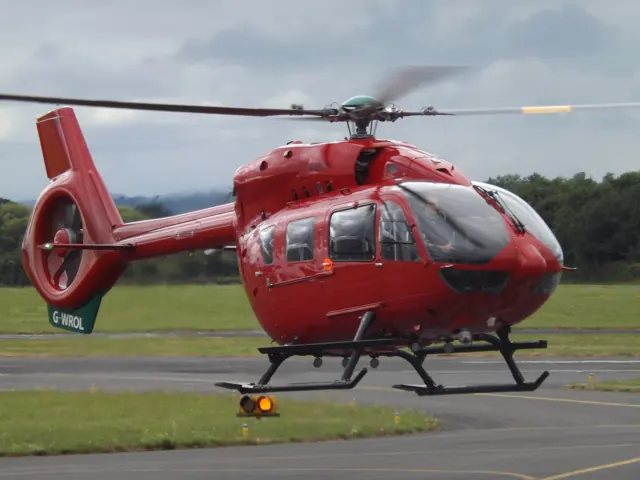
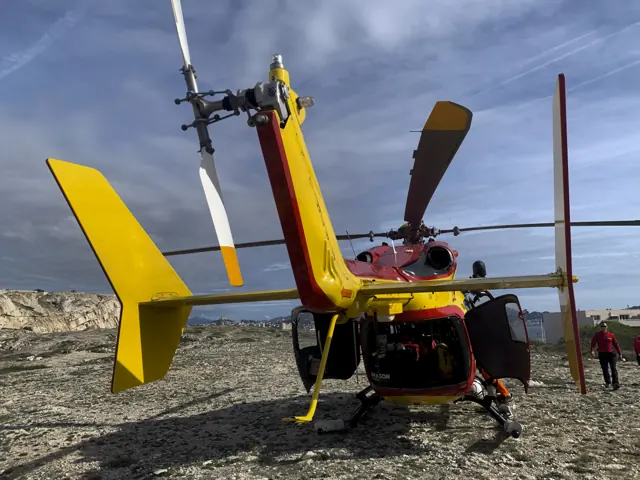
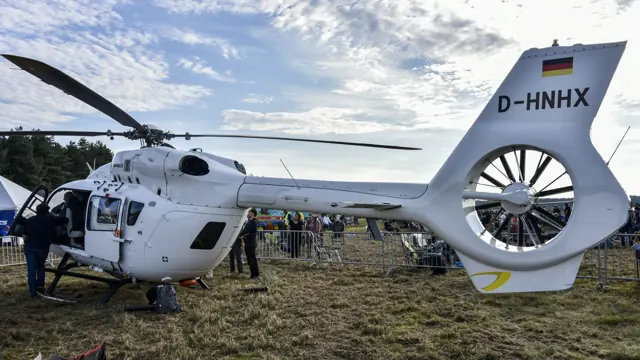
The H145 developed through the BK 117 and EC145 line. Its roomy cabin has made the family useful for emergency medical services, police work and passenger transport. Later H145 developments introduced the enclosed Fenestron tail rotor and, subsequently, a five-bladed main rotor. Earlier EC145s have a different rotor and tail arrangement from newer H145s.
Aircraft background
Wikipedia contributors · Read more ↗A prototype visit reveals how much the ride has changed
Duke arrived in Germany to find out what replacing the H145’s longstanding rotor system would mean in flight. The prototype still carried conspicuous test equipment and cabling, but the first hover drew his attention to something much less visible: how little vibration he could feel. Photographer Lloyd Horgan noticed the improvement from the cabin too. After trying the automation, Duke explored the aircraft with progressively less assistance.
Vertical · 2020. Late-October demonstration at Donauwörth with Volker Bau and Antoine Van Gent, in a five-bladed prototype carrying flight-test equipment.
Vertical · Read more ↗The weight page changes the aircraft, with a display caveat
The October 2022 guide lets users enter payload, crew and fuel on the VMS WEIGHT page and commit with VAL. It warns that those changes affect the aircraft without updating the separate MSFS weight dialog. Its engine-power-check page was not implemented in that documented version.
Airbus H145 · Hype Performance Group · MSFS 2020 · MSFS 2024
Hype Performance Group · Read more ↗Into the cockpit
 YouTube
 Shipmeck
HPG H145 Basic Autopilot Use
A focused introduction to using the HPG H145 autopilot.
HPG H145; simulator autopilot tutorial
Watch on YouTube ↗Preview images are served by AirframeDB. Videos open on YouTube only when you choose to watch.
Meet Airbus H145
The H145 developed through the BK 117 and EC145 line. Its roomy cabin has made the family useful for emergency medical services, police work and passenger transport. Later H145 developments introduced the enclosed Fenestron tail rotor and, subsequently, a five-bladed main rotor.
Earlier EC145s have a different rotor and tail arrangement from newer H145s. Avionics and automatic flight-control equipment also depend on the generation and installation. Each simulator product identifies its represented configuration.
Airbus H145
Aircraft type designators
Use the code for the model you are flying. The linked authority lists the applicable aircraft.
History & design
A long family history meets a different rotor
Duke traces the H145 through the BK117 and EC145, explaining how the earlier rotor lineage finally gave way to a five-bladed design. Prototypes, certification and prospective retrofits were still under discussion in 2020.
Vertical · What it is like to fly the new five-bladed H145 ↗Family development; later five-bladed configuration
Firefighting broadens the picture of H145 work
Hillsboro’s first five-bladed H145 fire season included water-bucket work, crew transport and reconnaissance across several western US states. The operator’s 2025 retrospective adds those working roles to the type’s familiar medical and passenger-transport applications.
Airbus · Fighting fires with five blades ↗Operator’s account of its 2024 season
Development milestones
First flight: 12 June 1999
Developed from: MBB/Kawasaki BK 117
Wikipedia contributors · Eurocopter EC145 ↗Eurocopter EC145 · family/variant named by the source · Wikipedia revision 1374052604
Pilot accounts
A prototype visit reveals how much the ride has changed
Duke arrived in Germany to find out what replacing the H145’s longstanding rotor system would mean in flight. The prototype still carried conspicuous test equipment and cabling, but the first hover drew his attention to something much less visible: how little vibration he could feel. Photographer Lloyd Horgan noticed the improvement from the cabin too.
After trying the automation, Duke explored the aircraft with progressively less assistance. Direct control remained comfortable once he adjusted to the required movements. An approach into an unfamiliar gliding field highlighted the cockpit’s visibility, before Bau took over for more vigorous demonstrations. Later conversation with the test team revealed another part of development: convincing colleagues that the new rotor would work.
Vertical · 2020. Late-October demonstration at Donauwörth with Volker Bau and Antoine Van Gent, in a five-bladed prototype carrying flight-test equipment.
Read the full account · Vertical ↗An everyday H145 pilot tries the next version
Tosi approached the demonstration with experience of both the EC145 and four-bladed H145 in his civilian work. As a National Guardsman, he also wanted to assess the new Lakota configuration. The Mississippi heat supplied an immediate reason to appreciate the quick start and improved air conditioning before they even left the ramp.
His strongest impression was the smoother ride, particularly in the cabin. He also watched Aaron Hupp demonstrate simulated engine failures, considering what that capability would mean for the rooftop hospital operations he knew. Tosi welcomed several smaller refinements while observing that cruise speed had not meaningfully changed. His enthusiastic assessment is rooted in comparison with aircraft he regularly flew, and he explicitly acknowledged that his usual near-sea-level work shaped his view of available performance.
Vertical · November 2021. August flight from Columbus, Mississippi, with Aaron Hupp in a five-bladed H145 D3 configured as a UH-72B demonstrator.
Read the full account · Vertical ↗A new helicopter becomes familiar over a fire season
For Ludwig, learning the H145 became a season of practical discoveries. Firefighting work could leave a long journey back to base at the end of the day, and she particularly appreciated the autopilot on those return flights. It was equally welcome during lengthy ferry trips between assignments.
Her mountain work in Wyoming and Colorado strengthened her affection for the aircraft. She recalled transporting a crew and equipment to a high landing site and using a variable-fill bucket on fires. By the end of the season, the H145 had become so familiar that returning to a helicopter she had flown for years felt surprisingly foreign. Airbus published the interview as a customer story.
Airbus customer interview · June 2025, recalling Hillsboro Aviation’s 2024 season with the five-bladed H145. Individual missions and loading conditions vary.
Read the full account · Airbus ↗A difficult night flight to bring a patient to hospital
Gourley recalled a night mission to collect a patient suffering a heart attack on Stewart Island. Changing weather and strong winds stretched the task to more than three hours. The crew used the routes and navigation available to their operation, while the medical team stabilised the patient before transferring him to hospital.
For Gourley, that flight illustrated why cockpit systems mattered in the demanding environment of southern New Zealand. His wider work combined day and night flying, changing terrain and uncertain weather, with medical needs setting the destination. He valued the five-bladed aircraft’s smoothness and the assistance provided by Helionix. Airbus published the interview with Gourley.
Airbus customer interview · October 2022. Heli Otago mission from Taieri to Stewart Island and Dunedin; the exact flight date and registration are not given.
Read the full account · Airbus ↗In your simulator
Systems, equipment and documentation for each developer’s aircraft.
Compare simulator versions →MSFS 2020 · MSFS 2024Airbus H145 · Hype Performance Group
Hype Performance Group · Released
Airbus H145 · Hype Performance Group
Hype Performance Group · Released
MSFS 2020 · MSFS 2024H145
HPG · Released
H145
HPG · Released
Aircraft specifications
Published figures for the named real-aircraft variant. Simulator equipment and performance can differ.
| Specification | Published value |
|---|---|
| Length | 13.54 m (44 ft 5 in) |
| Height | 3.45 m (11 ft 4 in) (EC145 C-2) |
| Empty weight | 1,895 kg (4,178 lb) baseline aircraft definitions |
| Max takeoff weight | 3,800 kg (8,378 lb) with or without external load |
| Powerplant | 2 × Safran Arriel 2E turboshaft engines, 667 kW (894 hp) each for take-off |
| Main rotor diameter | 10.8 m (35 ft 5 in) |
| Main rotor area | 95 m² (1,020 sq ft) root: NACA 23012 ; tip: NACA 23010 |
| Cruise speed | 241 km/h (150 mph, 130 kn) (recommendation for H145) |
| Range | 650 km (400 mi, 350 nmi) with standard fuel tanks at SL |
| Service ceiling | 6,096 m (20,000 ft) for take-off and landing |
| Rate of climb | 8.1 m/s (1,590 ft/min) (EC145 C-2) |
Manuals & resources
Find your next read
Choose a topic for a short introduction and a link to the original source. Simulator references identify the developer and edition they cover.
Simulator documentation
Failures and maintenance are controlled through the tabletAirbus H145 · Hype Performance Group · Hype Performance Group · MSFS 2020 · MSFS 2024
The guide separates active failures from accumulated damage and degradation. Aircraft Damage can be disabled, while Do All Maintenance resets damage. Mission triggers can introduce failures, giving the package a configurable systems layer beyond its normal cockpit operation.
HPG H145 guide v1.0 · PDF pp.63–65
Hype Performance Group · Read the source ↗Basic stabilisation, upper modes and trim releaseAirbus H145 · Hype Performance Group · Hype Performance Group · MSFS 2020 · MSFS 2024
HPG's AFCS reference distinguishes basic attitude stabilisation from upper modes such as altitude, airspeed, navigation and ground-trajectory control. Automatic trim is required for upper-mode operation, while cyclic trim release pauses the control logic for pilot input. The guide also describes follow-up-trim settings.
HPG H145 online documentation · AFCS background, trim release and upper modes
Hype Performance Group · Read the source ↗The weight page changes the aircraft, with a display caveatAirbus H145 · Hype Performance Group · Hype Performance Group · MSFS 2020 · MSFS 2024
The October 2022 guide lets users enter payload, crew and fuel on the VMS WEIGHT page and commit with VAL. It warns that those changes affect the aircraft without updating the separate MSFS weight dialog. Its engine-power-check page was not implemented in that documented version.
HPG H145 guide v1.0 · PDF p.38
Hype Performance Group · Read the source ↗Helionix displays and mission equipmentAirbus H145 · Hype Performance Group · Hype Performance Group · MSFS 2020 · MSFS 2024
HPG's archived H145 guide identifies the BK-117 D2 and separates Base Pack from Action Pack features. It documents Helionix display pages, GTN750 integration options, failures and maintenance, and the tablet interface. The Action Pack adds equipment such as a hoist, cargo hook and water bucket. The October 2022 PDF covers MSFS 2020; later changes are recorded in the online documentation.
HPG H145 · PDF v1.0, October 2022 · MSFS 2020 · PDF pp.1–8; contents and package scope
Hype Performance Group · Read the source ↗Pilot account
A prototype visit reveals how much the ride has changedVertical · 2020. Late-October demonstration at Donauwörth with Volker Bau and Antoine Van Gent, in a five-bladed prototype carrying flight-test equipment.
Duke arrived in Germany to find out what replacing the H145’s longstanding rotor system would mean in flight. The prototype still carried conspicuous test equipment and cabling, but the first hover drew his attention to something much less visible: how little vibration he could feel. Photographer Lloyd Horgan noticed the improvement from the cabin too. After trying the automation, Duke explored the aircraft with progressively less assistance.
Jon Duke
Vertical · Read the source ↗An everyday H145 pilot tries the next versionVertical · November 2021. August flight from Columbus, Mississippi, with Aaron Hupp in a five-bladed H145 D3 configured as a UH-72B demonstrator.
Tosi approached the demonstration with experience of both the EC145 and four-bladed H145 in his civilian work. As a National Guardsman, he also wanted to assess the new Lakota configuration. The Mississippi heat supplied an immediate reason to appreciate the quick start and improved air conditioning before they even left the ramp. His strongest impression was the smoother ride, particularly in the cabin.
Michael Tosi
Vertical · Read the source ↗Developer documentation
H145 — product listingH145 · MSFS 2020 · MSFS 2024
Product listing captured 2026-09-30; edition scope from the reviewed catalogue
www.hypeperformancegroup.com · Read the source ↗Read the original documentation from the people who created it. Manuals open on their publisher’s website.
Manual
H145 User GuideHype Performance Group Microsoft Flight Simulator aircraft manualsMicrosoft / aircraft developersAircraft background
Eurocopter EC145Wikipedia contributors · Research background · Wikipedia revision 1374052604 · retrieved 2026-09-12Resource
H145 AFCSHype Performance GroupDeveloper reference
H145 SDK H eventsHype Performance GroupProduct
H145 Base PackHype Performance Group · Official developer / designated store catalogue · checked 2026-09-12 H145 Action PackHype Performance Group · Official developer / designated store catalogue · checked 2026-09-12Type designator
ICAO Doc 8643 — aircraft type designatorsInternational Civil Aviation Organization · Public search data retrieved 2026-09-14; authority update 2026-09-03Built-in force-feedback profiles
Read the documentary basis, editable starting settings and remaining questions for the aircraft you fly. Each explanation refers to the exact profile revision shown.
Catalogue programme-20261022-v1 · 3 profile choices
HPG H145
Hype Performance Group · Free and Pro · Revision 2 · Inherited starting point
MSFS 2020 · MSFS 2024
HPG H145: The selected cyclic spring and damping represent a reduced control feel; the H145 AFCS manages feedback and stabilization beyond these settings.
Airbus H145 D3 (five-blade)
Free and Pro · Revision 1 · Partial review
MSFS 2024 · MSFS 2020
Airbus H145 D3 (five-blade): The selected cyclic spring and damping represent a reduced control feel; the H145 AFCS manages feedback and stabilization beyond these settings.
Airbus H145 D2 (four-blade)
Free and Pro · Revision 1 · Partial review
MSFS 2024 · MSFS 2020
Airbus H145 D2 (four-blade): The selected cyclic spring and damping represent a reduced control feel; the H145 AFCS manages feedback and stabilization beyond these settings.
Airbus H145 D2 (four-blade)
Airbus H145 D2 (four-blade): The selected cyclic spring and damping represent a reduced control feel; the H145 AFCS manages feedback and stabilization beyond these settings.
Aircraft and simulator scope
- Airbus H145 D2 (four-blade) · MSFS 2024 · Variant starting point
- Airbus H145 D2 (four-blade) · MSFS 2020 · Variant starting point
HPG H145 user guide and product documentation; D2 and D3 rotor/equipment distinctions require separate applicability. · Selected choice: Airbus H145 D2 (four-blade). Documentary scope does not establish every variant, add-on revision or simulator binding.
The simulator model and controls
The H145 developed through the BK 117 and EC145 line. Its roomy cabin has made the family useful for emergency medical services, police work and passenger transport. Later H145 developments introduced the enclosed Fenestron tail rotor and, subsequently, a five-bladed main rotor.
This starting point selects Airbus H145 D2 (four-blade). Its aircraft-level settings do not select a particular developer’s custom systems.
How this profile feels
Spring resistance builds with the selected airspeed response. A separate aerodynamic term adds speed-dependent control load.
Local force trim holds the selected hardware centre. Autopilot following is off.
Cyclic damping is on. Its configured gain is 0.35; it resists hardware motion separately from the spring and aircraft stabilization.
Controls and trim
HPG describes the H145's cyclic release and beep trim as part of its AFCS: their function changes with manual control and upper modes. Automatic trim manages feedback springs, with separate collective trim and stabilization. Four-bladed D2 and five-bladed D3 aircraft retain distinct rotor scope. HPG's hardware-cyclic trim and hands-on settings select different control strategies; they are more than a generic spring latch.
About the values
The gains are normalized profile settings. They describe the chosen effect balance; hand force depends on the device and its output limits. IAS references are tuning values rather than operating limits. Physical acceptance of this revision remains pending.
What the documentation establishes
The HPG guide documents H145 cyclic trim controls and their interaction with the automatic flight-control system.
Automatic trim manages control-feedback springs, while dual autopilot and SAS provide stabilization; this is more than a generic trim latch.
Cyclic release and beep trim have AFCS-dependent behavior. The preset's local force-trim latch does not reproduce the full HPG mechanism.
The H145 has dual autopilot, SAS and upper modes; collective-axis acceptance can depend on trim release.
Documentary review and sources
These decisions describe the documentary basis and remaining gaps for this revision. Aircraft documentation and a starting setting describe different kinds of evidence.
Aircraft and variant
ReviewedThis starting point selects Airbus H145 D2 (four-blade). Its aircraft-level settings do not select a particular developer’s custom systems.
Flight controls
ReviewedHPG describes the H145's cyclic release and beep trim as part of its AFCS: their function changes with manual control and upper modes. Automatic trim manages feedback springs, with separate collective trim and stabilization. Four-bladed D2 and five-bladed D3 aircraft retain distinct rotor scope. HPG's hardware-cyclic trim and hands-on settings select different control strategies; they are more than a generic spring latch.
Trim
ReviewedCyclic damping is on. Its configured gain is 0.35; it resists hardware motion separately from the spring and aircraft stabilization.
Autopilot and stability
ReviewedAutopilot following is off; the configured spring and load retain the hardware feel.
Equipment
Not yet reviewedGear, flap and ground cues follow the selected settings and available simulator-reported states.
Speeds and limits
Not yet reviewedThe indicated-speed references set the profile response scale; they are separate from aircraft operating limits.
Simulator integration
ReviewedThe profile targets msfs2024, msfs2020. Add-on-specific controls use only the supported references configured by this profile.
Force-feedback settings
Not yet reviewedThe settings define the profile’s effect balance. Device output limits affect physical hand force.
Starting settings and their rationale
These configured values are starting estimates. The explanations describe what each setting controls; physical validation appears separately below.
| Setting | Starting value | What it controls and why |
|---|---|---|
| Spring strength | Starting value0 | What it controls and whyThe selected cyclic spring and damping represent a reduced control feel; the H145 AFCS manages feedback and stabilization beyond these settings. The baseline spring is 0. Its low-speed blend reaches baseline strength at 62.5 KIAS. |
| Master force gain | Starting value0.85 | What it controls and whyScales overall profile strength while preserving effect balance, subject to device and output limits. |
| Profile force gain | Starting value0.35 | What it controls and whyThe aerodynamic-load gain is 0.35 with an indicated-speed reference of 125 KIAS. This supplies speed-dependent loading alongside the spring. |
| Force tuning speed/reference | Starting value125.0 kt | What it controls and whySets the IAS reference for aerodynamic loading. It is an estimate, not published cruise TAS or a flight limit. |
| Spring response reference speed | Starting value62.5 kt | What it controls and whySets the IAS where the low-speed blend reaches baseline strength; high-speed stiffening also uses it. |
| Aileron force scale | Starting value1 | What it controls and whyRoll and pitch aerodynamic scales are 1 and 1, respectively. They set the aerodynamic axis balance. No custom spring-travel curve is enabled. |
| Elevator force scale | Starting value1 | What it controls and whyScales pitch aerodynamic loading; pitch spring travel and trim responses are separate settings. |
| Trim feel | Starting valueDisabled | What it controls and whyRetained for compatibility and group membership. Trim relief, rather than this flag, controls centre movement. |
| Trim relief | Starting valueDisabled | What it controls and whyAllows trim relief with supported control law and valid telemetry. Axis authorities set its amount. |
| Autopilot follow | Starting valueDisabled | What it controls and whyAutopilot following is off; the configured spring and load retain the hardware feel. |
| Autopilot neutral hold | Starting valueDisabled | What it controls and whyPermits centering hold during a supported AP state, separate from following a moving target. |
| Output force limit | Starting value0.55 | What it controls and whyCaps directed-force output. Native spring effects and device limits remain separate. |
All 44 starting settings and their rationale
The settings define the profile’s effect balance. Device output limits affect physical hand force.
| Setting | Starting value | What it controls and why |
|---|---|---|
| Spring strength | Starting value0 | What it controls and whyThe selected cyclic spring and damping represent a reduced control feel; the H145 AFCS manages feedback and stabilization beyond these settings. The baseline spring is 0. Its low-speed blend reaches baseline strength at 62.5 KIAS. |
| Spring deadband | Starting value0.02 | What it controls and whySets travel around the centre before the baseline spring resists. Smaller values engage it sooner. |
| Profile force gain | Starting value0.35 | What it controls and whyThe aerodynamic-load gain is 0.35 with an indicated-speed reference of 125 KIAS. This supplies speed-dependent loading alongside the spring. |
| Master force gain | Starting value0.85 | What it controls and whyScales overall profile strength while preserving effect balance, subject to device and output limits. |
| QBlend Enabled | Starting valueEnabled | What it controls and whyAllows baseline spring strength to rise with indicated airspeed where the control law permits it. |
| QSpring Minimum Factor | Starting value1 | What it controls and whySets low-speed spring strength as a fraction of baseline when blending is enabled. One keeps full strength. |
| QSpring Start Knots | Starting value17.5 kt | What it controls and whySets the IAS where the low-speed spring blend starts rising. This is a feel threshold, not a flight limit. |
| Spring response reference speed | Starting value62.5 kt | What it controls and whySets the IAS where the low-speed blend reaches baseline strength; high-speed stiffening also uses it. |
| Force tuning speed/reference | Starting value125.0 kt | What it controls and whySets the IAS reference for aerodynamic loading. It is an estimate, not published cruise TAS or a flight limit. |
| Airspeed spring stiffening gain | Starting value0 | What it controls and whyAdds permitted spring resistance above the full-blend speed. Zero removes this high-speed increase. |
| Airspeed spring stiffening limit | Starting value5 | What it controls and whyLimits the squared airspeed ratio used for high-speed spring stiffening; it is not a device-force cap. |
| Aileron force scale | Starting value1 | What it controls and whyRoll and pitch aerodynamic scales are 1 and 1, respectively. They set the aerodynamic axis balance. No custom spring-travel curve is enabled. |
| Elevator force scale | Starting value1 | What it controls and whyScales pitch aerodynamic loading; pitch spring travel and trim responses are separate settings. |
| Output force limit | Starting value0.55 | What it controls and whyCaps directed-force output. Native spring effects and device limits remain separate. |
| Trim feel | Starting valueDisabled | What it controls and whyRetained for compatibility and group membership. Trim relief, rather than this flag, controls centre movement. |
| Trim relief | Starting valueDisabled | What it controls and whyAllows trim relief with supported control law and valid telemetry. Axis authorities set its amount. |
| Elevator Authority | Starting value0.3 | What it controls and whyScales supported pitch-trim relief and permitted centre movement. Zero removes pitch response. |
| Aileron Authority | Starting value0.3 | What it controls and whyScales supported roll-trim relief and permitted centre movement. Zero removes roll response. |
| Force Trim Enabled | Starting valueEnabled | What it controls and whyLocal force trim supplies a hardware spring latch where enabled, while mode-dependent beep trim and separate collective release remain aircraft-specific functions. Local force trim is on. It holds a selected spring centre with strength 0.55. |
| GLoad Enabled | Starting valueDisabled | What it controls and whyAllows load-factor changes to modify permitted spring laws. Passive fly-by-wire feel can suppress it. |
| Rate Damping Enabled | Starting valueEnabled | What it controls and whyEnables rate damping with the configured coefficients and control law. |
| Autopilot follow | Starting valueDisabled | What it controls and whyAutopilot following is off; the configured spring and load retain the hardware feel. |
| Autopilot follow authority | Starting value0.05 | What it controls and whySets admitted AP-follow gain, not a percentage of travel. Runtime ownership and input limits still apply. |
| Autopilot neutral hold | Starting valueDisabled | What it controls and whyPermits centering hold during a supported AP state, separate from following a moving target. |
| Autopilot neutral hold strength | Starting value0.6 | What it controls and whySets admitted AP neutral-hold strength; inactive while neutral hold is disabled. |
| Enabled | Starting valueEnabled | What it controls and whyEnables aerodynamic cues; each still needs nonzero strength and its simulator conditions. |
| Gain | Starting value0 | What it controls and whySets stall-buffet strength. Zero removes the cue without changing simulator stalls or warnings. |
| Gain | Starting value0 | What it controls and whySets high-Mach buffet strength; onset and full-strength thresholds are separate. |
| Gain | Starting value0 | What it controls and whySets flap buffet at the configured position and speed gates. Flap movement texture is separate. |
| Maximum flap index | Starting value1 | What it controls and whySets the final flap index for detent normalization. UP plus three detents uses maximum index3. |
| Minimum flap index | Starting value1 | What it controls and whySets the first flap detent that admits buffet; this is a handle index, not degrees. |
| Gain | Starting value0 | What it controls and whySets gear aerodynamic buffet; movement and ground-contact cues are separate. |
| Shaker Enabled | Starting valueDisabled | What it controls and whyPermits shaker at supported warning conditions; the switch does not establish aircraft equipment. |
| Stick shaker amplitude | Starting value0.5 | What it controls and whySets triggered shaker strength; inactive while the shaker feature is disabled. |
| Enabled | Starting valueEnabled | What it controls and whyEnables ground effects; each still needs its own strength and contact or motion telemetry. |
| Gain | Starting value0 | What it controls and whySets rolling texture strength, modified by speed, surface and undercarriage configuration. |
| Gain | Starting value0 | What it controls and whySets gear-bump texture during ground motion, separate from touchdown impact. |
| Gain | Starting value0.5 | What it controls and whySets landing-impact strength; landing telemetry and response shape determine the pulse. |
| Gain | Starting value0 | What it controls and whySets reverse-thrust vibration with valid reverser and engine conditions. Zero removes the cue. |
| Enabled | Starting valueEnabled | What it controls and whyEnables engine cues with nonzero settings and valid running-engine telemetry. |
| Gain | Starting value0.06 | What it controls and whySets estimated engine vibration using configured telemetry and response, not measured cockpit vibration. |
| Enabled | Starting valueEnabled | What it controls and whyEnables accessory cues with configured strengths and observed accessory movement. |
| Gain | Starting value0 | What it controls and whySets texture from observed flap movement; a command without movement does not establish the cue. |
| Gain | Starting value0 | What it controls and whySets texture from observed gear movement, separate from aerodynamic and touchdown effects. |
Limits and open questions
- The HPG guide does not establish identical D2 and D3 rotor/equipment details for both generic choices.
- The AFCS discussion does not derive the preset's indicated-speed reference or establish a shared D2/D3 envelope.
- Feedback-spring and AFCS descriptions do not quantify the preset's cyclic force, rotor cues or damping.
Physical validation
No physical force validation is recorded in this public catalogue for this revision. Documentary review and software checks do not establish how a particular device feels.
Documented interfaces
Source-documented identifiers. Documentation does not prove that every add-on populates a value correctly.
H:H145_SDK_CYCLIC_FORCE_TRIM_SET_NEW_CENTER
Cyclic force-trim new-center event.
- Units
- not specified
- Access
- send
Public guide snapshot; package unobserved
Hype Performance Group · SDK event entry ↗Discuss this aircraft (0)
Questions, observations and useful sources from the community.
No published discussions yet. Bring a question or share a useful source.
Open aircraft discussions →Content expanded · What’s new
Something missing or a source that needs attention?
Suggest a correction ↗