
Start here
A few places to begin, from the aircraft’s story to the people who fly it.
Meet the aircraft
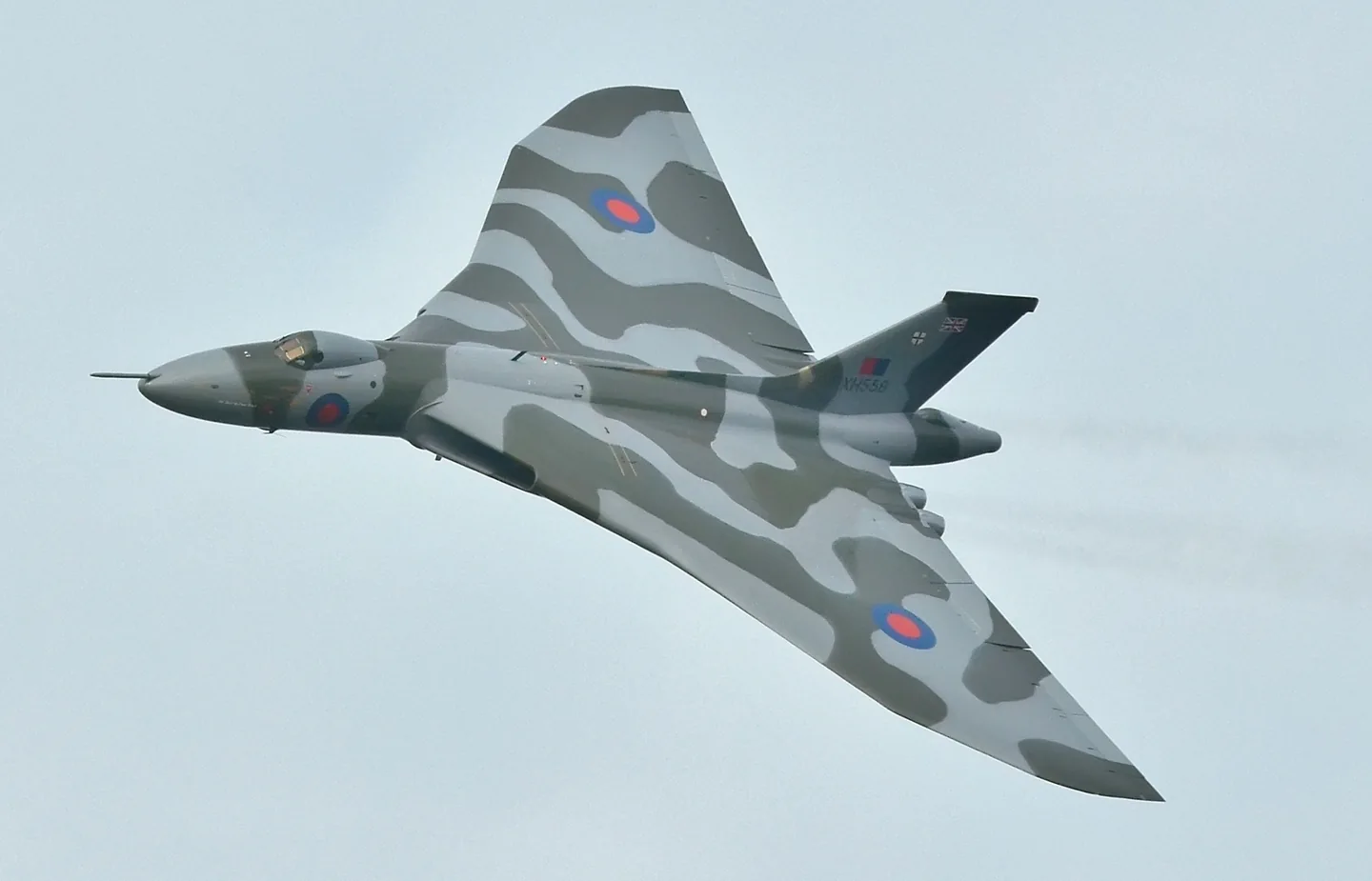
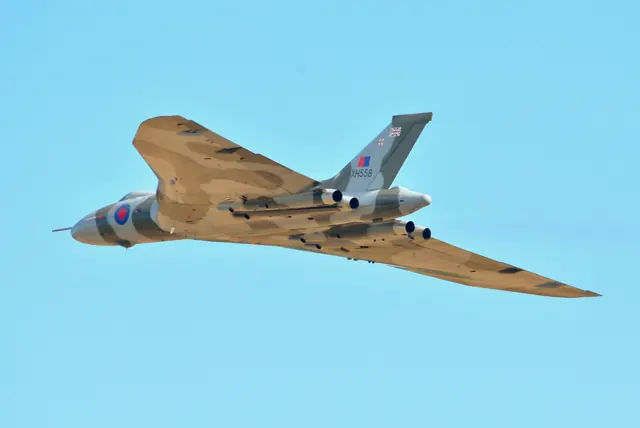
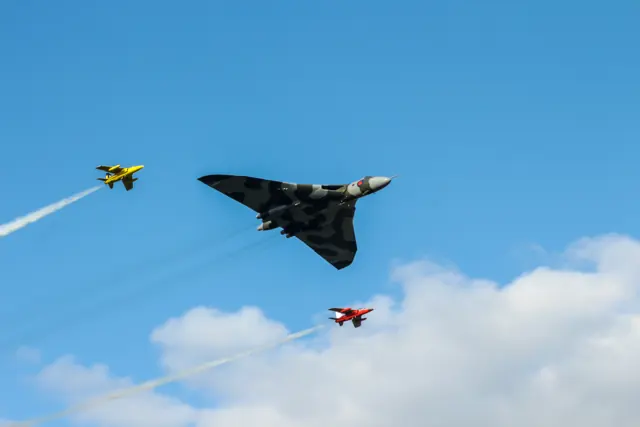
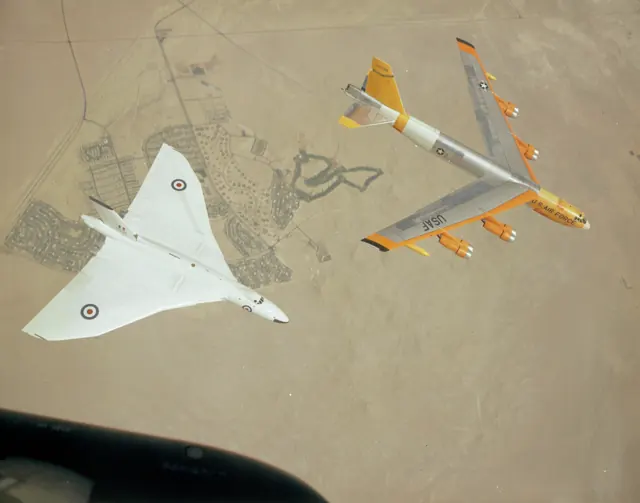
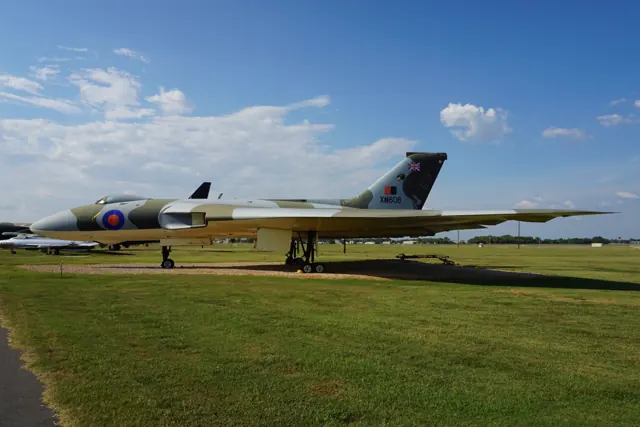
The Vulcan grew out of the RAF's B.35/46 bomber requirement. Avro used smaller 707 research aircraft to investigate the delta-wing configuration before committing it to the full-size bomber. RAF service extended from 1956 to 1984. The bomber, tanker and reconnaissance versions in simulator packages represent different stages of its working life.
Aircraft background
Wikipedia contributors · Read more ↗Returning to the Vulcan after thirty-three years
Ramsey had left Vulcan flying in 1978, hoping to move into fast jets. More than three decades later, an opportunity to join XH558’s crew brought him back to the aircraft. Before the flight he watched the crowd while eating an ice cream, then discovered that Kevin Rumens intended him to make both the takeoff and landing.
First-person report · June 2011. XH558 flight on 29 May 2011 with Kevin Rumens, from Bruntingthorpe to Doncaster.
Global Aviation Resource · Read more ↗Use the simulator’s spoiler controls for the airbrakes
The manual maps the airbrakes to default MSFS spoiler assignments and also provides a three-position switch behind the throttle quadrant. Its high-drag extension changes automatically when the undercarriage is lowered.
Avro Vulcan · Just Flight · MSFS 2020 · MSFS 2024
Just Flight · Read more ↗Into the cockpit
 YouTube
 Military Aviation History · 25 min ·
Inside The Cockpit - Avro Vulcan B.2
A museum cockpit visit explores the Vulcan B.2 and its history.
Real aircraft · Avro Vulcan
Watch on YouTube ↗Preview images are served by AirframeDB. Videos open on YouTube only when you choose to watch.
Meet Avro Vulcan
The Vulcan grew out of the RAF's B.35/46 bomber requirement. Avro used smaller 707 research aircraft to investigate the delta-wing configuration before committing it to the full-size bomber. RAF service extended from 1956 to 1984. The bomber, tanker and reconnaissance versions in simulator packages represent different stages of its working life.
Avro Vulcan
Aircraft type designators
A model-specific ICAO or FAA designator has not been confirmed in the references reviewed for this aircraft.
History & design
Flight testing also meant hours at a desk
Flight-test observer Alan Ainsworth recalled roughly five hours of desk work for each hour airborne. Staff examined instrument recordings frame by frame, while cameras and changing film in flight formed part of the observer’s workload.
Vulcan to the Sky Trust · Early Vulcan flying: another view ↗Observer’s recollection; not counted as a pilot account
Development milestones
First flight: 30 August 1952
Wikipedia contributors · Avro Vulcan ↗Avro Vulcan · family/variant named by the source · Wikipedia revision 1373880108
Pilot accounts
Returning to the Vulcan after thirty-three years
Ramsey had left Vulcan flying in 1978, hoping to move into fast jets. More than three decades later, an opportunity to join XH558’s crew brought him back to the aircraft. Before the flight he watched the crowd while eating an ice cream, then discovered that Kevin Rumens intended him to make both the takeoff and landing.
The restored aircraft was lighter than the Vulcans he remembered operating, and its acceleration initially ran ahead of his thinking. Practice approaches helped him settle back in. The cockpit’s height also demanded a change from the little Tutor he had been flying: Rumens’s landing prompt came sooner than Ramsey expected. A smooth arrival at Doncaster left him delighted and keen to do it again.
First-person report · June 2011. XH558 flight on 29 May 2011 with Kevin Rumens, from Bruntingthorpe to Doncaster.
Read the full account · Global Aviation Resource ↗Finding familiar controls in an unfamiliar delta
Wood remembered XA893 as an aircraft whose control forces differed from the later Vulcans he flew. Its early wing configuration brought heavier effort in both pitch and roll, whereas the later arrangement combined a heavier elevator feel with lighter ailerons.
Landing it produced much happier memories. Wood joked that he seemed unable to make a bad landing in XA893 and credited the cushioning effect he felt near the ground. He also recalled taking senior officers flying.
Retrospective account of Boscombe Down trials flying. Selected recollections concern early Vulcan XA893; the memoir also discusses other aircraft and later variants.
Read the full account · Bill Wood ↗Teaching crews and finding a community in Cyprus
Briggs’s move to the Vulcan interrupted work he had enjoyed as a Jet Provost instructor. He completed conversion at Finningley and later spent a year instructing in the simulator before teaching in the aircraft itself. His pupils included young copilots moving into the left seat and experienced commanders learning a different type.
A posting to Cyprus brought a more domestic side to his Vulcan years. He remembered the crew community, life with his wife Edith, and time at the beach after morning work. One family’s piano even became part of the story of moving people and possessions overseas. In the interview, the aircraft’s place in his career is inseparable from teaching other aircrew and the friendships surrounding a squadron posting.
IBCC oral-history transcript · March 2017. Former wartime flight engineer who subsequently trained as a pilot; Vulcan B.2 instruction and No. 9 Squadron service.
Read the full account · International Bomber Command Centre Digital Archive ↗In your simulator
Systems, equipment and documentation for each developer’s aircraft.
Compare simulator versions →MSFS 2020 · MSFS 2024Avro Vulcan
Just Flight · Released
Avro Vulcan
Just Flight · Released
X-Plane 11Avro Vulcan
Just Flight · Released
Avro Vulcan
Just Flight · Released
Aircraft specifications
Published figures for the named real-aircraft variant. Simulator equipment and performance can differ.
| Specification | Published value |
|---|---|
| Length | 97 ft 1 in (29.59 m) |
| Wingspan | 99 ft 5 in (30.30 m) |
| Height | 26 ft 6 in (8.08 m) |
| Wing area | 3,554 sq ft (330.2 m² ) |
| Empty weight | 83,573 lb (37,908 kg) equipped and crewed |
| Max takeoff weight | 170,000 lb (77,111 kg) |
| Powerplant | 4 × Bristol Olympus Mk.101 / Mk.102 / Mk.104 twin-spool turbojet engines, 11,000 lbf (49 kN) thrust each |
| Maximum speed | 561 kn (646 mph, 1,039 km/h) at altitude |
| Maximum speed | Mach 0.96 |
| Cruise speed | 493 kn (567 mph, 913 km/h) / M0.86 at 45,000 feet (14,000 m) |
| Range | 2,265 nmi (2,607 mi, 4,195 km) |
| Service ceiling | 56,000 ft (17,000 m) |
Manuals & resources
Find your next read
Choose a topic for a short introduction and a link to the original source. Simulator references identify the developer and edition they cover.
Simulator documentation
Use the simulator’s spoiler controls for the airbrakesAvro Vulcan · Just Flight · MSFS 2020 · MSFS 2024
The manual maps the airbrakes to default MSFS spoiler assignments and also provides a three-position switch behind the throttle quadrant. Its high-drag extension changes automatically when the undercarriage is lowered.
Just Flight MSFS operations manual · PDF pp.39–40; p.40 visually checked
Just Flight · Read the source ↗One group of surfaces combines pitch and rollAvro Vulcan · Just Flight · MSFS 2020 · MSFS 2024
The guide describes eight elevons, with individual powered control units, combining pitch and roll commands. Controls for powered flying controls, artificial feel and stabilisation are grouped on the left console.
MSFS operations manual · PDF pp.31–32; documented cockpit and system arrangement
Just Flight · Read the source ↗The X-Plane edition uses its own assistance panelsAvro Vulcan · Just Flight · X-Plane 11
The X-Plane 11 product provides a 2D payload panel and an interactive engine-start checklist, with checklists for other phases. The MSFS edition uses its own tablet interface.
Just Flight Vulcan for X-Plane 11 · gathered September 2026
Just Flight · Read the source ↗Restore a saved cockpit or begin ready for takeoffAvro Vulcan · Just Flight · X-Plane 11
The listing describes panel states saved with a flight and selectable cold-and-dark or ready-for-takeoff configurations. A pop-up flashlight and reflection controls provide additional ways to adjust the cockpit view.
X-Plane 11 product description; no X-Plane 12 compatibility inferred
Just Flight · Read the source ↗Choose a starting state and manage the load in the tabletAvro Vulcan · Just Flight · MSFS 2020 · MSFS 2024
Just Flight lists cold, taxi and takeoff states in the EFB, plus payload management and flight-planning integrations. Panel state is preserved with a saved flight, so the documented persistence is tied to saving that flight.
MSFS Vulcan product description · gathered September 2026
Just Flight · Read the source ↗Pilot account
Returning to the Vulcan after thirty-three yearsFirst-person report · June 2011. XH558 flight on 29 May 2011 with Kevin Rumens, from Bruntingthorpe to Doncaster.
Ramsey had left Vulcan flying in 1978, hoping to move into fast jets. More than three decades later, an opportunity to join XH558’s crew brought him back to the aircraft. Before the flight he watched the crowd while eating an ice cream, then discovered that Kevin Rumens intended him to make both the takeoff and landing. The restored aircraft was lighter than the Vulcans he remembered operating, and its acceleration initially ran ahead of his thinking.
Bill Ramsey
Global Aviation Resource · Read the source ↗Finding familiar controls in an unfamiliar deltaRetrospective account of Boscombe Down trials flying. Selected recollections concern early Vulcan XA893; the memoir also discusses other aircraft and later variants.
Wood remembered XA893 as an aircraft whose control forces differed from the later Vulcans he flew. Its early wing configuration brought heavier effort in both pitch and roll, whereas the later arrangement combined a heavier elevator feel with lighter ailerons. Landing it produced much happier memories.
Bill Wood
Bill Wood · Read the source ↗Read the original documentation from the people who created it. Manuals open on their publisher’s website.
Aircraft background
Avro VulcanWikipedia contributors · Research background · retrieved 2026-09-12 Early Vulcan flying: another viewVulcan to the Sky Trust · Alan Ainsworth · flight-test observer’s recollectionProduct
Avro Vulcan B Mk. 2, K.2 & MRR (MSFS)Just Flight · Official developer / designated store catalogue · checked 2026-09-12 Avro Vulcan B Mk. 2, K.2 & MRR (X-Plane 11)Just Flight · Official developer / designated store catalogue · checked 2026-09-12Developer documentation
Avro Vulcan B Mk.2, K.2 and MRR operations manualJust Flight · MSFS edition · retrieved September 2026Built-in force-feedback profiles
Read the documentary basis, editable starting settings and remaining questions for the aircraft you fly. Each explanation refers to the exact profile revision shown.
Catalogue programme-20261022-v1 · 2 profile choices
Just Flight Avro Vulcan
Just Flight · Free and Pro · Revision 5 · Inherited starting point
MSFS 2020 · MSFS 2024
Just Flight Avro Vulcan: Separate artificial feel motivates the powered-control spring response; direct elevon airloads are not mechanically returned to the pilot.
Avro Vulcan
Free and Pro · Revision 1 · Partial review
MSFS 2024 · MSFS 2020 · X-Plane 11
Avro Vulcan: Separate artificial feel motivates the powered-control spring response; direct elevon airloads are not mechanically returned to the pilot.
Avro Vulcan
Avro Vulcan: Separate artificial feel motivates the powered-control spring response; direct elevon airloads are not mechanically returned to the pilot.
Aircraft and simulator scope
- Avro Vulcan · MSFS 2024 · family starting point
- Avro Vulcan · MSFS 2020 · family starting point
- Avro Vulcan · X-Plane 11 · family starting point
Just Flight Vulcan MSFS manual and XP product page; the documentary mechanism is distinct from external simulator integration. · Selected choice: Avro Vulcan. Documentary scope does not establish every variant, add-on revision or simulator binding.
The simulator model and controls
The Vulcan grew out of the RAF's B.35/46 bomber requirement. Avro used smaller 707 research aircraft to investigate the delta-wing configuration before committing it to the full-size bomber. RAF service extended from 1956 to 1984. The bomber, tanker and reconnaissance versions in simulator packages represent different stages of its working life.
This starting point selects Avro Vulcan. Its aircraft-level settings do not select a particular developer’s custom systems.
How this profile feels
Spring resistance builds with the selected airspeed response. A separate aerodynamic term adds speed-dependent control load.
Valid trim provides the configured pressure relief. Autopilot following is off.
Controls and trim
Just Flight's Vulcan manual describes irreversible electrohydraulic flying controls and eight elevons. The pilot feels a separate speed-sensitive artificial-feel system. Electric feel trim changes control-run length to relieve feel-actuator load; feel relief/locking, Mach trim and automatic stabilization have different roles. Its bomber, tanker and reconnaissance configurations retain those distinctions from the individual simulator's autopilot implementation.
About the values
The gains are normalized profile settings. They describe the chosen effect balance; hand force depends on the device and its output limits. IAS references are tuning values rather than operating limits. Physical acceptance of this revision remains pending.
What the documentation establishes
The Vulcan manual describes interconnected control columns operating powered controls and eight elevons.
Electrohydraulic powered controls are irreversible. Speed-sensitive feel units supply cockpit resistance separately from surface airloads.
Electric feel trim adjusts the control run, while automatic stabilization and Mach trim have separate functions.
Pitch/bank-hold autopilot functions are advertised; disabled preset following must not be described as an absence of autopilot.
Powered controls, Mach trimmer and automatic stabilizers are listed; the preset is not a complete simulation of these systems.
Documentary review and sources
These decisions describe the documentary basis and remaining gaps for this revision. Aircraft documentation and a starting setting describe different kinds of evidence.
Aircraft and variant
ReviewedThis starting point selects Avro Vulcan. Its aircraft-level settings do not select a particular developer’s custom systems.
Flight controls
ReviewedJust Flight's Vulcan manual describes irreversible electrohydraulic flying controls and eight elevons. The pilot feels a separate speed-sensitive artificial-feel system. Electric feel trim changes control-run length to relieve feel-actuator load; feel relief/locking, Mach trim and automatic stabilization have different roles. Its bomber, tanker and reconnaissance configurations retain those distinctions from the individual simulator's autopilot implementation.
Trim
ReviewedFeel trim changes the control run to relieve load, so a permitted centre shift is an approximation of feel trim rather than a generic surface-position offset. Pitch authority 0.3 relieves permitted loading; hydraulic centre movement is off. Roll authority is 0.09.
Autopilot and stability
ReviewedAutopilot following is off; the configured spring and load retain the hardware feel.
Equipment
ReviewedGear, flap and ground cues follow the selected settings and available simulator-reported states.
Speeds and limits
Not yet reviewedThe indicated-speed references set the profile response scale; they are separate from aircraft operating limits.
Simulator integration
Not yet reviewedThe profile targets msfs2024, msfs2020, xplane11. Add-on-specific controls use only the supported references configured by this profile.
Force-feedback settings
Not yet reviewedThe settings define the profile’s effect balance. Device output limits affect physical hand force.
Starting settings and their rationale
These configured values are starting estimates. The explanations describe what each setting controls; physical validation appears separately below.
| Setting | Starting value | What it controls and why |
|---|---|---|
| Spring strength | Starting value0.8 | What it controls and whySeparate artificial feel motivates the powered-control spring response; direct elevon airloads are not mechanically returned to the pilot. The baseline spring is 0.8. Its low-speed blend reaches baseline strength at 90 KIAS. |
| Master force gain | Starting value0.85 | What it controls and whyScales overall profile strength while preserving effect balance, subject to device and output limits. |
| Profile force gain | Starting value0.25 | What it controls and whyThe aerodynamic-load gain is 0.25 with an indicated-speed reference of 260 KIAS. The hydraulic-load factor of 0.35 scales that modeled term; it is a selected artificial-feel approximation. |
| Force tuning speed/reference | Starting value260.0 kt | What it controls and whySets the IAS reference for aerodynamic loading. It is an estimate, not published cruise TAS or a flight limit. |
| Spring response reference speed | Starting value90 kt | What it controls and whySets the IAS where the low-speed blend reaches baseline strength; high-speed stiffening also uses it. |
| Aileron force scale | Starting value0.65 | What it controls and whyRoll and pitch aerodynamic scales are 0.65 and 0.65, respectively. They set the aerodynamic axis balance. No custom spring-travel curve is enabled. |
| Elevator force scale | Starting value0.65 | What it controls and whyScales pitch aerodynamic loading; pitch spring travel and trim responses are separate settings. |
| Trim feel | Starting valueEnabled | What it controls and whyRetained for compatibility and group membership. Trim relief, rather than this flag, controls centre movement. |
| Trim relief | Starting valueEnabled | What it controls and whyAllows trim relief with supported control law and valid telemetry. Axis authorities set its amount. |
| Autopilot follow | Starting valueDisabled | What it controls and whyAutopilot following is off; the configured spring and load retain the hardware feel. |
| Autopilot neutral hold | Starting valueDisabled | What it controls and whyPermits centering hold during a supported AP state, separate from following a moving target. |
| Output force limit | Starting value0.55 | What it controls and whyCaps directed-force output. Native spring effects and device limits remain separate. |
All 44 starting settings and their rationale
The settings define the profile’s effect balance. Device output limits affect physical hand force.
| Setting | Starting value | What it controls and why |
|---|---|---|
| Spring strength | Starting value0.8 | What it controls and whySeparate artificial feel motivates the powered-control spring response; direct elevon airloads are not mechanically returned to the pilot. The baseline spring is 0.8. Its low-speed blend reaches baseline strength at 90 KIAS. |
| Spring deadband | Starting value0.035 | What it controls and whySets travel around the centre before the baseline spring resists. Smaller values engage it sooner. |
| Profile force gain | Starting value0.25 | What it controls and whyThe aerodynamic-load gain is 0.25 with an indicated-speed reference of 260 KIAS. The hydraulic-load factor of 0.35 scales that modeled term; it is a selected artificial-feel approximation. |
| Master force gain | Starting value0.85 | What it controls and whyScales overall profile strength while preserving effect balance, subject to device and output limits. |
| QBlend Enabled | Starting valueEnabled | What it controls and whyAllows baseline spring strength to rise with indicated airspeed where the control law permits it. |
| QSpring Minimum Factor | Starting value0.55 | What it controls and whySets low-speed spring strength as a fraction of baseline when blending is enabled. One keeps full strength. |
| QSpring Start Knots | Starting value20 kt | What it controls and whySets the IAS where the low-speed spring blend starts rising. This is a feel threshold, not a flight limit. |
| Spring response reference speed | Starting value90 kt | What it controls and whySets the IAS where the low-speed blend reaches baseline strength; high-speed stiffening also uses it. |
| Force tuning speed/reference | Starting value260.0 kt | What it controls and whySets the IAS reference for aerodynamic loading. It is an estimate, not published cruise TAS or a flight limit. |
| Airspeed spring stiffening gain | Starting value0 | What it controls and whyThe high-speed spring-stiffening gain is 0. No additional speed-driven stiffening is added; this does not disable independent aerodynamic loading. |
| Airspeed spring stiffening limit | Starting value5 | What it controls and whyLimits the squared airspeed ratio used for high-speed spring stiffening; it is not a device-force cap. |
| Aileron force scale | Starting value0.65 | What it controls and whyRoll and pitch aerodynamic scales are 0.65 and 0.65, respectively. They set the aerodynamic axis balance. No custom spring-travel curve is enabled. |
| Elevator force scale | Starting value0.65 | What it controls and whyScales pitch aerodynamic loading; pitch spring travel and trim responses are separate settings. |
| Output force limit | Starting value0.55 | What it controls and whyCaps directed-force output. Native spring effects and device limits remain separate. |
| Trim feel | Starting valueEnabled | What it controls and whyRetained for compatibility and group membership. Trim relief, rather than this flag, controls centre movement. |
| Trim relief | Starting valueEnabled | What it controls and whyAllows trim relief with supported control law and valid telemetry. Axis authorities set its amount. |
| Elevator Authority | Starting value0.3 | What it controls and whyFeel trim changes the control run to relieve load, so a permitted centre shift is an approximation of feel trim rather than a generic surface-position offset. Pitch authority 0.3 relieves permitted loading; hydraulic centre movement is off. Roll authority is 0.09. |
| Aileron Authority | Starting value0.09 | What it controls and whyScales supported roll-trim relief and permitted centre movement. Zero removes roll response. |
| Force Trim Enabled | Starting valueDisabled | What it controls and whyEnables local force trim, separate from aircraft-owned trim and add-on integration qualification. |
| GLoad Enabled | Starting valueEnabled | What it controls and whyAllows load-factor changes to modify permitted spring laws. Passive fly-by-wire feel can suppress it. |
| Rate Damping Enabled | Starting valueEnabled | What it controls and whyEnables rate damping with the configured coefficients and control law. |
| Autopilot follow | Starting valueDisabled | What it controls and whyAutopilot following is off; the configured spring and load retain the hardware feel. |
| Autopilot follow authority | Starting value0.1 | What it controls and whySets admitted AP-follow gain, not a percentage of travel. Runtime ownership and input limits still apply. |
| Autopilot neutral hold | Starting valueDisabled | What it controls and whyPermits centering hold during a supported AP state, separate from following a moving target. |
| Autopilot neutral hold strength | Starting value0.6 | What it controls and whySets admitted AP neutral-hold strength; inactive while neutral hold is disabled. |
| Enabled | Starting valueEnabled | What it controls and whyEnables aerodynamic cues; each still needs nonzero strength and its simulator conditions. |
| Gain | Starting value0.3 | What it controls and whySets stall-buffet strength. Zero removes the cue without changing simulator stalls or warnings. |
| Gain | Starting value0.22 | What it controls and whySets high-Mach buffet strength; onset and full-strength thresholds are separate. |
| Gain | Starting value0 | What it controls and whySets flap buffet at the configured position and speed gates. Flap movement texture is separate. |
| Maximum flap index | Starting value1 | What it controls and whySets the final flap index for detent normalization. UP plus three detents uses maximum index3. |
| Minimum flap index | Starting value1 | What it controls and whySets the first flap detent that admits buffet; this is a handle index, not degrees. |
| Gain | Starting value0.1 | What it controls and whySets gear aerodynamic buffet; movement and ground-contact cues are separate. |
| Shaker Enabled | Starting valueEnabled | What it controls and whyPermits shaker at supported warning conditions; the switch does not establish aircraft equipment. |
| Stick shaker amplitude | Starting value0.9 | What it controls and whySets triggered shaker strength; inactive while the shaker feature is disabled. |
| Enabled | Starting valueEnabled | What it controls and whyEnables ground effects; each still needs its own strength and contact or motion telemetry. |
| Gain | Starting value0.4 | What it controls and whySets rolling texture strength, modified by speed, surface and undercarriage configuration. |
| Gain | Starting value0.32 | What it controls and whySets gear-bump texture during ground motion, separate from touchdown impact. |
| Gain | Starting value0.9 | What it controls and whySets landing-impact strength; landing telemetry and response shape determine the pulse. |
| Gain | Starting value0.5 | What it controls and whySets reverse-thrust vibration with valid reverser and engine conditions. Zero removes the cue. |
| Enabled | Starting valueEnabled | What it controls and whyEnables engine cues with nonzero settings and valid running-engine telemetry. |
| Gain | Starting value0.06 | What it controls and whySets estimated engine vibration using configured telemetry and response, not measured cockpit vibration. |
| Enabled | Starting valueEnabled | What it controls and whyEnables accessory cues with configured strengths and observed accessory movement. |
| Gain | Starting value0 | What it controls and whySets texture from observed flap movement; a command without movement does not establish the cue. |
| Gain | Starting value0.12 | What it controls and whySets texture from observed gear movement, separate from aerodynamic and touchdown effects. |
Limits and open questions
- The qualitative speed-sensitive feel description does not derive the selected indicated-speed force reference or an exact load schedule.
- Product features do not publish a verified servo-output or trim-ownership contract.
- The source supports artificial feel qualitatively, but does not calibrate the preset's aerodynamic blend, spring strength or pitch-to-roll ratio.
Physical validation
No physical force validation is recorded in this public catalogue for this revision. Documentary review and software checks do not establish how a particular device feels.
Discuss this aircraft (0)
Questions, observations and useful sources from the community.
No published discussions yet. Bring a question or share a useful source.
Open aircraft discussions →Content expanded · What’s new
Something missing or a source that needs attention?
Suggest a correction ↗