
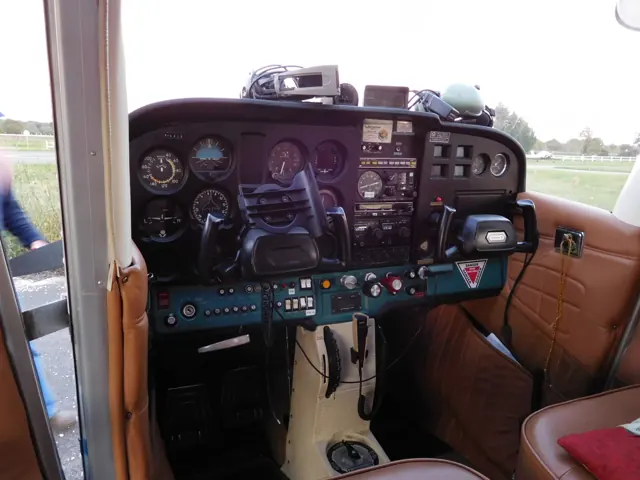
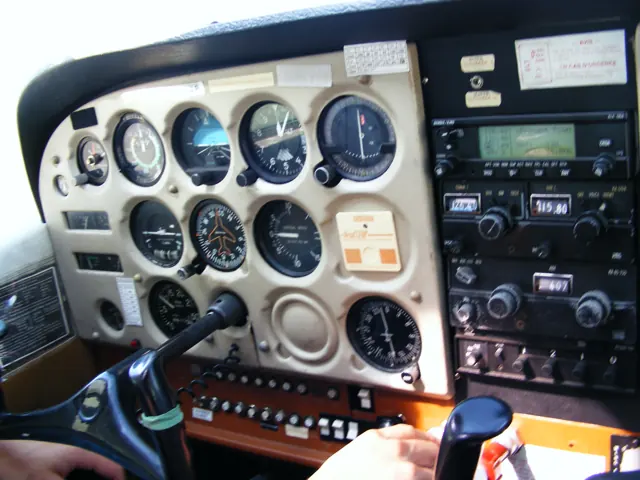









Start here
A few places to begin, from the aircraft’s story to the people who fly it.
Meet the aircraft
The Skyhawk developed from the tailwheel Cessna 170, adopting tricycle landing gear. The first 172 flew in 1955. Its combination of a practical cabin, fixed undercarriage and straightforward layout helped make it a familiar aircraft for personal flying and instruction. The 172's long history includes different engines, panels and equipment.
Aircraft background
Wikipedia contributors · Read more ↗Familiar controls, a different engine experience
Flying factory JT-A N688CS from San Marcos, Texas, Goyer immediately noticed how different the turbodiesel sounded. Its quieter whirr accompanied a climb that felt convincingly stronger than the earlier diesel Skyhawk the writer had evaluated. The cockpit also changed the pilot's relationship with the engine: one power lever requested output while electronic controls managed fuel and propeller settings.
12 March 2018. Continental CD-155-powered factory JT-A, N688CS. Byline as currently published.
Plane & Pilot · Read more ↗The bundled X-Plane Skyhawk has its own cockpit reference
Laminar's manual documents the C172's primary controls, trim console, instruments and autopilot. Its illustrated cockpit guide and configuration checks describe the bundled aircraft. Independent C172 developers document their own maintenance systems and avionics.
Cessna 172 SP · X-Plane 12
Laminar Research · Read more ↗Into the cockpit
 YouTube
 FlywithB
Cessna 172 Cockpit Tutorial
A cockpit introduction for getting your bearings in a conventional Skyhawk.
Real Cessna 172; conventional instrument panel
Watch on YouTube ↗Preview images are served by AirframeDB. Videos open on YouTube only when you choose to watch.
Meet Cessna 172 Skyhawk
The Skyhawk developed from the tailwheel Cessna 170, adopting tricycle landing gear. The first 172 flew in 1955. Its combination of a practical cabin, fixed undercarriage and straightforward layout helped make it a familiar aircraft for personal flying and instruction.
The 172's long history includes different engines, panels and equipment. That variety is especially visible in simulation: a conventional-instrument aircraft, a G1000-equipped version and an add-on with persistent maintenance systems offer different experiences despite sharing the same basic silhouette.
Cessna 172 Skyhawk
Cessna → · Explore the family →
Cessna 172 Skyhawk
Wikipedia contributors · Cessna 172 ↗Microsoft Flight Simulator · MSFS 2024 →Microsoft Flight Simulator · MSFS 2024 →Microsoft Flight Simulator · MSFS 2020 →Microsoft Flight Simulator · MSFS 2020 →Laminar Research · X-Plane 12 →Laminar Research · X-Plane 11 →Airfoillabs · X-Plane 11 · X-Plane 12 →Thranda · X-Plane 12 →SimCoders · X-Plane 11 · X-Plane 12 →Aircraft type designators
Use the code for the model you are flying. The linked authority lists the applicable aircraft.
History & design
A familiar shape that evolved
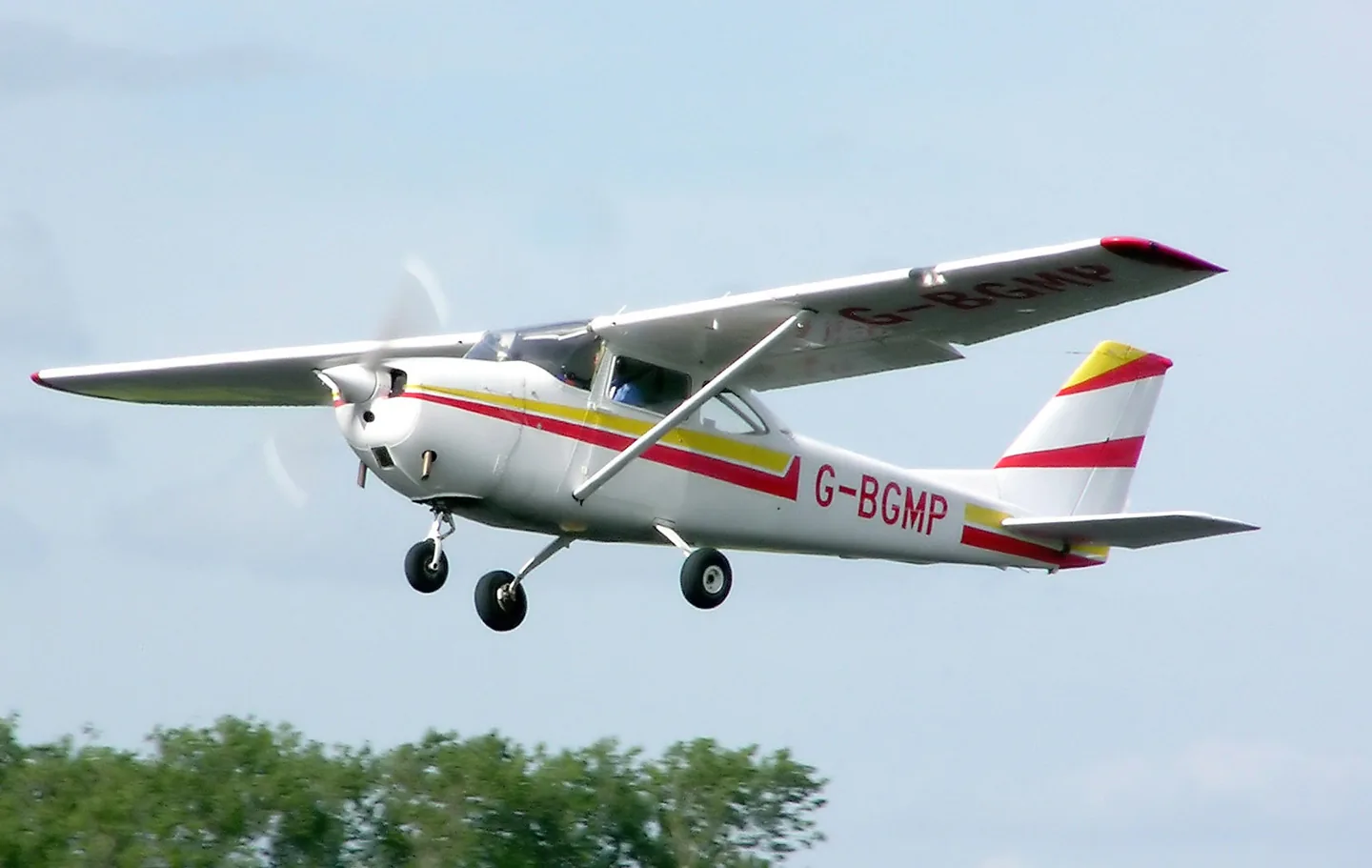
The 172 began with the tailwheel Cessna 170. Moving the third wheel to the nose helped create the aircraft that became familiar to generations of students. Its outline changed along the way: early examples had a straight fin, the swept fin arrived with the 172A, and the lowered rear fuselage and rear window followed with the 172D. A photograph of an early Skyhawk can therefore look surprisingly different from the training aircraft on a modern ramp.
Wikipedia contributors · Cessna 172 ↗Research-based history of the real aircraft family; see the linked source.
Development milestones
First flight: June 12, 1955
Developed from: Cessna 170
Wikipedia contributors · Cessna 172 ↗Cessna 172 · family/variant named by the source · Wikipedia revision 1374422697
Pilot accounts
Familiar controls, a different engine experience
Flying factory JT-A N688CS from San Marcos, Texas, Goyer immediately noticed how different the turbodiesel sounded. Its quieter whirr accompanied a climb that felt convincingly stronger than the earlier diesel Skyhawk the writer had evaluated. The cockpit also changed the pilot's relationship with the engine: one power lever requested output while electronic controls managed fuel and propeller settings. The report describes the Continental-powered JT-A and its Garmin NXi installation, rather than the conventional Lycoming-powered training aircraft that shares its silhouette.
Despite those changes, Goyer found the flight-control feel and most of the familiar Skyhawk flying manners intact. One difference appeared in landing: the demonstrator seemed inclined to float more when approach speed was not closely controlled. The writer suggested residual thrust as a possible explanation, explicitly as an interpretation.
12 March 2018. Continental CD-155-powered factory JT-A, N688CS. Byline as currently published.
Read the full account · Plane & Pilot ↗Living with an early straight-tail 172
Davisson's account of Jim Landers's restored 1957 aircraft explains why an early 172 can feel different before it even leaves the ground. The low instrument panel and more upright seating create an unusually open view over the nose. He describes the six-cylinder Continental as smoother than the later Lycomings and finds the aircraft's familiar, approachable character already present in this early version. Landers had moved up from a Cessna 150 chiefly to gain useful space for travelling with his wife and their baggage.
That extra space did not mean treating every seat as routinely available. Operating in Arizona, Landers generally used the aircraft as a two-person tourer and took high density altitude seriously when deciding on a load. His account also includes the less glamorous side of ownership: an engine failure inside the crankcase led to a rebuild, and the polished finish required considerable labour.
Undated hosted article about Jim Landers’s 1957 Cessna 172. Historical owner and writer observations; not current operating advice.
Read the full account · Pilotfriend · Budd Davisson ↗A student’s view of the glass-panel Skyhawk
For Cox's 2009 review, student pilot Peggy Herrera offered a perspective quite different from a veteran test pilot's. She had been able to try a varied group of aircraft and was training in a recent, air-conditioned Skyhawk with Garmin G1000 instruments. What she appreciated most was the aircraft's unhurried response: gentle control behaviour, effective flaps and low speeds in the circuit left her time to understand what was happening. That mattered particularly while she was learning to land.
Her principal difficulty lay in the panel rather than the airframe. The G1000 initially felt overwhelming until its organisation began to make sense, and the tall instrument panel could restrict the view for a shorter pilot despite the adjustable seat. Cox set those observations alongside his own experience in numerous Skyhawks, including long trips, and described the model's appeal as a balance of useful qualities.
24 March 2009. Herrera’s training in a 2008 G1000-equipped Skyhawk, interviewed within Cox’s 172S review.
Read the full account · Plane & Pilot ↗Cessna 172: Everyman’s Airplane
AOPA Pilot, May 1992: a retrospective on the real Skyhawk.
In your simulator
Systems, equipment and documentation for each developer’s aircraft.
Compare simulator versions →MSFS 2024172 Skyhawk (G1000)
Microsoft Flight Simulator · Released
172 Skyhawk (G1000)
Microsoft Flight Simulator · Released
MSFS 2024172 Skyhawk
Microsoft Flight Simulator · Released
172 Skyhawk
Microsoft Flight Simulator · Released
MSFS 2020Cessna 172 Skyhawk (G1000)
Microsoft Flight Simulator · Released
Cessna 172 Skyhawk (G1000)
Microsoft Flight Simulator · Released
MSFS 2020Cessna 172 Skyhawk
Microsoft Flight Simulator · Released
Cessna 172 Skyhawk
Microsoft Flight Simulator · Released
X-Plane 12Cessna 172 SP
Laminar Research · Released
Cessna 172 SP
Laminar Research · Released
X-Plane 11Cessna 172 SP
Laminar Research · Released
Cessna 172 SP
Laminar Research · Released
X-Plane 11 · X-Plane 12Cessna 172 Skyhawk · Airfoillabs
Airfoillabs · Released
Cessna 172 Skyhawk · Airfoillabs
Airfoillabs · Released
X-Plane 12Cessna 172 Skyhawk
Thranda · Released
Cessna 172 Skyhawk
Thranda · Released
X-Plane 11 · X-Plane 12 Enhancement Cessna 172 Skyhawk
SimCoders · Released
Cessna 172 Skyhawk
SimCoders · Released
MSFS 2020C172 Amphibian
Bagolu · Released
C172 Amphibian
Bagolu · Released
MSFS 2020 · MSFS 2024C172 Bushkit
Bagolu · Released
C172 Bushkit
Bagolu · Released
MSFS 2020 · MSFS 2024C172 Taildragger
Bagolu · Released
C172 Taildragger
Bagolu · Released
MSFS 2020 · MSFS 2024C172M
Bagolu · Released
C172M
Bagolu · Released
MSFS 2020 Enhancement C172SP AS1000 improvement
Bagolu · Released
C172SP AS1000 improvement
Bagolu · Released
MSFS 2020 · MSFS 2024FR172 Reims Rocket / R172 Hawk XP II
Bagolu · Released
FR172 Reims Rocket / R172 Hawk XP II
Bagolu · Released
MSFS 2020 · MSFS 2024C172
Carenado · Released
C172
Carenado · Released
MSFS 2020C172SP Classic Enhancement
WBSim · Released
C172SP Classic Enhancement
WBSim · Released
X-Plane 12 Enhancement C-172S, C-172R, C-172M/N Enhanced Flight Models
X-Aerodynamics · Released
C-172S, C-172R, C-172M/N Enhanced Flight Models
X-Aerodynamics · Released
Aircraft specifications
Published figures for the named real-aircraft variant. Simulator equipment and performance can differ.
| Specification | Published value |
|---|---|
| Length | 27 ft 2 in (8.28 m) |
| Wingspan | 36 ft 1 in (11.00 m) |
| Height | 8 ft 11 in (2.72 m) |
| Wing area | 174 sq ft (16.2 m² ) |
| Empty weight | 1,691 lb (767 kg) |
| Gross weight | 2,450 lb (1,111 kg) |
| Powerplant | 1 × Lycoming IO-360-L2A four cylinder, horizontally opposed aircraft engine, 160 hp (120 kW) |
| Propellers | 2-bladed metal, fixed pitch McCauley Model 1C235/LFA7570, 6 ft 3 in (1.91 m) diameter (maximum) |
| Cruise speed | 122 kn (140 mph, 226 km/h) |
| Stall speed | 47 kn (54 mph, 87 km/h) (power off, flaps down) |
| Range | 696 nmi (801 mi, 1,289 km) with 45 minute reserve, 55% power, at 12,000 feet (3,700 m) |
| Service ceiling | 13,500 ft (4,100 m) |
| Rate of climb | 721 ft/min (3.66 m/s) |
Manuals & resources
Find your next read
Choose a topic for a short introduction and a link to the original source. Simulator references identify the developer and edition they cover.
Simulator documentation
The bundled X-Plane Skyhawk has its own cockpit referenceCessna 172 SP · Laminar Research · X-Plane 12 / X-Plane 11
Laminar's manual documents the C172's primary controls, trim console, instruments and autopilot. Its illustrated cockpit guide and configuration checks describe the bundled aircraft. Independent C172 developers document their own maintenance systems and avionics.
Archived simulator manual; installed package revision not observed · PDF pp.7-8,45; center console and preflight
Laminar Research · Read the source ↗An aircraft with persistent mechanical conditionCessna 172 Skyhawk · Airfoillabs · Airfoillabs · X-Plane 11 · X-Plane 12
Airfoillabs describes per-cylinder engine simulation, a custom electrical system and persistent wear in its C172 NG. The published features include tyres, brakes and structural damage, alongside an interactive walkaround and preserved aircraft state.
C172 NG Digital 1.6.2; XP12 · Flight model; electrical; engine/fuel/gear; versions
Airfoillabs · Read the source ↗Released product and variantsCessna 172 Skyhawk · Airfoillabs · Airfoillabs · X-Plane 11 · X-Plane 12
C172 NG Digital includes separate X-Plane 11 and X-Plane 12 aircraft. C172 NG Analog is an X-Plane 12 product. The separate Digital PRO listing changes the professional-use licence and is not another aircraft model.
Official developer / designated-store reference · checked 2026-09-14
Airfoillabs · Read the source ↗Pilot account
Familiar controls, a different engine experience12 March 2018. Continental CD-155-powered factory JT-A, N688CS. Byline as currently published.
Flying factory JT-A N688CS from San Marcos, Texas, Goyer immediately noticed how different the turbodiesel sounded. Its quieter whirr accompanied a climb that felt convincingly stronger than the earlier diesel Skyhawk the writer had evaluated. The cockpit also changed the pilot's relationship with the engine: one power lever requested output while electronic controls managed fuel and propeller settings.
Isabel Goyer
Plane & Pilot · Read the source ↗Living with an early straight-tail 172Undated hosted article about Jim Landers’s 1957 Cessna 172. Historical owner and writer observations; not current operating advice.
Davisson's account of Jim Landers's restored 1957 aircraft explains why an early 172 can feel different before it even leaves the ground. The low instrument panel and more upright seating create an unusually open view over the nose. He describes the six-cylinder Continental as smoother than the later Lycomings and finds the aircraft's familiar, approachable character already present in this early version.
Budd Davisson, with owner Jim Landers
Pilotfriend · Budd Davisson · Read the source ↗Developer documentation
C172 Amphibian — product listingC172 Amphibian · MSFS 2020
Product listing captured 2026-09-24; edition scope from the reviewed catalogue
Bagolu · Read the source ↗C172 Bushkit — product listingC172 Bushkit · MSFS 2020 · MSFS 2024
Product listing captured 2026-09-24; edition scope from the reviewed catalogue
Bagolu · Read the source ↗C172 Taildragger — product listingC172 Taildragger · MSFS 2020 · MSFS 2024
Product listing captured 2026-09-24; edition scope from the reviewed catalogue
Bagolu · Read the source ↗C172M — product listingC172M · MSFS 2020 · MSFS 2024
Product listing captured 2026-09-24; edition scope from the reviewed catalogue
Bagolu · Read the source ↗C172SP AS1000 improvement — product listingC172SP AS1000 improvement · MSFS 2020
Product listing captured 2026-09-24; edition scope from the reviewed catalogue
Bagolu · Read the source ↗FR172 Reims Rocket / R172 Hawk XP II — product listingFR172 Reims Rocket / R172 Hawk XP II · MSFS 2020 · MSFS 2024
Product listing captured 2026-09-24; edition scope from the reviewed catalogue
Bagolu · Read the source ↗C172 — product listingC172 · MSFS 2020 · MSFS 2024
Product listing captured 2026-09-23; edition scope from the reviewed catalogue
www.carenado.com · Read the source ↗C172 — product listingC172 · MSFS 2020 · MSFS 2024
Product listing captured 2026-09-23; edition scope from the reviewed catalogue
www.carenado.com · Read the source ↗C172SP Classic Enhancement — product listingC172SP Classic Enhancement · MSFS 2020
Product listing captured 2026-09-24; edition scope from the reviewed catalogue
Just Flight / WBSim · Read the source ↗C-172S, C-172R, C-172M/N Enhanced Flight Models — product listingC-172S, C-172R, C-172M/N Enhanced Flight Models · X-Plane 12
Product listing captured 2026-09-24; edition scope from the reviewed catalogue
X-Aerodynamics · Read the source ↗Read the original documentation from the people who created it. Manuals open on their publisher’s website.
Manual
Microsoft Flight Simulator aircraft manualsMicrosoft / aircraft developers Cessna 172 SP POHLaminar Research X-Plane 12 Desktop ManualLaminar Research X-Plane aircraft and avionics manualsLaminar Research X-Plane 11 Desktop ManualLaminar ResearchAircraft background
Cessna 172Wikipedia contributors · Research background · Wikipedia revision 1374422697 · retrieved 2026-09-12Resource
MSFS 2024 FAQ and edition aircraft inventoryMicrosoft MSFS 2020 FAQ and edition aircraft inventoryMicrosoft C172 DigitalAirfoillabsProduct
Cessna 172M DGS series XP12Thranda · Official developer / designated store catalogue · checked 2026-09-12 C172 NG AnalogAirfoillabs · Official developer / designated store catalogue · checked 2026-09-12 Reality Expansion Pack · Default XP11/12 Cessna 172SPSimCoders · Official developer / designated store catalogue · checked 2026-09-12 C172 Amphibian current productBagolu · Product listing captured 2026-09-24; edition scope from the reviewed catalogue C172 Bushkit current productBagolu · Product listing captured 2026-09-24; edition scope from the reviewed catalogue C172 Taildragger current productBagolu · Product listing captured 2026-09-24; edition scope from the reviewed catalogue C172M current productBagolu · Product listing captured 2026-09-24; edition scope from the reviewed catalogue C172SP AS1000 improvement current productBagolu · Product listing captured 2026-09-24; edition scope from the reviewed catalogue FR172 Reims Rocket / R172 Hawk XP II current productBagolu · Product listing captured 2026-09-24; edition scope from the reviewed catalogue C172 MSFS2020 – Carenadowww.carenado.com · Product listing captured 2026-09-23; edition scope from the reviewed catalogue C172 MSFS2024 – Carenadowww.carenado.com · Product listing captured 2026-09-23; edition scope from the reviewed catalogue WBSim C172SP current changes and interface documentation scopeJust Flight / WBSim · Product listing captured 2026-09-24; edition scope from the reviewed catalogue C-172S, C-172R, C-172M/N Enhanced Flight ModelsX-Aerodynamics · Product listing captured 2026-09-24; edition scope from the reviewed catalogueDeveloper documentation
C172 NG DIGITAL-airfoillabs-C172NGAirfoillabs · Official developer / designated-store reference · checked 2026-09-14 C172 NG ANALOG XP12-airfoillabs-C172NGAAirfoillabs · Official developer / designated-store reference · checked 2026-09-14 Cessna 172SP Skyhawk XP11-airfoillabs-C172SPAirfoillabs · Official developer / designated-store reference · checked 2026-09-14Type designator
ICAO Doc 8643 — aircraft type designatorsInternational Civil Aviation Organization · Public search data retrieved 2026-09-14; authority update 2026-09-03 FAA JO 7360.1K — aircraft type designatorsFederal Aviation Administration · Active FAA order; checked 2026-09-14Built-in force-feedback profiles
Read the documentary basis, editable starting settings and remaining questions for the aircraft you fly. Each explanation refers to the exact profile revision shown.
Catalogue programme-20261022-v1 · 27 profile choices
Airfoillabs C172 NG
Airfoillabs · Free and Pro · Revision 3 · Inherited starting point
X-Plane 12
Airfoillabs C172 NG: Mechanical controls and published pitch-heavy handling motivate speed-dependent yoke resistance and a separately selected roll balance.
Bagolu C172 Amphibian
Bagolu · Free and Pro · Revision 3 · Inherited starting point
MSFS 2020
Bagolu C172 Amphibian: Mechanical controls and published pitch-heavy handling motivate speed-dependent yoke resistance and a separately selected roll balance.
Bagolu C172 Bushkit
Bagolu · Free and Pro · Revision 3 · Inherited starting point
MSFS 2020 · MSFS 2024
Bagolu C172 Bushkit: Mechanical controls and published pitch-heavy handling motivate speed-dependent yoke resistance and a separately selected roll balance.
Bagolu C172 Taildragger
Bagolu · Free and Pro · Revision 3 · Inherited starting point
MSFS 2020 · MSFS 2024
Bagolu C172 Taildragger: Mechanical controls and published pitch-heavy handling motivate speed-dependent yoke resistance and a separately selected roll balance.
Bagolu C172M
Bagolu · Free and Pro · Revision 3 · Inherited starting point
MSFS 2020 · MSFS 2024
Bagolu C172M: Mechanical controls and published pitch-heavy handling motivate speed-dependent yoke resistance and a separately selected roll balance.
Bagolu C172SP AS1000 Improvement
Bagolu · Free and Pro · Revision 3 · Inherited starting point
MSFS 2020
Bagolu C172SP AS1000 Improvement: Mechanical controls and published pitch-heavy handling motivate speed-dependent yoke resistance and a separately selected roll balance.
Bagolu R172 Hawk XP II 195hp
Bagolu · Free and Pro · Revision 3 · Inherited starting point
MSFS 2020 · MSFS 2024
Bagolu R172 Hawk XP II 195hp: Mechanical controls and published pitch-heavy handling motivate speed-dependent yoke resistance and a separately selected roll balance.
Bagolu FR172 Reims Rocket 210hp
Bagolu · Free and Pro · Revision 3 · Inherited starting point
MSFS 2020 · MSFS 2024
Bagolu FR172 Reims Rocket 210hp: Mechanical controls and published pitch-heavy handling motivate speed-dependent yoke resistance and a separately selected roll balance.
Bagolu FR172 Reims Rocket Amphibian
Bagolu · Free and Pro · Revision 3 · Inherited starting point
MSFS 2020 · MSFS 2024
Bagolu FR172 Reims Rocket Amphibian: Mechanical controls and published pitch-heavy handling motivate speed-dependent yoke resistance and a separately selected roll balance.
Carenado C172SP G1000
Carenado · Free and Pro · Revision 1 · Partial review
X-Plane 11
Carenado C172SP G1000: Mechanical controls and published pitch-heavy handling motivate speed-dependent yoke resistance and a separately selected roll balance.
Carenado Classic C172 (MSFS)
Carenado · Free and Pro · Revision 3 · Inherited starting point
MSFS 2020 · MSFS 2024
Carenado Classic C172 (MSFS): Mechanical controls and published pitch-heavy handling motivate speed-dependent yoke resistance and a separately selected roll balance.
SimCoders REP C172SP
SimCoders · Free and Pro · Revision 3 · Inherited starting point
X-Plane 12
SimCoders REP C172SP: Mechanical controls and published pitch-heavy handling motivate speed-dependent yoke resistance and a separately selected roll balance.
Thranda C172M
Thranda · Free and Pro · Revision 3 · Inherited starting point
X-Plane 12
Thranda C172M: Mechanical controls and published pitch-heavy handling motivate speed-dependent yoke resistance and a separately selected roll balance.
Thranda C172M Amphibian Water Operations
Thranda · Free and Pro · Revision 2 · Inherited starting point
X-Plane 12
Thranda C172M Amphibian Water Operations: Mechanical controls and published pitch-heavy handling motivate speed-dependent yoke resistance and a separately selected roll balance.
Thranda C172M Straight Floats
Thranda · Free and Pro · Revision 2 · Inherited starting point
X-Plane 12
Thranda C172M Straight Floats: Mechanical controls and published pitch-heavy handling motivate speed-dependent yoke resistance and a separately selected roll balance.
Thranda C172M Skis
Thranda · Free and Pro · Revision 2 · Inherited starting point
X-Plane 12
Thranda C172M Skis: Mechanical controls and published pitch-heavy handling motivate speed-dependent yoke resistance and a separately selected roll balance.
WBSim C172SP Classic Floats
WBSim · Free and Pro · Revision 2 · Inherited starting point
MSFS 2020
WBSim C172SP Classic Floats: Mechanical controls and published pitch-heavy handling motivate speed-dependent yoke resistance and a separately selected roll balance.
WBSim C172SP Classic Skis
WBSim · Free and Pro · Revision 2 · Inherited starting point
MSFS 2020
WBSim C172SP Classic Skis: Mechanical controls and published pitch-heavy handling motivate speed-dependent yoke resistance and a separately selected roll balance.
WBSim C172SP Classic Wheels
WBSim · Free and Pro · Revision 2 · Inherited starting point
MSFS 2020
WBSim C172SP Classic Wheels: Mechanical controls and published pitch-heavy handling motivate speed-dependent yoke resistance and a separately selected roll balance.
X-Aerodynamics Cessna 172M EFM
X-Aerodynamics · Free and Pro · Revision 3 · Inherited starting point
X-Plane 12
X-Aerodynamics Cessna 172M EFM: Mechanical controls and published pitch-heavy handling motivate speed-dependent yoke resistance and a separately selected roll balance.
X-Aerodynamics Cessna 172R EFM
X-Aerodynamics · Free and Pro · Revision 3 · Inherited starting point
X-Plane 12
X-Aerodynamics Cessna 172R EFM: Mechanical controls and published pitch-heavy handling motivate speed-dependent yoke resistance and a separately selected roll balance.
X-Aerodynamics Cessna 172S EFM
X-Aerodynamics · Free and Pro · Revision 3 · Inherited starting point
X-Plane 12
X-Aerodynamics Cessna 172S EFM: Mechanical controls and published pitch-heavy handling motivate speed-dependent yoke resistance and a separately selected roll balance.
Cessna 172 Skyhawk (wheels)
Free and Pro · Revision 2 · Review pending
MSFS 2020 · MSFS 2024 · X-Plane 11 · X-Plane 12
Cessna 172 Skyhawk (wheels): Mechanical controls and published pitch-heavy handling motivate speed-dependent yoke resistance and a separately selected roll balance.
Cessna 172 Skyhawk (amphibian)
Free and Pro · Revision 1 · Review pending
MSFS 2024 · MSFS 2020 · X-Plane 12 · X-Plane 11
Cessna 172 Skyhawk (amphibian): Mechanical controls and published pitch-heavy handling motivate speed-dependent yoke resistance and a separately selected roll balance.
Cessna 172 Skyhawk (skis)
Free and Pro · Revision 1 · Review pending
MSFS 2020 · MSFS 2024 · X-Plane 11 · X-Plane 12
Cessna 172 Skyhawk (skis): Mechanical controls and published pitch-heavy handling motivate speed-dependent yoke resistance and a separately selected roll balance.
Cessna 172 Skyhawk G1000
Free and Pro · Revision 5 · Partial review
MSFS 2024 · MSFS 2020 · X-Plane 12 · X-Plane 11
Cable-operated yoke controls with airspeed-dependent resistance, pitch-trim relief and a stall-warning horn.
Cessna 172 Straight Floats
Free and Pro · Revision 1 · Partial review
MSFS 2020 · MSFS 2024 · X-Plane 12
A four-seat high-wing single that spans generations of conventional instruments and glass cockpits.
Cessna 172 Skyhawk G1000
Cable-operated yoke controls with airspeed-dependent resistance, pitch-trim relief and a stall-warning horn.
Aircraft and simulator scope
- Cessna 172 Skyhawk G1000 · MSFS 2024 · family starting point
- Cessna 172 Skyhawk G1000 · MSFS 2020 · family starting point
- Cessna 172 Skyhawk G1000 · X-Plane 12 · family starting point
- Cessna 172 Skyhawk G1000 · X-Plane 11 · family starting point
Compiled factory starter revision 5; documentary sources do not qualify every simulator add-on.
The simulator model and controls
The Skyhawk developed from the tailwheel Cessna 170, adopting tricycle landing gear. The first 172 flew in 1955. Its combination of a practical cabin, fixed undercarriage and straightforward layout helped make it a familiar aircraft for personal flying and instruction.
The factory starting point selects Cessna 172 Skyhawk G1000 across MSFS 2024, MSFS 2020, X-Plane 12, X-Plane 11.
How this profile feels
Spring resistance builds with the selected airspeed response. A separate aerodynamic term adds speed-dependent control load.
Valid trim provides the configured pressure relief. Autopilot following is enabled for supported control references.
Controls and trim
C172 manuals describe mechanical cables and linkages operating the primary controls and an elevator trim tab operated from the cockpit wheel. Published handling accounts describe greater elevator effort than aileron effort and hands-off stability after trimming. These are qualitative accounts, not one fixed ratio for every Skyhawk or loading condition. Engine upgrades, float kits, taildragger conversions and analog or glass panels retain their own simulator scope.
About the values
The gains are normalized profile settings. They describe the chosen effect balance; hand force depends on the device and its output limits. IAS references are tuning values rather than operating limits. Physical acceptance of this revision remains pending.
What the documentation establishes
The cited general control-force article uses a Cessna 172 force-per-g example. It is not a manufacturer measurement for the C172S Nav III at every loading condition.
The cited 172 handling account describes greater elevator than aileron effort. This supports a qualitative pitch-heavy reference rather than a fixed numerical harmony ratio for every C172S.
The cited 172 account describes hands-off stability when trimmed. The starting point’s pitch-trim relief remains an approximation.
At forward CG the 172 is at its most difficult to flare: a high pitch-force demand at low speed with full flap.
The cited 172 account discusses nosewheel shimmy. It does not establish a calibrated yoke-force cue.
Documentary review and sources
These decisions describe the documentary basis and remaining gaps for this revision. Aircraft documentation and a starting setting describe different kinds of evidence.
Aircraft and variant
ReviewedThe factory starting point selects Cessna 172 Skyhawk G1000 across MSFS 2024, MSFS 2020, X-Plane 12, X-Plane 11.
Flight controls
ReviewedC172 manuals describe mechanical cables and linkages operating the primary controls and an elevator trim tab operated from the cockpit wheel. Published handling accounts describe greater elevator effort than aileron effort and hands-off stability after trimming. These are qualitative accounts, not one fixed ratio for every Skyhawk or loading condition. Engine upgrades, float kits, taildragger conversions and analog or glass panels retain their own simulator scope.
Trim
ReviewedThe elevator trim tab supports pitch-load relief. A ground-adjustable rudder tab is not a pilot-operated aileron-trim signal. Pitch authority 0.3 provides load relief and permitted centre movement; roll authority is 0.
Autopilot and stability
Not yet reviewedFollowing is on at 0.1 authority when a supported, valid autopilot control reference is available.
Equipment
ReviewedGear, flap and ground cues follow the selected settings and available simulator-reported states.
Speeds and limits
Not yet reviewedThe indicated-speed references set the profile response scale; they are separate from aircraft operating limits.
Simulator integration
Not yet reviewedThe profile targets msfs2024, msfs2020, xplane12, xplane11. Add-on-specific controls use only the supported references configured by this profile.
Force-feedback settings
Not yet reviewedThe settings define the profile’s effect balance. Device output limits affect physical hand force.
Starting settings and their rationale
These configured values are starting estimates. The explanations describe what each setting controls; physical validation appears separately below.
| Setting | Starting value | What it controls and why |
|---|---|---|
| Spring strength | Starting value0.82 | What it controls and whyMechanical controls and published pitch-heavy handling motivate speed-dependent yoke resistance and a separately selected roll balance. The baseline spring is 0.82. Its low-speed blend reaches baseline strength at 55 KIAS. |
| Master force gain | Starting value0.85 | What it controls and whyScales overall profile strength while preserving effect balance, subject to device and output limits. |
| Profile force gain | Starting value0.8 | What it controls and whyThe aerodynamic-load gain is 0.8 with an indicated-speed reference of 110 KIAS. This supplies speed-dependent loading alongside the spring. |
| Force tuning speed/reference | Starting value110 kt | What it controls and whySets the IAS reference for aerodynamic loading. It is an estimate, not published cruise TAS or a flight limit. |
| Spring response reference speed | Starting value55 kt | What it controls and whySets the IAS where the low-speed blend reaches baseline strength; high-speed stiffening also uses it. |
| Aileron force scale | Starting value0.65 | What it controls and whyRoll and pitch aerodynamic scales are 0.65 and 1, respectively. They set the aerodynamic axis balance. No custom spring-travel curve is enabled. |
| Elevator force scale | Starting value1 | What it controls and whyScales pitch aerodynamic loading; pitch spring travel and trim responses are separate settings. |
| Trim feel | Starting valueEnabled | What it controls and whyRetained for compatibility and group membership. Trim relief, rather than this flag, controls centre movement. |
| Trim relief | Starting valueEnabled | What it controls and whyAllows trim relief with supported control law and valid telemetry. Axis authorities set its amount. |
| Autopilot follow | Starting valueEnabled | What it controls and whyFollowing is on at 0.1 authority when a supported, valid autopilot control reference is available. |
| Autopilot neutral hold | Starting valueDisabled | What it controls and whyPermits centering hold during a supported AP state, separate from following a moving target. |
| Output force limit | Starting value0.55 | What it controls and whyCaps directed-force output. Native spring effects and device limits remain separate. |
All 49 starting settings and their rationale
The settings define the profile’s effect balance. Device output limits affect physical hand force.
| Setting | Starting value | What it controls and why |
|---|---|---|
| Spring strength | Starting value0.82 | What it controls and whyMechanical controls and published pitch-heavy handling motivate speed-dependent yoke resistance and a separately selected roll balance. The baseline spring is 0.82. Its low-speed blend reaches baseline strength at 55 KIAS. |
| Spring deadband | Starting value0.045 | What it controls and whySets travel around the centre before the baseline spring resists. Smaller values engage it sooner. |
| Starting centering force | Starting value0 | What it controls and whyAdds smoothly ramped resistance outside the centre deadband. Zero removes this preload. |
| Profile force gain | Starting value0.8 | What it controls and whyThe aerodynamic-load gain is 0.8 with an indicated-speed reference of 110 KIAS. This supplies speed-dependent loading alongside the spring. |
| Master force gain | Starting value0.85 | What it controls and whyScales overall profile strength while preserving effect balance, subject to device and output limits. |
| Spring response reference speed | Starting value55 kt | What it controls and whySets the IAS where the low-speed blend reaches baseline strength; high-speed stiffening also uses it. |
| Airspeed spring stiffening gain | Starting value0.15 | What it controls and whyThe high-speed spring-stiffening gain is 0.15. It strengthens the permitted spring response above 55 KIAS, with the squared-speed ratio capped at 5. |
| Airspeed spring stiffening limit | Starting value5 | What it controls and whyLimits the squared airspeed ratio used for high-speed spring stiffening; it is not a device-force cap. |
| Aileron force scale | Starting value0.65 | What it controls and whyRoll and pitch aerodynamic scales are 0.65 and 1, respectively. They set the aerodynamic axis balance. No custom spring-travel curve is enabled. |
| Elevator force scale | Starting value1 | What it controls and whyScales pitch aerodynamic loading; pitch spring travel and trim responses are separate settings. |
| Output force limit | Starting value0.55 | What it controls and whyCaps directed-force output. Native spring effects and device limits remain separate. |
| Autopilot follow | Starting valueEnabled | What it controls and whyFollowing is on at 0.1 authority when a supported, valid autopilot control reference is available. |
| Autopilot follow authority | Starting value0.1 | What it controls and whySets admitted AP-follow gain, not a percentage of travel. Runtime ownership and input limits still apply. |
| Autopilot neutral hold | Starting valueDisabled | What it controls and whyPermits centering hold during a supported AP state, separate from following a moving target. |
| Autopilot neutral hold strength | Starting value0.6 | What it controls and whySets admitted AP neutral-hold strength; inactive while neutral hold is disabled. |
| Trim feel | Starting valueEnabled | What it controls and whyRetained for compatibility and group membership. Trim relief, rather than this flag, controls centre movement. |
| Trim relief | Starting valueEnabled | What it controls and whyAllows trim relief with supported control law and valid telemetry. Axis authorities set its amount. |
| Maximum flap index | Starting value3 | What it controls and whySets the final flap index for detent normalization. UP plus three detents uses maximum index3. |
| Minimum flap index | Starting value2 | What it controls and whySets the first flap detent that admits buffet; this is a handle index, not degrees. |
| Stick shaker amplitude | Starting value0.5 | What it controls and whySets triggered shaker strength; inactive while the shaker feature is disabled. |
Exact configured values with software explanations. Force magnitudes remain editable estimates; disabled features retain inactive values.
| Setting | Starting value | What it controls and why |
|---|---|---|
| Center Starting Force Transition | Starting value0.05 | What it controls and whySets the travel used to ramp in centre preload. Wider intervals make its onset more gradual. |
| QBlend Enabled | Starting valueEnabled | What it controls and whyAllows baseline spring strength to rise with indicated airspeed where the control law permits it. |
| QSpring Minimum Factor | Starting value0.5 | What it controls and whySets low-speed spring strength as a fraction of baseline when blending is enabled. One keeps full strength. |
| QSpring Start Knots | Starting value15 kt | What it controls and whySets the IAS where the low-speed spring blend starts rising. This is a feel threshold, not a flight limit. |
| Force tuning speed/reference | Starting value110 kt | What it controls and whySets the IAS reference for aerodynamic loading. It is an estimate, not published cruise TAS or a flight limit. |
| Travel Enabled | Starting valueDisabled | What it controls and whyApplies the configured pitch and roll spring travel curves. |
| Output | Starting value1 | What it controls and whySets response at the second pitch-curve point; it is an endpoint only if its input position is full travel. |
| Output | Starting value1 | What it controls and whySets response at the second roll-curve point; its input position and other points determine the travel law. |
| Elevator Authority | Starting value0.3 | What it controls and whyThe elevator trim tab supports pitch-load relief. A ground-adjustable rudder tab is not a pilot-operated aileron-trim signal. Pitch authority 0.3 provides load relief and permitted centre movement; roll authority is 0. |
| Aileron Authority | Starting value0 | What it controls and whyScales supported roll-trim relief and permitted centre movement. Zero removes roll response. |
| Force Trim Enabled | Starting valueDisabled | What it controls and whyEnables local force trim, separate from aircraft-owned trim and add-on integration qualification. |
| GLoad Enabled | Starting valueEnabled | What it controls and whyAllows load-factor changes to modify permitted spring laws. Passive fly-by-wire feel can suppress it. |
| Rate Damping Enabled | Starting valueEnabled | What it controls and whyEnables rate damping with the configured coefficients and control law. |
| Enabled | Starting valueEnabled | What it controls and whyEnables aerodynamic cues; each still needs nonzero strength and its simulator conditions. |
| Gain | Starting value0.35 | What it controls and whySets stall-buffet strength. Zero removes the cue without changing simulator stalls or warnings. |
| Gain | Starting value0 | What it controls and whySets high-Mach buffet strength; onset and full-strength thresholds are separate. |
| Gain | Starting value0.18 | What it controls and whySets flap buffet at the configured position and speed gates. Flap movement texture is separate. |
| Gain | Starting value0 | What it controls and whySets gear aerodynamic buffet; movement and ground-contact cues are separate. |
| Shaker Enabled | Starting valueDisabled | What it controls and whyPermits shaker at supported warning conditions; the switch does not establish aircraft equipment. |
| Enabled | Starting valueEnabled | What it controls and whyEnables ground effects; each still needs its own strength and contact or motion telemetry. |
| Gain | Starting value0.4 | What it controls and whySets rolling texture strength, modified by speed, surface and undercarriage configuration. |
| Gain | Starting value0.25 | What it controls and whySets gear-bump texture during ground motion, separate from touchdown impact. |
| Gain | Starting value0.65 | What it controls and whySets landing-impact strength; landing telemetry and response shape determine the pulse. |
| Gain | Starting value0 | What it controls and whySets reverse-thrust vibration with valid reverser and engine conditions. Zero removes the cue. |
| Enabled | Starting valueEnabled | What it controls and whyEnables engine cues with nonzero settings and valid running-engine telemetry. |
| Gain | Starting value0.2 | What it controls and whySets estimated engine vibration using configured telemetry and response, not measured cockpit vibration. |
| Enabled | Starting valueEnabled | What it controls and whyEnables accessory cues with configured strengths and observed accessory movement. |
| Gain | Starting value0.12 | What it controls and whySets texture from observed flap movement; a command without movement does not establish the cue. |
| Gain | Starting value0 | What it controls and whySets texture from observed gear movement, separate from aerodynamic and touchdown effects. |
Limits and open questions
- Physical force validation is not established for the current revision by documentary review.
- Generic simulator telemetry and configured control responses require the stated aircraft and device scope.
Physical validation
No physical force validation is recorded in this public catalogue for this revision. Documentary review and software checks do not establish how a particular device feels.
Discuss this aircraft (0)
Questions, observations and useful sources from the community.
No published discussions yet. Bring a question or share a useful source.
Open aircraft discussions →Content expanded · What’s new
Something missing or a source that needs attention?
Suggest a correction ↗