



Start here
A few places to begin, from the aircraft’s story to the people who fly it.
Meet the aircraft
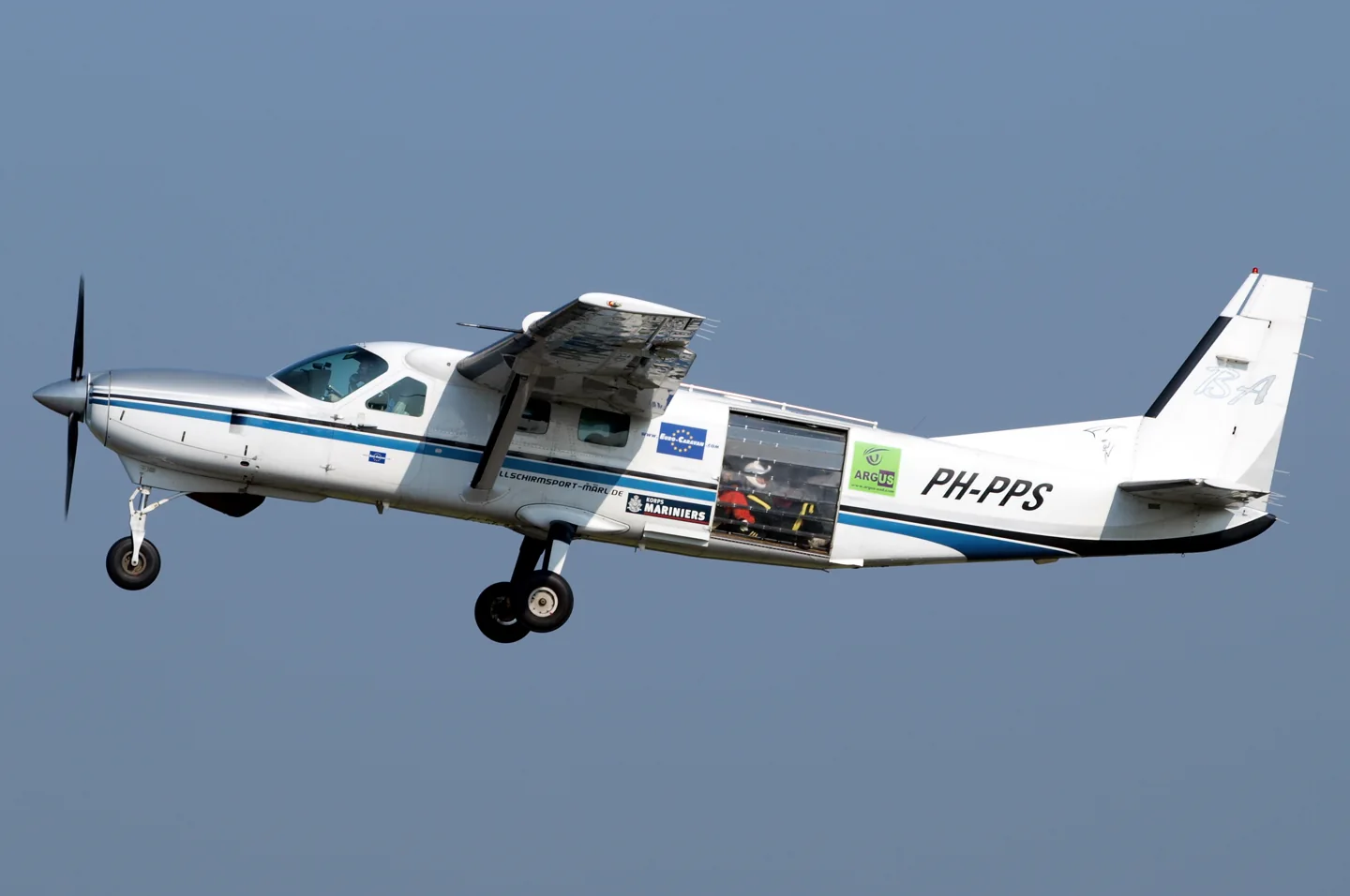
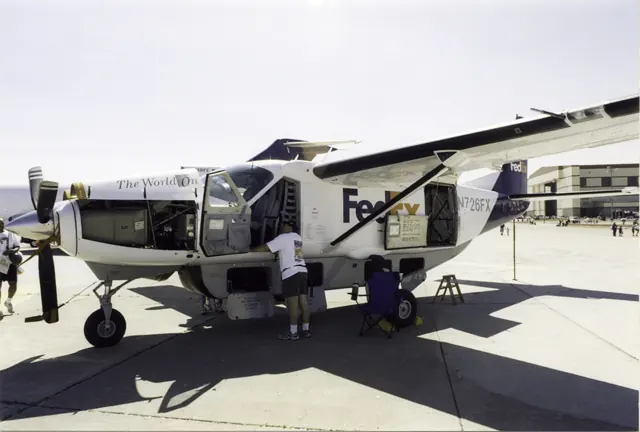
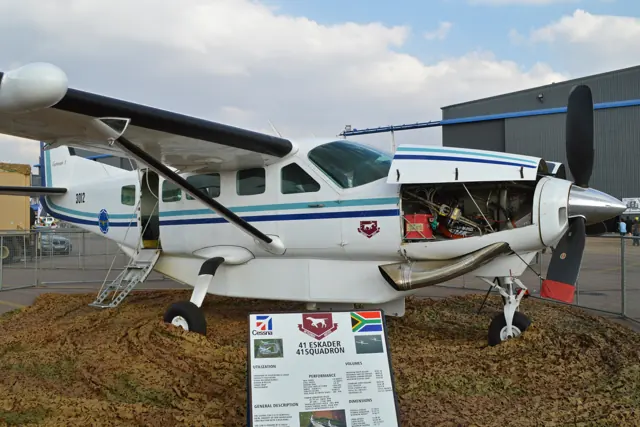
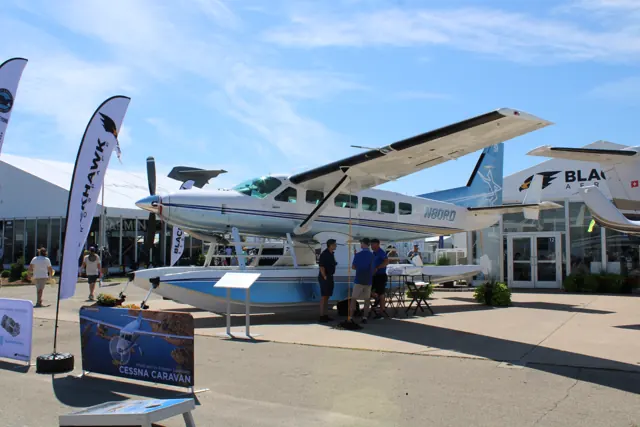
The Caravan programme began in the early 1980s, with the prototype flying in 1982. Its high wing, fixed gear and large cabin were organised around practical utility work. The longer 208B developed into the Grand Caravan as well as dedicated freight configurations. Wheeled aircraft, cargo pods and amphibious floats give the family several recognisable forms.
Aircraft background
Wikipedia contributors · Read more ↗From simulator preparation to the real aircraft
Horne prepared in a FlightSafety simulator before moving to the real Grand Caravan. The sessions introduced its glass cockpit and approach work, but the aircraft itself still made an impression: reaching the flight deck meant climbing a ladder, and the cockpit had the scale of a much larger working machine. The demonstration aircraft carried a cargo pod and TKS equipment. Flying close to its maximum weight, he found that the ailerons and rudder asked for deliberate effort.
AOPA Pilot · March 2009. FlightSafety preparation with Jeff Enochs, followed by a G1000-equipped Grand Caravan flight with Cessna’s Jim Oliver.
AOPA Pilot · Read more ↗Avionics choices persist between flights
The tablet saves avionics selections and allows several radio/GPS arrangements. The manual explains which selected GPS can drive the HSI and autopilot, including a limitation when the Working Title GNS 530 occupies NAV2. Confirming a changed arrangement reconfigures the avionics and disengages the autopilot.
Cessna Caravan family · Black Square · MSFS 2020 · MSFS 2024
Black Square / Just Flight · Read more ↗Into the cockpit
 YouTube
 captmoonbeam
A Cessna Caravan Flight and EMERGENCY Power
An operational flight account with a discussion of emergency power.
Real Cessna Caravan
Watch on YouTube ↗Preview images are served by AirframeDB. Videos open on YouTube only when you choose to watch.
Meet Cessna Caravan family
The Caravan programme began in the early 1980s, with the prototype flying in 1982. Its high wing, fixed gear and large cabin were organised around practical utility work. The longer 208B developed into the Grand Caravan as well as dedicated freight configurations.
Wheeled aircraft, cargo pods and amphibious floats give the family several recognisable forms. Simulator versions also differ sharply in cockpit philosophy, from modern glass panels to analogue conversions and new standalone aircraft. Each product has its own cockpit and systems description.
Cessna Caravan
Cessna → · Explore the family →
Cessna Caravan family
Wikipedia contributors · Cessna 208 Caravan ↗Aircraft type designators
Use the code for the model you are flying. The linked authority lists the applicable aircraft.
History & design
A utility turboprop grows into a family
Cessna launched the Caravan programme in 1981, flew the prototype in 1982 and began deliveries in 1985. The stretched, freight-focused 208B Super Cargomaster followed, with certification in 1986; the first production Grand Caravan was delivered in 1990. Passenger services, freight, government work and humanitarian flying became recurring uses for the family.
Textron Aviation · Textron Aviation delivers 3,000th Cessna Caravan family aircraft ↗Textron Aviation · January 2023 programme chronology
Glass cockpits and the Grand Caravan EX
The manufacturer’s timeline places standard G1000 avionics in 2008 and the start of Grand Caravan EX deliveries in 2013, with the PT6A-140 engine. G1000 NXi followed as standard equipment in 2017. These changes explain some of the differences between older Caravan accounts and later EX cockpits, alongside the choice of landplane or amphibious configuration.
Textron Aviation · Textron Aviation delivers 3,000th Cessna Caravan family aircraft ↗Textron Aviation · January 2023 · dated family milestones
Development milestones
First flight: December 9, 1982
Wikipedia contributors · Cessna 208 Caravan ↗Cessna 208 Caravan · family/variant named by the source · Wikipedia revision 1367834803
Pilot accounts
From simulator preparation to the real aircraft
Horne prepared in a FlightSafety simulator before moving to the real Grand Caravan. The sessions introduced its glass cockpit and approach work, but the aircraft itself still made an impression: reaching the flight deck meant climbing a ladder, and the cockpit had the scale of a much larger working machine. The demonstration aircraft carried a cargo pod and TKS equipment.
Flying close to its maximum weight, he found that the ailerons and rudder asked for deliberate effort. Changes in configuration brought more trimming, while the stall exercises felt comparatively mild. Landing introduced the practical effect of the large propeller’s drag and the need to coordinate power carefully. His simulator preparation preceded the flight with Oliver.
AOPA Pilot · March 2009. FlightSafety preparation with Jeff Enochs, followed by a G1000-equipped Grand Caravan flight with Cessna’s Jim Oliver.
Read the full account · AOPA Pilot ↗A piston pilot meets the Grand Caravan EX
Hitchen approached the Grand Caravan EX with the expectations of a piston pilot and some apprehension about its size and turbine engine. Wilson took care of departure before handing over for airwork. The controls initially seemed heavy, and Hitchen repeatedly overshot headings as he adjusted to an aircraft with more momentum than his usual mount.
Familiarity softened that first impression: he came to find it responsive once he understood how much input it wanted. Wilson coached the descent, including the need to manage speed, and Hitchen made his first Caravan landing with the wind conveniently aligned with the runway. His humour about breaking his usual first-landing jinx gives the report its character. It remains an introduction under a demonstrator pilot’s guidance, with the pleasure of discovering that a large aircraft could become approachable.
Australian Flying · March 2020. Demonstration in N522EX from Essendon with James Wilson; Wilson flew the takeoff, and Hitchen flew airwork and a landing.
Read the full account · Australian Flying ↗Considering a Caravan after a legal career
Humphries was considering what aviation might become after retiring from legal practice. People had asked about flights to court appearances, and the Caravan suggested a possible combination of business transport and family use. Before the demonstration, he worked through a lengthy FlightSafety manual, trying to arrive with some understanding of an aircraft larger than his usual flying involved.
Allenbaugh’s guidance helped turn that preparation into an enjoyable flight. Humphries hand-flew throughout and was pleased by the roll response, the cockpit view and the comfortable ride through turbulence. Air conditioning had its own appeal in the Texas heat. Back on the ground, he was enthusiastic but still weighing the idea. He had not made a purchase decision or established a charter operation.
Humphries Aviation · August 2021. Demonstration at Sugar Land, Texas, with Terry Allenbaugh in a 675-hp Caravan with G1000 avionics and an executive interior.
Read the full account · Humphries Aviation ↗In your simulator
Systems, equipment and documentation for each developer’s aircraft.
Compare simulator versions →MSFS 2024208 B Grand Caravan EX
Microsoft Flight Simulator · Released
208 B Grand Caravan EX
Microsoft Flight Simulator · Released
MSFS 2020Cessna 208 B Grand Caravan EX
Microsoft Flight Simulator · Released
Cessna 208 B Grand Caravan EX
Microsoft Flight Simulator · Released
MSFS 2020 · MSFS 2024Cessna Caravan family · Black Square
Black Square · Released
Cessna Caravan family · Black Square
Black Square · Released
X-Plane 11 · X-Plane 12C208 Grand Caravan DGS
Thranda · Released
C208 Grand Caravan DGS
Thranda · Released
Aircraft specifications
Published figures for the named real-aircraft variant. Simulator equipment and performance can differ.
| Specification | Published value |
|---|---|
| Length | 37 ft 7 in (11.46 m) |
| Wingspan | 52 ft 1 in (15.87 m) |
| Height | 14 ft 11 in (4.53 m) |
| Wing area | 279 sq ft (25.96 m² ) |
| Empty weight | 4,730 lb (2,145 kg) |
| Max takeoff weight | 8,000 lb (3,629 kg) |
| Powerplant | 1 × Pratt & Whitney Canada PT6A -114A turboprop, 675 shp (503 kW) |
| Propellers | 3-bladed McCauley constant speed, full feathering, reversible pitch |
| Cruise speed | 186 kn (214 mph, 344 km/h) true air speed |
| Stall speed | 61 kn (70 mph, 113 km/h) calibrated air speed |
| Range | 1,070 nmi (1,230 mi, 1,980 km) |
| Service ceiling | 25,000 ft (7,600 m) |
| Rate of climb | 1,234 ft/min (6.27 m/s) |
Manuals & resources
Find your next read
Choose a topic for a short introduction and a link to the original source. Simulator references identify the developer and edition they cover.
Simulator documentation
Avionics choices persist between flightsCessna Caravan family · Black Square · Black Square · MSFS 2020 · MSFS 2024
The tablet saves avionics selections and allows several radio/GPS arrangements. The manual explains which selected GPS can drive the HSI and autopilot, including a limitation when the Working Title GNS 530 occupies NAV2. Confirming a changed arrangement reconfigures the avionics and disengages the autopilot.
Caravan Professional guide 2026 · PDF p.79
Black Square / Just Flight · Read the source ↗Watch the electrical system respondCessna Caravan family · Black Square · Black Square · MSFS 2020 · MSFS 2024
A live tablet schematic shows powered connections, inactive equipment and circuit paths. This gives the simmer a visual way to follow the electrical model as aircraft switches and equipment change state. It complements the analogue cockpit with a diagram of what the simulation is doing.
Caravan Professional guide 2026 · PDF p.93
Black Square / Just Flight · Read the source ↗A standalone Caravan with several working configurationsCessna Caravan family · Black Square · Black Square · MSFS 2020 · MSFS 2024
Black Square's Caravan Professional is a standalone aircraft, distinct from its earlier Analog Caravan expansion. The manual describes wheeled, cargo and amphibious configurations, a new exterior and cabin model, sounds and interactive aircraft features. Its analogue cockpit and systems form a different product from both the bundled glass-cockpit Grand Caravan and an instrument-panel replacement for it.
Black Square Caravan Professional · PDF p.8; introduction and configurations
Black Square / Just Flight · Read the source ↗Two airframes and configurable cockpitsC208 Grand Caravan DGS · Thranda · X-Plane 11 · X-Plane 12
The DGS package includes the Caravan 675 and Grand Caravan, each with passenger and cargo arrangements. Its expansion adds plain and amphibious floats, landplane options and a G1000 choice in the configurable panel. Instrument presets and an in-sim livery editor let the cockpit and exterior be personalised. The gathered store page lists version 1.2.2, dated June 2023.
Designated X-Plane.org store · gathered 10 September 2026
Thranda / X-Plane.org store · Read the source ↗Configuration and flight-model developmentC208 Grand Caravan DGS · Thranda · X-Plane 11 · X-Plane 12
Thranda's Caravan development includes configurable avionics and changes to its X-Plane flight model. The published history records trim balance, propeller drag, G1000 pitch-button behaviour, landing-gear springiness and stall-warning calibration changes. The changes are identified by release number.
C208 DGS; XP12 added v1.2 February 2023 · Version history; v1.2 and later XP12 tuning
Thranda / X-Plane.org store · Read the source ↗Pilot account
From simulator preparation to the real aircraftAOPA Pilot · March 2009. FlightSafety preparation with Jeff Enochs, followed by a G1000-equipped Grand Caravan flight with Cessna’s Jim Oliver.
Horne prepared in a FlightSafety simulator before moving to the real Grand Caravan. The sessions introduced its glass cockpit and approach work, but the aircraft itself still made an impression: reaching the flight deck meant climbing a ladder, and the cockpit had the scale of a much larger working machine. The demonstration aircraft carried a cargo pod and TKS equipment. Flying close to its maximum weight, he found that the ailerons and rudder asked for deliberate effort.
Thomas A. Horne
AOPA Pilot · Read the source ↗A piston pilot meets the Grand Caravan EXAustralian Flying · March 2020. Demonstration in N522EX from Essendon with James Wilson; Wilson flew the takeoff, and Hitchen flew airwork and a landing.
Hitchen approached the Grand Caravan EX with the expectations of a piston pilot and some apprehension about its size and turbine engine. Wilson took care of departure before handing over for airwork. The controls initially seemed heavy, and Hitchen repeatedly overshot headings as he adjusted to an aircraft with more momentum than his usual mount. Familiarity softened that first impression: he came to find it responsive once he understood how much input it wanted.
Steve Hitchen
Australian Flying · Read the source ↗Read the original documentation from the people who created it. Manuals open on their publisher’s website.
Manual
Microsoft Flight Simulator aircraft manualsMicrosoft / aircraft developers Caravan Professional manualBlack Square / Just Flight X-Plane aircraft and avionics manualsLaminar ResearchAircraft background
Cessna 208 CaravanWikipedia contributors · Research background · Wikipedia revision 1367834803 · retrieved 2026-09-12 Textron Aviation delivers 3,000th Cessna Caravan family aircraftTextron Aviation · 13 January 2023 · manufacturer programme chronologyResource
MSFS 2024 FAQ and edition aircraft inventoryMicrosoft MSFS 2020 FAQ and edition aircraft inventoryMicrosoft C208 DGSThranda / X-Plane.org storeProduct
Caravan Professional - Amphibian & CargoBlack Square · Official developer / designated store catalogue · checked 2026-09-12 Caravan Professional - PassengerBlack Square · Official developer / designated store catalogue · checked 2026-09-12 Steam Gauge Overhaul - Analog CaravanBlack Square · Official developer / designated store catalogue · checked 2026-09-12Type designator
ICAO Doc 8643 — aircraft type designatorsInternational Civil Aviation Organization · Public search data retrieved 2026-09-14; authority update 2026-09-03Built-in force-feedback profiles
Read the documentary basis, editable starting settings and remaining questions for the aircraft you fly. Each explanation refers to the exact profile revision shown.
Catalogue programme-20261022-v1 · 19 profile choices
Black Square Analog Grand Caravan
Black Square · Free and Pro · Revision 1 · Inherited starting point
MSFS 2020
Black Square Analog Grand Caravan: Mechanical links and servo-tab/roll-spoiler assistance motivate the selected speed-dependent yoke response; related flight reports support a qualitative roll-heavy balance.
Black Square Caravan Professional 208 Passenger
Black Square · Free and Pro · Revision 7 · Inherited starting point
MSFS 2020 · MSFS 2024
Black Square Caravan Professional 208 Passenger: Mechanical links and servo-tab/roll-spoiler assistance motivate the selected speed-dependent yoke response; related flight reports support a qualitative roll-heavy balance.
Black Square Caravan Professional 208 Amphibian
Black Square · Free and Pro · Revision 5 · Inherited starting point
MSFS 2020 · MSFS 2024
Black Square Caravan Professional 208 Amphibian: Mechanical links and servo-tab/roll-spoiler assistance motivate the selected speed-dependent yoke response; related flight reports support a qualitative roll-heavy balance.
Black Square Caravan Professional 208 Cargomaster
Black Square · Free and Pro · Revision 5 · Inherited starting point
MSFS 2020 · MSFS 2024
Black Square Caravan Professional 208 Cargomaster: Mechanical links and servo-tab/roll-spoiler assistance motivate the selected speed-dependent yoke response; related flight reports support a qualitative roll-heavy balance.
Carenado C208B Grand Caravan
Carenado · Free and Pro · Revision 3 · Partial review
X-Plane 11
Carenado C208B Grand Caravan: Mechanical links and servo-tab/roll-spoiler assistance motivate the selected speed-dependent yoke response; related flight reports support a qualitative roll-heavy balance.
Carenado C208B Grand Caravan EX G1000
Carenado · Free and Pro · Revision 3 · Partial review
X-Plane 11
Carenado C208B Grand Caravan EX G1000: Mechanical links and servo-tab/roll-spoiler assistance motivate the selected speed-dependent yoke response; related flight reports support a qualitative roll-heavy balance.
Thranda C208 Grand Caravan
Thranda · Free and Pro · Revision 4 · Inherited starting point
X-Plane 12
Thranda C208 Grand Caravan: Mechanical links and servo-tab/roll-spoiler assistance motivate the selected speed-dependent yoke response; related flight reports support a qualitative roll-heavy balance.
Thranda C208 Caravan 675 Short Body
Thranda · Free and Pro · Revision 3 · Inherited starting point
X-Plane 12
Thranda C208 Caravan 675 Short Body: Mechanical links and servo-tab/roll-spoiler assistance motivate the selected speed-dependent yoke response; related flight reports support a qualitative roll-heavy balance.
Thranda C208 Caravan 675 Short Body Amphibian Water Operations
Thranda · Free and Pro · Revision 3 · Inherited starting point
X-Plane 12
Thranda C208 Caravan 675 Short Body Amphibian Water Operations: Mechanical links and servo-tab/roll-spoiler assistance motivate the selected speed-dependent yoke response; related flight reports support a qualitative.
Thranda C208 Caravan 675 Short Body Straight Floats
Thranda · Free and Pro · Revision 3 · Inherited starting point
X-Plane 12
Thranda C208 Caravan 675 Short Body Straight Floats: Mechanical links and servo-tab/roll-spoiler assistance motivate the selected speed-dependent yoke response; related flight reports support a qualitative roll-heavy balance.
Thranda C208 Grand Caravan Amphibian Water Operations
Thranda · Free and Pro · Revision 3 · Inherited starting point
X-Plane 12
Thranda C208 Grand Caravan Amphibian Water Operations: Mechanical links and servo-tab/roll-spoiler assistance motivate the selected speed-dependent yoke response; related flight reports support a qualitative roll-heavy.
Thranda C208 Grand Caravan Straight Floats
Thranda · Free and Pro · Revision 3 · Inherited starting point
X-Plane 12
Thranda C208 Grand Caravan Straight Floats: Mechanical links and servo-tab/roll-spoiler assistance motivate the selected speed-dependent yoke response; related flight reports support a qualitative roll-heavy balance.
Cessna 208B Grand Caravan EX
Free and Pro · Revision 2 · Review pending
MSFS 2020 · MSFS 2024 · X-Plane 11 · X-Plane 12
Cessna 208B Grand Caravan EX: Mechanical links and servo-tab/roll-spoiler assistance motivate the selected speed-dependent yoke response; related flight reports support a qualitative roll-heavy balance.
Cessna 208 Caravan
Free and Pro · Revision 1 · Review pending
MSFS 2020 · MSFS 2024 · X-Plane 11 · X-Plane 12
Cessna 208 Caravan: Mechanical links and servo-tab/roll-spoiler assistance motivate the selected speed-dependent yoke response; related flight reports support a qualitative roll-heavy balance.
Cessna 208 Caravan (amphibian)
Free and Pro · Revision 1 · Review pending
MSFS 2024 · MSFS 2020 · X-Plane 12 · X-Plane 11
Cessna 208 Caravan (amphibian): Mechanical links and servo-tab/roll-spoiler assistance motivate the selected speed-dependent yoke response; related flight reports support a qualitative roll-heavy balance.
Cessna 208B Grand Caravan
Free and Pro · Revision 5 · Partial review
MSFS 2024 · MSFS 2020 · X-Plane 12 · X-Plane 11
Mechanical yoke controls, roll spoilers and elevator servo tabs, with stronger roll than pitch in the cited Caravan account.
Cessna 208 Caravan Straight Floats
Free and Pro · Revision 1 · Partial review
MSFS 2020 · MSFS 2024 · X-Plane 12
A single-engine turboprop workhorse for passenger services, freight and remote-area transport.
Cessna 208B Grand Caravan Amphibian
Free and Pro · Revision 1 · Partial review
MSFS 2020 · MSFS 2024 · X-Plane 12
A single-engine turboprop workhorse for passenger services, freight and remote-area transport.
Cessna 208B Grand Caravan Straight Floats
Free and Pro · Revision 1 · Partial review
MSFS 2020 · MSFS 2024 · X-Plane 12
A single-engine turboprop workhorse for passenger services, freight and remote-area transport.
Cessna 208B Grand Caravan
Mechanical yoke controls, roll spoilers and elevator servo tabs, with stronger roll than pitch in the cited Caravan account.
Aircraft and simulator scope
- Cessna 208B Grand Caravan · MSFS 2024 · family starting point
- Cessna 208B Grand Caravan · MSFS 2020 · family starting point
- Cessna 208B Grand Caravan · X-Plane 12 · family starting point
- Cessna 208B Grand Caravan · X-Plane 11 · family starting point
Compiled factory starter revision 5; documentary sources do not qualify every simulator add-on.
The simulator model and controls
The Caravan programme began in the early 1980s, with the prototype flying in 1982. Its high wing, fixed gear and large cabin were organised around practical utility work. The longer 208B developed into the Grand Caravan as well as dedicated freight configurations.
The factory starting point selects Cessna 208B Grand Caravan across MSFS 2024, MSFS 2020, X-Plane 12, X-Plane 11.
How this profile feels
Spring resistance builds with the selected airspeed response. A separate aerodynamic term adds speed-dependent control load.
Valid trim provides the configured pressure relief. Autopilot following is enabled for supported control references.
Controls and trim
Cessna describes mechanical primary-control linkages, proportional roll spoilers and aileron servo tabs that reduce wheel effort. Published Caravan testing describes heavier roll than pitch in an older 208B and lighter controls after slowing from cruise in an EX. Those accounts supply qualitative family context. The information manual documents a stall-warning horn, not a mechanical stick shaker. Short-body, Grand Caravan, cargo and amphibious configurations remain distinct.
About the values
The gains are normalized profile settings. They describe the chosen effect balance; hand force depends on the device and its output limits. IAS references are tuning values rather than operating limits. Physical acceptance of this revision remains pending.
What the documentation establishes
Cessna describes manually operated mechanical flight-control linkage, proportional roll spoilers, and aileron servo tabs that reduce maneuvering wheel force.
Published EX flight testing describes the aircraft as ponderous at cruise and considerably lighter after slowing to pattern speeds.
The 1989 208B flight test reports roll force above pitch force. This older 208B report supplies related-type context for the EX starting point.
The cited EX flight test recorded 152 KIAS at 10,000 feet. This is a reported flight-test condition, not a measured force value or a true-airspeed operating limit.
The short ailerons are augmented by mechanically coupled spoilers. Flight tests report positive low-speed roll authority, accurate response, and very little adverse yaw rather than a large synthetic sideslip kick.
The EX flight test reports easy speed and gradient control on approach and a gentle touchdown on the large spring landing gear.
Published EX testing reports a gentle clean stall break and a stronger full-flap break. The account does not calibrate the profile’s buffet strength.
The information manual specifies a stall-warning horn that sounds approximately five to ten knots above the stall; it does not describe a mechanical stick shaker.
Documentary review and sources
These decisions describe the documentary basis and remaining gaps for this revision. Aircraft documentation and a starting setting describe different kinds of evidence.
Aircraft and variant
ReviewedThe factory starting point selects Cessna 208B Grand Caravan across MSFS 2024, MSFS 2020, X-Plane 12, X-Plane 11.
Flight controls
ReviewedCessna describes mechanical primary-control linkages, proportional roll spoilers and aileron servo tabs that reduce wheel effort. Published Caravan testing describes heavier roll than pitch in an older 208B and lighter controls after slowing from cruise in an EX. Those accounts supply qualitative family context. The information manual documents a stall-warning horn, not a mechanical stick shaker. Short-body, Grand Caravan, cargo and amphibious configurations remain distinct.
Trim
Not yet reviewedPitch-trim relief remains a selected approximation of pressure reduction, separate from airframe length, cargo or amphibian equipment. Pitch authority 0.35 provides load relief and permitted centre movement; roll authority is 0.18.
Autopilot and stability
Not yet reviewedFollowing is on at 0.05 authority when a supported, valid autopilot control reference is available.
Equipment
ReviewedGear, flap and ground cues follow the selected settings and available simulator-reported states.
Speeds and limits
ReviewedThe indicated-speed references set the profile response scale; they are separate from aircraft operating limits.
Simulator integration
Not yet reviewedThe profile targets msfs2024, msfs2020, xplane12, xplane11. Add-on-specific controls use only the supported references configured by this profile.
Force-feedback settings
Not yet reviewedThe settings define the profile’s effect balance. Device output limits affect physical hand force.
Starting settings and their rationale
These configured values are starting estimates. The explanations describe what each setting controls; physical validation appears separately below.
| Setting | Starting value | What it controls and why |
|---|---|---|
| Spring strength | Starting value0.58 | What it controls and whyMechanical links and servo-tab/roll-spoiler assistance motivate the selected speed-dependent yoke response; related flight reports support a qualitative roll-heavy balance. The baseline spring is 0.58. Its low-speed blend reaches baseline strength at 83 KIAS. |
| Master force gain | Starting value0.85 | What it controls and whyScales overall profile strength while preserving effect balance, subject to device and output limits. |
| Profile force gain | Starting value0.9 | What it controls and whyThe aerodynamic-load gain is 0.9 with an indicated-speed reference of 150 KIAS. This supplies speed-dependent loading alongside the spring. |
| Force tuning speed/reference | Starting value150 kt | What it controls and whySets the IAS reference for aerodynamic loading. It is an estimate, not published cruise TAS or a flight limit. |
| Spring response reference speed | Starting value83 kt | What it controls and whySets the IAS where the low-speed blend reaches baseline strength; high-speed stiffening also uses it. |
| Aileron force scale | Starting value1.3 | What it controls and whyRoll and pitch aerodynamic scales are 1.3 and 1, respectively. They set the aerodynamic axis balance. No custom spring-travel curve is enabled. |
| Elevator force scale | Starting value1 | What it controls and whyScales pitch aerodynamic loading; pitch spring travel and trim responses are separate settings. |
| Trim feel | Starting valueEnabled | What it controls and whyRetained for compatibility and group membership. Trim relief, rather than this flag, controls centre movement. |
| Trim relief | Starting valueEnabled | What it controls and whyAllows trim relief with supported control law and valid telemetry. Axis authorities set its amount. |
| Autopilot follow | Starting valueEnabled | What it controls and whyFollowing is on at 0.05 authority when a supported, valid autopilot control reference is available. |
| Autopilot neutral hold | Starting valueDisabled | What it controls and whyPermits centering hold during a supported AP state, separate from following a moving target. |
| Output force limit | Starting value0.6 | What it controls and whyCaps directed-force output. Native spring effects and device limits remain separate. |
All 49 starting settings and their rationale
The settings define the profile’s effect balance. Device output limits affect physical hand force.
| Setting | Starting value | What it controls and why |
|---|---|---|
| Spring strength | Starting value0.58 | What it controls and whyMechanical links and servo-tab/roll-spoiler assistance motivate the selected speed-dependent yoke response; related flight reports support a qualitative roll-heavy balance. The baseline spring is 0.58. Its low-speed blend reaches baseline strength at 83 KIAS. |
| Spring deadband | Starting value0.04 | What it controls and whySets travel around the centre before the baseline spring resists. Smaller values engage it sooner. |
| Starting centering force | Starting value0 | What it controls and whyAdds smoothly ramped resistance outside the centre deadband. Zero removes this preload. |
| Profile force gain | Starting value0.9 | What it controls and whyThe aerodynamic-load gain is 0.9 with an indicated-speed reference of 150 KIAS. This supplies speed-dependent loading alongside the spring. |
| Master force gain | Starting value0.85 | What it controls and whyScales overall profile strength while preserving effect balance, subject to device and output limits. |
| Spring response reference speed | Starting value83 kt | What it controls and whySets the IAS where the low-speed blend reaches baseline strength; high-speed stiffening also uses it. |
| Airspeed spring stiffening gain | Starting value0.25 | What it controls and whyThe high-speed spring-stiffening gain is 0.25. It strengthens the permitted spring response above 83 KIAS, with the squared-speed ratio capped at 5. |
| Airspeed spring stiffening limit | Starting value5 | What it controls and whyLimits the squared airspeed ratio used for high-speed spring stiffening; it is not a device-force cap. |
| Aileron force scale | Starting value1.3 | What it controls and whyRoll and pitch aerodynamic scales are 1.3 and 1, respectively. They set the aerodynamic axis balance. No custom spring-travel curve is enabled. |
| Elevator force scale | Starting value1 | What it controls and whyScales pitch aerodynamic loading; pitch spring travel and trim responses are separate settings. |
| Output force limit | Starting value0.6 | What it controls and whyCaps directed-force output. Native spring effects and device limits remain separate. |
| Autopilot follow | Starting valueEnabled | What it controls and whyFollowing is on at 0.05 authority when a supported, valid autopilot control reference is available. |
| Autopilot follow authority | Starting value0.05 | What it controls and whySets admitted AP-follow gain, not a percentage of travel. Runtime ownership and input limits still apply. |
| Autopilot neutral hold | Starting valueDisabled | What it controls and whyPermits centering hold during a supported AP state, separate from following a moving target. |
| Autopilot neutral hold strength | Starting value0.6 | What it controls and whySets admitted AP neutral-hold strength; inactive while neutral hold is disabled. |
| Trim feel | Starting valueEnabled | What it controls and whyRetained for compatibility and group membership. Trim relief, rather than this flag, controls centre movement. |
| Trim relief | Starting valueEnabled | What it controls and whyAllows trim relief with supported control law and valid telemetry. Axis authorities set its amount. |
| Maximum flap index | Starting value3 | What it controls and whySets the final flap index for detent normalization. UP plus three detents uses maximum index3. |
| Minimum flap index | Starting value2 | What it controls and whySets the first flap detent that admits buffet; this is a handle index, not degrees. |
| Stick shaker amplitude | Starting value0.5 | What it controls and whySets triggered shaker strength; inactive while the shaker feature is disabled. |
Exact configured values with software explanations. Force magnitudes remain editable estimates; disabled features retain inactive values.
| Setting | Starting value | What it controls and why |
|---|---|---|
| Center Starting Force Transition | Starting value0.05 | What it controls and whySets the travel used to ramp in centre preload. Wider intervals make its onset more gradual. |
| QBlend Enabled | Starting valueEnabled | What it controls and whyAllows baseline spring strength to rise with indicated airspeed where the control law permits it. |
| QSpring Minimum Factor | Starting value0.25 | What it controls and whySets low-speed spring strength as a fraction of baseline when blending is enabled. One keeps full strength. |
| QSpring Start Knots | Starting value10 kt | What it controls and whySets the IAS where the low-speed spring blend starts rising. This is a feel threshold, not a flight limit. |
| Force tuning speed/reference | Starting value150 kt | What it controls and whySets the IAS reference for aerodynamic loading. It is an estimate, not published cruise TAS or a flight limit. |
| Travel Enabled | Starting valueDisabled | What it controls and whyApplies the configured pitch and roll spring travel curves. |
| Output | Starting value1 | What it controls and whySets response at the second pitch-curve point; it is an endpoint only if its input position is full travel. |
| Output | Starting value1 | What it controls and whySets response at the second roll-curve point; its input position and other points determine the travel law. |
| Elevator Authority | Starting value0.35 | What it controls and whyPitch-trim relief remains a selected approximation of pressure reduction, separate from airframe length, cargo or amphibian equipment. Pitch authority 0.35 provides load relief and permitted centre movement; roll authority is 0.18. |
| Aileron Authority | Starting value0.18 | What it controls and whyScales supported roll-trim relief and permitted centre movement. Zero removes roll response. |
| Force Trim Enabled | Starting valueDisabled | What it controls and whyEnables local force trim, separate from aircraft-owned trim and add-on integration qualification. |
| GLoad Enabled | Starting valueEnabled | What it controls and whyAllows load-factor changes to modify permitted spring laws. Passive fly-by-wire feel can suppress it. |
| Rate Damping Enabled | Starting valueDisabled | What it controls and whyEnables rate damping with the configured coefficients and control law. |
| Enabled | Starting valueEnabled | What it controls and whyEnables aerodynamic cues; each still needs nonzero strength and its simulator conditions. |
| Gain | Starting value0.25 | What it controls and whySets stall-buffet strength. Zero removes the cue without changing simulator stalls or warnings. |
| Gain | Starting value0 | What it controls and whySets high-Mach buffet strength; onset and full-strength thresholds are separate. |
| Gain | Starting value0.2 | What it controls and whySets flap buffet at the configured position and speed gates. Flap movement texture is separate. |
| Gain | Starting value0 | What it controls and whySets gear aerodynamic buffet; movement and ground-contact cues are separate. |
| Shaker Enabled | Starting valueDisabled | What it controls and whyPermits shaker at supported warning conditions; the switch does not establish aircraft equipment. |
| Enabled | Starting valueEnabled | What it controls and whyEnables ground effects; each still needs its own strength and contact or motion telemetry. |
| Gain | Starting value0.42 | What it controls and whySets rolling texture strength, modified by speed, surface and undercarriage configuration. |
| Gain | Starting value0.34 | What it controls and whySets gear-bump texture during ground motion, separate from touchdown impact. |
| Gain | Starting value0.65 | What it controls and whySets landing-impact strength; landing telemetry and response shape determine the pulse. |
| Gain | Starting value0.4 | What it controls and whySets reverse-thrust vibration with valid reverser and engine conditions. Zero removes the cue. |
| Enabled | Starting valueEnabled | What it controls and whyEnables engine cues with nonzero settings and valid running-engine telemetry. |
| Gain | Starting value0.18 | What it controls and whySets estimated engine vibration using configured telemetry and response, not measured cockpit vibration. |
| Enabled | Starting valueEnabled | What it controls and whyEnables accessory cues with configured strengths and observed accessory movement. |
| Gain | Starting value0.14 | What it controls and whySets texture from observed flap movement; a command without movement does not establish the cue. |
| Gain | Starting value0 | What it controls and whySets texture from observed gear movement, separate from aerodynamic and touchdown effects. |
Limits and open questions
- Physical force validation is not established for the current revision by documentary review.
- Generic simulator telemetry and configured control responses require the stated aircraft and device scope.
Physical validation
No physical force validation is recorded in this public catalogue for this revision. Documentary review and software checks do not establish how a particular device feels.
Documented interfaces
Source-documented identifiers. Documentation does not prove that every add-on populates a value correctly.
L:var_PilotCws
Pilot CWS button; aircraft-specific behavior.
- Units
- Boolean
- Access
- hardware control input; explicit readback contract unknown
Archived manual revision
Black Square / Just Flight · PDF page 128 ↗Discuss this aircraft (0)
Questions, observations and useful sources from the community.
No published discussions yet. Bring a question or share a useful source.
Open aircraft discussions →Content expanded · What’s new
Something missing or a source that needs attention?
Suggest a correction ↗