

Start here
A few places to begin, from the aircraft’s story to the people who fly it.
Meet the aircraft
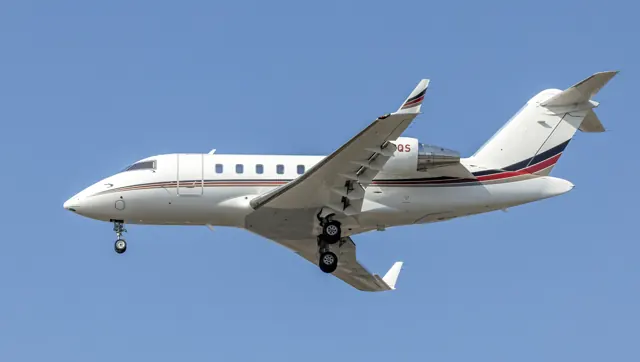
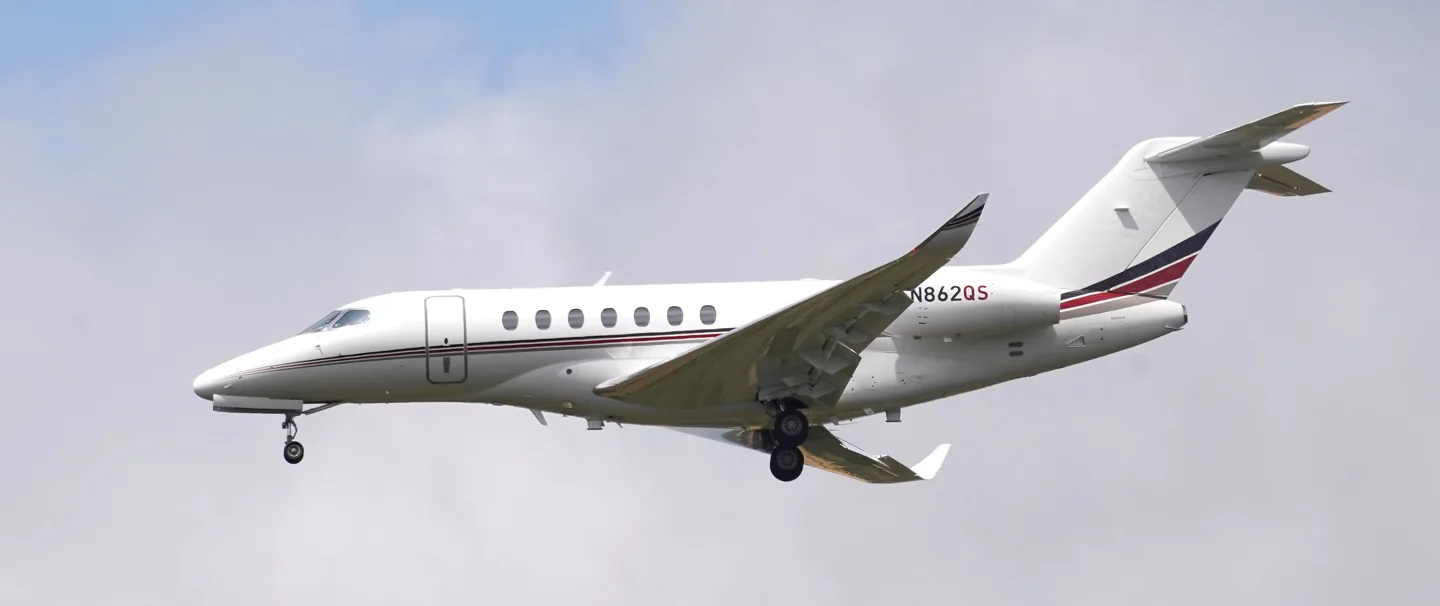
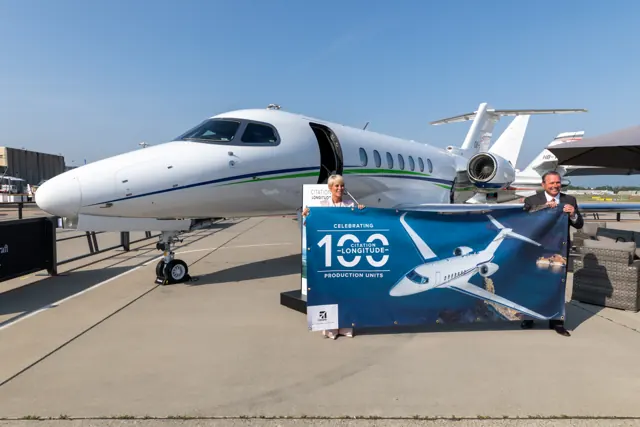
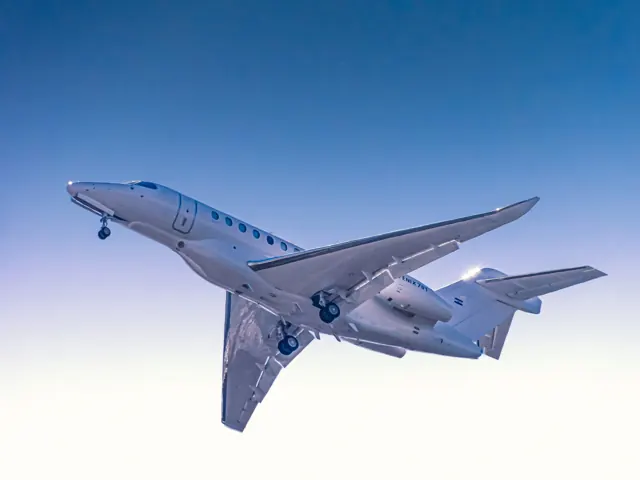
The Longitude is Cessna's Model 700. It first flew in 2016 and received certification in 2019. The design uses the Latitude's fuselage cross-section with a longer cabin, paired with a new swept wing and Honeywell turbofan engines. Its modern appearance does not imply that every primary control is fly-by-wire.
Aircraft background
Wikipedia contributors · Read more ↗A quiet cabin and a lively departure
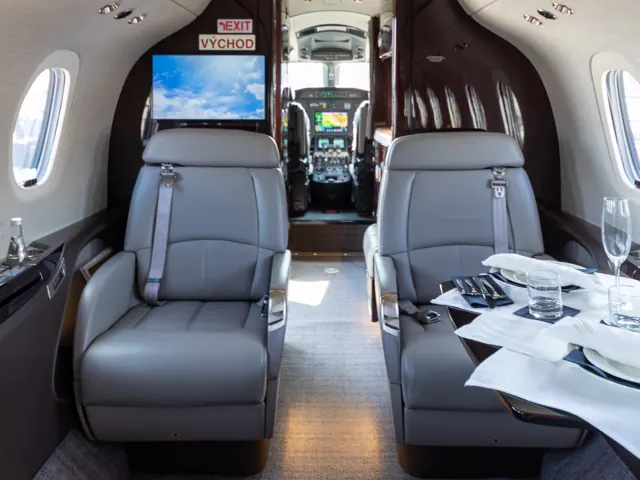
Haines began his report in the cabin, where the low noise level particularly impressed him. He could hear conversations from the other end and learned about the small acoustic changes the development team had made. The cockpit offered another kind of quiet: much of the routine system testing was automatic, leaving a relatively uncluttered working environment.
AOPA Pilot · November 2018. September 2018 visit and flight in N704CL with test pilot Stuart Rogerson, before full FAA type certification.
AOPA Pilot · Read more ↗The cabin environment is part of the model
The documented air-conditioning simulation follows bleed-air temperature through the pack and into the cabin. It includes automatic temperature control and separate air-cycle-machine-only or heat-exchanger-only modes with different heating and cooling capabilities.
Citation Longitude · Microsoft Flight Simulator · MSFS 2024 / MSFS 2020
Microsoft / aircraft developers · Read more ↗Into the cockpit
 YouTube
 Always On Final · 39 min ·
MSFS 2020 Cessna Citation Longitude Tutorial | Full Cockpit Tour | All Operable Buttons & Controls
A tour of the operable controls in the MSFS 2020 Citation Longitude.
Simulator · Citation Longitude · MSFS 2020
Watch on YouTube ↗Preview images are served by AirframeDB. Videos open on YouTube only when you choose to watch.
Meet Cessna Citation Longitude
The Longitude is Cessna's Model 700. It first flew in 2016 and received certification in 2019. The design uses the Latitude's fuselage cross-section with a longer cabin, paired with a new swept wing and Honeywell turbofan engines.
The simulator operator's guide distinguishes mechanical pitch and roll controls, hydraulic roll spoilers and an electronically controlled rudder.
Cessna Citation
Aircraft type designators
Use the code for the model you are flying. The linked authority lists the applicable aircraft.
History & design
From flight testing to certification
Textron announced full FAA type certification of the Longitude on 23 September 2019, clearing the way for customer deliveries. The programme included an extensive experimental and demonstration fleet and a world tour. Flight reports written in 2018 therefore describe an aircraft still completing that process, while later reports examine the delivered model and subsequent equipment.
Textron Aviation · Cessna Citation Longitude business jet receives FAA Type Certification ↗Textron Aviation · September 2019 · certification milestone
A larger Citation with a passenger-focused cabin
The Longitude paired a stand-up, flat-floor cabin with a G5000 flight deck and Honeywell HTF7700L engines. The manufacturer emphasised cabin noise, legroom and seats that could form sleeping berths. Those design priorities recur in the pilot reports, alongside the effort to automate routine cockpit tasks.
Textron Aviation · Cessna Citation Longitude business jet receives FAA Type Certification ↗Textron Aviation · September 2019 · original product configuration
Development milestones
First flight: October 8, 2016
Developed from: Cessna Citation Latitude
Wikipedia contributors · Cessna Citation Longitude ↗Cessna Citation Longitude · family/variant named by the source · Wikipedia revision 1371900225
Pilot accounts
A quiet cabin and a lively departure
Haines began his report in the cabin, where the low noise level particularly impressed him. He could hear conversations from the other end and learned about the small acoustic changes the development team had made. The cockpit offered another kind of quiet: much of the routine system testing was automatic, leaving a relatively uncluttered working environment.
His first taxi inputs were less polished, producing a few jerky movements before an energetic takeoff and climb. During airwork he noticed substantial roll forces, then hand-flew an instrument approach and several landings. Rogerson introduced the autothrottles for the final arrival. Haines found the aircraft comfortable and capable, while his account retains the small adjustments of a first acquaintance with a jet that was still completing its certification programme.
AOPA Pilot · November 2018. September 2018 visit and flight in N704CL with test pilot Stuart Rogerson, before full FAA type certification.
Read the full account · AOPA Pilot ↗Good design includes the chores around the flight
Albright evaluated the Longitude from the perspective of a business-jet pilot who also loads bags, plans trips and helps diagnose maintenance problems. Easily reached inspection areas and straightforward cockpit setup mattered to him. Although accustomed to other avionics suppliers, he quickly liked the Garmin controls, especially their combination of large touchscreen targets and physical controls for frequent tasks.
In flight, the roll forces initially seemed heavy, then became familiar. Approach practice raised more questions: selecting full flaps brought a pronounced pitch change, and he wanted to understand how the aircraft selected its final approach speed. Pitcher explained while Albright worked through the unfamiliar trim demands. A smooth crosswind landing finished a report that values reduced routine workload while acknowledging the parts of a new aircraft that still require learning.
Business & Commercial Aviation · March 2021. Introductory Wichita flight with Textron demonstration pilots Alan Pitcher and David Bodlak; author-hosted PDF.
Read the full account · Business & Commercial Aviation / Code 7700 ↗Trying the Longitude’s head-up display
Thurber returned to the Longitude specifically to try its head-up display. He first practised in Textron’s engineering simulator, where poor visibility let him explore the combined-vision presentation. The real aircraft flight took place in unusually good weather, so that part of the experience could not establish how it would perform on a genuinely obscured approach.
He nevertheless enjoyed using the display while flying approaches into Hutchinson. Keeping flight information in his forward view made the guidance feel natural, and he appreciated how little space the projector occupied above him. The landing cues were especially satisfying: he considered the three landings with Lee among his best. His account separates the simulator’s low-visibility exercise from an enjoyable clear-weather introduction to the equipment in the aircraft.
Business Jet Traveler · September 2024. Simulator preparation followed by a clear-weather flight with Rip Lee, including approaches at Hutchinson.
Read the full account · Business Jet Traveler ↗In your simulator
Systems, equipment and documentation for each developer’s aircraft.
Compare simulator versions →MSFS 2024Citation Longitude
Microsoft Flight Simulator · Released
Citation Longitude
Microsoft Flight Simulator · Released
MSFS 2020Cessna Citation Longitude
Microsoft Flight Simulator · Released
Cessna Citation Longitude
Microsoft Flight Simulator · Released
Aircraft specifications
Published figures for the named real-aircraft variant. Simulator equipment and performance can differ.
| Specification | Published value |
|---|---|
| Length | 73 ft 2 in (22.30 m) |
| Wingspan | 68 ft 11 in (21.01 m) |
| Height | 19 ft 5 in (5.92 m) |
| Wing area | 537 sq ft (49.9 m² ) |
| Empty weight | 23,389 lb (10,609 kg) |
| Max takeoff weight | 39,500 lb (17,917 kg) |
| Powerplant | 2 × Honeywell HTF7700L turbofans, 7,665 lbf (34.10 kN) thrust each |
| Cruise speed | 483 kn (556 mph, 895 km/h) 0.84M maximum limit speed |
| Range | 3,500 nmi (4,028 mi, 6,482 km) |
| Service ceiling | 45,000 ft (13,716 m) |
Manuals & resources
Find your next read
Choose a topic for a short introduction and a link to the original source. Simulator references identify the developer and edition they cover.
Simulator documentation
The cabin environment is part of the modelCitation Longitude · Microsoft Flight Simulator · MSFS 2024 / MSFS 2020
The documented air-conditioning simulation follows bleed-air temperature through the pack and into the cabin. It includes automatic temperature control and separate air-cycle-machine-only or heat-exchanger-only modes with different heating and cooling capabilities.
Archived Model 700 guide · PDF p.83; installed package revision not observed
Microsoft / aircraft developers · Read the source ↗Three axes, different control pathsCitation Longitude · Microsoft Flight Simulator · MSFS 2024 / MSFS 2020
The Longitude guide describes mechanical pitch and roll controls, hydraulically operated roll spoilers and an electronically controlled rudder. Its simulated hydraulic failures can affect rudder, yaw-damper and spoiler authority. The guide also marks locks, disconnects and secondary trim as unmodelled in the documented version. Engine FADEC, the APU and fuel transfer have their own detailed sections.
Archived simulator manual; installed package revision not observed · PDF pp.39,104,117; simulation notes
Microsoft / aircraft developers · Read the source ↗Fuel management includes automatic pump logicCitation Longitude · Microsoft Flight Simulator · MSFS 2024 / MSFS 2020
The guide’s simulation notes describe automatic boost and recirculation pump management, transfer-valve and scavenge logic, and custom gravity crossflow behavior. Fuel temperature also responds to the wing skin, fuel mass and returned fuel.
Archived Model 700 guide · PDF p.55; installed package revision not observed
Microsoft / aircraft developers · Read the source ↗Pilot account
A quiet cabin and a lively departureAOPA Pilot · November 2018. September 2018 visit and flight in N704CL with test pilot Stuart Rogerson, before full FAA type certification.
Haines began his report in the cabin, where the low noise level particularly impressed him. He could hear conversations from the other end and learned about the small acoustic changes the development team had made. The cockpit offered another kind of quiet: much of the routine system testing was automatic, leaving a relatively uncluttered working environment. His first taxi inputs were less polished, producing a few jerky movements before an energetic takeoff and climb.
Thomas B. Haines
AOPA Pilot · Read the source ↗Good design includes the chores around the flightBusiness & Commercial Aviation · March 2021. Introductory Wichita flight with Textron demonstration pilots Alan Pitcher and David Bodlak; author-hosted PDF.
Albright evaluated the Longitude from the perspective of a business-jet pilot who also loads bags, plans trips and helps diagnose maintenance problems. Easily reached inspection areas and straightforward cockpit setup mattered to him. Although accustomed to other avionics suppliers, he quickly liked the Garmin controls, especially their combination of large touchscreen targets and physical controls for frequent tasks. In flight, the roll forces initially seemed heavy, then became familiar.
James Albright
Business & Commercial Aviation / Code 7700 · Read the source ↗Read the original documentation from the people who created it. Manuals open on their publisher’s website.
Manual
Cessna Model 700 Operator’s GuideMicrosoft / aircraft developers Microsoft Flight Simulator aircraft manualsMicrosoft / aircraft developersAircraft background
Cessna Citation LongitudeWikipedia contributors · Research background · Wikipedia revision 1371900225 · retrieved 2026-09-12 Cessna Citation Longitude business jet receives FAA Type CertificationTextron Aviation · 23 September 2019 · manufacturer announcementResource
MSFS 2024 FAQ and edition aircraft inventoryMicrosoft MSFS 2020 FAQ and edition aircraft inventoryMicrosoftType designator
ICAO Doc 8643 — aircraft type designatorsInternational Civil Aviation Organization · Public search data retrieved 2026-09-14; authority update 2026-09-03Built-in force-feedback profiles
Read the documentary basis, editable starting settings and remaining questions for the aircraft you fly. Each explanation refers to the exact profile revision shown.
Catalogue programme-20261022-v1 · 1 profile choice
Cessna Citation Longitude
Free and Pro · Revision 2 · Partial review
MSFS 2024 · MSFS 2020
Cessna Citation Longitude: Mechanical elevator and aileron controls motivate reversible loading, while powered roll spoilers supply a separate assistance mechanism.
Cessna Citation Longitude
Cessna Citation Longitude: Mechanical elevator and aileron controls motivate reversible loading, while powered roll spoilers supply a separate assistance mechanism.
Aircraft and simulator scope
- Cessna Citation Longitude · MSFS 2024 · family starting point
- Cessna Citation Longitude · MSFS 2020 · family starting point
Microsoft Model 700 Longitude guide preserved February 2023; several real-system functions are explicitly not modeled. · Selected choice: Cessna Citation Longitude. Documentary scope does not establish every variant, add-on revision or simulator binding.
The simulator model and controls
The Longitude is Cessna's Model 700. It first flew in 2016 and received certification in 2019. The design uses the Latitude's fuselage cross-section with a longer cabin, paired with a new swept wing and Honeywell turbofan engines.
This starting point selects Cessna Citation Longitude. Its aircraft-level settings do not select a particular developer’s custom systems.
How this profile feels
Spring resistance builds with the selected airspeed response. A separate aerodynamic term adds speed-dependent control load.
Valid trim provides the configured pressure relief. Autopilot following is enabled for supported control references.
Controls and trim
The Model 700 guide describes cables and bellcranks operating elevator and aileron controls, with hydraulic assistance through the roll spoilers and a separately powered rudder. Electric stabilizer, aileron and rudder trim are also documented. Hydraulic roll-assistance loss affects authority but does not turn the primary pitch/roll controls into a passive sidestick system. Disconnect and secondary-trim functions retain the simulator guide's stated limitations.
About the values
The gains are normalized profile settings. They describe the chosen effect balance; hand force depends on the device and its output limits. IAS references are tuning values rather than operating limits. Physical acceptance of this revision remains pending.
What the documentation establishes
The Model 700 guide distinguishes directly operated pitch/roll controls from powered rudder behavior.
Cables and bellcranks operate elevator/aileron controls, with hydraulic roll-spoiler assistance; powered rudder does not make pitch/roll fully powered.
Electric aileron, rudder and stabilizer trim are described. Disabled preset roll trim is an omission, not evidence that no aileron trim exists.
Loss of hydraulic roll assistance reduces authority; unmodeled disconnect/secondary-trim functions limit the simulator's system scope.
Documentary review and sources
These decisions describe the documentary basis and remaining gaps for this revision. Aircraft documentation and a starting setting describe different kinds of evidence.
Aircraft and variant
ReviewedThis starting point selects Cessna Citation Longitude. Its aircraft-level settings do not select a particular developer’s custom systems.
Flight controls
ReviewedThe Model 700 guide describes cables and bellcranks operating elevator and aileron controls, with hydraulic assistance through the roll spoilers and a separately powered rudder. Electric stabilizer, aileron and rudder trim are also documented. Hydraulic roll-assistance loss affects authority but does not turn the primary pitch/roll controls into a passive sidestick system. Disconnect and secondary-trim functions retain the simulator guide's stated limitations.
Trim
ReviewedElectric stabilizer and aileron trim are documented; zero roll relief is a profile omission, not absence of an aileron-trim system. Pitch authority 0.3 provides load relief and permitted centre movement; roll authority is 0.
Autopilot and stability
Not yet reviewedFollowing is on at 0.1 authority when a supported, valid autopilot control reference is available.
Equipment
ReviewedGear, flap and ground cues follow the selected settings and available simulator-reported states.
Speeds and limits
Not yet reviewedThe indicated-speed references set the profile response scale; they are separate from aircraft operating limits.
Simulator integration
ReviewedThe profile targets msfs2024, msfs2020. Add-on-specific controls use only the supported references configured by this profile.
Force-feedback settings
Not yet reviewedThe settings define the profile’s effect balance. Device output limits affect physical hand force.
Starting settings and their rationale
These configured values are starting estimates. The explanations describe what each setting controls; physical validation appears separately below.
| Setting | Starting value | What it controls and why |
|---|---|---|
| Spring strength | Starting value0.74 | What it controls and whyMechanical elevator and aileron controls motivate reversible loading, while powered roll spoilers supply a separate assistance mechanism. The baseline spring is 0.74. Its low-speed blend reaches baseline strength at 90 KIAS. |
| Master force gain | Starting value0.85 | What it controls and whyScales overall profile strength while preserving effect balance, subject to device and output limits. |
| Profile force gain | Starting value0.8 | What it controls and whyThe aerodynamic-load gain is 0.8 with an indicated-speed reference of 265 KIAS. This supplies speed-dependent loading alongside the spring. |
| Force tuning speed/reference | Starting value265.0 kt | What it controls and whySets the IAS reference for aerodynamic loading. It is an estimate, not published cruise TAS or a flight limit. |
| Spring response reference speed | Starting value90 kt | What it controls and whySets the IAS where the low-speed blend reaches baseline strength; high-speed stiffening also uses it. |
| Aileron force scale | Starting value0.72 | What it controls and whyRoll and pitch aerodynamic scales are 0.72 and 1, respectively. They set the aerodynamic axis balance. No custom spring-travel curve is enabled. |
| Elevator force scale | Starting value1.0 | What it controls and whyScales pitch aerodynamic loading; pitch spring travel and trim responses are separate settings. |
| Trim feel | Starting valueEnabled | What it controls and whyRetained for compatibility and group membership. Trim relief, rather than this flag, controls centre movement. |
| Trim relief | Starting valueEnabled | What it controls and whyAllows trim relief with supported control law and valid telemetry. Axis authorities set its amount. |
| Autopilot follow | Starting valueEnabled | What it controls and whyFollowing is on at 0.1 authority when a supported, valid autopilot control reference is available. |
| Autopilot neutral hold | Starting valueDisabled | What it controls and whyPermits centering hold during a supported AP state, separate from following a moving target. |
| Output force limit | Starting value0.55 | What it controls and whyCaps directed-force output. Native spring effects and device limits remain separate. |
All 44 starting settings and their rationale
The settings define the profile’s effect balance. Device output limits affect physical hand force.
| Setting | Starting value | What it controls and why |
|---|---|---|
| Spring strength | Starting value0.74 | What it controls and whyMechanical elevator and aileron controls motivate reversible loading, while powered roll spoilers supply a separate assistance mechanism. The baseline spring is 0.74. Its low-speed blend reaches baseline strength at 90 KIAS. |
| Spring deadband | Starting value0.045 | What it controls and whySets travel around the centre before the baseline spring resists. Smaller values engage it sooner. |
| Profile force gain | Starting value0.8 | What it controls and whyThe aerodynamic-load gain is 0.8 with an indicated-speed reference of 265 KIAS. This supplies speed-dependent loading alongside the spring. |
| Master force gain | Starting value0.85 | What it controls and whyScales overall profile strength while preserving effect balance, subject to device and output limits. |
| QBlend Enabled | Starting valueEnabled | What it controls and whyAllows baseline spring strength to rise with indicated airspeed where the control law permits it. |
| QSpring Minimum Factor | Starting value0.5 | What it controls and whySets low-speed spring strength as a fraction of baseline when blending is enabled. One keeps full strength. |
| QSpring Start Knots | Starting value20 kt | What it controls and whySets the IAS where the low-speed spring blend starts rising. This is a feel threshold, not a flight limit. |
| Spring response reference speed | Starting value90 kt | What it controls and whySets the IAS where the low-speed blend reaches baseline strength; high-speed stiffening also uses it. |
| Force tuning speed/reference | Starting value265.0 kt | What it controls and whySets the IAS reference for aerodynamic loading. It is an estimate, not published cruise TAS or a flight limit. |
| Airspeed spring stiffening gain | Starting value0.15 | What it controls and whyThe high-speed spring-stiffening gain is 0.15. It strengthens the permitted spring response above 90 KIAS, with the squared-speed ratio capped at 5. |
| Airspeed spring stiffening limit | Starting value5 | What it controls and whyLimits the squared airspeed ratio used for high-speed spring stiffening; it is not a device-force cap. |
| Aileron force scale | Starting value0.72 | What it controls and whyRoll and pitch aerodynamic scales are 0.72 and 1, respectively. They set the aerodynamic axis balance. No custom spring-travel curve is enabled. |
| Elevator force scale | Starting value1.0 | What it controls and whyScales pitch aerodynamic loading; pitch spring travel and trim responses are separate settings. |
| Output force limit | Starting value0.55 | What it controls and whyCaps directed-force output. Native spring effects and device limits remain separate. |
| Trim feel | Starting valueEnabled | What it controls and whyRetained for compatibility and group membership. Trim relief, rather than this flag, controls centre movement. |
| Trim relief | Starting valueEnabled | What it controls and whyAllows trim relief with supported control law and valid telemetry. Axis authorities set its amount. |
| Elevator Authority | Starting value0.3 | What it controls and whyElectric stabilizer and aileron trim are documented; zero roll relief is a profile omission, not absence of an aileron-trim system. Pitch authority 0.3 provides load relief and permitted centre movement; roll authority is 0. |
| Aileron Authority | Starting value0 | What it controls and whyScales supported roll-trim relief and permitted centre movement. Zero removes roll response. |
| Force Trim Enabled | Starting valueDisabled | What it controls and whyEnables local force trim, separate from aircraft-owned trim and add-on integration qualification. |
| GLoad Enabled | Starting valueEnabled | What it controls and whyAllows load-factor changes to modify permitted spring laws. Passive fly-by-wire feel can suppress it. |
| Rate Damping Enabled | Starting valueEnabled | What it controls and whyEnables rate damping with the configured coefficients and control law. |
| Autopilot follow | Starting valueEnabled | What it controls and whyFollowing is on at 0.1 authority when a supported, valid autopilot control reference is available. |
| Autopilot follow authority | Starting value0.1 | What it controls and whySets admitted AP-follow gain, not a percentage of travel. Runtime ownership and input limits still apply. |
| Autopilot neutral hold | Starting valueDisabled | What it controls and whyPermits centering hold during a supported AP state, separate from following a moving target. |
| Autopilot neutral hold strength | Starting value0.6 | What it controls and whySets admitted AP neutral-hold strength; inactive while neutral hold is disabled. |
| Enabled | Starting valueEnabled | What it controls and whyEnables aerodynamic cues; each still needs nonzero strength and its simulator conditions. |
| Gain | Starting value0.35 | What it controls and whySets stall-buffet strength. Zero removes the cue without changing simulator stalls or warnings. |
| Gain | Starting value0.22 | What it controls and whySets high-Mach buffet strength; onset and full-strength thresholds are separate. |
| Gain | Starting value0.14 | What it controls and whySets flap buffet at the configured position and speed gates. Flap movement texture is separate. |
| Maximum flap index | Starting value3 | What it controls and whySets the final flap index for detent normalization. UP plus three detents uses maximum index3. |
| Minimum flap index | Starting value2 | What it controls and whySets the first flap detent that admits buffet; this is a handle index, not degrees. |
| Gain | Starting value0.1 | What it controls and whySets gear aerodynamic buffet; movement and ground-contact cues are separate. |
| Shaker Enabled | Starting valueDisabled | What it controls and whyPermits shaker at supported warning conditions; the switch does not establish aircraft equipment. |
| Stick shaker amplitude | Starting value0.5 | What it controls and whySets triggered shaker strength; inactive while the shaker feature is disabled. |
| Enabled | Starting valueEnabled | What it controls and whyEnables ground effects; each still needs its own strength and contact or motion telemetry. |
| Gain | Starting value0.4 | What it controls and whySets rolling texture strength, modified by speed, surface and undercarriage configuration. |
| Gain | Starting value0.25 | What it controls and whySets gear-bump texture during ground motion, separate from touchdown impact. |
| Gain | Starting value0.65 | What it controls and whySets landing-impact strength; landing telemetry and response shape determine the pulse. |
| Gain | Starting value0 | What it controls and whySets reverse-thrust vibration with valid reverser and engine conditions. Zero removes the cue. |
| Enabled | Starting valueEnabled | What it controls and whyEnables engine cues with nonzero settings and valid running-engine telemetry. |
| Gain | Starting value0.06 | What it controls and whySets estimated engine vibration using configured telemetry and response, not measured cockpit vibration. |
| Enabled | Starting valueEnabled | What it controls and whyEnables accessory cues with configured strengths and observed accessory movement. |
| Gain | Starting value0.12 | What it controls and whySets texture from observed flap movement; a command without movement does not establish the cue. |
| Gain | Starting value0.12 | What it controls and whySets texture from observed gear movement, separate from aerodynamic and touchdown effects. |
Limits and open questions
- The cited control-system sections do not publish an external autopilot servo-output contract.
- The control-system description does not derive the preset's indicated-speed force reference or a complete load schedule.
- Direct controls and hydraulic roll assistance support a qualitative mechanism review, without measured force coefficients or axis ratio.
Physical validation
No physical force validation is recorded in this public catalogue for this revision. Documentary review and software checks do not establish how a particular device feels.
Discuss this aircraft (0)
Questions, observations and useful sources from the community.
No published discussions yet. Bring a question or share a useful source.
Open aircraft discussions →Content expanded · What’s new
Something missing or a source that needs attention?
Suggest a correction ↗