
Start here
A few places to begin, from the aircraft’s story to the people who fly it.
Meet the aircraft
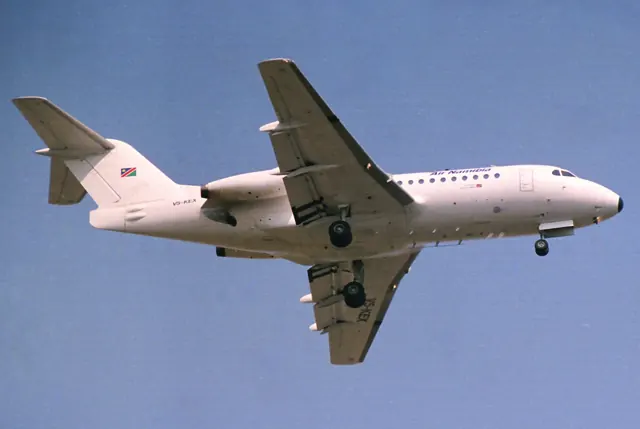
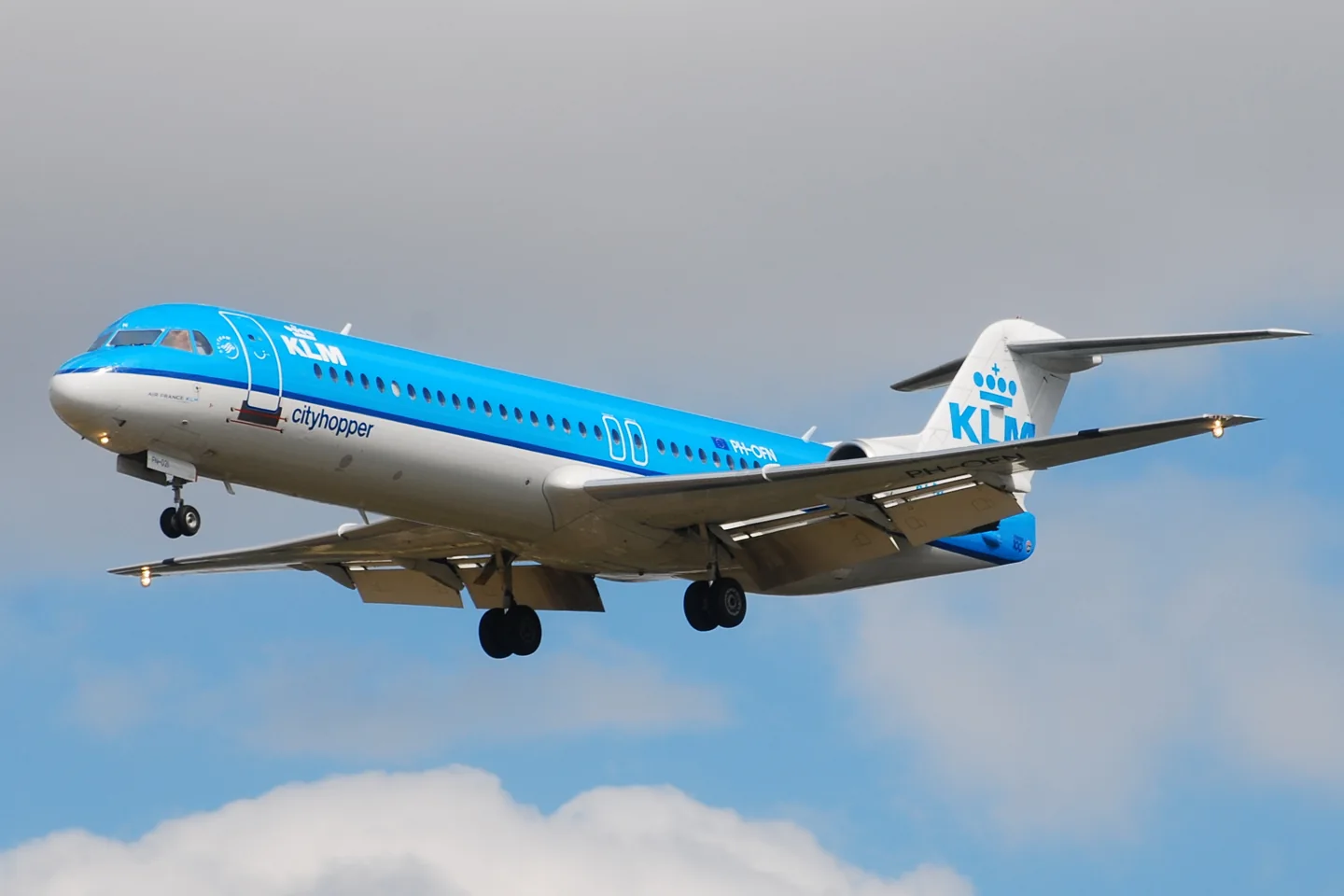
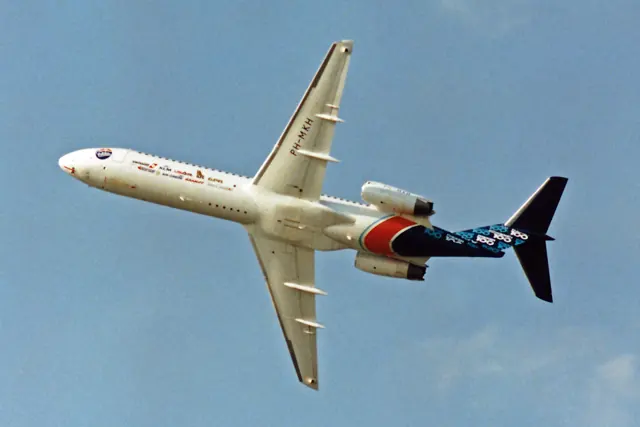
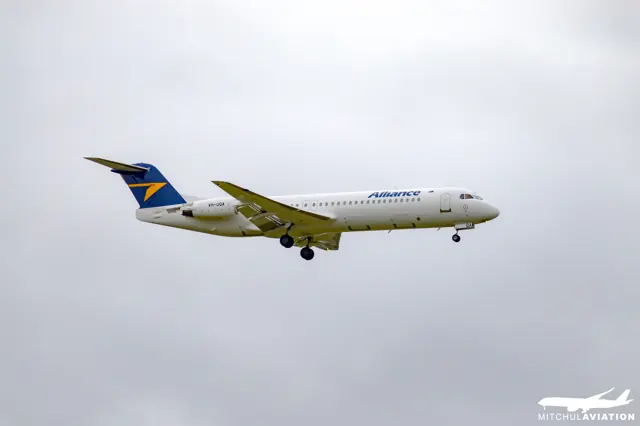
The Fokker 100 developed the F28 with a longer fuselage, Rolls-Royce Tay engines and an updated flight deck. The shorter Fokker 70 followed for smaller passenger loads and shorter routes, first flying in 1993. The two regional jets have separate simulator products and variant specifications.
Aircraft background
Wikipedia contributors · Read more ↗A first command brings an unplanned night in Finland
Kurka remembered his first flight as a newly qualified Fokker captain for an unexpected destination. Bad weather around Stockholm, snow and a disabled thrust reverser complicated the plan, and the crew diverted to Turku. His first command without a supervising instructor therefore included explaining to a full cabin, in the middle of the Finnish night, where they were and what would happen next.
ÖAMTC interview · July 2018. Austrian Fokker 70 recollections; the accompanying 2018 simulator visit was separate from his real airline flights.
ÖAMTC auto touring · Read more ↗The flight-management computers have documented limits
The listing describes two independent control display units and flight-plan imports from SimBrief. Secondary flight plans and engine-out pages are not simulated.
Fokker 70 / 100 · Just Flight · Just Flight · MSFS 2020 · MSFS 2024
Just Flight · Read more ↗Into the cockpit
 YouTube
 Here Up · 50 min ·
Así se vuela el FOKKER 70/100 de Just Flight | Paso a Paso MSFS 2024
A Spanish-language flight walkthrough of Just Flight's Fokker 70/100 in MSFS 2024.
Simulator · Just Flight Fokker 70/100 · MSFS 2024
Watch on YouTube ↗Preview images are served by AirframeDB. Videos open on YouTube only when you choose to watch.
Meet Fokker 70 / 100
The Fokker 100 developed the F28 with a longer fuselage, Rolls-Royce Tay engines and an updated flight deck. The shorter Fokker 70 followed for smaller passenger loads and shorter routes, first flying in 1993. The two regional jets have separate simulator products and variant specifications.
Fokker 70 / 100
Aircraft type designators
Use the code for the model you are flying. The linked authority lists the applicable aircraft.
History & design
A final London flight closes a Dutch partnership
KLM’s final Fokker 70 service returned from London on 28 October 2017, echoing the destination of its first Fokker passenger flights in 1920. The aircraft received a water salute at Schiphol, with staff gathering to mark the end of the partnership.
KLM · KLM bids fond farewell to Fokker 70 ↗KLM’s next-day report of its Fokker farewell
The later F100 reaches a different operating environment
Studstrup’s English career history identifies the Phnom Penh wet-lease assignment as a Fokker 100 operation under Bangkok Airways.
Niels Ove Studstrup · My aviation career ↗The Danish Cambodia account supplies the longer ground-handling story; assignment dates conflict
Development milestones
First flight: 30 November 1986
Developed from: Fokker F28 Fellowship
Wikipedia contributors · Fokker 100 ↗Fokker 100 · family/variant named by the source · Wikipedia revision 1370460484
Systems & details
Common cockpit, different airframe
Fokker Services describes the 70 as a shortened development of the 100, with substantial system commonality and a shared pilot type rating. This relationship explains familiar cockpit procedures without making their dimensions or payload limits interchangeable.
An integrated flight deck
The booklet describes dual flight-management computers and an integrated automatic flight-control system. Standard Category IIIA autoland and optional Category IIIB capability are equipment distinctions; an individual simulator implementation must be checked separately.
Pilot accounts
A first command brings an unplanned night in Finland
Kurka remembered his first flight as a newly qualified Fokker captain for an unexpected destination. Bad weather around Stockholm, snow and a disabled thrust reverser complicated the plan, and the crew diverted to Turku. His first command without a supervising instructor therefore included explaining to a full cabin, in the middle of the Finnish night, where they were and what would happen next.
He recalled the aircraft’s balanced, agile handling with affection, while finding recurring technical restrictions less endearing. Years later, his view of a satisfying flying career extended well beyond the model on his licence. Colleagues, schedules and routes mattered greatly.
ÖAMTC interview · July 2018. Austrian Fokker 70 recollections; the accompanying 2018 simulator visit was separate from his real airline flights.
Read the full account · ÖAMTC auto touring ↗Fokker command becomes a family milestone
As a child, Nonggorr watched his father command an Airbus A310 from the jumpseat. That early view of airline flying helped turn an interest into a career ambition. His father later supported his training in Australia, and Jason built experience with PNG Air before joining Air Niugini as a Fokker 100 first officer.
Qualifying for command on the F100 gave the achievement a wider family meaning. Father and son were now Papua New Guinean captains at the same national airline, and both spoke about the work and discipline behind that moment. Jason hoped that one day they might fly a Boeing 767 together.
The National · May 2020. Newly qualified Air Niugini F100 captain, interviewed alongside his father Paun; a career account rather than a flight-test report.
Read the full account · The National ↗An ordinary arrival leaves the aircraft stuck in the apron
Studstrup helped run a Fokker operation linking Bangkok with Phnom Penh when the Cambodian airport had very limited equipment. His recollection describes an air-traffic controller working with an aircraft radio powered by a car battery, before a French United Nations contingent brought in mobile radar. Routine airline flying depended on arrangements quite different from those at a major European hub.
One arrival exposed another difficulty: a wheel sank through the apron surface. With no suitable aircraft jacks available, finding a way to free the aircraft took more than seven hours and help from a local forklift. Cement for repairing the damaged surface then had to be brought from Bangkok.
Danish “Cambodia” recollection; his linked English career history identifies the F100. The pages date the assignment differently, to 1992 and 1991 respectively.
Read the full account · Niels Ove Studstrup ↗My aviation career
English career history; identifies the Cambodian aircraft as a Fokker 100 and dates the assignment to 1991
In your simulator
Systems, equipment and documentation for each developer’s aircraft.
MSFS 2020 · MSFS 2024Fokker 70 / 100 · Just Flight
Just Flight · Released
Fokker 70 / 100 · Just Flight
Just Flight · Released
Manuals & resources
Find your next read
Choose a topic for a short introduction and a link to the original source. Simulator references identify the developer and edition they cover.
Simulator documentation
The flight-management computers have documented limitsFokker 70 / 100 · Just Flight · Just Flight · MSFS 2020 · MSFS 2024
The listing describes two independent control display units and flight-plan imports from SimBrief. Secondary flight plans and engine-out pages are not simulated.
F100 Professional product description · SEC F-PLN and ENG OUT not simulated
Just Flight · Read the source ↗Choose how long navigation alignment takesFokker 70 / 100 · Just Flight · Just Flight · MSFS 2020 · MSFS 2024
The EFB offers realistic or fast IRS alignment. Just Flight describes latitude-dependent timing for the realistic setting and permits position entry through either the CDU or the inertial-system display unit.
F100 Professional product description · IRS simulation
Just Flight · Read the source ↗A paper speed card responds to aircraft weightFokker 70 / 100 · Just Flight · Just Flight · MSFS 2020 · MSFS 2024
Just Flight’s F100 includes an interactive speed flipchart whose values change with the loaded weight. Interactive paper checklists also support imported custom documents, alongside the aircraft’s electronic flight bag.
F100 Professional MSFS 2020/2024 product description · gathered September 2026
Just Flight · Read the source ↗Pilot account
A first command brings an unplanned night in FinlandÖAMTC interview · July 2018. Austrian Fokker 70 recollections; the accompanying 2018 simulator visit was separate from his real airline flights.
Kurka remembered his first flight as a newly qualified Fokker captain for an unexpected destination. Bad weather around Stockholm, snow and a disabled thrust reverser complicated the plan, and the crew diverted to Turku. His first command without a supervising instructor therefore included explaining to a full cabin, in the middle of the Finnish night, where they were and what would happen next.
Jan Kurka
ÖAMTC auto touring · Read the source ↗Fokker command becomes a family milestoneThe National · May 2020. Newly qualified Air Niugini F100 captain, interviewed alongside his father Paun; a career account rather than a flight-test report.
As a child, Nonggorr watched his father command an Airbus A310 from the jumpseat. That early view of airline flying helped turn an interest into a career ambition. His father later supported his training in Australia, and Jason built experience with PNG Air before joining Air Niugini as a Fokker 100 first officer. Qualifying for command on the F100 gave the achievement a wider family meaning.
Jason Nonggorr
The National · Read the source ↗Read the original documentation from the people who created it. Manuals open on their publisher’s website.
Aircraft background
Fokker 100Wikipedia contributors · Research background · retrieved 2026-09-12 KLM bids fond farewell to Fokker 70KLM · 29 October 2017Product
F100 ProfessionalJust Flight · Official developer / designated store catalogue · checked 2026-09-12 F70 ProfessionalJust Flight · Official developer / designated store catalogue · checked 2026-09-12Type designator
ICAO Doc 8643 — aircraft type designatorsInternational Civil Aviation Organization · Public search data retrieved 2026-09-14; authority update 2026-09-03Aircraft reference
Fokker 100 information bookletFokker Services Group · Fokker 100 booklet, pages 3–6; dimensions checked against drawingBuilt-in force-feedback profiles
Read the documentary basis, editable starting settings and remaining questions for the aircraft you fly. Each explanation refers to the exact profile revision shown.
Catalogue programme-20261022-v1 · 4 profile choices
Just Flight F100
Just Flight · Free and Pro · Revision 6 · Inherited starting point
MSFS 2020 · MSFS 2024
Just Flight F100: The powered-control response approximates the documented actuation arrangement.
Just Flight F70
Just Flight · Free and Pro · Revision 5 · Inherited starting point
MSFS 2020 · MSFS 2024
Just Flight F70: The powered-control response approximates the documented actuation arrangement.
Fokker 100
Free and Pro · Revision 3 · Documentary review
MSFS 2020 · MSFS 2024
Fokker 100: The powered-control response approximates the documented actuation arrangement.
Fokker 70
Free and Pro · Revision 1 · Documentary review
MSFS 2020 · MSFS 2024
Fokker 70: The powered-control response approximates the documented actuation arrangement.
Just Flight F70
Just Flight F70: The powered-control response approximates the documented actuation arrangement.
Aircraft and simulator scope
- Just Flight F70 · Just Flight · MSFS 2020 · Add-on starting point
- Just Flight F70 · Just Flight · MSFS 2024 · Add-on starting point
The simulator model and controls
The Fokker 100 developed the F28 with a longer fuselage, Rolls-Royce Tay engines and an updated flight deck. The shorter Fokker 70 followed for smaller passenger loads and shorter routes, first flying in 1993. The two regional jets have separate simulator products and variant specifications.
This profile selects Just Flight F70 for MSFS 2020, MSFS 2024.
How this profile feels
The powered-control response approximates the documented actuation arrangement. The spring stays independent of airspeed. Directed aerodynamic loading is omitted.
Automatic stabilizer trim and the F70/F100 actuator differences retain their own source scope. Pitch-trim relief is off. Autopilot following is off.
Controls and trim
The Fokker 70/100 controls use hydraulic actuation with mechanical reversion and servo tabs. Automatic flight normally manages stabilizer trim. The F70 has one stabilizer actuator supplied by both hydraulic systems; the F100 has two separately supplied actuators.
The selected implementation
Just Flight’s F70/F100 manual describes hydraulic primary actuation, mechanical reversion and servo tabs. The F70 has one stabilizer actuator supplied by both systems; the F100 has two separately supplied actuators.
About the values
The gains are normalized profile settings. They describe the chosen effect balance; hand force depends on the device and its output limits. IAS references are tuning values rather than operating limits. Physical acceptance of this revision remains pending.
Documentary review and sources
These decisions describe the documentary basis and remaining gaps for this revision. Aircraft documentation and a starting setting describe different kinds of evidence.
Aircraft and variant
InheritedThis profile selects Just Flight F70 for MSFS 2020, MSFS 2024.
Flight controls
InheritedThe Fokker 70/100 controls use hydraulic actuation with mechanical reversion and servo tabs. Automatic flight normally manages stabilizer trim. The F70 has one stabilizer actuator supplied by both hydraulic systems; the F100 has two separately supplied actuators.
Trim
InheritedAutomatic stabilizer trim and the F70/F100 actuator differences retain their own source scope. Pitch relief is off, with stored authority 0; roll authority is 0.
Autopilot and stability
InheritedAutopilot following is off; the configured spring and load retain the hardware feel.
Equipment
InheritedJust Flight’s F70/F100 manual describes hydraulic primary actuation, mechanical reversion and servo tabs. The F70 has one stabilizer actuator supplied by both systems; the F100 has two separately supplied actuators.
Speeds and limits
InheritedThe indicated-speed references set the profile response scale; they are separate from aircraft operating limits.
Simulator integration
InheritedThe profile targets msfs2020, msfs2024. Add-on-specific controls use only the supported references configured by this profile.
Force-feedback settings
InheritedThe settings define the profile’s effect balance. Device output limits affect physical hand force.
Starting settings and their rationale
These configured values are starting estimates. The explanations describe what each setting controls; physical validation appears separately below.
| Setting | Starting value | What it controls and why |
|---|---|---|
| Spring strength | Starting value0.8 | What it controls and whyThe powered-control response approximates the documented actuation arrangement. The baseline spring is 0.8. Low-speed spring blending is off. |
| Master force gain | Starting value0.85 | What it controls and whyScales overall profile strength while preserving effect balance, subject to device and output limits. |
| Profile force gain | Starting value0 | What it controls and whyThe stored 0 aerodynamic-load gain is inactive under the zero hydraulic-load factor. |
| Force tuning speed/reference | Starting value230 kt | What it controls and whySets the IAS reference for aerodynamic loading. It is an estimate, not published cruise TAS or a flight limit. |
| Spring response reference speed | Starting value65 kt | What it controls and whySets the IAS where the low-speed blend reaches baseline strength; high-speed stiffening also uses it. |
| Aileron force scale | Starting value0.72 | What it controls and whyRoll and pitch aerodynamic scales are 0.72 and 1, respectively. These stored weights do not create directed aerodynamic loading while that term is inactive. No custom spring-travel curve is enabled. |
| Elevator force scale | Starting value1 | What it controls and whyScales pitch aerodynamic loading; pitch spring travel and trim responses are separate settings. |
| Trim feel | Starting valueDisabled | What it controls and whyRetained for compatibility and group membership. Trim relief, rather than this flag, controls centre movement. |
| Trim relief | Starting valueDisabled | What it controls and whyAllows trim relief with supported control law and valid telemetry. Axis authorities set its amount. |
| Autopilot follow | Starting valueDisabled | What it controls and whyAutopilot following is off; the configured spring and load retain the hardware feel. |
| Autopilot neutral hold | Starting valueDisabled | What it controls and whyPermits centering hold during a supported AP state, separate from following a moving target. |
| Output force limit | Starting value0.55 | What it controls and whyCaps directed-force output. Native spring effects and device limits remain separate. |
All 44 starting settings and their rationale
The settings define the profile’s effect balance. Device output limits affect physical hand force.
| Setting | Starting value | What it controls and why |
|---|---|---|
| Spring strength | Starting value0.8 | What it controls and whyThe powered-control response approximates the documented actuation arrangement. The baseline spring is 0.8. Low-speed spring blending is off. |
| Spring deadband | Starting value0.035 | What it controls and whySets travel around the centre before the baseline spring resists. Smaller values engage it sooner. |
| Profile force gain | Starting value0 | What it controls and whyThe stored 0 aerodynamic-load gain is inactive under the zero hydraulic-load factor. |
| Master force gain | Starting value0.85 | What it controls and whyScales overall profile strength while preserving effect balance, subject to device and output limits. |
| QBlend Enabled | Starting valueDisabled | What it controls and whyAllows baseline spring strength to rise with indicated airspeed where the control law permits it. |
| QSpring Minimum Factor | Starting value0.55 | What it controls and whySets low-speed spring strength as a fraction of baseline when blending is enabled. One keeps full strength. |
| QSpring Start Knots | Starting value8 kt | What it controls and whySets the IAS where the low-speed spring blend starts rising. This is a feel threshold, not a flight limit. |
| Spring response reference speed | Starting value65 kt | What it controls and whySets the IAS where the low-speed blend reaches baseline strength; high-speed stiffening also uses it. |
| Force tuning speed/reference | Starting value230 kt | What it controls and whySets the IAS reference for aerodynamic loading. It is an estimate, not published cruise TAS or a flight limit. |
| Airspeed spring stiffening gain | Starting value0 | What it controls and whyThe high-speed spring-stiffening gain is 0. No additional speed-driven stiffening is added; this does not disable independent aerodynamic loading. |
| Airspeed spring stiffening limit | Starting value5 | What it controls and whyLimits the squared airspeed ratio used for high-speed spring stiffening; it is not a device-force cap. |
| Aileron force scale | Starting value0.72 | What it controls and whyRoll and pitch aerodynamic scales are 0.72 and 1, respectively. These stored weights do not create directed aerodynamic loading while that term is inactive. No custom spring-travel curve is enabled. |
| Elevator force scale | Starting value1 | What it controls and whyScales pitch aerodynamic loading; pitch spring travel and trim responses are separate settings. |
| Output force limit | Starting value0.55 | What it controls and whyCaps directed-force output. Native spring effects and device limits remain separate. |
| Trim feel | Starting valueDisabled | What it controls and whyRetained for compatibility and group membership. Trim relief, rather than this flag, controls centre movement. |
| Trim relief | Starting valueDisabled | What it controls and whyAllows trim relief with supported control law and valid telemetry. Axis authorities set its amount. |
| Elevator Authority | Starting value0 | What it controls and whyAutomatic stabilizer trim and the F70/F100 actuator differences retain their own source scope. Pitch relief is off, with stored authority 0; roll authority is 0. |
| Aileron Authority | Starting value0 | What it controls and whyScales supported roll-trim relief and permitted centre movement. Zero removes roll response. |
| Force Trim Enabled | Starting valueDisabled | What it controls and whyEnables local force trim, separate from aircraft-owned trim and add-on integration qualification. |
| GLoad Enabled | Starting valueEnabled | What it controls and whyAllows load-factor changes to modify permitted spring laws. Passive fly-by-wire feel can suppress it. |
| Rate Damping Enabled | Starting valueEnabled | What it controls and whyEnables rate damping with the configured coefficients and control law. |
| Autopilot follow | Starting valueDisabled | What it controls and whyAutopilot following is off; the configured spring and load retain the hardware feel. |
| Autopilot follow authority | Starting value0.1 | What it controls and whySets admitted AP-follow gain, not a percentage of travel. Runtime ownership and input limits still apply. |
| Autopilot neutral hold | Starting valueDisabled | What it controls and whyPermits centering hold during a supported AP state, separate from following a moving target. |
| Autopilot neutral hold strength | Starting value0.6 | What it controls and whySets admitted AP neutral-hold strength; inactive while neutral hold is disabled. |
| Enabled | Starting valueEnabled | What it controls and whyEnables aerodynamic cues; each still needs nonzero strength and its simulator conditions. |
| Gain | Starting value0 | What it controls and whySets stall-buffet strength. Zero removes the cue without changing simulator stalls or warnings. |
| Gain | Starting value0 | What it controls and whySets high-Mach buffet strength; onset and full-strength thresholds are separate. |
| Gain | Starting value0 | What it controls and whySets flap buffet at the configured position and speed gates. Flap movement texture is separate. |
| Maximum flap index | Starting value4 | What it controls and whySets the final flap index for detent normalization. UP plus three detents uses maximum index3. |
| Minimum flap index | Starting value2 | What it controls and whySets the first flap detent that admits buffet; this is a handle index, not degrees. |
| Gain | Starting value0 | What it controls and whySets gear aerodynamic buffet; movement and ground-contact cues are separate. |
| Shaker Enabled | Starting valueDisabled | What it controls and whyPermits shaker at supported warning conditions; the switch does not establish aircraft equipment. |
| Stick shaker amplitude | Starting value0.9 | What it controls and whySets triggered shaker strength; inactive while the shaker feature is disabled. |
| Enabled | Starting valueEnabled | What it controls and whyEnables ground effects; each still needs its own strength and contact or motion telemetry. |
| Gain | Starting value0.4 | What it controls and whySets rolling texture strength, modified by speed, surface and undercarriage configuration. |
| Gain | Starting value0.32 | What it controls and whySets gear-bump texture during ground motion, separate from touchdown impact. |
| Gain | Starting value0.9 | What it controls and whySets landing-impact strength; landing telemetry and response shape determine the pulse. |
| Gain | Starting value0 | What it controls and whySets reverse-thrust vibration with valid reverser and engine conditions. Zero removes the cue. |
| Enabled | Starting valueEnabled | What it controls and whyEnables engine cues with nonzero settings and valid running-engine telemetry. |
| Gain | Starting value0.06 | What it controls and whySets estimated engine vibration using configured telemetry and response, not measured cockpit vibration. |
| Enabled | Starting valueEnabled | What it controls and whyEnables accessory cues with configured strengths and observed accessory movement. |
| Gain | Starting value0.12 | What it controls and whySets texture from observed flap movement; a command without movement does not establish the cue. |
| Gain | Starting value0.12 | What it controls and whySets texture from observed gear movement, separate from aerodynamic and touchdown effects. |
Limits and open questions
- Just Flight F70; msfs2020, msfs2024. Previously observed titles and implementation identifiers are retained; installed matching remains deferred.
- Powered controls with estimated artificial feel; no direct Q-loaded aerodynamic back-drive in normal operation. Manual reversion is documented but not assigned guessed force values.
- FAS stabilizer trim is not proven to move the physical yoke neutral in a fixed ratio. Pitch/roll neutral mapping remains off until the exact feel/trim mechanism and add-on signals are established.
- AFCS drives hydraulic actuators; FAS provides stabilizer trim, yaw damping and turn coordination. This is not a passive Airbus sidestick and is not a generic737 trim relationship. AP servo-follow and neutral hold remain disabled; engagement indicators are not force-demand signals.
- Twin Tay jets with retractable wheels, flaps, lift dumpers and tail speedbrake. Failures distinguish redundant circuits; no global hydraulic-loss multiplier. F70 shorter fuselage, single stabilizer actuator with dual hydraulic supply; retain distinct matching/configuration record.
- 230 KIAS is an estimated feel reference, not cruise TAS or a certified limit. No invented Mach, VNE or weight scheduling.
- Read-only native telemetry for aircraft motion and accessory positions. Custom switches, display animations and mode lamps are not calibrated servo targets. No unverified LVars/datarefs or simulator writes.
- Spring 0.8; lateral scale 0.72; trim authorities 0/0; per-axis output cap 0.55. Editable engineering estimates, not measured hand forces. No body-rate torque, surface following or fabricated hydraulic-failure loads.
- New physical and installed-product checks deferred by owner. Existing separately recorded acceptance retains its original device, simulator, add-on and version limits. Source review does not broaden custom telemetry acceptance.
- Only actual accessory position changes drive movement texture; static drag and command-triggered kicks are disabled. Select and save an aircraft default when telemetry lacks a discriminating developer/configuration identity.
Physical validation
No physical force validation is recorded in this public catalogue for this revision. Documentary review and software checks do not establish how a particular device feels.
Discuss this aircraft (0)
Questions, observations and useful sources from the community.
No published discussions yet. Bring a question or share a useful source.
Open aircraft discussions →Content expanded · What’s new
Something missing or a source that needs attention?
Suggest a correction ↗