

Start here
A few places to begin, from the aircraft’s story to the people who fly it.
Meet the aircraft
The A109 originated with Agusta in Italy and continued through AgustaWestland into Leonardo. Its streamlined cabin, four-bladed main rotor and retractable undercarriage suited executive transport as well as emergency-service and other utility work. Later developments changed engines, cabin details and avionics. The AW109SP represented by X-Trident is a particular modern version, with its own engine-management and automatic flight-control systems.
Aircraft background
Wikipedia contributors · Read more ↗Comparing the new Grand with the aircraft already at work
Amadeus had spent years operating A109s when he and Peter Barnes collected a new Grand from the Milan factory. His work ranged from charter to filming the Fastnet yacht race, making aircraft availability and practical cabin details as relevant as speed. The Grand’s larger windows and passenger space were welcome changes. He was also willing to describe frustrations.
Business Air News · September 2009. RotorMotion operator-pilot comparing its A109S Grand with earlier A109s and the Power; equipment observations concern that fleet.
Business Air News · Read more ↗The digital cockpit includes both flight and mission displays
The developer lists dual engine and radio units, four EFIS displays and a mission screen with digital map and forward-camera functions. Instrument panels also have popup views. Obstacle information requires an appropriate user-supplied database; the page identifies examples for the UK and New York.
AW109 SP 2.0 · X-Plane 12
X-Trident / X-Plane.org store · Read more ↗Into the cockpit
 YouTube
 HeliSim - Helicopter Simulations
[REAL PILOT] Start-up Tutorial AW109SP by X-trident for X-plane (ENG)
A startup walkthrough by HeliSim for the Grand New simulator model.
X-Trident AW109SP; X-Plane 11/12
Watch on YouTube ↗Preview images are served by AirframeDB. Videos open on YouTube only when you choose to watch.
Meet AgustaWestland AW109
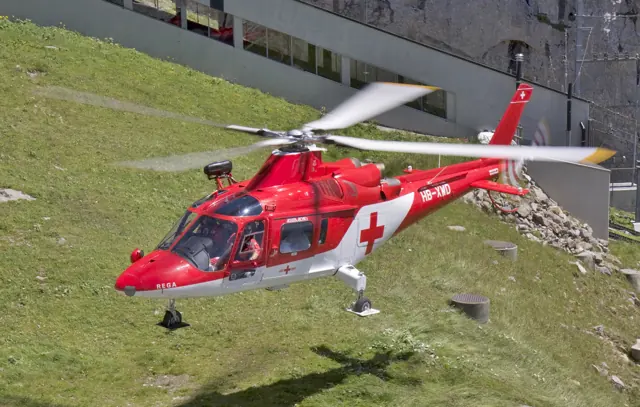
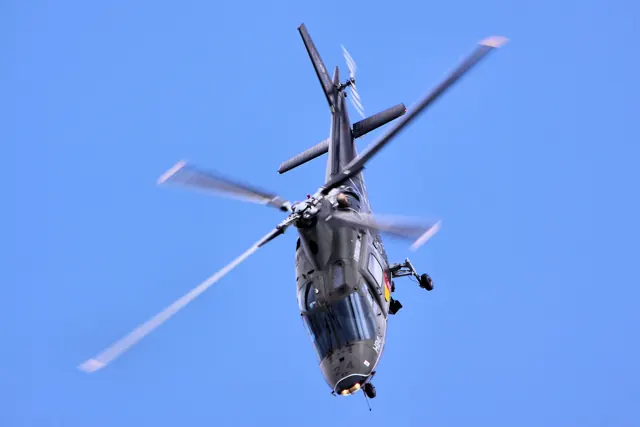
The A109 originated with Agusta in Italy and continued through AgustaWestland into Leonardo. Its streamlined cabin, four-bladed main rotor and retractable undercarriage suited executive transport as well as emergency-service and other utility work.
Later developments changed engines, cabin details and avionics. The AW109SP represented by X-Trident is a particular modern version, with its own engine-management and automatic flight-control systems. The photographs include earlier A109 variants, with their model captions retained.
AgustaWestland AW109
AgustaWestland → · Explore the family →
AgustaWestland AW109
Wikipedia contributors · AgustaWestland AW109 ↗X-Trident · X-Plane 12 →Aircraft type designators
Use the code for the model you are flying. The linked authority lists the applicable aircraft.
History & design
Camera work and charter help establish the A109 in Britain
Castle Air’s history describes moving from JetRangers to its first A109 in 1984 as its work expanded. Filming, charter, training and aircraft sales later became connected parts of the business.
Vertical · Behind the scenes with Castle Air ↗Operator history reported in 2018
The Grand serves a network of destinations
Palmer’s 2013 account places the A109S in a business spread across British racing circuits. Its larger cabin and faster journeys influenced his move from the Twin Squirrel.
Business Air News · MSV enjoys the Grand upgrade for circuit travel ↗One owner’s aircraft transition
Development milestones
First flight: 4 August 1971 ( 1971-08-04 )
Wikipedia contributors · AgustaWestland AW109 ↗AgustaWestland AW109 · family/variant named by the source · Wikipedia revision 1367311414
Pilot accounts
Comparing the new Grand with the aircraft already at work
Amadeus had spent years operating A109s when he and Peter Barnes collected a new Grand from the Milan factory. His work ranged from charter to filming the Fastnet yacht race, making aircraft availability and practical cabin details as relevant as speed. The Grand’s larger windows and passenger space were welcome changes.
He was also willing to describe frustrations. Baggage space and door hardware drew criticism, while his comparison of the aircraft’s navigation equipment was especially pointed. The older Power’s installation required awkward input and limited stored waypoints; the Grand’s Garmin equipment felt a substantial improvement.
Business Air News · September 2009. RotorMotion operator-pilot comparing its A109S Grand with earlier A109s and the Power; equipment observations concern that fleet.
Read the full account · Business Air News ↗An early air-ambulance mission changes a pilot’s judgment
McClendon took over an air-ambulance programme while it was still using an A109A supplied by a charter company. The medical equipment, crew and fuel already made loading a difficult concern. On an early mission, the patient proved much heavier than the estimate the helicopter crew had received before departing.
He recalls accepting the patient and making a frightening departure, then questioning his own decision afterward. The experience led him to think about communication with ground crews and the pressure a medical emergency places on a pilot. His later account emphasises speaking up when the requested task exceeds the aircraft’s limits and finding another workable arrangement.
Vertical · December 2024. Retrospective account of UCLA MedStar work beginning in 1985 with an earlier A109A, not the later Grand or AW109SP.
Read the full account · Vertical ↗Using a helicopter to stay close to a business
Palmer’s Grand helped him visit several racing circuits over a weekend. He would arrive, assess the crowd, meet competitors and organisers, and even check the food before moving on. The aircraft’s speed made those visits practical, but predictable journey times and the enjoyment of flying mattered to him too.
At first he worried that the cockpit would isolate him from passengers compared with his previous Twin Squirrel. In use, he came to appreciate the separation when navigating and speaking to controllers around busy southern England. After about two hundred hours in six months, he remained pleased with the change and attentive to maintenance.
Business Air News · August 2013. Owner-pilot of A109S Grand G-MSVI, visiting MotorSport Vision’s UK racing circuits after years with an AS355N.
Read the full account · Business Air News ↗In your simulator
Systems, equipment and documentation for each developer’s aircraft.
Compare simulator versions →X-Plane 12AW109 SP 2.0
X-Trident · Released
AW109 SP 2.0
X-Trident · Released
X-Plane 12AW109
X-Rotors · Released
AW109
X-Rotors · Released
Aircraft specifications
Published figures for the named real-aircraft variant. Simulator equipment and performance can differ.
| Specification | Published value |
|---|---|
| Length | 11.448 m (37 ft 7 in) fuselage |
| Height | 3.50 m (11 ft 6 in) |
| Empty weight | 1,590 kg (3,505 lb) |
| Max takeoff weight | 2,850 kg (6,283 lb) |
| Powerplant | 2 × Pratt & Whitney Canada PW206C Turboshaft engine, 418 kW (560 hp) each |
| Main rotor diameter | 11.00 m (36 ft 1 in) |
| Maximum speed | 311 km/h (193 mph, 168 kn) |
| Cruise speed | 285 km/h (177 mph, 154 kn) |
| Rate of climb | 9.8 m/s (1,930 ft/min) |
Manuals & resources
Find your next read
Choose a topic for a short introduction and a link to the original source. Simulator references identify the developer and edition they cover.
Simulator documentation
The digital cockpit includes both flight and mission displaysAW109 SP 2.0 · X-Trident · X-Plane 12
The developer lists dual engine and radio units, four EFIS displays and a mission screen with digital map and forward-camera functions. Instrument panels also have popup views. Obstacle information requires an appropriate user-supplied database; the page identifies examples for the UK and New York.
X-Trident AW109SP 2.0 · gathered product feature list
X-Trident / X-Plane.org store · Read the source ↗Configuration extends to cockpit lighting and accessoriesAW109 SP 2.0 · X-Trident · X-Plane 12
Accessories can vary by livery, including antennas, camera and step. Console, pedestal and overhead lighting have separate controls, as do the exterior lights. The weather-radar add-on is a separate download for Windows and Linux.
X-Trident AW109SP 2.0 · gathered product feature list
X-Trident / X-Plane.org store · Read the source ↗Four-axis automation and twin-engine managementAW109 SP 2.0 · X-Trident · X-Plane 12
X-Trident's AW109SP 2.0 documentation lists SAS, attitude and upper autopilot modes, together with automatic hover and take-off functions. FADEC and engine load-sharing are part of the twin-engine model. The developer documents flight-model differences between X-Plane 11 and 12.
AW109SP2.0 XP11/XP12 · Autopilot; Flight model
X-Trident / X-Plane.org store · Read the source ↗Pilot account
Comparing the new Grand with the aircraft already at workBusiness Air News · September 2009. RotorMotion operator-pilot comparing its A109S Grand with earlier A109s and the Power; equipment observations concern that fleet.
Amadeus had spent years operating A109s when he and Peter Barnes collected a new Grand from the Milan factory. His work ranged from charter to filming the Fastnet yacht race, making aircraft availability and practical cabin details as relevant as speed. The Grand’s larger windows and passenger space were welcome changes. He was also willing to describe frustrations. Baggage space and door hardware drew criticism, while his comparison of the aircraft’s navigation equipment was especially pointed.
Philip Louis Amadeus
Business Air News · Read the source ↗An early air-ambulance mission changes a pilot’s judgmentVertical · December 2024. Retrospective account of UCLA MedStar work beginning in 1985 with an earlier A109A, not the later Grand or AW109SP.
McClendon took over an air-ambulance programme while it was still using an A109A supplied by a charter company. The medical equipment, crew and fuel already made loading a difficult concern. On an early mission, the patient proved much heavier than the estimate the helicopter crew had received before departing. He recalls accepting the patient and making a frightening departure, then questioning his own decision afterward.
Woody McClendon
Vertical · Read the source ↗Developer documentation
AW109 — product listingAW109 · X-Plane 12
Product listing captured 2026-09-30; edition scope from the reviewed catalogue
www.x-rotors.com · Read the source ↗Read the original documentation from the people who created it. Manuals open on their publisher’s website.
Manual
X-Plane aircraft and avionics manualsLaminar ResearchAircraft background
AgustaWestland AW109Wikipedia contributors · Research background · Wikipedia revision 1367311414 · retrieved 2026-09-12 Behind the scenes with Castle AirVertical · Jon Duke · 4 May 2018Resource
AW109 SP 2.0X-Trident / X-Plane.org storeType designator
ICAO Doc 8643 — aircraft type designatorsInternational Civil Aviation Organization · Public search data retrieved 2026-09-14; authority update 2026-09-03Product
AW109 1.11 for X-Plane 12 – X-Rotorswww.x-rotors.com · Product listing captured 2026-09-30; edition scope from the reviewed catalogueBuilt-in force-feedback profiles
Read the documentary basis, editable starting settings and remaining questions for the aircraft you fly. Each explanation refers to the exact profile revision shown.
Catalogue programme-20261022-v1 · 3 profile choices
X-Rotors AW109 Power Elite E (XP12)
X-Rotors · Free and Pro · Revision 3 · Inherited starting point
X-Plane 12
X-Rotors AW109 Power Elite E (XP12): Configured cyclic centering is nominal; neither the four-blade rotor nor the aircraft's retractable gear establishes a cyclic force schedule.
X-Trident AW109SP
X-Trident · Free and Pro · Revision 2 · Inherited starting point
X-Plane 12
X-Trident AW109SP: Configured cyclic centering is nominal; neither the four-blade rotor nor the aircraft's retractable gear establishes a cyclic force schedule.
AgustaWestland AW109
Free and Pro · Revision 1 · Partial review
X-Plane 12
AgustaWestland AW109: Configured cyclic centering is nominal; neither the four-blade rotor nor the aircraft's retractable gear establishes a cyclic force schedule.
X-Rotors AW109 Power Elite E (XP12)
X-Rotors AW109 Power Elite E (XP12): Configured cyclic centering is nominal; neither the four-blade rotor nor the aircraft's retractable gear establishes a cyclic force schedule.
Aircraft and simulator scope
- X-Rotors AW109 Power Elite E (XP12) · X-Rotors · X-Plane 12 · Add-on starting point
The simulator model and controls
The A109 originated with Agusta in Italy and continued through AgustaWestland into Leonardo. Its streamlined cabin, four-bladed main rotor and retractable undercarriage suited executive transport as well as emergency-service and other utility work.
This profile selects X-Rotors AW109 Power Elite E (XP12) for X-Plane 12.
How this profile feels
The spring stays independent of airspeed. Directed aerodynamic loading is omitted.
Local force trim is off. Autopilot following is off.
Cyclic damping is on. Its configured gain is 0.12; it resists hardware motion separately from the spring and aircraft stabilization.
Controls and trim
AW109 variants share a four-bladed rotor and retractable wheeled layout but differ in automatic flight controls. X-Trident's AW109SP has FADEC, four-channel SAS and upper modes, including hover and transition guidance. X-Rotors' Power Elite E has its own three-axis autopilot and Helipilot equipment. Guidance bars and engine torque limits are not cyclic movement targets, and the two products' AFCS behavior remains distinct.
The selected implementation
Power Elite E is distinct from X-Trident SP. Its three-axis AP/Helipilot equipment and conflicting1.11/1.10 labels remain explicit; rotor endpoints do not derive an exact nominal RPM.
About the values
The gains are normalized profile settings. They describe the chosen effect balance; hand force depends on the device and its output limits. IAS references are tuning values rather than operating limits. Physical acceptance of this revision remains pending.
Documentary review and sources
These decisions describe the documentary basis and remaining gaps for this revision. Aircraft documentation and a starting setting describe different kinds of evidence.
Aircraft and variant
InheritedThis profile selects X-Rotors AW109 Power Elite E (XP12) for X-Plane 12.
Flight controls
InheritedAW109 variants share a four-bladed rotor and retractable wheeled layout but differ in automatic flight controls. X-Trident's AW109SP has FADEC, four-channel SAS and upper modes, including hover and transition guidance. X-Rotors' Power Elite E has its own three-axis autopilot and Helipilot equipment. Guidance bars and engine torque limits are not cyclic movement targets, and the two products' AFCS behavior remains distinct.
Trim
InheritedCyclic damping is on. Its configured gain is 0.12; it resists hardware motion separately from the spring and aircraft stabilization.
Autopilot and stability
InheritedAutopilot following is off; the configured spring and load retain the hardware feel.
Equipment
InheritedPower Elite E is distinct from X-Trident SP. Its three-axis AP/Helipilot equipment and conflicting1.11/1.10 labels remain explicit; rotor endpoints do not derive an exact nominal RPM.
Speeds and limits
InheritedThe indicated-speed references set the profile response scale; they are separate from aircraft operating limits.
Simulator integration
InheritedThe profile targets xplane12. Add-on-specific controls use only the supported references configured by this profile.
Force-feedback settings
InheritedThe settings define the profile’s effect balance. Device output limits affect physical hand force.
Starting settings and their rationale
These configured values are starting estimates. The explanations describe what each setting controls; physical validation appears separately below.
| Setting | Starting value | What it controls and why |
|---|---|---|
| Spring strength | Starting value0.1 | What it controls and whyConfigured cyclic centering is nominal; neither the four-blade rotor nor the aircraft's retractable gear establishes a cyclic force schedule. The baseline spring is 0.1. Low-speed spring blending is off. |
| Master force gain | Starting value0.65 | What it controls and whyScales overall profile strength while preserving effect balance, subject to device and output limits. |
| Profile force gain | Starting value0 | What it controls and whyThe 0 gain omits sustained directed airspeed loading. Spring resistance remains independent. |
| Force tuning speed/reference | Starting value135 kt | What it controls and whySets the IAS reference for aerodynamic loading. It is an estimate, not published cruise TAS or a flight limit. |
| Spring response reference speed | Starting value70.0 kt | What it controls and whySets the IAS where the low-speed blend reaches baseline strength; high-speed stiffening also uses it. |
| Aileron force scale | Starting value1 | What it controls and whyRoll and pitch aerodynamic scales are 1 and 1, respectively. These stored weights do not create directed aerodynamic loading while that term is inactive. No custom spring-travel curve is enabled. |
| Elevator force scale | Starting value1 | What it controls and whyScales pitch aerodynamic loading; pitch spring travel and trim responses are separate settings. |
| Trim feel | Starting valueDisabled | What it controls and whyRetained for compatibility and group membership. Trim relief, rather than this flag, controls centre movement. |
| Trim relief | Starting valueDisabled | What it controls and whyAllows trim relief with supported control law and valid telemetry. Axis authorities set its amount. |
| Autopilot follow | Starting valueDisabled | What it controls and whyAutopilot following is off; the configured spring and load retain the hardware feel. |
| Autopilot neutral hold | Starting valueDisabled | What it controls and whyPermits centering hold during a supported AP state, separate from following a moving target. |
| Output force limit | Starting value0.55 | What it controls and whyCaps directed-force output. Native spring effects and device limits remain separate. |
All 44 starting settings and their rationale
The settings define the profile’s effect balance. Device output limits affect physical hand force.
| Setting | Starting value | What it controls and why |
|---|---|---|
| Spring strength | Starting value0.1 | What it controls and whyConfigured cyclic centering is nominal; neither the four-blade rotor nor the aircraft's retractable gear establishes a cyclic force schedule. The baseline spring is 0.1. Low-speed spring blending is off. |
| Spring deadband | Starting value0.02 | What it controls and whySets travel around the centre before the baseline spring resists. Smaller values engage it sooner. |
| Profile force gain | Starting value0 | What it controls and whyThe 0 gain omits sustained directed airspeed loading. Spring resistance remains independent. |
| Master force gain | Starting value0.65 | What it controls and whyScales overall profile strength while preserving effect balance, subject to device and output limits. |
| QBlend Enabled | Starting valueDisabled | What it controls and whyAllows baseline spring strength to rise with indicated airspeed where the control law permits it. |
| QSpring Minimum Factor | Starting value1 | What it controls and whySets low-speed spring strength as a fraction of baseline when blending is enabled. One keeps full strength. |
| QSpring Start Knots | Starting value19.6 kt | What it controls and whySets the IAS where the low-speed spring blend starts rising. This is a feel threshold, not a flight limit. |
| Spring response reference speed | Starting value70.0 kt | What it controls and whySets the IAS where the low-speed blend reaches baseline strength; high-speed stiffening also uses it. |
| Force tuning speed/reference | Starting value135 kt | What it controls and whySets the IAS reference for aerodynamic loading. It is an estimate, not published cruise TAS or a flight limit. |
| Airspeed spring stiffening gain | Starting value0 | What it controls and whyAdds permitted spring resistance above the full-blend speed. Zero removes this high-speed increase. |
| Airspeed spring stiffening limit | Starting value5 | What it controls and whyLimits the squared airspeed ratio used for high-speed spring stiffening; it is not a device-force cap. |
| Aileron force scale | Starting value1 | What it controls and whyRoll and pitch aerodynamic scales are 1 and 1, respectively. These stored weights do not create directed aerodynamic loading while that term is inactive. No custom spring-travel curve is enabled. |
| Elevator force scale | Starting value1 | What it controls and whyScales pitch aerodynamic loading; pitch spring travel and trim responses are separate settings. |
| Output force limit | Starting value0.55 | What it controls and whyCaps directed-force output. Native spring effects and device limits remain separate. |
| Trim feel | Starting valueDisabled | What it controls and whyRetained for compatibility and group membership. Trim relief, rather than this flag, controls centre movement. |
| Trim relief | Starting valueDisabled | What it controls and whyAllows trim relief with supported control law and valid telemetry. Axis authorities set its amount. |
| Elevator Authority | Starting value0 | What it controls and whyScales supported pitch-trim relief and permitted centre movement. Zero removes pitch response. |
| Aileron Authority | Starting value0 | What it controls and whyScales supported roll-trim relief and permitted centre movement. Zero removes roll response. |
| Force Trim Enabled | Starting valueDisabled | What it controls and whyLocal trim can retain a chosen hardware centre, while the SP and Power Elite automatic-trim and stabilization arrangements remain separately scoped. Local force trim is off. The stored latch parameters are inactive; the profile does not supply a local hold-where-left neutral. |
| GLoad Enabled | Starting valueEnabled | What it controls and whyAllows load-factor changes to modify permitted spring laws. Passive fly-by-wire feel can suppress it. |
| Rate Damping Enabled | Starting valueDisabled | What it controls and whyEnables rate damping with the configured coefficients and control law. |
| Autopilot follow | Starting valueDisabled | What it controls and whyAutopilot following is off; the configured spring and load retain the hardware feel. |
| Autopilot follow authority | Starting value0.05 | What it controls and whySets admitted AP-follow gain, not a percentage of travel. Runtime ownership and input limits still apply. |
| Autopilot neutral hold | Starting valueDisabled | What it controls and whyPermits centering hold during a supported AP state, separate from following a moving target. |
| Autopilot neutral hold strength | Starting value0.6 | What it controls and whySets admitted AP neutral-hold strength; inactive while neutral hold is disabled. |
| Enabled | Starting valueEnabled | What it controls and whyEnables aerodynamic cues; each still needs nonzero strength and its simulator conditions. |
| Gain | Starting value0 | What it controls and whySets stall-buffet strength. Zero removes the cue without changing simulator stalls or warnings. |
| Gain | Starting value0 | What it controls and whySets high-Mach buffet strength; onset and full-strength thresholds are separate. |
| Gain | Starting value0 | What it controls and whySets flap buffet at the configured position and speed gates. Flap movement texture is separate. |
| Maximum flap index | Starting value1 | What it controls and whySets the final flap index for detent normalization. UP plus three detents uses maximum index3. |
| Minimum flap index | Starting value1 | What it controls and whySets the first flap detent that admits buffet; this is a handle index, not degrees. |
| Gain | Starting value0 | What it controls and whySets gear aerodynamic buffet; movement and ground-contact cues are separate. |
| Shaker Enabled | Starting valueDisabled | What it controls and whyPermits shaker at supported warning conditions; the switch does not establish aircraft equipment. |
| Stick shaker amplitude | Starting value0.5 | What it controls and whySets triggered shaker strength; inactive while the shaker feature is disabled. |
| Enabled | Starting valueEnabled | What it controls and whyEnables ground effects; each still needs its own strength and contact or motion telemetry. |
| Gain | Starting value0.1 | What it controls and whySets rolling texture strength, modified by speed, surface and undercarriage configuration. |
| Gain | Starting value0.08 | What it controls and whySets gear-bump texture during ground motion, separate from touchdown impact. |
| Gain | Starting value0.2 | What it controls and whySets landing-impact strength; landing telemetry and response shape determine the pulse. |
| Gain | Starting value0 | What it controls and whySets reverse-thrust vibration with valid reverser and engine conditions. Zero removes the cue. |
| Enabled | Starting valueEnabled | What it controls and whyEnables engine cues with nonzero settings and valid running-engine telemetry. |
| Gain | Starting value0 | What it controls and whySets estimated engine vibration using configured telemetry and response, not measured cockpit vibration. |
| Enabled | Starting valueEnabled | What it controls and whyEnables accessory cues with configured strengths and observed accessory movement. |
| Gain | Starting value0 | What it controls and whySets texture from observed flap movement; a command without movement does not establish the cue. |
| Gain | Starting value0.02 | What it controls and whySets texture from observed gear movement, separate from aerodynamic and touchdown effects. |
Limits and open questions
- Cyclic resistance, damping and airframe textures are editable estimates, not measured grip forces. Installed-product and physical acceptance remain deferred.
- Fixed physical neutral is an approximation. Add-on trim, force-trim release, virtual centering, SAS and autopilot servo outputs are not synchronized with hardware. Local FTR, follow-up trim, both fixed-wing trim paths and AP follow/hold are disabled.
- No invented hydraulic-failure force, mast moment, collective-force axis, tail-rotor force, variable VNE or retreating-blade-stall warning. Reported custom sound or visual vibration does not establish a force telemetry contract.
- ETL and low-speed descent cues, where enabled, use generic heuristics and are not aircraft-specific warnings. All speed references are tuning choices, not operating limits.
- Documentary title patterns require a developer/configuration identifier. When identity is ambiguous or omitted, select the applicable profile and save it as the aircraft default.
- XP12 read-only native RPM and actual gear motion. Included reference guide is not publicly acquired; custom FD/SAS/FTR signals remain open. XP11 excluded.
- 384RPM approximate reference within publishedA109Eband;135KIAS tuning reference, not VNE. No fixed RBS or warning threshold.
- Standard XP12 main-rotor angular speed is converted to RPM and normalized by the stated reference. Rotor index applicability requires installed verification. Missing RPM silences rotor rumble; the forward-flight n/rev channel can fall back to combustion and a default frequency.
Physical validation
No physical force validation is recorded in this public catalogue for this revision. Documentary review and software checks do not establish how a particular device feels.
Discuss this aircraft (0)
Questions, observations and useful sources from the community.
No published discussions yet. Bring a question or share a useful source.
Open aircraft discussions →Content expanded · What’s new
Something missing or a source that needs attention?
Suggest a correction ↗