


Start here
A few places to begin, from the aircraft’s story to the people who fly it.
Meet the aircraft
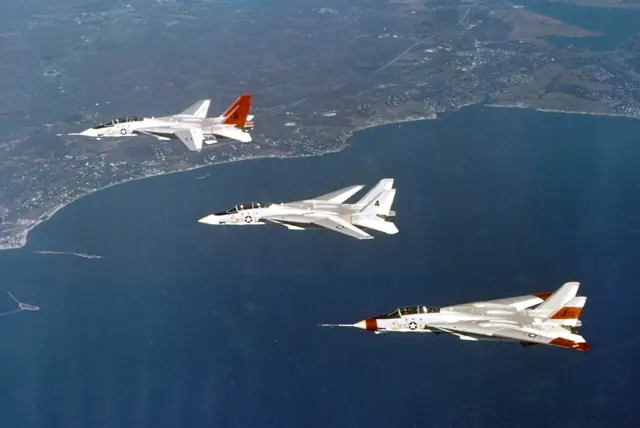
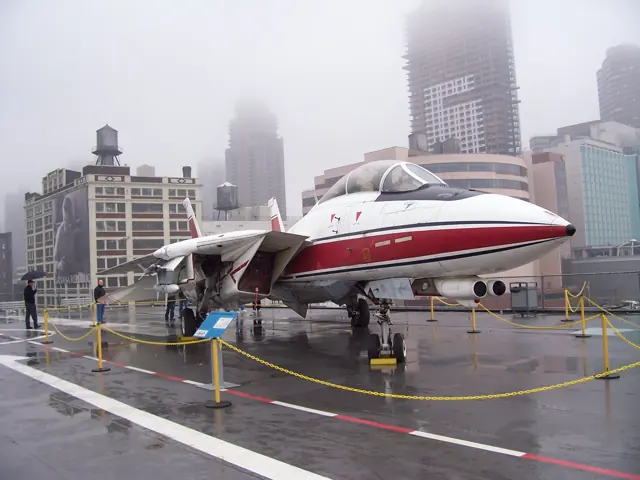
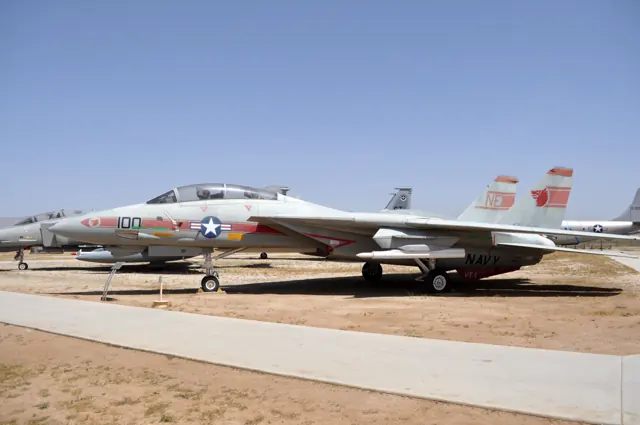
The Tomcat was developed for the US Navy after the F-111B programme ended. Twin engines, widely spaced tails and variable-sweep wings supported fleet defence and, later, strike missions.
Aircraft background
Wikipedia contributors · Read more ↗A demanding cockpit depends on people on the ground
Erie remembered the Tomcat as an aircraft that demanded attention to the stick and throttles, particularly during landing. Flying it also meant working closely with the radar intercept officer behind him. His affection for the aircraft included respect for the effort required from both seats, rather than treating the pilot as the whole crew.
Hush-Kit interview · November 2022. U.S. Navy F-14A/B pilot, instructor and later VF-154 maintenance officer.
Hush-Kit · Read more ↗Wing sweep has automatic and manual controls
Laminar’s guide describes an automatic sweep mode, manual forward and aft commands, a bombing position and a guarded emergency handle. These are separate controls to explore in the simulated cockpit.
Grumman F-14 Tomcat · Laminar Research · X-Plane 12
Laminar Research · Read more ↗Into the cockpit
 YouTube
 Animagraffs · 46 min ·
How the Grumman F-14 Tomcat Works
An animated tour explains the F-14's layout and mechanisms.
Real aircraft · Grumman F-14 Tomcat
Watch on YouTube ↗Preview images are served by AirframeDB. Videos open on YouTube only when you choose to watch.
Meet Grumman F-14 Tomcat
The Tomcat was developed for the US Navy after the F-111B programme ended. Twin engines, widely spaced tails and variable-sweep wings supported fleet defence and, later, strike missions.
Pilot and radar-intercept officer divided the work between two cockpits. Engines, avionics and other systems changed between F-14 versions; the X-Plane documentation describes the model included in that simulation.
Grumman F-14 Tomcat
Grumman → · Explore the family →
Grumman F-14 Tomcat
Wikipedia contributors · Grumman F-14 Tomcat ↗Laminar Research · X-Plane 12 →Aircraft type designators
Use the code for the model you are flying. The linked authority lists the applicable aircraft.
History & design
A preserved Tomcat carries a specific service history
The National Naval Aviation Museum identifies its displayed F-14D with a combat sortie from USS Theodore Roosevelt on 8 February 2006, its 224th. The museum’s airframe history gives the preserved aircraft a connection to the final period of U.S. Navy Tomcat operations.
National Naval Aviation Museum · F-14D Tomcat ↗Specific museum aircraft; not a claim about the end of all worldwide F-14 flying
Development milestones
First flight: 21 December 1970 ( 1970-12-21 )
Wikipedia contributors · Grumman F-14 Tomcat ↗Grumman F-14 Tomcat · family/variant named by the source · Wikipedia revision 1374360313
Pilot accounts
A demanding cockpit depends on people on the ground
Erie remembered the Tomcat as an aircraft that demanded attention to the stick and throttles, particularly during landing. Flying it also meant working closely with the radar intercept officer behind him. His affection for the aircraft included respect for the effort required from both seats, rather than treating the pilot as the whole crew.
One of his favourite maintenance memories concerned a young sailor who had just arrived after a long journey. A persistent fault had resisted previous attempts to fix it, but the newcomer offered to investigate and found a hidden connector problem. Erie’s recollection gives that practical success as much personality as the flying.
Hush-Kit interview · November 2022. U.S. Navy F-14A/B pilot, instructor and later VF-154 maintenance officer.
Read the full account · Hush-Kit ↗A first cockpit visit becomes a career ambition
Roustaie first encountered the Tomcat during his training years in the United States. A chance to look inside its cockpit left a strong impression: it seemed roomy and inviting, and he hoped he would eventually fly it. Returning to Iran and flying the F-4E did not displace that ambition.
When he finally reached the F-14’s front seat, the view became one of its strongest attractions. He compared it with the more restrictive feeling he remembered in the Phantom, where looking around could mean moving his helmet against the canopy. He also liked the arrangement of the controls and the cockpit environment.
Hush-Kit interview · February 2020. Iranian F-14A pilot recalling earlier training in the United States and service on the F-4E.
Read the full account · Hush-Kit ↗A familiar cockpit still demands an alert crew
Mazandarani appreciated the Tomcat’s accessible controls and outward view, comparing the cockpit favourably with the F-5 he had flown earlier. Yet his interview also describes a moment when a familiar aircraft and airfield did not prevent a dangerous loss of awareness. The contrast is part of his own recollection of long operational nights.
Returning to Isfahan in the early morning, he saw another Tomcat in an inverted attitude near the airfield. A calm radio call prompted the other pilot to level the aircraft. Mazandarani connected the episode with fatigue and the need to keep watching what was happening around the crew. The story conveys his concern for a colleague without treating his later explanation as an independently established accident finding.
Hush-Kit interview · April 2020. Iranian F-14A pilot’s retrospective account; the night incident is an attributed recollection without an attached investigation.
Read the full account · Hush-Kit ↗In your simulator
Systems, equipment and documentation for each developer’s aircraft.
Compare simulator versions →X-Plane 12Grumman F-14 Tomcat
Laminar Research · Released
Grumman F-14 Tomcat
Laminar Research · Released
MSFS 2020 · MSFS 2024F-14A/B Tomcat
DC Designs · Released
F-14A/B Tomcat
DC Designs · Released
MSFS 2020 · MSFS 2024F-14 Tomcat
IndiaFoxtEcho · Released
F-14 Tomcat
IndiaFoxtEcho · Released
Aircraft specifications
Published figures for the named real-aircraft variant. Simulator equipment and performance can differ.
| Specification | Published value |
|---|---|
| Length | 62 ft 9 in (19.13 m) |
| Wingspan | 64 ft 1.5 in (19.545 m) |
| Height | 16 ft (4.9 m) |
| Wing area | 565 sq ft (52.5 m² ) wings only 1,008 sq ft (94 m² ) effective area including fuselage |
| Empty weight | 43,735 lb (19,838 kg) |
| Gross weight | 61,000 lb (27,669 kg) |
| Max takeoff weight | 74,350 lb (33,725 kg) |
| Powerplant | 2 × General Electric F110 -GE-400 afterburning turbofans , 16,333 lbf (72.65 kN) thrust each dry, 26,950 lbf (119.9 kN) with afterburner |
| Maximum speed | Mach 2.34, 1,544 mph (1,342 kn; 2,485 km/h) at 40,000 ft (12,190 m) Mach 1.2, 794 kn (914 mph; 1,470 km/h) at sea level |
| Cruise speed | 420 kn (480 mph, 780 km/h) |
| Stall speed | 118 kn (136 mph, 219 km/h) power-off |
| Range | 1,600 nmi (1,800 mi, 3,000 km) |
| Service ceiling | 53,000 ft (16,000 m) plus |
| Rate of climb | 45,000 ft/min (230 m/s) plus |
Manuals & resources
Find your next read
Choose a topic for a short introduction and a link to the original source. Simulator references identify the developer and edition they cover.
Simulator documentation
Wing sweep has automatic and manual controlsGrumman F-14 Tomcat · Laminar Research · X-Plane 12
Laminar’s guide describes an automatic sweep mode, manual forward and aft commands, a bombing position and a guarded emergency handle. These are separate controls to explore in the simulated cockpit.
X-Plane F-14 manual · PDF pp.63–64
Laminar Research · Read the source ↗Stabilisation is a prerequisite for the autopilotGrumman F-14 Tomcat · Laminar Research · X-Plane 12
The manual requires the pitch, roll and yaw stability-augmentation channels before autopilot engagement. Heading hold uses the attitude at stick release rather than a conventional selected-heading turn command.
X-Plane F-14 manual · PDF p.73
Laminar Research · Read the source ↗Digital augmentation alongside the variable-sweep wingGrumman F-14 Tomcat · Laminar Research · X-Plane 12
The F-14 guide documents trim and spoiler indications, hydraulic systems and selectable digital augmentation in pitch, roll and yaw. The manual describes these systems separately from wing sweep.
Archived simulator manual; installed package revision not observed · PDF pp.49,52,68
Laminar Research · Read the source ↗Pilot account
A demanding cockpit depends on people on the groundHush-Kit interview · November 2022. U.S. Navy F-14A/B pilot, instructor and later VF-154 maintenance officer.
Erie remembered the Tomcat as an aircraft that demanded attention to the stick and throttles, particularly during landing. Flying it also meant working closely with the radar intercept officer behind him. His affection for the aircraft included respect for the effort required from both seats, rather than treating the pilot as the whole crew. One of his favourite maintenance memories concerned a young sailor who had just arrived after a long journey.
Richard “Corky” Erie
Hush-Kit · Read the source ↗A first cockpit visit becomes a career ambitionHush-Kit interview · February 2020. Iranian F-14A pilot recalling earlier training in the United States and service on the F-4E.
Roustaie first encountered the Tomcat during his training years in the United States. A chance to look inside its cockpit left a strong impression: it seemed roomy and inviting, and he hoped he would eventually fly it. Returning to Iran and flying the F-4E did not displace that ambition. When he finally reached the F-14’s front seat, the view became one of its strongest attractions.
Mostafa Roustaie
Hush-Kit · Read the source ↗Developer documentation
F-14A/B Tomcat — product listingF-14A/B Tomcat · MSFS 2020 · MSFS 2024
Product listing captured 2026-09-24; edition scope from the reviewed catalogue
DC Designs · Read the source ↗F-14 Tomcat — product listingF-14 Tomcat · MSFS 2020 · MSFS 2024
Product listing captured 2026-09-24; edition scope from the reviewed catalogue
IndiaFoxtEcho / publisher · Read the source ↗Read the original documentation from the people who created it. Manuals open on their publisher’s website.
Manual
Grumman F-14 POHLaminar Research X-Plane 12 Desktop ManualLaminar Research X-Plane aircraft and avionics manualsLaminar ResearchAircraft background
Grumman F-14 TomcatWikipedia contributors · Research background · Wikipedia revision 1374360313 · retrieved 2026-09-12 F-14D TomcatNational Naval Aviation Museum · Museum airframe history · retrieved September 2026Type designator
ICAO Doc 8643 — aircraft type designatorsInternational Civil Aviation Organization · Public search data retrieved 2026-09-14; authority update 2026-09-03Product
F-14A/B Tomcat exact product reviewDC Designs · Product listing captured 2026-09-24; edition scope from the reviewed catalogue F-14 TomcatIndiaFoxtEcho / publisher · Product listing captured 2026-09-24; edition scope from the reviewed catalogueBuilt-in force-feedback profiles
Read the documentary basis, editable starting settings and remaining questions for the aircraft you fly. Each explanation refers to the exact profile revision shown.
Catalogue programme-20261022-v1 · 5 profile choices
DC Designs F-14A Tomcat
DC Designs · Free and Pro · Revision 3 · Inherited starting point
MSFS 2020 · MSFS 2024
DC Designs F-14A Tomcat: Artificial feel supplies centering around powered primary controls.
DC Designs F-14B Tomcat
DC Designs · Free and Pro · Revision 3 · Inherited starting point
MSFS 2020 · MSFS 2024
DC Designs F-14B Tomcat: Artificial feel supplies centering around powered primary controls.
IndiaFoxtEcho F-14A Tomcat (Early and Late)
IndiaFoxtEcho · Free and Pro · Revision 3 · Inherited starting point
MSFS 2020 · MSFS 2024
IndiaFoxtEcho F-14A Tomcat (Early and Late): Artificial feel supplies centering around powered primary controls.
IndiaFoxtEcho F-14B Tomcat
IndiaFoxtEcho · Free and Pro · Revision 3 · Inherited starting point
MSFS 2020 · MSFS 2024
IndiaFoxtEcho F-14B Tomcat: Artificial feel supplies centering around powered primary controls.
Grumman F-14 Tomcat
Free and Pro · Revision 1 · Partial review
X-Plane 12
Grumman F-14 Tomcat: Artificial feel supplies centering around powered primary controls.
Grumman F-14 Tomcat
Grumman F-14 Tomcat: Artificial feel supplies centering around powered primary controls.
Aircraft and simulator scope
- Grumman F-14 Tomcat · X-Plane 12 · family starting point
Grumman F-14 Tomcat · The retained X-Plane guide concerns the F-14D, rather than every Tomcat variant.
The simulator model and controls
The Tomcat was developed for the US Navy after the F-111B programme ended. Twin engines, widely spaced tails and variable-sweep wings supported fleet defence and, later, strike missions.
This starting point selects Grumman F-14 Tomcat. Its aircraft-level settings do not select a particular developer’s custom systems.
How this profile feels
Artificial feel supplies centering around powered primary controls. Spring resistance builds with the selected airspeed response. A separate aerodynamic term adds speed-dependent control load.
Documented pitch/lateral trim shifts stick neutral; the profile’s powered-trim option represents that mechanism. Valid trim provides the configured pressure relief. Autopilot following is off.
Controls and trim
The F-14 uses powered stabilators and spoilers with artificial feel. Heatblur’s A/B reference describes pitch and lateral trim shifting stick neutral. DLC, wing sweep and automatic slats/flaps are separate functions; MSFS documentation also identifies systems omitted from that rendition.
About the values
The gains are normalized profile settings. They describe the chosen effect balance; hand force depends on the device and its output limits. IAS references are tuning values rather than operating limits. Physical acceptance of this revision remains pending.
What the documentation establishes
The retained X-Plane guide concerns the F-14D, rather than every Tomcat variant.
Pitch and rudder trim indication and a rudder-trim switch are documented; trim gearing and force relief remain unspecified.
Automatic flight requires pitch, roll and yaw stability augmentation enabled and includes attitude, heading and altitude modes.
Flaps are proportional from retracted to 35 degrees without preset detents. Wing sweep, retractable gear and gradually extended speedbrakes are documented.
Final approach is listed as 120–130 KIAS with full flaps and gear. It does not validate a 300-knot force-loading reference across the supersonic envelope.
The manual documents X-Plane pitch/roll/yaw axes and cockpit-specific assignments; this establishes bindings, not external force-feedback acceptance.
Documentary review and sources
These decisions describe the documentary basis and remaining gaps for this revision. Aircraft documentation and a starting setting describe different kinds of evidence.
Aircraft and variant
ReviewedThis starting point selects Grumman F-14 Tomcat. Its aircraft-level settings do not select a particular developer’s custom systems.
Flight controls
Not yet reviewedThe F-14 uses powered stabilators and spoilers with artificial feel. Heatblur’s A/B reference describes pitch and lateral trim shifting stick neutral. DLC, wing sweep and automatic slats/flaps are separate functions; MSFS documentation also identifies systems omitted from that rendition.
Trim
ReviewedDocumented pitch/lateral trim shifts stick neutral; the profile’s powered-trim option represents that mechanism. Pitch authority 0.3 relieves permitted loading; hydraulic centre movement is off. Roll authority is 0.09.
Autopilot and stability
ReviewedAutopilot following is off; the configured spring and load retain the hardware feel.
Equipment
ReviewedGear, flap and ground cues follow the selected settings and available simulator-reported states.
Speeds and limits
ReviewedThe indicated-speed references set the profile response scale; they are separate from aircraft operating limits.
Simulator integration
ReviewedThe profile targets xplane12. Add-on-specific controls use only the supported references configured by this profile.
Force-feedback settings
Not yet reviewedThe settings define the profile’s effect balance. Device output limits affect physical hand force.
Starting settings and their rationale
These configured values are starting estimates. The explanations describe what each setting controls; physical validation appears separately below.
| Setting | Starting value | What it controls and why |
|---|---|---|
| Spring strength | Starting value0.8 | What it controls and whyArtificial feel supplies centering around powered primary controls. The baseline spring is 0.8. Its low-speed blend reaches baseline strength at 90 KIAS. |
| Master force gain | Starting value0.85 | What it controls and whyScales overall profile strength while preserving effect balance, subject to device and output limits. |
| Profile force gain | Starting value0.25 | What it controls and whyThe aerodynamic-load gain is 0.25 with an indicated-speed reference of 300 KIAS. The hydraulic-load factor of 0.35 scales that modeled term; it is a selected artificial-feel approximation. |
| Force tuning speed/reference | Starting value300.0 kt | What it controls and whySets the IAS reference for aerodynamic loading. It is an estimate, not published cruise TAS or a flight limit. |
| Spring response reference speed | Starting value90 kt | What it controls and whySets the IAS where the low-speed blend reaches baseline strength; high-speed stiffening also uses it. |
| Aileron force scale | Starting value0.65 | What it controls and whyRoll and pitch aerodynamic scales are 0.65 and 0.65, respectively. They set the aerodynamic axis balance. No custom spring-travel curve is enabled. |
| Elevator force scale | Starting value0.65 | What it controls and whyScales pitch aerodynamic loading; pitch spring travel and trim responses are separate settings. |
| Trim feel | Starting valueEnabled | What it controls and whyRetained for compatibility and group membership. Trim relief, rather than this flag, controls centre movement. |
| Trim relief | Starting valueEnabled | What it controls and whyAllows trim relief with supported control law and valid telemetry. Axis authorities set its amount. |
| Autopilot follow | Starting valueDisabled | What it controls and whyAutopilot following is off; the configured spring and load retain the hardware feel. |
| Autopilot neutral hold | Starting valueDisabled | What it controls and whyPermits centering hold during a supported AP state, separate from following a moving target. |
| Output force limit | Starting value0.55 | What it controls and whyCaps directed-force output. Native spring effects and device limits remain separate. |
All 44 starting settings and their rationale
The settings define the profile’s effect balance. Device output limits affect physical hand force.
| Setting | Starting value | What it controls and why |
|---|---|---|
| Spring strength | Starting value0.8 | What it controls and whyArtificial feel supplies centering around powered primary controls. The baseline spring is 0.8. Its low-speed blend reaches baseline strength at 90 KIAS. |
| Spring deadband | Starting value0.035 | What it controls and whySets travel around the centre before the baseline spring resists. Smaller values engage it sooner. |
| Profile force gain | Starting value0.25 | What it controls and whyThe aerodynamic-load gain is 0.25 with an indicated-speed reference of 300 KIAS. The hydraulic-load factor of 0.35 scales that modeled term; it is a selected artificial-feel approximation. |
| Master force gain | Starting value0.85 | What it controls and whyScales overall profile strength while preserving effect balance, subject to device and output limits. |
| QBlend Enabled | Starting valueEnabled | What it controls and whyAllows baseline spring strength to rise with indicated airspeed where the control law permits it. |
| QSpring Minimum Factor | Starting value0.55 | What it controls and whySets low-speed spring strength as a fraction of baseline when blending is enabled. One keeps full strength. |
| QSpring Start Knots | Starting value20 kt | What it controls and whySets the IAS where the low-speed spring blend starts rising. This is a feel threshold, not a flight limit. |
| Spring response reference speed | Starting value90 kt | What it controls and whySets the IAS where the low-speed blend reaches baseline strength; high-speed stiffening also uses it. |
| Force tuning speed/reference | Starting value300.0 kt | What it controls and whySets the IAS reference for aerodynamic loading. It is an estimate, not published cruise TAS or a flight limit. |
| Airspeed spring stiffening gain | Starting value0 | What it controls and whyThe high-speed spring-stiffening gain is 0. No additional speed-driven stiffening is added; this does not disable independent aerodynamic loading. |
| Airspeed spring stiffening limit | Starting value5 | What it controls and whyLimits the squared airspeed ratio used for high-speed spring stiffening; it is not a device-force cap. |
| Aileron force scale | Starting value0.65 | What it controls and whyRoll and pitch aerodynamic scales are 0.65 and 0.65, respectively. They set the aerodynamic axis balance. No custom spring-travel curve is enabled. |
| Elevator force scale | Starting value0.65 | What it controls and whyScales pitch aerodynamic loading; pitch spring travel and trim responses are separate settings. |
| Output force limit | Starting value0.55 | What it controls and whyCaps directed-force output. Native spring effects and device limits remain separate. |
| Trim feel | Starting valueEnabled | What it controls and whyRetained for compatibility and group membership. Trim relief, rather than this flag, controls centre movement. |
| Trim relief | Starting valueEnabled | What it controls and whyAllows trim relief with supported control law and valid telemetry. Axis authorities set its amount. |
| Elevator Authority | Starting value0.3 | What it controls and whyDocumented pitch/lateral trim shifts stick neutral; the profile’s powered-trim option represents that mechanism. Pitch authority 0.3 relieves permitted loading; hydraulic centre movement is off. Roll authority is 0.09. |
| Aileron Authority | Starting value0.09 | What it controls and whyScales supported roll-trim relief and permitted centre movement. Zero removes roll response. |
| Force Trim Enabled | Starting valueDisabled | What it controls and whyEnables local force trim, separate from aircraft-owned trim and add-on integration qualification. |
| GLoad Enabled | Starting valueEnabled | What it controls and whyAllows load-factor changes to modify permitted spring laws. Passive fly-by-wire feel can suppress it. |
| Rate Damping Enabled | Starting valueEnabled | What it controls and whyEnables rate damping with the configured coefficients and control law. |
| Autopilot follow | Starting valueDisabled | What it controls and whyAutopilot following is off; the configured spring and load retain the hardware feel. |
| Autopilot follow authority | Starting value0.1 | What it controls and whySets admitted AP-follow gain, not a percentage of travel. Runtime ownership and input limits still apply. |
| Autopilot neutral hold | Starting valueDisabled | What it controls and whyPermits centering hold during a supported AP state, separate from following a moving target. |
| Autopilot neutral hold strength | Starting value0.6 | What it controls and whySets admitted AP neutral-hold strength; inactive while neutral hold is disabled. |
| Enabled | Starting valueEnabled | What it controls and whyEnables aerodynamic cues; each still needs nonzero strength and its simulator conditions. |
| Gain | Starting value0.3 | What it controls and whySets stall-buffet strength. Zero removes the cue without changing simulator stalls or warnings. |
| Gain | Starting value0 | What it controls and whySets high-Mach buffet strength; onset and full-strength thresholds are separate. |
| Gain | Starting value0.14 | What it controls and whySets flap buffet at the configured position and speed gates. Flap movement texture is separate. |
| Maximum flap index | Starting value3 | What it controls and whySets the final flap index for detent normalization. UP plus three detents uses maximum index3. |
| Minimum flap index | Starting value2 | What it controls and whySets the first flap detent that admits buffet; this is a handle index, not degrees. |
| Gain | Starting value0.1 | What it controls and whySets gear aerodynamic buffet; movement and ground-contact cues are separate. |
| Shaker Enabled | Starting valueEnabled | What it controls and whyPermits shaker at supported warning conditions; the switch does not establish aircraft equipment. |
| Stick shaker amplitude | Starting value0.9 | What it controls and whySets triggered shaker strength; inactive while the shaker feature is disabled. |
| Enabled | Starting valueEnabled | What it controls and whyEnables ground effects; each still needs its own strength and contact or motion telemetry. |
| Gain | Starting value0.4 | What it controls and whySets rolling texture strength, modified by speed, surface and undercarriage configuration. |
| Gain | Starting value0.32 | What it controls and whySets gear-bump texture during ground motion, separate from touchdown impact. |
| Gain | Starting value0.9 | What it controls and whySets landing-impact strength; landing telemetry and response shape determine the pulse. |
| Gain | Starting value0.5 | What it controls and whySets reverse-thrust vibration with valid reverser and engine conditions. Zero removes the cue. |
| Enabled | Starting valueEnabled | What it controls and whyEnables engine cues with nonzero settings and valid running-engine telemetry. |
| Gain | Starting value0.06 | What it controls and whySets estimated engine vibration using configured telemetry and response, not measured cockpit vibration. |
| Enabled | Starting valueEnabled | What it controls and whyEnables accessory cues with configured strengths and observed accessory movement. |
| Gain | Starting value0.12 | What it controls and whySets texture from observed flap movement; a command without movement does not establish the cue. |
| Gain | Starting value0.12 | What it controls and whySets texture from observed gear movement, separate from aerodynamic and touchdown effects. |
Limits and open questions
- A center stick and hydraulic pressure displays are documented, but the primary artificial-feel mechanism is not explained.
- The cockpit guide does not give a stick-force gradient, trim-relief strength or calibrated buffet amplitude.
- Grumman F-14 Tomcat documentary evidence does not establish force-feedback hardware acceptance.
Physical validation
No physical force validation is recorded in this public catalogue for this revision. Documentary review and software checks do not establish how a particular device feels.
Discuss this aircraft (0)
Questions, observations and useful sources from the community.
No published discussions yet. Bring a question or share a useful source.
Open aircraft discussions →Content expanded · What’s new
Something missing or a source that needs attention?
Suggest a correction ↗