Start here
A few places to begin, from the aircraft’s story to the people who fly it.
Meet the aircraft
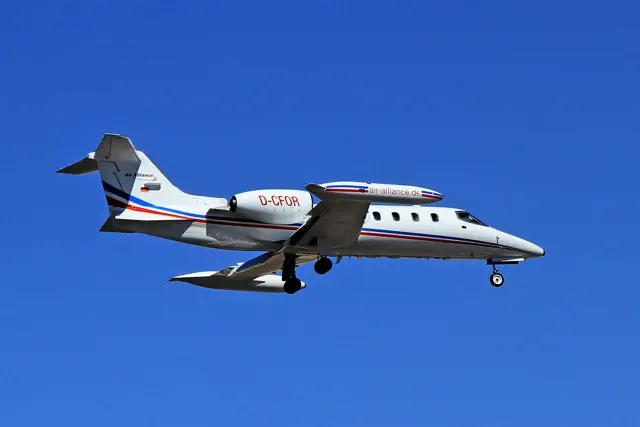
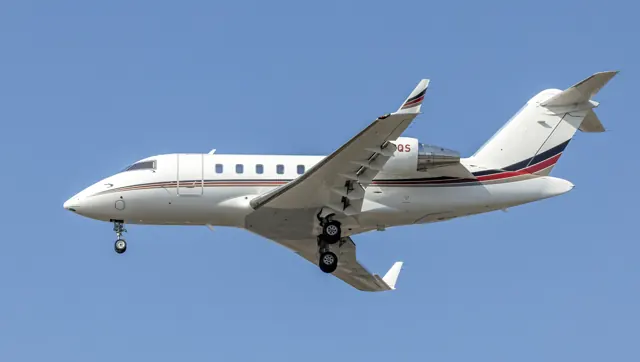
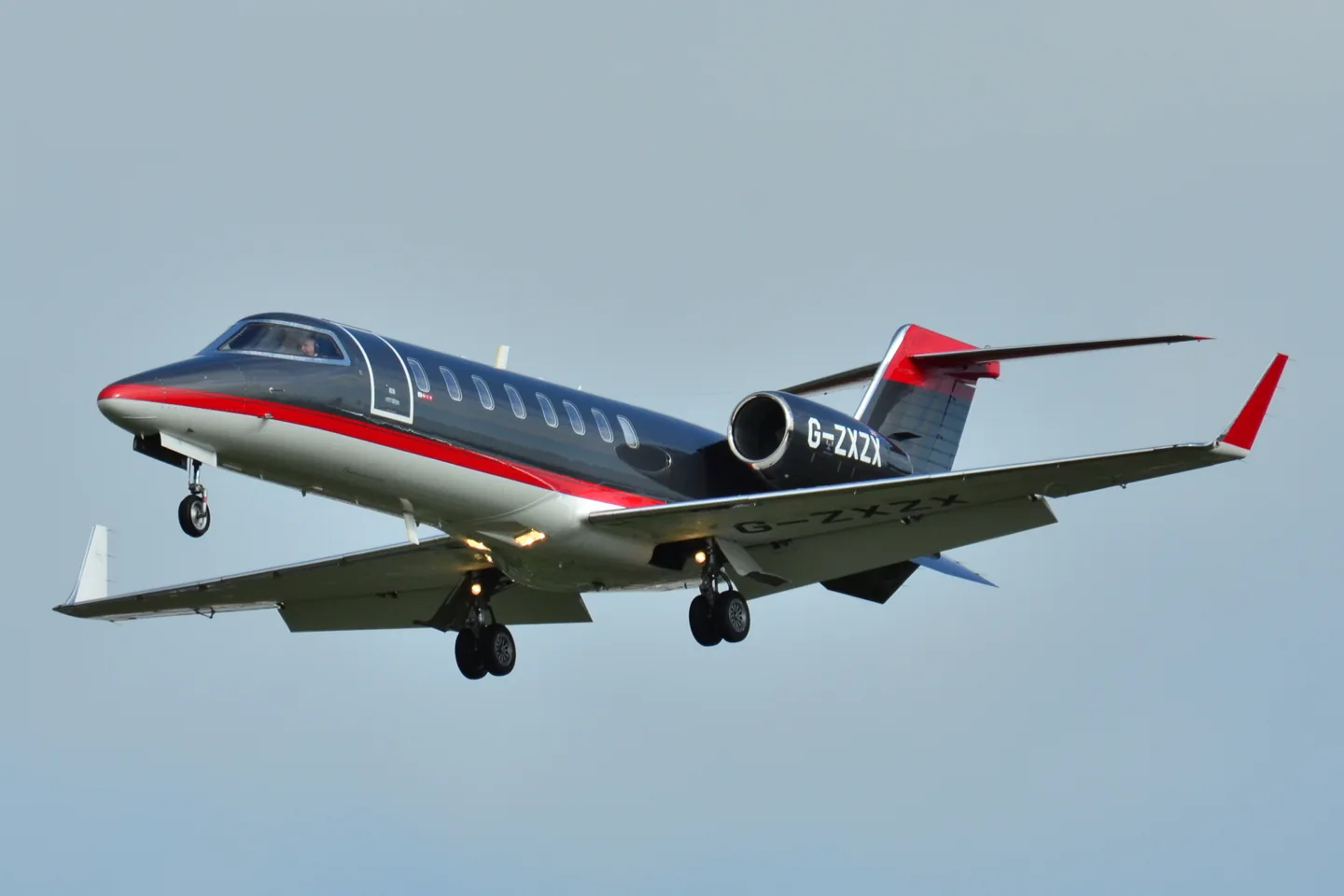
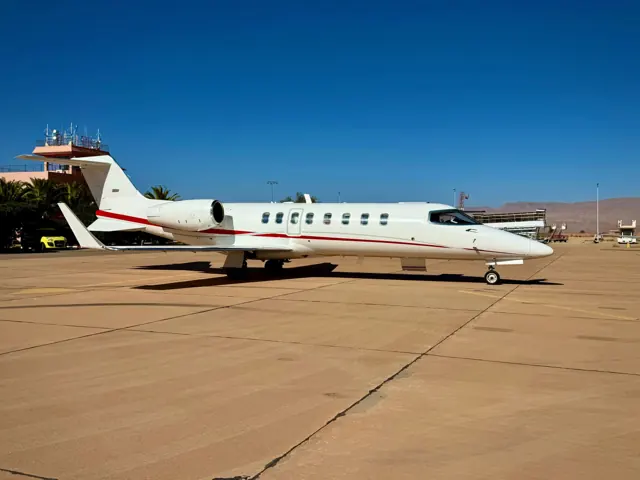
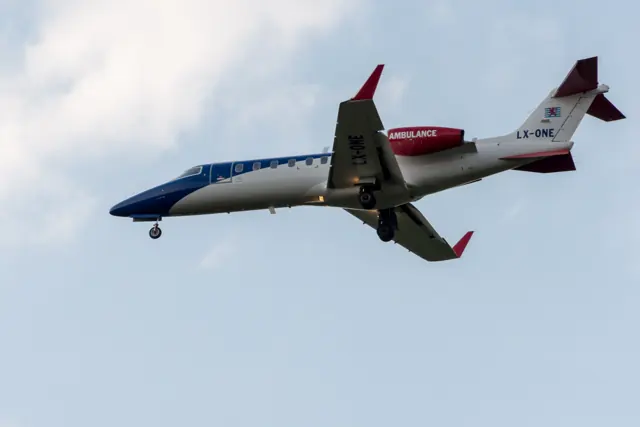
Bombardier's Learjet division developed the 45 as a midsize business jet. Two engines sit beside the rear fuselage, leaving the low wing clear of nacelles. Just Flight's simulator project was announced in the selected development listing and had not been released at that source date.
Aircraft background
Wikipedia contributors · Read more ↗A test-flight introduction reveals reassuring handling
The writer joined Dwyer for a hot-weather departure from Wichita, then headed towards the flight-test area after nearby traffic prompted an early turn. In the air, Dwyer demonstrated the divided roll-control system while the visiting pilot experienced how the aircraft responded. The account describes a supervised introduction to an aircraft still completing its certification programme.
September 1997 report; narrator’s name is not displayed. Flight with chief test pilot Dwyer in a Learjet 45 test aircraft; the separately signed interview sidebar has a different authorship context.
AOPA Pilot · Read more ↗Into the cockpit
 YouTube
 Air-Clips.com · 4 min ·
Manual Flying! Learjet 45 piloted into Mirabel by Captain Yves! [AirClips]
An AirClips cockpit segment follows a Learjet 45 approach to Mirabel.
Real aircraft · Learjet 45
Watch on YouTube ↗Preview images are served by AirframeDB. Videos open on YouTube only when you choose to watch.
Meet Learjet 45
Bombardier's Learjet division developed the 45 as a midsize business jet. Two engines sit beside the rear fuselage, leaving the low wing clear of nacelles. Just Flight's simulator project was announced in the selected development listing and had not been released at that source date.
Learjet 45
Learjet → · Explore the family →
Learjet 45
Wikipedia contributors · Learjet 45 ↗Aircraft type designators
Use the code for the model you are flying. The linked authority lists the applicable aircraft.
History & design
A new design follows updates to earlier Learjets
The 1997 AOPA report places the 45 after Bombardier’s purchase of Learjet in 1990. Whereas the 31A and 60 developed earlier models, the 45 introduced a new design, including an oval cabin and a flat floor without a wing spar to step across.
AOPA Pilot · Turbine Pilot: Forty-Something ↗Contemporary development report; historical corporate context
Development milestones
First flight: 7 October 1995
Wikipedia contributors · Learjet 45 ↗Learjet 45 · family/variant named by the source · Wikipedia revision 1368536846
Pilot accounts
A test-flight introduction reveals reassuring handling
The writer joined Dwyer for a hot-weather departure from Wichita, then headed towards the flight-test area after nearby traffic prompted an early turn. In the air, Dwyer demonstrated the divided roll-control system while the visiting pilot experienced how the aircraft responded. The account describes a supervised introduction to an aircraft still completing its certification programme.
Steep turns, low-speed work and a planned engine-idle exercise left the writer impressed by predictable, gentle handling. Back at Wichita, the flight included practice approaches and landings. The test aircraft’s thrust reversers were pinned, a reminder that its configuration was not yet the finished customer installation.
September 1997 report; narrator’s name is not displayed. Flight with chief test pilot Dwyer in a Learjet 45 test aircraft; the separately signed interview sidebar has a different authorship context.
Read the full account · AOPA Pilot ↗A favourite aircraft gains more useful climb performance
Rupiper liked the Learjet 45’s cockpit arrangement and its light, responsive controls. He regarded it as an enjoyable aircraft to fly by hand, but his working experience also exposed a practical compromise: filling every passenger seat constrained how far the aircraft could go. His praise was tied to the trips and loads it actually carried.
An upgrade to XR engine specification changed that experience, particularly in the climb above the middle altitudes. He also described a useful combination of full fuel and six passengers after the change.
AOPA Pilot interview · December 2017. Rupiper flew a 2000-model Learjet 45 for several years before its engines were upgraded to XR specification.
Read the full account · AOPA Pilot ↗Simulator experience opens the door to a first paid jet trip
Snow’s first month of full-time contract flying brought four Learjet 45 legs over two days and the excitement of being paid to fly. The opportunity grew from an internship at FlightSafety Atlanta, where office work and acting as a second crew member for simulator clients had built familiarity with the cockpit. Those simulator hours were preparation, distinct from flight time in the aircraft.
A programme manager passed Snow’s name to clients who needed a copilot. The resulting trip introduced a well-kept jet and a captain who also appreciated its condition. The forum posts combine satisfaction with the aircraft and gratitude for the referral, while any prospect of a permanent position remained a possibility at the time of writing.
Jetcareers forum · June 2006. Self-reported experience under a public handle; FlightSafety Atlanta intern and contract copilot, not independently identified or described as a simulator instructor.
Read the full account · Jetcareers ↗In your simulator
No released simulator product is listed for this aircraft in the developers reviewed. Announced products are excluded.
Aircraft specifications
Published figures for the named real-aircraft variant. Simulator equipment and performance can differ.
| Specification | Published value |
|---|---|
| Length | 58 ft 0 in (17.68 m) |
| Wingspan | 47 ft 10 in (14.58 m) |
| Height | 14 ft 1 in (4.30 m) |
| Wing area | 311.6 sq ft (28.95 m² ) |
| Empty weight | 12,850 lb (5,829 kg) |
| Max takeoff weight | 21,500 lb (9,752 kg) |
| Powerplant | 2 × Honeywell TFE731 -20 turbofan , 3,650 lbf (16.2 kN) thrust each |
| Maximum speed | 533 mph (858 km/h, 463 kn) (max cruise) |
| Cruise speed | 510 mph (804 km/h, 445 kn) |
| Range | 1,968 mi (3,167 km, 1,710 nmi) (4 passengers) |
| Service ceiling | 51,000 ft (15,545 m) |
Manuals & resources
Find your next read
Choose a topic for a short introduction and a link to the original source. Simulator references identify the developer and edition they cover.
Pilot account
A test-flight introduction reveals reassuring handlingSeptember 1997 report; narrator’s name is not displayed. Flight with chief test pilot Dwyer in a Learjet 45 test aircraft; the separately signed interview sidebar has a different authorship context.
The writer joined Dwyer for a hot-weather departure from Wichita, then headed towards the flight-test area after nearby traffic prompted an early turn. In the air, Dwyer demonstrated the divided roll-control system while the visiting pilot experienced how the aircraft responded. The account describes a supervised introduction to an aircraft still completing its certification programme.
AOPA Pilot flight-test writer
AOPA Pilot · Read the source ↗A favourite aircraft gains more useful climb performanceAOPA Pilot interview · December 2017. Rupiper flew a 2000-model Learjet 45 for several years before its engines were upgraded to XR specification.
Rupiper liked the Learjet 45’s cockpit arrangement and its light, responsive controls. He regarded it as an enjoyable aircraft to fly by hand, but his working experience also exposed a practical compromise: filling every passenger seat constrained how far the aircraft could go. His praise was tied to the trips and loads it actually carried. An upgrade to XR engine specification changed that experience, particularly in the climb above the middle altitudes.
Kent Rupiper
AOPA Pilot · Read the source ↗Read the original documentation from the people who created it. Manuals open on their publisher’s website.
Aircraft background
Learjet 45Wikipedia contributors · Research background · retrieved 2026-09-12Product
LJ45 ProfessionalJust Flight · Official developer / designated store catalogue · checked 2026-09-12Type designator
ICAO Doc 8643 — aircraft type designatorsInternational Civil Aviation Organization · Public search data retrieved 2026-09-14; authority update 2026-09-03Built-in force-feedback profiles
Read the documentary basis, editable starting settings and remaining questions for the aircraft you fly. Each explanation refers to the exact profile revision shown.
Catalogue programme-20261022-v1 · 1 profile choice
Learjet 45
Free and Pro · Revision 1 · Partial review
Aircraft reference · Manual starting point
Learjet 45: The profile supplies the chosen control resistance for the represented project.
Learjet 45
Learjet 45: The profile supplies the chosen control resistance for the represented project.
Aircraft and manual starting-point scope
- Learjet 45 · Aircraft reference
Reference-only airframe identity; no released simulator implementation assigned.
The simulator model and controls
Bombardier's Learjet division developed the 45 as a midsize business jet. Two engines sit beside the rear fuselage, leaving the low wing clear of nacelles. Just Flight's simulator project was announced in the selected development listing and had not been released at that source date.
This starting point selects Learjet 45. Its aircraft-level settings do not select a particular developer’s custom systems.
How this profile feels
The profile supplies the chosen control resistance for the represented project. Spring resistance builds with the selected airspeed response. A separate aerodynamic term adds speed-dependent control load.
Trim relief is a configured starting response for that rendition. Valid trim provides the configured pressure relief. Autopilot following is enabled for supported control references.
Controls and trim
The Learjet 45 is a midsize twinjet with rear-mounted engines. The Just Flight listing represents an announced development project, with its own cockpit scope and availability status.
About the values
The gains are normalized profile settings. They describe the chosen effect balance; hand force depends on the device and its output limits. IAS references are tuning values rather than operating limits. Physical acceptance of this revision remains pending.
What the documentation establishes
Just Flight LJ45 Professional page is explicitly in development and lists planned LJ45/LJ45XR variants. Keep Learjet45 reference-only; compatibility wording is not a released-product record.
Documentary review and sources
These decisions describe the documentary basis and remaining gaps for this revision. Aircraft documentation and a starting setting describe different kinds of evidence.
Aircraft and variant
ReviewedThis starting point selects Learjet 45. Its aircraft-level settings do not select a particular developer’s custom systems.
Flight controls
Not yet reviewedThe Learjet 45 is a midsize twinjet with rear-mounted engines. The Just Flight listing represents an announced development project, with its own cockpit scope and availability status.
Trim
Not yet reviewedTrim relief is a configured starting response for that rendition. Pitch authority 0.3 provides load relief and permitted centre movement; roll authority is 0.
Autopilot and stability
Not yet reviewedFollowing is on at 0.1 authority when a supported, valid autopilot control reference is available.
Equipment
Not yet reviewedGear, flap and ground cues follow the selected settings and available simulator-reported states.
Speeds and limits
Not yet reviewedThe indicated-speed references set the profile response scale; they are separate from aircraft operating limits.
Simulator integration
Not yet reviewedThe profile targets . Add-on-specific controls use only the supported references configured by this profile.
Force-feedback settings
Not yet reviewedThe settings define the profile’s effect balance. Device output limits affect physical hand force.
Starting settings and their rationale
These configured values are starting estimates. The explanations describe what each setting controls; physical validation appears separately below.
| Setting | Starting value | What it controls and why |
|---|---|---|
| Spring strength | Starting value0.74 | What it controls and whyThe profile supplies the chosen control resistance for the represented project. The baseline spring is 0.74. Its low-speed blend reaches baseline strength at 90 KIAS. |
| Master force gain | Starting value0.85 | What it controls and whyScales overall profile strength while preserving effect balance, subject to device and output limits. |
| Profile force gain | Starting value0.8 | What it controls and whyThe aerodynamic-load gain is 0.8 with an indicated-speed reference of 260 KIAS. This supplies speed-dependent loading alongside the spring. |
| Force tuning speed/reference | Starting value260.0 kt | What it controls and whySets the IAS reference for aerodynamic loading. It is an estimate, not published cruise TAS or a flight limit. |
| Spring response reference speed | Starting value90 kt | What it controls and whySets the IAS where the low-speed blend reaches baseline strength; high-speed stiffening also uses it. |
| Aileron force scale | Starting value0.72 | What it controls and whyRoll and pitch aerodynamic scales are 0.72 and 1, respectively. They set the aerodynamic axis balance. No custom spring-travel curve is enabled. |
| Elevator force scale | Starting value1.0 | What it controls and whyScales pitch aerodynamic loading; pitch spring travel and trim responses are separate settings. |
| Trim feel | Starting valueEnabled | What it controls and whyRetained for compatibility and group membership. Trim relief, rather than this flag, controls centre movement. |
| Trim relief | Starting valueEnabled | What it controls and whyAllows trim relief with supported control law and valid telemetry. Axis authorities set its amount. |
| Autopilot follow | Starting valueEnabled | What it controls and whyFollowing is on at 0.1 authority when a supported, valid autopilot control reference is available. |
| Autopilot neutral hold | Starting valueDisabled | What it controls and whyPermits centering hold during a supported AP state, separate from following a moving target. |
| Output force limit | Starting value0.55 | What it controls and whyCaps directed-force output. Native spring effects and device limits remain separate. |
All 44 starting settings and their rationale
The settings define the profile’s effect balance. Device output limits affect physical hand force.
| Setting | Starting value | What it controls and why |
|---|---|---|
| Spring strength | Starting value0.74 | What it controls and whyThe profile supplies the chosen control resistance for the represented project. The baseline spring is 0.74. Its low-speed blend reaches baseline strength at 90 KIAS. |
| Spring deadband | Starting value0.045 | What it controls and whySets travel around the centre before the baseline spring resists. Smaller values engage it sooner. |
| Profile force gain | Starting value0.8 | What it controls and whyThe aerodynamic-load gain is 0.8 with an indicated-speed reference of 260 KIAS. This supplies speed-dependent loading alongside the spring. |
| Master force gain | Starting value0.85 | What it controls and whyScales overall profile strength while preserving effect balance, subject to device and output limits. |
| QBlend Enabled | Starting valueEnabled | What it controls and whyAllows baseline spring strength to rise with indicated airspeed where the control law permits it. |
| QSpring Minimum Factor | Starting value0.5 | What it controls and whySets low-speed spring strength as a fraction of baseline when blending is enabled. One keeps full strength. |
| QSpring Start Knots | Starting value20 kt | What it controls and whySets the IAS where the low-speed spring blend starts rising. This is a feel threshold, not a flight limit. |
| Spring response reference speed | Starting value90 kt | What it controls and whySets the IAS where the low-speed blend reaches baseline strength; high-speed stiffening also uses it. |
| Force tuning speed/reference | Starting value260.0 kt | What it controls and whySets the IAS reference for aerodynamic loading. It is an estimate, not published cruise TAS or a flight limit. |
| Airspeed spring stiffening gain | Starting value0.15 | What it controls and whyThe high-speed spring-stiffening gain is 0.15. It strengthens the permitted spring response above 90 KIAS, with the squared-speed ratio capped at 5. |
| Airspeed spring stiffening limit | Starting value5 | What it controls and whyLimits the squared airspeed ratio used for high-speed spring stiffening; it is not a device-force cap. |
| Aileron force scale | Starting value0.72 | What it controls and whyRoll and pitch aerodynamic scales are 0.72 and 1, respectively. They set the aerodynamic axis balance. No custom spring-travel curve is enabled. |
| Elevator force scale | Starting value1.0 | What it controls and whyScales pitch aerodynamic loading; pitch spring travel and trim responses are separate settings. |
| Output force limit | Starting value0.55 | What it controls and whyCaps directed-force output. Native spring effects and device limits remain separate. |
| Trim feel | Starting valueEnabled | What it controls and whyRetained for compatibility and group membership. Trim relief, rather than this flag, controls centre movement. |
| Trim relief | Starting valueEnabled | What it controls and whyAllows trim relief with supported control law and valid telemetry. Axis authorities set its amount. |
| Elevator Authority | Starting value0.3 | What it controls and whyTrim relief is a configured starting response for that rendition. Pitch authority 0.3 provides load relief and permitted centre movement; roll authority is 0. |
| Aileron Authority | Starting value0 | What it controls and whyScales supported roll-trim relief and permitted centre movement. Zero removes roll response. |
| Force Trim Enabled | Starting valueDisabled | What it controls and whyEnables local force trim, separate from aircraft-owned trim and add-on integration qualification. |
| GLoad Enabled | Starting valueEnabled | What it controls and whyAllows load-factor changes to modify permitted spring laws. Passive fly-by-wire feel can suppress it. |
| Rate Damping Enabled | Starting valueEnabled | What it controls and whyEnables rate damping with the configured coefficients and control law. |
| Autopilot follow | Starting valueEnabled | What it controls and whyFollowing is on at 0.1 authority when a supported, valid autopilot control reference is available. |
| Autopilot follow authority | Starting value0.1 | What it controls and whySets admitted AP-follow gain, not a percentage of travel. Runtime ownership and input limits still apply. |
| Autopilot neutral hold | Starting valueDisabled | What it controls and whyPermits centering hold during a supported AP state, separate from following a moving target. |
| Autopilot neutral hold strength | Starting value0.6 | What it controls and whySets admitted AP neutral-hold strength; inactive while neutral hold is disabled. |
| Enabled | Starting valueEnabled | What it controls and whyEnables aerodynamic cues; each still needs nonzero strength and its simulator conditions. |
| Gain | Starting value0.35 | What it controls and whySets stall-buffet strength. Zero removes the cue without changing simulator stalls or warnings. |
| Gain | Starting value0.22 | What it controls and whySets high-Mach buffet strength; onset and full-strength thresholds are separate. |
| Gain | Starting value0.14 | What it controls and whySets flap buffet at the configured position and speed gates. Flap movement texture is separate. |
| Maximum flap index | Starting value3 | What it controls and whySets the final flap index for detent normalization. UP plus three detents uses maximum index3. |
| Minimum flap index | Starting value2 | What it controls and whySets the first flap detent that admits buffet; this is a handle index, not degrees. |
| Gain | Starting value0.1 | What it controls and whySets gear aerodynamic buffet; movement and ground-contact cues are separate. |
| Shaker Enabled | Starting valueDisabled | What it controls and whyPermits shaker at supported warning conditions; the switch does not establish aircraft equipment. |
| Stick shaker amplitude | Starting value0.5 | What it controls and whySets triggered shaker strength; inactive while the shaker feature is disabled. |
| Enabled | Starting valueEnabled | What it controls and whyEnables ground effects; each still needs its own strength and contact or motion telemetry. |
| Gain | Starting value0.4 | What it controls and whySets rolling texture strength, modified by speed, surface and undercarriage configuration. |
| Gain | Starting value0.25 | What it controls and whySets gear-bump texture during ground motion, separate from touchdown impact. |
| Gain | Starting value0.65 | What it controls and whySets landing-impact strength; landing telemetry and response shape determine the pulse. |
| Gain | Starting value0 | What it controls and whySets reverse-thrust vibration with valid reverser and engine conditions. Zero removes the cue. |
| Enabled | Starting valueEnabled | What it controls and whyEnables engine cues with nonzero settings and valid running-engine telemetry. |
| Gain | Starting value0.06 | What it controls and whySets estimated engine vibration using configured telemetry and response, not measured cockpit vibration. |
| Enabled | Starting valueEnabled | What it controls and whyEnables accessory cues with configured strengths and observed accessory movement. |
| Gain | Starting value0.12 | What it controls and whySets texture from observed flap movement; a command without movement does not establish the cue. |
| Gain | Starting value0.12 | What it controls and whySets texture from observed gear movement, separate from aerodynamic and touchdown effects. |
Limits and open questions
- Controls, trim, autopilot, equipment details, speeds and force calibration remain unreviewed.
Physical validation
No physical force validation is recorded in this public catalogue for this revision. Documentary review and software checks do not establish how a particular device feels.
Discuss this aircraft (0)
Questions, observations and useful sources from the community.
No published discussions yet. Bring a question or share a useful source.
Open aircraft discussions →Content expanded · What’s new
Something missing or a source that needs attention?
Suggest a correction ↗