




Start here
A few places to begin, from the aircraft’s story to the people who fly it.
Meet the aircraft
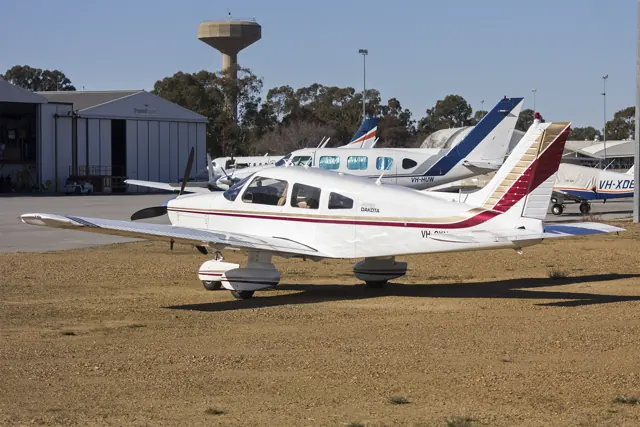
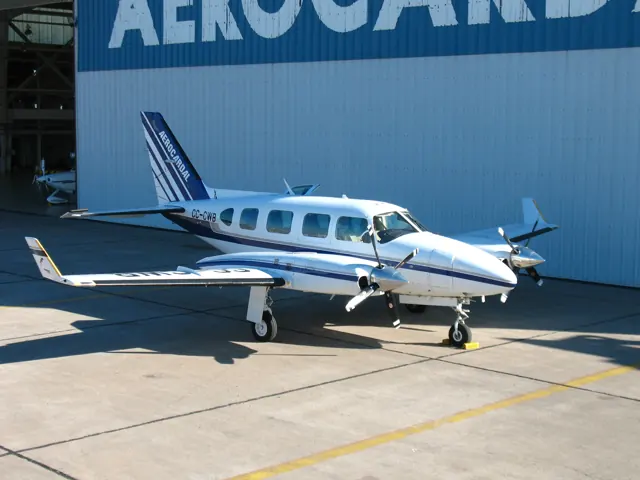
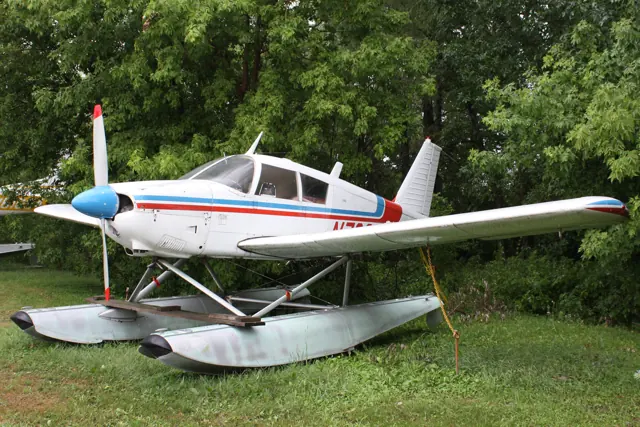
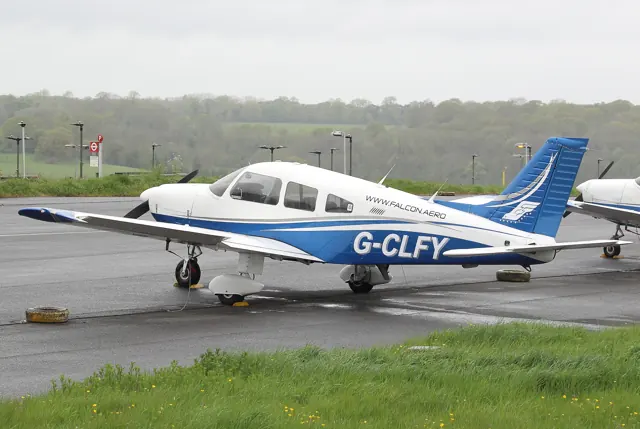
Piper built the Cherokee family around an all-metal low-wing airframe, an unpressurised cabin and a single piston engine. Entry is through a right-side door reached from the wing. Engines, wing shapes and landing gear changed across the range.
Aircraft background
Wikipedia contributors · Read more ↗A first aircraft that became part of everyday life
Derendal bought the Warrior with his friend Luke while the two were working towards different flying qualifications. He completed his private certificate soon afterwards, and the aircraft accumulated hundreds of hours in their first months together. When Luke finished his instrument rating, Derendal bought out his share as they had planned. Personalising the cockpit and cabin became another part of the attraction.
Piper Flyer · November 2018. N4402X, a PA-28-151 modified with the 180 hp Bold Warrior conversion.
Piper Flyer · Read more ↗The Arrow’s fuel and electrical indications
The Arrow III manual describes two wing tanks feeding a selector with left, right and off positions, supported by engine-driven and electric pumps. Its ammeter indicates electrical load, not battery discharge.
Piper PA-28 family · Just Flight · Just Flight · MSFS 2020 · MSFS 2024
Just Flight · Read more ↗Into the cockpit
 YouTube
 aviafilmsproduction · 5 min ·
Piper 28 cockpit takeoff and landing
A PA-28 Warrior circuit with cockpit views of takeoff and landing.
Real aircraft · PA-28 Warrior
Watch on YouTube ↗Preview images are served by AirframeDB. Videos open on YouTube only when you choose to watch.
Meet Piper PA-28 family
Piper built the Cherokee family around an all-metal low-wing airframe, an unpressurised cabin and a single piston engine. Entry is through a right-side door reached from the wing. Engines, wing shapes and landing gear changed across the range.
Warrior, Arrow, Turbo Arrow and Dakota models use different configurations. Fixed or retractable gear and normally aspirated or turbocharged engines are described in each simulator product's manual.
Piper PA-28
Piper → · Explore the family →
PA-28-161 Warrior II
Wikipedia contributors · Piper PA-28 Cherokee ↗Just Flight · MSFS 2020 · MSFS 2024 →Just Flight · X-Plane 12 · X-Plane 11 →PA-28-181 Archer
Wikipedia contributors · Piper PA-28 Cherokee ↗Just Flight · X-Plane 12 · X-Plane 11 →PA-28R Arrow III
Wikipedia contributors · Piper PA-28 Cherokee ↗Just Flight · MSFS 2020 · MSFS 2024 →Just Flight · X-Plane 12 · X-Plane 11 →SimCoders · X-Plane 11 · X-Plane 12 →PA-28R Turbo Arrow III
Wikipedia contributors · Piper PA-28 Cherokee ↗Just Flight · MSFS 2020 · MSFS 2024 →Just Flight · X-Plane 12 · X-Plane 11 →SimCoders · X-Plane 11 · X-Plane 12 →PA-28RT Turbo Arrow IV
Wikipedia contributors · Piper PA-28 Cherokee ↗Just Flight · MSFS 2020 · MSFS 2024 →Just Flight · X-Plane 12 · X-Plane 11 →SimCoders · X-Plane 11 · X-Plane 12 →Aircraft type designators
Use the code for the model you are flying. The linked authority lists the applicable aircraft.
Fixed-gear PA-28 Cherokee, Warrior and Archer models through the PA-28-181
ICAO Doc 8643 — aircraft type designators ↗Checked 2026-09-14PA-28-235, PA-28-236 Dakota and PA-28-201T Turbo Dakota
ICAO Doc 8643 — aircraft type designators ↗Checked 2026-09-14PA-28R Arrow, including PA-28R-201 Arrow III
ICAO Doc 8643 — aircraft type designators ↗Checked 2026-09-14PA-28RT-201 Arrow IV (normally aspirated)
ICAO Doc 8643 — aircraft type designators ↗Checked 2026-09-14History & design
An older airframe can acquire a very different cockpit
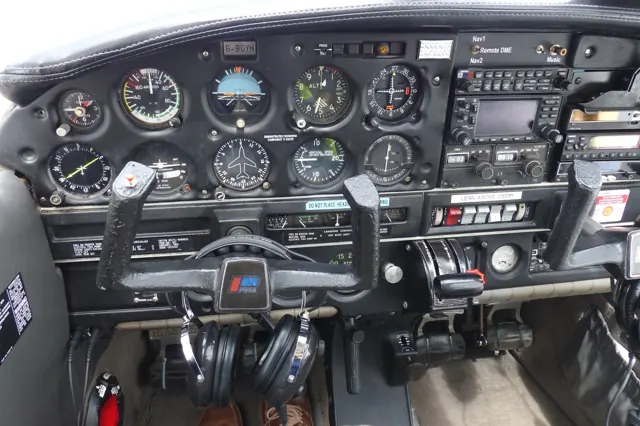
AOPA’s 2008 sweepstakes Archer combined a refurbished airframe with new displays, navigation equipment and interior furnishings. Its story illustrates why a PA-28’s model designation alone says little about the panel fitted to an individual aircraft.
AOPA Pilot · Get Your Glass Sweepstakes: Fly me to the moon ↗Contemporary refurbishment account
Development milestones
First flight: January 14, 1960
Wikipedia contributors · Piper PA-28 Cherokee ↗Piper PA-28 Cherokee · family/variant named by the source · Wikipedia revision 1370180190
Pilot accounts
A first aircraft that became part of everyday life
Derendal bought the Warrior with his friend Luke while the two were working towards different flying qualifications. He completed his private certificate soon afterwards, and the aircraft accumulated hundreds of hours in their first months together. When Luke finished his instrument rating, Derendal bought out his share as they had planned. Personalising the cockpit and cabin became another part of the attraction.
Flying then opened up trips around the Southwest with his girlfriend, including coastal visits and journeys through busy airports. Ownership also brought practical interruptions: a vacuum failure in flight, an alternator problem during run-up and a punctured tyre tube. His account combines enthusiasm for the machine with the work of keeping it going. By the end, an instrument rating and an aircraft with room for more people were on his wish list.
Piper Flyer · November 2018. N4402X, a PA-28-151 modified with the 180 hp Bold Warrior conversion.
Read the full account · Piper Flyer ↗Two family trips that made the Arrow worthwhile
Wright’s first trip took his wife Lisa and daughter Sydney to Minneapolis for the Olympic gymnastics trials. Weather shaped the journey, including a fuel stop that preserved options if conditions deteriorated. They arrived ahead of the storms, but a hoped-for detour to photograph Mount Rushmore was dropped when the weather failed to cooperate.
A later trip to a Billy Joel concert brought a different milestone: using the new avionics for an instrument approach in actual cloud. Wright checked the selected modes carefully and remained ready to intervene while the system followed the approach. The return included the Hudson corridor and a fuel stop where the family watched the Olympics opening ceremony.
AOPA · January 2025. Two 2024 journeys in the family Arrow after an avionics upgrade; model year not identified.
Read the full account · AOPA ↗Learning the panel and sorting out the airframe
Twombly’s experience with the sweepstakes Archer included the less glamorous work behind a polished aeroplane. It had arrived with a tendency to roll right and an off-centre slip indication. A specialist found several rigging and instrument-alignment issues, then corrected them. That work mattered even though much of the project’s attention naturally went to its new interior and electronic cockpit.
A friendly comparison flight with Dave Hirschman in an ordinary Archer supplied a more playful test. The modified aircraft’s advantage proved smaller than Twombly’s racing imagination had suggested, and he ended the story joking about its extra weight and his own diet. His report also stresses the time needed to learn the upgraded avionics.
AOPA Pilot · November 2008. N208GG, the extensively refurbished Get Your Glass sweepstakes Archer.
Read the full account · AOPA Pilot ↗In your simulator
Systems, equipment and documentation for each developer’s aircraft.
Compare simulator versions →MSFS 2020 · MSFS 2024Piper PA-28 family · Just Flight
Just Flight · Released
Piper PA-28 family · Just Flight
Just Flight · Released
X-Plane 12 · X-Plane 11Piper PA-28 family · Just Flight
Just Flight · Released
Piper PA-28 family · Just Flight
Just Flight · Released
X-Plane 11 · X-Plane 12 Enhancement REP for Just Flight Arrow aircraft
SimCoders · Released
REP for Just Flight Arrow aircraft
SimCoders · Released
X-Plane 12PA-28-181 Piper Archer III / LX / DX package
Aerosphere · Released
PA-28-181 Piper Archer III / LX / DX package
Aerosphere · Released
X-Plane 12Piper PA-28-180 Cherokee C
Aerosphere · Released
Piper PA-28-180 Cherokee C
Aerosphere · Released
X-Plane 12Piper PA-28-235 Charger / Cherokee 235
Aerosphere · Released
Piper PA-28-235 Charger / Cherokee 235
Aerosphere · Released
X-Plane 12Piper PA28-161 Warrior II
Aerosphere · Released
Piper PA28-161 Warrior II
Aerosphere · Released
MSFS 2020PA28-181
Carenado · Released
PA28-181
Carenado · Released
MSFS 2020PA28R-201
Carenado · Released
PA28R-201
Carenado · Released
X-Plane 12PA-28 Cherokee 140
vFlyteAir · Released
PA-28 Cherokee 140
vFlyteAir · Released
X-Plane 12Piper PA28R Arrow III G5 - E1000
vFlyteAir · Released
Piper PA28R Arrow III G5 - E1000
vFlyteAir · Released
Aircraft specifications
Published figures for the named real-aircraft variant. Simulator equipment and performance can differ.
| Specification | Published value |
|---|---|
| Length | 23 ft 3.6 in (7.102 m) |
| Wingspan | 30 ft 0 in (9.14 m) |
| Height | 7 ft 3.6 in (2.225 m) |
| Wing area | 160 sq ft (15 m² ) |
| Empty weight | 1,201 lb (545 kg) |
| Gross weight | 2,150 lb (975 kg) |
| Max takeoff weight | 2,150 lb (975 kg) |
| Powerplant | 1 × Lycoming O-320-E2A 4-cylinder air-cooled horizontally-opposed piston engine, 150 hp (110 kW) |
| Propellers | Sensenich M74DM |
| Maximum speed | 123 kn (142 mph, 228 km/h) |
| Cruise speed | 108 kn (124 mph, 200 km/h) |
| Stall speed | 47 kn (54 mph, 87 km/h) |
| Range | 465 nmi (535 mi, 861 km) |
| Service ceiling | 14,300 ft (4,400 m) |
| Rate of climb | 660 ft/min (3.4 m/s) |
Manuals & resources
Find your next read
Choose a topic for a short introduction and a link to the original source. Simulator references identify the developer and edition they cover.
Simulator documentation
The Arrow’s fuel and electrical indicationsPiper PA-28 family · Just Flight · Just Flight · MSFS 2020 · MSFS 2024
The Arrow III manual describes two wing tanks feeding a selector with left, right and off positions, supported by engine-driven and electric pumps. Its ammeter indicates electrical load, not battery discharge.
Gathered MSFS Arrow III manual · PDF pp.9–10
Just Flight · Read the source ↗The Turbo Arrow has its own pump and warning controlsPiper PA-28 family · Just Flight · Just Flight · MSFS 2020 · MSFS 2024
Just Flight represents both the conventional-tail Turbo Arrow III and T-tail IV. Their manual describes a three-position auxiliary fuel-pump switch, a separate primer control and an overboost warning in the annunciator panel. These details distinguish the turbocharged cockpit from the normally aspirated Arrow.
Gathered MSFS Turbo Arrow III/IV manual · PDF pp.9–10
Just Flight · Read the source ↗A simpler Warrior, with a distinct electrical fallbackPiper PA-28 family · Just Flight · Just Flight · MSFS 2020 · MSFS 2024
The Warrior II manual describes the fixed-gear, 160 hp configuration and two wing fuel tanks. An avionics power switch controls its radio bus, while an emergency bus switch provides another supply path if that switch circuit fails. The cockpit has separate controls for these electrical systems.
Gathered MSFS Warrior II manual · PDF pp.9–10
Just Flight · Read the source ↗The Arrow's stabilator and landing-gear systemPiper PA-28 family · Just Flight · Just Flight · MSFS 2020 · MSFS 2024
Just Flight's Arrow manual describes an all-moving stabilator with an anti-servo/trim tab, plus spring-centred rudder trim. It also covers the automatic landing-gear extension system fitted to the represented aircraft. The stabilator moves as a unit, unlike a fixed tailplane with a separate elevator.
Archived document; installed package version not observed · PDF pp.13-14; flight controls
Just Flight · Read the source ↗Turbo Arrow flight controlsPiper PA-28 family · Just Flight · Just Flight · MSFS 2020 · MSFS 2024
The Turbo Arrow manual describes the stabilator's anti-servo/trim tab and the spring-centred rudder-trim mechanism. These controls remain separate from the turbocharged engine's management. The dedicated manual describes the Turbo Arrow's configuration.
Archived document; installed package version not observed · PDF p.14
Just Flight · Read the source ↗Flaps, pitch and the stabilatorPiper PA-28 family · Just Flight · Just Flight · MSFS 2020 · MSFS 2024
Just Flight's Warrior documentation describes the pitch changes associated with flap movement and the use of stabilator trim to relieve sustained control pressure. It also identifies the rudder's spring-trim arrangement. The manual describes how the trim mechanism acts on the controls.
Archived document; installed package version not observed · PDF pp.13-14
Just Flight · Read the source ↗Pilot account
A first aircraft that became part of everyday lifePiper Flyer · November 2018. N4402X, a PA-28-151 modified with the 180 hp Bold Warrior conversion.
Derendal bought the Warrior with his friend Luke while the two were working towards different flying qualifications. He completed his private certificate soon afterwards, and the aircraft accumulated hundreds of hours in their first months together. When Luke finished his instrument rating, Derendal bought out his share as they had planned. Personalising the cockpit and cabin became another part of the attraction.
Justin Derendal
Piper Flyer · Read the source ↗Two family trips that made the Arrow worthwhileAOPA · January 2025. Two 2024 journeys in the family Arrow after an avionics upgrade; model year not identified.
Wright’s first trip took his wife Lisa and daughter Sydney to Minneapolis for the Olympic gymnastics trials. Weather shaped the journey, including a fuel stop that preserved options if conditions deteriorated. They arrived ahead of the storms, but a hoped-for detour to photograph Mount Rushmore was dropped when the weather failed to cooperate. A later trip to a Billy Joel concert brought a different milestone: using the new avionics for an instrument approach in actual cloud.
Chip Wright
AOPA · Read the source ↗Developer documentation
PA-28-181 Piper Archer III / LX / DX package — product listingPA-28-181 Piper Archer III / LX / DX package · X-Plane 12
Product listing captured 2026-09-23; edition scope from the reviewed catalogue
store.x-plane.org · Read the source ↗Piper PA-28-180 Cherokee C — product listingPiper PA-28-180 Cherokee C · X-Plane 12
Product listing captured 2026-09-23; edition scope from the reviewed catalogue
store.x-plane.org · Read the source ↗Piper PA-28-235 Charger / Cherokee 235 — product listingPiper PA-28-235 Charger / Cherokee 235 · X-Plane 12
Product listing captured 2026-09-23; edition scope from the reviewed catalogue
store.x-plane.org · Read the source ↗Piper PA28-161 Warrior II — product listingPiper PA28-161 Warrior II · X-Plane 12
Product listing captured 2026-09-23; edition scope from the reviewed catalogue
store.x-plane.org · Read the source ↗PA28-181 — product listingPA28-181 · MSFS 2020
Product listing captured 2026-09-23; edition scope from the reviewed catalogue
www.carenado.com · Read the source ↗PA28R-201 — product listingPA28R-201 · MSFS 2020
Product listing captured 2026-09-23; edition scope from the reviewed catalogue
www.carenado.com · Read the source ↗PA-28 Cherokee 140 — product listingPA-28 Cherokee 140 · X-Plane 12
Product listing captured 2026-09-23; edition scope from the reviewed catalogue
www.vflyteair.com · Read the source ↗Piper PA28R Arrow III G5 - E1000 — product listingPiper PA28R Arrow III G5 - E1000 · X-Plane 12
Product listing captured 2026-09-23; edition scope from the reviewed catalogue
store.x-plane.org · Read the source ↗Read the original documentation from the people who created it. Manuals open on their publisher’s website.
Manual
Microsoft Flight Simulator aircraft manualsMicrosoft / aircraft developers PA28 Arrow manualJust Flight PA28 Turbo Arrow manualJust Flight PA28 Warrior manualJust FlightAircraft background
Piper PA-28 CherokeeWikipedia contributors · Research background · Wikipedia revision 1370180190 · retrieved 2026-09-12Product
PA-28-181 Archer TX/LX (X-Plane 12)Just Flight · Official developer / designated store catalogue · checked 2026-09-12 PA-28-181 Archer III (X-Plane 12)Just Flight · Official developer / designated store catalogue · checked 2026-09-12 PA-28-161 Warrior II (X-Plane 12)Just Flight · Official developer / designated store catalogue · checked 2026-09-12 PA-28R Turbo Arrow III/IV (X-Plane 12)Just Flight · Official developer / designated store catalogue · checked 2026-09-12 PA-28R Arrow III (X-Plane 12)Just Flight · Official developer / designated store catalogue · checked 2026-09-12 PA-28-161 Warrior II (MSFS)Just Flight · Official developer / designated store catalogue · checked 2026-09-12 PA-28R Turbo Arrow III/IV (MSFS)Just Flight · Official developer / designated store catalogue · checked 2026-09-12 PA-28R Arrow III (MSFS)Just Flight · Official developer / designated store catalogue · checked 2026-09-12 PA-28-181 Archer TX/LX (X-Plane 11)Just Flight · Official developer / designated store catalogue · checked 2026-09-12 PA-28-181 Archer III (X-Plane 11)Just Flight · Official developer / designated store catalogue · checked 2026-09-12 PA-28-161 Warrior II (X-Plane 11)Just Flight · Official developer / designated store catalogue · checked 2026-09-12 PA-28R Turbo Arrow III/IV (X-Plane 11)Just Flight · Official developer / designated store catalogue · checked 2026-09-12 PA-28R Arrow III (X-Plane 11)Just Flight · Official developer / designated store catalogue · checked 2026-09-12 Reality Expansion Pack · Piper P28R Arrow IIISimCoders · Official developer / designated store catalogue · checked 2026-09-12 Reality Expansion Pack · JustFlight Piper PA-28 Turbo Arrow III/IVSimCoders · Official developer / designated store catalogue · checked 2026-09-12 PA-28-181 Piper Archer III / LX / DX package for XP12-AeroSpstore.x-plane.org · Product listing captured 2026-09-23; edition scope from the reviewed catalogue Piper PA-28-180 Cherokee C - XP12/XP11-AeroSphere-PA28-180store.x-plane.org · Product listing captured 2026-09-23; edition scope from the reviewed catalogue Piper PA-28-235 Charger / Cherokee 235-AeroSphere-PA28-235store.x-plane.org · Product listing captured 2026-09-23; edition scope from the reviewed catalogue Piper PA28-161 Warrior II XP12-AeroSphere-PA28-161-XP12store.x-plane.org · Product listing captured 2026-09-23; edition scope from the reviewed catalogue PA28-181 MSFS2020 – Carenadowww.carenado.com · Product listing captured 2026-09-23; edition scope from the reviewed catalogue PA28R-201 MSFS2020 – Carenadowww.carenado.com · Product listing captured 2026-09-23; edition scope from the reviewed catalogue vFlyteAir - add-on aircraft for X-Planewww.vflyteair.com · Product listing captured 2026-09-23; edition scope from the reviewed catalogue Piper PA28R Arrow III G5 - E1000 XP12-vFlyteAir-ArrowG5-12store.x-plane.org · Product listing captured 2026-09-23; edition scope from the reviewed catalogueDeveloper documentation
Reality Expansion Pack for JustFlight Piper Arrow III-SimcodSimCoders · Official developer / designated-store reference · checked 2026-09-14Type designator
ICAO Doc 8643 — aircraft type designatorsInternational Civil Aviation Organization · Public search data retrieved 2026-09-14; authority update 2026-09-03Built-in force-feedback profiles
Read the documentary basis, editable starting settings and remaining questions for the aircraft you fly. Each explanation refers to the exact profile revision shown.
Catalogue programme-20261022-v1 · 29 profile choices
AeroSphere Piper Archer III / LX Avgas
AeroSphere · Free and Pro · Revision 2 · Inherited starting point
X-Plane 12
AeroSphere Piper Archer III / LX Avgas: The stabilator and anti-servo tab motivate reversible yoke resistance.
AeroSphere Piper Archer DX Diesel
AeroSphere · Free and Pro · Revision 2 · Inherited starting point
X-Plane 12
AeroSphere Piper Archer DX Diesel: The stabilator and anti-servo tab motivate reversible yoke resistance.
AeroSphere Piper Cherokee 235 Charger
AeroSphere · Free and Pro · Revision 2 · Inherited starting point
X-Plane 12
AeroSphere Piper Cherokee 235 Charger: The stabilator and anti-servo tab motivate reversible yoke resistance.
AeroSphere Piper Cherokee 180 C
AeroSphere · Free and Pro · Revision 2 · Inherited starting point
X-Plane 12
AeroSphere Piper Cherokee 180 C: The stabilator and anti-servo tab motivate reversible yoke resistance.
AeroSphere Piper Warrior II
AeroSphere · Free and Pro · Revision 2 · Inherited starting point
X-Plane 12
AeroSphere Piper Warrior II: The stabilator and anti-servo tab motivate reversible yoke resistance.
Carenado PA28-181 Archer II
Carenado · Free and Pro · Revision 3 · Inherited starting point
MSFS 2020
Carenado PA28-181 Archer II: The stabilator and anti-servo tab motivate reversible yoke resistance.
Carenado PA28R-201 Arrow III
Carenado · Free and Pro · Revision 3 · Inherited starting point
MSFS 2020
Carenado PA28R-201 Arrow III: The stabilator and anti-servo tab motivate reversible yoke resistance.
Just Flight PA-28-181 Archer III
Just Flight · Free and Pro · Revision 2 · Inherited starting point
X-Plane 12
Just Flight PA-28-181 Archer III: The stabilator and anti-servo tab motivate reversible yoke resistance.
Just Flight PA-28 Archer TX / LX
Just Flight · Free and Pro · Revision 3 · Inherited starting point
X-Plane 12
Just Flight PA-28 Archer TX / LX: The stabilator and anti-servo tab motivate reversible yoke resistance.
Just Flight PA-28R Arrow III
Just Flight · Free and Pro · Revision 5 · Inherited starting point
MSFS 2020 · MSFS 2024
Just Flight PA-28R Arrow III: The stabilator and anti-servo tab motivate reversible yoke resistance.
Just Flight PA-28R Arrow III
Just Flight · Free and Pro · Revision 3 · Inherited starting point
X-Plane 12
Just Flight PA-28R Arrow III: The stabilator and anti-servo tab motivate reversible yoke resistance.
Just Flight Turbo Arrow III
Just Flight · Free and Pro · Revision 6 · Inherited starting point
MSFS 2020 · MSFS 2024
Just Flight Turbo Arrow III: The stabilator and anti-servo tab motivate reversible yoke resistance.
Just Flight Turbo Arrow IV
Just Flight · Free and Pro · Revision 5 · Inherited starting point
MSFS 2020 · MSFS 2024
Just Flight Turbo Arrow IV: The stabilator and anti-servo tab motivate reversible yoke resistance.
Just Flight Turbo Arrow III
Just Flight · Free and Pro · Revision 4 · Inherited starting point
X-Plane 12
Just Flight Turbo Arrow III: The stabilator and anti-servo tab motivate reversible yoke resistance.
Just Flight Turbo Arrow IV
Just Flight · Free and Pro · Revision 3 · Inherited starting point
X-Plane 12
Just Flight Turbo Arrow IV: The stabilator and anti-servo tab motivate reversible yoke resistance.
Just Flight PA-28 Warrior II
Just Flight · Free and Pro · Revision 5 · Inherited starting point
MSFS 2020 · MSFS 2024
Just Flight PA-28 Warrior II: The stabilator and anti-servo tab motivate reversible yoke resistance.
Just Flight PA-28 Warrior II
Just Flight · Free and Pro · Revision 3 · Inherited starting point
X-Plane 12
Just Flight PA-28 Warrior II: The stabilator and anti-servo tab motivate reversible yoke resistance.
SimCoders REP / Just Flight Arrow III (XP12)
SimCoders · Free and Pro · Revision 1 · Inherited starting point
X-Plane 12
SimCoders REP / Just Flight Arrow III (XP12): The stabilator and anti-servo tab motivate reversible yoke resistance.
vFlyteAir Arrow III
vFlyteAir · Free and Pro · Revision 3 · Inherited starting point
X-Plane 12
vFlyteAir Arrow III: The stabilator and anti-servo tab motivate reversible yoke resistance.
vFlyteAir Cherokee 140
vFlyteAir · Free and Pro · Revision 3 · Inherited starting point
X-Plane 12
vFlyteAir Cherokee 140: The stabilator and anti-servo tab motivate reversible yoke resistance.
Piper PA-28-161 Warrior II
Free and Pro · Revision 3 · Review pending
MSFS 2020 · MSFS 2024 · X-Plane 11 · X-Plane 12
Piper PA-28-161 Warrior II: The stabilator and anti-servo tab motivate reversible yoke resistance.
Piper PA-28R Arrow III
Free and Pro · Revision 2 · Partial review
MSFS 2020 · MSFS 2024 · X-Plane 11 · X-Plane 12
Piper PA-28R Arrow III: The stabilator and anti-servo tab motivate reversible yoke resistance.
Piper PA-28R Turbo Arrow III
Free and Pro · Revision 1 · Partial review
MSFS 2020 · MSFS 2024 · X-Plane 11 · X-Plane 12
Piper PA-28R Turbo Arrow III: The stabilator and anti-servo tab motivate reversible yoke resistance.
Piper PA-28RT Turbo Arrow IV
Free and Pro · Revision 1 · Partial review
MSFS 2020 · MSFS 2024 · X-Plane 11 · X-Plane 12
Piper PA-28RT Turbo Arrow IV: The stabilator and anti-servo tab motivate reversible yoke resistance.
Piper PA-28-181 Archer
Free and Pro · Revision 1 · Review pending
MSFS 2020 · MSFS 2024 · X-Plane 11 · X-Plane 12
Piper PA-28-181 Archer: The stabilator and anti-servo tab motivate reversible yoke resistance.
Piper PA-28 Cherokee 140
Free and Pro · Revision 1 · Partial review
X-Plane 12
A low-wing piston family that spans simple trainers, touring aircraft and retractable-gear Arrows.
Piper PA-28-180 Cherokee C
Free and Pro · Revision 1 · Partial review
MSFS 2020 · MSFS 2024 · X-Plane 12
A low-wing piston family that spans simple trainers, touring aircraft and retractable-gear Arrows.
Piper PA-28-181 Archer DX Diesel
Free and Pro · Revision 1 · Partial review
X-Plane 12
A low-wing piston family that spans simple trainers, touring aircraft and retractable-gear Arrows.
Piper PA-28-235 Cherokee Charger
Free and Pro · Revision 1 · Partial review
X-Plane 12
A low-wing piston family that spans simple trainers, touring aircraft and retractable-gear Arrows.
Piper PA-28 Cherokee 140
A low-wing piston family that spans simple trainers, touring aircraft and retractable-gear Arrows.
Aircraft and simulator scope
- Piper PA-28 Cherokee 140 · X-Plane 12 · Variant starting point
Universal named configuration; current availability scope: xplane12. This is not installed-add-on or edition acceptance. · Selected source passages were inspected. Historical/family manual applicability is stated separately from current simulator availability.
The simulator model and controls
A low-wing piston family that spans simple trainers, touring aircraft and retractable-gear Arrows.
How this profile feels
Spring resistance builds with the selected airspeed response. A separate aerodynamic term adds speed-dependent control load.
Pitch-trim relief is off. Autopilot following is off.
Aircraft and configuration
The Piper handbook describes cable-operated dual controls and an all-moving stabilator with an anti-servo tab that also supplies longitudinal trim.
The handbook describes differential ailerons and fixed tricycle landing gear.
About the values
Strengths are normalized hardware-feel settings. They set the effect balance; hand force depends on the device and its limits. The IAS reference is a tuning value.
What the documentation establishes
The Piper handbook describes cable-operated dual controls and an all-moving stabilator with an anti-servo tab that also supplies longitudinal trim.
The handbook describes differential ailerons and fixed tricycle landing gear.
Documentary review and sources
These decisions describe the documentary basis and remaining gaps for this revision. Aircraft documentation and a starting setting describe different kinds of evidence.
Aircraft and variant
ReviewedA low-wing piston family that spans simple trainers, touring aircraft and retractable-gear Arrows.
Flight controls
ReviewedA low-wing piston family that spans simple trainers, touring aircraft and retractable-gear Arrows.
Trim
ReviewedThe profile uses the trim behaviour configured below. Pitch relief is off, with stored authority 0; roll authority is 0.
Autopilot and stability
Not yet reviewedAutopilot following is off; the configured spring and load retain the hardware feel.
Equipment
InheritedThe Piper handbook describes cable-operated dual controls and an all-moving stabilator with an anti-servo tab that also supplies longitudinal trim.
Speeds and limits
InheritedThe indicated-speed references set the profile response scale; they are separate from aircraft operating limits.
Simulator integration
Not yet reviewedThe profile targets xplane12. Add-on-specific controls use only the supported references configured by this profile.
Force-feedback settings
InheritedThe settings define the profile’s effect balance. Device output limits affect physical hand force.
Starting settings and their rationale
These configured values are starting estimates. The explanations describe what each setting controls; physical validation appears separately below.
| Setting | Starting value | What it controls and why |
|---|---|---|
| Spring strength | Starting value0.74 | What it controls and whyThis profile uses reversible-control loading for Piper PA-28 family. The baseline spring is 0.74. Its low-speed blend reaches baseline strength at 50 KIAS. |
| Master force gain | Starting value0.85 | What it controls and whyScales overall profile strength while preserving effect balance, subject to device and output limits. |
| Profile force gain | Starting value0.8 | What it controls and whyThe aerodynamic-load gain is 0.8 with an indicated-speed reference of 100 KIAS. This supplies speed-dependent loading alongside the spring. |
| Force tuning speed/reference | Starting value100 kt | What it controls and whySets the IAS reference for aerodynamic loading. It is an estimate, not published cruise TAS or a flight limit. |
| Spring response reference speed | Starting value50.0 kt | What it controls and whySets the IAS where the low-speed blend reaches baseline strength; high-speed stiffening also uses it. |
| Aileron force scale | Starting value0.72 | What it controls and whyRoll and pitch aerodynamic scales are 0.72 and 1, respectively. They set the aerodynamic axis balance. No custom spring-travel curve is enabled. |
| Elevator force scale | Starting value1 | What it controls and whyScales pitch aerodynamic loading; pitch spring travel and trim responses are separate settings. |
| Trim feel | Starting valueDisabled | What it controls and whyRetained for compatibility and group membership. Trim relief, rather than this flag, controls centre movement. |
| Trim relief | Starting valueDisabled | What it controls and whyAllows trim relief with supported control law and valid telemetry. Axis authorities set its amount. |
| Autopilot follow | Starting valueDisabled | What it controls and whyAutopilot following is off; the configured spring and load retain the hardware feel. |
| Autopilot neutral hold | Starting valueDisabled | What it controls and whyPermits centering hold during a supported AP state, separate from following a moving target. |
| Output force limit | Starting value0.55 | What it controls and whyCaps directed-force output. Native spring effects and device limits remain separate. |
All 44 starting settings and their rationale
The settings define the profile’s effect balance. Device output limits affect physical hand force.
| Setting | Starting value | What it controls and why |
|---|---|---|
| Spring strength | Starting value0.74 | What it controls and whyThis profile uses reversible-control loading for Piper PA-28 family. The baseline spring is 0.74. Its low-speed blend reaches baseline strength at 50 KIAS. |
| Profile force gain | Starting value0.8 | What it controls and whyThe aerodynamic-load gain is 0.8 with an indicated-speed reference of 100 KIAS. This supplies speed-dependent loading alongside the spring. |
| Master force gain | Starting value0.85 | What it controls and whyScales overall profile strength while preserving effect balance, subject to device and output limits. |
| Elevator force scale | Starting value1 | What it controls and whyScales pitch aerodynamic loading; pitch spring travel and trim responses are separate settings. |
| Aileron force scale | Starting value0.72 | What it controls and whyRoll and pitch aerodynamic scales are 0.72 and 1, respectively. They set the aerodynamic axis balance. No custom spring-travel curve is enabled. |
| Output force limit | Starting value0.55 | What it controls and whyCaps directed-force output. Native spring effects and device limits remain separate. |
The 100KIAS tuning reference and 8–50kt blend are inherited engineering anchors, not published cruise TAS, flight limits or measured hand-force thresholds.
| Setting | Starting value | What it controls and why |
|---|---|---|
| Force tuning speed/reference | Starting value100 kt | What it controls and whySets the IAS reference for aerodynamic loading. It is an estimate, not published cruise TAS or a flight limit. |
| QSpring Start Knots | Starting value8 kt | What it controls and whySets the IAS where the low-speed spring blend starts rising. This is a feel threshold, not a flight limit. |
| Spring response reference speed | Starting value50.0 kt | What it controls and whySets the IAS where the low-speed blend reaches baseline strength; high-speed stiffening also uses it. |
Trim and autopilot forces are disabled because this generic profile has no qualified sign, travel, neutral or servo-demand mapping.
| Setting | Starting value | What it controls and why |
|---|---|---|
| Trim feel | Starting valueDisabled | What it controls and whyRetained for compatibility and group membership. Trim relief, rather than this flag, controls centre movement. |
| Trim relief | Starting valueDisabled | What it controls and whyAllows trim relief with supported control law and valid telemetry. Axis authorities set its amount. |
| Autopilot follow | Starting valueDisabled | What it controls and whyAutopilot following is off; the configured spring and load retain the hardware feel. |
| Autopilot neutral hold | Starting valueDisabled | What it controls and whyPermits centering hold during a supported AP state, separate from following a moving target. |
Exact configured values with software explanations. Force magnitudes remain editable estimates; disabled features retain inactive values.
| Setting | Starting value | What it controls and why |
|---|---|---|
| Spring deadband | Starting value0.045 | What it controls and whySets travel around the centre before the baseline spring resists. Smaller values engage it sooner. |
| QBlend Enabled | Starting valueEnabled | What it controls and whyAllows baseline spring strength to rise with indicated airspeed where the control law permits it. |
| QSpring Minimum Factor | Starting value0.5 | What it controls and whySets low-speed spring strength as a fraction of baseline when blending is enabled. One keeps full strength. |
| Airspeed spring stiffening gain | Starting value0.15 | What it controls and whyThe high-speed spring-stiffening gain is 0.15. It strengthens the permitted spring response above 50 KIAS, with the squared-speed ratio capped at 5. |
| Airspeed spring stiffening limit | Starting value5 | What it controls and whyLimits the squared airspeed ratio used for high-speed spring stiffening; it is not a device-force cap. |
| Elevator Authority | Starting value0 | What it controls and whyThe profile uses the trim behaviour configured below. Pitch relief is off, with stored authority 0; roll authority is 0. |
| Aileron Authority | Starting value0 | What it controls and whyScales supported roll-trim relief and permitted centre movement. Zero removes roll response. |
| Force Trim Enabled | Starting valueDisabled | What it controls and whyEnables local force trim, separate from aircraft-owned trim and add-on integration qualification. |
| GLoad Enabled | Starting valueEnabled | What it controls and whyAllows load-factor changes to modify permitted spring laws. Passive fly-by-wire feel can suppress it. |
| Rate Damping Enabled | Starting valueEnabled | What it controls and whyEnables rate damping with the configured coefficients and control law. |
| Autopilot follow authority | Starting value0.1 | What it controls and whySets admitted AP-follow gain, not a percentage of travel. Runtime ownership and input limits still apply. |
| Autopilot neutral hold strength | Starting value0.6 | What it controls and whySets admitted AP neutral-hold strength; inactive while neutral hold is disabled. |
| Enabled | Starting valueEnabled | What it controls and whyEnables aerodynamic cues; each still needs nonzero strength and its simulator conditions. |
| Gain | Starting value0.35 | What it controls and whySets stall-buffet strength. Zero removes the cue without changing simulator stalls or warnings. |
| Gain | Starting value0 | What it controls and whySets high-Mach buffet strength; onset and full-strength thresholds are separate. |
| Gain | Starting value0 | What it controls and whySets flap buffet at the configured position and speed gates. Flap movement texture is separate. |
| Maximum flap index | Starting value3 | What it controls and whySets the final flap index for detent normalization. UP plus three detents uses maximum index3. |
| Minimum flap index | Starting value2 | What it controls and whySets the first flap detent that admits buffet; this is a handle index, not degrees. |
| Gain | Starting value0 | What it controls and whySets gear aerodynamic buffet; movement and ground-contact cues are separate. |
| Shaker Enabled | Starting valueDisabled | What it controls and whyPermits shaker at supported warning conditions; the switch does not establish aircraft equipment. |
| Stick shaker amplitude | Starting value0.5 | What it controls and whySets triggered shaker strength; inactive while the shaker feature is disabled. |
| Enabled | Starting valueEnabled | What it controls and whyEnables ground effects; each still needs its own strength and contact or motion telemetry. |
| Gain | Starting value0.4 | What it controls and whySets rolling texture strength, modified by speed, surface and undercarriage configuration. |
| Gain | Starting value0.25 | What it controls and whySets gear-bump texture during ground motion, separate from touchdown impact. |
| Gain | Starting value0.65 | What it controls and whySets landing-impact strength; landing telemetry and response shape determine the pulse. |
| Gain | Starting value0 | What it controls and whySets reverse-thrust vibration with valid reverser and engine conditions. Zero removes the cue. |
| Enabled | Starting valueEnabled | What it controls and whyEnables engine cues with nonzero settings and valid running-engine telemetry. |
| Gain | Starting value0.12 | What it controls and whySets estimated engine vibration using configured telemetry and response, not measured cockpit vibration. |
| Enabled | Starting valueEnabled | What it controls and whyEnables accessory cues with configured strengths and observed accessory movement. |
| Gain | Starting value0.12 | What it controls and whySets texture from observed flap movement; a command without movement does not establish the cue. |
| Gain | Starting value0 | What it controls and whySets texture from observed gear movement, separate from aerodynamic and touchdown effects. |
Limits and open questions
- Piper PA-28 Cherokee 140 is a universal type/configuration starting point. The separately documented current product supplies availability scope; this does not assert installed matching or edition qualification.
- Trim-force mapping, autopilot follow/neutral hold, custom shaker/pusher and hydraulic-failure loads remain disabled until their exact signal and equipment contracts are qualified.
- Force and texture magnitudes are inherited editable estimates. Owner physical and installed-aircraft acceptance remain pending.
- The historical Piper handbook describes the physical type. Current XP12 panel/AFCS builds require their own matching and servo qualification; visual shake animation is not a measured control-force source.
Physical validation
No physical force validation is recorded in this public catalogue for this revision. Documentary review and software checks do not establish how a particular device feels.
Discuss this aircraft (0)
Questions, observations and useful sources from the community.
No published discussions yet. Bring a question or share a useful source.
Open aircraft discussions →Content expanded · What’s new
Something missing or a source that needs attention?
Suggest a correction ↗