Aero-Works Aerolite 103 ↗Pilot account
Flying Into Oshkosh — An Eye-Opener, but What If You Were Really Young, and in an Ultralight Aircraft?
Henry Scott, reported through his father William · 17 July 2019
Find aircraft background, systems descriptions and manuals for the aircraft you are researching. Each note keeps its source and version context close by.
Henry Scott, reported through his father William · 17 July 2019
Alina Scott · 27 July 2024
The AMT200S Super Ximango combines powered flying and soaring with a retractable main wheel, wing airbrakes and feathering propeller. The wings fold only while the aircraft is stationary. Restauravia offers separate MSFS and X-Plane 12 implementations.
Aeromot AMT200S Super Ximango
A22-LS · VSKYLABS · X-Plane 11 · X-Plane 12
VSKYLABS models an A22-LS with a Rotax 912 ULS engine, analog instruments and an optional simulated autopilot. The developer supplies separate native products for X-Plane 11 and 12.
Official developer / designated-store reference · checked 2026-09-14
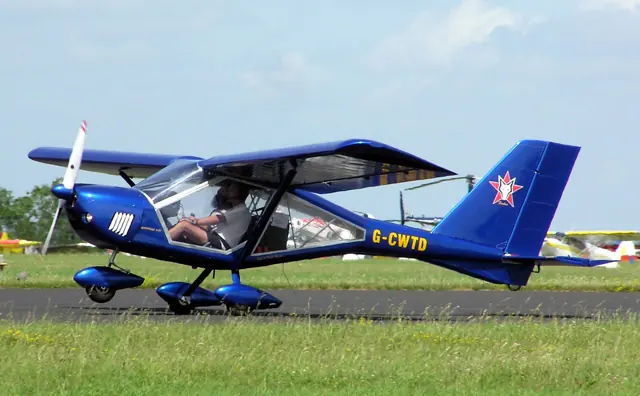
The A22-LS is a Ukrainian light sport aircraft from Aeroprakt. Its high wing, wide cabin glazing and tricycle landing gear suit recreational flying and instruction, while the represented version uses a Rotax 912 ULS engine.
VSKYLABS supplies an analog cockpit and an optional simulated autopilot. Its documentation describes separate native X-Plane 11 and 12 products and an independent development approved by, but not affiliated with, Aeroprakt.
A-22LS; manufacturer published specification
Got Friends Aeroprakt A-32 Vixxen · Got Friends · MSFS 2020 · MSFS 2024
The manual lists flaperon positions of 0, 10 and 20 degrees and identifies a pitch-trim lever. GMC307 and KAP140 panels are alternative cockpit arrangements. The software's adjustable cosmetic vibration is a separate presentation setting.
PDF6-9
Got Friends Aeroprakt A-32 Vixxen · Got Friends · MSFS 2020 · MSFS 2024
Got Friends lists different installation requirements for PMS and TDS navigation products. PMS uses its base product without an extra aircraft pack; TDS requires a compatible base installation and Got Friends' expansion.
PMS and TDS aircraft lists
The A32 Vixxen in Got Friends' manual uses a 100 hp Rotax 912iS and a fixed three-bladed propeller. Its wheeled configurations use 15-inch or 17.6-inch tyres. Flaperons combine the functions associated with roll control and flap extension.
The simulator offers alternative GMC307 and KAP140 cockpit arrangements. Its pitch-trim lever is separate from those avionics choices, and cosmetic vibration has its own adjustment.
Aeroprakt A32 Vixxen
EuroFOX / Aerotrek · VSKYLABS · X-Plane 11 · X-Plane 12
The package includes tricycle, conventional tailwheel and tundra-tyre tailwheel aircraft. VSKYLABS identifies these with the Aerotrek 240, 220 and 220 STOL names and models a 100 hp Rotax 912 installation.
Official developer / designated-store reference · checked 2026-09-14
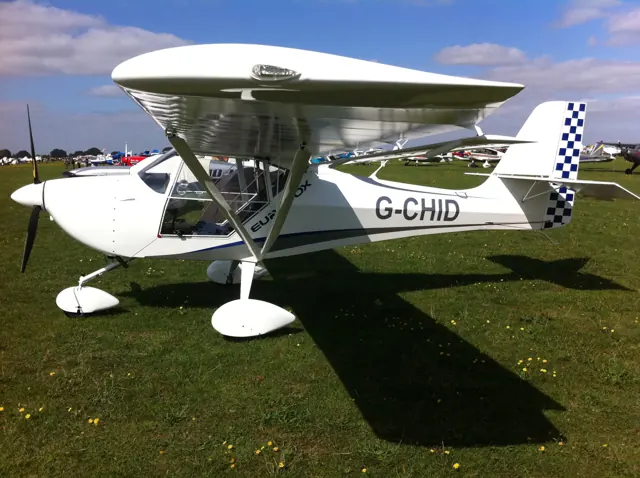
Aeropro’s EuroFOX has an enclosed side-by-side cockpit and folding wings. The Slovak design is offered with either tricycle or tailwheel landing gear; in North America those layouts are marketed as the Aerotrek 240 and 220.
VSKYLABS includes tricycle, conventional tailwheel and large-tyre tailwheel versions. All three simulated variants use a 100 hp Rotax 912 installation, with the cockpit and flight model built around X-Plane’s native aircraft systems.
EuroFOX family; manufacturer published dimensions
Aeros-2 trike · VSKYLABS · X-Plane 11 · X-Plane 12
The simulated trike uses a Rotax 503 engine and supports single-occupant or two-occupant configurations. The developer supplies separate X-Plane 11 and 12 products.
Official developer / designated-store reference · checked 2026-09-14
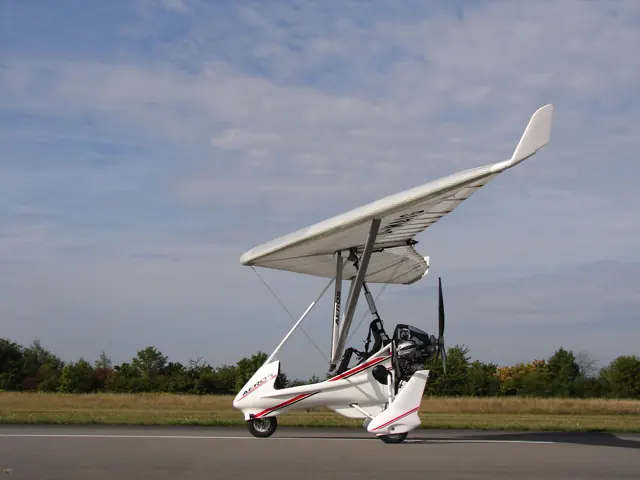
The Aeros-2 combines a flexible hang-glider wing with a powered trike carrying the occupants. The occupants sit in the open, with weight-shift control of the wing.
VSKYLABS represents a Rotax 503-powered configuration and allows one or two occupants in the simulation. Separate X-Plane 11 and 12 editions are offered.
VSKYLABS Aeros-2, Rotax 503 configuration
New aircraft, useful sources and improvements to AirframeDB. Occasional updates, when there’s something to share.