Find aircraft background, systems descriptions and manuals for the aircraft you are researching. Each note keeps its source and version context close by.
Simulator manuals describe the developer’s implementation. Aircraft background is research-based; pilot accounts describe an individual’s experience. Coverage here is limited to the selected notes and linked resources, not the full contents of every manual.
Boeing 727
Boeing developed the 727 after the 707, arranging three engines around the rear fuselage and a high T-tail. The first flight took place in 1963, with service following in 1964. Its elaborate high-lift wing supported the programme's airport-access ambitions.
The -100 and longer -200 have different proportions, while freighter conversions add another role. In the cockpit, a flight engineer and period autopilot installations create a very different workflow from a modern 737. The simulator manuals identify the installed flight-guidance systems.
Aircraft / family
Boeing 737 family · PMDG · PMDG · MSFS 2024 · MSFS 2020
Control-wheel steering and hardware options
PMDG documents autopilot reversion to control-wheel steering when the simulated controls are displaced. An aircraft option can instead ignore hardware input during autopilot operation. The introduction also gives electric-trim travel limits that depend on the 737 body variant.
MSFS introduction November 2022 · PDF p.30; AP reversion and electric-trim limits
732 TwinJet Professional · FlyJSim · X-Plane 11 · X-Plane 12
Released product and variants
The 737-200 Advanced is available as TwinJet V3 for XP11 and V4 for XP12. V4 adds a UNS-1 FMS retrofit, MFD-640 display, gravel kit and revised Sperry SP-77 autopilot modes. Those additions describe V4 and are not assumed for the older version.
Official developer / designated-store reference · checked 2026-09-14
747-8i (-8F) · Microsoft Flight Simulator · MSFS 2024
Acknowledging an autopilot disconnect
The guide recommends separate AUTOPILOT ON and AUTOPILOT OFF bindings. A further OFF command acknowledges the AUTOPILOT DISC warning; the master-warning control does not clear it. Using a toggle instead can engage the autopilot again. These are the manual’s simulator binding labels.
Working Title · first edition, November 2024 · PDF p.6
747-8 Intercontinental · Microsoft Flight Simulator · MSFS 2020
The AAU2 avionics and systems update
Microsoft’s MSFS 2020 release notes document a substantial 747-8i update: independent navigation and CDU displays, expanded flight-plan support including holds and missed approaches, and performance-based VNAV with wind forecasts and idle descent. The published changes also include autopilot landing modes, revised fuel and electrical logic, and functional GPS and inertial navigation. These changes belong to the June 2023 MSFS 2020 update.
Microsoft Flight Simulator · AAU2 version 1.33.8.0, 22 June 2023 · 747-8i / 787-10 section
Boeing 747 family · Felis · Felis · X-Plane 11 · X-Plane 12
A classic three-crew 747 simulation
Felis's 747-200 documentation describes custom autopilot and autoland systems, a separate autothrottle and extensive aircraft systems. The classic cockpit's analogue instruments and navigation equipment provide a different experience from the later 747-8. Release notes identify handling changes separately for X-Plane 11 and 12.
747-200 Classic passenger; XP11 and XP12 listed · Systems; Requirements; Version history
Boeing 757 · FlightFactor · FlightFactor · X-Plane 11 · X-Plane 12
Systems, loading and cockpit-building facilities
FlightFactor describes custom hydraulic and electrical systems, a three-channel autopilot with failure dependencies, and loading and fuel changes that affect centre of gravity. Its cockpit interaction options include mouse-wheel modes, manual tooltips and displayed datarefs for cockpit builders.
757 v2 · gathered developer product description, 10 September 2026
C-17 Globemaster III · Microsoft Flight Simulator · MSFS 2024
Modern transport controls with an explicit feature boundary
Miltech's C-17 guide describes fly-by-wire stabilisation and trim, selectable autopilot modes and stall-test controls. It explicitly marks VNAV, TURB and several other controls as unsupported in that version.
Archived simulator manual; installed package revision not observed · PDF pp.6,8,45,58
Boeing C-17 Globemaster III
McDonnell Douglas developed the C-17 for the US Air Force, with its first flight in 1991. Four turbofans, a high wing and a rear cargo ramp support the heavy-transport role. Its landing gear and high-lift design also address operations from relatively constrained airfields.
The Globemaster III can move very large equipment while retaining a modern two-pilot flight deck. The Miltech manual describes the simulator's flight-control and autopilot features, including functions that were not implemented in the documented version.
Aircraft / family
Boeing CH-47D Chinook · X-Trident · X-Plane 11 · X-Plane 12
Control hardware has a configuration choice
The documented AFCS supports both self-centring and non-centring joysticks. The package also lists a four-axis autopilot and VOR, TACAN, ADF and GPS navigation, with custom control panels.
X-Trident listing · developer-described behaviour
Boom XB-1 · Microsoft Flight Simulator · MSFS 2024
Pitch feel and roll response are different mechanisms
The XB-1 guide explicitly states that the aircraft has neither an autopilot nor fly-by-wire. It distinguishes pitch Q-feel scheduling from a roll-ratio changer: the latter changes control-surface response without changing feel.
MSFS2024 XB1 manual1.0 · PDF pp.6,27-28
Britten-Norman Islander · TorqueSim · X-Plane 12
A conventional radio panel with optional integrations
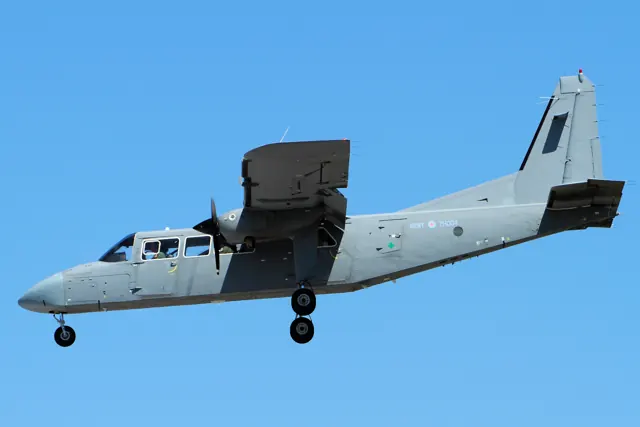
The Islander’s listed avionics include a KFC 225 autopilot, GTX 345 transponder and KR 87 ADF. X-Plane’s GNS units are supplied, while RealityXP navigators and the AFM G5 require their separate products. TorqueSim also links its manual and changelog from the aircraft page.
Developer-documented avionics and third-party dependencies