FOR AIRCRAFT DEVELOPERS
Research aircraft and systems
Find aircraft background, systems descriptions and manuals for the aircraft you are researching. Each note keeps its source and version context close by.
Simulator manuals describe the developer’s implementation. Aircraft background is research-based; pilot accounts describe an individual’s experience. Coverage here is limited to the selected notes and linked resources, not the full contents of every manual.
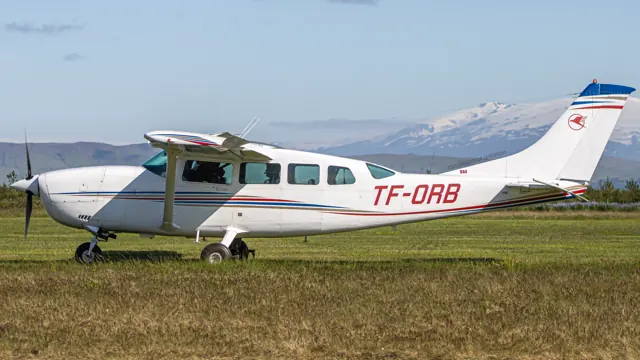
Cessna 207T
The 205, 206 and 207 developed into a family of fixed-gear Cessna utility singles. They trace their origins to the retractable-gear 210 but evolved around commercial passenger and freight work. The high wing and substantial cabin suit loading and practical transport.
The 207 is a stretched member of this family, and the T207 adds turbocharging. The simulator listing represents the 207T; the background source covers the wider Stationair family.
Aircraft / family
With trusting eyes behind me
Ellen Paneok · 5 January 1998
Dispatch: Bethel, Alaska
Aidan Loehr · 21 April 2012
Pilots: Traci DeWilde
Alton K. Marsh · 5 February 2000
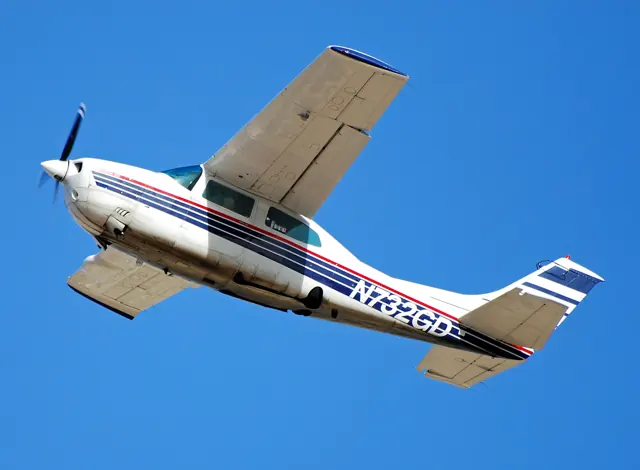
Cessna 210 Centurion
The 210 first flew in January 1957 and remained in production until 1986. Its high wing and retractable landing gear combine the familiar Cessna cabin arrangement with a different performance and equipment class from the basic trainers. Capacity and performance changed as the family developed over that production run.
Cessna 210: High Wing Cruiser
Michelee and Hal Cabot, interviewed by Bill Cox · 3 November 2015
Two Ten — Cessna T210 Turbo overview
Richard Collins · June 1988; AOPA fact-sheet reprint
Waypoints: Tailwinds, Richard
Thomas B. Haines · July 2018
Cessna 310
The Cessna 310 is a piston twin with a low wing, retractable landing gear and a side-by-side cabin cockpit. Blackbird’s 310R documentation places it in Cessna’s 1950s light-twin lineage and notes that the last 310R left the factory in 1981. Its twin engines, propeller controls and fuel management add another layer of cockpit work to the familiar yoke-and-pedal arrangement.
The 310R guide identifies dual yokes, electric pitch trim and separate pitch, roll and yaw trim wheels. The KAP140 automatic-flight system is part of that rendition.
Blackbird 310R · Separate Digital Replica and Blackbird products
Cessna 337 Skymaster · Thranda · X-Plane 11 · X-Plane 12
Arrange the panel and loading for your mission
Thranda’s DGS Skymaster includes movable instruments, saved panel presets, pop-out instrument windows and interchangeable yoke styles. Its loading menu can hide seats and replace occupied space with cargo, with a weight-and-balance chart and optional cargo pod. These choices let the simulator aircraft represent different working layouts.
Designated X-Plane.org store · gathered 12 September 2026
Cessna 337 Skymaster · Thranda · X-Plane 11 · X-Plane 12
Separate engine sounds and electrical dependencies
The listing describes distinct front- and rear-engine sounds, individual circuit breakers and weather effects on the windscreen. Its version history records fixes for cargo-pod persistence and cowl flaps moving without electrical power. The gathered release is version 1.0.5, dated February 2023, for X-Plane 11 and 12.
Designated store · product description and version history
Cessna 337 Skymaster
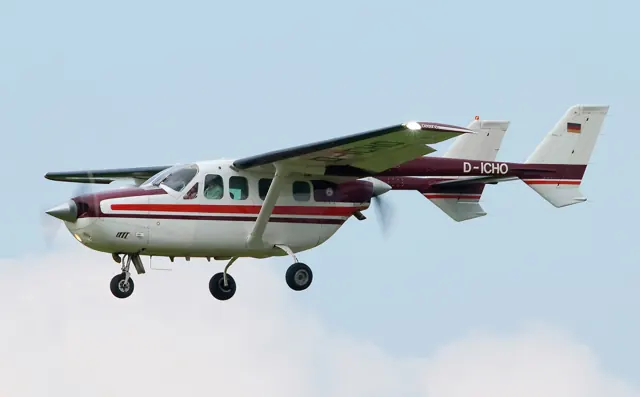
The Skymaster places its engines on the aircraft centreline, with the rear propeller between twin tail booms. That layout makes it immediately recognizable beside conventional twins with wing-mounted engines. The military O-2 developed from the 337. The simulator products represent the civil Skymaster, with photographed and documented variants identified separately.