

Start here
A few places to begin, from the aircraft’s story to the people who fly it.
Meet the aircraft
The Challenger began with a Bill Lear concept taken forward by Canadair in the 1970s. Its broad cabin and supercritical wing were central parts of the design. Later ownership and development under Bombardier produced a long sequence of engine, avionics and cabin updates. The Challenger 650 belongs to a much later generation than the original 600. Hot Start's simulator product represents that specific aircraft and its systems environment.
Aircraft background
Wikipedia contributors · Read more ↗Bringing home a new ambulance jet
Nagel had brought Rega’s first Challenger 650 to Switzerland when he explained why the organisation had stayed with a familiar aircraft family. Outwardly, the new jet looked much like its predecessor. Inside, improved patient beds, loading equipment and cockpit technology reflected the detailed requirements of an air-ambulance operator. Reliability mattered personally to the crew sent to collect someone far from home.
Rega interview · May 2018. Chief pilot who flew the first Challenger 650 to Switzerland, comparing the new aircraft with Rega’s preceding CL-604 fleet.
Swiss Air-Rescue Rega · Read more ↗Electrical demand reaches back to the engines
Hot Start describes an electrical model in which consumers draw power from generators, which in turn impose load on the engines. Study windows expose component behaviour, offering a way to explore what lies behind an indication.
Challenger 650 · X-Plane 11 · X-Plane 12
Hot Start / X-Aviation · Read more ↗Into the cockpit
 YouTube
 Reflected Reality Simulations
Hot Start Challenger 650 - 1 - Preparation and Power Up
The first part of a preparation and power-up walkthrough.
Hot Start Challenger 650; X-Plane; 2022 tutorial
Watch on YouTube ↗Preview images are served by AirframeDB. Videos open on YouTube only when you choose to watch.
Meet Bombardier Challenger 650
The Challenger began with a Bill Lear concept taken forward by Canadair in the 1970s. Its broad cabin and supercritical wing were central parts of the design. Later ownership and development under Bombardier produced a long sequence of engine, avionics and cabin updates.
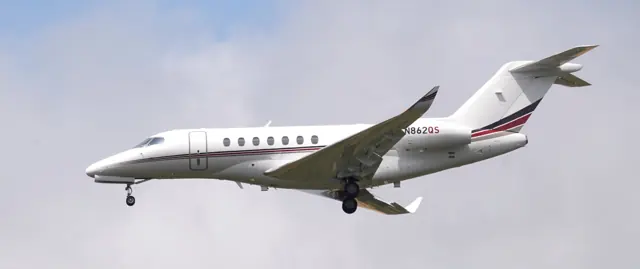
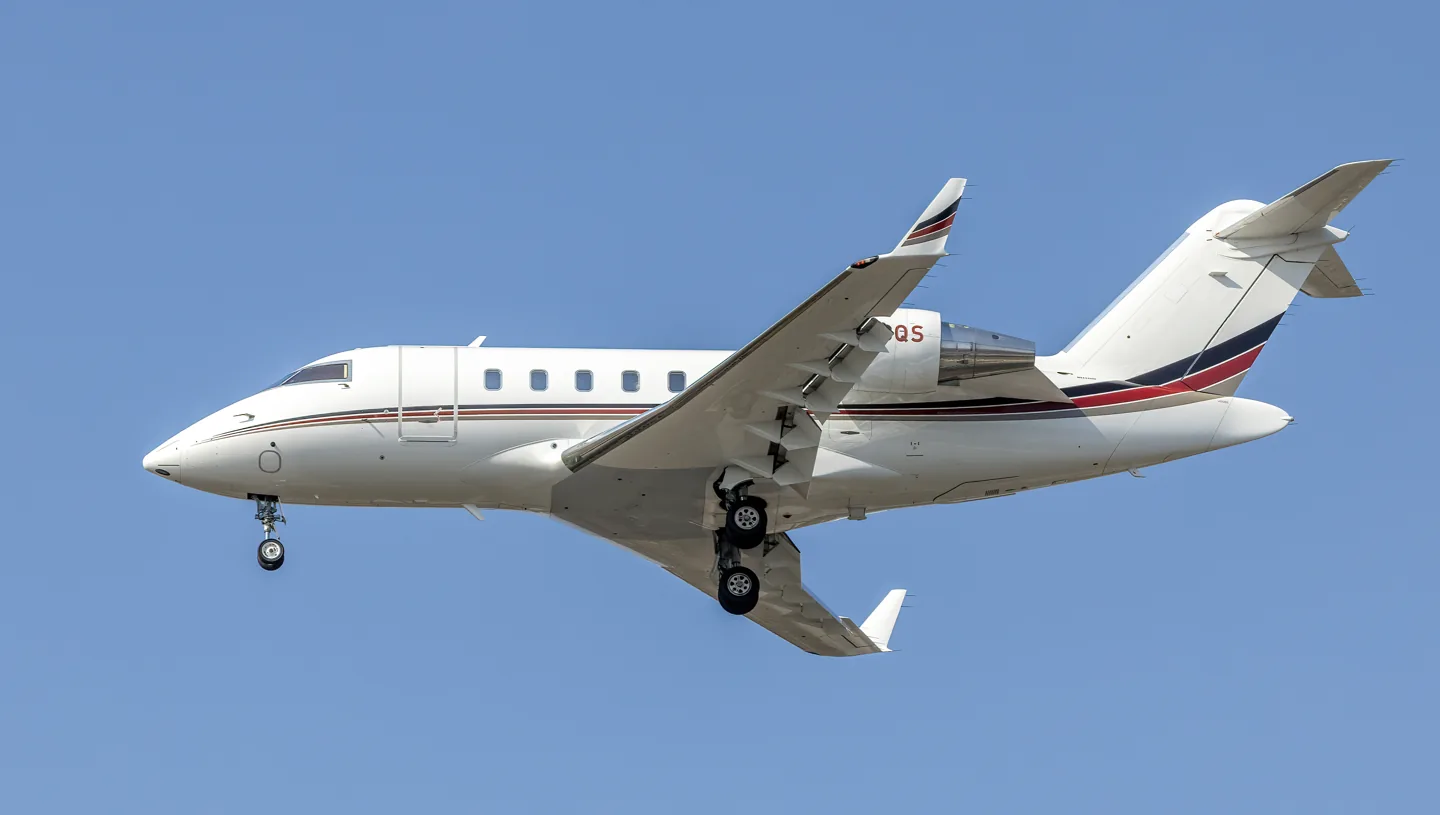
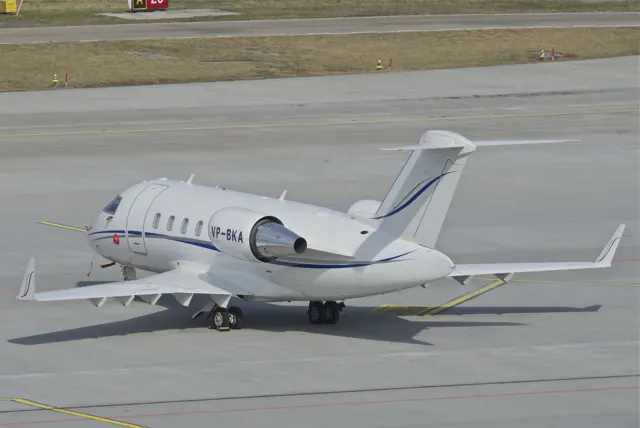
The Challenger 650 belongs to a much later generation than the original 600. Hot Start's simulator product represents that specific aircraft and its systems environment. The family photograph depicts a 604, whose equipment differs from the 650.
Bombardier Challenger 650
Bombardier → · Explore the family →
Bombardier Challenger 650
Wikipedia contributors · Bombardier Challenger 600 series ↗Hot Start · X-Plane 11 · X-Plane 12 →Aircraft type designators
Use the code for the model you are flying. The linked authority lists the applicable aircraft.
History & design
A familiar airframe adapted around its patients
Rega’s 2018 renewal replaced its CL-604s with three Challenger 650 ambulance jets. The selection preserved useful commonality while allowing investment in medical equipment, cabin lighting, soundproofing and patient loading. The organisation’s requirements extended well beyond the cockpit or the appearance of a business-jet cabin.
Swiss Air-Rescue Rega · The reliability of our ambulance jets is decisive for us ↗Rega fleet-renewal interview · May 2018; historical configuration
Development milestones
First flight: 8 November 1978
Wikipedia contributors · Bombardier Challenger 600 series ↗Bombardier Challenger 600 series · family/variant named by the source · Wikipedia revision 1367047086
Systems & details
Documented detail
Developer release notes list stabilizer-dependent pitch feel and an elevator-control gain mechanism. They do not establish an externally documented force curve or dataref.
Documented detail
Release notes add gRPC, address early DataRefTool reads and correct AFCS/FDR labels. The API schema and exact feel signals were not obtained.
Pilot accounts
Bringing home a new ambulance jet
Nagel had brought Rega’s first Challenger 650 to Switzerland when he explained why the organisation had stayed with a familiar aircraft family. Outwardly, the new jet looked much like its predecessor. Inside, improved patient beds, loading equipment and cockpit technology reflected the detailed requirements of an air-ambulance operator.
Reliability mattered personally to the crew sent to collect someone far from home. Nagel pointed out that a medical flight could not simply transfer its passenger to another service if the aircraft became unavailable. Familiar equipment also eased training and spare-parts demands. He looked forward to using the new radar and communications equipment on everyday missions, with more direct journeys offering practical benefits for the people being brought back.
Rega interview · May 2018. Chief pilot who flew the first Challenger 650 to Switzerland, comparing the new aircraft with Rega’s preceding CL-604 fleet.
Read the full account · Swiss Air-Rescue Rega ↗The first Challenger 650 arrival in Lugano
Flückiger and Nagel knew Lugano-Agno, but this arrival carried a new distinction: it was the first visit by Rega’s Challenger 650. Their flight from Vienna brought a patient home to Ticino. The short runway required careful preparation, while the cabin team readied their patient for landing.
As the jet descended between the hills, Nagel used the head-up display to keep flight information in view. HB-JWA touched down gently and stopped with runway remaining. The pilots’ work continued on the ground: Flückiger opened the exit and lowered the steps, then helped Nagel install the loading ramp. An ambulance arrived to complete the transfer, making the flight one part of a coordinated journey from one hospital to another.
Rega’s reported crew account by Harald Schreiber · November 2018, PDF pp.24–27. Flückiger was copilot and Nagel captain of HB-JWA; this is reporting about their mission, not a first-person interview.
Read the full account · Swiss Air-Rescue Rega ↗Questioning an inherited way of doing the job
Albright had less than a year on the Challenger 604 when he was asked to test its air-driven generator. Colleagues found reasons to be elsewhere, and the pilot accompanying him agreed only if Albright would both command and fly the aircraft. That nervous reception encouraged him to examine the manufacturer’s procedure for himself.
He took time over the flight and found the actual test uneventful. Afterwards, he learned that his department had been doing it quickly in the traffic pattern. The contrast stayed with him. In his later essay, the experience became an example of how a familiar local practice could escape questioning simply because people had inherited it from those who came before.
Code 7700 · updated June 2020. Earlier Challenger 604 experience, included as family context; it is not a Challenger 650 test or an operating procedure.
Read the full account · Code 7700 ↗In your simulator
Systems, equipment and documentation for each developer’s aircraft.
X-Plane 11 · X-Plane 12Challenger 650
Hot Start · Released
Challenger 650
Hot Start · Released
Aircraft specifications
Published figures for the named real-aircraft variant. Simulator equipment and performance can differ.
| Specification | Published value |
|---|---|
| Length | 20.85 m (68 ft 5 in) |
| Wingspan | 19.61 m (64 ft 4 in) |
| Height | 6.30 m (20 ft 8 in) |
| Wing area | 45.4 m² (489 sq ft) |
| Empty weight | 12,315 kg (27,150 lb) |
| Max takeoff weight | 21,863 kg (48,200 lb) |
| Powerplant | 2 × General Electric CF34 -3B turbofans , 41.0 kN (9,220 lbf) thrust each |
| Maximum speed | Mach 0.85 |
| Range | 7,400 km (4,600 mi, 4,000 nmi) |
| Service ceiling | 12,000 m (41,000 ft) |
Manuals & resources
Find your next read
Choose a topic for a short introduction and a link to the original source. Simulator references identify the developer and edition they cover.
Simulator documentation
A business-jet simulation that begins before the cockpitChallenger 650 · Hot Start · X-Plane 11 · X-Plane 12
Hot Start's Challenger includes an FBO environment with fuel orders, de-icing and passenger coordination, alongside a quicker simulator mode. Its Pro Line 21 Advanced avionics are modelled as separate computers exchanging information over simulated data buses. The developer also provides system-study windows, allowing a simmer to inspect the electrical and physical models behind the cockpit indications.
Hot Start Challenger 650 · Product description; Experience, Architecture and Avionics; checked 2026-09-12
Hot Start / X-Aviation · Read the source ↗Electrical demand reaches back to the enginesChallenger 650 · Hot Start · X-Plane 11 · X-Plane 12
Hot Start describes an electrical model in which consumers draw power from generators, which in turn impose load on the engines. Study windows expose component behaviour, offering a way to explore what lies behind an indication.
Developer architecture and physics description · archived September 2026
Hot Start / X-Aviation · Read the source ↗Instrument information travels between simulated computersChallenger 650 · Hot Start · X-Plane 11 · X-Plane 12
The developer’s example follows pressure altitude from the air-data computers through concentrators to the transponders. Redundant inputs and source selection are part of that model, helping explain why an instrument depends on equipment elsewhere in the aircraft.
Developer architecture description; software design claim, not runtime qualification
Hot Start / X-Aviation · Read the source ↗Pilot account
Bringing home a new ambulance jetRega interview · May 2018. Chief pilot who flew the first Challenger 650 to Switzerland, comparing the new aircraft with Rega’s preceding CL-604 fleet.
Nagel had brought Rega’s first Challenger 650 to Switzerland when he explained why the organisation had stayed with a familiar aircraft family. Outwardly, the new jet looked much like its predecessor. Inside, improved patient beds, loading equipment and cockpit technology reflected the detailed requirements of an air-ambulance operator. Reliability mattered personally to the crew sent to collect someone far from home.
Urs Nagel
Swiss Air-Rescue Rega · Read the source ↗The first Challenger 650 arrival in LuganoRega’s reported crew account by Harald Schreiber · November 2018, PDF pp.24–27. Flückiger was copilot and Nagel captain of HB-JWA; this is reporting about their mission, not a first-person interview.
Flückiger and Nagel knew Lugano-Agno, but this arrival carried a new distinction: it was the first visit by Rega’s Challenger 650. Their flight from Vienna brought a patient home to Ticino. The short runway required careful preparation, while the cabin team readied their patient for landing. As the jet descended between the hills, Nagel used the head-up display to keep flight information in view. HB-JWA touched down gently and stopped with runway remaining.
Nadine Flückiger and Urs Nagel
Swiss Air-Rescue Rega · Read the source ↗Read the original documentation from the people who created it. Manuals open on their publisher’s website.
Manual
Challenger 650 aircraft manualsX-Pilot community library X-Plane aircraft and avionics manualsLaminar ResearchAircraft background
Bombardier Challenger 600 seriesWikipedia contributors · Research background · Wikipedia revision 1367047086 · retrieved 2026-09-12Resource
Challenger 650 productHot Start / X-Aviation Challenger 650 v1.6.1 change logHot Start / X-Aviation Challenger 650 v1.9 release notesHot Start / X-AviationType designator
ICAO Doc 8643 — aircraft type designatorsInternational Civil Aviation Organization · Public search data retrieved 2026-09-14; authority update 2026-09-03Built-in force-feedback profiles
Read the documentary basis, editable starting settings and remaining questions for the aircraft you fly. Each explanation refers to the exact profile revision shown.
Catalogue programme-20261022-v1 · 2 profile choices
Hot Start Challenger 650
Hot Start · Free and Pro · Revision 3 · Inherited starting point
X-Plane 12
Hot Start Challenger 650: The configured spring supplies hardware feel independently of Hot Start's optional input-feel transformation; the developer provides no calibrated force curve.
Bombardier Challenger 650
Free and Pro · Revision 2 · Inherited starting point
X-Plane 12 · X-Plane 11
Bombardier Challenger 650: The configured spring supplies hardware feel independently of Hot Start's optional input-feel transformation; the developer provides no calibrated force curve.
Hot Start Challenger 650
Hot Start Challenger 650: The configured spring supplies hardware feel independently of Hot Start's optional input-feel transformation; the developer provides no calibrated force curve.
Aircraft and simulator scope
- Hot Start Challenger 650 · Hot Start · X-Plane 12 · Add-on starting point
The simulator model and controls
The Challenger began with a Bill Lear concept taken forward by Canadair in the 1970s. Its broad cabin and supercritical wing were central parts of the design. Later ownership and development under Bombardier produced a long sequence of engine, avionics and cabin updates.
This profile selects Hot Start Challenger 650 for X-Plane 12.
How this profile feels
The spring stays independent of airspeed. Directed aerodynamic loading is omitted.
Pitch-trim relief is off. Autopilot following is enabled for supported control references.
Controls and trim
Hot Start's Challenger 650 has its own X-Plane 12 systems. Its developer describes trim-dependent pitch input feel and advises disabling that add-on input-feel option for FFB controls. That option changes simulated input response; it does not publish an absolute force ratio or a calibrated hardware spring curve. Older Challenger-family material remains background rather than an exact 650 interface.
The selected implementation
Hot Start describes trim-dependent pitch input feel and disabling that add-on option for FFB. It is an input transformation, not an absolute hardware-force curve.
About the values
The gains are normalized profile settings. They describe the chosen effect balance; hand force depends on the device and its output limits. IAS references are tuning values rather than operating limits. Physical acceptance of this revision remains pending.
Documentary review and sources
These decisions describe the documentary basis and remaining gaps for this revision. Aircraft documentation and a starting setting describe different kinds of evidence.
Aircraft and variant
InheritedThis profile selects Hot Start Challenger 650 for X-Plane 12.
Flight controls
InheritedHot Start's Challenger 650 has its own X-Plane 12 systems. Its developer describes trim-dependent pitch input feel and advises disabling that add-on input-feel option for FFB controls. That option changes simulated input response; it does not publish an absolute force ratio or a calibrated hardware spring curve. Older Challenger-family material remains background rather than an exact 650 interface.
Trim
InheritedPitch response is trim-dependent in the documented input-feel option, but profile pressure relief is a separate chosen hardware approximation. Pitch relief is off, with stored authority 0; roll authority is 0.
Autopilot and stability
InheritedFollowing is on at 0.1 authority when a supported, valid autopilot control reference is available.
Equipment
InheritedHot Start describes trim-dependent pitch input feel and disabling that add-on option for FFB. It is an input transformation, not an absolute hardware-force curve.
Speeds and limits
InheritedThe indicated-speed references set the profile response scale; they are separate from aircraft operating limits.
Simulator integration
InheritedThe profile targets xplane12. Add-on-specific controls use only the supported references configured by this profile.
Force-feedback settings
InheritedThe settings define the profile’s effect balance. Device output limits affect physical hand force.
Starting settings and their rationale
These configured values are starting estimates. The explanations describe what each setting controls; physical validation appears separately below.
| Setting | Starting value | What it controls and why |
|---|---|---|
| Spring strength | Starting value0.56 | What it controls and whyThe configured spring supplies hardware feel independently of Hot Start's optional input-feel transformation; the developer provides no calibrated force curve. The baseline spring is 0.56. Low-speed spring blending is off. |
| Master force gain | Starting value0.8 | What it controls and whyScales overall profile strength while preserving effect balance, subject to device and output limits. |
| Profile force gain | Starting value0 | What it controls and whyThe stored 0 aerodynamic-load gain is inactive under the zero hydraulic-load factor. |
| Force tuning speed/reference | Starting value250 kt | What it controls and whySets the IAS reference for aerodynamic loading. It is an estimate, not published cruise TAS or a flight limit. |
| Spring response reference speed | Starting value65 kt | What it controls and whySets the IAS where the low-speed blend reaches baseline strength; high-speed stiffening also uses it. |
| Aileron force scale | Starting value0.78 | What it controls and whyRoll and pitch aerodynamic scales are 0.78 and 1, respectively. These stored weights do not create directed aerodynamic loading while that term is inactive. No custom spring-travel curve is enabled. |
| Elevator force scale | Starting value1 | What it controls and whyScales pitch aerodynamic loading; pitch spring travel and trim responses are separate settings. |
| Trim feel | Starting valueDisabled | What it controls and whyRetained for compatibility and group membership. Trim relief, rather than this flag, controls centre movement. |
| Trim relief | Starting valueDisabled | What it controls and whyAllows trim relief with supported control law and valid telemetry. Axis authorities set its amount. |
| Autopilot follow | Starting valueEnabled | What it controls and whyFollowing is on at 0.1 authority when a supported, valid autopilot control reference is available. |
| Autopilot neutral hold | Starting valueDisabled | What it controls and whyPermits centering hold during a supported AP state, separate from following a moving target. |
| Output force limit | Starting value0.55 | What it controls and whyCaps directed-force output. Native spring effects and device limits remain separate. |
All 46 starting settings and their rationale
The settings define the profile’s effect balance. Device output limits affect physical hand force.
| Setting | Starting value | What it controls and why |
|---|---|---|
| Spring strength | Starting value0.56 | What it controls and whyThe configured spring supplies hardware feel independently of Hot Start's optional input-feel transformation; the developer provides no calibrated force curve. The baseline spring is 0.56. Low-speed spring blending is off. |
| Spring deadband | Starting value0.035 | What it controls and whySets travel around the centre before the baseline spring resists. Smaller values engage it sooner. |
| Starting centering force | Starting value0.2 | What it controls and whyAdds smoothly ramped resistance outside the centre deadband. Zero removes this preload. |
| Center Starting Force Transition | Starting value0.05 | What it controls and whySets the travel used to ramp in centre preload. Wider intervals make its onset more gradual. |
| Profile force gain | Starting value0 | What it controls and whyThe stored 0 aerodynamic-load gain is inactive under the zero hydraulic-load factor. |
| Master force gain | Starting value0.8 | What it controls and whyScales overall profile strength while preserving effect balance, subject to device and output limits. |
| QBlend Enabled | Starting valueDisabled | What it controls and whyAllows baseline spring strength to rise with indicated airspeed where the control law permits it. |
| QSpring Minimum Factor | Starting value0.55 | What it controls and whySets low-speed spring strength as a fraction of baseline when blending is enabled. One keeps full strength. |
| QSpring Start Knots | Starting value8 kt | What it controls and whySets the IAS where the low-speed spring blend starts rising. This is a feel threshold, not a flight limit. |
| Spring response reference speed | Starting value65 kt | What it controls and whySets the IAS where the low-speed blend reaches baseline strength; high-speed stiffening also uses it. |
| Force tuning speed/reference | Starting value250 kt | What it controls and whySets the IAS reference for aerodynamic loading. It is an estimate, not published cruise TAS or a flight limit. |
| Airspeed spring stiffening gain | Starting value0 | What it controls and whyThe high-speed spring-stiffening gain is 0. No additional speed-driven stiffening is added; this does not disable independent aerodynamic loading. |
| Airspeed spring stiffening limit | Starting value5 | What it controls and whyLimits the squared airspeed ratio used for high-speed spring stiffening; it is not a device-force cap. |
| Aileron force scale | Starting value0.78 | What it controls and whyRoll and pitch aerodynamic scales are 0.78 and 1, respectively. These stored weights do not create directed aerodynamic loading while that term is inactive. No custom spring-travel curve is enabled. |
| Elevator force scale | Starting value1 | What it controls and whyScales pitch aerodynamic loading; pitch spring travel and trim responses are separate settings. |
| Output force limit | Starting value0.55 | What it controls and whyCaps directed-force output. Native spring effects and device limits remain separate. |
| Trim feel | Starting valueDisabled | What it controls and whyRetained for compatibility and group membership. Trim relief, rather than this flag, controls centre movement. |
| Trim relief | Starting valueDisabled | What it controls and whyAllows trim relief with supported control law and valid telemetry. Axis authorities set its amount. |
| Elevator Authority | Starting value0 | What it controls and whyPitch response is trim-dependent in the documented input-feel option, but profile pressure relief is a separate chosen hardware approximation. Pitch relief is off, with stored authority 0; roll authority is 0. |
| Aileron Authority | Starting value0 | What it controls and whyScales supported roll-trim relief and permitted centre movement. Zero removes roll response. |
| Force Trim Enabled | Starting valueDisabled | What it controls and whyEnables local force trim, separate from aircraft-owned trim and add-on integration qualification. |
| GLoad Enabled | Starting valueDisabled | What it controls and whyAllows load-factor changes to modify permitted spring laws. Passive fly-by-wire feel can suppress it. |
| Rate Damping Enabled | Starting valueDisabled | What it controls and whyEnables rate damping with the configured coefficients and control law. |
| Autopilot follow | Starting valueEnabled | What it controls and whyFollowing is on at 0.1 authority when a supported, valid autopilot control reference is available. |
| Autopilot follow authority | Starting value0.1 | What it controls and whySets admitted AP-follow gain, not a percentage of travel. Runtime ownership and input limits still apply. |
| Autopilot neutral hold | Starting valueDisabled | What it controls and whyPermits centering hold during a supported AP state, separate from following a moving target. |
| Autopilot neutral hold strength | Starting value0.6 | What it controls and whySets admitted AP neutral-hold strength; inactive while neutral hold is disabled. |
| Enabled | Starting valueEnabled | What it controls and whyEnables aerodynamic cues; each still needs nonzero strength and its simulator conditions. |
| Gain | Starting value0 | What it controls and whySets stall-buffet strength. Zero removes the cue without changing simulator stalls or warnings. |
| Gain | Starting value0 | What it controls and whySets high-Mach buffet strength; onset and full-strength thresholds are separate. |
| Gain | Starting value0 | What it controls and whySets flap buffet at the configured position and speed gates. Flap movement texture is separate. |
| Maximum flap index | Starting value3 | What it controls and whySets the final flap index for detent normalization. UP plus three detents uses maximum index3. |
| Minimum flap index | Starting value2 | What it controls and whySets the first flap detent that admits buffet; this is a handle index, not degrees. |
| Gain | Starting value0 | What it controls and whySets gear aerodynamic buffet; movement and ground-contact cues are separate. |
| Shaker Enabled | Starting valueEnabled | What it controls and whyPermits shaker at supported warning conditions; the switch does not establish aircraft equipment. |
| Stick shaker amplitude | Starting value0.9 | What it controls and whySets triggered shaker strength; inactive while the shaker feature is disabled. |
| Enabled | Starting valueEnabled | What it controls and whyEnables ground effects; each still needs its own strength and contact or motion telemetry. |
| Gain | Starting value0.4 | What it controls and whySets rolling texture strength, modified by speed, surface and undercarriage configuration. |
| Gain | Starting value0.32 | What it controls and whySets gear-bump texture during ground motion, separate from touchdown impact. |
| Gain | Starting value0.9 | What it controls and whySets landing-impact strength; landing telemetry and response shape determine the pulse. |
| Gain | Starting value0 | What it controls and whySets reverse-thrust vibration with valid reverser and engine conditions. Zero removes the cue. |
| Enabled | Starting valueEnabled | What it controls and whyEnables engine cues with nonzero settings and valid running-engine telemetry. |
| Gain | Starting value0.018 | What it controls and whySets estimated engine vibration using configured telemetry and response, not measured cockpit vibration. |
| Enabled | Starting valueEnabled | What it controls and whyEnables accessory cues with configured strengths and observed accessory movement. |
| Gain | Starting value0.022 | What it controls and whySets texture from observed flap movement; a command without movement does not establish the cue. |
| Gain | Starting value0.025 | What it controls and whySets texture from observed gear movement, separate from aerodynamic and touchdown effects. |
Limits and open questions
- Hot Start Challenger 650; xplane12. Previously observed titles and implementation identifiers are retained; installed matching remains deferred.
- Powered conventional yoke with nominal artificial feel. A constant spring is an explicitly limited approximation of the documented trim-dependent pitch-feel gradient.
- No guessed force-ratio/gradient or9-degree scaling from invalid HSTCU data. Populated standard trim is preserved, but not converted to physical neutral without a verified relationship.
- The existing Hot Start integration checks positive author identity, AP_ENG_A/B and both SVO clutch authorities. FD SYNC can leave AP engaged with servos released; stale/partial authority inhibits follow. Guarded AP following remains available within its separately recorded installed/physical acceptance scope. Neutral hold remains disabled.
- Twin jet with retractable gear, flaps and spoilers. Existing additive positive STKSHAKE motor observation remains available; no voltage-to-torque or pusher mapping.
- 250 KIAS is an estimated feel reference, not cruise TAS or a certified limit. No invented Mach, VNE or weight scheduling.
- The existing CL650 integration uses normalized cockpit columns, plugin input ownership, independent freshness and invalid HSTCU rejection. Aircraft user settings are not changed automatically. Variable pitch feel needs an actual force ratio and valid indicated-position mapping; source review establishes neither.
- Spring 0.56; lateral scale 0.78; trim authorities 0/0; per-axis output cap .55. Editable engineering estimates, not measured hand forces. No body-rate torque, surface following or fabricated hydraulic-failure loads.
- New physical and installed-product checks deferred by owner. Existing separately recorded acceptance retains its original device, simulator, add-on and version limits. Source review does not broaden custom telemetry acceptance.
- Only actual accessory position changes drive movement texture; static drag and command-triggered kicks are disabled. Select and save an aircraft default when telemetry lacks a discriminating developer/configuration identity.
- Centre starting force 0.2 with a 0.05 minimum transition (revision 3, 2026-09-25, docs/cl650-center-starting-force-2026-09-25.md): extra restoring force outside the 3.5% spring deadband around the spring centre, added for the reported loose centre that a native spring coefficient at the device ceiling cannot firm. It rises no faster than the native spring (the combined centre gradient is doubled until the 0.16 post-gain hold is reached, about 36% of pitch travel beyond the deadband), then holds. MOZA bases render it as a second firmware Spring condition on every force backend (Windows raw HID/PID, DirectInput, macOS IOHID/PID, Linux evdev), allocated only while the profile requests it; other devices fold the same slope-bounded curve into the constant channel. The 3.5% deadband is retained: the reporter's own Cockpit preset pairs a 7% pitch dead zone with a firmware starting force, so the missing element was the starting force, not the deadband. The value is an editable engineering estimate bounded by the device envelope; physical comparison, including hands-off behaviour on a low-friction direct-drive base, is pending.
Physical validation
No physical force validation is recorded in this public catalogue for this revision. Documentary review and software checks do not establish how a particular device feels.
Discuss this aircraft (0)
Questions, observations and useful sources from the community.
No published discussions yet. Bring a question or share a useful source.
Open aircraft discussions →Content expanded · What’s new
Something missing or a source that needs attention?
Suggest a correction ↗