


Start here
A few places to begin, from the aircraft’s story to the people who fly it.
Meet the aircraft
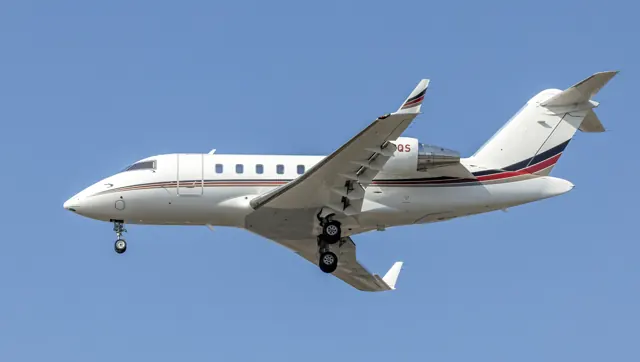
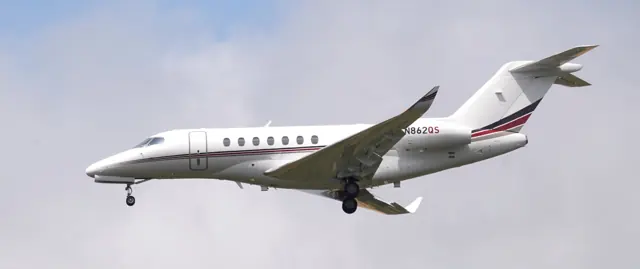
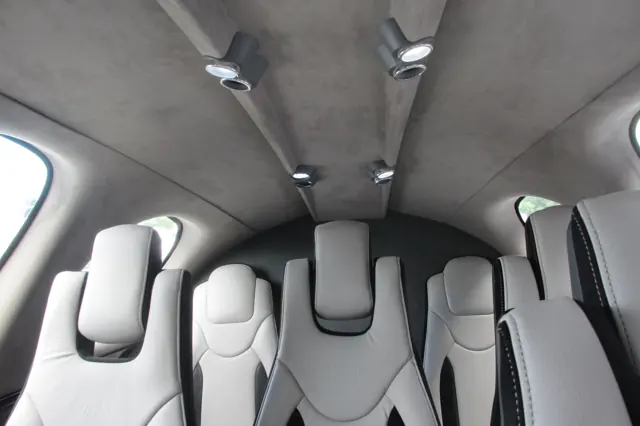
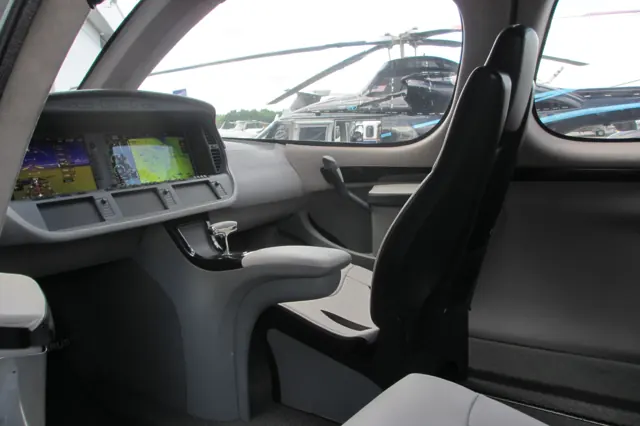
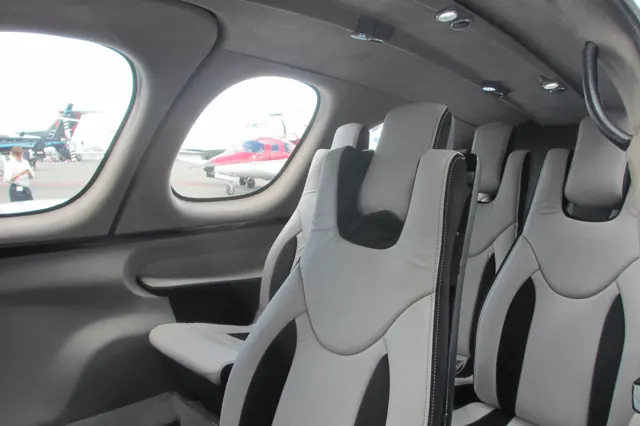
The Vision Jet applies Cirrus's personal-aircraft approach to a small jet. Its single turbofan is mounted above the fuselage, between the surfaces of the V-tail. The cabin and flight deck are arranged for an owner-pilot market, and the aircraft includes a whole-aircraft parachute system. The SF50 is therefore a different proposition from a scaled-down twin-engine business jet.
Aircraft background
Wikipedia contributors · Read more ↗The first demo feels familiar in unexpected places
Pierce arrived excited about an aircraft he had already ordered, and his account is openly enthusiastic. The placement of familiar switches helped him settle into the cockpit, while the turbine startup and broad windows made the departure feel special. Once airborne, he found the controls responsive and the cabin noticeably quieter as the power came back.
Author’s blog · March 2017. Early Vision Jet demonstration from Orlando Executive with company pilot Justin; Pierce held a delivery position and already flew an SR22 Turbo.
Brad in Motion · Read more ↗Ice-protection indications in a documented revision
Sim Update 2 identifies Vision Jet package 0.5.11 and Working Title’s changes. These include stall-speed offsets when wing/stabiliser ice protection is selected, an IPS Stall Offset Reset control, revised flap logic and cabin-pressure calculations. The notes also document checklist-wheel behaviour. The changes date to May 2025.
Vision SF50 (VisionJet) · Microsoft Flight Simulator · MSFS 2024
Microsoft Flight Simulator · Read more ↗Into the cockpit
 YouTube
 Blaze Grubbs · 26 min ·
Cirrus Vision Jet Flight Vlog! Florida to Oklahoma in the SF50!
A pilot shares a Vision Jet journey from Florida to Oklahoma.
Real aircraft · Cirrus Vision SF50
Watch on YouTube ↗Preview images are served by AirframeDB. Videos open on YouTube only when you choose to watch.
Meet Cirrus Vision SF50
The Vision Jet applies Cirrus's personal-aircraft approach to a small jet. Its single turbofan is mounted above the fuselage, between the surfaces of the V-tail. The cabin and flight deck are arranged for an owner-pilot market, and the aircraft includes a whole-aircraft parachute system.
Avionics and automation evolved between SF50 generations; the simulator products identify their represented equipment.
Cirrus Vision SF50
Aircraft type designators
Use the code for the model you are flying. The linked authority lists the applicable aircraft.
History & design
The conforming aircraft takes flight
Cirrus’s C0 flew from Duluth on 24 March 2014 with chief test pilot Mike Stevens. It was the first of three conforming test aircraft, assembled using production drawings, tooling and processes. This certification-stage flight is distinct from the programme’s earlier prototype flying.
Cirrus Aircraft · First Flight of the Vision Jet ↗Cirrus announcement · published the day after the flight
Designed as a step from a piston single
Cirrus positioned the pressurised, single-engine Vision between high-performance piston aircraft and light jets. Its cabin and control arrangement were intended to make that progression familiar to SR-series owners, while the airframe parachute remained a defining part of the concept.
Cirrus Aircraft · First Flight of the Vision Jet ↗Manufacturer’s 2014 description of the programme’s purpose
Development milestones
First flight: First prototype: 3 July 2008 Conforming prototype: 24 March 2014 First production: 5 May 2016
Wikipedia contributors · Cirrus Vision SF50 ↗Cirrus Vision SF50 · family/variant named by the source · Wikipedia revision 1365077528
Pilot accounts
The first demo feels familiar in unexpected places
Pierce arrived excited about an aircraft he had already ordered, and his account is openly enthusiastic. The placement of familiar switches helped him settle into the cockpit, while the turbine startup and broad windows made the departure feel special. Once airborne, he found the controls responsive and the cabin noticeably quieter as the power came back.
Landing at Lakeland produced his strongest reaction: the touchdown felt so gentle that he asked whether they were already on the ground. A second flight back to Orlando gave him another smooth landing and more confidence with the avionics. He left discussing colours, interiors and options. This is a prospective owner’s first demonstration experience, including close relationships with the company, rather than a completed transition course or an independent comparison of jets.
Author’s blog · March 2017. Early Vision Jet demonstration from Orlando Executive with company pilot Justin; Pierce held a delivery position and already flew an SR22 Turbo.
Read the full account · Brad in Motion ↗The smile came after demanding transition training
Jolley’s pleasure in taking delivery followed years of waiting and an intensive training programme. Familiar control positions from his SR22 helped, but he described the jet’s systems as demanding serious study. Ground school, instructor flights, a checkride and a cross-country mentorship formed distinct stages of the transition. He needed time afterwards to unwind from the pressure.
Speed management became the lesson he kept returning to. He wrote down mistakes during training and noticed that descent speed was the one issue he repeated. Later journeys linked his Tennessee base with business and family destinations in Texas. The ownership experience also included maintenance: a sensor fault during a Florida trip needed attention the following morning. His enthusiasm is grounded in both the new possibilities and the work involved in reaching them.
AOPA interview by Tom Snow · March 2018. Owner of Vision Jet serial number 29, delivered in December 2017 after several SR22s.
Read the full account · AOPA ↗A business-jet pilot takes the Vision into real weather
Albright’s introduction finished with a journey whose weather made the avionics useful in a concrete way. In cruise, a replay function recovered a radio frequency he had misheard, and the touchscreen made a complicated amended clearance easy to enter. The broad view impressed him, while the cockpit’s design repeatedly revealed its intended connection with pilots moving up from piston aircraft.
Near Nashua, low cloud and rain brought an instrument approach and a soaked runway. He watched the aircraft slow and change attitude as it was configured, then took it through the landing when the approach lights appeared. The experience left him positive about the transition but alert to the temptation to become complacent with so much assistance. His parachute demonstration had taken place in the simulator, separately from this flight.
Business & Commercial Aviation · August 2021. Generation 2+ flight with Matt Bergwall from Knoxville to Nashua, after a separate training-centre visit.
Read the full account · Business & Commercial Aviation / James Albright ↗In your simulator
Systems, equipment and documentation for each developer’s aircraft.
Compare simulator versions →MSFS 2024Vision SF50 (VisionJet)
Microsoft Flight Simulator · Released
Vision SF50 (VisionJet)
Microsoft Flight Simulator · Released
X-Plane 12Cirrus Vision SF50
Laminar Research · Released
Cirrus Vision SF50
Laminar Research · Released
X-Plane 11Cirrus Vision SF50
Laminar Research · Released
Cirrus Vision SF50
Laminar Research · Released
MSFS 2020SF50 Vision Jet G2
FlightFX · Released
SF50 Vision Jet G2
FlightFX · Released
Aircraft specifications
Published figures for the named real-aircraft variant. Simulator equipment and performance can differ.
| Specification | Published value |
|---|---|
| Length | 30 ft 11 in (9.42 m) |
| Wingspan | 38 ft 9 in (11.8 m) |
| Height | 10 ft 11 in (3.32 m) |
| Empty weight | 3,550 lb (1,610 kg) |
| Gross weight | 6,000 lb (2,722 kg) |
| Powerplant | 1 × Williams FJ33 -5A turbofan, 1,846 lbf (8.21 kN) thrust |
| Maximum speed | 311 kn (358 mph, 576 km/h) maximum cruise speed |
| Cruise speed | 300 kn (350 mph, 560 km/h) max cruise speed, 240 kn (280 mph; 440 km/h) economical cruise speed |
| Stall speed | 67 kn (77 mph, 124 km/h) with flaps |
| Range | 500 nmi (580 mi, 930 km) with 1,200 lb (544 kg) payload at max cruise to 1,200 nmi (2,222 km; 1,381 mi) with 200 lb (91 kg) payload at economical cruise |
| Service ceiling | 31,000 ft (9,400 m) |
Manuals & resources
Find your next read
Choose a topic for a short introduction and a link to the original source. Simulator references identify the developer and edition they cover.
Simulator documentation
Ice-protection indications in a documented revisionVision SF50 (VisionJet) · Microsoft Flight Simulator · MSFS 2024
Sim Update 2 identifies Vision Jet package 0.5.11 and Working Title’s changes. These include stall-speed offsets when wing/stabiliser ice protection is selected, an IPS Stall Offset Reset control, revised flap logic and cabin-pressure calculations. The notes also document checklist-wheel behaviour. The changes date to May 2025.
Official MSFS 2024 SU2 notes · 1.4.20.0
Microsoft Flight Simulator · Read the source ↗Loading appears on the cockpit displayCirrus Vision SF50 · Laminar Research · X-Plane 12 / X-Plane 11
Laminar’s guide describes a weight-and-balance display that plots the aircraft’s loading against an envelope and updates as fuel is consumed. Initial loading comes from X-Plane’s weight, balance and fuel controls. A separate systems display shows the main door, parking brake and landing gear.
Archived Laminar SF50 manual · PDF p.18
Laminar Research · Read the source ↗An ILS approach still requires manual speed controlCirrus Vision SF50 · Laminar Research · X-Plane 12 / X-Plane 11
The manual’s autopilot-assisted ILS follows the localiser and glideslope, while the pilot manages speed with the throttle and completes the flare and braking manually. This is the documented X-Plane procedure; later real-aircraft autothrottle and Safe Return accounts describe different equipment.
Archived Laminar SF50 manual · PDF p.35; no installed revision observed
Laminar Research · Read the source ↗The Vision Jet's documented configurationCirrus Vision SF50 · Laminar Research · X-Plane 12 / X-Plane 11
Laminar's SF50 guide covers flight controls, autopilot and trim/configuration indications. It covers the bundled Vision Jet's equipment; later real-aircraft upgrades and other developers' packages have separate references.
Archived simulator manual; installed package revision not observed · PDF pp.7,46-47
Laminar Research · Read the source ↗Pilot account
The first demo feels familiar in unexpected placesAuthor’s blog · March 2017. Early Vision Jet demonstration from Orlando Executive with company pilot Justin; Pierce held a delivery position and already flew an SR22 Turbo.
Pierce arrived excited about an aircraft he had already ordered, and his account is openly enthusiastic. The placement of familiar switches helped him settle into the cockpit, while the turbine startup and broad windows made the departure feel special. Once airborne, he found the controls responsive and the cabin noticeably quieter as the power came back. Landing at Lakeland produced his strongest reaction: the touchdown felt so gentle that he asked whether they were already on the ground.
Brad Pierce
Brad in Motion · Read the source ↗The smile came after demanding transition trainingAOPA interview by Tom Snow · March 2018. Owner of Vision Jet serial number 29, delivered in December 2017 after several SR22s.
Jolley’s pleasure in taking delivery followed years of waiting and an intensive training programme. Familiar control positions from his SR22 helped, but he described the jet’s systems as demanding serious study. Ground school, instructor flights, a checkride and a cross-country mentorship formed distinct stages of the transition. He needed time afterwards to unwind from the pressure. Speed management became the lesson he kept returning to.
Jay Jolley
AOPA · Read the source ↗Developer documentation
SF50 Vision Jet G2 — product listingSF50 Vision Jet G2 · MSFS 2020
Product listing captured 2026-09-24; edition scope from the reviewed catalogue
FlightFX · Read the source ↗Read the original documentation from the people who created it. Manuals open on their publisher’s website.
Manual
Microsoft Flight Simulator aircraft manualsMicrosoft / aircraft developers Cirrus Vision SF50 POHLaminar Research X-Plane 12 Desktop ManualLaminar Research X-Plane aircraft and avionics manualsLaminar Research X-Plane 11 Desktop ManualLaminar ResearchAircraft background
Cirrus Vision SF50Wikipedia contributors · Research background · Wikipedia revision 1365077528 · retrieved 2026-09-12 First Flight of the Vision JetCirrus Aircraft · 25 March 2014 · conforming aircraft C0 milestoneResource
MSFS 2024 FAQ and edition aircraft inventoryMicrosoftDeveloper documentation
Release Notes — Sim Update 2 [1.4.20.0]Microsoft Flight Simulator · 15 May 2025 · aircraft-specific package revisionsType designator
ICAO Doc 8643 — aircraft type designatorsInternational Civil Aviation Organization · Public search data retrieved 2026-09-14; authority update 2026-09-03Product
SF50 Vision Jet G2FlightFX · Product listing captured 2026-09-24; edition scope from the reviewed catalogueBuilt-in force-feedback profiles
Read the documentary basis, editable starting settings and remaining questions for the aircraft you fly. Each explanation refers to the exact profile revision shown.
Catalogue programme-20261022-v1 · 2 profile choices
FlightFX SF50 Vision Jet G2
FlightFX · Free and Pro · Revision 3 · Inherited starting point
MSFS 2020
FlightFX SF50 Vision Jet G2: Mechanical side controls motivate the selected loading law; sidestick appearance alone does not imply fixed passive Airbus resistance.
Cirrus Vision SF50
Free and Pro · Revision 2 · Partial review
MSFS 2024 · X-Plane 12 · X-Plane 11
Cirrus Vision SF50: Mechanical side controls motivate the selected loading law; sidestick appearance alone does not imply fixed passive Airbus resistance.
FlightFX SF50 Vision Jet G2
FlightFX SF50 Vision Jet G2: Mechanical side controls motivate the selected loading law; sidestick appearance alone does not imply fixed passive Airbus resistance.
Aircraft and simulator scope
- FlightFX SF50 Vision Jet G2 · FlightFX · MSFS 2020 · Add-on starting point
The simulator model and controls
The Vision Jet applies Cirrus's personal-aircraft approach to a small jet. Its single turbofan is mounted above the fuselage, between the surfaces of the V-tail. The cabin and flight deck are arranged for an owner-pilot market, and the aircraft includes a whole-aircraft parachute system.
This profile selects FlightFX SF50 Vision Jet G2 for MSFS 2020.
How this profile feels
Spring resistance builds with the selected airspeed response. A separate aerodynamic term adds speed-dependent control load.
Valid trim provides the configured pressure relief. Autopilot following is off.
Controls and trim
The SF50 uses mechanical side controls with pitch trim and a left-aileron trim tab. Its yaw SAS is separate from the pedals; SR22 spring-cartridge trim and airliner fly-by-wire architecture are not inferred. FlightFX's G2 guide documents pitch/roll trim, autopilot and autothrottle, while Laminar's SF50 approach guide leaves throttle management with the pilot. Those implementation differences retain their scope.
The selected implementation
FlightFX's G2 uses Working Title G3000/VAMS with optional layouts and autothrottle. Laminar's documented manual-throttle approach is a different implementation.
About the values
The gains are normalized profile settings. They describe the chosen effect balance; hand force depends on the device and its output limits. IAS references are tuning values rather than operating limits. Physical acceptance of this revision remains pending.
Documentary review and sources
These decisions describe the documentary basis and remaining gaps for this revision. Aircraft documentation and a starting setting describe different kinds of evidence.
Aircraft and variant
InheritedThis profile selects FlightFX SF50 Vision Jet G2 for MSFS 2020.
Flight controls
InheritedThe SF50 uses mechanical side controls with pitch trim and a left-aileron trim tab. Its yaw SAS is separate from the pedals; SR22 spring-cartridge trim and airliner fly-by-wire architecture are not inferred. FlightFX's G2 guide documents pitch/roll trim, autopilot and autothrottle, while Laminar's SF50 approach guide leaves throttle management with the pilot. Those implementation differences retain their scope.
Trim
InheritedPitch and left-aileron trim act on separate axes. The selected authority is approximate, with roll trim potentially remaining displaced after autopilot disconnection in the FlightFX guide. Pitch authority 0.3 provides load relief and permitted centre movement; roll authority is 0.12.
Autopilot and stability
InheritedAutopilot following is off; the configured spring and load retain the hardware feel.
Equipment
InheritedFlightFX's G2 uses Working Title G3000/VAMS with optional layouts and autothrottle. Laminar's documented manual-throttle approach is a different implementation.
Speeds and limits
InheritedThe indicated-speed references set the profile response scale; they are separate from aircraft operating limits.
Simulator integration
InheritedThe profile targets msfs2020. Add-on-specific controls use only the supported references configured by this profile.
Force-feedback settings
InheritedThe settings define the profile’s effect balance. Device output limits affect physical hand force.
Starting settings and their rationale
These configured values are starting estimates. The explanations describe what each setting controls; physical validation appears separately below.
| Setting | Starting value | What it controls and why |
|---|---|---|
| Spring strength | Starting value0.74 | What it controls and whyMechanical side controls motivate the selected loading law; sidestick appearance alone does not imply fixed passive Airbus resistance. The baseline spring is 0.74. Its low-speed blend reaches baseline strength at 70 KIAS. |
| Master force gain | Starting value0.85 | What it controls and whyScales overall profile strength while preserving effect balance, subject to device and output limits. |
| Profile force gain | Starting value0.46 | What it controls and whyThe aerodynamic-load gain is 0.46 with an indicated-speed reference of 200 KIAS. This supplies speed-dependent loading alongside the spring. |
| Force tuning speed/reference | Starting value200 kt | What it controls and whySets the IAS reference for aerodynamic loading. It is an estimate, not published cruise TAS or a flight limit. |
| Spring response reference speed | Starting value70 kt | What it controls and whySets the IAS where the low-speed blend reaches baseline strength; high-speed stiffening also uses it. |
| Aileron force scale | Starting value0.65 | What it controls and whyRoll and pitch aerodynamic scales are 0.65 and 0.86, respectively. They set the aerodynamic axis balance. No custom spring-travel curve is enabled. |
| Elevator force scale | Starting value0.86 | What it controls and whyScales pitch aerodynamic loading; pitch spring travel and trim responses are separate settings. |
| Trim feel | Starting valueDisabled | What it controls and whyRetained for compatibility and group membership. Trim relief, rather than this flag, controls centre movement. |
| Trim relief | Starting valueEnabled | What it controls and whyAllows trim relief with supported control law and valid telemetry. Axis authorities set its amount. |
| Autopilot follow | Starting valueDisabled | What it controls and whyAutopilot following is off; the configured spring and load retain the hardware feel. |
| Autopilot neutral hold | Starting valueDisabled | What it controls and whyPermits centering hold during a supported AP state, separate from following a moving target. |
| Output force limit | Starting value0.55 | What it controls and whyCaps directed-force output. Native spring effects and device limits remain separate. |
All 44 starting settings and their rationale
The settings define the profile’s effect balance. Device output limits affect physical hand force.
| Setting | Starting value | What it controls and why |
|---|---|---|
| Spring strength | Starting value0.74 | What it controls and whyMechanical side controls motivate the selected loading law; sidestick appearance alone does not imply fixed passive Airbus resistance. The baseline spring is 0.74. Its low-speed blend reaches baseline strength at 70 KIAS. |
| Spring deadband | Starting value0.04 | What it controls and whySets travel around the centre before the baseline spring resists. Smaller values engage it sooner. |
| Profile force gain | Starting value0.46 | What it controls and whyThe aerodynamic-load gain is 0.46 with an indicated-speed reference of 200 KIAS. This supplies speed-dependent loading alongside the spring. |
| Master force gain | Starting value0.85 | What it controls and whyScales overall profile strength while preserving effect balance, subject to device and output limits. |
| QBlend Enabled | Starting valueEnabled | What it controls and whyAllows baseline spring strength to rise with indicated airspeed where the control law permits it. |
| QSpring Minimum Factor | Starting value0.55 | What it controls and whySets low-speed spring strength as a fraction of baseline when blending is enabled. One keeps full strength. |
| QSpring Start Knots | Starting value20 kt | What it controls and whySets the IAS where the low-speed spring blend starts rising. This is a feel threshold, not a flight limit. |
| Spring response reference speed | Starting value70 kt | What it controls and whySets the IAS where the low-speed blend reaches baseline strength; high-speed stiffening also uses it. |
| Force tuning speed/reference | Starting value200 kt | What it controls and whySets the IAS reference for aerodynamic loading. It is an estimate, not published cruise TAS or a flight limit. |
| Airspeed spring stiffening gain | Starting value0.15 | What it controls and whyThe high-speed spring-stiffening gain is 0.15. It strengthens the permitted spring response above 70 KIAS, with the squared-speed ratio capped at 5. |
| Airspeed spring stiffening limit | Starting value5 | What it controls and whyLimits the squared airspeed ratio used for high-speed spring stiffening; it is not a device-force cap. |
| Aileron force scale | Starting value0.65 | What it controls and whyRoll and pitch aerodynamic scales are 0.65 and 0.86, respectively. They set the aerodynamic axis balance. No custom spring-travel curve is enabled. |
| Elevator force scale | Starting value0.86 | What it controls and whyScales pitch aerodynamic loading; pitch spring travel and trim responses are separate settings. |
| Output force limit | Starting value0.55 | What it controls and whyCaps directed-force output. Native spring effects and device limits remain separate. |
| Trim feel | Starting valueDisabled | What it controls and whyRetained for compatibility and group membership. Trim relief, rather than this flag, controls centre movement. |
| Trim relief | Starting valueEnabled | What it controls and whyAllows trim relief with supported control law and valid telemetry. Axis authorities set its amount. |
| Elevator Authority | Starting value0.3 | What it controls and whyPitch and left-aileron trim act on separate axes. The selected authority is approximate, with roll trim potentially remaining displaced after autopilot disconnection in the FlightFX guide. Pitch authority 0.3 provides load relief and permitted centre movement; roll authority is 0.12. |
| Aileron Authority | Starting value0.12 | What it controls and whyScales supported roll-trim relief and permitted centre movement. Zero removes roll response. |
| Force Trim Enabled | Starting valueDisabled | What it controls and whyEnables local force trim, separate from aircraft-owned trim and add-on integration qualification. |
| GLoad Enabled | Starting valueEnabled | What it controls and whyAllows load-factor changes to modify permitted spring laws. Passive fly-by-wire feel can suppress it. |
| Rate Damping Enabled | Starting valueEnabled | What it controls and whyEnables rate damping with the configured coefficients and control law. |
| Autopilot follow | Starting valueDisabled | What it controls and whyAutopilot following is off; the configured spring and load retain the hardware feel. |
| Autopilot follow authority | Starting value0.1 | What it controls and whySets admitted AP-follow gain, not a percentage of travel. Runtime ownership and input limits still apply. |
| Autopilot neutral hold | Starting valueDisabled | What it controls and whyPermits centering hold during a supported AP state, separate from following a moving target. |
| Autopilot neutral hold strength | Starting value0.6 | What it controls and whySets admitted AP neutral-hold strength; inactive while neutral hold is disabled. |
| Enabled | Starting valueEnabled | What it controls and whyEnables aerodynamic cues; each still needs nonzero strength and its simulator conditions. |
| Gain | Starting value0.35 | What it controls and whySets stall-buffet strength. Zero removes the cue without changing simulator stalls or warnings. |
| Gain | Starting value0 | What it controls and whySets high-Mach buffet strength; onset and full-strength thresholds are separate. |
| Gain | Starting value0 | What it controls and whySets flap buffet at the configured position and speed gates. Flap movement texture is separate. |
| Maximum flap index | Starting value2 | What it controls and whySets the final flap index for detent normalization. UP plus three detents uses maximum index3. |
| Minimum flap index | Starting value2 | What it controls and whySets the first flap detent that admits buffet; this is a handle index, not degrees. |
| Gain | Starting value0 | What it controls and whySets gear aerodynamic buffet; movement and ground-contact cues are separate. |
| Shaker Enabled | Starting valueDisabled | What it controls and whyPermits shaker at supported warning conditions; the switch does not establish aircraft equipment. |
| Stick shaker amplitude | Starting value0.5 | What it controls and whySets triggered shaker strength; inactive while the shaker feature is disabled. |
| Enabled | Starting valueEnabled | What it controls and whyEnables ground effects; each still needs its own strength and contact or motion telemetry. |
| Gain | Starting value0.4 | What it controls and whySets rolling texture strength, modified by speed, surface and undercarriage configuration. |
| Gain | Starting value0.25 | What it controls and whySets gear-bump texture during ground motion, separate from touchdown impact. |
| Gain | Starting value0.65 | What it controls and whySets landing-impact strength; landing telemetry and response shape determine the pulse. |
| Gain | Starting value0 | What it controls and whySets reverse-thrust vibration with valid reverser and engine conditions. Zero removes the cue. |
| Enabled | Starting valueEnabled | What it controls and whyEnables engine cues with nonzero settings and valid running-engine telemetry. |
| Gain | Starting value0.06 | What it controls and whySets estimated engine vibration using configured telemetry and response, not measured cockpit vibration. |
| Enabled | Starting valueEnabled | What it controls and whyEnables accessory cues with configured strengths and observed accessory movement. |
| Gain | Starting value0.12 | What it controls and whySets texture from observed flap movement; a command without movement does not establish the cue. |
| Gain | Starting value0.12 | What it controls and whySets texture from observed gear movement, separate from aerodynamic and touchdown effects. |
Limits and open questions
- Force amplitudes, gradients, damping and cue onset are editable engineering estimates, not measured hand forces. Documentary and synthetic review do not establish installed or physical acceptance.
- No autopilot follow/hold, local force-trim release, surface-follow, hydraulic-failure load or simulator-axis injection. A cockpit switch or flight-director bar is not a calibrated inceptor demand.
- Actual flap and landing-gear position changes drive accessory textures. Commands, indicators, custom audio and visual vibration do not establish force telemetry.
- Documentary identities need a developer or distinctive package identifier. If the aircraft omits it, select the correct profile and save it as the aircraft default. No other developer is matched from ICAO alone.
- Mechanical side-stick linkage and aerodynamic trim tabs; nominal manual load. No inherited SR22 spring-cartridge claim.
- Independent pitch .22 and roll .12 relief represent normal tab relief. V-tail mixer remains aircraft-owned; no ruddertrim-to-roll coupling.
- G3000AP/autothrottle and envelope assistance documented. AP neutral/follow off without observed servo contract.
- 200KIAS reference is estimated.311KTAS not copied to theIASspring. Gear/flap operating speeds remain contextual.
- This is the2020FlightFXG2 product. Native bundled2024SF50 has separate package evidence and is not silently added. Public manufacturer excerpt is preserved as review notes, not downloaded fullmanual.
Physical validation
No physical force validation is recorded in this public catalogue for this revision. Documentary review and software checks do not establish how a particular device feels.
Discuss this aircraft (0)
Questions, observations and useful sources from the community.
No published discussions yet. Bring a question or share a useful source.
Open aircraft discussions →Content expanded · What’s new
Something missing or a source that needs attention?
Suggest a correction ↗