
Start here
A few places to begin, from the aircraft’s story to the people who fly it.
Meet the aircraft
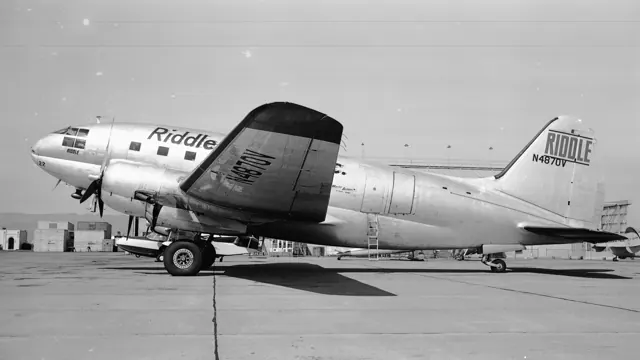
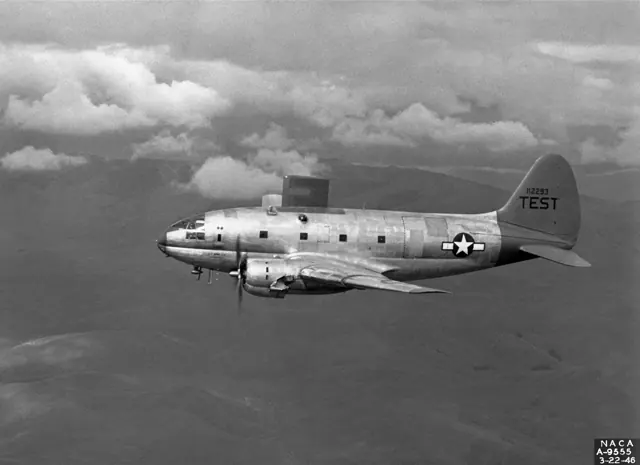
The C-46 grew from Curtiss's CW-20 airliner design into a military transport. Its broad fuselage gave it substantial cargo capacity, while two large radial engines supplied the power. It worked alongside the C-47 but was a larger aircraft with a different airframe and systems. The Commando continued into civilian freight operations after the war.
Aircraft background
Wikipedia contributors · Read more ↗The big transport feels unexpectedly light on the controls
Ethell approached the C-46 expecting the weight of its controls to match the aircraft’s size. His experience of other large wartime aircraft made the actual response a surprise: he found the controls pleasantly light, including at lower speeds. That contrast between appearance and feel became the centre of his immediate comments after flying China Doll.
Post-flight impressions, Camarillo, February 1997. Ethell flew the CAF’s China Doll; he explicitly reported having no crosswind during this introduction.
CAF Southern California Wing · Read more ↗Prepare a cold cockpit or a secured aircraft on the ground
The overhead Cold/Dark Start control provides a starting configuration. A separate Secure Aircraft control manages the parked scene with wheel chocks, flags and boarding steps. The manual identifies these as simulator cockpit controls.
C-46 Commando · Microsoft Flight Simulator · MSFS 2024
Microsoft / aircraft developers · Read more ↗Into the cockpit
 YouTube
 Just Planes · 20 min ·
In the COCKPIT of a 65 YEAR OLD C-46
An Everts Air C-46 cockpit film celebrates an aircraft still working decades after delivery.
Real aircraft · Curtiss C-46 Commando
Watch on YouTube ↗Preview images are served by AirframeDB. Videos open on YouTube only when you choose to watch.
Meet Curtiss C-46 Commando
The C-46 grew from Curtiss's CW-20 airliner design into a military transport. Its broad fuselage gave it substantial cargo capacity, while two large radial engines supplied the power. It worked alongside the C-47 but was a larger aircraft with a different airframe and systems.
The Commando continued into civilian freight operations after the war. Its period flight deck includes systems that predate modern route-following automation; the simulator manual's Sperry Gyropilot is best understood in that historical context.
Curtiss C-46 Commando
Aircraft type designators
Use the code for the model you are flying. The linked authority lists the applicable aircraft.
History & design
China Doll’s long route into preservation
Deakin identifies China Doll as a 1945 C-46F that passed through airline and agricultural spraying work before becoming derelict. The CAF acquired it in 1981 for restoration. Its surviving military appearance does not mean this particular airframe flew wartime combat missions.
AVweb · Pelican’s Perch 47: The Old Commando ↗Airframe history in Deakin’s 2001 account
Production testing could bring unexpected problems
Fisher’s son places the 1942 incident in the early production programme at Buffalo. A visiting fighter pilot joined a routine flight that developed into hours of troubleshooting.
Aviation History / HistoryNet · Buffalo, We Have a Problem ↗Attributed retrospective; no independent accident findings inferred
Development milestones
First flight: 26 March 1940
Wikipedia contributors · Curtiss C-46 Commando ↗Curtiss C-46 Commando · family/variant named by the source · Wikipedia revision 1373606151
Pilot accounts
The big transport feels unexpectedly light on the controls
Ethell approached the C-46 expecting the weight of its controls to match the aircraft’s size. His experience of other large wartime aircraft made the actual response a surprise: he found the controls pleasantly light, including at lower speeds. That contrast between appearance and feel became the centre of his immediate comments after flying China Doll.
The lightly loaded aircraft also impressed him with the power available for the flight. He was careful to identify a limit to his experience, noting that he had not encountered a crosswind. His enthusiasm therefore describes the conditions of this particular introduction. The flight also reinforced his appreciation of the transport’s historical role and of the people preserving one in flying condition, giving the handling impressions a clear connection to the surviving aircraft.
Post-flight impressions, Camarillo, February 1997. Ethell flew the CAF’s China Doll; he explicitly reported having no crosswind during this introduction.
Read the full account · CAF Southern California Wing ↗Returning to the left seat after nearly thirty years
Deakin’s fascination with the C-46 began as a child visiting the airport at Sarasota. Years later he flew it professionally for Air America, where difficult weather and transport work gave the aircraft a much more demanding place in his life. After leaving that flying behind, he expected the Commando to remain a memory.
A conversation with Randy Sohn eventually led him back to a preserved aircraft at Camarillo. Returning to the left seat in 1996 brought a striking sense of familiarity, and he went on to instruct and conduct checkrides. Flying through nearby valleys also recalled his earlier years overseas. His account makes room for veterans who recognised the aircraft at public appearances and quietly revisited their own memories, connecting his personal return with the experiences of others.
AVweb · September 2001. Deakin recalls Air America service and his 10 March 1996 return to the C-46 at Camarillo with Noel Merrill Wien.
Read the full account · AVweb ↗A short demonstration becomes a long test of patience
Fisher planned a brief flight in an early production C-46 with visiting fighter pilot Clive Caldwell, who expected to have time for golf afterwards. A landing-gear problem changed the day. Technicians aboard the aircraft and engineers on the ground joined a prolonged effort to understand the fault, while the two pilots faced an increasingly uncomfortable wait.
The account by Fisher’s son includes Caldwell’s very different perspective: an experienced combat pilot worried about the unfamiliar transport and the situation developing around him. Fisher eventually brought the aircraft down without injuries, despite the gear collapsing. The relationship outlasted that alarming introduction, with Caldwell later visiting the Fisher family.
6 August 1942 production flight with visiting fighter pilot Clive Caldwell. Recounted by Fisher’s son Herb Fisher Jr., with extracts from Caldwell’s recollection; one joint incident account.
Read the full account · Aviation History / HistoryNet ↗In your simulator
Systems, equipment and documentation for each developer’s aircraft.
Compare simulator versions →MSFS 2024C-46 Commando
Microsoft Flight Simulator · Released
C-46 Commando
Microsoft Flight Simulator · Released
MSFS 2020C-46 Commando
Microsoft Flight Simulator · Released
C-46 Commando
Microsoft Flight Simulator · Released
Aircraft specifications
Published figures for the named real-aircraft variant. Simulator equipment and performance can differ.
| Specification | Published value |
|---|---|
| Length | 76 ft 4 in (23.27 m) |
| Wingspan | 108 ft 0 in (32.92 m) |
| Height | 21 ft 9 in (6.63 m) |
| Wing area | 1,360 sq ft (126 m² ) |
| Empty weight | 30,669 lb (13,911 kg) |
| Gross weight | 45,000 lb (20,412 kg) |
| Powerplant | 2 × Pratt & Whitney R-2800-51 Double Wasp 18-cylinder air-cooled radial piston engines, 2,000 hp (1,500 kW) each |
| Propellers | 4-bladed Curtiss Electric constant-speed propellers |
| Maximum speed | 270 mph (430 km/h, 230 kn) at 15,000 ft (4,600 m) |
| Cruise speed | 173 mph (278 km/h, 150 kn) |
| Range | 3,150 mi (5,070 km, 2,740 nmi) at 173 mph (150 kn; 278 km/h); 1,000 mi (870 nmi; 1,600 km) at 237 mph (206 kn; 381 km/h) |
| Service ceiling | 24,500 ft (7,500 m) |
Manuals & resources
Find your next read
Choose a topic for a short introduction and a link to the original source. Simulator references identify the developer and edition they cover.
Simulator documentation
Prepare a cold cockpit or a secured aircraft on the groundC-46 Commando · Microsoft Flight Simulator · MSFS 2024
The overhead Cold/Dark Start control provides a starting configuration. A separate Secure Aircraft control manages the parked scene with wheel chocks, flags and boarding steps. The manual identifies these as simulator cockpit controls.
Gathered C-46 manual · PDF p.4
Microsoft / aircraft developers · Read the source ↗Panel access and radio power have their own controlsC-46 Commando · Microsoft Flight Simulator · MSFS 2024
A main-panel switch toggles the yokes for visibility. The Avionics Master powers the documented radio installation, which includes COM1, VOR, ADF and a transponder. The manual’s numbered panel illustrations and custom views help locate these controls within the large flight deck.
Gathered C-46 manual · PDF pp.4–5
Microsoft / aircraft developers · Read the source ↗Attitude and direction control from an earlier eraC-46 Commando · Microsoft Flight Simulator · MSFS 2024
The C-46 manual describes the Sperry Gyropilot and hydraulic instrumentation. The Gyropilot maintains attitude and direction; route management remains separate.
Archived simulator manual; installed package revision not observed · PDF pp.4,6-7
Microsoft / aircraft developers · Read the source ↗The original MSFS 2020 releaseC-46 Commando · Microsoft Flight Simulator · MSFS 2020
The July 2024 Local Legend 17 announcement records the MSFS 2020 release and four liveries, including an explicitly fictional Olive Drab scheme.
2024-07-02 · release and package scope
Microsoft Flight Simulator Team · Read the source ↗Pilot account
The big transport feels unexpectedly light on the controlsPost-flight impressions, Camarillo, February 1997. Ethell flew the CAF’s China Doll; he explicitly reported having no crosswind during this introduction.
Ethell approached the C-46 expecting the weight of its controls to match the aircraft’s size. His experience of other large wartime aircraft made the actual response a surprise: he found the controls pleasantly light, including at lower speeds. That contrast between appearance and feel became the centre of his immediate comments after flying China Doll. The lightly loaded aircraft also impressed him with the power available for the flight.
Jeff Ethell
CAF Southern California Wing · Read the source ↗Returning to the left seat after nearly thirty yearsAVweb · September 2001. Deakin recalls Air America service and his 10 March 1996 return to the C-46 at Camarillo with Noel Merrill Wien.
Deakin’s fascination with the C-46 began as a child visiting the airport at Sarasota. Years later he flew it professionally for Air America, where difficult weather and transport work gave the aircraft a much more demanding place in his life. After leaving that flying behind, he expected the Commando to remain a memory. A conversation with Randy Sohn eventually led him back to a preserved aircraft at Camarillo.
John Deakin
AVweb · Read the source ↗Read the original documentation from the people who created it. Manuals open on their publisher’s website.
Manual
Curtiss C-46 Commanndo ManualMicrosoft / aircraft developers Microsoft Flight Simulator aircraft manualsMicrosoft / aircraft developersAircraft background
Curtiss C-46 CommandoWikipedia contributors · Research background · Wikipedia revision 1373606151 · retrieved 2026-09-12Resource
MSFS 2024 FAQ and edition aircraft inventoryMicrosoftDeveloper documentation
Microsoft Flight Simulator Releases Local Legend 17: The Curtiss C-46 CommandoMicrosoft Flight Simulator Team · 2024-07-02 · release and package scopeType designator
ICAO Doc 8643 — aircraft type designatorsInternational Civil Aviation Organization · Public search data retrieved 2026-09-14; authority update 2026-09-03Built-in force-feedback profiles
Read the documentary basis, editable starting settings and remaining questions for the aircraft you fly. Each explanation refers to the exact profile revision shown.
Catalogue programme-20261022-v1 · 1 profile choice
Curtiss C-46 Commando
Free and Pro · Revision 2 · Partial review
MSFS 2024 · MSFS 2020
Curtiss C-46 Commando: The profile supplies sustained yoke resistance around this large piston transport.
Curtiss C-46 Commando
Curtiss C-46 Commando: The profile supplies sustained yoke resistance around this large piston transport.
Aircraft and simulator scope
- Curtiss C-46 Commando · MSFS 2024 · family starting point
- Curtiss C-46 Commando · MSFS 2020 · family starting point
Curtiss C-46 Commando · The Microsoft C-46 source and its manual identify the twin-piston Commando transport; the aircraft is not a pressurized CW-20 prototype.
The simulator model and controls
The C-46 grew from Curtiss's CW-20 airliner design into a military transport. Its broad fuselage gave it substantial cargo capacity, while two large radial engines supplied the power. It worked alongside the C-47 but was a larger aircraft with a different airframe and systems.
This starting point selects Curtiss C-46 Commando. Its aircraft-level settings do not select a particular developer’s custom systems.
How this profile feels
The profile supplies sustained yoke resistance around this large piston transport. Spring resistance builds with the selected airspeed response. A separate aerodynamic term adds speed-dependent control load.
Trim relief changes the configured pitch load when valid trim input is available. Valid trim provides the configured pressure relief. Autopilot following is off.
Controls and trim
The Commando’s broad cargo fuselage and two radial engines grew from the CW-20 transport. Its period cockpit uses a Sperry Gyropilot. That automatic-flight installation belongs to the C-46’s historical systems, alongside the airframe’s own configuration and engine controls.
About the values
The gains are normalized profile settings. They describe the chosen effect balance; hand force depends on the device and its output limits. IAS references are tuning values rather than operating limits. Physical acceptance of this revision remains pending.
What the documentation establishes
The Microsoft C-46 source and its manual identify the twin-piston Commando transport; the aircraft is not a pressurized CW-20 prototype.
The manual describes the C-46's controls as heavy and explains changes in required control pressure with attitude, power and airspeed.
The manual attributes relief of wheel pressure to elevator trim tabs and also identifies aileron and rudder trim controls.
The Sperry Gyropilot holds an established flight attitude and direction. It is not described as a modern navigation- or approach-coupled autopilot.
The manual distinguishes retracting landing gear, wing flaps and engine cowl flaps; its gear lever has an intermediate neutral position.
The manual gives a 135-mph wing-flap limit and 150-mph wheels-down limit. Its mph operating descriptions are not knots and do not establish the starting point's airspeed reference.
Documentary review and sources
These decisions describe the documentary basis and remaining gaps for this revision. Aircraft documentation and a starting setting describe different kinds of evidence.
Aircraft and variant
ReviewedThis starting point selects Curtiss C-46 Commando. Its aircraft-level settings do not select a particular developer’s custom systems.
Flight controls
ReviewedThe Commando’s broad cargo fuselage and two radial engines grew from the CW-20 transport. Its period cockpit uses a Sperry Gyropilot. That automatic-flight installation belongs to the C-46’s historical systems, alongside the airframe’s own configuration and engine controls.
Trim
ReviewedTrim relief changes the configured pitch load when valid trim input is available. Pitch authority 0.3 provides load relief and permitted centre movement; roll authority is 0.
Autopilot and stability
ReviewedAutopilot following is off; the configured spring and load retain the hardware feel.
Equipment
ReviewedGear, flap and ground cues follow the selected settings and available simulator-reported states.
Speeds and limits
ReviewedThe indicated-speed references set the profile response scale; they are separate from aircraft operating limits.
Simulator integration
Not yet reviewedThe profile targets msfs2024, msfs2020. Add-on-specific controls use only the supported references configured by this profile.
Force-feedback settings
Not yet reviewedThe settings define the profile’s effect balance. Device output limits affect physical hand force.
Starting settings and their rationale
These configured values are starting estimates. The explanations describe what each setting controls; physical validation appears separately below.
| Setting | Starting value | What it controls and why |
|---|---|---|
| Spring strength | Starting value0.74 | What it controls and whyThe profile supplies sustained yoke resistance around this large piston transport. The baseline spring is 0.74. Its low-speed blend reaches baseline strength at 75 KIAS. |
| Master force gain | Starting value0.85 | What it controls and whyScales overall profile strength while preserving effect balance, subject to device and output limits. |
| Profile force gain | Starting value0.8 | What it controls and whyThe aerodynamic-load gain is 0.8 with an indicated-speed reference of 150 KIAS. This supplies speed-dependent loading alongside the spring. |
| Force tuning speed/reference | Starting value150.0 kt | What it controls and whySets the IAS reference for aerodynamic loading. It is an estimate, not published cruise TAS or a flight limit. |
| Spring response reference speed | Starting value75.0 kt | What it controls and whySets the IAS where the low-speed blend reaches baseline strength; high-speed stiffening also uses it. |
| Aileron force scale | Starting value0.72 | What it controls and whyRoll and pitch aerodynamic scales are 0.72 and 1, respectively. They set the aerodynamic axis balance. No custom spring-travel curve is enabled. |
| Elevator force scale | Starting value1.0 | What it controls and whyScales pitch aerodynamic loading; pitch spring travel and trim responses are separate settings. |
| Trim feel | Starting valueEnabled | What it controls and whyRetained for compatibility and group membership. Trim relief, rather than this flag, controls centre movement. |
| Trim relief | Starting valueEnabled | What it controls and whyAllows trim relief with supported control law and valid telemetry. Axis authorities set its amount. |
| Autopilot follow | Starting valueDisabled | What it controls and whyAutopilot following is off; the configured spring and load retain the hardware feel. |
| Autopilot neutral hold | Starting valueDisabled | What it controls and whyPermits centering hold during a supported AP state, separate from following a moving target. |
| Output force limit | Starting value0.55 | What it controls and whyCaps directed-force output. Native spring effects and device limits remain separate. |
All 44 starting settings and their rationale
The settings define the profile’s effect balance. Device output limits affect physical hand force.
| Setting | Starting value | What it controls and why |
|---|---|---|
| Spring strength | Starting value0.74 | What it controls and whyThe profile supplies sustained yoke resistance around this large piston transport. The baseline spring is 0.74. Its low-speed blend reaches baseline strength at 75 KIAS. |
| Spring deadband | Starting value0.045 | What it controls and whySets travel around the centre before the baseline spring resists. Smaller values engage it sooner. |
| Profile force gain | Starting value0.8 | What it controls and whyThe aerodynamic-load gain is 0.8 with an indicated-speed reference of 150 KIAS. This supplies speed-dependent loading alongside the spring. |
| Master force gain | Starting value0.85 | What it controls and whyScales overall profile strength while preserving effect balance, subject to device and output limits. |
| QBlend Enabled | Starting valueEnabled | What it controls and whyAllows baseline spring strength to rise with indicated airspeed where the control law permits it. |
| QSpring Minimum Factor | Starting value0.5 | What it controls and whySets low-speed spring strength as a fraction of baseline when blending is enabled. One keeps full strength. |
| QSpring Start Knots | Starting value20 kt | What it controls and whySets the IAS where the low-speed spring blend starts rising. This is a feel threshold, not a flight limit. |
| Spring response reference speed | Starting value75.0 kt | What it controls and whySets the IAS where the low-speed blend reaches baseline strength; high-speed stiffening also uses it. |
| Force tuning speed/reference | Starting value150.0 kt | What it controls and whySets the IAS reference for aerodynamic loading. It is an estimate, not published cruise TAS or a flight limit. |
| Airspeed spring stiffening gain | Starting value0.15 | What it controls and whyThe high-speed spring-stiffening gain is 0.15. It strengthens the permitted spring response above 75 KIAS, with the squared-speed ratio capped at 5. |
| Airspeed spring stiffening limit | Starting value5 | What it controls and whyLimits the squared airspeed ratio used for high-speed spring stiffening; it is not a device-force cap. |
| Aileron force scale | Starting value0.72 | What it controls and whyRoll and pitch aerodynamic scales are 0.72 and 1, respectively. They set the aerodynamic axis balance. No custom spring-travel curve is enabled. |
| Elevator force scale | Starting value1.0 | What it controls and whyScales pitch aerodynamic loading; pitch spring travel and trim responses are separate settings. |
| Output force limit | Starting value0.55 | What it controls and whyCaps directed-force output. Native spring effects and device limits remain separate. |
| Trim feel | Starting valueEnabled | What it controls and whyRetained for compatibility and group membership. Trim relief, rather than this flag, controls centre movement. |
| Trim relief | Starting valueEnabled | What it controls and whyAllows trim relief with supported control law and valid telemetry. Axis authorities set its amount. |
| Elevator Authority | Starting value0.3 | What it controls and whyTrim relief changes the configured pitch load when valid trim input is available. Pitch authority 0.3 provides load relief and permitted centre movement; roll authority is 0. |
| Aileron Authority | Starting value0 | What it controls and whyScales supported roll-trim relief and permitted centre movement. Zero removes roll response. |
| Force Trim Enabled | Starting valueDisabled | What it controls and whyEnables local force trim, separate from aircraft-owned trim and add-on integration qualification. |
| GLoad Enabled | Starting valueEnabled | What it controls and whyAllows load-factor changes to modify permitted spring laws. Passive fly-by-wire feel can suppress it. |
| Rate Damping Enabled | Starting valueEnabled | What it controls and whyEnables rate damping with the configured coefficients and control law. |
| Autopilot follow | Starting valueDisabled | What it controls and whyAutopilot following is off; the configured spring and load retain the hardware feel. |
| Autopilot follow authority | Starting value0.1 | What it controls and whySets admitted AP-follow gain, not a percentage of travel. Runtime ownership and input limits still apply. |
| Autopilot neutral hold | Starting valueDisabled | What it controls and whyPermits centering hold during a supported AP state, separate from following a moving target. |
| Autopilot neutral hold strength | Starting value0.6 | What it controls and whySets admitted AP neutral-hold strength; inactive while neutral hold is disabled. |
| Enabled | Starting valueEnabled | What it controls and whyEnables aerodynamic cues; each still needs nonzero strength and its simulator conditions. |
| Gain | Starting value0.35 | What it controls and whySets stall-buffet strength. Zero removes the cue without changing simulator stalls or warnings. |
| Gain | Starting value0 | What it controls and whySets high-Mach buffet strength; onset and full-strength thresholds are separate. |
| Gain | Starting value0.14 | What it controls and whySets flap buffet at the configured position and speed gates. Flap movement texture is separate. |
| Maximum flap index | Starting value4 | What it controls and whySets the final flap index for detent normalization. UP plus three detents uses maximum index3. |
| Minimum flap index | Starting value2 | What it controls and whySets the first flap detent that admits buffet; this is a handle index, not degrees. |
| Gain | Starting value0.1 | What it controls and whySets gear aerodynamic buffet; movement and ground-contact cues are separate. |
| Shaker Enabled | Starting valueDisabled | What it controls and whyPermits shaker at supported warning conditions; the switch does not establish aircraft equipment. |
| Stick shaker amplitude | Starting value0.5 | What it controls and whySets triggered shaker strength; inactive while the shaker feature is disabled. |
| Enabled | Starting valueEnabled | What it controls and whyEnables ground effects; each still needs its own strength and contact or motion telemetry. |
| Gain | Starting value0.4 | What it controls and whySets rolling texture strength, modified by speed, surface and undercarriage configuration. |
| Gain | Starting value0.25 | What it controls and whySets gear-bump texture during ground motion, separate from touchdown impact. |
| Gain | Starting value0.65 | What it controls and whySets landing-impact strength; landing telemetry and response shape determine the pulse. |
| Gain | Starting value0 | What it controls and whySets reverse-thrust vibration with valid reverser and engine conditions. Zero removes the cue. |
| Enabled | Starting valueEnabled | What it controls and whyEnables engine cues with nonzero settings and valid running-engine telemetry. |
| Gain | Starting value0.12 | What it controls and whySets estimated engine vibration using configured telemetry and response, not measured cockpit vibration. |
| Enabled | Starting valueEnabled | What it controls and whyEnables accessory cues with configured strengths and observed accessory movement. |
| Gain | Starting value0.12 | What it controls and whySets texture from observed flap movement; a command without movement does not establish the cue. |
| Gain | Starting value0.12 | What it controls and whySets texture from observed gear movement, separate from aerodynamic and touchdown effects. |
Limits and open questions
- The historical gyropilot description does not document external telemetry or establish an external control-following implementation.
- Heavy controls and sensitive trim tabs support qualitative character, but the source provides no measured force curve or radial-engine vibration magnitude at the wheel.
- Curtiss C-46 Commando documentary evidence does not establish force-feedback hardware acceptance.
Physical validation
No physical force validation is recorded in this public catalogue for this revision. Documentary review and software checks do not establish how a particular device feels.
Discuss this aircraft (0)
Questions, observations and useful sources from the community.
No published discussions yet. Bring a question or share a useful source.
Open aircraft discussions →Content expanded · What’s new
Something missing or a source that needs attention?
Suggest a correction ↗