
Start here
A few places to begin, from the aircraft’s story to the people who fly it.
Meet the aircraft
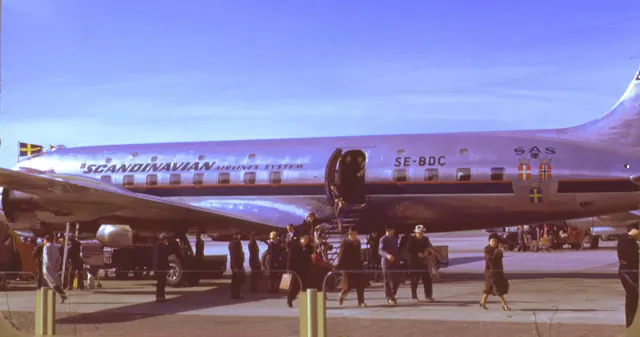
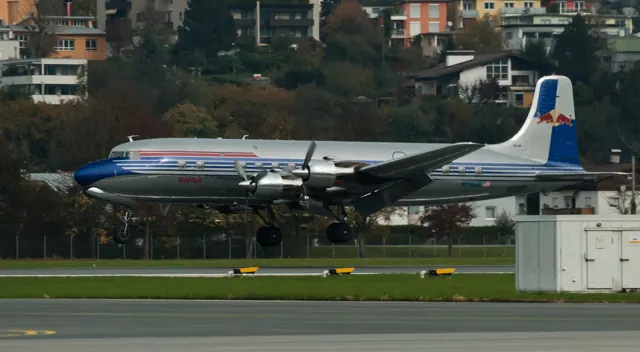
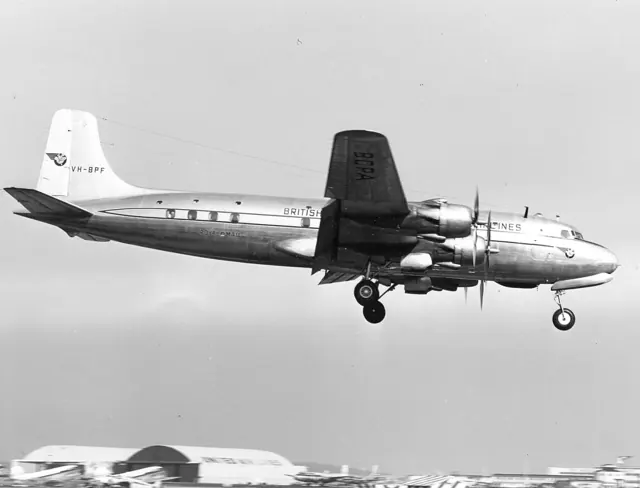
Douglas developed the DC-6 from wartime transport work into a long-range commercial competitor. Its four radial engines and pressurised cabin supported passenger and freight operations. Production ran from the 1940s into the late 1950s, with later careers extending into specialist cargo and firefighting work. The flight engineer is a major part of the aircraft's cockpit organisation.
Aircraft background
Wikipedia contributors · Read more ↗Learning a new transport through a language barrier
Fraser’s DC-6 conversion involved more than learning a new aircraft. Technical instruction in Rome had to cross a language barrier, and imperfect translation made the classroom experience memorable. Time away from training provided a more enjoyable introduction to the city, while the flight programme brought the crew closer to the work they would later undertake between Africa and Europe.
Retrospective account of Alitalia DC-6B conversion training in Rome. The published recollection is edited; dramatic incident details have no independent investigation attached.
Rhodesian Heritage · Read more ↗The tablet connects loading, servicing and aircraft condition
The documented tablet tools include fuel and loadout management, a Ramp Manager, Maintenance Manager and Engine Damage Visualizer. The Artificial Flight Engineer supplies crew assistance.
DC-6 · PMDG · MSFS 2020 · MSFS 2024
PMDG · Read more ↗Into the cockpit
 YouTube
 AeroPresentation · 30 min ·
Cockpit flight on Douglas DC-6A G-APSA
A DC-6A cockpit flight over the North Sea and back to Coventry.
Real aircraft · Douglas DC-6
Watch on YouTube ↗Preview images are served by AirframeDB. Videos open on YouTube only when you choose to watch.
Meet Douglas DC-6
Douglas developed the DC-6 from wartime transport work into a long-range commercial competitor. Its four radial engines and pressurised cabin supported passenger and freight operations. Production ran from the 1940s into the late 1950s, with later careers extending into specialist cargo and firefighting work.
The flight engineer is a major part of the aircraft's cockpit organisation. PMDG's simulation makes that role accessible through its own interface while retaining period systems such as the Sperry autopilot. The manual explains how those responsibilities are divided in the virtual aircraft.
Douglas DC-6
Douglas → · Explore the family →
Douglas DC-6
Wikipedia contributors · Douglas DC-6 ↗PMDG · MSFS 2020 · MSFS 2024 →Aircraft type designators
Use the code for the model you are flying. The linked authority lists the applicable aircraft.
History & design
Pressurisation changes the passenger experience
Delta’s museum identifies the DC-6 as the airline’s first pressurised, air-conditioned aircraft.
Delta Flight Museum · Douglas DC-6, 1948–1968 ↗Operator museum’s history of its own fleet
A cabin with a lounge and tray tables
The museum describes a rear Sky Lounge with six chairs and a cabin finished in walnut, blue and tan. It also records Delta’s first seat-back tray tables, replacing the earlier practice of balancing meal trays on pillows. These details describe Delta’s installation, not every DC-6 interior.
Delta Flight Museum · Douglas DC-6, 1948–1968 ↗Delta cabin arrangement during the type’s service
Development milestones
First flight: 15 February 1946
Developed from: Douglas DC-4
Wikipedia contributors · Douglas DC-6 ↗Douglas DC-6 · family/variant named by the source · Wikipedia revision 1367844593
Pilot accounts
Learning a new transport through a language barrier
Fraser’s DC-6 conversion involved more than learning a new aircraft. Technical instruction in Rome had to cross a language barrier, and imperfect translation made the classroom experience memorable. Time away from training provided a more enjoyable introduction to the city, while the flight programme brought the crew closer to the work they would later undertake between Africa and Europe.
His account reaches a tense point during a decompression exercise, when mist, discomfort and misunderstood commands made the final training flight frightening. He recalls returning to land after the confusion. The story carries the humour and exaggeration of a much later reminiscence, so its detailed manoeuvres are not treated as independently established events. What remains clear is Fraser’s lasting affection for flying the DC-6 despite that difficult introduction.
Retrospective account of Alitalia DC-6B conversion training in Rome. The published recollection is edited; dramatic incident details have no independent investigation attached.
Read the full account · Rhodesian Heritage ↗Freight, cold weather and sandwiches on an Alaska working day
For the visiting writer, a DC-6 trip into northern Alaska was a special opportunity. For Captain Ken Zachary, first officer Joe Holland and their colleague in the flight engineer’s seat, it was a working day carrying food, machinery and other freight. Conversation in the cockpit accompanied the view across the Brooks Range on the way to Barrow.
On the ground, the pilots also helped with the cargo in bitter cold. Holland flew the next leg, and the day continued with more unloading and the practical search for something to eat. Sandwiches and fruit supplied an ordinary meal between demanding freight tasks. The return to Fairbanks ended a memorable outing for the observer, whose report shows how much of the crew’s job happened outside the cockpit as well as in it.
Northern Air Cargo crew observed by an unnamed OldJets writer · 2 May 2000. N2907F, a converted C-118A/DC-6A, flew Fairbanks–Barrow–Deadhorse–Fairbanks.
Read the full account · OldJets ↗Keeping a familiar aircraft flying for another generation
After years flying the DC-6, Firth remained attached to the aircraft known as The Six. Its move from freight work into preservation involved sustained maintenance and a search for parts, with useful components traded and sourced across the remaining operator community. Keeping it presentable for public appearances added smaller tasks to the work of keeping it flying.
The restored British Eagle colours brought a particularly human response at Farnborough, where former airline staff saw a familiar aircraft again. Firth still enjoyed its flying qualities, but the interview gives equal space to the effort behind that pleasure. The aircraft’s survival depended on people finding parts, fixing faults and maintaining a connection with its earlier life. Future passenger trips were part of the ambition described, rather than an operation already demonstrated in the report.
Air Atlantique pilot interviewed by Kara Platoni · Air & Space, July 2009. DC-6A preservation account; proposed passenger excursions were still plans.
Read the full account · Air & Space / Smithsonian ↗In your simulator
Systems, equipment and documentation for each developer’s aircraft.
MSFS 2020 · MSFS 2024DC-6
PMDG · Released
DC-6
PMDG · Released
Manuals & resources
Find your next read
Choose a topic for a short introduction and a link to the original source. Simulator references identify the developer and edition they cover.
Simulator documentation
The tablet connects loading, servicing and aircraft conditionDC-6 · PMDG · MSFS 2020 · MSFS 2024
The documented tablet tools include fuel and loadout management, a Ramp Manager, Maintenance Manager and Engine Damage Visualizer. The Artificial Flight Engineer supplies crew assistance.
PMDG’s published product features; not a runtime verification
PMDG · Read the source ↗A cockpit based on an individual aircraftDC-6 · PMDG · MSFS 2020 · MSFS 2024
PMDG's introduction identifies V5-NCG as the aircraft surveyed for its DC-6. The team's photographs, audio and video informed the simulated interior. Different engine-gauge faces, unusual lighting labels and even misspelled placards were retained from that aircraft. Those details reproduce the surveyed V5-NCG cockpit.
PMDG DC-6 Pilot Introduction, June 2021; archived version and its documented assistant limits · PDF pp.5,12
PMDG · Read the source ↗Understanding the automated flight engineerDC-6 · PMDG · MSFS 2020 · MSFS 2024
The automated flight engineer maintains its selected phase, so it can override manual power, mixture or carburettor-air adjustments. The June 2021 guide describes Abort as the return to manual systems management. It also separates the assistant's responsibilities from the pilot's: the documented version does not operate the autopilot or start the engines. Its cruise setup is a chosen compromise among several settings in the handbook.
PMDG DC-6 Pilot Introduction, June 2021; archived version and its documented assistant limits · PDF pp.12–14
PMDG · Read the source ↗A short first trip with modern navigationDC-6 · PMDG · MSFS 2020 · MSFS 2024
PMDG's first tutorial uses a Portland-to-Seattle flight to introduce the propliner with GPS navigation. The route is explicitly a modern approximation, and the exercise uses clear weather so the pilot can concentrate on the aircraft. Its setup highlights elevator and aileron trim, flaps, and the separate gyropilot and mechanical-disconnect assignments. The guide then takes the flight through climb, cruise, approach and shutdown.
PMDG DC-6 Tutorial 1, June 2021; tutorial scenario, not a historical airline flight · PDF pp.3–6
PMDG · Read the source ↗Control tabs, trim tabs and the Sperry autopilotDC-6 · PMDG · MSFS 2020 · MSFS 2024
The DC-6 manual distinguishes spring control tabs from trim tabs. They are different mechanisms, even though both involve small surfaces attached to larger controls. The Sperry A-12 autopilot also has a trim servo that responds to sustained pitch imbalance. That period system helps explain why the DC-6 cockpit is organised differently from a modern jet's flight-guidance panel.
Archived document; installed package version not observed · PDF pp.15,57,87
PMDG · Read the source ↗One package now covers both MSFS generationsDC-6 · PMDG · MSFS 2020 · MSFS 2024
PMDG’s product page describes the May 2026 update bringing its MSFS 2020 DC-6 to MSFS 2024. The package includes both DC-6A and DC-6B models. The product's later update information supplements the older manuals.
Gathered PMDG product page · May 2026 update statement
PMDG · Read the source ↗Pilot account
Learning a new transport through a language barrierRetrospective account of Alitalia DC-6B conversion training in Rome. The published recollection is edited; dramatic incident details have no independent investigation attached.
Fraser’s DC-6 conversion involved more than learning a new aircraft. Technical instruction in Rome had to cross a language barrier, and imperfect translation made the classroom experience memorable. Time away from training provided a more enjoyable introduction to the city, while the flight programme brought the crew closer to the work they would later undertake between Africa and Europe.
Scotty Fraser
Rhodesian Heritage · Read the source ↗Freight, cold weather and sandwiches on an Alaska working dayNorthern Air Cargo crew observed by an unnamed OldJets writer · 2 May 2000. N2907F, a converted C-118A/DC-6A, flew Fairbanks–Barrow–Deadhorse–Fairbanks.
For the visiting writer, a DC-6 trip into northern Alaska was a special opportunity. For Captain Ken Zachary, first officer Joe Holland and their colleague in the flight engineer’s seat, it was a working day carrying food, machinery and other freight. Conversation in the cockpit accompanied the view across the Brooks Range on the way to Barrow. On the ground, the pilots also helped with the cargo in bitter cold.
Ken Zachary and Joe Holland
OldJets · Read the source ↗Read the original documentation from the people who created it. Manuals open on their publisher’s website.
Manual
Microsoft Flight Simulator aircraft manualsMicrosoft / aircraft developers PMDG DC-6 for MSFS - Pilot Operating Handbook(PDF)PMDG PMDG DC-6 for MSFS - Introduction (PDF)PMDG · PMDG DC-6 Pilot Introduction, June 2021; archived version and its documented assistant limits PMDG DC-6 for MSFS - Tutorial 1 (PDF)PMDG · PMDG DC-6 Tutorial 1, June 2021; tutorial scenario, not a historical airline flight PMDG DC-6 for MSFS - Tutorial 2 (PDF)PMDG · PMDG DC-6 Tutorial 2, June 2021; tutorial scenario, not a historical airline flightAircraft background
Douglas DC-6Wikipedia contributors · Research background · Wikipedia revision 1367844593 · retrieved 2026-09-12 Douglas DC-6, 1948–1968Delta Flight Museum · Operator museum historyResource
PMDG documentationPMDGProduct
DC-6 for MSFS 2020 & 2024PMDG · Official developer / designated store catalogue · checked 2026-09-12Type designator
ICAO Doc 8643 — aircraft type designatorsInternational Civil Aviation Organization · Public search data retrieved 2026-09-14; authority update 2026-09-03Built-in force-feedback profiles
Read the documentary basis, editable starting settings and remaining questions for the aircraft you fly. Each explanation refers to the exact profile revision shown.
Catalogue programme-20261022-v1 · 4 profile choices
PMDG DC-6B
PMDG · Free and Pro · Revision 4 · Inherited starting point
MSFS 2020 · MSFS 2024
PMDG DC-6B: Aerodynamic tabs assist the mechanically controlled yoke response.
PMDG DC-6A
PMDG · Free and Pro · Revision 3 · Inherited starting point
MSFS 2020 · MSFS 2024
PMDG DC-6A: Aerodynamic tabs assist the mechanically controlled yoke response.
Douglas DC-6B
Free and Pro · Revision 3 · Partial review
MSFS 2020 · MSFS 2024
Douglas DC-6B: Aerodynamic tabs assist the mechanically controlled yoke response.
Douglas DC-6A
Free and Pro · Revision 1 · Partial review
MSFS 2020 · MSFS 2024
Douglas DC-6A: Aerodynamic tabs assist the mechanically controlled yoke response.
Douglas DC-6A
Douglas DC-6A: Aerodynamic tabs assist the mechanically controlled yoke response.
Aircraft and simulator scope
- Douglas DC-6A · MSFS 2020 · Variant starting point
- Douglas DC-6A · MSFS 2024 · Variant starting point
Douglas DC-6A · The selected DC-6A uses PMDG DC-6 family systems evidence; cargo-aircraft equipment and performance must be checked separately. The PMDG MSFS manuals cover the DC6 simulator family and their documented historical systems; exact variant equipment remains relevant.
The simulator model and controls
Douglas developed the DC-6 from wartime transport work into a long-range commercial competitor. Its four radial engines and pressurised cabin supported passenger and freight operations. Production ran from the 1940s into the late 1950s, with later careers extending into specialist cargo and firefighting work.
This starting point selects Douglas DC-6A. Its aircraft-level settings do not select a particular developer’s custom systems.
How this profile feels
Aerodynamic tabs assist the mechanically controlled yoke response. Spring resistance builds with the selected airspeed response. A separate aerodynamic term adds speed-dependent control load.
Pitch and roll trim tabs provide pressure-relief context; AP trim compensation is separately documented. Valid trim provides the configured pressure relief. Autopilot following is enabled for supported control references.
Controls and trim
The DC-6 uses cables and pulleys with aerodynamic spring-control tabs and separate pitch/roll trim tabs. Its Sperry A-12 installation uses electrical servos, a separate clutch and elevator-trim compensation. The cockpit’s manual-control and automatic-flight mechanisms therefore remain distinct systems.
About the values
The gains are normalized profile settings. They describe the chosen effect balance; hand force depends on the device and its output limits. IAS references are tuning values rather than operating limits. Physical acceptance of this revision remains pending.
What the documentation establishes
The selected DC-6A uses PMDG DC-6 family systems evidence; cargo-aircraft equipment and performance must be checked separately. The PMDG MSFS manuals cover the DC6 simulator family and their documented historical systems; exact variant equipment remains relevant.
Section1.5 identifies cable, pulley and bellcrank cockpit controls; sections1.2-1.3 describe spring control tabs providing aerodynamic boost.
Elevator trim tabs use dual pedestal wheels, with separately controlled aileron and rudder trim tabs.
The Sperry A12 requires the gyropilot switch and mechanical-disconnect sequence, with distinct localizer and approach operation.
The POH describes retractable tricycle gear, hydraulically operated wing flaps and a fixed protective tail skid.
PMDG documents mappings from default simulator autopilot commands to its gyropilot functions; this is interface documentation without external following qualification.
Spring control tabs explicitly provide aerodynamic boost. The source does not quantify the desktop force-gradient or engine-vibration gain.
Documentary review and sources
These decisions describe the documentary basis and remaining gaps for this revision. Aircraft documentation and a starting setting describe different kinds of evidence.
Aircraft and variant
ReviewedThis starting point selects Douglas DC-6A. Its aircraft-level settings do not select a particular developer’s custom systems.
Flight controls
ReviewedThe DC-6 uses cables and pulleys with aerodynamic spring-control tabs and separate pitch/roll trim tabs. Its Sperry A-12 installation uses electrical servos, a separate clutch and elevator-trim compensation. The cockpit’s manual-control and automatic-flight mechanisms therefore remain distinct systems.
Trim
ReviewedPitch and roll trim tabs provide pressure-relief context; AP trim compensation is separately documented. Pitch authority 0.3 provides load relief and permitted centre movement; roll authority is 0.
Autopilot and stability
ReviewedFollowing is on at 0.1 authority when a supported, valid autopilot control reference is available.
Equipment
ReviewedGear, flap and ground cues follow the selected settings and available simulator-reported states.
Speeds and limits
Not yet reviewedThe indicated-speed references set the profile response scale; they are separate from aircraft operating limits.
Simulator integration
ReviewedThe profile targets msfs2020, msfs2024. Add-on-specific controls use only the supported references configured by this profile.
Force-feedback settings
ReviewedThe settings define the profile’s effect balance. Device output limits affect physical hand force.
Starting settings and their rationale
These configured values are starting estimates. The explanations describe what each setting controls; physical validation appears separately below.
| Setting | Starting value | What it controls and why |
|---|---|---|
| Spring strength | Starting value0.74 | What it controls and whyAerodynamic tabs assist the mechanically controlled yoke response. The baseline spring is 0.74. Its low-speed blend reaches baseline strength at 90 KIAS. |
| Master force gain | Starting value0.85 | What it controls and whyScales overall profile strength while preserving effect balance, subject to device and output limits. |
| Profile force gain | Starting value0.8 | What it controls and whyThe aerodynamic-load gain is 0.8 with an indicated-speed reference of 200 KIAS. This supplies speed-dependent loading alongside the spring. |
| Force tuning speed/reference | Starting value200.0 kt | What it controls and whySets the IAS reference for aerodynamic loading. It is an estimate, not published cruise TAS or a flight limit. |
| Spring response reference speed | Starting value90 kt | What it controls and whySets the IAS where the low-speed blend reaches baseline strength; high-speed stiffening also uses it. |
| Aileron force scale | Starting value0.72 | What it controls and whyRoll and pitch aerodynamic scales are 0.72 and 1, respectively. They set the aerodynamic axis balance. No custom spring-travel curve is enabled. |
| Elevator force scale | Starting value1.0 | What it controls and whyScales pitch aerodynamic loading; pitch spring travel and trim responses are separate settings. |
| Trim feel | Starting valueEnabled | What it controls and whyRetained for compatibility and group membership. Trim relief, rather than this flag, controls centre movement. |
| Trim relief | Starting valueEnabled | What it controls and whyAllows trim relief with supported control law and valid telemetry. Axis authorities set its amount. |
| Autopilot follow | Starting valueEnabled | What it controls and whyFollowing is on at 0.1 authority when a supported, valid autopilot control reference is available. |
| Autopilot neutral hold | Starting valueDisabled | What it controls and whyPermits centering hold during a supported AP state, separate from following a moving target. |
| Output force limit | Starting value0.55 | What it controls and whyCaps directed-force output. Native spring effects and device limits remain separate. |
All 44 starting settings and their rationale
The settings define the profile’s effect balance. Device output limits affect physical hand force.
| Setting | Starting value | What it controls and why |
|---|---|---|
| Spring strength | Starting value0.74 | What it controls and whyAerodynamic tabs assist the mechanically controlled yoke response. The baseline spring is 0.74. Its low-speed blend reaches baseline strength at 90 KIAS. |
| Spring deadband | Starting value0.045 | What it controls and whySets travel around the centre before the baseline spring resists. Smaller values engage it sooner. |
| Profile force gain | Starting value0.8 | What it controls and whyThe aerodynamic-load gain is 0.8 with an indicated-speed reference of 200 KIAS. This supplies speed-dependent loading alongside the spring. |
| Master force gain | Starting value0.85 | What it controls and whyScales overall profile strength while preserving effect balance, subject to device and output limits. |
| QBlend Enabled | Starting valueEnabled | What it controls and whyAllows baseline spring strength to rise with indicated airspeed where the control law permits it. |
| QSpring Minimum Factor | Starting value0.5 | What it controls and whySets low-speed spring strength as a fraction of baseline when blending is enabled. One keeps full strength. |
| QSpring Start Knots | Starting value20 kt | What it controls and whySets the IAS where the low-speed spring blend starts rising. This is a feel threshold, not a flight limit. |
| Spring response reference speed | Starting value90 kt | What it controls and whySets the IAS where the low-speed blend reaches baseline strength; high-speed stiffening also uses it. |
| Force tuning speed/reference | Starting value200.0 kt | What it controls and whySets the IAS reference for aerodynamic loading. It is an estimate, not published cruise TAS or a flight limit. |
| Airspeed spring stiffening gain | Starting value0.15 | What it controls and whyThe high-speed spring-stiffening gain is 0.15. It strengthens the permitted spring response above 90 KIAS, with the squared-speed ratio capped at 5. |
| Airspeed spring stiffening limit | Starting value5 | What it controls and whyLimits the squared airspeed ratio used for high-speed spring stiffening; it is not a device-force cap. |
| Aileron force scale | Starting value0.72 | What it controls and whyRoll and pitch aerodynamic scales are 0.72 and 1, respectively. They set the aerodynamic axis balance. No custom spring-travel curve is enabled. |
| Elevator force scale | Starting value1.0 | What it controls and whyScales pitch aerodynamic loading; pitch spring travel and trim responses are separate settings. |
| Output force limit | Starting value0.55 | What it controls and whyCaps directed-force output. Native spring effects and device limits remain separate. |
| Trim feel | Starting valueEnabled | What it controls and whyRetained for compatibility and group membership. Trim relief, rather than this flag, controls centre movement. |
| Trim relief | Starting valueEnabled | What it controls and whyAllows trim relief with supported control law and valid telemetry. Axis authorities set its amount. |
| Elevator Authority | Starting value0.3 | What it controls and whyPitch and roll trim tabs provide pressure-relief context; AP trim compensation is separately documented. Pitch authority 0.3 provides load relief and permitted centre movement; roll authority is 0. |
| Aileron Authority | Starting value0 | What it controls and whyScales supported roll-trim relief and permitted centre movement. Zero removes roll response. |
| Force Trim Enabled | Starting valueDisabled | What it controls and whyEnables local force trim, separate from aircraft-owned trim and add-on integration qualification. |
| GLoad Enabled | Starting valueEnabled | What it controls and whyAllows load-factor changes to modify permitted spring laws. Passive fly-by-wire feel can suppress it. |
| Rate Damping Enabled | Starting valueEnabled | What it controls and whyEnables rate damping with the configured coefficients and control law. |
| Autopilot follow | Starting valueEnabled | What it controls and whyFollowing is on at 0.1 authority when a supported, valid autopilot control reference is available. |
| Autopilot follow authority | Starting value0.1 | What it controls and whySets admitted AP-follow gain, not a percentage of travel. Runtime ownership and input limits still apply. |
| Autopilot neutral hold | Starting valueDisabled | What it controls and whyPermits centering hold during a supported AP state, separate from following a moving target. |
| Autopilot neutral hold strength | Starting value0.6 | What it controls and whySets admitted AP neutral-hold strength; inactive while neutral hold is disabled. |
| Enabled | Starting valueEnabled | What it controls and whyEnables aerodynamic cues; each still needs nonzero strength and its simulator conditions. |
| Gain | Starting value0.35 | What it controls and whySets stall-buffet strength. Zero removes the cue without changing simulator stalls or warnings. |
| Gain | Starting value0 | What it controls and whySets high-Mach buffet strength; onset and full-strength thresholds are separate. |
| Gain | Starting value0.14 | What it controls and whySets flap buffet at the configured position and speed gates. Flap movement texture is separate. |
| Maximum flap index | Starting value5 | What it controls and whySets the final flap index for detent normalization. UP plus three detents uses maximum index3. |
| Minimum flap index | Starting value2 | What it controls and whySets the first flap detent that admits buffet; this is a handle index, not degrees. |
| Gain | Starting value0.1 | What it controls and whySets gear aerodynamic buffet; movement and ground-contact cues are separate. |
| Shaker Enabled | Starting valueDisabled | What it controls and whyPermits shaker at supported warning conditions; the switch does not establish aircraft equipment. |
| Stick shaker amplitude | Starting value0.5 | What it controls and whySets triggered shaker strength; inactive while the shaker feature is disabled. |
| Enabled | Starting valueEnabled | What it controls and whyEnables ground effects; each still needs its own strength and contact or motion telemetry. |
| Gain | Starting value0.4 | What it controls and whySets rolling texture strength, modified by speed, surface and undercarriage configuration. |
| Gain | Starting value0.25 | What it controls and whySets gear-bump texture during ground motion, separate from touchdown impact. |
| Gain | Starting value0.65 | What it controls and whySets landing-impact strength; landing telemetry and response shape determine the pulse. |
| Gain | Starting value0 | What it controls and whySets reverse-thrust vibration with valid reverser and engine conditions. Zero removes the cue. |
| Enabled | Starting valueEnabled | What it controls and whyEnables engine cues with nonzero settings and valid running-engine telemetry. |
| Gain | Starting value0.12 | What it controls and whySets estimated engine vibration using configured telemetry and response, not measured cockpit vibration. |
| Enabled | Starting valueEnabled | What it controls and whyEnables accessory cues with configured strengths and observed accessory movement. |
| Gain | Starting value0.12 | What it controls and whySets texture from observed flap movement; a command without movement does not establish the cue. |
| Gain | Starting value0.12 | What it controls and whySets texture from observed gear movement, separate from aerodynamic and touchdown effects. |
Limits and open questions
- Operating and performance tables do not establish a unique200 knot indicated-airspeed loading reference across weights and configurations.
- Douglas DC-6A documentary evidence does not establish force-feedback hardware acceptance.
Physical validation
No physical force validation is recorded in this public catalogue for this revision. Documentary review and software checks do not establish how a particular device feels.
Discuss this aircraft (0)
Questions, observations and useful sources from the community.
No published discussions yet. Bring a question or share a useful source.
Open aircraft discussions →Content expanded · What’s new
Something missing or a source that needs attention?
Suggest a correction ↗