
Start here
A few places to begin, from the aircraft’s story to the people who fly it.
Meet the aircraft
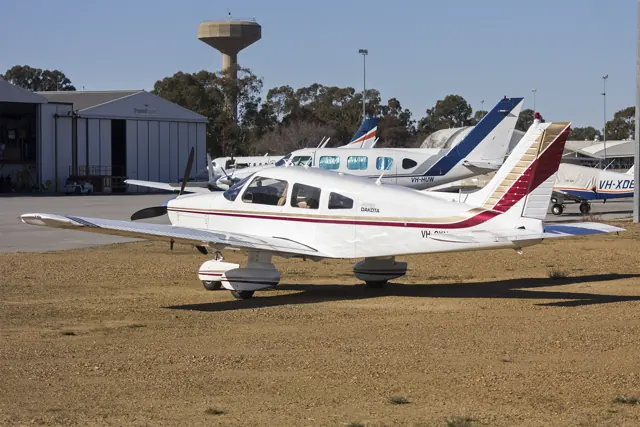
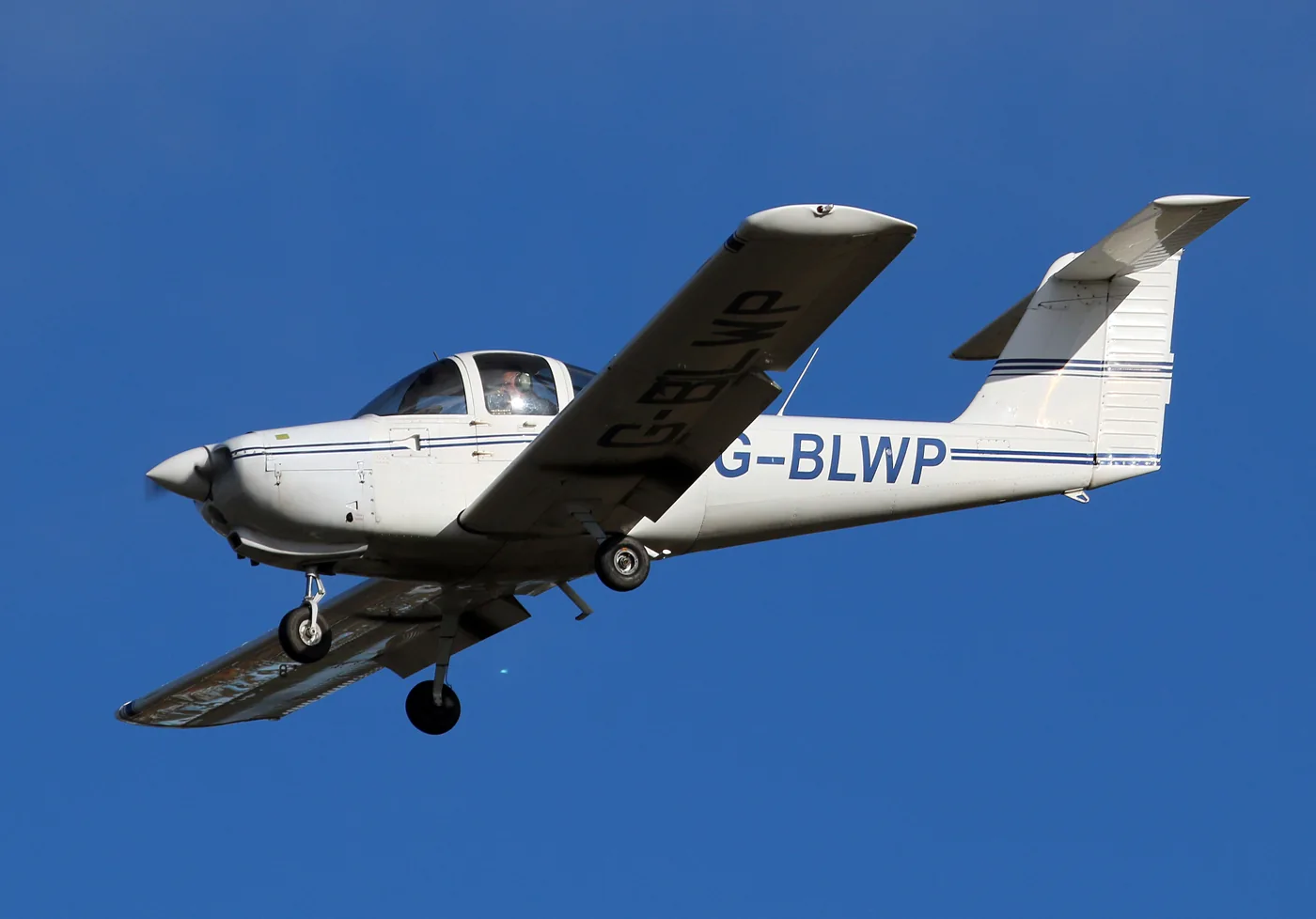
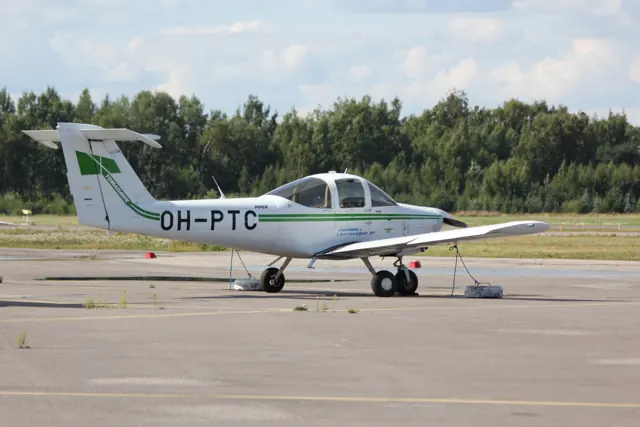
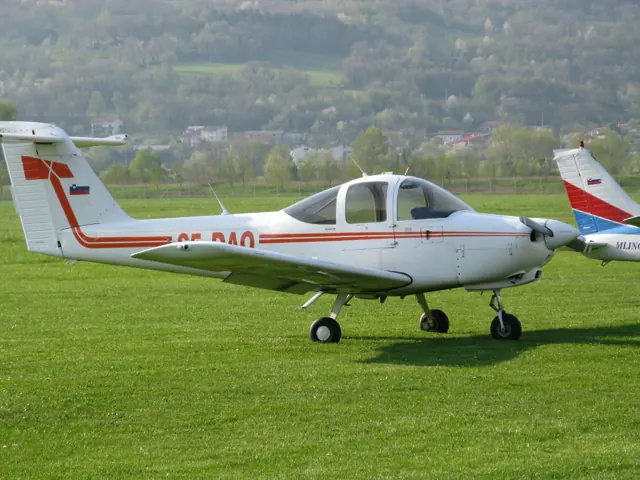
Piper designed the PA-38-112 Tomahawk for two-seat flight training. It also served touring and personal flying, alongside the larger PA-28 family. MSFS and X-Plane implementations are separate developer products.
Aircraft background
Wikipedia contributors · Read more ↗A two-seater for weekends around New England
Diette bought his Tomahawk II for short trips with his wife around New England. Martha’s Vineyard and Bar Harbor were among the destinations that became easier to reach, leaving more of a weekend to enjoy after arrival. Their usual journeys were under three hours, with light bags that suited the small aircraft’s role.
Interviewed by Julie K. Boatman, AOPA Pilot · July 2001. Diette’s 1982 Tomahawk II, N91383.
AOPA Pilot · Read more ↗Choose the cockpit equipment and inspect the systems
The MSFS package lists GNS 430/530 equipment, optional separately supplied GTN integrations, Navigraph charts and SimBrief support. Its documented fuel and electrical models include working breakers, carburettor heat and primer effects, with selectable failures such as plug fouling and vapour lock. Automatic tank switching is offered as a convenience option.
Piper PA-38 Tomahawk · Just Flight · MSFS 2020 · MSFS 2024
Just Flight · Read more ↗Into the cockpit
 YouTube
 CarBon1432 · 9 min ·
Landing Piper PA-38 Tomahawk, Cockpit view...
A Tomahawk approach, go-around and landing at Liverpool, filmed by a student.
Real aircraft · Piper PA-38 Tomahawk
Watch on YouTube ↗Preview images are served by AirframeDB. Videos open on YouTube only when you choose to watch.
Meet Piper PA-38 Tomahawk
Piper designed the PA-38-112 Tomahawk for two-seat flight training. It also served touring and personal flying, alongside the larger PA-28 family. MSFS and X-Plane implementations are separate developer products.
Piper PA-38 Tomahawk
Aircraft type designators
Use the code for the model you are flying. The linked authority lists the applicable aircraft.
History & design
A trainer shaped by instructor feedback
Boatman’s history describes Piper consulting flight instructors when developing its new trainer in the mid-1970s. The resulting Tomahawk combined a two-door cabin and broad view with deliberately distinctive control and stall characteristics.
AOPA Pilot · Budget Buys: Day-Tripper — Piper Tomahawk ↗AOPA Pilot historical background; individual flight characteristics require type-specific context
Pilot accounts
A two-seater for weekends around New England
Diette bought his Tomahawk II for short trips with his wife around New England. Martha’s Vineyard and Bar Harbor were among the destinations that became easier to reach, leaving more of a weekend to enjoy after arrival. Their usual journeys were under three hours, with light bags that suited the small aircraft’s role.
The baggage space could still accommodate something unexpected: he once flew home with an Adirondack chair after a successful shopping trip. His account is about choosing journeys that fit a two-seater and enjoying the freedom of making them with his own flying skills.
Interviewed by Julie K. Boatman, AOPA Pilot · July 2001. Diette’s 1982 Tomahawk II, N91383.
Read the full account · AOPA Pilot ↗Returning to flying, then seeing Manhattan from the air
Scott returned to an aircraft type he had trained in decades earlier, working with Rex Damschroder to rebuild his skills. The process took repeated lessons rather than a quick refresher. A visit to his cousin’s airpark became an early travelling goal, while electronic flight planning and navigation added new tools to the landmarks and paper methods he remembered.
Further local practice eventually led to a much larger adventure through Pennsylvania to New York. Flying the Hudson corridor brought nervous anticipation followed by extraordinary views of the Statue of Liberty, the city and even glimpses into apartment buildings.
AOPA Pilot · May 2026. Return to flying in 2024 after a 34-year gap, using a Tomahawk at Fremont, Ohio.
Read the full account · AOPA Pilot ↗A winter work trip with older navigation equipment
Cobb set out on a long work trip with a single VOR receiver and no GPS or DME. Headwinds slowed the outbound leg, and deteriorating visibility near his destination prompted him to turn back before finding a route into clearer conditions. He requested flight following and valued the controller’s help with distance information and locating a fuel stop against a snowy landscape.
The return brought a tailwind, but changing clouds led him to add another fuel stop instead of relying on the original plan. He arrived home after sunset. The account shows how weather, navigation equipment and intermediate stops shaped one pilot’s working day. The headwinds, extra stops and controller assistance made this a more involved day than a simple there-and-back flight.
Piper Forum · January 2020. First substantial cross-country in PA-38 N4342E, described in two posts by the same pilot.
Read the full account · Piper Forum ↗In your simulator
Systems, equipment and documentation for each developer’s aircraft.
Compare simulator versions →MSFS 2020 · MSFS 2024Piper PA-38 Tomahawk
Just Flight · Released
Piper PA-38 Tomahawk
Just Flight · Released
X-Plane 11Piper PA-38 Tomahawk
Just Flight · Released
Piper PA-38 Tomahawk
Just Flight · Released
Aircraft specifications
Published figures for the named real-aircraft variant. Simulator equipment and performance can differ.
| Specification | Published value |
|---|---|
| Length | 23 ft 1 + 1 ⁄ 4 in (7.042 m) |
| Wingspan | 34 ft 0 in (10.36 m) |
| Height | 9 ft 0 + 3 ⁄ 4 in (2.762 m) |
| Wing area | 124.7 sq ft (11.59 m² ) |
| Empty weight | 1,128 lb (512 kg) |
| Max takeoff weight | 1,670 lb (757 kg) |
| Powerplant | 1 × Avco Lycoming O-235 -L2C air-cooled flat-four piston engine , 112 hp (84 kW) |
| Propellers | 2-bladed Sensenich metal fixed-pitch propeller, 6 ft 0 in (1.83 m) diameter |
| Maximum speed | 126 mph (203 km/h, 109 kn) at sea level |
| Cruise speed | 115 mph (185 km/h, 100 kn) at 10,500 ft (3,200 m) (65% power) |
| Stall speed | 56.5 mph (90.9 km/h, 49.1 kn) (flaps down, IAS ) |
| Range | 539 mi (867 km, 468 nmi) at 10,500 ft (3,200 m) (65% power) |
| Service ceiling | 13,000 ft (4,000 m) |
| Rate of climb | 718 ft/min (3.65 m/s) |
Manuals & resources
Find your next read
Choose a topic for a short introduction and a link to the original source. Simulator references identify the developer and edition they cover.
Simulator documentation
Choose the cockpit equipment and inspect the systemsPiper PA-38 Tomahawk · Just Flight · MSFS 2020 · MSFS 2024
The MSFS package lists GNS 430/530 equipment, optional separately supplied GTN integrations, Navigraph charts and SimBrief support. Its documented fuel and electrical models include working breakers, carburettor heat and primer effects, with selectable failures such as plug fouling and vapour lock. Automatic tank switching is offered as a convenience option.
Just Flight’s published feature description
Just Flight · Read the source ↗The X-Plane 11 version exposes engine conditionPiper PA-38 Tomahawk · Just Flight · X-Plane 11
The Just Flight/Thranda edition provides an engine popup showing fuel imbalance, pressures, temperatures, battery charge and plug-fouling or vapour-lock state. Its electrical breakers use X-Plane’s failure logic. Interactive checklists, saved panel state and a weight-and-balance manager accompany the conventional radio cockpit.
Gathered X-Plane 11 listing; no X-Plane 12 compatibility inferred
Just Flight · Read the source ↗A walkaround and persistent wear in MSFSPiper PA-38 Tomahawk · Just Flight · MSFS 2020 · MSFS 2024
Just Flight’s MSFS Tomahawk is based on research with G-BNKH at Goodwood. The interactive exterior includes tyre-pressure and fuel-condition checks, while wear affects more than fifteen components and persists between flights. The EFB can repair or randomise the aircraft’s condition as well as select starting states.
Gathered listing names MSFS 2020 and 2024 · revision not stated
Just Flight · Read the source ↗Pilot account
A two-seater for weekends around New EnglandInterviewed by Julie K. Boatman, AOPA Pilot · July 2001. Diette’s 1982 Tomahawk II, N91383.
Diette bought his Tomahawk II for short trips with his wife around New England. Martha’s Vineyard and Bar Harbor were among the destinations that became easier to reach, leaving more of a weekend to enjoy after arrival. Their usual journeys were under three hours, with light bags that suited the small aircraft’s role. The baggage space could still accommodate something unexpected: he once flew home with an Adirondack chair after a successful shopping trip.
Paul Diette
AOPA Pilot · Read the source ↗Returning to flying, then seeing Manhattan from the airAOPA Pilot · May 2026. Return to flying in 2024 after a 34-year gap, using a Tomahawk at Fremont, Ohio.
Scott returned to an aircraft type he had trained in decades earlier, working with Rex Damschroder to rebuild his skills. The process took repeated lessons rather than a quick refresher. A visit to his cousin’s airpark became an early travelling goal, while electronic flight planning and navigation added new tools to the landmarks and paper methods he remembered. Further local practice eventually led to a much larger adventure through Pennsylvania to New York.
Charles Scott
AOPA Pilot · Read the source ↗Read the original documentation from the people who created it. Manuals open on their publisher’s website.
Aircraft background
Piper PA-38 TomahawkWikipedia contributors · Research background · retrieved 2026-09-12Product
PA-38 Tomahawk (MSFS)Just Flight · Official developer / designated store catalogue · checked 2026-09-12 PA-38 Tomahawk (X-Plane 11)Just Flight · Official developer / designated store catalogue · checked 2026-09-12Type designator
ICAO Doc 8643 — aircraft type designatorsInternational Civil Aviation Organization · Public search data retrieved 2026-09-14; authority update 2026-09-03Built-in force-feedback profiles
Read the documentary basis, editable starting settings and remaining questions for the aircraft you fly. Each explanation refers to the exact profile revision shown.
Catalogue programme-20261022-v1 · 2 profile choices
Just Flight PA-38 Tomahawk
Just Flight · Free and Pro · Revision 5 · Inherited starting point
MSFS 2020 · MSFS 2024
Just Flight PA-38 Tomahawk: Conventional mechanical controls motivate reversible loading.
Piper PA-38 Tomahawk
Free and Pro · Revision 2 · Partial review
MSFS 2024 · MSFS 2020 · X-Plane 11
Piper PA-38 Tomahawk: Conventional mechanical controls motivate reversible loading.
Just Flight PA-38 Tomahawk
Just Flight PA-38 Tomahawk: Conventional mechanical controls motivate reversible loading.
Aircraft and simulator scope
- Just Flight PA-38 Tomahawk · Just Flight · MSFS 2020 · Add-on starting point
- Just Flight PA-38 Tomahawk · Just Flight · MSFS 2024 · Add-on starting point
The simulator model and controls
Piper designed the PA-38-112 Tomahawk for two-seat flight training. It also served touring and personal flying, alongside the larger PA-28 family. MSFS and X-Plane implementations are separate developer products.
This profile selects Just Flight PA-38 Tomahawk for MSFS 2020, MSFS 2024.
How this profile feels
Conventional mechanical controls motivate reversible loading. Spring resistance builds with the selected airspeed response. A separate aerodynamic term adds speed-dependent control load.
The pitch-trim wheel serves the elevator system; the rudder tab is ground adjusted. Valid trim provides the configured pressure relief. Autopilot following is off.
Controls and trim
The PA-38 uses a conventional elevator and fixed stabilizer, a pitch-trim wheel and ground-adjusted rudder tab. Its manual flaps select 0, 21 and 34 degrees. That tail arrangement differs from other Pipers using a stabilator.
The selected implementation
Just Flight’s PA-38 has a conventional elevator, fixed stabilizer, pitch-trim wheel, ground-adjusted rudder tab and three manual flap positions.
About the values
The gains are normalized profile settings. They describe the chosen effect balance; hand force depends on the device and its output limits. IAS references are tuning values rather than operating limits. Physical acceptance of this revision remains pending.
Documentary review and sources
These decisions describe the documentary basis and remaining gaps for this revision. Aircraft documentation and a starting setting describe different kinds of evidence.
Aircraft and variant
InheritedThis profile selects Just Flight PA-38 Tomahawk for MSFS 2020, MSFS 2024.
Flight controls
InheritedThe PA-38 uses a conventional elevator and fixed stabilizer, a pitch-trim wheel and ground-adjusted rudder tab. Its manual flaps select 0, 21 and 34 degrees. That tail arrangement differs from other Pipers using a stabilator.
Trim
InheritedThe pitch-trim wheel serves the elevator system; the rudder tab is ground adjusted. Pitch authority 0.3 provides load relief and permitted centre movement; roll authority is 0.
Autopilot and stability
InheritedAutopilot following is off; the configured spring and load retain the hardware feel.
Equipment
InheritedJust Flight’s PA-38 has a conventional elevator, fixed stabilizer, pitch-trim wheel, ground-adjusted rudder tab and three manual flap positions.
Speeds and limits
InheritedThe indicated-speed references set the profile response scale; they are separate from aircraft operating limits.
Simulator integration
InheritedThe profile targets msfs2020, msfs2024. Add-on-specific controls use only the supported references configured by this profile.
Force-feedback settings
InheritedThe settings define the profile’s effect balance. Device output limits affect physical hand force.
Starting settings and their rationale
These configured values are starting estimates. The explanations describe what each setting controls; physical validation appears separately below.
| Setting | Starting value | What it controls and why |
|---|---|---|
| Spring strength | Starting value0.74 | What it controls and whyConventional mechanical controls motivate reversible loading. The baseline spring is 0.74. Its low-speed blend reaches baseline strength at 47.5 KIAS. |
| Master force gain | Starting value0.85 | What it controls and whyScales overall profile strength while preserving effect balance, subject to device and output limits. |
| Profile force gain | Starting value0.8 | What it controls and whyThe aerodynamic-load gain is 0.8 with an indicated-speed reference of 95 KIAS. This supplies speed-dependent loading alongside the spring. |
| Force tuning speed/reference | Starting value95 kt | What it controls and whySets the IAS reference for aerodynamic loading. It is an estimate, not published cruise TAS or a flight limit. |
| Spring response reference speed | Starting value47.5 kt | What it controls and whySets the IAS where the low-speed blend reaches baseline strength; high-speed stiffening also uses it. |
| Aileron force scale | Starting value0.72 | What it controls and whyRoll and pitch aerodynamic scales are 0.72 and 1, respectively. They set the aerodynamic axis balance. No custom spring-travel curve is enabled. |
| Elevator force scale | Starting value1 | What it controls and whyScales pitch aerodynamic loading; pitch spring travel and trim responses are separate settings. |
| Trim feel | Starting valueDisabled | What it controls and whyRetained for compatibility and group membership. Trim relief, rather than this flag, controls centre movement. |
| Trim relief | Starting valueEnabled | What it controls and whyAllows trim relief with supported control law and valid telemetry. Axis authorities set its amount. |
| Autopilot follow | Starting valueDisabled | What it controls and whyAutopilot following is off; the configured spring and load retain the hardware feel. |
| Autopilot neutral hold | Starting valueDisabled | What it controls and whyPermits centering hold during a supported AP state, separate from following a moving target. |
| Output force limit | Starting value0.55 | What it controls and whyCaps directed-force output. Native spring effects and device limits remain separate. |
All 44 starting settings and their rationale
The settings define the profile’s effect balance. Device output limits affect physical hand force.
| Setting | Starting value | What it controls and why |
|---|---|---|
| Spring strength | Starting value0.74 | What it controls and whyConventional mechanical controls motivate reversible loading. The baseline spring is 0.74. Its low-speed blend reaches baseline strength at 47.5 KIAS. |
| Spring deadband | Starting value0.045 | What it controls and whySets travel around the centre before the baseline spring resists. Smaller values engage it sooner. |
| Profile force gain | Starting value0.8 | What it controls and whyThe aerodynamic-load gain is 0.8 with an indicated-speed reference of 95 KIAS. This supplies speed-dependent loading alongside the spring. |
| Master force gain | Starting value0.85 | What it controls and whyScales overall profile strength while preserving effect balance, subject to device and output limits. |
| QBlend Enabled | Starting valueEnabled | What it controls and whyAllows baseline spring strength to rise with indicated airspeed where the control law permits it. |
| QSpring Minimum Factor | Starting value0.5 | What it controls and whySets low-speed spring strength as a fraction of baseline when blending is enabled. One keeps full strength. |
| QSpring Start Knots | Starting value8 kt | What it controls and whySets the IAS where the low-speed spring blend starts rising. This is a feel threshold, not a flight limit. |
| Spring response reference speed | Starting value47.5 kt | What it controls and whySets the IAS where the low-speed blend reaches baseline strength; high-speed stiffening also uses it. |
| Force tuning speed/reference | Starting value95 kt | What it controls and whySets the IAS reference for aerodynamic loading. It is an estimate, not published cruise TAS or a flight limit. |
| Airspeed spring stiffening gain | Starting value0.15 | What it controls and whyThe high-speed spring-stiffening gain is 0.15. It strengthens the permitted spring response above 47.5 KIAS, with the squared-speed ratio capped at 5. |
| Airspeed spring stiffening limit | Starting value5 | What it controls and whyLimits the squared airspeed ratio used for high-speed spring stiffening; it is not a device-force cap. |
| Aileron force scale | Starting value0.72 | What it controls and whyRoll and pitch aerodynamic scales are 0.72 and 1, respectively. They set the aerodynamic axis balance. No custom spring-travel curve is enabled. |
| Elevator force scale | Starting value1 | What it controls and whyScales pitch aerodynamic loading; pitch spring travel and trim responses are separate settings. |
| Output force limit | Starting value0.55 | What it controls and whyCaps directed-force output. Native spring effects and device limits remain separate. |
| Trim feel | Starting valueDisabled | What it controls and whyRetained for compatibility and group membership. Trim relief, rather than this flag, controls centre movement. |
| Trim relief | Starting valueEnabled | What it controls and whyAllows trim relief with supported control law and valid telemetry. Axis authorities set its amount. |
| Elevator Authority | Starting value0.3 | What it controls and whyThe pitch-trim wheel serves the elevator system; the rudder tab is ground adjusted. Pitch authority 0.3 provides load relief and permitted centre movement; roll authority is 0. |
| Aileron Authority | Starting value0 | What it controls and whyScales supported roll-trim relief and permitted centre movement. Zero removes roll response. |
| Force Trim Enabled | Starting valueDisabled | What it controls and whyEnables local force trim, separate from aircraft-owned trim and add-on integration qualification. |
| GLoad Enabled | Starting valueEnabled | What it controls and whyAllows load-factor changes to modify permitted spring laws. Passive fly-by-wire feel can suppress it. |
| Rate Damping Enabled | Starting valueEnabled | What it controls and whyEnables rate damping with the configured coefficients and control law. |
| Autopilot follow | Starting valueDisabled | What it controls and whyAutopilot following is off; the configured spring and load retain the hardware feel. |
| Autopilot follow authority | Starting value0.1 | What it controls and whySets admitted AP-follow gain, not a percentage of travel. Runtime ownership and input limits still apply. |
| Autopilot neutral hold | Starting valueDisabled | What it controls and whyPermits centering hold during a supported AP state, separate from following a moving target. |
| Autopilot neutral hold strength | Starting value0.6 | What it controls and whySets admitted AP neutral-hold strength; inactive while neutral hold is disabled. |
| Enabled | Starting valueEnabled | What it controls and whyEnables aerodynamic cues; each still needs nonzero strength and its simulator conditions. |
| Gain | Starting value0.35 | What it controls and whySets stall-buffet strength. Zero removes the cue without changing simulator stalls or warnings. |
| Gain | Starting value0 | What it controls and whySets high-Mach buffet strength; onset and full-strength thresholds are separate. |
| Gain | Starting value0 | What it controls and whySets flap buffet at the configured position and speed gates. Flap movement texture is separate. |
| Maximum flap index | Starting value2 | What it controls and whySets the final flap index for detent normalization. UP plus three detents uses maximum index3. |
| Minimum flap index | Starting value2 | What it controls and whySets the first flap detent that admits buffet; this is a handle index, not degrees. |
| Gain | Starting value0 | What it controls and whySets gear aerodynamic buffet; movement and ground-contact cues are separate. |
| Shaker Enabled | Starting valueDisabled | What it controls and whyPermits shaker at supported warning conditions; the switch does not establish aircraft equipment. |
| Stick shaker amplitude | Starting value0.5 | What it controls and whySets triggered shaker strength; inactive while the shaker feature is disabled. |
| Enabled | Starting valueEnabled | What it controls and whyEnables ground effects; each still needs its own strength and contact or motion telemetry. |
| Gain | Starting value0.4 | What it controls and whySets rolling texture strength, modified by speed, surface and undercarriage configuration. |
| Gain | Starting value0.25 | What it controls and whySets gear-bump texture during ground motion, separate from touchdown impact. |
| Gain | Starting value0.65 | What it controls and whySets landing-impact strength; landing telemetry and response shape determine the pulse. |
| Gain | Starting value0 | What it controls and whySets reverse-thrust vibration with valid reverser and engine conditions. Zero removes the cue. |
| Enabled | Starting valueEnabled | What it controls and whyEnables engine cues with nonzero settings and valid running-engine telemetry. |
| Gain | Starting value0.12 | What it controls and whySets estimated engine vibration using configured telemetry and response, not measured cockpit vibration. |
| Enabled | Starting valueEnabled | What it controls and whyEnables accessory cues with configured strengths and observed accessory movement. |
| Gain | Starting value0.12 | What it controls and whySets texture from observed flap movement; a command without movement does not establish the cue. |
| Gain | Starting value0 | What it controls and whySets texture from observed gear movement, separate from aerodynamic and touchdown effects. |
Limits and open questions
- Just Flight PA-38 Tomahawk; msfs2020, msfs2024. Previously observed titles and implementation identifiers are retained; installed matching remains deferred.
- Light manual yoke with conventional elevator; not the PA-28 stabilator mechanism.
- Pitch relief only; ground-adjusted rudder tab is not pilot trim, and no aileron trim is invented.
- No calibrated autopilot servo target established. AP servo-follow and neutral hold remain disabled; engagement indicators are not force-demand signals.
- Piston trainer with fixed tricycle wheels and manual flaps. Audible stall warning does not justify a stick shaker.
- 95 KIAS is an estimated feel reference, not cruise TAS or a certified limit. No invented Mach, VNE or weight scheduling.
- Read-only native telemetry for aircraft motion and accessory positions. Custom switches, display animations and mode lamps are not calibrated servo targets. No unverified LVars/datarefs or simulator writes.
- Spring 0.74; lateral scale 0.72; trim authorities 0.3/0; per-axis output cap 0.55. Editable engineering estimates, not measured hand forces. No body-rate torque, surface following or fabricated hydraulic-failure loads.
- New physical and installed-product checks deferred by owner. Existing separately recorded acceptance retains its original device, simulator, add-on and version limits. Source review does not broaden custom telemetry acceptance.
- Only actual accessory position changes drive movement texture; static drag and command-triggered kicks are disabled. Select and save an aircraft default when telemetry lacks a discriminating developer/configuration identity.
Physical validation
No physical force validation is recorded in this public catalogue for this revision. Documentary review and software checks do not establish how a particular device feels.
Discuss this aircraft (0)
Questions, observations and useful sources from the community.
No published discussions yet. Bring a question or share a useful source.
Open aircraft discussions →Content expanded · What’s new
Something missing or a source that needs attention?
Suggest a correction ↗