Find aircraft background, systems descriptions and manuals for the aircraft you are researching. Each note keeps its source and version context close by.
Simulator manuals describe the developer’s implementation. Aircraft background is research-based; pilot accounts describe an individual’s experience. Coverage here is limited to the selected notes and linked resources, not the full contents of every manual.
Piper PA-18 Super Cub · Laminar Research · X-Plane 12
Finding the controls in Laminar’s PA-18-150
Laminar identifies its model as a PA-18-150. The cockpit guide places the throttle, carburettor-heat control and rotary trim handle on the left side, with a separate three-position flap lever. It describes brake pedals distinct from the rudder pedals, overhead fuel sight gauges and an electrical switch panel. The sight gauges provide approximate indications, with reduced accuracy at low fuel levels. The guide maps this particular simulated cockpit, including its installed equipment.
Laminar Research PA-18 manual · PDF pp.6,15–18 · simulator cockpit guide
Piper PA-28 family · Just Flight · Just Flight · MSFS 2020 · MSFS 2024
The Arrow’s fuel and electrical indications
The Arrow III manual describes two wing tanks feeding a selector with left, right and off positions, supported by engine-driven and electric pumps. Its ammeter indicates electrical load, not battery discharge.
Gathered MSFS Arrow III manual · PDF pp.9–10
Piper PA-28 family · Just Flight · Just Flight · MSFS 2020 · MSFS 2024
The Turbo Arrow has its own pump and warning controls
Just Flight represents both the conventional-tail Turbo Arrow III and T-tail IV. Their manual describes a three-position auxiliary fuel-pump switch, a separate primer control and an overboost warning in the annunciator panel. These details distinguish the turbocharged cockpit from the normally aspirated Arrow.
Gathered MSFS Turbo Arrow III/IV manual · PDF pp.9–10
Piper PA-28 family · Just Flight · Just Flight · MSFS 2020 · MSFS 2024
A simpler Warrior, with a distinct electrical fallback
The Warrior II manual describes the fixed-gear, 160 hp configuration and two wing fuel tanks. An avionics power switch controls its radio bus, while an emergency bus switch provides another supply path if that switch circuit fails. The cockpit has separate controls for these electrical systems.
Gathered MSFS Warrior II manual · PDF pp.9–10
Piper PA-31 Navajo · SimCoders · X-Plane 11 · X-Plane 12
A twin whose condition carries into the next session
REP adds a walkaround, towing, a mass-and-balance tool and maintenance reporting. Its description says battery state and engine temperatures continue across sessions, with elapsed time affecting the next start. An optional economy system attaches virtual costs to fuel and repairs, and the preheater can remain active while the simulator is closed.
Developer-documented ownership and systems features
Piper PA-38 Tomahawk · Just Flight · MSFS 2020 · MSFS 2024
A walkaround and persistent wear in MSFS
Just Flight’s MSFS Tomahawk is based on research with G-BNKH at Goodwood. The interactive exterior includes tyre-pressure and fuel-condition checks, while wear affects more than fifteen components and persists between flights. The EFB can repair or randomise the aircraft’s condition as well as select starting states.
Gathered listing names MSFS 2020 and 2024 · revision not stated
Piper PA-38 Tomahawk · Just Flight · MSFS 2020 · MSFS 2024
Choose the cockpit equipment and inspect the systems
The MSFS package lists GNS 430/530 equipment, optional separately supplied GTN integrations, Navigraph charts and SimBrief support. Its documented fuel and electrical models include working breakers, carburettor heat and primer effects, with selectable failures such as plug fouling and vapour lock. Automatic tank switching is offered as a convenience option.
Just Flight’s published feature description
Piper PA-38 Tomahawk · Just Flight · X-Plane 11
The X-Plane 11 version exposes engine condition
The Just Flight/Thranda edition provides an engine popup showing fuel imbalance, pressures, temperatures, battery charge and plug-fouling or vapour-lock state. Its electrical breakers use X-Plane’s failure logic. Interactive checklists, saved panel state and a weight-and-balance manager accompany the conventional radio cockpit.
Gathered X-Plane 11 listing; no X-Plane 12 compatibility inferred
Pipistrel Panthera · Aerobask · X-Plane 11
Set the load and cabin before the flight
A popup menu handles options, fuel and weight, including passengers and luggage. The developer describes interiors tied to the selected livery, windshield rain effects and an FMOD environment built using real Lycoming engine recordings. Switches, doors and other cockpit interactions have their own sounds.
Developer’s published simulator feature scope
Lionheart Quickie Q200 · Lionheart Creations · MSFS 2020
Fuel and cockpit equipment
Lionheart describes a 5 US gal header tank feeding the engine and a 15 US gal tank under the seats. An electric pump transfers fuel to the header tank. Its simulator cockpit includes GNS navigation equipment and a basic autopilot for flight assistance.
Product description and feature list
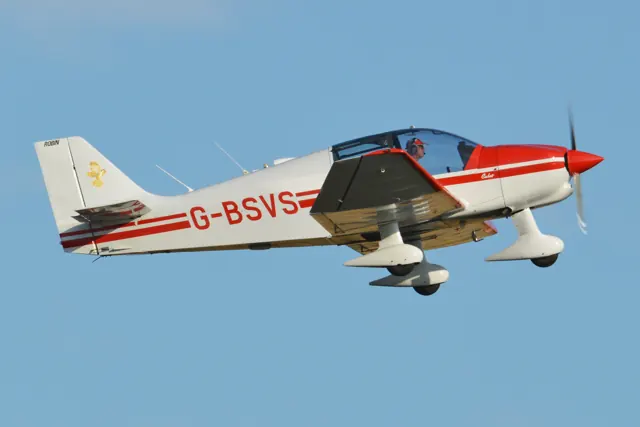
Robin DR400/100 Cadet · Just Flight · Just Flight · X-Plane 12 · X-Plane 11
The X-Plane 11 flight computer supplies travelling information
The earlier Regent product describes a flight computer displaying fuel burn, endurance, speed and wind information. This feature list applies to the X-Plane 11 release.
Just Flight X-Plane 11 product description
Robin DR400/100 Cadet · Just Flight · Just Flight · X-Plane 12 · X-Plane 11
Automatic fuel-tank switching is optional
An optional automatic tank-switching setting persists between sessions. The product also documents auxiliary-tank transfer controls and an EFB weight-and-balance interface.
X-Plane 12 Regent systems and EFB features