Find aircraft background, systems descriptions and manuals for the aircraft you are researching. Each note keeps its source and version context close by.
Simulator manuals describe the developer’s implementation. Aircraft background is research-based; pilot accounts describe an individual’s experience. Coverage here is limited to the selected notes and linked resources, not the full contents of every manual.
Avro Vulcan · Just Flight · MSFS 2020 · MSFS 2024
Choose a starting state and manage the load in the tablet
Just Flight lists cold, taxi and takeoff states in the EFB, plus payload management and flight-planning integrations. Panel state is preserved with a saved flight, so the documented persistence is tied to saving that flight.
MSFS Vulcan product description · gathered September 2026
Avro Vulcan · Just Flight · MSFS 2020 · MSFS 2024
Use the simulator’s spoiler controls for the airbrakes
The manual maps the airbrakes to default MSFS spoiler assignments and also provides a three-position switch behind the throttle quadrant. Its high-drag extension changes automatically when the undercarriage is lowered.
Just Flight MSFS operations manual · PDF pp.39–40; p.40 visually checked
Avro Vulcan · Just Flight · MSFS 2020 · MSFS 2024
One group of surfaces combines pitch and roll
The guide describes eight elevons, with individual powered control units, combining pitch and roll commands. Controls for powered flying controls, artificial feel and stabilisation are grouped on the left console.
MSFS operations manual · PDF pp.31–32; documented cockpit and system arrangement
Avro Vulcan · Just Flight · X-Plane 11
The X-Plane edition uses its own assistance panels
The X-Plane 11 product provides a 2D payload panel and an interactive engine-start checklist, with checklists for other phases. The MSFS edition uses its own tablet interface.
Just Flight Vulcan for X-Plane 11 · gathered September 2026
Avro Vulcan · Just Flight · X-Plane 11
Restore a saved cockpit or begin ready for takeoff
The listing describes panel states saved with a flight and selectable cold-and-dark or ready-for-takeoff configurations. A pop-up flashlight and reflection controls provide additional ways to adjust the cockpit view.
X-Plane 11 product description; no X-Plane 12 compatibility inferred
Avro Vulcan
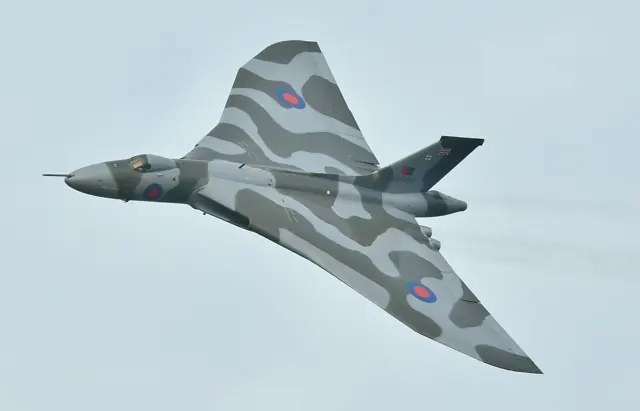
The Vulcan grew out of the RAF's B.35/46 bomber requirement. Avro used smaller 707 research aircraft to investigate the delta-wing configuration before committing it to the full-size bomber. RAF service extended from 1956 to 1984. The bomber, tanker and reconnaissance versions in simulator packages represent different stages of its working life.
Bill Ramsey and Vulcan XH558
Bill Ramsey · 7 June 2011
Trials flying
Pilot’s retrospective memoir · publication date not stated
Interview with Donald Briggs
Interview by Pete Jones · 27 March 2017
SA316B Alouette III · Taog's Hangar · MSFS 2020
Change the aircraft’s visible equipment
The clipboard beside the main console controls attachment visibility. Individual doors can be removed using their striped handles, while the v1.6 change history describes saved attachment configurations and opening side panels.
Alouette III manual v1.7 · PDF pp.18–19,23
SA316B Alouette III · Taog's Hangar · MSFS 2020
Version 1.7 changes handling and cockpit presentation
The documented update revised hover attitude, forward-flight tendencies, collective response and governor transitions. It also updated the Garmin 530 software and rotor sound loop.
Alouette III manual v1.7 · PDF p.22
SA316B Alouette III · Taog's Hangar · MSFS 2020
The bucket changes the aircraft's load
The Alouette III manual describes water-bucket filling and emptying as changes to the carried weight. It also identifies the release binding and mission controls.
SA316B manual v1.7 · PDF p.20; water bucket operation