FOR AIRCRAFT DEVELOPERS
Research aircraft and systems
Find aircraft background, systems descriptions and manuals for the aircraft you are researching. Each note keeps its source and version context close by.
Simulator manuals describe the developer’s implementation. Aircraft background is research-based; pilot accounts describe an individual’s experience. Coverage here is limited to the selected notes and linked resources, not the full contents of every manual.
Voei 12 anos nos céus de Natal
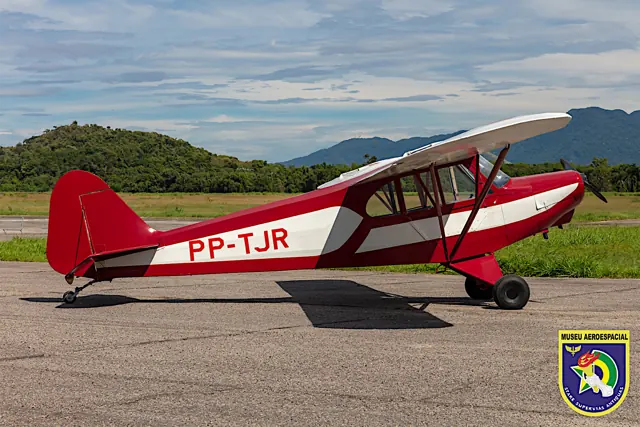
Personal memoir of training on the CAP-4 and Piper J-3; individual anecdotes do not always name the type
Formação de PPA 04
8 March 2013 · signed Ferrão; related Neiva P56C PP-GXN, not the CAP-4
A incrível experiência de voar
20 June 2016 · student account in the related Neiva P56B, not the CAP-4
CASA C-212 Aviocar
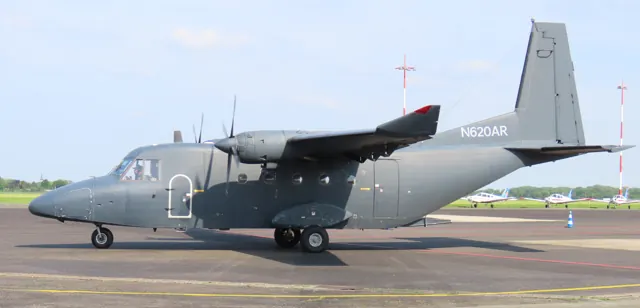
The CASA C-212 Aviocar is a Spanish twin-turboprop utility transport designed for short-field operations.
Project MAX C212-200 description; configuration facts rather than unsupported numerical performance.
Hawk Arrow II · Microsoft Flight Simulator · MSFS 2024
The simulated configuration has a four-stroke Rotax
The guide labels the aircraft Arrow II STOL Pack and describes a Rotax 912 ULS. Earlier two-stroke Hawks in the accounts differ from this configuration.
Official MSFS 2024 manual · PDF pages 4 and 6
Hawk Arrow II · Microsoft Flight Simulator · MSFS 2024
A G3X sits beside straightforward cockpit controls
The cockpit illustration identifies a Garmin G3X Touch, separate radio and transponder, trim buttons and a two-position flap switch.
Manual PDF page 5
Hawk Arrow II · Microsoft Flight Simulator · MSFS 2024
Find the brakes and lighting switches
The panel guide labels left and right brake levers, throttle and choke, separate ignition switches, and navigation, strobe and wigwag lighting controls.
Manual PDF page 5; labels do not establish external bindings
Hawk Arrow II · Microsoft Flight Simulator · MSFS 2024
Trim on the stick, brakes by hand
The Arrow II manual's cockpit diagram identifies trim buttons on the control stick and separate hand-operated left and right brake levers. Those details distinguish its controls from the pedal-brake arrangement familiar in many larger light aircraft.
Archived simulator manual; installed package revision not observed · PDF p.5
CGS Hawk Arrow II
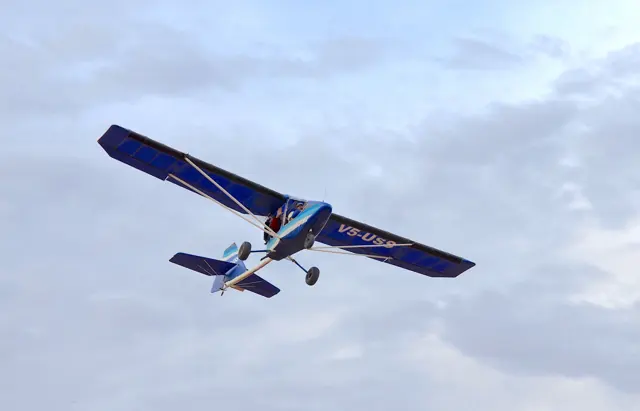
Chuck Slusarczyk developed the Hawk from his experience with hang gliders and early powered ultralights. The engine and propeller sit behind the cabin, leaving the view ahead unobstructed. The family includes both single-seat and tandem two-seat aircraft.
The Arrow II in MSFS is the two-seat development described by its own manual. Its cockpit includes stick-mounted trim controls and separate hand-operated brake levers. The family photograph depicts a single-seat Hawk.
Aircraft / family
Flight Review: CGS Hawk Arrow
Ed Wischmeyer · 7 October 2010
Unbreaking the Bank: Sportplanes
Dave Martin · 10 March 2008; earlier Hawk II recollection
How affordable is maintenance on ultralights?
Wagondriver / 375Taylor · post 6, 17 August 2025