

Start here
A few places to begin, from the aircraft’s story to the people who fly it.
Meet the aircraft
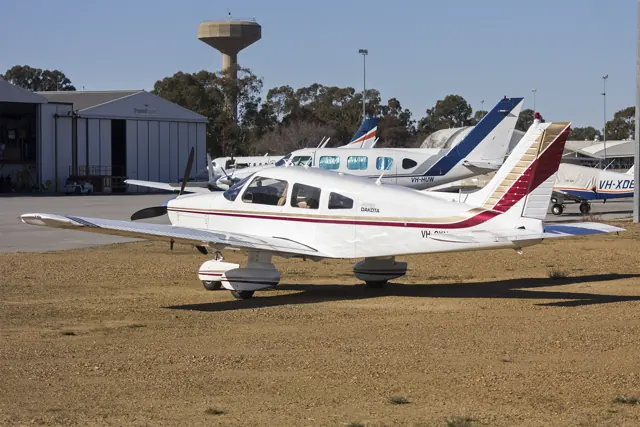
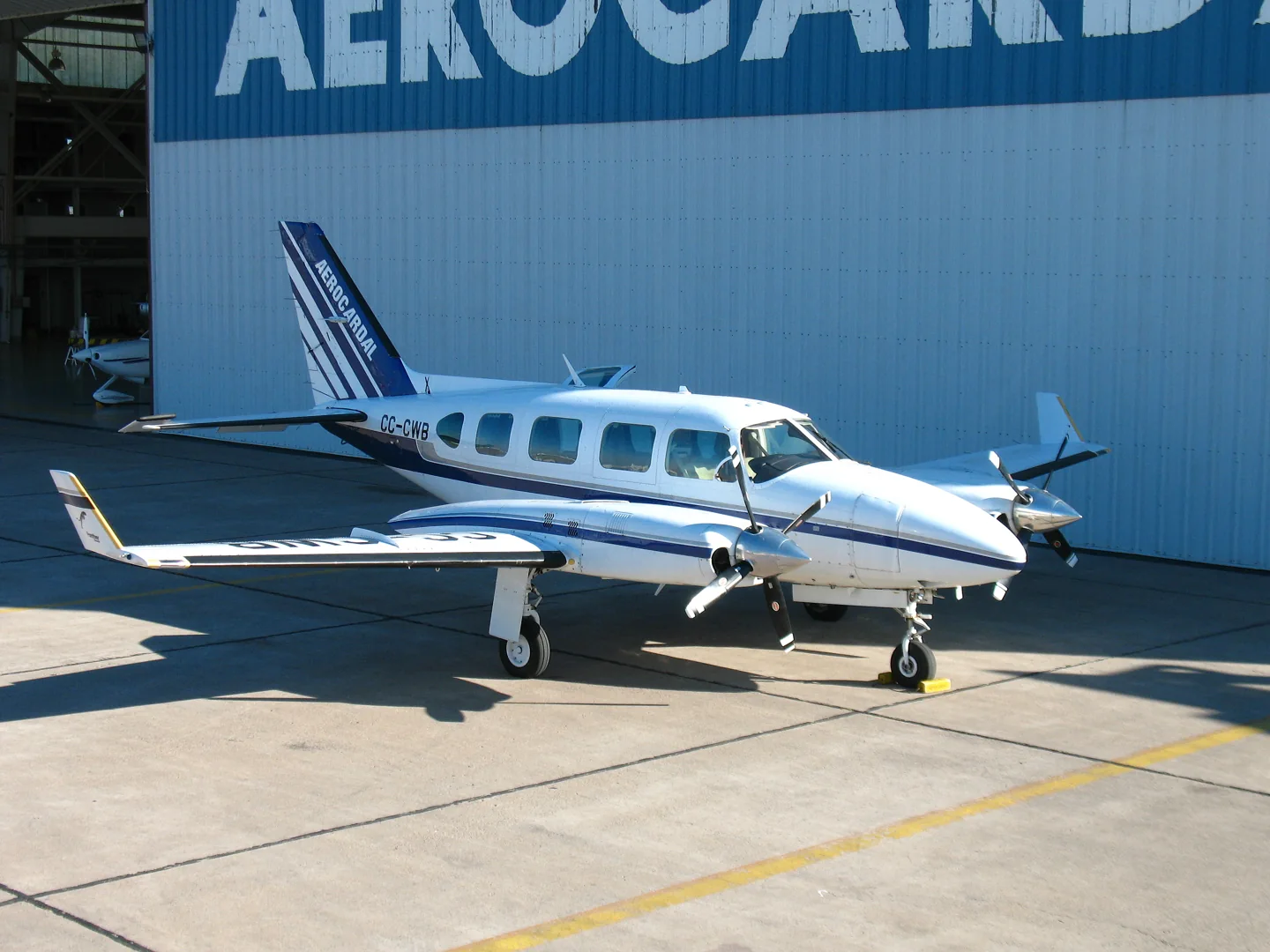
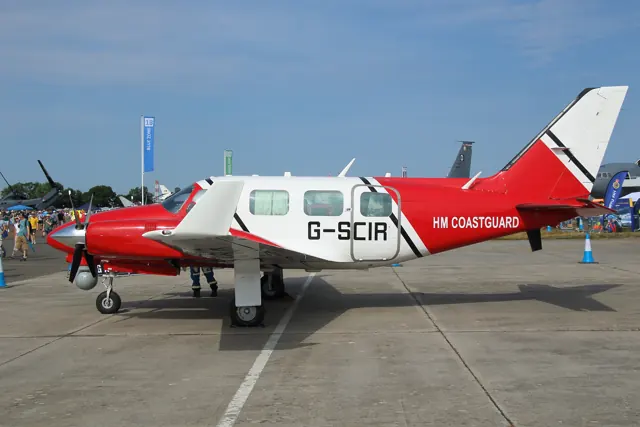
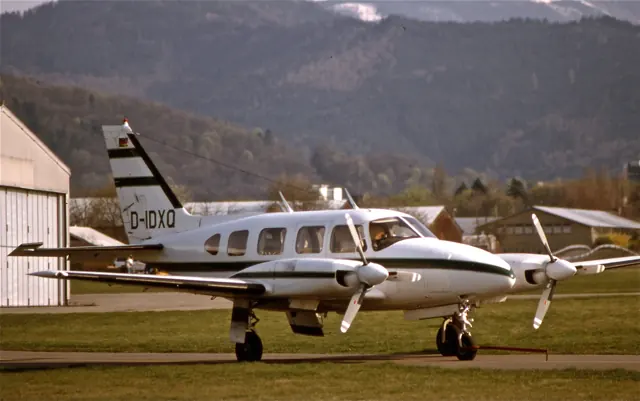
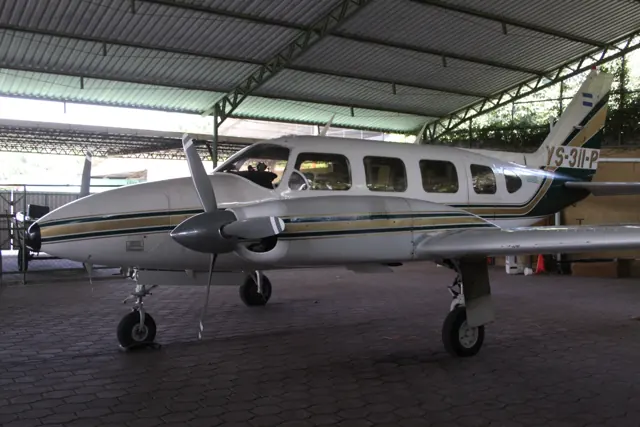
Piper built the PA-31 Navajo for commuter, cargo and corporate transport, using a low wing, twin engines and tricycle gear. Production ran from 1967 to 1984, including licensed manufacture in Latin America. Versions differed in cabin layout and capability. Simulator enhancement packages identify the base aircraft they require.
Aircraft background
Wikipedia contributors · Read more ↗A charter company’s introduction became a cross-country
Leighton’s company collected its Navajo in California after the required transition training, then took it home to Florida with stops in Las Vegas and at the Grand Canyon. That long introduction grew into a working relationship over the following months. He valued its loading flexibility, the passenger-friendly airstair and the steady feel when flying instruments. Older equipment remained part of the experience.
Piper Flyer · November 2005 account, republished online in 2014. The company’s 1970 PA-31-310.
Piper Flyer · Read more ↗An expansion for the Carenado Navajo
SimCoders identifies Carenado’s X-Plane 11 PA-31 as the required base aircraft. The developer documents X-Plane 12 support from REP 4.7.0, including rain effects. Added features cover a custom piston-engine model, turbocharger behaviour, oxygen and vacuum systems, with an option for small differences between the two engines.
Piper PA-31 Navajo · X-Plane 11 · X-Plane 12
SimCoders · Read more ↗Into the cockpit
 YouTube
 A10boy
Piper Navajo cockpit intro.
An introduction to the Navajo cockpit layout.
Real PA-31-350 Navajo
Watch on YouTube ↗Preview images are served by AirframeDB. Videos open on YouTube only when you choose to watch.
Meet Piper PA-31 Navajo
Piper built the PA-31 Navajo for commuter, cargo and corporate transport, using a low wing, twin engines and tricycle gear. Production ran from 1967 to 1984, including licensed manufacture in Latin America. Versions differed in cabin layout and capability. Simulator enhancement packages identify the base aircraft they require.
Piper PA-31 Navajo
Piper → · Explore the family →
Piper PA-31 Navajo
Wikipedia contributors · Piper PA-31 Navajo ↗SimCoders · X-Plane 11 · X-Plane 12 →Aircraft type designators
Use the code for the model you are flying. The linked authority lists the applicable aircraft.
History & design
Growing from Navajo to Chieftain
Piper introduced the original Navajo in 1967. The later Chieftain added a 24-inch fuselage extension ahead of the main spar and 350 hp engines, creating more passenger and cargo space. Winter’s history treats the pressurised Navajo and Mojave separately.
Piper Flyer · The Piper Navajo: The Last of the Lock Haven Planes ↗Piper Flyer family history · variant distinctions
Development milestones
First flight: 30 September 1964
Wikipedia contributors · Piper PA-31 Navajo ↗Piper PA-31 Navajo · family/variant named by the source · Wikipedia revision 1374354704
Pilot accounts
A charter company’s introduction became a cross-country
Leighton’s company collected its Navajo in California after the required transition training, then took it home to Florida with stops in Las Vegas and at the Grand Canyon. That long introduction grew into a working relationship over the following months. He valued its loading flexibility, the passenger-friendly airstair and the steady feel when flying instruments.
Older equipment remained part of the experience. The radar and original autopilot needed familiarity, but he found them useful once understood. Maintenance was generally manageable for his operation, although tasks such as bleeding the brakes were distinctly less enjoyable. The company eventually sold the aircraft when commercial insurance economics pushed it towards turboprops. His positive recollection is rooted in that particular aircraft and business, rather than a promise that every Navajo will have the same costs or condition.
Piper Flyer · November 2005 account, republished online in 2014. The company’s 1970 PA-31-310.
Read the full account · Piper Flyer ↗Looking up at the aeroplane for the first time
Winter’s introduction was abrupt. After a checkride in a Cessna 310, her employer told her to take another in a Navajo and then fly it back to the remote base. She had never been inside one, and its sheer height was intimidating. Memorising the cockpit and aircraft figures got her through, but she remained critical of the employer’s casual approach to training.
As familiarity replaced that first anxiety, Winter found the Navajo unusually gentle and comfortable to fly. Later experience across short-body versions and the Chieftain gave her a more detailed view of their loading and handling differences. She remembered the family as useful working aircraft with cabin space passengers appreciated. Even finding a suitable hangar could become part of the ownership decision once its wingspan and tall tail were considered.
Piper Flyer · February 2017. Recollections spanning the original Navajo, Navajo C and Chieftain.
Read the full account · Piper Flyer ↗A larger family aircraft, with a hangar problem to solve
Hughes chose the Chieftain when his family’s needs outgrew the Aztec he had owned for years. Adult children, their families and baggage made space valuable, while his wife particularly wanted air conditioning. The longer cabin helped decide the choice. He retained much of the aircraft’s older equipment while making selected navigation and communications improvements.
At home, the tall tail would not fit through his hangar door. Hughes devised a lifting tug that raised the nose enough to lower the tail beneath the opening. The story captures both the utility and the practical complications of a large personal twin. Asked what she liked best, his wife immediately picked the air conditioning; her remaining wish was a cabin tall enough to stand up in fully.
Piper Owner Society · April 2020. A Chieftain acquired at a government auction in August 2014, after earlier charter service.
Read the full account · Piper Owner Society ↗A big cabin and a surprisingly approachable flight
Davy enjoyed the sense of occasion before the engines even started: the airstair entrance, substantial luggage space and comfortable seats made the Chieftain feel like a small airliner. Reaching the cockpit also meant negotiating the spar across the cabin floor, which caught him out. Once airborne, he was surprised by how approachable the large twin felt.
Formation work with the camera aircraft showed him light, effective controls, although engine response still required patience. Returning to Blackbushe, he turned in more tightly than Tim had intended and had to revise the descent. The mains touched gently, quickly followed by the nosewheel, a landing characteristic Tim recognised from his own recent experience. Davy left enthusiastic enough to welcome the suggestion of a future group trip to Europe.
Pilot flight test. A 1979 PA-31 Chieftain flown from Blackbushe with the owner aboard and Tim, a retired airline captain, in the right seat.
Read the full account · Pilot ↗In your simulator
Systems, equipment and documentation for each developer’s aircraft.
Compare simulator versions →X-Plane 11 · X-Plane 12 Enhancement Piper PA-31 Navajo
SimCoders · Released
Piper PA-31 Navajo
SimCoders · Released
X-Plane 12PA-31 Chieftain
JetStream / CIS · Released
PA-31 Chieftain
JetStream / CIS · Released
Aircraft specifications
Published figures for the named real-aircraft variant. Simulator equipment and performance can differ.
| Specification | Published value |
|---|---|
| Length | 32 ft 7 + 1 ⁄ 2 in (9.94 m) |
| Wingspan | 40 ft 8 in (12.40 m) |
| Height | 13 ft 0 in (3.96 m) |
| Wing area | 229 sq ft (21.3 m² ) |
| Empty weight | 3,930 lb (1,783 kg) |
| Max takeoff weight | 6,500 lb (2,948 kg) |
| Powerplant | 2 × Lycoming TIO-540-A air-cooled six-cylinder horizontally opposed piston engine , 310 hp (230 kW) each |
| Propellers | 3-bladed Hartzell metal, fully feathering propellers, 6 ft 8 in (2.03 m) diameter |
| Maximum speed | 261 mph (420 km/h, 227 kn) at 15,000 ft (4,600 m) |
| Cruise speed | 238 mph (383 km/h, 207 kn) at 20,000 ft (6,100 m) (econ. cruise) |
| Stall speed | 73 mph (117 km/h, 63 kn) (flaps down) |
| Range | 1,165 mi (1,875 km, 1,012 nmi) at 20,000 ft (6,100 m) (econ. cruise speed) |
| Service ceiling | 26,300 ft (8,000 m) |
| Rate of climb | 1,445 ft/min (7.34 m/s) |
Manuals & resources
Find your next read
Choose a topic for a short introduction and a link to the original source. Simulator references identify the developer and edition they cover.
Simulator documentation
An expansion for the Carenado NavajoPiper PA-31 Navajo · SimCoders · X-Plane 11 · X-Plane 12
SimCoders identifies Carenado’s X-Plane 11 PA-31 as the required base aircraft. The developer documents X-Plane 12 support from REP 4.7.0, including rain effects. Added features cover a custom piston-engine model, turbocharger behaviour, oxygen and vacuum systems, with an option for small differences between the two engines.
Gathered SimCoders page · compatibility milestone, not an observed installed revision
SimCoders · Read the source ↗A twin whose condition carries into the next sessionPiper PA-31 Navajo · SimCoders · X-Plane 11 · X-Plane 12
REP adds a walkaround, towing, a mass-and-balance tool and maintenance reporting. Its description says battery state and engine temperatures continue across sessions, with elapsed time affecting the next start. An optional economy system attaches virtual costs to fuel and repairs, and the preheater can remain active while the simulator is closed.
Developer-documented ownership and systems features
SimCoders · Read the source ↗Pilot account
Developer documentation
PA-31 Chieftain — product listingPA-31 Chieftain · X-Plane 12
Product listing captured 2026-09-30; edition scope from the reviewed catalogue
www.jetstreamfs.com · Read the source ↗Read the original documentation from the people who created it. Manuals open on their publisher’s website.
Aircraft background
Piper PA-31 NavajoWikipedia contributors · Research background · retrieved 2026-09-12Product
Reality Expansion Pack · Piper PA31 NavajoSimCoders · Official developer / designated store catalogue · checked 2026-09-12 CIS Piper Chieftain - JetStream FSwww.jetstreamfs.com · Product listing captured 2026-09-30; edition scope from the reviewed catalogueType designator
ICAO Doc 8643 — aircraft type designatorsInternational Civil Aviation Organization · Public search data retrieved 2026-09-14; authority update 2026-09-03Built-in force-feedback profiles
Read the documentary basis, editable starting settings and remaining questions for the aircraft you fly. Each explanation refers to the exact profile revision shown.
Catalogue programme-20261022-v1 · 5 profile choices
Carenado PA31-350 Chieftain
Carenado · Free and Pro · Revision 3 · Partial review
X-Plane 11
Carenado PA31-350 Chieftain: The profile supplies the piston twin’s selected yoke loading.
Carenado PA31 Navajo
Carenado · Free and Pro · Revision 1 · Partial review
X-Plane 11
Carenado PA31 Navajo: The profile supplies the piston twin’s selected yoke loading.
JetStream / CIS PA-31-350 Navajo Chieftain
JetStream / CIS · Free and Pro · Revision 3 · Inherited starting point
X-Plane 12
JetStream / CIS PA-31-350 Navajo Chieftain: The profile supplies the piston twin’s selected yoke loading.
SimCoders REP / Carenado PA-31 Navajo (XP12)
SimCoders · Free and Pro · Revision 1 · Inherited starting point
X-Plane 12
SimCoders REP / Carenado PA-31 Navajo (XP12): The profile supplies the piston twin’s selected yoke loading.
Piper PA-31 Navajo
Free and Pro · Revision 2 · Partial review
X-Plane 12 · X-Plane 11
Piper PA-31 Navajo: The profile supplies the piston twin’s selected yoke loading.
Piper PA-31 Navajo
Piper PA-31 Navajo: The profile supplies the piston twin’s selected yoke loading.
Aircraft and simulator scope
- Piper PA-31 Navajo · X-Plane 12 · family starting point
- Piper PA-31 Navajo · X-Plane 11 · family starting point
Piper PA-31 Navajo · Family sources identify only the variants and product versions described above.
The simulator model and controls
Piper built the PA-31 Navajo for commuter, cargo and corporate transport, using a low wing, twin engines and tricycle gear. Production ran from 1967 to 1984, including licensed manufacture in Latin America. Versions differed in cabin layout and capability. Simulator enhancement packages identify the base aircraft they require.
This starting point selects Piper PA-31 Navajo. Its aircraft-level settings do not select a particular developer’s custom systems.
How this profile feels
The profile supplies the piston twin’s selected yoke loading. Spring resistance builds with the selected airspeed response. A separate aerodynamic term adds speed-dependent control load.
Electric pitch trim and CWS have separate manual and automatic-flight functions. Valid trim provides the configured pressure relief. Autopilot following is enabled for supported control references.
Controls and trim
The reviewed Navajo products have electric pitch-trim/AP checks and separately specified KFC200/CWS equipment. Thranda’s PA31-350 and REP’s Carenado Navajo retain different airframe and integration scope.
About the values
The gains are normalized profile settings. They describe the chosen effect balance; hand force depends on the device and its output limits. IAS references are tuning values rather than operating limits. Physical acceptance of this revision remains pending.
What the documentation establishes
SimCoders identifies REP for Carenado Navajo; XP12 support starts at REP4.7.0.
REP custom piston model overrides the default engine.
Documentary review and sources
These decisions describe the documentary basis and remaining gaps for this revision. Aircraft documentation and a starting setting describe different kinds of evidence.
Aircraft and variant
ReviewedThis starting point selects Piper PA-31 Navajo. Its aircraft-level settings do not select a particular developer’s custom systems.
Flight controls
Not yet reviewedThe reviewed Navajo products have electric pitch-trim/AP checks and separately specified KFC200/CWS equipment. Thranda’s PA31-350 and REP’s Carenado Navajo retain different airframe and integration scope.
Trim
Not yet reviewedElectric pitch trim and CWS have separate manual and automatic-flight functions. Pitch authority 0.3 provides load relief and permitted centre movement; roll authority is 0.
Autopilot and stability
Not yet reviewedFollowing is on at 0.1 authority when a supported, valid autopilot control reference is available.
Equipment
ReviewedGear, flap and ground cues follow the selected settings and available simulator-reported states.
Speeds and limits
Not yet reviewedThe indicated-speed references set the profile response scale; they are separate from aircraft operating limits.
Simulator integration
Not yet reviewedThe profile targets xplane12, xplane11. Add-on-specific controls use only the supported references configured by this profile.
Force-feedback settings
Not yet reviewedThe settings define the profile’s effect balance. Device output limits affect physical hand force.
Starting settings and their rationale
These configured values are starting estimates. The explanations describe what each setting controls; physical validation appears separately below.
| Setting | Starting value | What it controls and why |
|---|---|---|
| Spring strength | Starting value0.74 | What it controls and whyThe profile supplies the piston twin’s selected yoke loading. The baseline spring is 0.74. Its low-speed blend reaches baseline strength at 85 KIAS. |
| Master force gain | Starting value0.85 | What it controls and whyScales overall profile strength while preserving effect balance, subject to device and output limits. |
| Profile force gain | Starting value0.8 | What it controls and whyThe aerodynamic-load gain is 0.8 with an indicated-speed reference of 170 KIAS. This supplies speed-dependent loading alongside the spring. |
| Force tuning speed/reference | Starting value170.0 kt | What it controls and whySets the IAS reference for aerodynamic loading. It is an estimate, not published cruise TAS or a flight limit. |
| Spring response reference speed | Starting value85.0 kt | What it controls and whySets the IAS where the low-speed blend reaches baseline strength; high-speed stiffening also uses it. |
| Aileron force scale | Starting value0.72 | What it controls and whyRoll and pitch aerodynamic scales are 0.72 and 1, respectively. They set the aerodynamic axis balance. No custom spring-travel curve is enabled. |
| Elevator force scale | Starting value1.0 | What it controls and whyScales pitch aerodynamic loading; pitch spring travel and trim responses are separate settings. |
| Trim feel | Starting valueEnabled | What it controls and whyRetained for compatibility and group membership. Trim relief, rather than this flag, controls centre movement. |
| Trim relief | Starting valueEnabled | What it controls and whyAllows trim relief with supported control law and valid telemetry. Axis authorities set its amount. |
| Autopilot follow | Starting valueEnabled | What it controls and whyFollowing is on at 0.1 authority when a supported, valid autopilot control reference is available. |
| Autopilot neutral hold | Starting valueDisabled | What it controls and whyPermits centering hold during a supported AP state, separate from following a moving target. |
| Output force limit | Starting value0.55 | What it controls and whyCaps directed-force output. Native spring effects and device limits remain separate. |
All 44 starting settings and their rationale
The settings define the profile’s effect balance. Device output limits affect physical hand force.
| Setting | Starting value | What it controls and why |
|---|---|---|
| Spring strength | Starting value0.74 | What it controls and whyThe profile supplies the piston twin’s selected yoke loading. The baseline spring is 0.74. Its low-speed blend reaches baseline strength at 85 KIAS. |
| Spring deadband | Starting value0.045 | What it controls and whySets travel around the centre before the baseline spring resists. Smaller values engage it sooner. |
| Profile force gain | Starting value0.8 | What it controls and whyThe aerodynamic-load gain is 0.8 with an indicated-speed reference of 170 KIAS. This supplies speed-dependent loading alongside the spring. |
| Master force gain | Starting value0.85 | What it controls and whyScales overall profile strength while preserving effect balance, subject to device and output limits. |
| QBlend Enabled | Starting valueEnabled | What it controls and whyAllows baseline spring strength to rise with indicated airspeed where the control law permits it. |
| QSpring Minimum Factor | Starting value0.5 | What it controls and whySets low-speed spring strength as a fraction of baseline when blending is enabled. One keeps full strength. |
| QSpring Start Knots | Starting value20 kt | What it controls and whySets the IAS where the low-speed spring blend starts rising. This is a feel threshold, not a flight limit. |
| Spring response reference speed | Starting value85.0 kt | What it controls and whySets the IAS where the low-speed blend reaches baseline strength; high-speed stiffening also uses it. |
| Force tuning speed/reference | Starting value170.0 kt | What it controls and whySets the IAS reference for aerodynamic loading. It is an estimate, not published cruise TAS or a flight limit. |
| Airspeed spring stiffening gain | Starting value0.15 | What it controls and whyThe high-speed spring-stiffening gain is 0.15. It strengthens the permitted spring response above 85 KIAS, with the squared-speed ratio capped at 5. |
| Airspeed spring stiffening limit | Starting value5 | What it controls and whyLimits the squared airspeed ratio used for high-speed spring stiffening; it is not a device-force cap. |
| Aileron force scale | Starting value0.72 | What it controls and whyRoll and pitch aerodynamic scales are 0.72 and 1, respectively. They set the aerodynamic axis balance. No custom spring-travel curve is enabled. |
| Elevator force scale | Starting value1.0 | What it controls and whyScales pitch aerodynamic loading; pitch spring travel and trim responses are separate settings. |
| Output force limit | Starting value0.55 | What it controls and whyCaps directed-force output. Native spring effects and device limits remain separate. |
| Trim feel | Starting valueEnabled | What it controls and whyRetained for compatibility and group membership. Trim relief, rather than this flag, controls centre movement. |
| Trim relief | Starting valueEnabled | What it controls and whyAllows trim relief with supported control law and valid telemetry. Axis authorities set its amount. |
| Elevator Authority | Starting value0.3 | What it controls and whyElectric pitch trim and CWS have separate manual and automatic-flight functions. Pitch authority 0.3 provides load relief and permitted centre movement; roll authority is 0. |
| Aileron Authority | Starting value0 | What it controls and whyScales supported roll-trim relief and permitted centre movement. Zero removes roll response. |
| Force Trim Enabled | Starting valueDisabled | What it controls and whyEnables local force trim, separate from aircraft-owned trim and add-on integration qualification. |
| GLoad Enabled | Starting valueEnabled | What it controls and whyAllows load-factor changes to modify permitted spring laws. Passive fly-by-wire feel can suppress it. |
| Rate Damping Enabled | Starting valueEnabled | What it controls and whyEnables rate damping with the configured coefficients and control law. |
| Autopilot follow | Starting valueEnabled | What it controls and whyFollowing is on at 0.1 authority when a supported, valid autopilot control reference is available. |
| Autopilot follow authority | Starting value0.1 | What it controls and whySets admitted AP-follow gain, not a percentage of travel. Runtime ownership and input limits still apply. |
| Autopilot neutral hold | Starting valueDisabled | What it controls and whyPermits centering hold during a supported AP state, separate from following a moving target. |
| Autopilot neutral hold strength | Starting value0.6 | What it controls and whySets admitted AP neutral-hold strength; inactive while neutral hold is disabled. |
| Enabled | Starting valueEnabled | What it controls and whyEnables aerodynamic cues; each still needs nonzero strength and its simulator conditions. |
| Gain | Starting value0.35 | What it controls and whySets stall-buffet strength. Zero removes the cue without changing simulator stalls or warnings. |
| Gain | Starting value0 | What it controls and whySets high-Mach buffet strength; onset and full-strength thresholds are separate. |
| Gain | Starting value0.14 | What it controls and whySets flap buffet at the configured position and speed gates. Flap movement texture is separate. |
| Maximum flap index | Starting value3 | What it controls and whySets the final flap index for detent normalization. UP plus three detents uses maximum index3. |
| Minimum flap index | Starting value2 | What it controls and whySets the first flap detent that admits buffet; this is a handle index, not degrees. |
| Gain | Starting value0.1 | What it controls and whySets gear aerodynamic buffet; movement and ground-contact cues are separate. |
| Shaker Enabled | Starting valueDisabled | What it controls and whyPermits shaker at supported warning conditions; the switch does not establish aircraft equipment. |
| Stick shaker amplitude | Starting value0.5 | What it controls and whySets triggered shaker strength; inactive while the shaker feature is disabled. |
| Enabled | Starting valueEnabled | What it controls and whyEnables ground effects; each still needs its own strength and contact or motion telemetry. |
| Gain | Starting value0.4 | What it controls and whySets rolling texture strength, modified by speed, surface and undercarriage configuration. |
| Gain | Starting value0.25 | What it controls and whySets gear-bump texture during ground motion, separate from touchdown impact. |
| Gain | Starting value0.65 | What it controls and whySets landing-impact strength; landing telemetry and response shape determine the pulse. |
| Gain | Starting value0 | What it controls and whySets reverse-thrust vibration with valid reverser and engine conditions. Zero removes the cue. |
| Enabled | Starting valueEnabled | What it controls and whyEnables engine cues with nonzero settings and valid running-engine telemetry. |
| Gain | Starting value0.12 | What it controls and whySets estimated engine vibration using configured telemetry and response, not measured cockpit vibration. |
| Enabled | Starting valueEnabled | What it controls and whyEnables accessory cues with configured strengths and observed accessory movement. |
| Gain | Starting value0.12 | What it controls and whySets texture from observed flap movement; a command without movement does not establish the cue. |
| Gain | Starting value0.12 | What it controls and whySets texture from observed gear movement, separate from aerodynamic and touchdown effects. |
Limits and open questions
- The product page does not establish cable gearing/harmony.
- Navajo trim authority remains unresolved.
- Generic follow is not a documented REP demand contract.
- No applicable IAS force schedule was supplied.
- XP12 support applies to the specified REP/base product; custom engine signals need checking.
- Flight-dynamics claims are not measured yoke forces; manual/texture strengths remain estimates.
Physical validation
No physical force validation is recorded in this public catalogue for this revision. Documentary review and software checks do not establish how a particular device feels.
Discuss this aircraft (0)
Questions, observations and useful sources from the community.
No published discussions yet. Bring a question or share a useful source.
Open aircraft discussions →Content expanded · What’s new
Something missing or a source that needs attention?
Suggest a correction ↗