Find aircraft background, systems descriptions and manuals for the aircraft you are researching. Each note keeps its source and version context close by.
Simulator manuals describe the developer’s implementation. Aircraft background is research-based; pilot accounts describe an individual’s experience. Coverage here is limited to the selected notes and linked resources, not the full contents of every manual.
Boom XB-1 · Microsoft Flight Simulator · MSFS 2024
Some flight-control assignments are custom
The manual requires custom pitch/yaw trim assignments, with no stock keys for Q-feel, dampers or roll deflection.
Developer-documented scope · page 95
Breguet XIV mailplane
Restauravia supplies the Breguet XIV mailplane for MSFS 2020 and MSFS 2024. The package has fixed tailwheel landing gear. Its pitch-trim function is a simulator addition; the selected documentation does not establish original trim equipment on the 1917 aircraft.
Breguet XIV mailplane
Lionheart Bucker Bu 131 Jungmann · Lionheart Creations · MSFS 2020
Trim and simulator assistance
The manual identifies the elevator-trim lever and a fictional autopilot with ALT and HDG functions. These convenience modes belong to Lionheart's rendition. The guide also notes that an airborne start can leave the assistant switched on.
Original PDF pages 25,29,49-50
Bücker Bü 131 Jungmann
The Bü 131 Jungmann is represented by Lionheart as a fixed-tailwheel biplane without wing flaps. Its cockpit includes an elevator-trim lever. The liveries share the package's documented control configuration.
Lionheart also adds an explicitly fictional altitude/heading autopilot as a simulator convenience. The manual notes that starting a flight airborne can enable that assistant.
Bücker Bü 131 Jungmann
Hawk Arrow II · Microsoft Flight Simulator · MSFS 2024
A G3X sits beside straightforward cockpit controls
The cockpit illustration identifies a Garmin G3X Touch, separate radio and transponder, trim buttons and a two-position flap switch.
Manual PDF page 5
Hawk Arrow II · Microsoft Flight Simulator · MSFS 2024
Trim on the stick, brakes by hand
The Arrow II manual's cockpit diagram identifies trim buttons on the control stick and separate hand-operated left and right brake levers. Those details distinguish its controls from the pedal-brake arrangement familiar in many larger light aircraft.
Archived simulator manual; installed package revision not observed · PDF p.5
CGS Hawk Arrow II
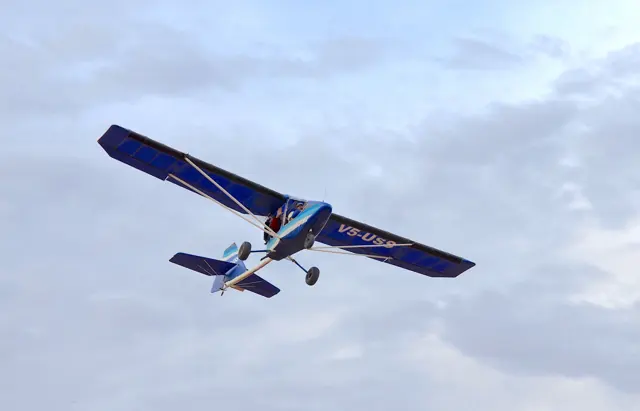
Chuck Slusarczyk developed the Hawk from his experience with hang gliders and early powered ultralights. The engine and propeller sit behind the cabin, leaving the view ahead unobstructed. The family includes both single-seat and tandem two-seat aircraft.
The Arrow II in MSFS is the two-seat development described by its own manual. Its cockpit includes stick-mounted trim controls and separate hand-operated brake levers. The family photograph depicts a single-seat Hawk.
Aircraft / family
Camair 480 Twin Navion
The Camair 480 Twin Navion in Hangar Studios 713's manual uses two 240 hp Continental O-470B engines and constant-speed propellers. Its landing gear retracts, and pitch and rudder controls are grouped on the pedestal.
The simulator includes a KAP140 autopilot and optional navigators. Later trim-indicator additions change the available cockpit information; the product is documented as an MSFS 2020 aircraft with MSFS 2024 backwards compatibility.
Camair 480 Twin Navion
Cessna 140
Aeroplane Heaven’s Cessna 140 is a single-piston, high-wing taildragger with fixed landing gear. The rendition documents a four-position flap lever and an elevator trim tab on the starboard side.
C140 reference figures in the developer guide; individual engines and modifications vary.
Cessna 150 Commuter
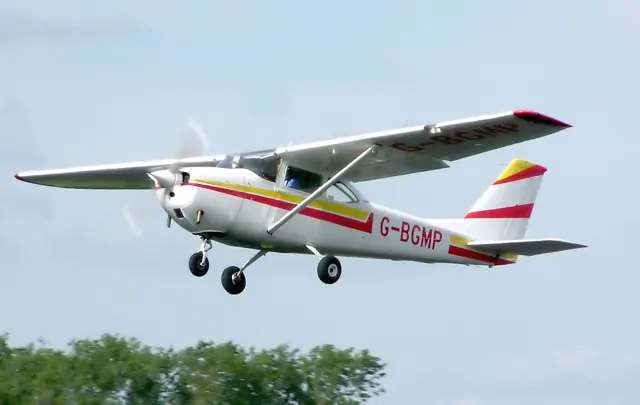
vFlyteAir's Cessna 150 represents the 1972 C150L with a 100 hp Continental O-200A and fixed-pitch propeller. Fixed tricycle gear, elevator trim and electrically operated flaps to 40 degrees are documented. The flap switch is held during travel.
Cessna 150 Commuter
Cessna 162 Skycatcher
The Skycatcher combines a two-seat high-wing airframe with under-panel control sticks. Cessna’s handbook explains that these move like floor-mounted sticks while leaving the cabin easier to enter. Cables and mechanical linkages operate the ailerons, elevator and rudder, with spring loading in the rudder system.
Electric pitch trim acts through a tab on the right elevator. A switch on the stick commands an elevator-mounted servo, and the Garmin G300 displays the trim position. The same handbook identifies optional automatic-flight equipment separately from the standard flight and engine displays.
Model 162 handbook configuration.
Cessna 172 SP · Laminar Research · X-Plane 12
The bundled X-Plane Skyhawk has its own cockpit reference
Laminar's manual documents the C172's primary controls, trim console, instruments and autopilot. Its illustrated cockpit guide and configuration checks describe the bundled aircraft. Independent C172 developers document their own maintenance systems and avionics.
Archived simulator manual; installed package revision not observed · PDF pp.7-8,45; center console and preflight